


Most websites lose traffic slowly, then all at once. Someone tweaks a robots.txt file six months ago and forgets about it. A plugin update quietly adds a noindex tag to fifty product pages. A redesign kills internal links that used to funnel authority to the money pages. None of this shows up as a dramatic crash. It just shows up as a graph that keeps drifting down, and nobody notices until Q3 numbers look ugly and someone finally asks “wait, what happened to our organic traffic?”
That’s the honest reason SEO audits exist. Not because Google changed some secret formula. Because websites accumulate small mistakes the same way a car accumulates rust, and if you never open the hood, you don’t find out until something breaks on the highway.
An SEO audit is basically opening the hood. You go through the technical stuff, the content, the links, the way pages are structured, and you find what’s broken, what’s missing, and what’s actively working against you. It sounds simple when you say it like that. It’s not complicated, but it is thorough, and thoroughness is exactly what most people skip because it takes actual time to click through Search Console reports instead of just guessing.
Here’s the part that surprises beginners: you don’t need a $99-a-month SEO suite to do a useful audit. Google Search Console is free. Google Analytics 4 is free. PageSpeed Insights is free. Screaming Frog’s free version crawls up to 500 URLs, which covers most small and mid-sized sites completely. Bing Webmaster Tools throws in a free backlink checker most people never bother opening. You can run a genuinely useful audit on a $0 budget, and that’s exactly what this guide walks through, step by step, with zero fluff about “digital transformation” or whatever buzzword is trending this quarter.
What You Will Learn in This Guide
- What an SEO audit actually covers, and why guessing at problems wastes more time than checking properly
- Which free tools do the heavy lifting, and what specific reports inside each one matter
- A full step-by-step checklist covering indexing, crawlability, technical SEO, Core Web Vitals, mobile, on-page, content, internal links, backlinks, structured data, and local SEO
- How to prioritize the fifty things you’ll probably find, because fixing everything at once isn’t realistic
- How to put together a report that actually gets issues fixed instead of ignored
- A printable-style checklist you can reuse every month
This guide is for bloggers watching their traffic plateau, small business owners who got a website built five years ago and haven’t touched it since, ecommerce store owners bleeding product page rankings to competitors, freelancers who want to offer audits as a service, and anyone starting out in SEO who’s tired of vague “just do keyword research” advice. If you run a website and you’ve never systematically checked it, this is for you.
What Is an SEO Audit?
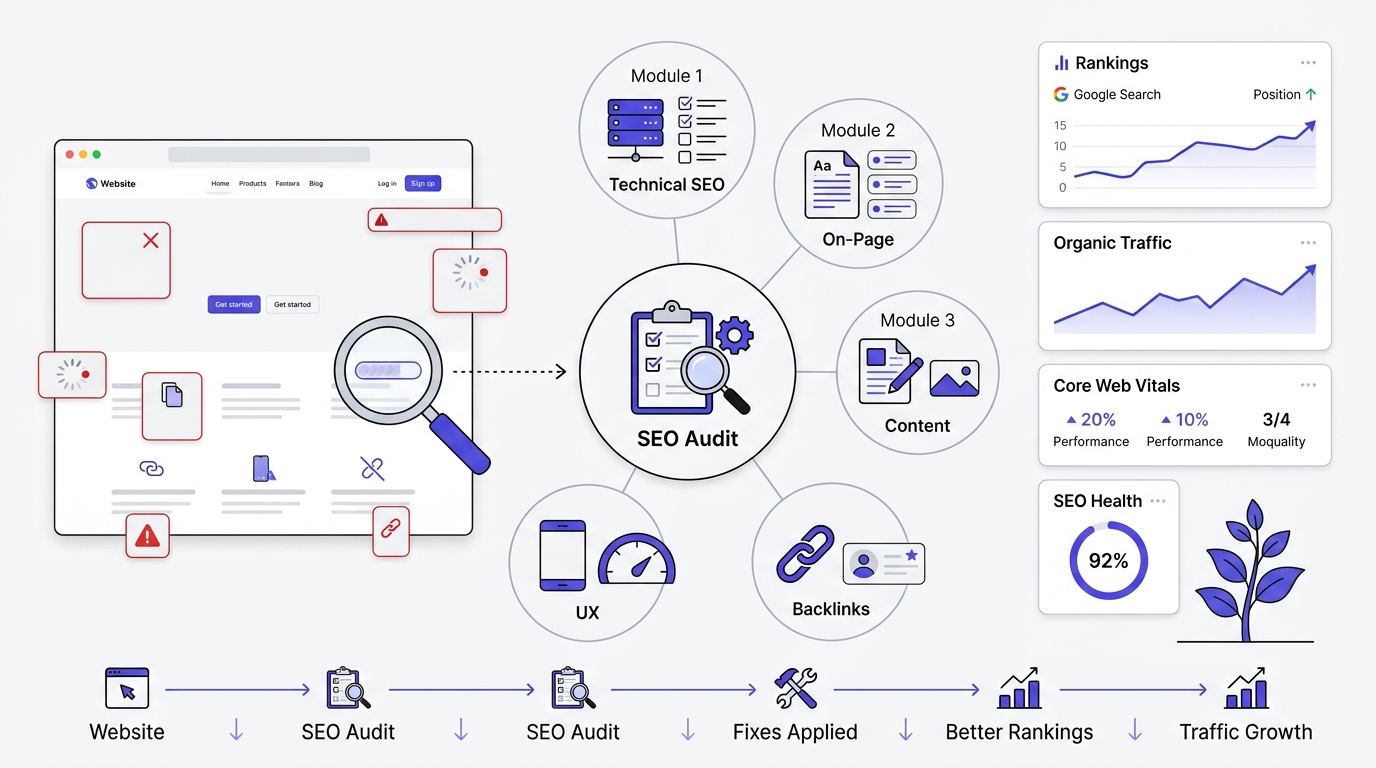
An SEO audit is a full review of a website’s technical health, content quality, and off-page signals to find what’s stopping it from ranking and getting traffic. That’s the plain version. Think of it like a doctor’s checkup, except instead of blood pressure and cholesterol, you’re checking crawl errors, page speed, and duplicate meta descriptions.
The technical version, if you want to sound official in a client meeting: an SEO audit is a systematic evaluation of a website’s indexability, crawlability, on-page optimization, content relevance, site architecture, and backlink profile against current search engine ranking factors, producing a prioritized list of issues and fixes.
Both definitions point at the same thing. You’re not guessing why a site isn’t ranking. You’re checking, methodically, section by section, until you know exactly what’s wrong.
Why SEO Audits Matter
Rankings don’t drop for no reason, even when it feels that way. An audit finds the actual reason instead of leaving you to guess and change five things at once, which is how people accidentally make things worse.
Improve rankings. Google can’t rank pages it can’t crawl or understand properly. Fix a broken canonical tag or a blocked resource, and pages that were stuck on page 3 sometimes move within weeks. This happens more often than people expect, especially on sites that have never had a technical review.
Find hidden SEO problems. Most SEO damage is invisible from the front end. A site can look perfectly normal to a visitor while robots.txt is quietly blocking half the blog. You only catch this by checking the actual signals, not by eyeballing the homepage.
Improve user experience. A lot of what search engines reward- fast loading, clear navigation, mobile usability, readable content- also happens to be what keeps real visitors from bouncing. The audit process forces you to look at the site the way both Google and a human would.
Increase organic traffic. This is the outcome everyone actually wants, but it’s downstream of everything else. Fix indexing, fix technical issues, fix content gaps, and traffic tends to follow, sometimes slowly, sometimes in a noticeable jump once a big blocker gets removed.
Improve crawlability. Search engines have a limited crawl budget for every site, more limited for smaller and newer domains. If bots waste that budget crawling duplicate URLs, filtered category pages, or broken redirect chains, your actual content pages get crawled less often. An audit finds where that budget is leaking.
Improve conversion rates. Nobody talks about this enough, but a chunk of what you find in an audit, confusing navigation, slow pages, broken forms, thin content that doesn’t answer the searcher’s question, hurts conversions just as much as rankings. Fixing SEO issues often fixes business issues at the same time.
How Often Should You Perform an SEO Audit?
New websites (under six months old) should get a light audit monthly. Things change fast early on: indexing takes time to stabilize, content is still being added, and small mistakes compound if they sit uncaught for months.
Established websites with steady traffic can run a full audit quarterly, with lighter monthly checks on Search Console for anything urgent, like a sudden coverage error spike.
Ecommerce websites need audits more frequently, honestly closer to monthly, because product pages get added, removed, and modified constantly. Out-of-stock products, seasonal collections, price changes, all of it creates new duplicate content and broken link risks on a rolling basis.
Large enterprise websites with thousands or millions of pages need continuous monitoring rather than a single scheduled audit. At that scale, issues are always happening somewhere on the site. A full manual audit becomes less about finding every problem and more about setting up systems, like automated crawl reports, that flag issues as they appear.
Types of SEO Audits
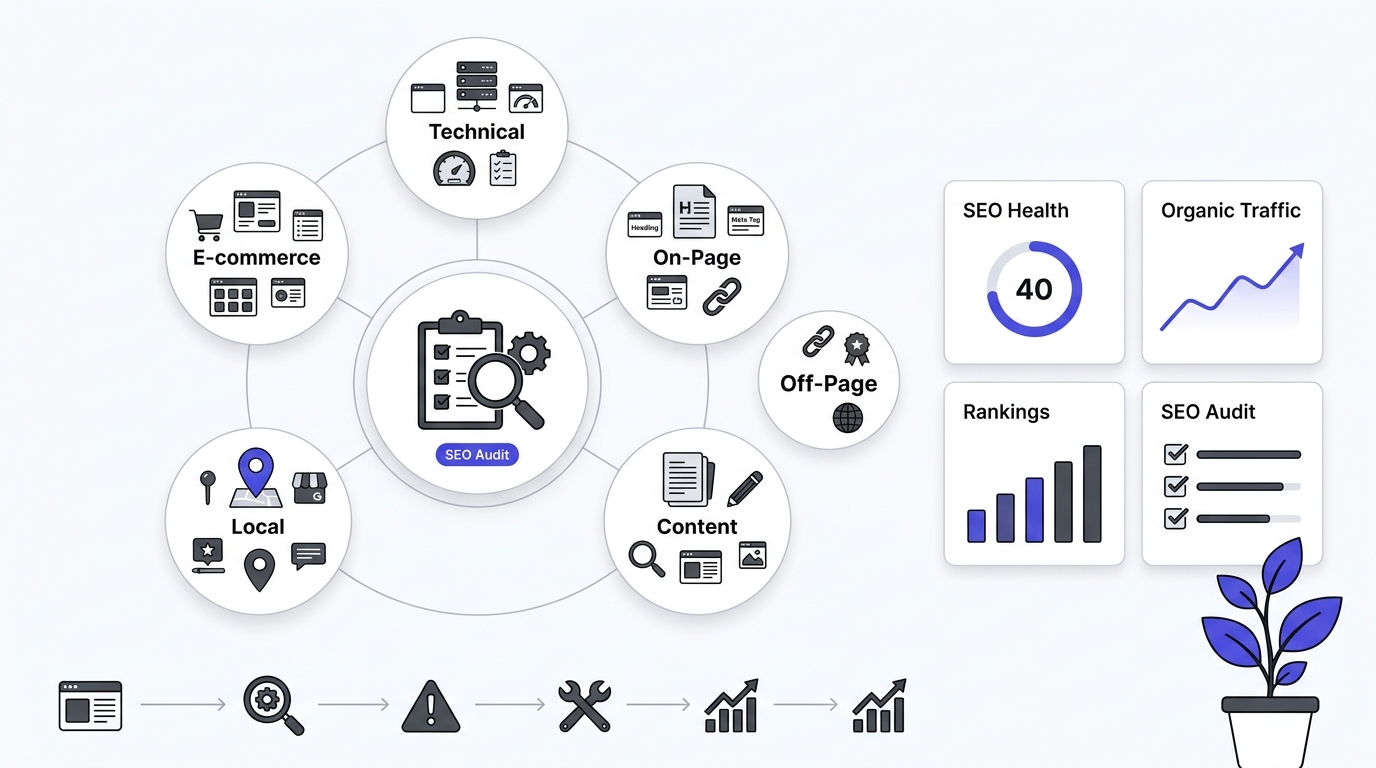
An SEO audit is not a single process. It consists of several specialized audits, each focusing on a different aspect of your website’s performance. While a complete SEO audit usually combines all of these areas, understanding each type individually helps you identify where your website needs improvement.
Whether you’re running a small business website, an eCommerce store, or a large enterprise site, knowing the different types of SEO audits allows you to prioritize the right fixes and achieve better search engine rankings.
Let’s explore the major types of SEO audits in detail.
Technical SEO audit
This is about accessibility, not content. Can Google’s crawlers even reach your pages, understand them, and add them to the index? It covers things like whether your robots.txt file is accidentally blocking important pages, whether your sitemap is complete and up to date, how fast pages load, whether the site works well on mobile, whether redirects are set up properly (not creating loops or chains), whether canonical tags are correctly telling Google which version of a page is the “real” one, and whether structured data (schema markup) is implemented correctly. Think of this as the plumbing — if it’s broken, nothing else matters much.
On-page SEO audit
This zooms into individual pages rather than the site as a whole. Is the title tag optimized? Does the meta description entice clicks? Are headers (H1, H2, etc.) structured logically? Is the content actually using relevant keywords naturally? Is the content itself good quality? Are there internal links pointing to other relevant pages from this one? This is page-by-page optimization work.
Off-page SEO audit
This looks at signals outside your own website that affect how search engines and users perceive your credibility. Mainly this means your backlink profile (who’s linking to you, and are those links high-quality or spammy), brand mentions across the web (even unlinked ones), and social signals. It’s essentially a reputation check.
Content audit
This evaluates your existing content library as a whole. Are there thin pages (too little substance to rank)? Outdated info that needs refreshing? Duplicate or overlapping topics where two of your own pages compete against each other in search results (called keyword cannibalization)? And content gaps — topics your competitors rank for that you don’t have anything on at all.
Local SEO audit
Only relevant if you have a physical location or serve a specific geographic area. Checks whether your Google Business Profile is accurate and complete, whether your NAP (Name, Address, Phone number) is consistent across every directory and citation online, whether you’re listed in the right local citation sources, and how your review profile looks.
E-commerce SEO audit
Specific to online stores. Looks at how product and category pages are structured, problems caused by faceted navigation (filter/sort options that generate huge numbers of near-duplicate URLs, which can confuse search engines and waste crawl budget), how out-of-stock products are handled (do they 404? redirect? stay live?), and whether product schema markup is in place.
Basic audit
The practical takeaway: you don’t need to run all six types every time. A basic audit combines the three most universally useful ones (technical, on-page, content) with a lighter check on backlinks and local signals if those are relevant to the business. This combination is presented as covering the majority of issues actually hurting most small-to-mid-sized sites, without the overkill of running every specialized audit type.
The core message of the passage: match the audit type to the actual situation instead of running a bloated, one-size-fits-all checklist every time.
Free SEO Audit Tools You Will Use
You need a small toolkit, not twenty different logins. Here’s what actually earns a spot.
Google Search Console
This is the single most important free SEO audit tool that exists, full stop. It’s Google talking directly to you about how it sees your site. Nothing else gives you that.
Features: Coverage reporting (which pages are indexed and which aren’t, and why), a Performance report showing real search queries and clicks, mobile usability warnings, Core Web Vitals field data from real Chrome users, manual action notices, and a URL Inspection tool that shows exactly how Google renders a specific page.
Reports you’ll use most: Performance (for keyword and click data), Page Indexing (formerly called Coverage, for finding pages that got excluded and why), Core Web Vitals, and Mobile Usability. If you set up nothing else for a site, set up Search Console.
Google Analytics 4
GA4 tells you what happens after someone lands on your site, which Search Console doesn’t cover.
Important reports: Acquisition overview (traffic by channel, so you can isolate organic search specifically), Engagement reports (which pages hold attention and which get an instant bounce), and Conversions, assuming goals are set up properly.
Traffic insights: Watch for pages with high organic traffic but poor engagement time, that combo usually means the page ranks for the query but doesn’t satisfy the searcher once they arrive, which is a content problem, not a rankings problem.
Google PageSpeed Insights
Free, instant, and it pulls both lab data (a simulated test) and field data (real Chrome User Experience Report data from actual visitors, when enough traffic exists).
Understanding performance metrics: It scores Largest Contentful Paint, Interaction to Next Paint, and Cumulative Layout Shift, the three Core Web Vitals, plus a general performance score from 0 to 100. Anything under 50 on mobile needs attention. It also lists specific opportunities, like “eliminate render-blocking resources” with the exact files causing it.
Google Rich Results Test
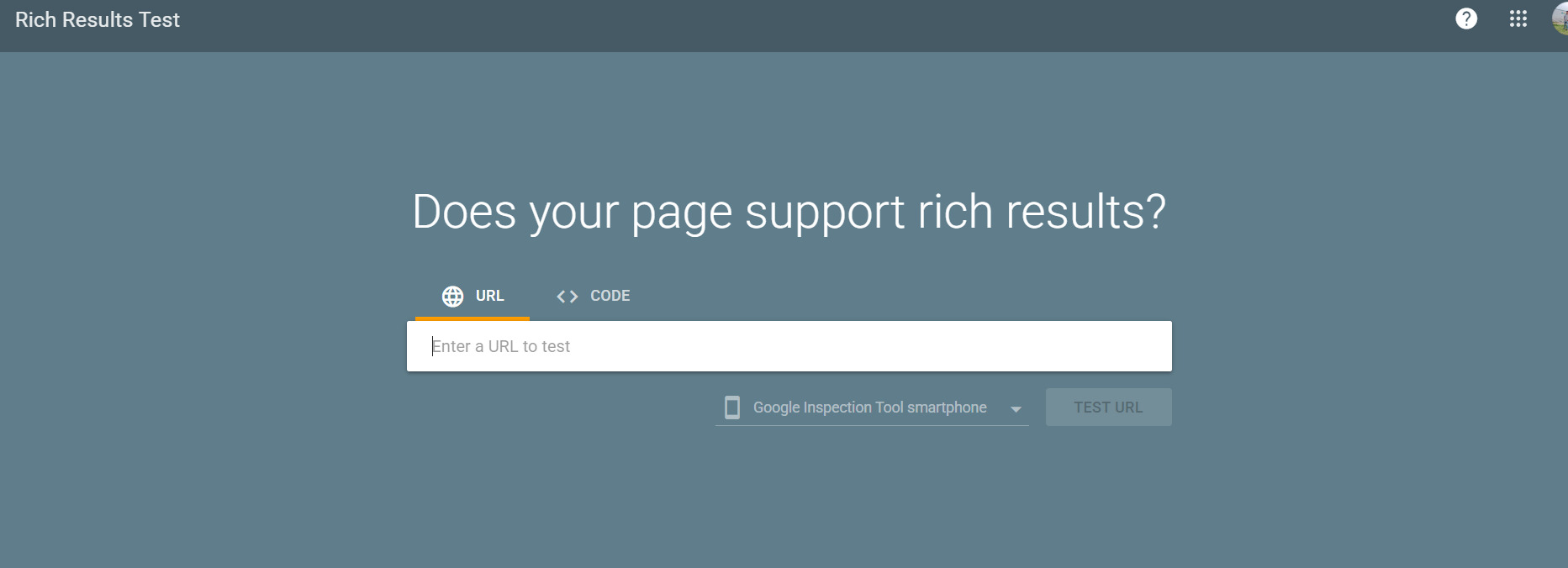
Paste in a URL or code snippet and it tells you whether your structured data is valid and eligible for rich results like FAQ snippets, review stars, or breadcrumbs in search results. It’s more useful than the older Structured Data Testing Tool because it shows exactly what Google will actually display.
Google Mobile-Friendly Test (or Alternative Mobile Usability Checks)
Google folded standalone mobile testing into other tools, but Search Console’s Mobile Usability report and PageSpeed Insights’ mobile scan both cover this now. Check for text too small to read, clickable elements placed too close together, and content wider than the screen.
Bing Webmaster Tools

People skip this constantly, which is a mistake. Bing still drives real traffic (roughly 6-7% of desktop search market share depending on the market), and Bing Webmaster Tools includes a free backlink checker with decent data, plus its own indexing and crawl reports that sometimes catch issues Search Console misses.
Screaming Frog SEO Spider (Free Version)
This is a desktop crawler that mimics how Googlebot moves through your site.
Crawl limitations: The free version caps at 500 URLs, which is plenty for most small business sites and manageable blogs but not enough for large ecommerce catalogs.
What it can find: Broken links, redirect chains, missing title tags or meta descriptions, duplicate content, missing alt text, oversized images, and canonical tag issues, all in one crawl, exported to a spreadsheet you can actually sort and filter.
Ahrefs Webmaster Tools (Free)
Ahrefs’ free tier gives verified site owners access to a scaled-down version of their Site Audit tool plus backlink data for their own domain. It’s more limited than the paid version, but the backlink and referring domain numbers are genuinely useful for a basic audit.
How to Do a Basic SEO Audit
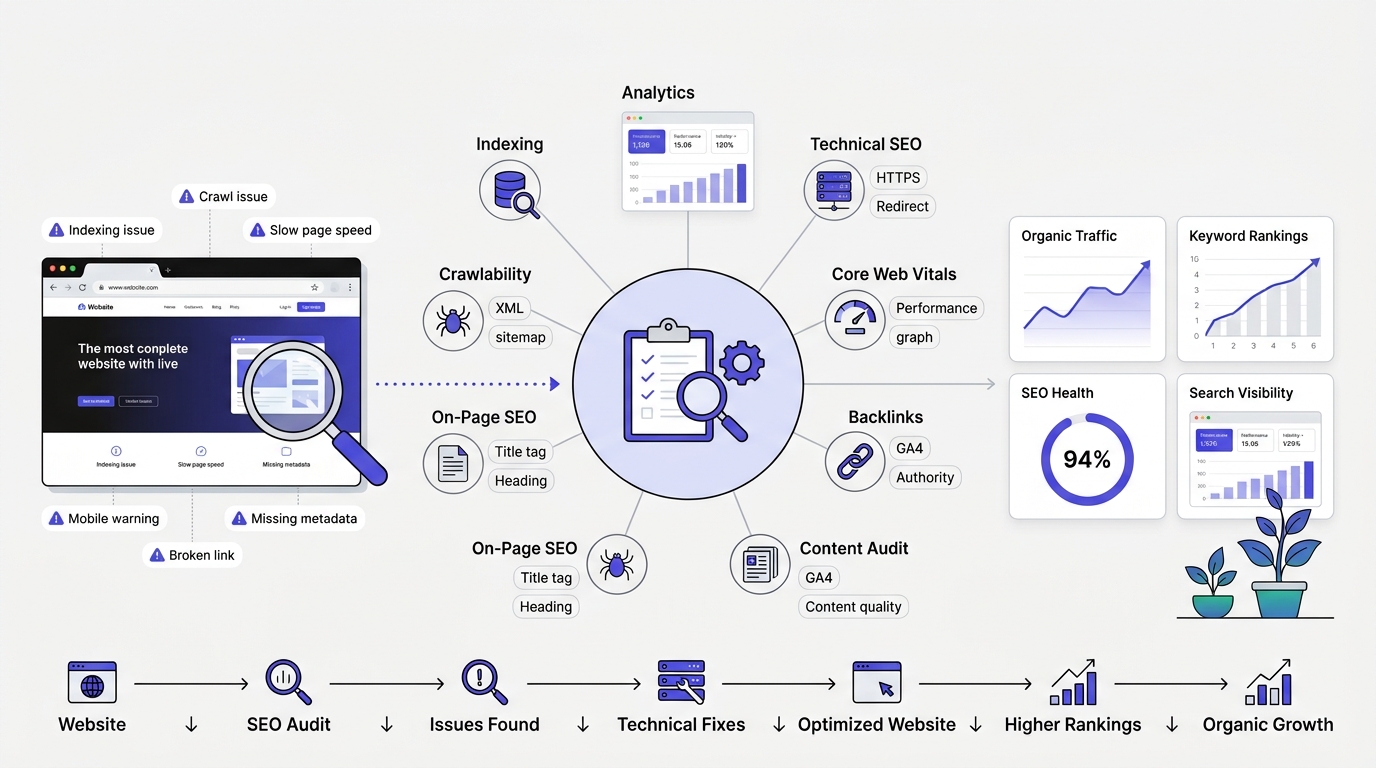
An SEO audit is a comprehensive evaluation of your website’s health, performance, and search engine optimization. It helps identify issues that may be preventing your website from ranking well on search engines like Google. Whether you own a blog, business website, eCommerce store, or portfolio, conducting regular SEO audits ensures your site remains optimized, user-friendly, and competitive.
A complete SEO audit examines everything from technical performance and website structure to content quality, user experience, backlinks, and analytics. By following the steps below, you can uncover opportunities to improve rankings, increase organic traffic, and provide a better experience for your visitors.
Step 1: Check Website Indexing
Before optimizing your website, verify that search engines can actually find and index your pages. If important pages aren’t indexed, they won’t appear in search results regardless of how well optimized they are
Is Google Indexing Your Website?
Using the site: search operator: Type site:yourdomain.com into Google search. It’s not perfectly accurate and Google has scaled back how reliable this operator is over the years, but it gives a rough sense of how many pages are indexed. If you expect 200 pages indexed and this shows 40, something’s wrong.
Using Search Console: This is the accurate method. Go to the Page Indexing report. It breaks pages into “Indexed” and “Not indexed,” with specific reasons for every excluded page: “Crawled, currently not indexed,” “Discovered, currently not indexed,” “Excluded by noindex tag,” “Duplicate without user-selected canonical,” and more. Each reason points to a different fix.
Pages That Should Not Be Indexed
Not every page needs to rank, and some absolutely shouldn’t.
Thank you pages (post-purchase or post-form-submission confirmation pages) should stay out of the index. If they’re indexed and ranking, people could land there directly without completing the actual conversion action, and conversion tracking gets messed up.
Login pages offer zero search value and can create security concerns if indexed with visible form fields.
Admin pages (wp-admin, dashboard URLs, staging environments) should never appear in search results. If they do, that’s a robots.txt or noindex gap that needs fixing immediately.
Duplicate pages, like a printer-friendly version of an article or a session-ID-tagged URL variant, dilute ranking signals if left indexed alongside the original.
Common Indexing Problems
Noindex tags left over from a staging site migration are a classic mistake. Someone builds the new site on a staging URL, sets noindex to keep it out of search while building, then forgets to remove it after launch. Months go by with zero indexing before anyone notices.
Crawl errors show up in the Page Indexing report as server errors (5xx) or not found errors (404) for URLs Google tried to crawl. Persistent crawl errors on important pages actively suppress indexing.
Blocked URLs happen when robots.txt disallows a path that shouldn’t be blocked, often after a developer makes a broad rule like Disallow: /wp-content/ without realizing it also blocks image files needed for rich results.
Canonical issues occur when a page’s canonical tag points to a different URL than itself, telling Google “don’t index this one, index that one instead,” sometimes intentionally, sometimes by mistake from a templating error.
Step 2: Audit Website Crawlability
Search engines must be able to crawl your website efficiently before they can understand and rank its content. Crawlability refers to how easily search engine bots can access and navigate your pages.
Begin by reviewing your robots.txt file. Ensure you are not accidentally blocking important sections of your website. Only administrative or duplicate sections should generally be disallowed.
Understanding Crawling
Crawling is the process where search engine bots discover pages by following links. If a bot can’t reach a page through links or a sitemap, that page effectively doesn’t exist to Google, no matter how good the content is.
Check robots.txt
This tiny text file at yourdomain.com/robots.txt tells search bots which parts of the site they’re allowed to crawl.
Correct configuration usually allows crawling of all content pages while blocking admin areas, internal search result pages, and duplicate parameter-based URLs. It should also reference the XML sitemap location.
Common mistakes: Blocking CSS and JavaScript files (which prevents Google from rendering the page correctly), accidentally disallowing the entire site with a stray Disallow: /, or blocking a whole category that should be indexed. Always open robots.txt directly in a browser and read it line by line. It’s usually under twenty lines.
XML Sitemap Audit
A sitemap is a list of URLs you want search engines to know about, submitted directly through Search Console.
Valid sitemap: It should return a proper XML file, not a 404 or a redirect, and it should be listed in Search Console’s Sitemaps report with a “Success” status.
Missing URLs: Compare your sitemap’s page count to your actual published content count. If your CMS shows 300 published posts but the sitemap only has 180 URLs, something’s excluding pages from the sitemap generation, often a plugin misconfiguration.
Broken URLs: Every URL in the sitemap should return a 200 status code. A sitemap full of 404s or redirects wastes crawl budget and signals poor site maintenance to Google.
Multiple sitemaps: Larger sites often split sitemaps by content type (posts, pages, products, categories) with a sitemap index file linking them together. Check that all of them are submitted and processing without errors.
Crawl Budget Basics
Crawl budget is the number of pages Googlebot will crawl on your site within a given timeframe, based on your site’s size, authority, and server response health. Small sites rarely hit budget limits, but sites with thousands of thin, low-value, or duplicate pages (think faceted ecommerce filters generating endless URL combinations) can burn through budget on junk instead of the pages that matter. Blocking or noindexing those low-value URL patterns redirects crawl attention to content worth indexing.
Step 3: Technical SEO Audit
Technical SEO forms the foundation of your website’s search performance. Even excellent content may struggle to rank if technical issues prevent search engines from understanding your website.
HTTPS Implementation
SSL certificate: Confirm the site loads under https:// with a valid, non-expired certificate. Browsers flag http-only sites as “Not Secure,” which tanks trust and, at the margins, rankings.
Mixed content errors happen when an HTTPS page still loads some resources, images, scripts, stylesheets, over unencrypted HTTP. Browser dev tools (right-click, Inspect, Console tab) flag these directly. They’re usually leftovers from an incomplete HTTP-to-HTTPS migration.
URL Structure
SEO-friendly URLs are short, readable, and include the target keyword where natural: /blog/technical-seo-audit beats /blog/post?id=4471.
Dynamic URLs with long strings of parameters are harder for both users and bots to interpret. They’re not automatically bad, but they should be handled with canonical tags when they create duplicate content.
URL parameters for tracking (like UTM tags) or filtering (like ?color=blue&size=m) can multiply a single product page into dozens of indexable-looking variants if canonicals aren’t set correctly. Check Search Console’s Page Indexing report for a spike in “Duplicate, Google chose different canonical than user” as a signal this is happening.
Redirect Audit
301 redirects are permanent and pass most ranking signal to the destination URL. Use these for pages that have permanently moved.
302 redirects are temporary and historically passed less signal (Google has clarified they treat well-implemented 302s more like 301s over time, but using 301 for genuinely permanent moves is still the safer, clearer signal).
Redirect chains happen when URL A redirects to B, which redirects to C. Each hop adds load time and dilutes signal slightly. Screaming Frog’s crawl report flags these directly under its “Redirects” tab, showing the full chain.
Redirect loops, where A redirects to B and B redirects back to A, break the page entirely. Users and bots both hit a dead end. These need immediate fixing.
Broken Links
Internal broken links (links to your own pages that 404) waste crawl budget and frustrate users mid-journey. Screaming Frog’s “Response Codes” report, filtered to Client Error (4xx), lists every one with the source page it appears on.
External broken links (outbound links to other sites that no longer exist) hurt credibility and user experience, though the SEO impact is smaller than internal breaks. Still worth fixing, especially on high-traffic pages.
Canonical Tags
Self-referencing canonicals (a page’s canonical tag pointing to its own URL) is the safe default for most unique pages and helps consolidate any accidental duplicate access points, like trailing slash variants.
Duplicate canonicals, where multiple genuinely different pages all point their canonical tag to the same single URL, tell Google to ignore all but one, which can accidentally deindex content that should rank on its own.
Step 4: Core Web Vitals Audit
Core Web Vitals measure the real-world experience users have while interacting with your website. Google considers these metrics when evaluating page experience.
Largest Contentful Paint (LCP)
LCP measures how long it takes the largest visible element, usually a hero image or headline block, to render. Google’s target is under 2.5 seconds. Slow LCP is most often caused by unoptimized hero images, slow server response time, or render-blocking CSS loading before the main content.
Interaction to Next Paint (INP)
INP replaced First Input Delay as a Core Web Vital in 2024 and measures how responsive a page feels across all interactions during a visit, not just the first click. Google’s target is under 200 milliseconds. Heavy JavaScript execution is the usual culprit here.
Cumulative Layout Shift (CLS)
CLS measures visual stability, how much content jumps around as a page loads. A common cause: images or ads without defined width and height attributes, causing everything below them to shift down once they load. Google’s target is under 0.1.
How to Interpret PageSpeed Reports
Run the URL through PageSpeed Insights and look at both the Lab Data and Field Data sections separately. Field data (labeled “Discover what your real users are experiencing”) reflects actual visitors over the past 28 days and matters more for rankings, since it’s what Google’s Core Web Vitals ranking signal actually uses. Lab data is a single simulated test, useful for debugging specific issues but not a real-world signal.
Common Performance Issues
Large images that haven’t been compressed or resized to their display dimensions are the single most common cause of slow LCP on content sites.
Slow hosting, particularly cheap shared hosting plans, adds server response delay before a page even starts rendering, no amount of front-end optimization fixes a server-side bottleneck.
Unused JavaScript, often from plugins or themes loading scripts on every page regardless of whether that page needs them, adds parsing and execution time.
Render-blocking resources, CSS or JS files that must fully load before the browser can paint anything, delay first visual content. PageSpeed Insights lists these by filename directly.
Excessive plugins, especially on WordPress sites, is the quiet performance killer nobody wants to hear about. Every plugin adds its own scripts and stylesheets. A site running 40 plugins is almost always slower than one running 12, regardless of hosting quality.
Free Ways to Improve Website Speed
Compress images before upload using free tools like Squoosh or TinyPNG. Enable lazy loading for below-the-fold images (most modern CMS platforms support this natively now with loading="lazy"). Remove unused plugins rather than just deactivating them. Use a free CDN tier like Cloudflare’s free plan to cache static assets closer to visitors. Minify CSS and JavaScript, many caching plugins handle this automatically at no cost.
Step 5: Mobile SEO Audit
Google has used mobile-first indexing since 2019, meaning it primarily crawls and indexes the mobile version of a site, not desktop. A site that looks fine on desktop but breaks on mobile is effectively broken for Google, not just for mobile visitors.
Mobile Responsiveness
Load the site on an actual phone, not just a resized browser window. Check that content reflows properly, images scale, and nothing gets cut off horizontally, forcing a sideways scroll.
Mobile Navigation
Menus should collapse into a usable format (hamburger menu or similar) rather than staying as a cramped desktop nav bar squeezed into a small screen. Test that dropdown menus are actually tappable, not just hoverable, since touch screens don’t have hover states.
Readability
Tap targets: Buttons and links need enough space around them to avoid mis-taps. Google flags tap targets under roughly 48×48 pixels or with insufficient spacing in the Mobile Usability report.
Font sizes: Body text under 12px on mobile forces users to pinch-zoom to read, which Google’s Mobile Usability report also flags directly as “Text too small to read.”
Mobile Loading Speed
Mobile networks are slower and less consistent than home broadband. Run the PageSpeed Insights test specifically on mobile (it defaults to showing mobile results first), and pay attention to LCP and INP separately from desktop numbers, since mobile scores are almost always worse due to processing power differences on phones.
Step 6: On-Page SEO Audit
This is where the basic SEO audit checklist gets granular, page by page.
Title Tag Audit
Best practices: Every page needs a unique, descriptive title tag that includes the target keyword close to the front when it reads naturally.
Character limits: Keep titles under roughly 60 characters, or closer to 580 pixels, since Google truncates longer titles in search results with an ellipsis.
Keyword placement: Front-loading the primary keyword tends to perform slightly better for both click-through and relevance signaling, but don’t force it if it makes the title read awkwardly.
Duplicate titles: Screaming Frog’s “Page Titles” tab sorts by duplicates instantly. Duplicate titles across multiple pages confuse Google about which page should rank for a given query, and it often just picks one, leaving the others suppressed.
Meta Description Audit
Missing meta descriptions force Google to auto-generate a snippet from page content, which is often a random paragraph that doesn’t sell the click.
Duplicate meta descriptions across pages waste an opportunity to differentiate each page’s value proposition in search results.
CTR optimization: A strong meta description states what the page delivers and gives a reason to click over a competing result, roughly 150-160 characters, written like ad copy, not a summary.
Header Tag Audit
H1: Every page needs exactly one H1 that clearly states the page topic. Multiple H1s on a page confuse the content hierarchy, even though Google has gotten more tolerant of this over the years.
H2: Used for main section breaks within the content, ideally reflecting subtopics a searcher would want covered.
H3: Used for sub-points within an H2 section, going one level deeper without skipping straight from H1 to H3.
Heading hierarchy: Headings should nest logically, H1 then H2 then H3, not jump around or get used purely for visual styling instead of structure. A common mistake: using H2 or H3 tags just because they look bold, on text that has nothing to do with actual content structure.
Image SEO Audit
Alt text describes the image for screen readers and search engines. Every meaningful image needs it, written descriptively, not keyword-stuffed with “SEO audit SEO audit SEO audit tool.”
Image file names like IMG_4471.jpg tell search engines nothing. Renaming to technical-seo-audit-checklist.jpg before upload adds a small but real relevance signal.
Image compression directly affects LCP, covered above, but it’s worth checking specifically at the on-page level: are individual images on this specific page oversized for their display dimensions?
Lazy loading should be applied to below-the-fold images but never to the hero image or LCP element itself, lazy loading the LCP image actually delays it and hurts Core Web Vitals.
URL Optimization
Short, descriptive, hyphenated URLs that reflect the page’s actual topic outperform long auto-generated ones stuffed with dates, category IDs, or unnecessary words.
Keyword Placement
Introduction: The target keyword or a close variant should appear naturally within the first 100 to 150 words.
Headings: At least one H2 should include the keyword or a close secondary variant, without every single heading forcing it in unnaturally.
Body: Keyword variants and related terms (LSI keywords) should appear naturally throughout, not just the exact match phrase repeated mechanically.
Conclusion: Restating the keyword naturally in the closing section reinforces topical relevance for both readers and search engines.
Content Readability
Short paragraphs, clear subheadings, and simple sentence structure improve both user engagement and how easily Google can parse the page’s topic. Tools like the Hemingway Editor (free) flag overly complex sentences and passive voice.
Step 7: Content Audit
Content is often the largest factor affecting SEO performance. A content audit evaluates the quality, relevance, usefulness, and performance of every page.
Thin Content
Pages under roughly 300 words that don’t fully answer a searcher’s question rarely rank well unless the query itself is extremely narrow. Thin content isn’t a strict word count rule, it’s about whether the page actually delivers enough value to satisfy intent.
Duplicate Content
Multiple pages covering nearly identical topics compete against each other in rankings, splitting authority instead of consolidating it. A content inventory spreadsheet, listing every URL alongside its target topic, makes overlaps obvious fast.
Outdated Content
Statistics, screenshots, tool references, and recommendations that no longer reflect current reality hurt trust and rankings, especially for topics where freshness matters (software guides, pricing info, “best tools” lists). A content audit should flag anything referencing outdated versions or discontinued products.
Keyword Cannibalization
This happens when two or more pages on the same site target the same keyword, forcing Google to choose one and often ranking both worse than a single consolidated page would. Search Console’s Performance report, filtered by query, shows if multiple URLs are getting impressions for the same search term, a clear cannibalization signal.
Content Quality Evaluation
E-E-A-T signals: Experience, Expertise, Authoritativeness, and Trustworthiness. Google’s quality rater guidelines emphasize these heavily, especially for topics affecting health, finance, or safety. An author bio with real credentials, cited sources, and original insight all strengthen this.
Search intent alignment: Does the page actually match what someone searching that keyword wants? A “best running shoes” query wants a comparison list, not a single brand’s product page. Mismatched intent is one of the most common reasons good content still doesn’t rank.
Original research: Data, surveys, or case studies you’ve actually run yourself get cited and linked far more than rehashed summaries of what everyone else already published.
Helpful examples: Specific, named examples (a real tool, a real number, a real scenario) make content more useful and more citable than vague generalized advice.
Content freshness: Updating a publish date without meaningfully updating the content is a weak signal Google has gotten better at detecting. Real freshness means updated data, new sections, and corrected information.
Step 8: Internal Linking Audit
Internal links help search engines discover pages while distributing authority throughout your website.
Review your internal linking strategy by checking
Why Internal Links Matter
Internal links pass authority between pages and help Google understand which pages matter most on a site. A page with zero internal links pointing to it signals low importance, regardless of how good the content is.
Identify Orphan Pages
Orphan pages exist on the site but have no internal links pointing to them, making them hard for both users and crawlers to discover. Screaming Frog can cross-reference a full site crawl against the XML sitemap to surface pages that are indexed or sitemap-listed but have zero internal inlinks.
Anchor Text Optimization
Descriptive anchor text (“read our technical SEO audit checklist”) gives Google more context than generic anchor text (“click here” or “read more”), which wastes a relevance signal.
Link Depth
Link depth measures how many clicks it takes to reach a page from the homepage. Pages buried 5+ clicks deep get crawled less frequently and rank worse on average than pages reachable within 2-3 clicks.
Topic Clusters
Grouping related content together, with a central pillar page linking out to supporting articles and those articles linking back, builds topical authority far more effectively than scattered standalone posts with no internal connection.
Step 9: External Link Audit
External links connect your website to other authoritative resources and can improve content credibility when used appropriately.
Broken Outbound Links
Links pointing to pages that no longer exist on other sites create a poor experience and, at scale, signal a site that isn’t maintained. Screaming Frog’s crawl (with external link checking enabled) or the free Check My Links browser extension both catch these.
Low-Quality External Links
Linking out to spammy or low-authority sites doesn’t directly tank rankings the way it used to, but it can hurt trust signals if the linked sites are genuinely problematic (adult content, malware-flagged domains, obvious link farms).
Nofollow vs Dofollow
Dofollow links (the default) pass ranking signal. Nofollow links (rel="nofollow") tell Google not to pass that signal, useful for sponsored content, user-generated content, or links you don’t want to vouch for editorially.
Trustworthy References
Linking out to authoritative, relevant sources (government sites, established publications, primary research) when citing claims or stats strengthens the page’s credibility signal rather than weakening it, contrary to the old myth that outbound links “leak” all your authority away.
Step 10: Structured Data Audit
Structured data helps search engines understand your content more effectively and can enhance search listings with rich results.
What Is Schema Markup?
Schema markup is structured code added to a page that explicitly tells search engines what the content means, not just what it says. It’s the difference between Google guessing a page is a recipe versus Google knowing it’s a recipe with a specific prep time, ingredient list, and rating.
Types of Schema
Article schema helps blog posts and news content qualify for enhanced search features.
FAQ schema can display question-and-answer pairs directly in search results, though Google has restricted FAQ rich results mostly to authoritative government and health sites since 2023, so implement it but don’t expect guaranteed rich results from it anymore.
Organization schema establishes brand identity, logo, and social profiles for Google’s Knowledge Panel eligibility.
Breadcrumb schema shows the site hierarchy directly in search results instead of just the URL.
Local Business schema is essential for any business with a physical location, covering address, hours, and phone number in a machine-readable format.
Product schema enables price, availability, and review star ratings to display directly in search results for ecommerce pages.
Validate Schema
Run every page type through Google’s Rich Results Test. It flags errors (which block rich result eligibility entirely) and warnings (which don’t block it but should still get fixed).
Common Schema Errors
Missing required fields, price and currency mismatches on product schema, review schema without an actual visible review on the page (a policy violation that can trigger a manual action), and schema referencing outdated or removed page elements.
Step 11: User Experience (UX) Audit
Google increasingly rewards websites that provide an excellent user experience.
Evaluate your website from a visitor’s perspective.
Navigation
Menu items should be organized logically, with the most important categories accessible directly, not buried three dropdown levels deep. Confusing navigation increases bounce rate, which correlates with, though doesn’t directly cause, weaker rankings.
Menu Structure
Flat, clear menu structures generally outperform deeply nested mega-menus for both usability and crawlability, since every menu link is also an internal link signal.
Search Functionality
An on-site search bar that returns relevant results (or “no results” pages that offer alternatives instead of a dead end) keeps visitors engaged instead of bouncing back to Google to try a different site.
Readability
Font size, line height, and paragraph length all affect how long visitors actually stay and read versus skim and leave. Body text under 16px on mobile is a common readability complaint.
Accessibility Basics
Alt text, sufficient color contrast, keyboard navigability, and proper heading structure all serve both accessibility and SEO simultaneously, since accessible sites are inherently easier for bots to parse too.
Bounce Rate Indicators
In GA4, look at Engagement Rate (the inverse framing of bounce rate) by landing page. Pages with unusually low engagement compared to similar content elsewhere on the site are worth investigating for a UX or content mismatch problem.
Step 12: Local SEO Audit (If Applicable)
If your business serves customers within a specific geographic area, local SEO should be part of your audit.
Google Business Profile Optimization
A complete, verified Google Business Profile with accurate categories, hours, photos, and a filled-out description directly affects local pack rankings, the map results that show up for “near me” style searches.
NAP Consistency
Name, Address, and Phone number need to match exactly across the website, Google Business Profile, and every directory listing. Even minor inconsistencies (Street vs St.) can weaken local trust signals over enough listings.
Local Citations
Listings on directories like Yelp, industry-specific platforms, and local chamber of commerce sites all reinforce local relevance, particularly for service-area businesses without a lot of natural backlink opportunities.
Customer Reviews
Review volume, recency, and average rating on Google Business Profile influence local pack rankings directly. Responding to reviews, especially negative ones, also factors into trust signals.
Local Landing Pages
Businesses serving multiple cities or regions benefit from dedicated, genuinely unique landing pages per location rather than one generic page with the city name swapped in a template, which Google increasingly treats as thin, duplicate content.
Step 13: Backlink Audit
Backlinks remain one of Google’s strongest ranking signals. A backlink audit evaluates the quality and health of your website’s incoming links.
Why Backlinks Matter
Backlinks remain one of the strongest ranking factors Google uses, functioning as a trust signal: other sites vouching for your content by linking to it.
Analyze Backlink Profile
Ahrefs Webmaster Tools (free for verified site owners) or Bing Webmaster Tools’ backlink report both show referring domains, total backlinks, and anchor text distribution without a paid subscription.
Toxic Backlinks
Spammy, irrelevant, or obviously manipulative links (from link farms or clearly unrelated foreign-language sites with no topical connection) can occasionally warrant a disavow through Search Console, though Google’s algorithms have gotten much better at ignoring most low-quality links automatically without manual disavow being necessary.
Anchor Text Distribution
A natural backlink profile has varied anchor text, brand name mentions, naked URLs, generic phrases like “click here,” and some keyword-rich anchors. A profile dominated almost entirely by exact-match keyword anchors looks manipulative and can trigger algorithmic scrutiny.
Referring Domains
The number of unique domains linking to a site matters more than raw backlink count. A hundred links from ten different domains carries more weight than a thousand links from a single domain.
Competitor Backlink Comparison
Running a competitor’s domain through the same free tools shows where they’re earning links that you aren’t, often revealing content gaps or partnership opportunities worth pursuing.
Step 14: Google Search Console Audit
Google Search Console provides direct insights into how Google crawls, indexes, and ranks your website. Auditing this data helps uncover technical issues and opportunities that are not always visible through third-party tools.
Performance Report
Clicks show actual traffic from search results. Impressions show how often your pages appeared in results, regardless of click. CTR (click-through rate) reveals whether your title and meta description are compelling enough for the ranking position you hold. Average position shows roughly where you rank for a given query, though it’s an average across all the different ways that query gets typed and localized.
Coverage Report
Now called Page Indexing, this remains the fastest way to spot indexing problems at scale, sorted by exclusion reason.
Page Indexing Report
Beyond just indexed vs not indexed, it’s worth periodically checking the trend line. A sudden spike in “Crawled, currently not indexed” pages often signals a broader content quality concern Google is flagging across multiple pages at once.
Experience Report
Combines Core Web Vitals and Mobile Usability data in one place, useful for a quick overall health check without jumping between separate reports.
Manual Actions
If Google has applied a manual penalty (for things like unnatural links, thin content, or spam), it shows here, with specifics on what triggered it and what needs fixing before requesting reconsideration.
Security Issues
Flags hacked content, malware, or phishing warnings that Google has detected on the site, something that needs immediate attention since it can trigger warning labels directly in search results, tanking traffic instantly.
Step 15: Google Analytics 4 Audit
The final step is auditing your website’s performance using Google Analytics 4 (GA4). While Search Console focuses on search performance, GA4 reveals how users interact with your website after they arrive.
Organic Traffic Trends
Check the Acquisition report over a 90-day or annual comparison to spot real trends versus normal fluctuation. A steady decline over months points to a systemic issue; a single-week dip is usually noise.
Landing Pages
Cross-reference top organic landing pages against their engagement metrics to spot pages ranking well but underperforming on actual user satisfaction once they arrive.
Engagement Metrics
Average engagement time and engaged sessions per user reveal whether visitors are actually consuming content or bouncing almost immediately.
Conversions
If ecommerce tracking or goal conversions are set up, cross-referencing organic traffic against actual conversion data shows whether the traffic being earned is the right traffic, high volume with zero conversions usually means a keyword-intent mismatch.
User Behavior
Path exploration and funnel reports (available in GA4’s Explore section) show where users drop off, useful for identifying UX friction that a pure traffic report wouldn’t reveal on its own.
How to Prioritize SEO Issues
An audit on a site that’s never been checked before can easily surface 60, 80, sometimes 100+ individual issues. Trying to fix everything simultaneously is how projects stall out. Prioritization matters as much as the audit itself.
High-Priority Fixes
Indexing issues, since a page that isn’t indexed generates zero organic traffic regardless of quality, this always sits at the top.
Crawl errors on important pages, since persistent errors can eventually lead Google to deprioritize crawling that section entirely.
Broken pages that visitors and bots both hit as dead ends, especially if they’re linked from high-traffic pages or the main navigation.
Core Web Vitals failures, particularly on high-traffic templates (product pages, main blog template), since these affect ranking signal across every page using that template at once.
Duplicate content that’s actively causing cannibalization between important pages targeting valuable keywords.
Medium-Priority Fixes
Internal linking gaps, orphan pages, weak topic clusters, missed opportunities to connect related content.
Meta tags that are missing or duplicated, hurting click-through rate even where rankings are fine.
Image optimization, compression and alt text gaps that add up across a whole site even if no single image is a dealbreaker on its own.
Low-Priority Improvements
Minor UX changes that improve experience marginally but aren’t blocking rankings or conversions in any measurable way.
Additional schema beyond what’s already validated and working, nice to have but rarely urgent.
Content expansion on pages that are already performing adequately, worth doing eventually, but not before higher-impact fixes are handled.
Finding problems on a website is the easy part. The real value of an audit shows up in how it’s communicated — if your findings live in a cluttered spreadsheet that nobody opens again, none of the fixes ever happen. A good audit report is a document a developer can hand off to their sprint board, a client can read over coffee, and a business owner can use to greenlight budget. Here’s how to build one properly, piece by piece.
The Complete Guide to Building an SEO Audit Report
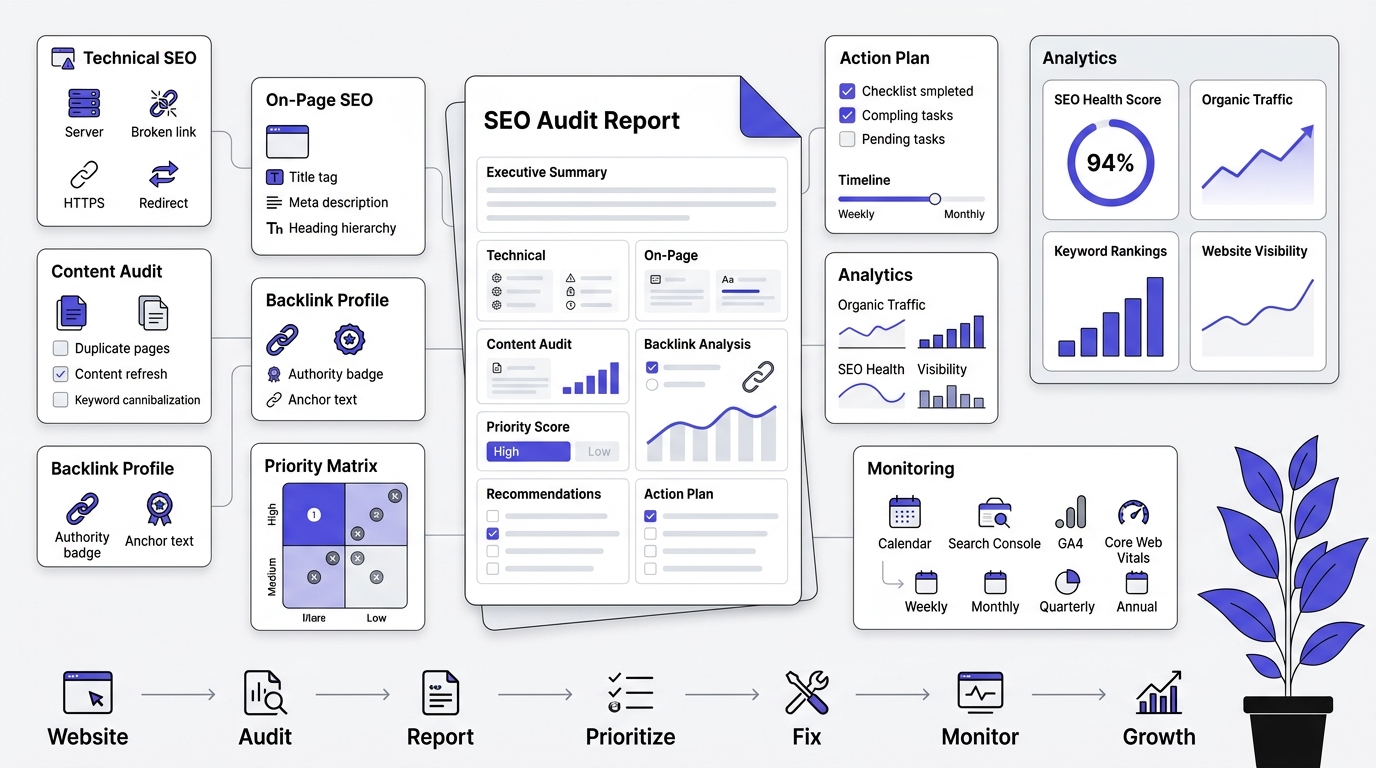
Finding problems on a website is the easy part. The real value of an audit shows up in how it’s communicated — if your findings live in a cluttered spreadsheet that nobody opens again, none of the fixes ever happen. A good audit report is a document a developer can hand off to their sprint board, a client can read over coffee, and a business owner can use to greenlight budget. Here’s how to build one properly, piece by piece.
Part 1: What Actually Belongs in an SEO Audit
Technical Issues
This is the plumbing of the site — the stuff that determines whether search engines can even crawl and index your pages properly. Include:
- Crawl errors: 404s, server errors (5xx), DNS issues — list the exact URLs, not “some pages return errors.”
- Indexing problems: pages excluded from Google’s index, incorrect noindex tags, pages blocked by robots.txt that shouldn’t be.
- Site speed: Core Web Vitals failures (LCP, INP, CLS), broken down by template or page type since speed issues are rarely uniform across a site.
- Redirect issues: redirect chains (A→B→C instead of A→C), redirect loops, or 302s used where permanent 301s should be.
The key discipline here: name the specific URL. “Several product pages return 404 errors” is a summary. “/products/blue-widget-v2 returns a 404, last indexed March 2025” is something a developer can act on in five minutes.
On-Page Issues
These are the elements living on individual pages that affect both rankings and click-through rate:
- Title tags: missing, duplicated across pages, too long (getting truncated in search results), or not reflecting the page’s actual content.
- Meta descriptions: missing or duplicated, leaving Google to auto-generate a snippet (which is usually worse).
- Header structure: multiple H1s on one page, or a heading hierarchy that skips levels (H1 straight to H4), which confuses both users skimming and search engines parsing structure.
- Image optimization: missing alt text, oversized file sizes, no descriptive file names.
Again — tie every single one of these to a specific page URL. A list of “12 pages missing meta descriptions” with the actual 12 URLs attached is infinitely more useful than a percentage stat.
Content Issues
This is where you evaluate whether the content itself deserves to rank:
- Thin pages: pages with too little substantive content to satisfy search intent — often category pages or old blog posts.
- Duplicate topics / cannibalization: multiple pages competing for the same keyword, splitting ranking signals instead of consolidating them.
- Outdated information: stats, screenshots, or claims that are no longer accurate — a serious trust issue for both users and Google’s helpfulness systems.
Backlink Issues
The off-page half of the picture:
- Toxic links worth reviewing: spammy or unnatural links that could be dragging down trust signals.
- Anchor text imbalance: over-optimization (too many exact-match keyword anchors) that can look manipulative to search engines.
- Missed link opportunities: gaps where competitors have earned links your site hasn’t, pointing to outreach or content opportunities.
Priority Scoring
Every single issue you log should get tagged High, Medium, or Low priority. Without this, a client or developer opening a 40-item list has no idea where to start, and important fixes get lost next to cosmetic ones. A reasonable framework:
- High: blocking indexing, causing traffic loss, or affecting a large number of high-value pages.
- Medium: hurting performance or user experience but not actively breaking anything.
- Low: minor polish issues — nice to fix, but won’t move the needle much.
Recommended Fixes
This is the difference between a report that gets actioned and one that gets ignored. Never write a vague instruction. Compare:
- ❌ “Fix broken link”
- ✅ “Add a 301 redirect from /old-url to /new-url”
Every recommendation should read like a ticket you could hand straight to a developer with zero follow-up questions needed.
Part 2: The SEO Audit Report Template
Structure the actual document like this:
1. Executive Summary
Two to three paragraphs, written for someone who will never read past this page. Summarize overall site health and call out the two or three biggest findings. This is often the only part a business owner or executive stakeholder actually reads, so it needs to stand alone.
2. Problems Found
Organized by category — Technical, On-Page, Content, Links — with a clear, plain-language description under each. Avoid jargon dumps; assume the reader might not know what “cannibalization” means without a one-line explanation.
3. Screenshots
Visual proof for every major issue: a Search Console error report, a PageSpeed Insights score, a row from a Screaming Frog export. Screenshots turn an abstract claim (“site speed is poor”) into concrete evidence the reader can see for themselves, and they also protect you if a finding is questioned later.
4. Recommendations
Specific, actionable fixes mapped directly to each problem, written so a non-SEO person on the team — a designer, a project manager, a business owner — can understand what needs to happen without a glossary.
5. Action Plan
A rough timeline built from your priority tiers: what gets tackled this week, this month, this quarter. This turns the report from a static list of problems into a living project plan.
Part 3: Ongoing SEO Monitoring Checklist
A full audit is a periodic deep-dive, but sites drift between audits. Lighter recurring checks catch small problems before they compound into big ones.
Weekly Tasks
- Check Search Console for any new crawl errors or manual actions.
- Scan the Performance report for sudden ranking or traffic drops on key pages — catching a drop within a week is far easier to diagnose than catching it a month later.
Monthly Tasks
- Review the Page Indexing report for spikes in excluded pages.
- Check Core Web Vitals scores for regressions (a site update or new plugin can quietly tank speed scores).
- Run a fresh Screaming Frog crawl on smaller sites to catch new broken links or duplicate content introduced by recently published pages.
Quarterly Tasks
- Full content audit for outdated or thin pages.
- Backlink profile review for new toxic links or missed link-building opportunities.
- Competitor comparison to catch content or keyword gaps that have opened up since the last review.
Annual Review
Once a year, treat the site like it’s a brand new client and run a completely fresh technical, on-page, content, and backlink audit from scratch. A year is enough time for small, individually minor issues to accumulate into something that meaningfully hurts performance — and a from-scratch review catches patterns that incremental monthly checks miss.
Part 4: Free Printable SEO Audit Checklist
A quick-reference checklist you can run through page by page or site-wide:
Technical SEO
- HTTPS active site-wide
- robots.txt correctly configured (not accidentally blocking important pages)
- XML sitemap valid and submitted to Search Console
- No redirect chains or loops
- Canonical tags correctly implemented
On-Page SEO
- Unique title tags, under 60 characters
- Unique meta descriptions on every page
- Single, clear H1 per page
- Logical heading hierarchy (no skipped levels)
- Target keyword present in intro copy and at least one heading
Content
- No thin pages under key templates
- No duplicate or cannibalizing content
- Information current and accurate
- Content format matches search intent (e.g., a listicle for “best X” queries, not a product page)
Mobile SEO
- Responsive layout confirmed on real devices (not just browser dev tools)
- Tap targets appropriately sized
- Readable font sizes without zooming
- No horizontal scroll issues
Page Speed
- LCP under 2.5 seconds
- INP under 200 milliseconds
- CLS under 0.1
- Images compressed and appropriately sized
Internal Links
- No orphan pages (pages with zero internal links pointing to them)
- Descriptive anchor text used, not “click here”
- Important pages reachable within 2-3 clicks of the homepage
External Links
- No broken outbound links
- Nofollow applied where appropriate
- Quality of linked-to sources checked
Schema
- Relevant schema types implemented
- No errors in Google’s Rich Results Test
Analytics
- GA4 properly tracking organic traffic and conversions
- Engagement metrics reviewed by landing page
Search Console
- No unresolved manual actions or security issues
- Page Indexing report reviewed for exclusions
- Core Web Vitals and Mobile Usability reports checked
Conclusion
An SEO audit isn’t a one-time checkbox. Sites drift out of shape the same way anything unmaintained does, a plugin update here, a forgotten redirect there, a content section that got stale two years ago and nobody circled back. The tools covered here, Search Console, GA4, PageSpeed Insights, Screaming Frog’s free crawler, cost nothing and catch the majority of what actually holds sites back from ranking.
The real work is treating this as a recurring habit instead of a one-off project. Run the weekly Search Console check. Do the quarterly deep dive. Keep a running list of what got fixed and when, so the next audit shows whether things are actually improving. Pull up the checklist above, start with indexing and crawlability since those block everything else, and work down from there.
Frequently Asked Questions
What is an SEO audit?
An SEO audit is a full review of a website’s technical setup, on-page elements, content quality, and backlink profile to identify what’s preventing it from ranking well or attracting organic traffic. It results in a prioritized list of specific issues and fixes rather than general advice.
Can I do an SEO audit for free?
Yes. Google Search Console, Google Analytics 4, PageSpeed Insights, the Rich Results Test, Bing Webmaster Tools, and Screaming Frog’s free version (up to 500 URLs) together cover the vast majority of what a paid audit tool would check. For most small and mid-sized sites, this free toolkit is enough to run a genuinely thorough audit.
How long does an SEO audit take?
A basic audit on a small site (under 50 pages) typically takes 3 to 6 hours for someone with SEO experience. Larger or more complex sites, especially ecommerce sites with faceted navigation, can take several days to properly review, since there’s more content and more technical surface area to check.
How often should I audit my website?
New websites benefit from monthly light audits during their first six months. Established sites should run a full audit quarterly, with weekly Search Console checks in between for anything urgent. Ecommerce sites need closer to monthly full audits due to constant product changes.
What is the best free SEO audit tool?
Google Search Console is the most essential single tool, since it shows exactly how Google sees and indexes the site. Screaming Frog’s free version is the best crawler for finding technical and on-page issues at scale. Used together, they cover most of what a basic audit needs.
Do I need coding knowledge to perform an SEO audit?
No. Most of the audit process involves reading reports inside Search Console, GA4, and PageSpeed Insights, none of which require coding. Fixing certain technical issues (like editing robots.txt or adding schema markup) does help to have basic HTML familiarity, but the audit itself, finding the issues, doesn’t require it.
What are the most common SEO issues found in audits?
Missing or duplicate meta descriptions, unoptimized images slowing down page speed, broken internal links, thin or outdated content, missing alt text, and indexing gaps caused by accidental noindex tags or robots.txt blocks show up on the vast majority of sites that have never been audited.
Can an SEO audit improve rankings?
Yes, when the issues found actually get fixed. An audit itself doesn’t improve rankings, it’s a diagnostic step. The improvement comes from implementing the fixes, especially indexing and crawlability issues, which can unlock ranking potential that was previously blocked entirely.
How do I know if my website has technical SEO problems?
Check Google Search Console’s Page Indexing report for excluded pages, run PageSpeed Insights on your key templates, and run a Screaming Frog crawl to check for broken links, duplicate titles, and missing meta descriptions. If any of these reports show significant issues, technical SEO problems are present.
What’s the difference between an SEO audit and an SEO strategy?
An SEO audit diagnoses existing problems on a live website. An SEO strategy is the forward-looking plan for growth, covering keyword targeting, content calendars, and link building goals. An audit typically comes first and informs what the strategy needs to prioritize.
Should I fix all SEO issues immediately?
No. Prioritize by impact: indexing and crawl errors first, since they block traffic entirely, followed by Core Web Vitals and duplicate content issues, then on-page refinements, then lower-impact UX and schema improvements. Trying to fix everything at once usually means nothing gets fully finished.
Can AI tools help with SEO audits?
AI tools can help summarize large crawl exports, draft meta descriptions, or generate content briefs faster, but they can’t replace pulling actual data from Search Console, GA4, and a real site crawl. The diagnostic part of an audit relies on real site data, not on an AI guessing at what might be wrong.