

Somewhere along the way, video marketing got a reputation it doesn’t deserve. People hear “video content” and picture a crew, a lighting rig, a studio rental, and a bill that makes their eyes water. Honestly, that picture is outdated. It was maybe true a decade back. It’s not true now.
Here’s the thing nobody tells beginners clearly enough: the barrier was never money. It’s clarity. Most people who never start making videos aren’t stuck because they can’t afford a camera. They’re stuck because they don’t know what to say, who they’re saying it to, or what “good enough” even looks like. Give someone a ₹2 lakh camera setup and zero clarity on their message, and they’ll still produce something nobody watches past the first five seconds. Give a clear thinker a ₹0 setup and a phone, and they’ll walk away with something people actually finish watching.
Talk to almost any small business owner about video and the conversation goes the same way. They know they should be doing it. Everyone tells them to. And then it stalls, because the mental image attached to “video marketing” is a studio shoot, a script written by a professional, and an editor charging by the hour. So it sits on the to-do list for months, sometimes years, while competitors with a fraction of the polish just start posting and build an audience in the meantime.
So this isn’t going to be another list of “10 tips for video marketing on a budget.” That’s been written a hundred times and it doesn’t actually help anyone start, because tips without a system just sit there as good intentions. What you’re getting here is a full system, start to finish, that can be used starting this week, with the phone that’s already sitting in a pocket somewhere. By the end, there’ll be clarity on what to shoot, how to shoot it, what to edit it with, where to post it, and how to tell if it’s actually working. Budget was never the real problem. Let’s get into why, and what to actually do about it.
Why Video Content Marketing Matters (Even on Zero Budget)
Before jumping into the how, it’s worth spending a minute on the why, because if you don’t buy into the why, you won’t stick with the how when it gets repetitive (and it will get repetitive, that’s just what consistency looks like).
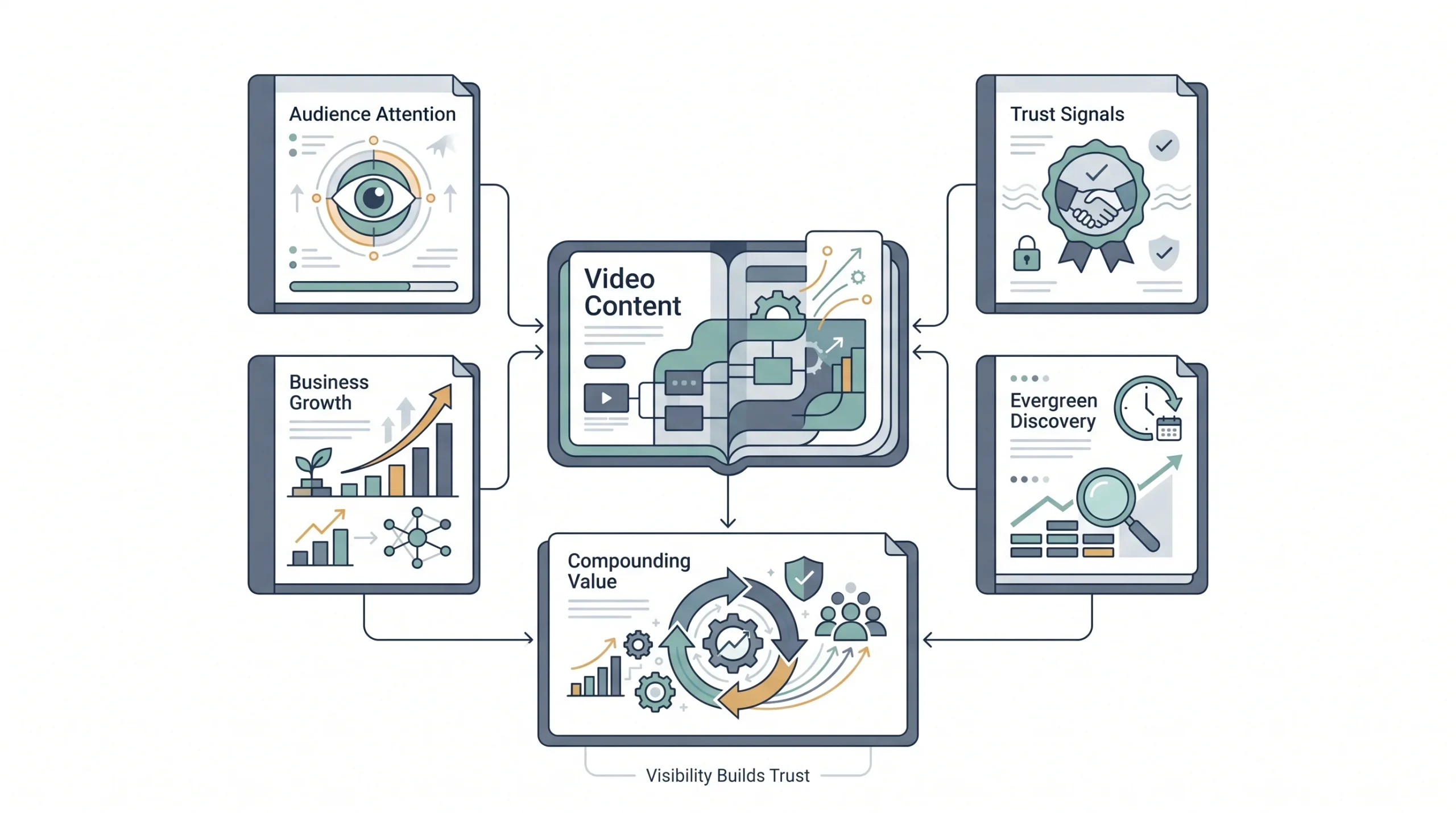
Video isn’t winning because it’s trendy. It’s winning because of how platforms are built right now. Every major platform, Instagram, YouTube, LinkedIn, even Facebook, pushes video harder than static posts or text updates in its feed. That’s not an opinion, that’s just how the algorithms are tuned today. A photo post and a video post with the same quality of idea behind them will not get the same reach. The video wins, almost every time. Platforms want people watching longer, and video keeps people watching longer than a static image ever will. Scroll through any feed for two minutes and count how many videos autoplay versus how many static posts you have to actively tap on. That imbalance isn’t an accident.
There’s also a trust angle that text and images can’t fully replicate. When someone sees a face, hears a voice, watches someone explain something in real time, that builds a different kind of confidence than reading a paragraph on a landing page. It’s the difference between reading a restaurant menu and watching someone actually cook the dish. One is information. The other is proof. A written product description tells a buyer what something does. A thirty-second video showing it being used tells them it actually works, and that reassurance is worth more than the words ever could be on their own.
And look, this matters more for small businesses and solo marketers than it does for big brands, not less. A big brand has decades of trust built up already. Someone’s grandparents probably bought from them. A small business or a new agency doesn’t have that luxury. Every single piece of content is doing double duty, building the brand and earning trust at the same time. Video happens to be one of the fastest ways to close that trust gap without spending a single rupee on traditional advertising.
There’s a longer-term angle worth mentioning too. Video content doesn’t just perform in the moment it’s posted. A well-made explainer or tutorial can keep getting found on search and on platform recommendations months after it went up, quietly working in the background while attention moves on to newer content. That’s a return that a one-time print ad or a single boosted post simply can’t offer.
| Format | Typical production cost | Typical engagement | Best used for |
|---|---|---|---|
| Blog post | Low | Baseline, slow burn | SEO, long-term organic traffic |
| Static image or graphic | Low | Moderate | Quick announcements, social proof |
| Short-form video | Low to medium | High | Discovery, reach, new audience |
| Long-form video | Medium | Medium reach, high retention | Trust building, education, authority |
None of this means abandon blogs or graphics. It means video deserves a seat at the table, and right now, for most small businesses, it’s an empty seat.
“You don’t need a bigger budget. You need a clearer message and a phone that already works.”
The Budget-Video Mindset Shift (Before You Touch a Camera)
This part is more important than any tool or app mentioned later in this post, so don’t skim it.
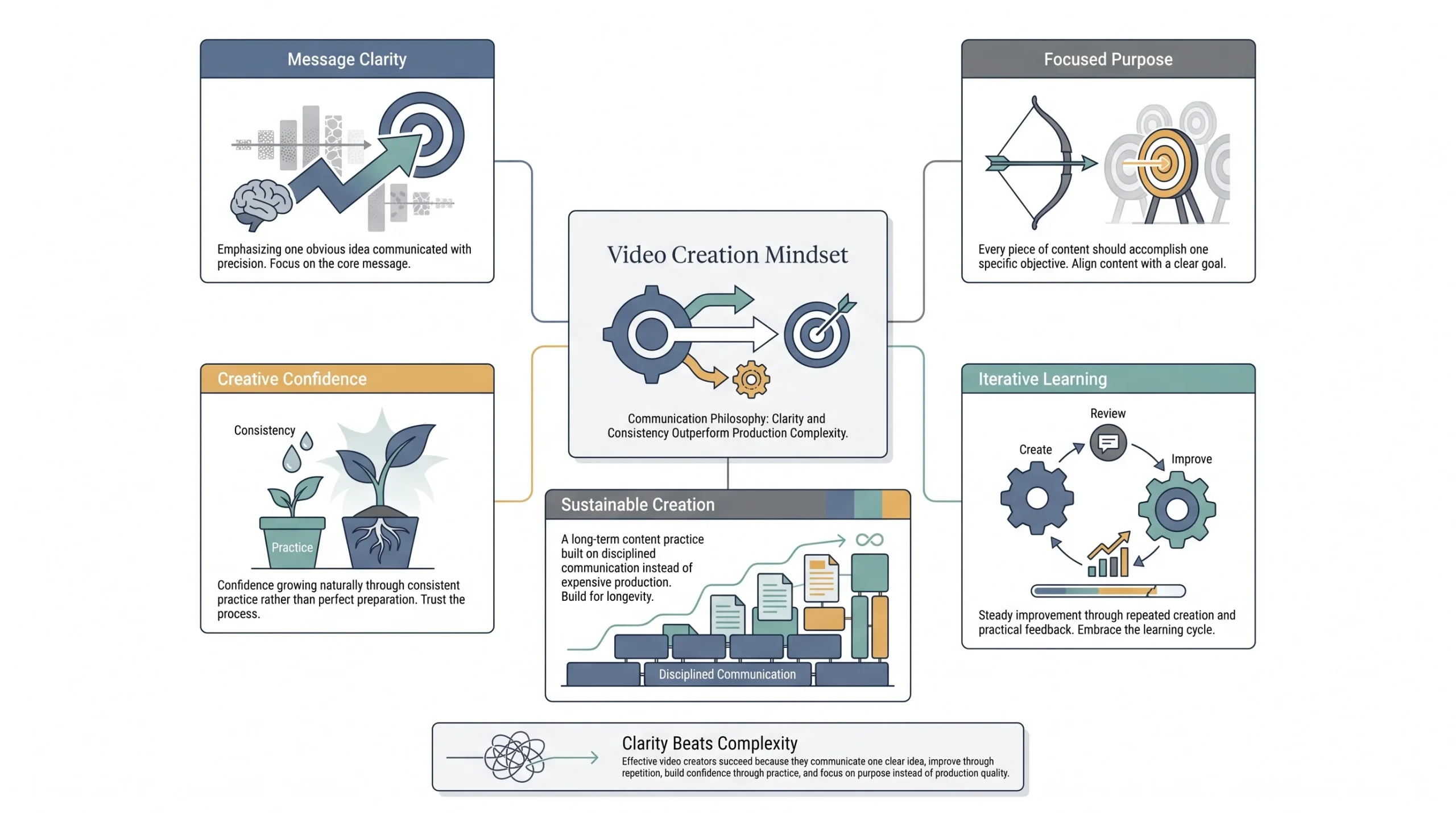
There’s a phrase worth holding onto through this entire process: clarity over polish. A shaky, badly lit video that says one clear thing will outperform a beautifully shot video that says three vague things. That’s not a hopeful statement to make beginners feel better. That’s genuinely how people consume content now. Attention spans on social feeds are short and unforgiving. If your message isn’t obvious in the first few seconds, polish won’t save you.
Now, three myths that stop people before they even start.
- Myth one: you need expensive gear. Nope. The camera in a mid-range smartphone from the last few years is more than capable of shooting content that performs well on social platforms. Viewers on Instagram or TikTok are not evaluating your footage the way a cinematographer would. They’re deciding in about two seconds whether to keep watching.
- Myth two: you need to be on camera yourself. Also not true. Screen recordings, voiceovers over B-roll, slideshow-style videos with text and music, all of these work and none require you personally to appear anywhere.
- Myth three: you need a viral-level creative idea before starting. This one actually holds people back the longest. Waiting for the perfect idea is just procrastination wearing a strategy costume. Most consistent creators didn’t start with a brilliant idea. They started with an okay idea, posted it, learned from it, and got better on the next one.
One more thing worth locking in early: the “one video, one job” rule. Every single video should have exactly one objective. Not three. One. Trying to build brand awareness, explain a product feature, and push a sale all in the same 30-second clip is how you end up with a video that does none of those things well. Pick the job. Make the video do that job. Move to the next video for the next job. It’s tempting to cram everything in because filming feels like effort and it seems wasteful to only cover one point per video. Resist that urge. A crammed video confuses the viewer about what they’re supposed to do next, and confusion kills action.
There’s an upside to all this that’s easy to miss. Small budgets force clarity. Big-budget productions can hide a weak idea behind good lighting and a fancy edit. A small budget can’t hide anything. That’s actually a competitive edge, not a limitation, because when the only tool available is a clear message shot on a phone, the discipline of making that message clear becomes second nature fast. That discipline sticks around even after the budget grows, and it’s a genuinely rare skill among marketers who started out with bigger production budgets from day one.
It also helps to sit with an uncomfortable truth here: the first several videos are probably going to feel awkward. Watching back a recording of your own voice or your own face on camera is uncomfortable for almost everyone at first. That discomfort fades with repetition, not with better equipment. Waiting to feel comfortable before starting is backwards. Comfort comes after volume, not before it.
Setting Your Video Strategy Foundation
Nobody should be pressing record before answering a few basic questions. This is the planning stage, and skipping it is the number one reason people quit video marketing after three posts and call it “not working for them.”
Define Your Objective
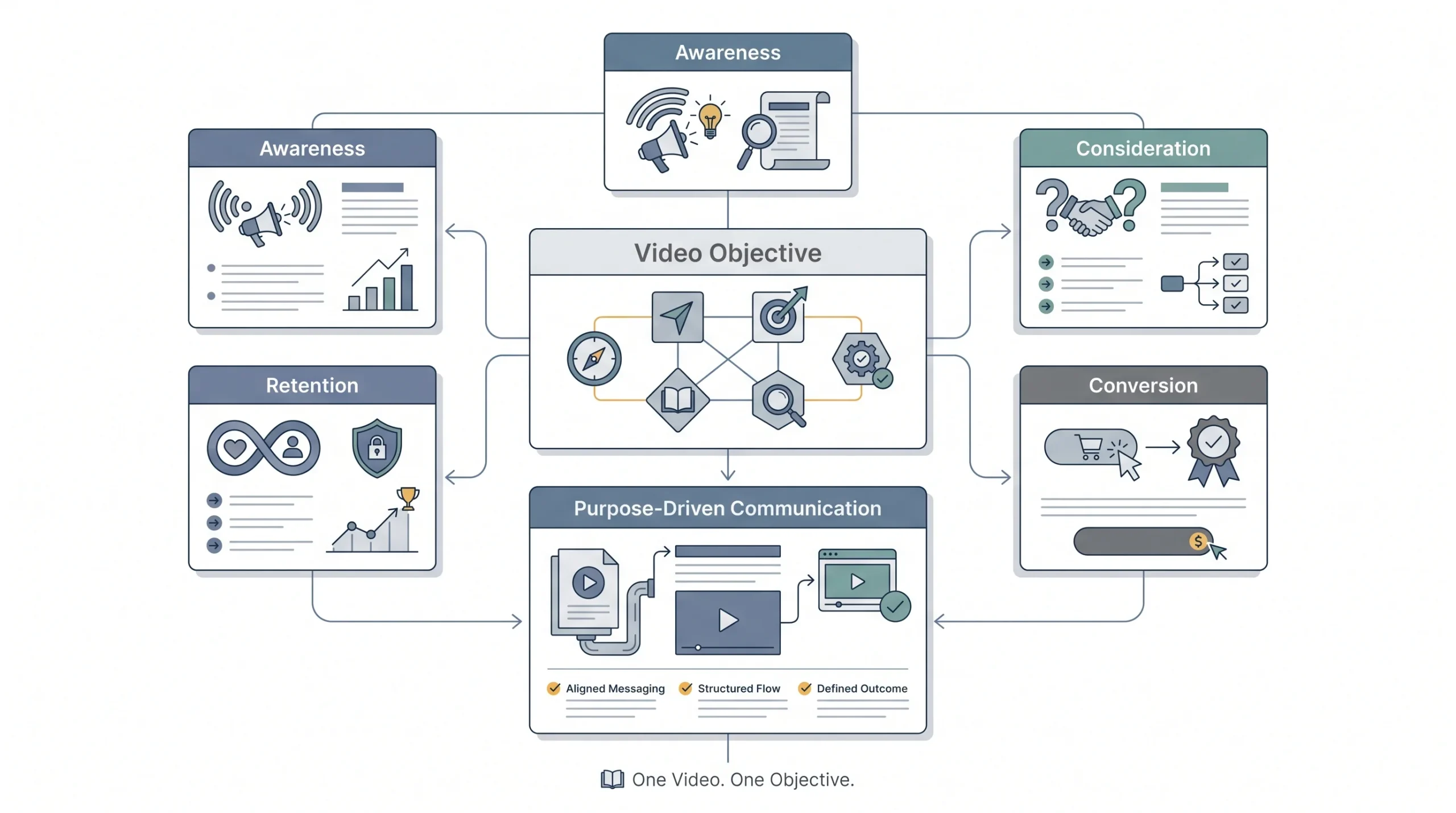
Every video sits somewhere on a simple funnel: awareness, consideration, conversion, or retention. Know which one you’re making before you shoot.
An awareness video is meant for someone who’s never heard of the business. Think a quick, punchy clip that grabs attention on a scroll. A consideration video is for someone who’s aware but not sure yet, like a product demo or a “how it works” explainer. A conversion video pushes someone who’s already interested toward an actual purchase or signup, think testimonials or limited-offer content. A retention video is for existing customers, keeping them engaged so they stick around or refer someone else.
A small business owner running a bakery might use an awareness video showing the morning bread-making process, a consideration video walking through their cake customization options, a conversion video with a real customer talking about their wedding cake order, and a retention video sharing a loyalty program update. Same business, four completely different jobs. Notice how none of these require anything more than the bakery itself, a phone, and a few minutes during a normal working day.
The objective also decides tone. An awareness video can afford to be loose and a little fun, since the goal is just getting noticed. A conversion video needs to be tighter and more direct, because the viewer is closer to a decision and doesn’t have patience for meandering. Confusing these two tones is a quiet mistake a lot of beginners make without realizing it, they’ll make a casual, joke-heavy video and then wonder why it didn’t drive any sales, when driving sales was never really what that style of video was built for in the first place.
Know Your Audience’s Platform Habits
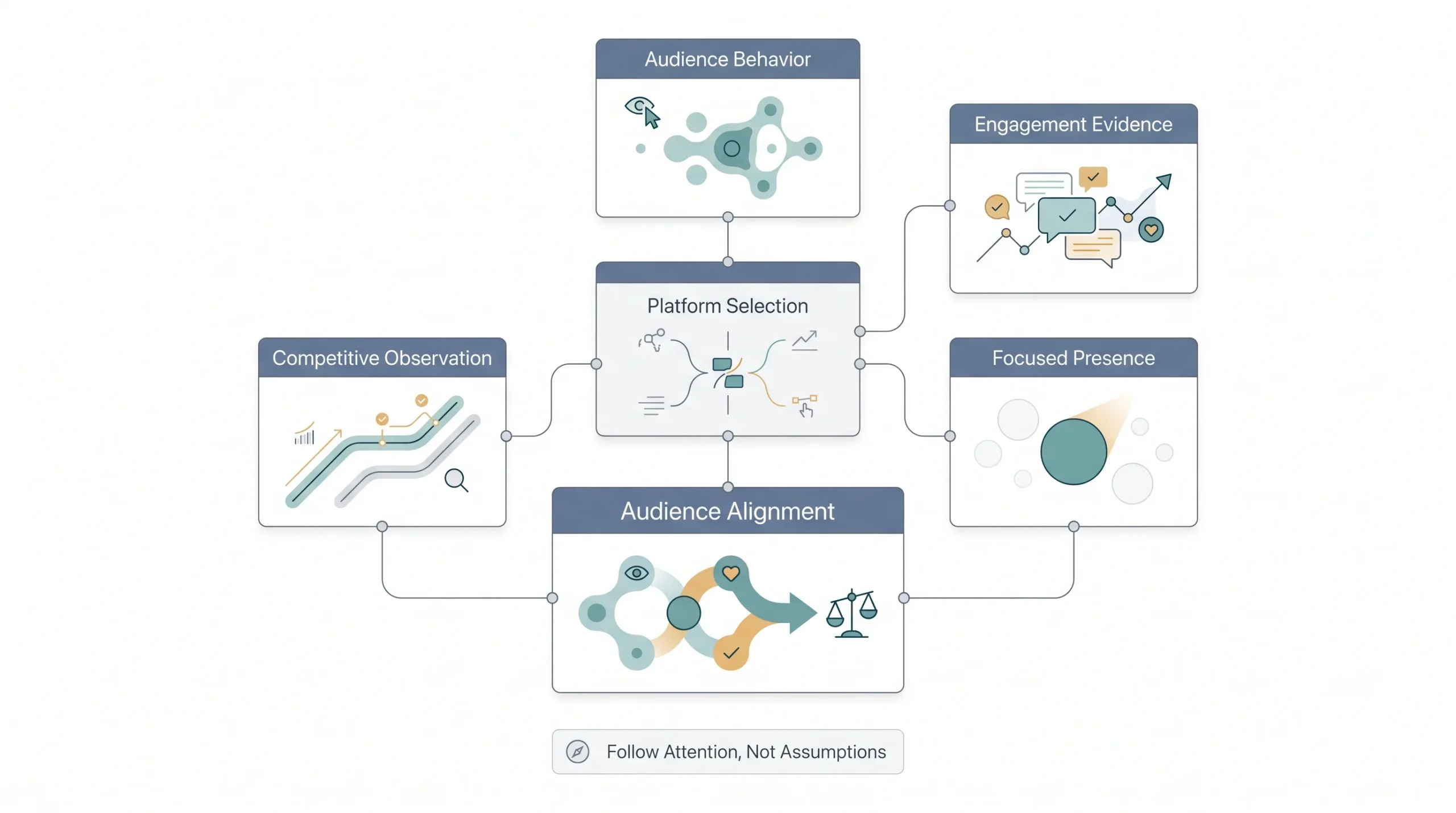
This sounds obvious, but so many beginners skip it. Don’t guess where your audience is. Check where they actually spend time. A B2B software company’s audience is probably scrolling LinkedIn during work hours, not TikTok at 11pm. A skincare brand targeting younger buyers is probably the opposite. Posting the right video on the wrong platform is a waste of the effort that went into making it.
A simple way to check this without any paid tools: look at where competitors and similar businesses in the niche are actually getting engagement, not just where they’re posting. A business might be active on five platforms but only getting real comments and shares on one of them. That’s the platform worth focusing energy on first. Spreading thin across every platform equally, especially early on, usually means being mediocre everywhere instead of strong somewhere.
Pick Your Content Pillars
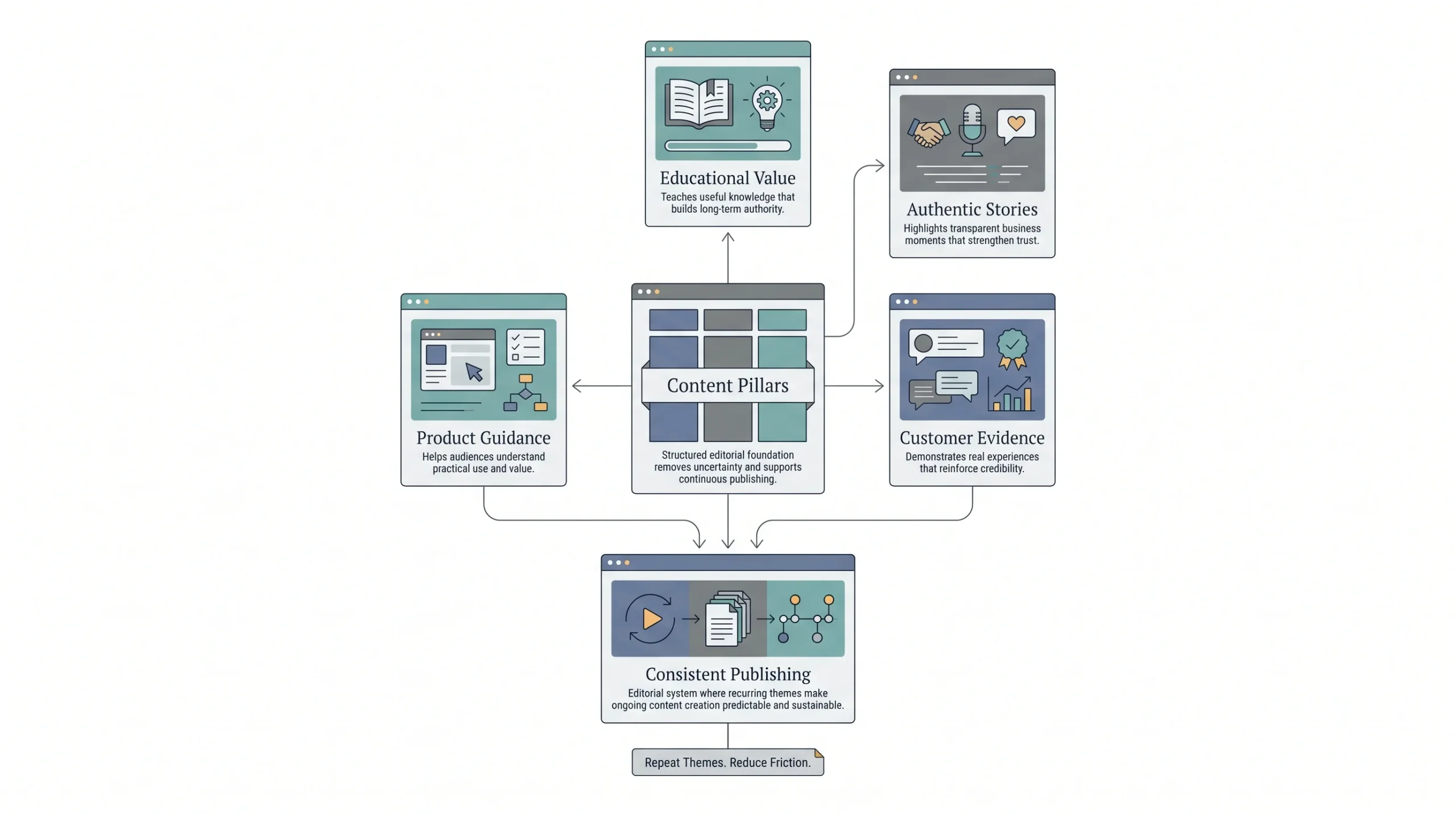
Content pillars are the recurring themes you’ll keep coming back to, so you’re never sitting there wondering “what do I post today.” Three or four pillars is enough. More than that and you’ll spread yourself too thin to be consistent, and consistency matters more here than almost anything else in this list.
| Pillar | Purpose | Budget level needed |
|---|---|---|
| Educational / how-to | Builds authority, supports SEO | ₹0 |
| Behind-the-scenes | Builds trust and relatability | ₹0 |
| Customer testimonial / UGC | Provides social proof | ₹0 to Low |
| Product demo | Drives conversion | Low |
These four pillars alone can carry a small business’s entire video calendar for months. Rotate through them, don’t reinvent the wheel every week. When it’s time to plan the next video, the question isn’t “what should I make,” it’s “which pillar is due next,” and that small shift removes most of the friction that stops people from posting consistently.
It also helps to write these pillars down somewhere visible, a sticky note, a shared doc, whatever works, because the moment they exist only in someone’s head, they get forgotten the first busy week that comes along.
The Zero-to-Low Budget Equipment Stack
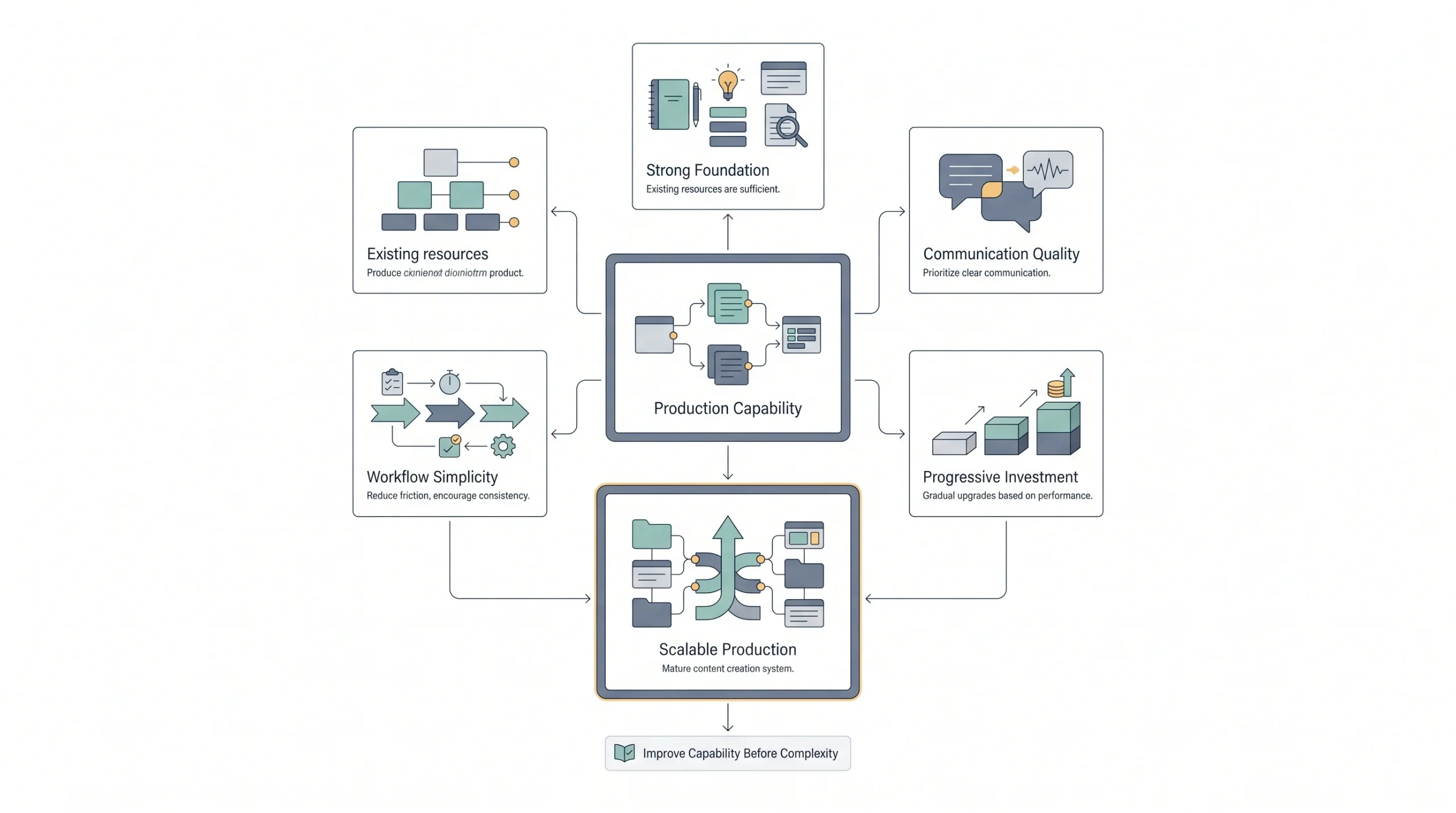
This is where most “budget video marketing” articles get vague. They’ll say “just use your phone” and stop there, which is technically true but not actually useful if you don’t know what to pair with that phone.
Here’s a real breakdown, tier by tier, with actual numbers.
| Tier | Camera | Audio | Lighting | Editing | Approx. total cost |
|---|---|---|---|---|---|
| ₹0 Starter | Smartphone you already own | Phone’s built-in mic | Natural window light | Free app like CapCut | ₹0 |
| Low-spend | Smartphone + clip-on lens | Lavalier mic, roughly ₹800 to ₹2,500 | Ring light, roughly ₹1,500 to ₹3,000 | Free or freemium editor | ₹3,000 to ₹6,000 |
| Scaling | Entry-level DSLR or mirrorless | USB condenser mic | Two-point softbox kit | Paid editor like CapCut Pro or Premiere | ₹25,000 to ₹40,000 |
Now here’s the part that actually matters more than the table: audio beats video, every single time. People will keep watching a video that’s a little blurry or shaky if they can hear it clearly. They will not stick around for crisp 4K footage with muffled, echoey audio. If there’s one upgrade worth making before anything else, it’s fixing sound, not fixing visuals. A ₹1,000 lavalier mic will do more for watch time than any lighting upgrade, and it’s one of the cheapest single purchases on this entire list relative to how much it changes the viewing experience.
Move through these tiers in order, and don’t skip ahead. There’s no real reason to jump straight to the scaling tier before the starter tier has been tested. Half the point of starting at ₹0 is figuring out, cheaply, whether the content itself even works before spending on gear that assumes it already does. A business that shoots ten videos at ₹0 and finds out three of them genuinely resonate has far more useful information than a business that spends ₹35,000 on a camera setup before posting a single thing.
On tools, a few worth knowing by name because they genuinely remove friction: CapCut for quick mobile editing with auto-captions built in, DaVinci Resolve if a free desktop editor with real editing power is needed, InShot as a simpler mobile alternative, Canva for slideshow-style video with templates already built, and Descript if scripting and editing from a transcript sounds appealing. None of these cost anything to start using at a basic level, and most small businesses will never actually need to pay for editing software at all if the content strategy behind the videos is solid.
A quick word on smartphones specifically, since that’s the foundation of the entire ₹0 tier. Most phones released in the last four or five years shoot in resolutions that are more than sufficient for social platforms, which compress video heavily on upload anyway. Spending money on a brand-new phone purely for video quality is rarely a good use of a limited budget. The phone already in hand is almost always good enough.
Video Formats That Work Without a Studio
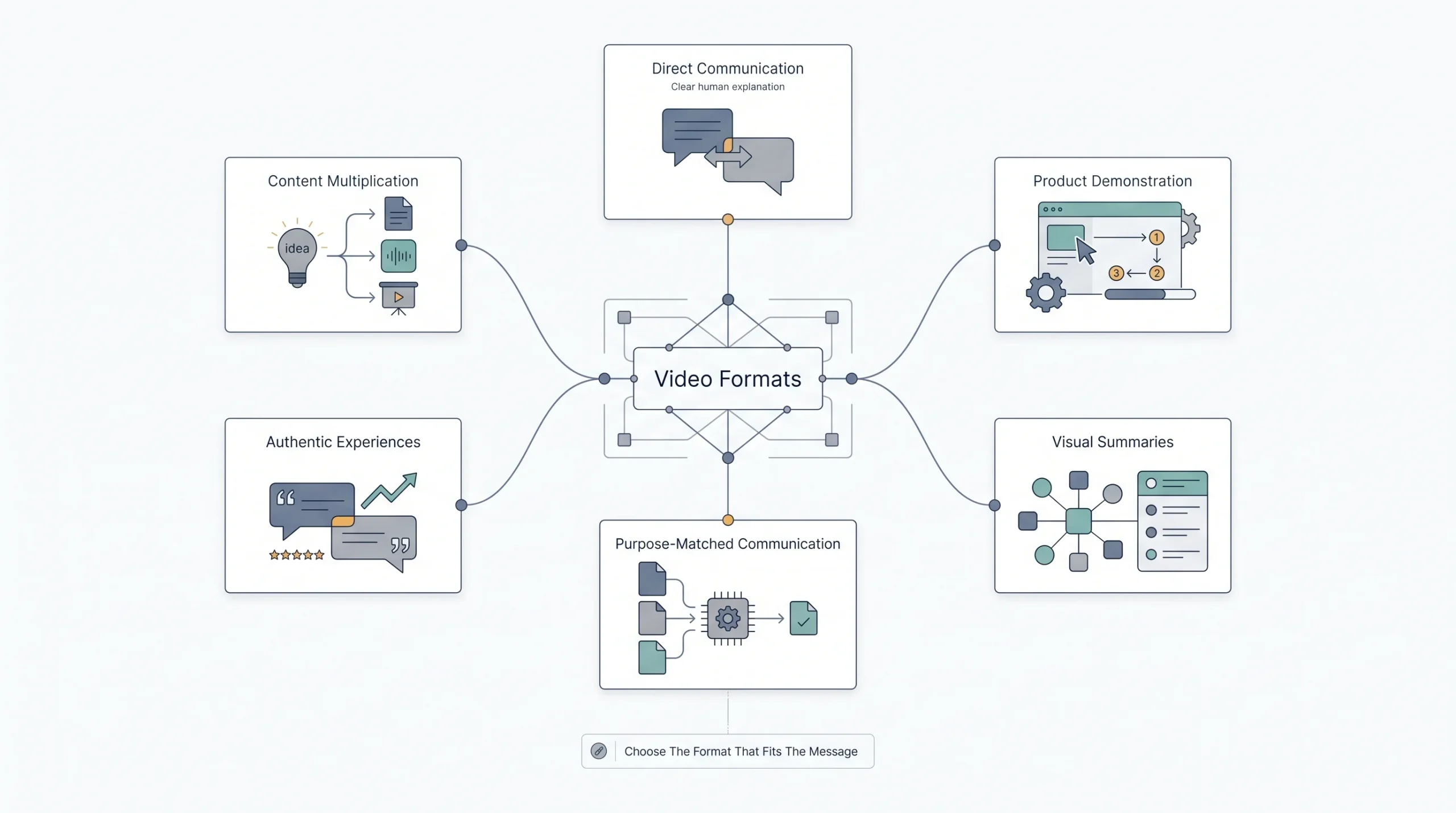
Not every format suits every business, and not every format needs the same setup. Here’s how to think about which one to reach for.
Talking-head videos. This is someone from the team facing the camera and speaking directly. Lowest technical barrier, highest trust payoff. Works well for founder updates, quick tips, or answering common questions. The mistake people make here is over-scripting it word for word, which usually makes the delivery sound stiff and robotic. Bullet points to speak from tend to sound far more natural than a full script read out loud.
Screen recordings and explainers. For anyone selling software, a tool, or anything digital, this is often the highest-converting format available, and it costs nothing beyond a screen recording app, most of which are already built into phones and laptops. Show the product doing the thing it’s supposed to do. No acting required, no camera setup required. This format works particularly well for tools like outreach platforms, dashboards, or anything with a visual interface, since the product itself becomes the entire video.
Slideshow or text-overlay videos. For when there’s genuinely no footage to work with. Combine images, text overlays, and music. Sounds basic, but done well these perform surprisingly consistently, especially for announcements, listicle-style content, or recapping stats and results. A slideshow of five customer results with numbers on screen can outperform a talking-head video, simply because it’s fast to consume and the value is obvious at a glance.
UGC and customer testimonials. This is probably the most underused format on this whole list, and it’s also close to free. A real customer talking about their experience, filmed on their own phone or on a business owner’s phone during a visit, converts better than most polished brand content because it doesn’t feel like an ad. Viewers have gotten good at spotting scripted, overly polished testimonials, and they tend to trust the rough, honest version more, not less.
Repurposed short-form clips. Take one longer piece, a webinar, a podcast episode, an interview, and cut it into five or six shorter clips. One shoot, multiple pieces of content. This single format is arguably the most efficient use of time on this entire list, because the heavy lifting of filming only happens once. More on this later because it deserves its own section.
| Goal | Best format | Platform fit |
|---|---|---|
| Build trust fast | Talking-head | Instagram, YouTube |
| Explain a product | Screen recording | Website, YouTube, LinkedIn |
| No footage available | Slideshow | Facebook, Instagram |
| Social proof | UGC / testimonial | Instagram, TikTok, ads |
| Maximize reach | Repurposed short-form clips | Reels, Shorts, TikTok |
Scripting and Planning Without Overproducing
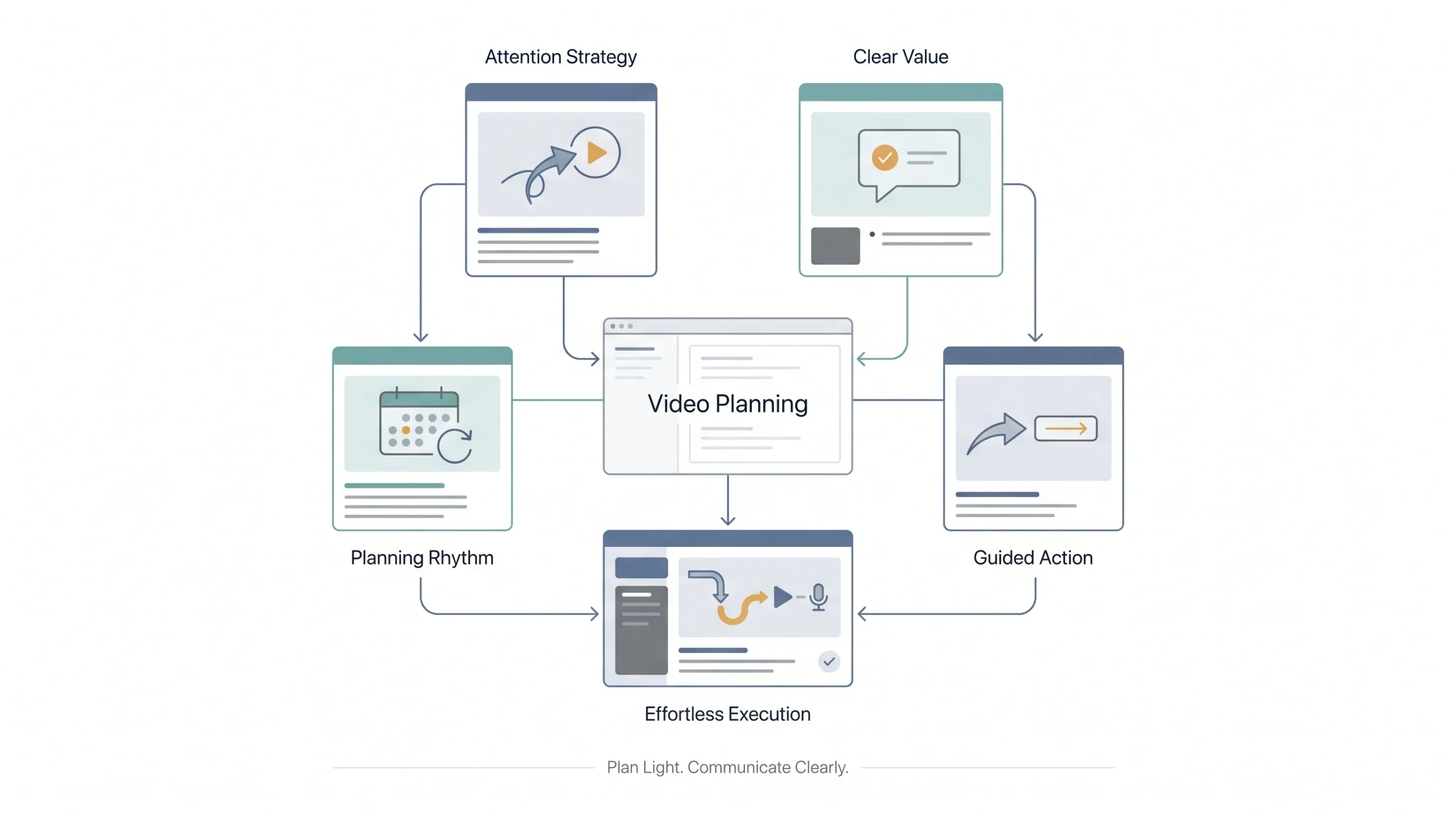
Scripting sounds like it belongs to big productions with writers’ rooms. It doesn’t. Even a 20-second video benefits from thirty seconds of planning beforehand, and that planning doesn’t need to be complicated.
A simple structure that works for almost any short video: hook, value, call to action. Three lines, that’s it.
The hook is the first line, the thing said or shown in the first couple of seconds that stops someone from scrolling. This is the single most important line in the whole video. If it doesn’t earn attention immediately, nothing after it gets seen.
“If the first three seconds don’t earn attention, nothing else in the video matters.”
A strong hook usually does one of a few things: it asks a question the viewer wants answered, it states a surprising or counterintuitive fact, or it names the exact problem the viewer is dealing with right now. “Here’s why your Instagram posts aren’t getting views” works better as an opener than “Today I want to talk about Instagram engagement,” even though both lines are technically saying something similar. One creates a small itch that needs scratching. The other just announces a topic.
The value section is the actual content, the tip, the demo, the story, whatever the video promised in the hook. Deliver it without padding. Get to the point. This is where a lot of beginners lose their nerve and start over-explaining, adding disclaimers, or repeating themselves out of nervousness. Trust that the viewer is following along. Say the thing once, clearly, and move on.
The call to action is the last line, telling the viewer what to do next, whether that’s “follow for more,” “check the link in bio,” or “comment your question below.” Skipping this is a common mistake. People rarely take action unless they’re told what action to take, even when the action feels obvious. A video can do everything else right and still underperform simply because it never told anyone what to do at the end.
Batching is worth mentioning here too. Planning five or six videos in one sitting, writing out the hook-value-CTA structure for each, saves an enormous amount of mental energy compared to starting from scratch every single day. Decision fatigue is real, and batching planning sessions solves for it directly. Set aside thirty minutes once a week, write out the skeleton for the next batch of videos, and filming day becomes a matter of execution rather than figuring things out on the spot.
Filming on a Budget: Practical Execution
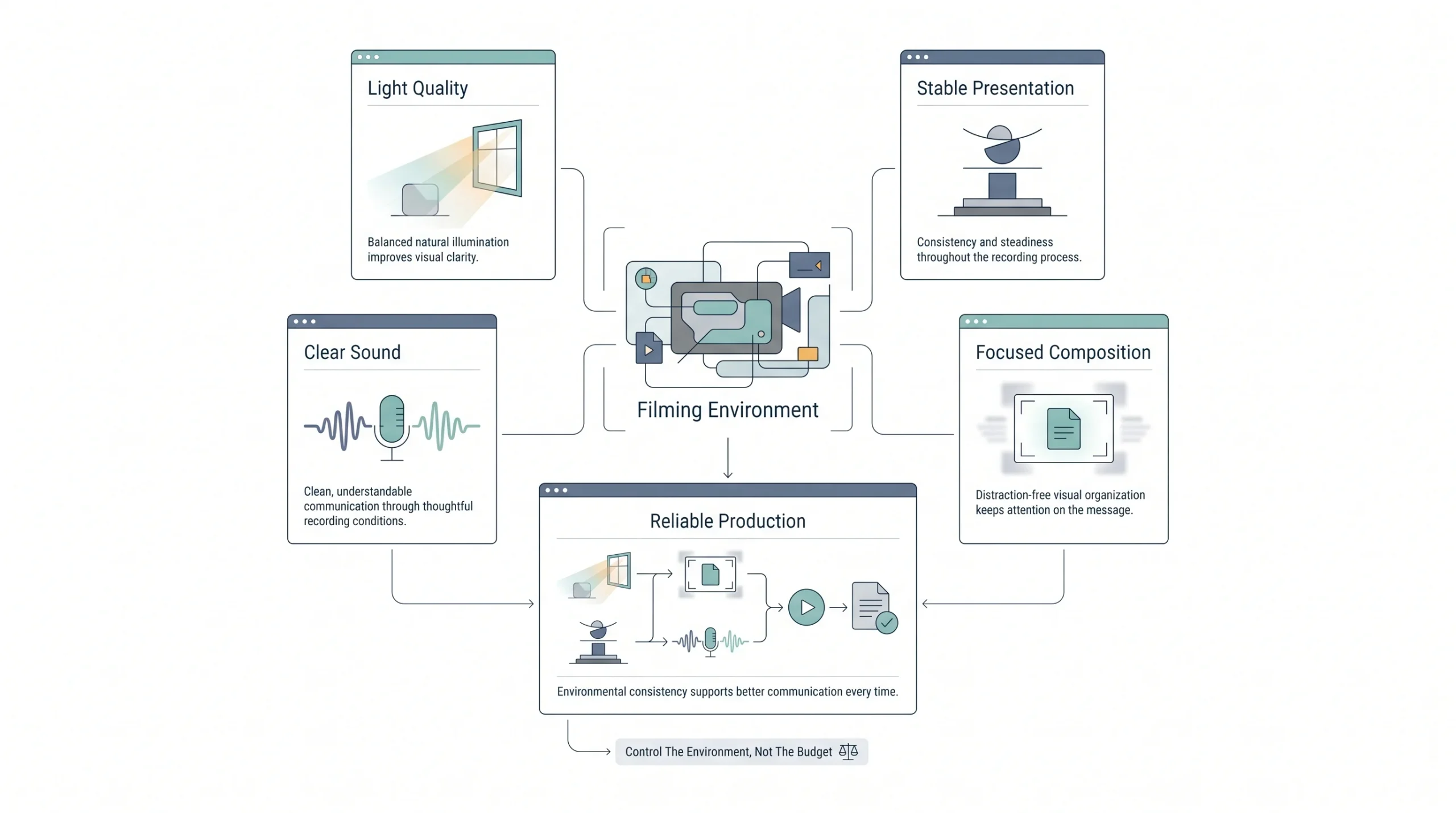
Once the planning’s done, filming itself is the easy part, provided a few basics are in place.
Lighting. Natural light from a window is genuinely one of the best light sources available, and it’s free. Face the light source, don’t put it behind you, and film during daylight hours if possible. Midday direct sun can be harsh, so early morning or late afternoon light tends to look softer and more flattering. A window facing east catches gentle morning light, a window facing west does the same in the evening, and either works far better than an overhead tube light, which tends to cast unflattering shadows under the eyes and chin.
Stability. A tripod isn’t required to get steady footage. A stack of books, a phone propped against a water bottle, a phone case with a built-in stand, all of these work in a pinch. Shaky footage is one of the fastest ways to lose a viewer, so this small fix matters more than it seems like it should. If handholding is unavoidable, holding the phone with both hands, tucking elbows in close to the body, and taking a breath before pressing record all reduce the shake noticeably.
Framing. Keep the subject roughly centered or slightly off-center, leave a little space above the head instead of cutting it too tight, and check that the background isn’t distracting. A cluttered background pulls attention away from the message, which defeats the purpose of the whole video. A plain wall or a tidy corner of a room works better than an interesting-looking but busy backdrop.
Audio capture without a mic. If there’s no lavalier mic yet, get the phone physically closer to whoever’s speaking, and choose a quiet room. Fabric-heavy rooms, think a room with curtains, a rug, soft furniture, sound better than bare rooms with hard walls, because hard surfaces bounce sound around and create an echo. Recording a short test clip and listening back with headphones before doing a full take catches audio problems early, before an entire video needs to be reshot.
Batching the shoot itself. Not just the planning, the actual filming too. Wearing the same outfit and using the same setting, film multiple videos back to back in one sitting. It saves the time of re-setting lighting, framing, and audio for every single video, and it means one productive afternoon can produce two or three weeks’ worth of content. This one habit alone is probably responsible for more consistent posting schedules than any other tip in this entire guide.
Editing Without Expensive Software
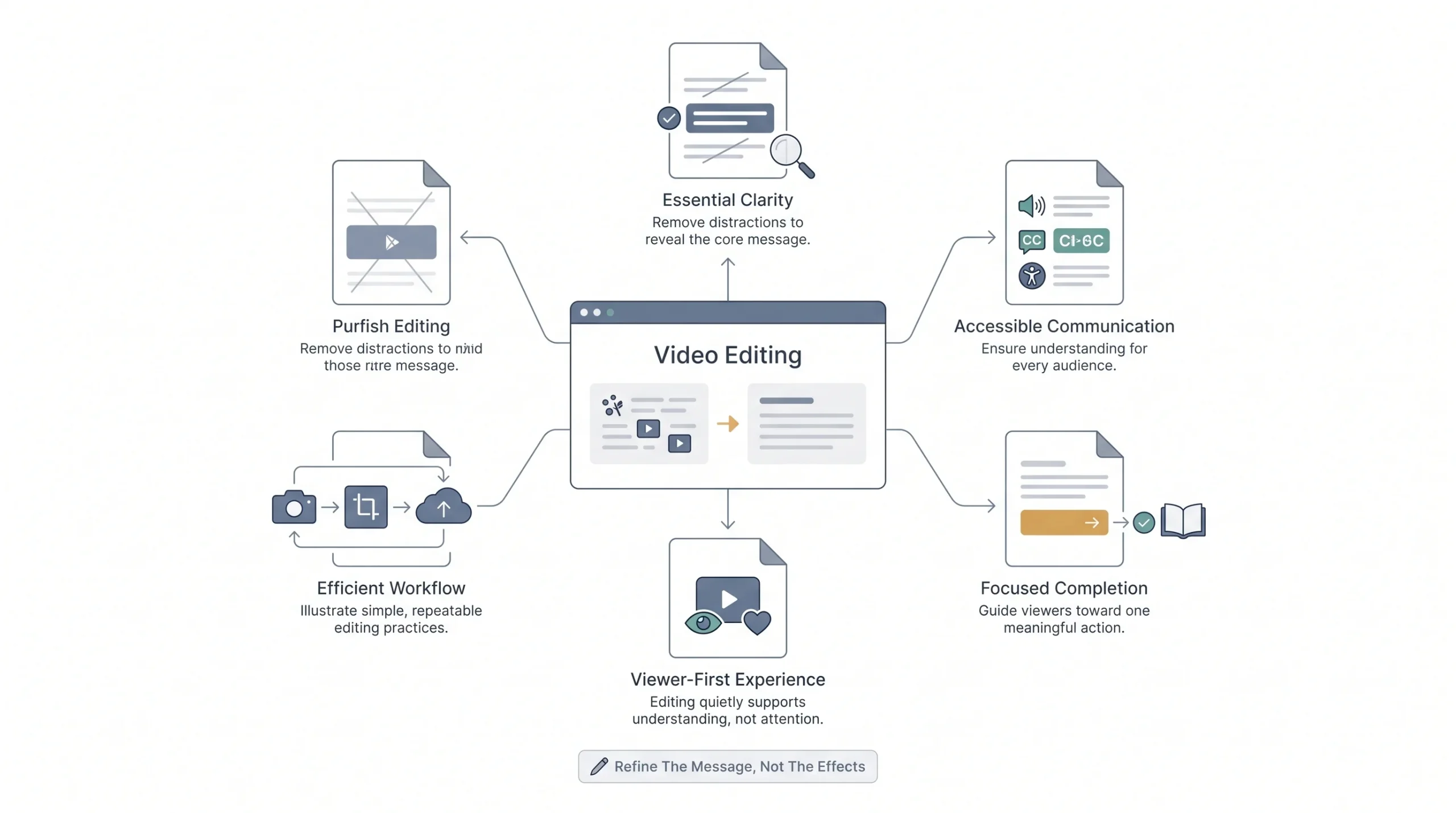
Editing doesn’t need to be complicated at this stage. In fact, overcomplicating the edit is one of the more common beginner mistakes. A clean, simple edit with the right basics will outperform an overproduced one almost every time when the audience is scrolling a social feed.
What to actually look for in an editing tool: the ability to trim clips, add text overlays, and export in the right aspect ratio for wherever the video’s going. That’s the core of it. Anything beyond that is a bonus, not a requirement.
Captions deserve their own callout here, because this one isn’t optional. A large chunk of video on social platforms gets watched with the sound off, whether someone’s on public transport, in an office, or just scrolling quietly next to someone else. A video without captions loses that entire audience in the first second. Most free editing apps, CapCut especially, have auto-captioning built in now, so there’s no excuse to skip it. Auto-generated captions aren’t always perfect though, so a quick read-through before posting catches embarrassing mistranscriptions before they go live.
Keep the actual edit simple: cut out dead air and pauses, add captions throughout, and end with one clear call to action card. That’s genuinely enough for a beginner’s first several months of content. Complexity can come later, once there’s a rhythm and a sense of what’s actually resonating.
It’s worth resisting the pull toward transitions, effects, and trendy edit styles too early. These things can add polish once the fundamentals are solid, but they also take time to learn and apply, time that’s better spent making more videos in the beginning. A simple cut-and-caption edit that goes out consistently will beat an elaborate, effects-heavy edit that takes so long to produce that posting becomes rare.
Platform-Specific Specs and Best Practices
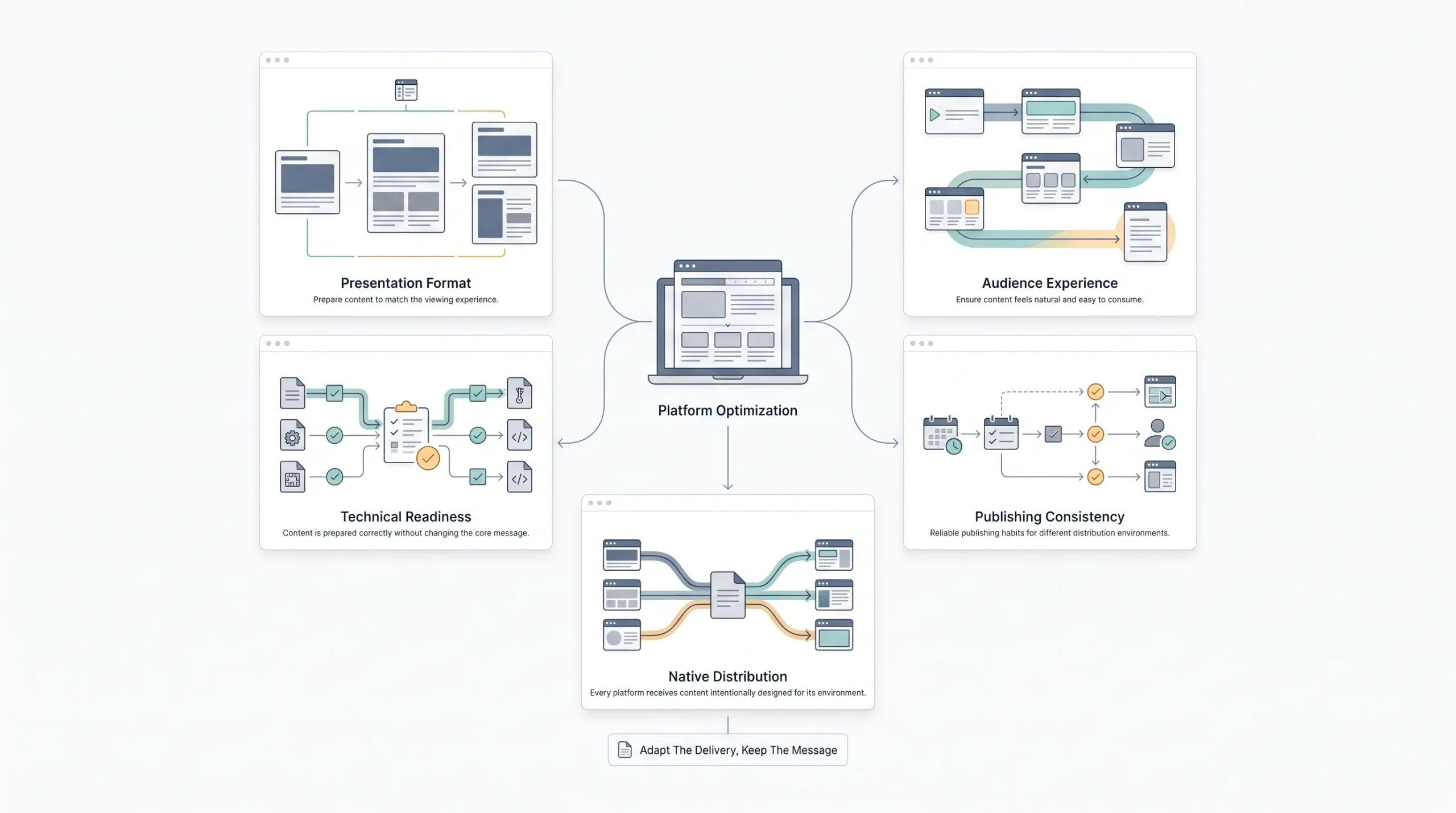
This is the part most guides skip entirely, which is strange, because posting the wrong aspect ratio or the wrong length is one of the fastest ways to sabotage an otherwise decent video.
| Platform | Ideal length | Aspect ratio | Caption need | Posting frequency |
|---|---|---|---|---|
| Instagram Reels | 15 to 30 seconds | 9:16 (vertical) | Required | 3 to 5 times a week |
| YouTube Shorts | 15 to 60 seconds | 9:16 (vertical) | Recommended | 3 to 4 times a week |
| YouTube long-form | 5 to 10 minutes | 16:9 (horizontal) | Recommended | Once a week |
| 30 to 90 seconds | 1:1 or 4:5 | Required | 2 to 3 times a week | |
| 15 to 60 seconds | 1:1 or 9:16 | Required | 2 to 3 times a week |
A quick note on posting frequency here: these numbers are a starting range, not a rulebook carved in stone. Consistency at a lower frequency beats sporadic bursts at a higher one. Posting three times a week every week for three months will outperform posting daily for one week and then vanishing.
Aspect ratio deserves special attention because it’s such an easy mistake to make and such an obvious one once pointed out. Uploading a horizontal video shot for YouTube directly to Instagram Reels leaves awkward black bars on either side and instantly signals that the content wasn’t made for that platform. It’s a small thing that has an outsized effect on how professional a video feels, and the fix costs nothing beyond a moment’s thought before hitting record about where the video is actually headed.
The Repurposing System (Content Multiplication)
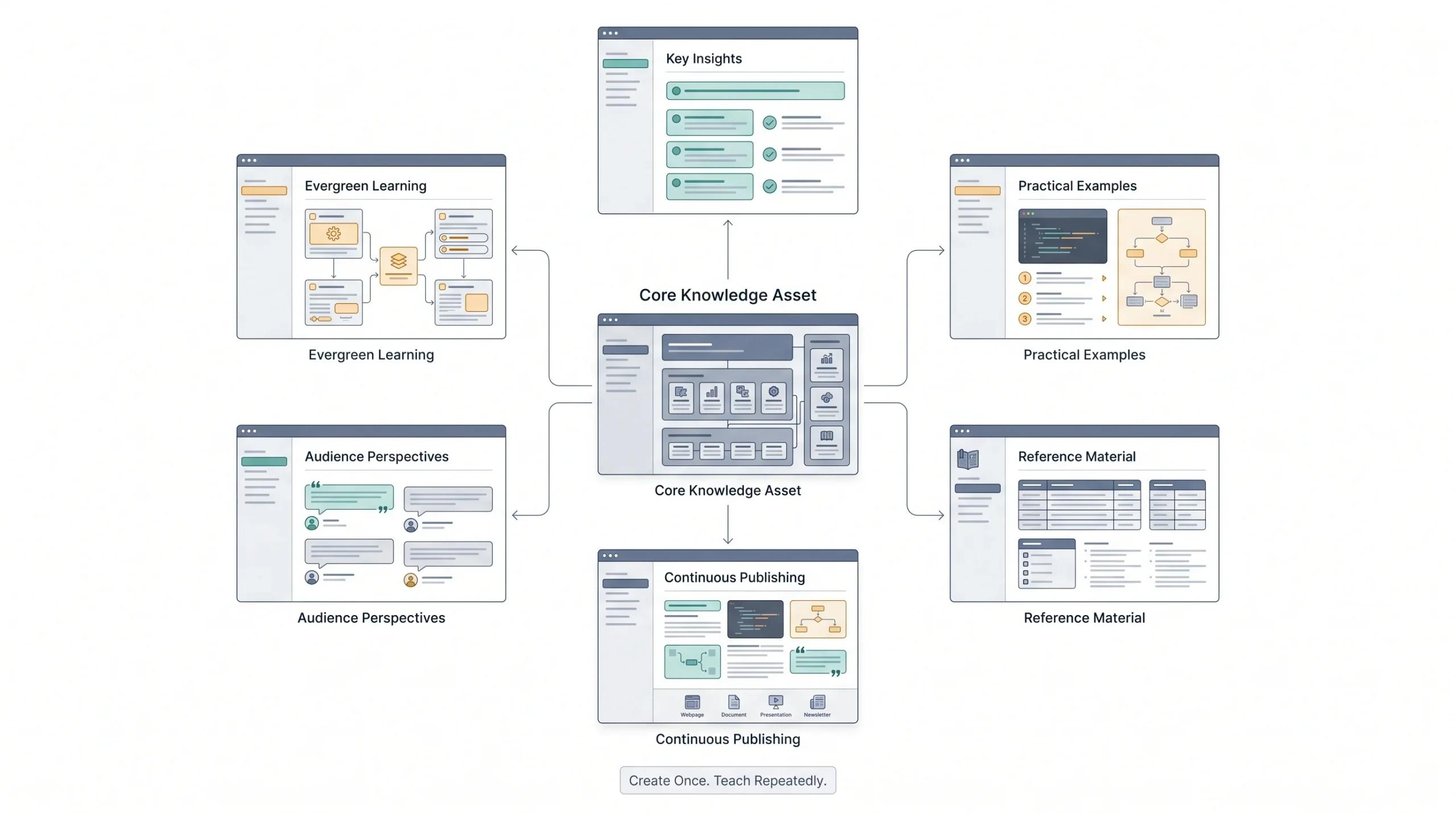
This is, honestly, the real budget hack in all of this. Not shooting less. Reusing more.
Here’s how it works in practice. Film one longer piece of content, a webinar, an interview, a Q&A session, a product walkthrough. That single shoot becomes the source material for five to eight shorter clips pulled from different sections. Each of those short clips gets captions and can be posted individually across platforms. On top of that, pull a few strong quotes from the same footage and turn them into simple text-based quote graphics for feed posts. The transcript itself can even become a blog post or a LinkedIn article.
One shoot. One editing session. Multiple weeks of content across multiple formats and platforms.
A rough map of how this looks: one 30-minute webinar recording turns into six 30-second clips for Reels and Shorts, three quote graphics for Instagram feed posts, one blog post built from the transcript, and one LinkedIn carousel summarizing the key points. That’s roughly ten pieces of content from a single recording session.
This is the difference between treating video as a one-off task and treating it as a system. Systems scale. One-off tasks burn people out. Most people who quit content creation within the first couple of months quit because they treated every single post as a fresh start, requiring fresh ideas and a fresh shoot every time. That’s an exhausting way to work and it’s not actually necessary.
There’s a practical side benefit here too. Repurposed clips often perform just as well, sometimes better, than content shot specifically for short-form, because they’re pulled from a moment of natural, unscripted conversation. A genuine reaction or an off-the-cuff explanation from a longer recording tends to feel more real than something rehearsed specifically for a fifteen-second clip. Keep an eye out for those moments while reviewing footage, they’re usually the strongest candidates for the short-form cuts.
Distribution: Getting Views Without Paid Promotion
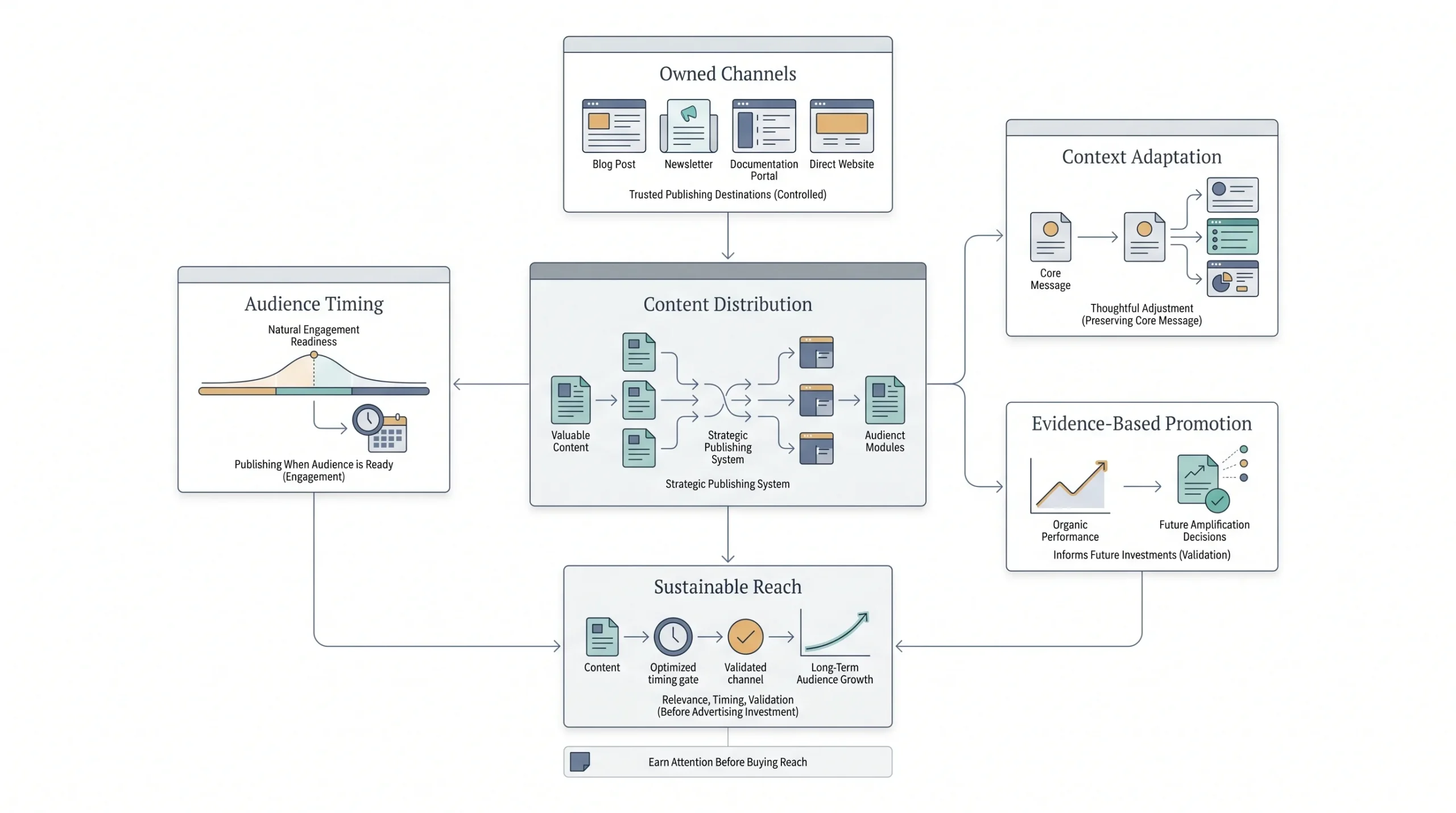
Making the video is half the job. Getting it in front of people is the other half, and it doesn’t require an ad budget to start.
Owned channels come first: post to the website, embed in email newsletters, share in relevant community groups or forums where the audience already hangs out. These are free distribution points that get skipped surprisingly often.
Cross-posting matters, but adapting matters more. Posting the exact same video, same caption, same everything across every platform is a missed opportunity. A LinkedIn caption should read differently than an Instagram caption, even if the video itself is identical. The context of each platform is different, and the caption should acknowledge that.
On paid spend, here’s a genuinely useful rule of thumb: don’t cold-launch an ad on unproven content. Post organically first, see what performs, and then put a small amount of budget behind the video that’s already showing signs of working. Boosting a proven organic winner is a far more efficient use of a limited ad budget than gambling on something untested, because the organic performance already tells a story about what’s resonating before a single rupee gets spent.
Timing plays a bigger role in distribution than people give it credit for too. Posting when the target audience is actually online, rather than whenever it’s convenient to post, changes reach more than most people expect. A B2B audience checking LinkedIn during a lunch break behaves very differently from a consumer audience scrolling Instagram late at night. Checking each platform’s own analytics for when an existing audience is most active is free information that’s often just sitting there unused.
Measuring What Matters (Not Vanity Metrics)
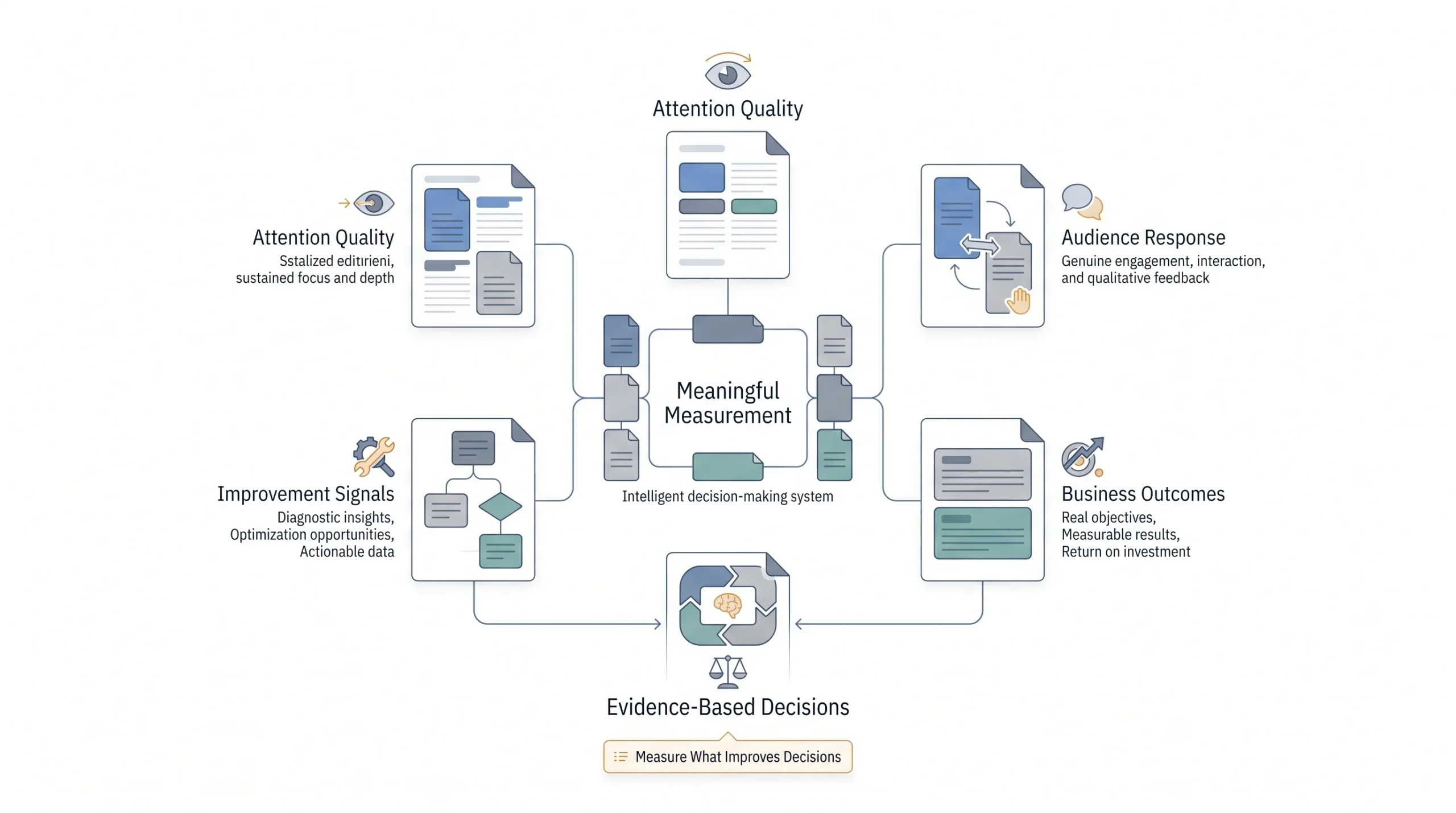
Views feel good to look at. They’re also, on their own, one of the least useful metrics for figuring out whether video marketing is actually working.
A video can get ten thousand views and drive zero business results. A video with three hundred views and a strong watch-through rate, landing in front of the right audience, can drive real conversions. The number on the surface doesn’t tell the full story.
A simple, free tracking setup covers most of what’s needed at this stage: native analytics from each platform (Instagram Insights, YouTube Studio, LinkedIn analytics), paired with one shared spreadsheet logging what was posted, when, and how it performed. Nothing fancier is required in the early months.
Watch-through rate deserves special attention because it’s the metric that quietly reveals whether a video is actually working, even when the view count looks unremarkable. A video where most viewers drop off in the first five seconds has a hook problem. A video where viewers watch most of the way through but don’t act on the call to action has a CTA problem, not a content problem. These are two completely different fixes, and only the watch-through data can tell which one applies. Guessing without checking this number usually leads to fixing the wrong thing.
| Objective | Primary metric | Secondary metric |
|---|---|---|
| Awareness | Reach / impressions | Watch time |
| Engagement | Comments / shares | Saves |
| Conversion | Click-through rate | Conversion rate |
| Retention | Repeat viewership | Watch-through percentage |
Match the metric to the objective set back in the strategy stage. Checking conversion rate on a pure awareness video, or checking reach on a bottom-of-funnel testimonial video, is measuring the wrong thing and it’ll lead to wrong conclusions about what’s working.
A Simple 30-Day Starter Plan
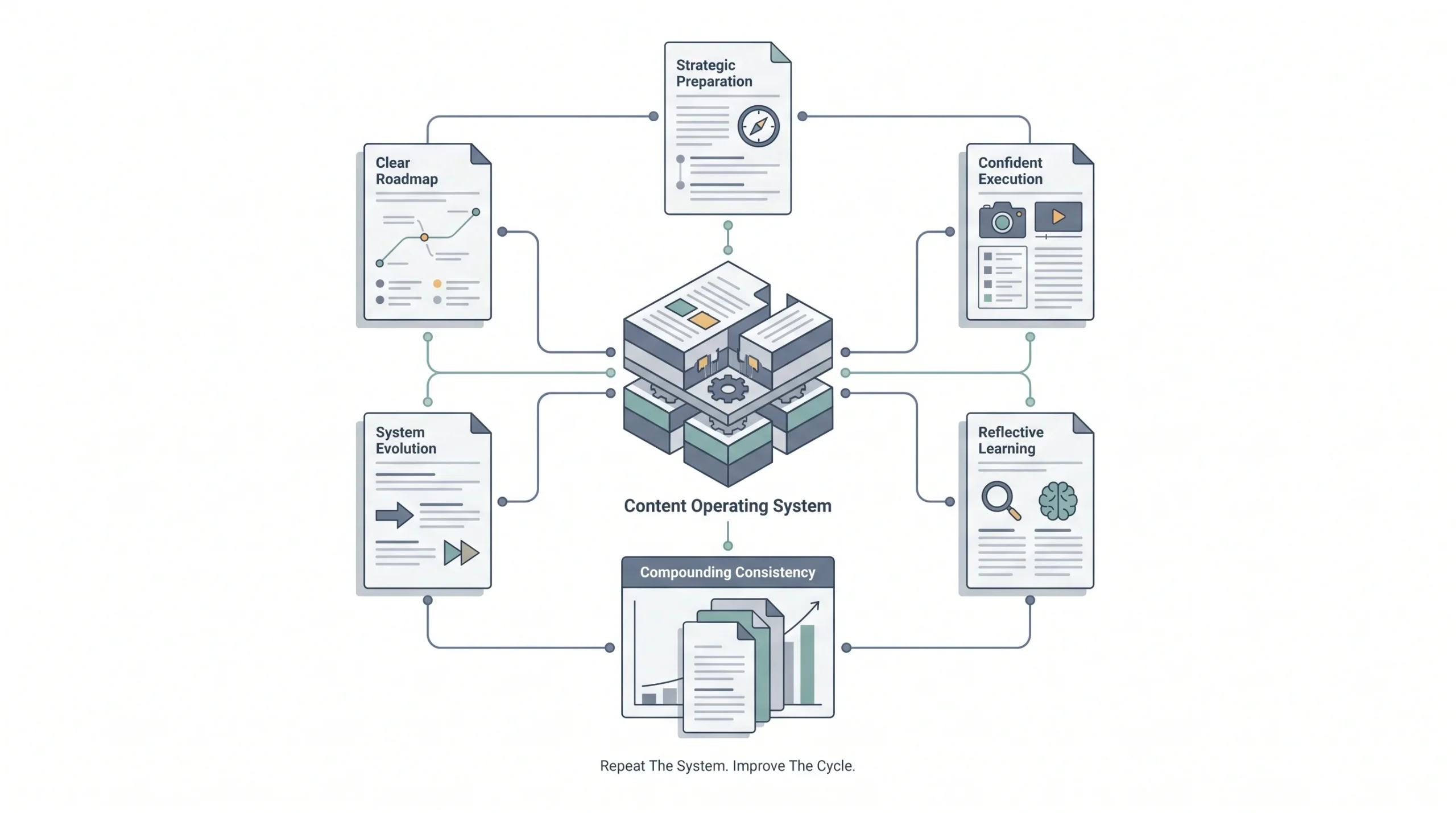
Reading all of this is one thing. Actually doing it is another. Here’s a simple week-by-week breakdown to turn everything above into action.
Week 1: Planning and tools. Pick the content pillars, define objectives for the first batch of videos, download a free editing app, and do a quick test shoot to check lighting and audio in the space that’ll be used most.
Week 2: First batch filming. Batch film five to six videos in one or two sessions, using the hook-value-CTA structure for each one.
Week 3: Editing and posting rhythm. Edit the batch, add captions to everything, and start posting on a consistent schedule matched to the platforms chosen.
Week 4: Review and repurpose. Check the metrics that actually match each video’s objective, note what performed well, and pull clips or quotes from the best-performing pieces to repurpose into new content for the next cycle.
By the end of thirty days, there’s a working system in place, not just a handful of scattered videos. That system is what actually compounds over time. Month two doesn’t require reinventing anything, it’s just running the same loop again, informed by what was learned in month one. That’s genuinely the whole game beyond this point: plan, shoot, edit, post, review, repeat, with small adjustments each cycle based on what the numbers actually say. Businesses that stick with this loop for six months tend to look back and realize the video output feels effortless by comparison to where it started, not because it got easier exactly, but because the uncertainty that made it feel hard in the beginning is mostly gone.
Conclusion
None of this was ever really about budget. It was about knowing what to say, who to say it to, and having a simple enough process that it’s actually possible to stick with it. A phone, some natural light, a free editing app, and a clear one-line objective for each video will take a small business further than most people expect, faster than most people expect too.
As things grow and revenue allows for it, sure, upgrade the mic, get better lighting, maybe bring in a proper camera. But that’s a later problem, not a starting problem. The system described here works at zero budget and it keeps working as budget increases, because it was never built around spending in the first place. It was built around clarity, consistency, and actually showing up. Start there, and the rest tends to follow.
Frequently Asked Questions
Do I really need a separate camera, or is my phone actually good enough?
For almost everyone starting out, the phone is enough. Most phones from the last several years shoot resolutions that get compressed on upload anyway, so the difference between phone footage and a dedicated camera mostly disappears once it hits Instagram or YouTube. Save the camera upgrade for later, once there’s an actual reason to believe better visuals will move the needle, not before.
What’s the single cheapest upgrade that makes the biggest difference?
A lavalier mic, hands down. Something in the ₹800 to ₹2,500 range fixes the one thing viewers actually notice and drop off for, which is bad audio. Blurry footage gets forgiven. Muffled or echoey sound doesn’t.
How long should my videos actually be?
Depends entirely on the platform and the goal. Reels and Shorts do best around 15 to 30 seconds, LinkedIn can stretch to 30 to 90 seconds, and long-form YouTube content works best around 5 to 10 minutes. There’s no universal “ideal length.” The right length is whatever it takes to deliver the value promised in the hook, and not a second more.
How many videos should I be posting each week to see results?
Somewhere around three times a week is a reasonable starting point across most platforms. But honestly, frequency matters less than consistency. A steady three-a-week for three months beats a frantic burst of daily posts for one week followed by silence. Pick a pace that’s actually sustainable and stick with it.
Do I need to appear on camera myself?
No. Screen recordings, voiceovers over footage, and slideshow-style videos with text overlays all work perfectly well without anyone’s face showing up. Plenty of businesses run entire video strategies this way, especially ones selling software or digital tools where the product itself is the visual.
What if my first few videos flop?
That’s normal, not a sign to quit. The first batch is usually more about learning the process, lighting, framing, editing rhythm, than about hitting a home run. Watch-through rate and engagement on the first few videos tell you far more about what to fix than they tell you whether video marketing “works” for your business.
How do I know if a video is actually working?
Match the metric to the objective. An awareness video should be judged on reach and watch time, not conversions. A conversion video should be judged on click-through and conversion rate, not raw views. Checking the wrong metric for the wrong objective is one of the fastest ways to draw the wrong conclusion about what’s working.
Should I add music to my videos?
It helps, especially for slideshow-style or B-roll content without much spoken dialogue, but it’s not mandatory. If music is used, keep it low enough that it never competes with a voiceover or spoken audio, and stick to royalty-free tracks available directly inside apps like CapCut or Canva to avoid any copyright issues.
Is it worth boosting a video with paid ads if I have almost no budget?
Only after it’s proven itself organically. Posting first and watching how it performs tells you which video is actually worth putting money behind. Spending on an untested video is closer to a gamble than a strategy.
How much does it actually cost to get started with video marketing?
Technically, ₹0. A phone, natural light, and a free editing app cover the starter tier completely. A low-spend setup with a basic mic and a ring light runs somewhere between ₹3,000 and ₹6,000, which is still far less than most people assume before they actually look into it.
Can one video really be turned into multiple pieces of content?
Yes, and it’s one of the most efficient things a small business can do. A single 30-minute recording can realistically produce six or more short clips, a few quote graphics, and even a blog post from the transcript. One shoot, several weeks of content.
What’s the biggest mistake beginners make with video marketing?
Buying gear before validating the content. Spending on a proper camera setup before posting a single video assumes the content will work, without any actual proof yet. Start at zero cost, see what resonates with the audience, and invest based on real results rather than assumptions.