

A local bakery in Ohio spent four years relying on walk-in traffic and word of mouth. Then a competitor opened two blocks away with an Instagram page, a Google Business Profile stacked with reviews, and a $10-a-day ad budget. Within six months, the new shop was outselling the bakery that had been there for over a decade. That’s not a rare story anymore. That’s just what happens when one business treats digital marketing as optional and the other one doesn’t.
Here’s the thing most small business owners get wrong: they think digital marketing means having a Facebook page and posting sometimes. Nope. It’s a system. It’s a set of channels working together, each one earning trust or driving a sale, and each one measurable down to the rupee or dollar spent. Big companies have entire departments running this system. Small businesses don’t have that luxury, but that’s actually the advantage, not the excuse. A five-person team that understands digital marketing for small businesses can move faster, test faster, and adjust faster than any corporate marketing department ever could.
This guide breaks down exactly how to build that system from the ground up, whether the business in question is a solo consultant, a neighborhood shop, or a small team trying to grow past its first hundred customers. There’s no fluff here, no vague advice like “post consistently” without saying what to post or how often. Every section covers a real channel, the exact steps to use it, the tools involved, the mistakes that trip up beginners, and what a reasonable budget actually looks like. By the end, there should be a clear, workable plan and not just a list of buzzwords.
What You Will Learn in This Guide
- How to build a digital marketing strategy from scratch, even with zero prior experience or budget.
- Why local SEO and Google Business Profile optimization matter more than most small businesses realize.
- How to run social media marketing that produces actual leads, not just likes.
- The exact steps to start email marketing, including list building and automation.
- How to run Google Ads and Meta Ads on a tight budget without wasting money on clicks that never convert.
- How content marketing and blogging bring in free, long-term traffic.
- Which metrics actually matter and which ones are just vanity numbers.
- The most common mistakes small businesses make with digital marketing, and how to avoid every one of them.
What Digital Marketing for Small Businesses Actually Means
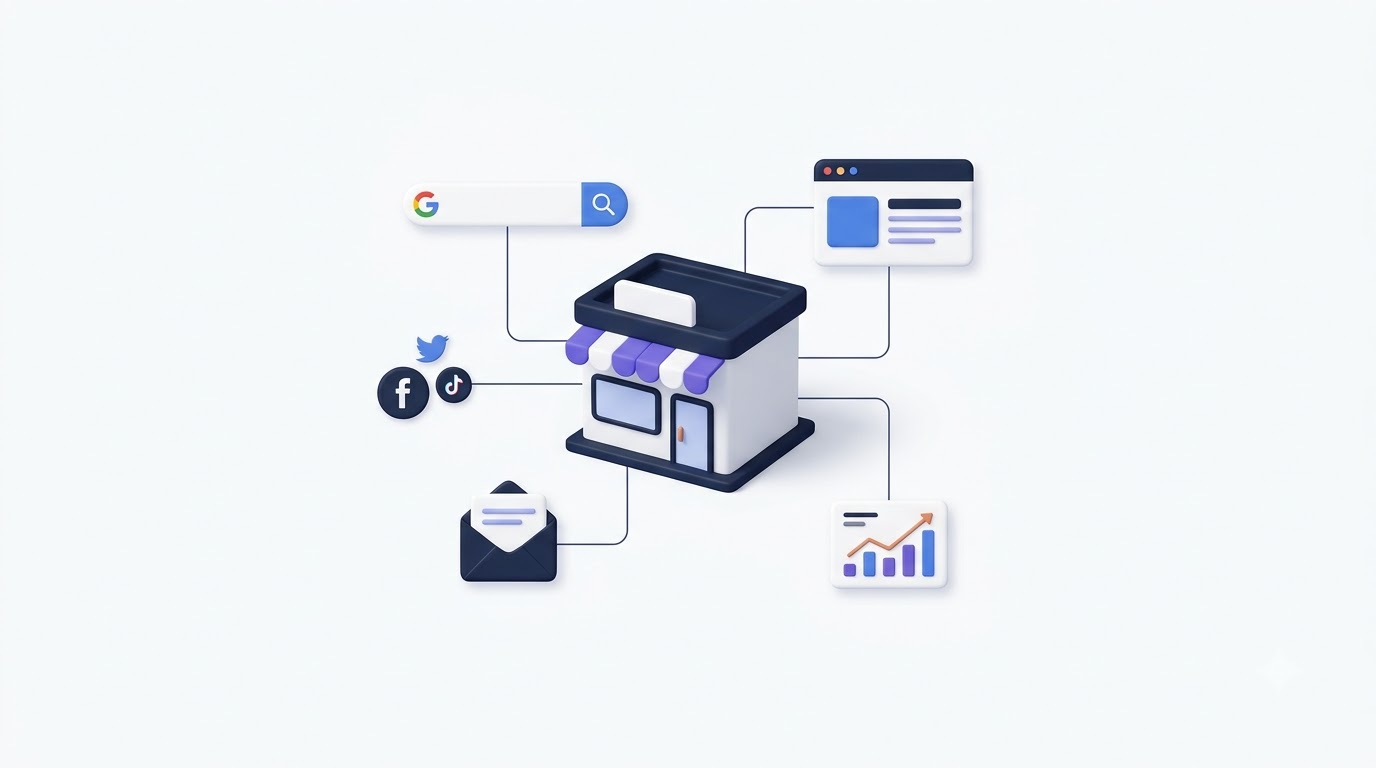
Digital marketing for small businesses is the practice of using online channels, meaning search engines, social platforms, email, and paid ads, to find customers, build trust with them, and turn that trust into sales, without the huge budgets that large enterprises throw around. It’s not one tactic. It’s a combination of several smaller systems working together toward one goal: getting the right person to notice the business, then giving them a reason to buy.
That definition matters because a lot of small business owners approach digital marketing backwards. They see a competitor running Facebook ads and assume ads are the answer. They hear that “SEO is important” and hire someone to write ten blog posts without a strategy behind them. Random tactics without a system rarely produce consistent results. A bakery running $5 Instagram ads with no website to send traffic to is basically throwing money at a wall.
How Digital Marketing Differs From Traditional Marketing
Traditional marketing, think newspaper ads, flyers, billboards, radio spots, works on broadcast logic. The message goes out to everyone in range, and the business hopes the right people happen to be paying attention. There’s no way to know who saw the ad, who ignored it, or who almost bought something but didn’t. The feedback loop is slow, sometimes months long, and the cost per person reached is high because there’s no targeting involved.
Digital marketing flips that completely. A $20 Facebook ad campaign can be shown only to people within 10 miles of a store who have shown interest in similar products in the past 30 days. A blog post written once keeps bringing in visitors for years without extra spend. Email campaigns can be tracked down to who opened the message, who clicked a link, and who bought something 48 hours later. That level of precision is why small businesses, even ones with a few hundred dollars a month, can now compete with companies that have marketing budgets in the millions.
Why Small Businesses Can’t Afford to Skip It
Roughly 76% of consumers who search for something nearby on their phone visit a related business within a day, according to Google’s own local search data. That single stat should be enough to convince any small business owner that showing up online isn’t optional anymore. Customers aren’t checking the phone book. They’re typing “coffee shop near me” or “plumber open now” into Google, and whoever shows up first, with good reviews and a clear website, wins the customer almost every time.
There’s also a cost angle that gets overlooked. Traditional advertising, like a local newspaper ad or a radio spot, often costs hundreds of dollars for a single run with no way to measure return. A well-targeted Google Ads or Meta Ads campaign can start producing measurable leads for less than that same spend, and it can be adjusted or paused instantly if it’s not working. For a small business watching every dollar, that flexibility is the difference between wasting a marketing budget and actually growing from it.
Building a Digital Marketing for Small Businesses Strategy That Actually Works
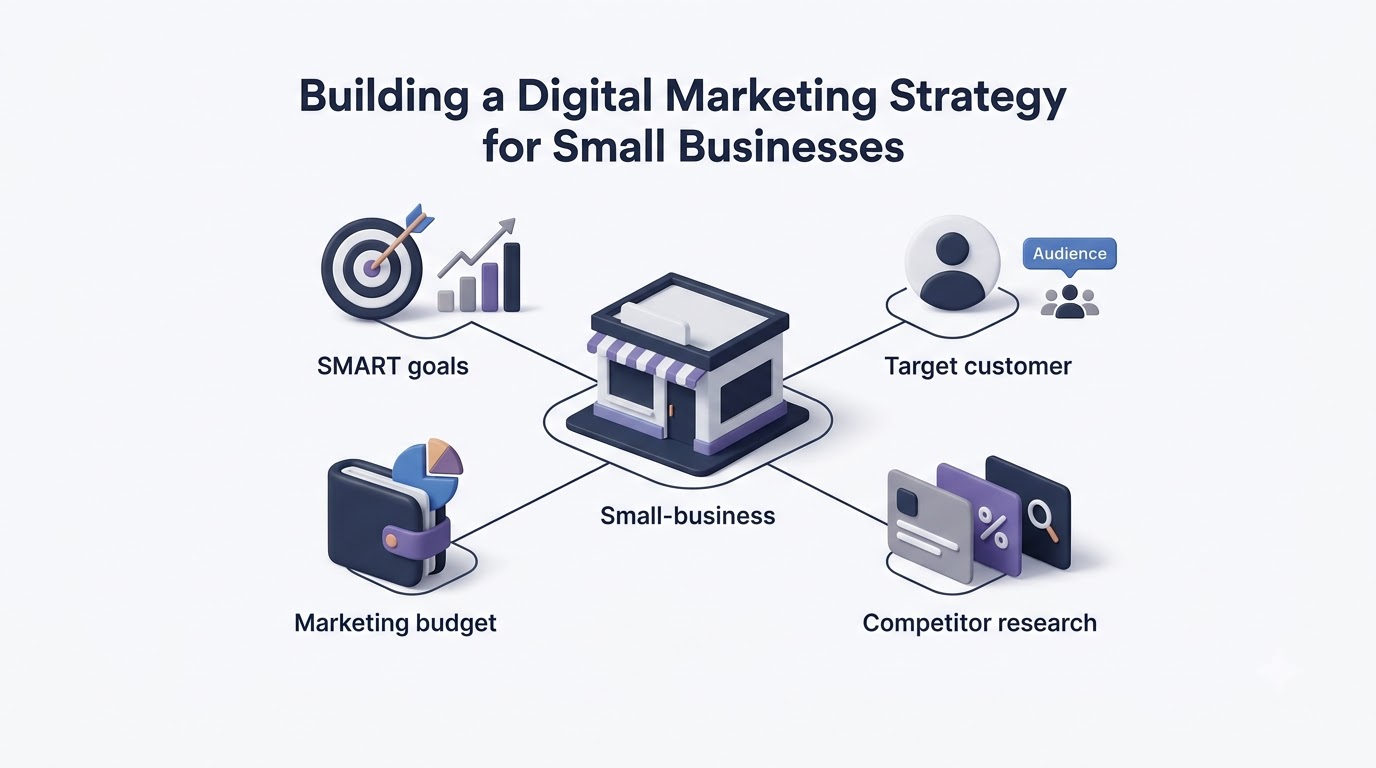
Skipping straight to tactics, posting on Instagram, running a Google ad, sending an email blast, without a strategy behind it is how most small businesses waste their first year of marketing spend. A strategy isn’t a fancy document. It’s just clarity on three things: what the business wants to achieve, who it’s trying to reach, and how much it can spend to get there. Get those three things right and the tactics practically choose themselves.
Setting Clear, Measurable Goals
“Get more customers” is not a goal. It’s a wish. A real goal looks like: get 50 new email subscribers a month, or increase foot traffic by 15% over the next quarter, or generate 20 qualified leads a month from the website. The difference matters because vague goals lead to vague campaigns, and vague campaigns are impossible to judge as successful or not.
Use the SMART framework here: Specific, Measurable, Achievable, Relevant, Time-bound. A goal like “increase online orders by 25% within 90 days using Instagram and email marketing” checks every box. It tells the business exactly what channels to focus on, what number defines success, and when to check progress. Without that clarity, a business can spend six months “doing marketing” and have no real way to know if it worked.
Identifying Your Target Customer
Most small businesses think they know their customer, but when asked to describe them in detail, the answer is usually something vague like “anyone who needs our service.” That’s too broad to build a campaign around. A yoga studio’s actual best customer might be a 32-year-old working professional living within 5 miles, interested in wellness content, who has disposable income and struggles to find time for self-care. That level of detail changes everything about where and how to market.
Build a simple customer profile: age range, location, income level, biggest problem they’re trying to solve, and where they spend time online. Tools like Meta Ads Manager’s Audience Insights or Google Analytics’ Demographics report can pull real data instead of guesswork once a business has even a small amount of traffic or existing customers to analyze. Interviewing 5 to 10 actual customers about why they chose the business often reveals more than any amount of guessing.
Setting a Realistic Budget
There’s no universal number here, but a common starting benchmark for small businesses is 7% to 8% of gross revenue allocated to marketing, based on data the U.S. Small Business Administration has cited for years. A business doing $300,000 a year might reasonably spend $21,000 to $24,000 annually across all marketing channels, including website costs, ad spend, tools, and content creation.
For businesses just starting out or bootstrapping, that number can be smaller, but the split matters more than the total. A workable early split looks like 40% toward paid ads (Google or Meta), 25% toward content and SEO, 20% toward email marketing tools and list building, and 15% held back for testing new channels. The mistake most beginners make is spending the whole budget on one channel, usually ads, and giving up when it doesn’t work instantly instead of spreading smaller tests across a few channels to see what actually converts.
Treat the first 90 days as a testing period rather than a period where every dollar needs to produce a perfect return. A business testing three channels at once, say $200 on Google Ads, $150 on email tools and a lead magnet, and $100 on boosted social content, learns far more in three months than a business that puts all $450 into one channel and waits to see what happens. Once the data shows which channel produces the lowest cost per lead or highest return, shift more budget there and scale back the weaker performers. That reallocation, done every quarter based on real numbers instead of assumptions, is what separates businesses that get better at marketing over time from businesses that just keep spending the same way out of habit.
Studying What Competitors Are Already Doing
Before spending a single dollar, spend an hour looking at what two or three direct competitors are actually doing online. Search the main keywords a potential customer would use and note who shows up first, what their website looks like, how many reviews they have, and whether they’re running ads, visible right on the search results page or through Meta’s Ad Library, which is free and shows exactly what ads any Facebook or Instagram page is currently running.
This isn’t about copying a competitor. It’s about finding the gap. If every competitor has a weak, outdated website but strong reviews, a genuinely fast and modern website becomes an easy differentiator. If nobody in the space is posting helpful content or answering common questions, that’s an open lane for content marketing to fill before anyone else claims it. Skipping this step means building a strategy blind, guessing at what might work instead of reacting to what’s actually happening in the market right now.
Digital Marketing for Small Businesses Starts With the Website and Local SEO
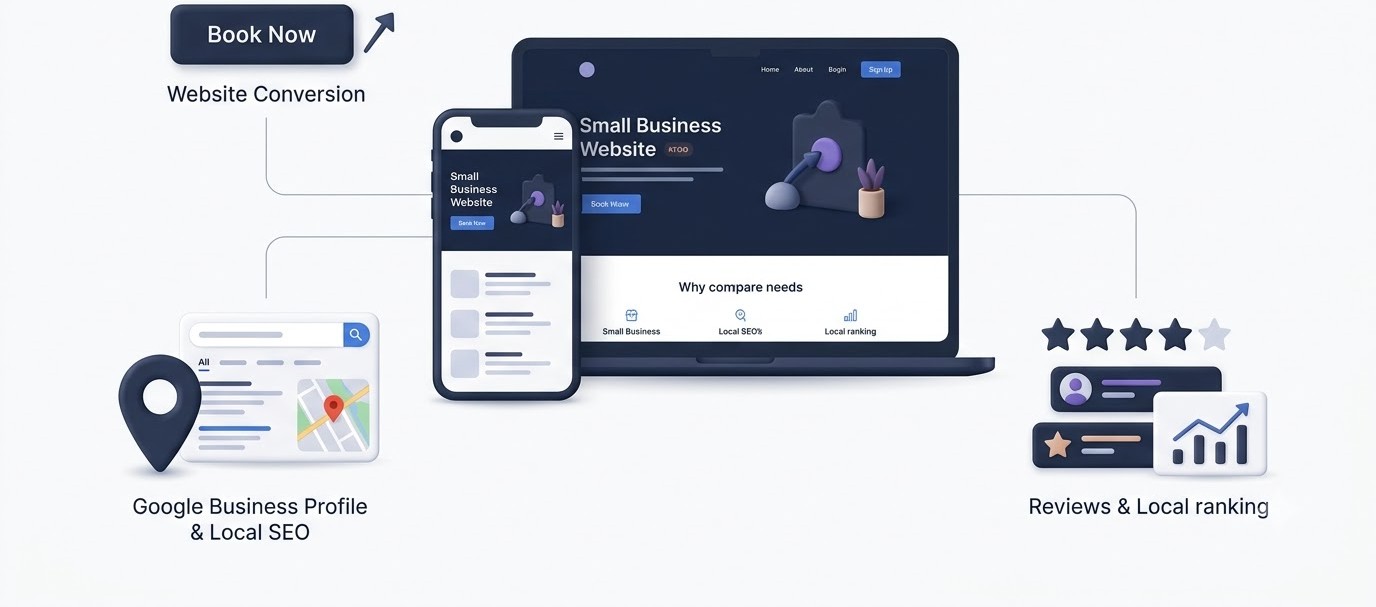
Every other channel in this guide, ads, social media, email, eventually points back to one place: the website. If that website is slow, confusing, or doesn’t show up in local search results, every dollar spent elsewhere gets wasted. This is the section most small businesses underinvest in, and it’s usually the one costing them the most in lost sales.
Building a Website That Actually Converts
A website doesn’t need to be fancy. It needs to load fast, look legitimate on a phone screen, and make it obvious what to do next. Google’s own research shows that 53% of mobile visitors leave a page that takes longer than 3 seconds to load. That’s more than half of potential customers gone before they even see what’s being offered.
The essentials: a clear headline that says what the business does within 5 seconds of landing on the page, a visible phone number or contact button, real photos instead of stock images, and a call-to-action button, like “Book Now” or “Get a Quote”, above the fold on every page. Platforms like WordPress with Elementor, Squarespace, or Shopify for ecommerce make this achievable without hiring a developer. Run the site through Google’s PageSpeed Insights tool after launch. Anything scoring below 50 on mobile needs image compression, a faster hosting plan, or fewer heavy plugins before spending another dollar on driving traffic to it.
Google Business Profile Optimization
For any business with a physical location or a service area, Google Business Profile (formerly Google My Business) is arguably the single highest-return tool in digital marketing for small businesses, and it’s completely free. This is the listing that shows up in Google Maps and the local pack when someone searches “electrician near me” or “best pizza in [city].”
Claim the listing, fill in every single field, hours, categories, services, photos, and don’t leave the description generic. Add at least 10 real photos of the actual location, products, or team, since listings with photos get 42% more requests for directions and 35% more click-throughs to the website according to Google’s own data. Post updates weekly using the Posts feature, the same way a business would post to social media. Most competitors ignore this, which makes it an easy way to stand out.
Local SEO Tactics That Actually Work
Local SEO ranking comes down to three main factors Google evaluates: relevance, distance, and prominence. Relevance means the listing actually matches what was searched. Distance is exactly what it sounds like. Prominence is built through reviews, citations, and backlinks.
Reviews carry enormous weight here. A business with 50 reviews averaging 4.5 stars will consistently outrank a business with 5 reviews averaging 5 stars, because Google reads volume and recency as trust signals. Ask every satisfied customer directly for a review, send a follow-up text or email with a direct link 24 hours after service, and respond to every single review, good or bad, within 48 hours. Citations, meaning the business’s name, address, and phone number listed consistently across directories like Yelp, Bing Places, and Apple Maps, also matter. Inconsistent information across these listings, like an old address on Yelp, actively hurts local ranking.
[Screenshot placeholder removed for blog delivery]
Digital Marketing for Small Businesses Through Social Media
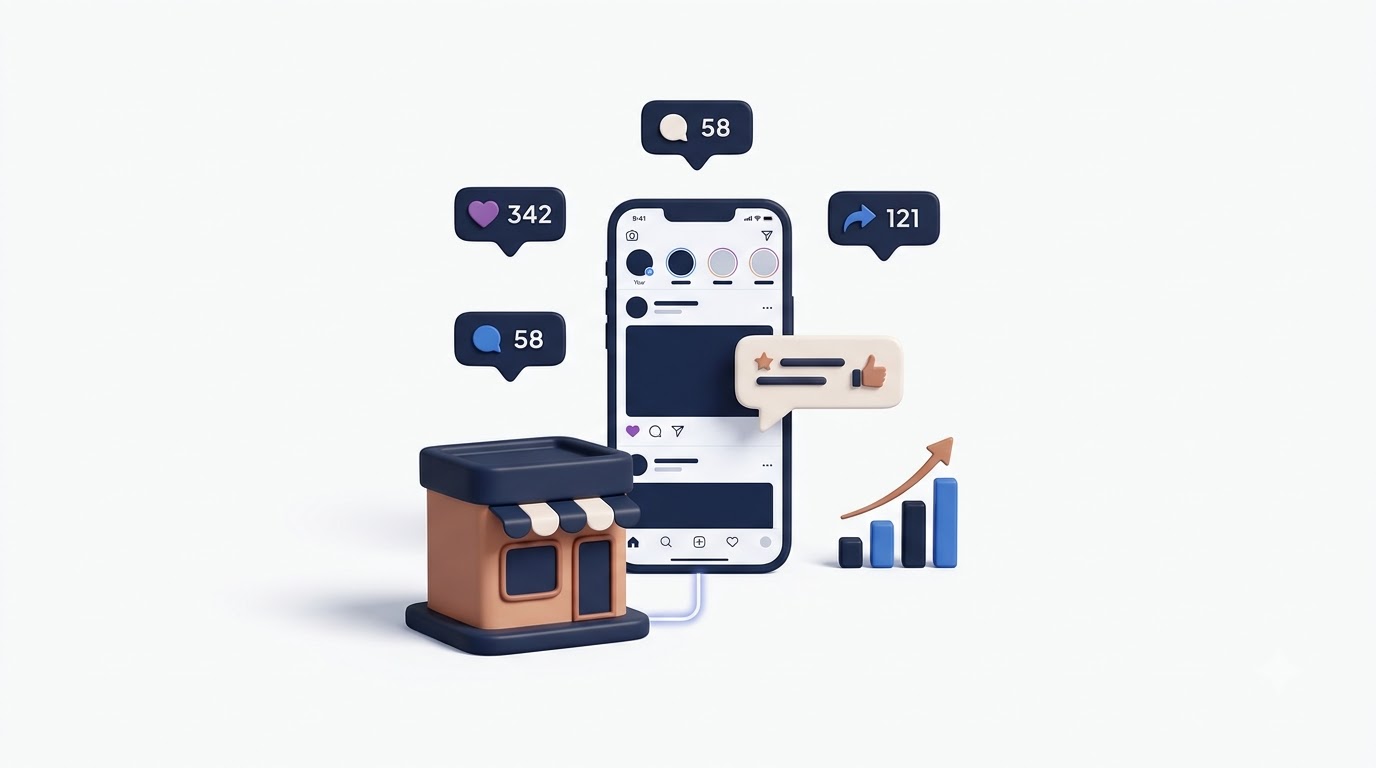
Social media marketing gets treated like a popularity contest by a lot of small businesses, chasing likes and follower counts that don’t pay the bills. Used correctly, it’s a direct line to potential customers, a place to build trust before they ever walk through the door or place an order. Used incorrectly, it’s a time sink with nothing to show for it.
Choosing the Right Platforms
Not every business needs to be on every platform, and trying usually spreads effort too thin to be effective anywhere. A B2B consulting business gets far more traction on LinkedIn than TikTok. A boutique clothing store or restaurant sees stronger results on Instagram, where visuals do the selling. A local service business, like a plumber or landscaper, often finds Facebook groups and Nextdoor more valuable than Instagram, since that’s where neighborhood recommendations actually happen.
Pick two platforms maximum to start. Trying to run five platforms with no content plan produces mediocre content everywhere instead of strong content somewhere. Look at where competitors are getting engagement, not just followers, actual comments and shares, and start there.
Content Planning and Posting Consistency
Posting randomly whenever there’s time produces inconsistent results and inconsistent growth. A simple content calendar, even a basic Google Sheet with columns for date, platform, content type, and caption, changes everything. Plan content in batches, one afternoon a week or a month, rather than scrambling daily for something to post.
A workable content mix for most small businesses: 40% educational or helpful content (tips, how-tos, behind-the-scenes), 30% product or service highlights, 20% social proof (reviews, testimonials, user-generated content), and 10% promotional (sales, discounts, announcements). Posting purely promotional content, “Buy now! 20% off!”, every single time is the fastest way to lose followers’ interest. People follow accounts that add value, not accounts that constantly ask for money.
Paid Social Ads on a Small Budget
Organic reach on platforms like Facebook and Instagram has dropped significantly over the years, with organic posts now reaching roughly 2% to 5% of a page’s followers on average. That’s why even a small paid budget, as little as $5 to $10 a day, can outperform months of organic-only posting.
Start with Meta’s Ads Manager rather than boosting posts directly from the app, since Ads Manager gives far more control over targeting, placement, and objective. Use the “Traffic” or “Conversions” objective rather than “Engagement” if the goal is actual sales, since engagement campaigns optimize for likes and comments, not purchases. Build a custom audience from the business’s existing customer email list, then create a lookalike audience from it, Meta will find new people who resemble those existing customers, which usually performs far better than broad interest-based targeting alone. Run at least two ad variations at once and kill the underperformer after 3 to 5 days rather than guessing which one is working.
Digital Marketing for Small Businesses With Email Marketing
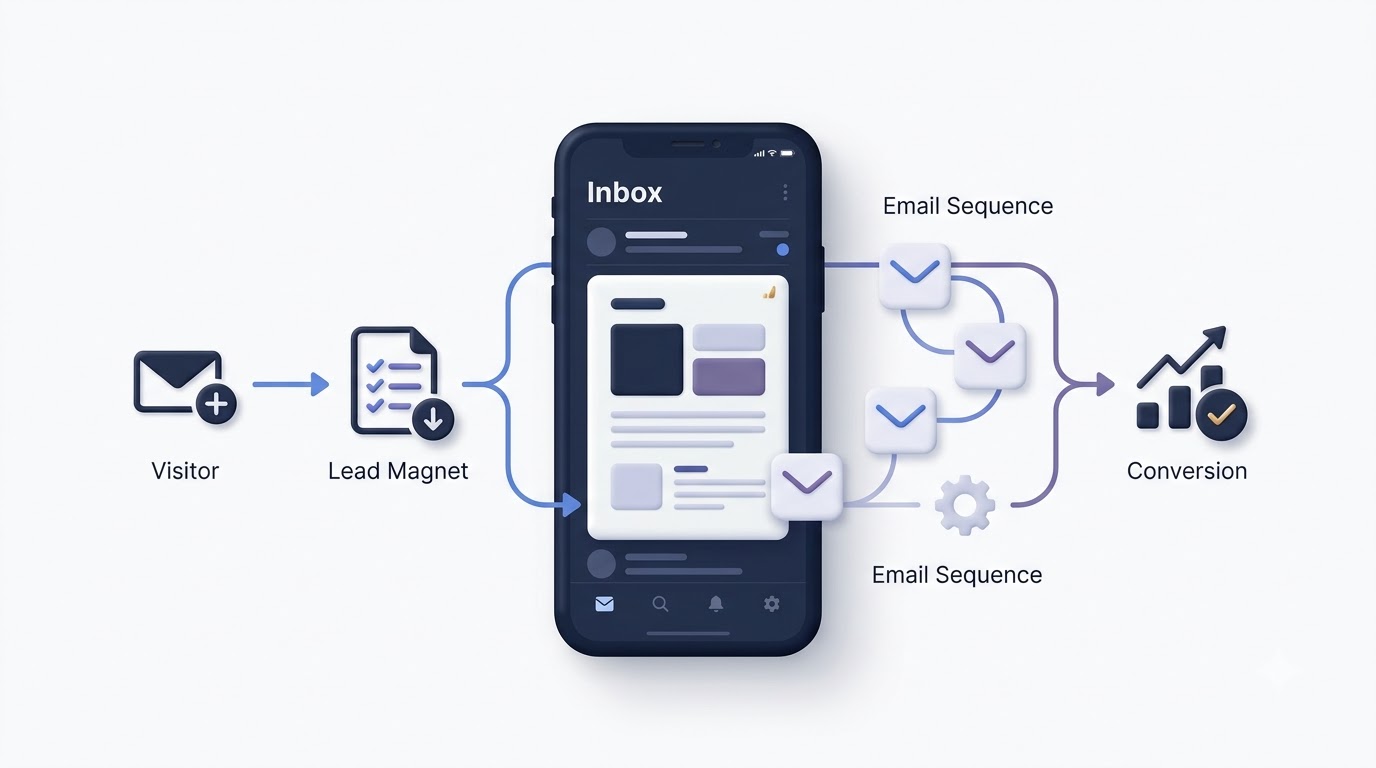
Email marketing consistently produces one of the highest returns of any digital channel, with the Data & Marketing Association reporting an average return of $36 for every $1 spent. Yet it’s the channel small businesses neglect the most, mostly because building a list feels slower than posting to social media. That patience pays off, since an email list is an asset the business actually owns, unlike social media followers, who disappear the moment an algorithm changes or a platform bans an account.
Building an Email List From Scratch
The fastest way to build a list is offering something worth trading an email address for. A restaurant might offer 10% off the next visit. A consultant might offer a free checklist or guide. A retail store might run a spin-to-win discount wheel at checkout. Whatever the offer, it needs to solve a real, immediate problem or desire, not just say “sign up for our newsletter,” which almost nobody responds to anymore.
Place signup forms in multiple places: a popup on the website using a tool like Mailchimp or Klaviyo, a QR code on receipts or table tents in a physical location, and a link in every social media bio. In-person businesses often overlook the easiest source of all, simply asking customers at checkout if they’d like a text or email for a discount on their next visit converts surprisingly well when the offer is immediate.
Writing Emails That Actually Get Opened
Subject lines decide whether an email gets opened or deleted, and most small business owners write subject lines that sound like a corporate memo. “March Newsletter” gets ignored. “You left something in your cart (and we saved 15% for you)” gets opened. Keep subject lines under 50 characters, use curiosity or a direct benefit, and avoid words like “free” or excessive exclamation points, which can trigger spam filters.
Inside the email, one clear call-to-action beats five scattered links. If the goal is to get someone to book an appointment, the entire email should build toward one button that says “Book Your Appointment,” not five different links competing for attention. Keep the design simple: a short intro, one image, one offer, one button. Emails packed with graphics and multiple offers tend to convert worse, not better, because they force the reader to decide what matters instead of doing it for them.
Automation and Sequences
Manually sending every email doesn’t scale, and it’s also not necessary anymore. A welcome sequence, three to five emails sent automatically over the first two weeks after someone joins the list, introduces the business, builds trust, and typically includes a first-purchase incentive. Abandoned cart sequences, for ecommerce businesses, recover sales automatically. Klaviyo data across ecommerce brands shows abandoned cart emails alone can recover 3% to 5% of otherwise lost revenue with zero manual effort once set up.
Set these sequences up once inside a tool like Mailchimp, Klaviyo, or ActiveCampaign, and they keep working in the background indefinitely. A birthday or anniversary email offering a small discount, set up once, keeps generating repeat visits automatically for as long as the business runs it.
Digital Marketing for Small Businesses Through Paid Advertising
Paid advertising gets a bad reputation among small business owners who tried it once, spent $200, got nothing, and swore it doesn’t work. Almost every time, the problem wasn’t the platform, it was the setup: wrong targeting, no clear offer, or sending traffic to a weak landing page. Done correctly, paid ads are the fastest way to generate leads on demand, especially when organic channels are still building momentum.
Google Ads Basics for Small Budgets
Google Ads works on intent. Someone searching “emergency plumber near me” is ready to buy right now, unlike someone scrolling Instagram who wasn’t thinking about plumbing at all. That’s why Search campaigns, ads that appear at the top of Google search results, tend to convert better for service-based small businesses than display or social ads.
Start with a tight geographic radius, a small list of 10 to 15 highly specific keywords directly related to the service, and negative keywords to filter out irrelevant clicks, for example, adding “jobs” and “free” as negative keywords so the ad doesn’t show for people searching “plumber jobs” or “free plumbing advice.” A daily budget of $10 to $20 is enough to start testing in most local markets. Track everything through Google Ads conversion tracking or a connected Google Analytics 4 property, since without conversion tracking, there’s no way to know which keywords are actually producing paying customers versus just clicks.
Facebook and Instagram Ads
Meta Ads work differently than Google Ads because they interrupt rather than capture existing intent. Nobody is searching for a product on Instagram, so the ad has to stop the scroll on its own. That means the creative, the image or video, matters more here than almost anywhere else in digital marketing.
Video ads under 15 seconds consistently outperform static images for cost per result, based on Meta’s own advertising benchmarks across small business campaigns. Show the product or service in actual use within the first 3 seconds, since that’s the window before someone decides to keep scrolling. Test at least three different creative angles, a problem-focused hook, a testimonial-style ad, and a direct offer, and let the algorithm spend a few days finding which one resonates before making changes.
Retargeting Website Visitors
Most people don’t buy on the first visit to a website. Industry data across ecommerce and service businesses consistently shows the first-visit conversion rate sits well under 5% for most industries. Retargeting, showing ads specifically to people who already visited the website but didn’t buy, closes that gap.
Install the Meta Pixel and Google Ads tag on the website through Google Tag Manager, which takes about 15 minutes for most website platforms. Once that’s running for a couple of weeks, build a retargeting audience of everyone who visited in the last 30 days, and show them a specific ad, often with a small incentive like free shipping or 10% off, to bring them back. Retargeting campaigns routinely produce a lower cost per conversion than cold audience campaigns because the audience already knows the business; they just need a nudge.
Digital Marketing for Small Businesses Through Content and SEO
Paid ads stop producing results the moment the spending stops. Content marketing and SEO do the opposite: the effort compounds over time. A blog post written once can keep bringing in visitors two, three, even five years later without any additional spend, which makes it one of the highest long-term returns available to a small business willing to be patient.
Blogging for Small Business Growth
The goal of a small business blog isn’t to write about the business itself, it’s to answer the exact questions potential customers are already typing into Google. A landscaping company shouldn’t write “Why Choose Us,” almost nobody searches that. It should write “How Often Should You Fertilize Your Lawn in [Region],” a question actual homeowners are searching for, that naturally positions the business as the expert who can also just do the job for them.
Use a free tool like Google’s Keyword Planner or Ubersuggest to find what people are actually searching related to the business, focusing on questions and long-tail phrases with lower competition rather than broad, high-competition terms a small business can’t realistically rank for yet. Publish consistently, even just two posts a month done well beats ten rushed, thin posts, since Google rewards depth and usefulness over sheer volume.
On-Page SEO Basics
Writing good content isn’t enough if Google can’t understand what the page is about. On-page SEO means optimizing the actual elements of a webpage: the title tag should include the target keyword naturally and stay under 60 characters, the meta description should be a genuine, compelling summary under 160 characters, and the URL should be short and readable, like /lawn-fertilizing-schedule rather than a string of random numbers.
Use one H1 per page, matching the main topic, and break content into H2 and H3 subheadings so both readers and Google can scan the structure quickly. Internal links, linking from a blog post to a relevant service page, help both SEO and actual customer journeys, guiding a reader who just learned something useful straight into a page where they can book or buy. Image alt text, a short description of what’s in each image, also feeds into SEO and accessibility at the same time.
Video Content and YouTube
Video has become unavoidable in digital marketing for small businesses, not because it’s trendy, but because YouTube is the second largest search engine in the world behind Google itself, and Google frequently shows video results directly in search. A local business posting simple how-to or behind-the-scenes videos captures search traffic that a text-only competitor never sees.
Video doesn’t need to be polished. A phone camera, decent lighting, and clear audio cover 90% of what’s needed. Answer one specific question per video, keep it under 5 minutes for how-to content, and include the target keyword in the video title and description. Repurpose the same video into short clips for Instagram Reels and YouTube Shorts, turning one piece of content into three or four separate touchpoints without extra filming.
Batch filming saves the most time here. Instead of setting up lighting and a camera for one video at a time, write out five or six topics in advance and film them back to back in a single afternoon. That single afternoon can produce a month’s worth of video content across YouTube, Reels, and Shorts, which removes the single biggest excuse small business owners give for not doing video at all: not having time.
A Real-World Walkthrough: Digital Marketing for Small Businesses in Practice
Reading about tactics in isolation is one thing. Seeing how they connect into an actual sequence over a few months makes the whole system click. Picture a small home cleaning service in a mid-sized city, three employees, decent local reputation, but almost no online presence beyond an outdated Facebook page nobody had touched in a year.
Month One: Foundation Work
The first month goes entirely into the boring but essential stuff. The Google Business Profile gets fully claimed and filled out: service areas, hours, 15 real photos of the team and completed jobs, and a description that actually mentions the neighborhoods served instead of generic marketing language. The website gets rebuilt on Squarespace over a weekend, three pages total, home, services, and contact, with a booking button visible on every single page and load time under two seconds after compressing all the images.
At the same time, every past customer gets a text asking for a Google review, with a direct link attached to make it a 30-second task instead of a five-minute hassle. Out of roughly 80 past customers texted, 22 leave reviews within two weeks, taking the profile from 3 reviews to 25 almost overnight. That single push does more for local visibility than anything else attempted that month.
Month Two: Traffic and Leads
With the foundation in place, a Google Ads campaign launches with a $15 daily budget, targeting a 10-mile radius around the service area with keywords like “house cleaning service near me” and “recurring home cleaning.” Negative keywords like “jobs” and “DIY” get added immediately after reviewing the first week of search terms, cutting out wasted clicks from job seekers. Within three weeks, the campaign is producing roughly 4 to 6 leads a week at a cost per lead under $18, a number that would have been impossible to know without conversion tracking set up through Google Tag Manager on the very first day.
Simultaneously, an Instagram account starts posting three times a week: before-and-after cleaning photos, quick tips like “the one spot most people forget to clean,” and the occasional team photo to humanize the business. No paid spend yet at this stage, just consistency, and engagement climbs slowly but steadily as neighbors start tagging friends in the comments.
Month Three: Retention and Compounding
By month three, the email and text list built from the Google Ads leads and the website’s booking form has grown to around 140 contacts. A simple automated sequence kicks in: a booking confirmation, a follow-up asking for a review 24 hours after service, and a “your next cleaning is due” reminder text sent automatically six weeks after each job for recurring customers. That last one alone recovers several bookings a month that would have otherwise slipped through without any manual follow-up.
This is the part most businesses miss: nothing here required a huge budget or a marketing agency. It required doing the foundational things properly, in order, and then layering paid traffic and retention systems on top once the basics were solid. Skipping straight to paid ads without a working website or Google profile would have wasted that same $15 a day on clicks that never converted.
Digital Marketing for Small Businesses: Branding and Reputation Management
A lot of small business owners treat branding like a logo and a color scheme, then move on. That’s a mistake. Branding is what makes someone choose a business over an almost identical competitor down the street, and in a market where two coffee shops or two accounting firms can look nearly the same on paper, that emotional edge is what actually closes the sale. Reputation management, meanwhile, is the ongoing job of protecting that trust once it’s built, because one unanswered bad review can undo months of good marketing.
Keeping a Consistent Brand Voice Across Channels
Customers bounce between a business’s Instagram, website, emails, and Google listing without thinking twice, and if the tone, colors, or messaging feel disconnected across those touchpoints, it quietly chips away at trust. A playful, casual Instagram caption paired with a stiff, corporate-sounding website creates friction that most owners never notice but customers absolutely feel. Pick three or four words that describe how the business should sound, maybe “friendly,” “no-nonsense,” “expert,” and “warm”, and run every piece of content through that filter before it goes out.
Build a one-page brand guide, nothing fancy, just the logo files, the two or three brand colors with their hex codes, the fonts, and a short paragraph on tone of voice. Share it with anyone who touches marketing, including freelancers or part-time help, so a rushed Instagram story still looks and sounds like it came from the same business as the polished website. Small inconsistencies pile up fast when three different people are posting content without a shared reference point.
Managing Online Reputation and Reviews
Reputation now lives almost entirely online before a customer ever shows up in person. A single 1-star review sitting unanswered on Google can cost a business dozens of potential customers who read it and quietly moved on to a competitor instead. Set up Google Alerts for the business name, and check review platforms like Yelp, Google, and Facebook at least twice a week rather than waiting for a customer to mention a bad review in passing.
When a negative review comes in, respond within 48 hours, acknowledge the specific issue without getting defensive, and offer to make it right offline through a phone number or email. Never argue in public comments, even when the review feels unfair, since future customers are reading the response as much as the original complaint. On the flip side, thank positive reviewers by name when possible and mention specific details from their review, which signals to anyone reading that the business actually pays attention rather than copy-pasting a generic “thanks for the review!” reply.
Turning Happy Customers Into Repeat Customers
Acquiring a new customer typically costs five to seven times more than keeping an existing one, based on widely cited customer retention research across industries. Yet most small businesses pour nearly their entire marketing effort into finding new customers and almost nothing into keeping the ones they already have. That’s backwards, and it’s an easy gap to close.
Simple retention tactics work surprisingly well: a follow-up email or text two days after a purchase asking how it went, a small thank-you discount on someone’s second purchase, or a birthday message with a coupon attached. A pet grooming business, for example, might send an automatic reminder six weeks after a visit, right around when most dogs need grooming again, which turns a one-time customer into a recurring one without any manual effort once it’s set up.
Digital Marketing for Small Businesses: SMS and Mobile Marketing
Email open rates hover around 20% to 25% on average across industries, but SMS marketing routinely sees open rates above 90%, often within minutes of being sent, according to data from mobile marketing platforms like Attentive and SimpleTexting. For time-sensitive offers, appointment reminders, or flash sales, that speed and visibility make SMS one of the most underused tools in digital marketing for small businesses.
Building a Text Subscriber List the Right Way
SMS marketing requires explicit opt-in consent under regulations like the TCPA in the United States, so a business can’t just import phone numbers from past orders and start texting. Use a keyword opt-in system, something like “text SAVE to 55555 for 10% off,” advertised on receipts, in-store signage, or social media bios, through a platform like SimpleTexting or Klaviyo’s SMS feature. This keeps the list compliant and, just as importantly, keeps it made up of people who actually want to hear from the business.
Offer a clear, immediate incentive for signing up, since nobody hands over their phone number for nothing. A first-purchase discount, early access to a sale, or a free entry into a monthly giveaway all work well. Once someone opts in, send a confirmation text immediately with the promised offer so the value is obvious right away.
Using SMS Without Becoming Annoying
The fastest way to lose SMS subscribers is texting too often or texting only promotions. Cap sends at two to four messages a month unless it’s a time-sensitive alert like an appointment reminder or a flash sale closing in hours. Mix in genuinely useful texts, order confirmations, appointment reminders, restock alerts for a favorite product, alongside the occasional promotional message, so the channel feels helpful rather than just another sales pitch buzzing in someone’s pocket.
Keep every text under 160 characters when possible, lead with the offer or information in the first line, and always include an easy opt-out instruction, even though it’s legally required, because respecting that builds more trust than it costs in lost subscribers.
Measuring Results and Avoiding Common Mistakes in Digital Marketing for Small Businesses
None of the previous sections matter if there’s no system for tracking whether they’re actually working. This is where most small businesses fall short, not because they don’t care about results, but because tracking feels technical and gets pushed aside in favor of just doing more marketing activity.
Key Metrics That Actually Matter
Vanity metrics, follower counts, page likes, impressions, feel good but rarely correlate with revenue. Focus instead on metrics tied directly to business outcomes: conversion rate (the percentage of visitors who take a desired action), cost per lead, customer acquisition cost, and return on ad spend for anything paid.
Set up Google Analytics 4 on the website, it’s free, and connect Google Search Console to see exactly which search terms bring in traffic. For paid campaigns, cost per lead and return on ad spend tell the real story: spending $200 to generate five leads that turn into $3,000 in sales is a wildly different result than spending $200 for five leads that never convert, even though both scenarios might look identical on a surface-level “leads generated” report.
Common Mistakes Small Businesses Make
The most common mistake is inconsistency, running a campaign for two weeks, seeing mediocre results, and abandoning the entire channel instead of adjusting the targeting, offer, or creative. Most channels, especially SEO and email, take 60 to 90 days minimum to show meaningful results, and quitting early wastes everything already invested.
Another frequent mistake is sending all traffic to a generic homepage instead of a specific landing page built around the exact offer in the ad. A landing page focused on one product with one clear call-to-action consistently outperforms a homepage crowded with navigation menus and multiple competing options. Ignoring mobile users is another one: over 60% of web traffic globally now comes from mobile devices, and a site that looks broken or slow on a phone loses the majority of potential customers before they even see the offer.
Tools Worth Using at This Stage
A lean small business toolkit doesn’t need to be expensive. Google Analytics 4 and Google Search Console cover website tracking for free. Canva handles graphic design for social posts and ads without needing a designer. Mailchimp or Klaviyo covers email marketing, with free tiers available for smaller lists. Meta Business Suite manages Facebook and Instagram posting and messaging in one place. For SEO research, Ubersuggest or Google’s own Keyword Planner offer enough insight to get started without paying for enterprise tools like Semrush right away.
Start with the free or low-cost version of each tool. Upgrading to paid tiers only makes sense once the business has enough volume, traffic, list size, or ad spend, that the extra features actually get used, not before.
One more thing worth mentioning: don’t add a new tool just because a competitor uses it or a YouTube video made it sound essential. Every tool added to the stack is one more login, one more monthly fee, and one more thing that needs to be checked regularly, or it becomes dead weight. A small business running five tools well will always outperform one running fifteen tools poorly. Pick the minimum set that covers analytics, email, design, and social scheduling, get comfortable with each one, and only add more once there’s a clear, specific gap that an existing tool can’t fill.
Building a Simple Monthly Reporting Habit
None of the tracking above matters if it just sits in a dashboard nobody looks at. Block 30 minutes on the same day every month, the first Monday works well for most small businesses, to pull four numbers: website visitors, leads generated, cost per lead for any paid campaigns, and revenue tied back to marketing where trackable. Write them in a simple spreadsheet next to the previous month’s numbers so trends are visible at a glance instead of buried in different platforms.
This habit is what separates a business that improves its marketing over time from one that repeats the same mistakes every quarter. Seeing that email open rates dropped two months in a row is a signal to test new subject lines. Seeing that one Google Ads keyword accounts for 70% of leads at half the cost per lead of the others is a signal to shift more budget toward it. Without the habit, these patterns stay invisible, and decisions end up based on gut feeling instead of what the numbers are actually showing.
Conclusion
Digital marketing for small businesses isn’t about doing everything at once. It’s about picking two or three channels, doing them properly, measuring what happens, and expanding from there. The bakery that lost customers to a new competitor wasn’t beaten by a bigger budget. It was beaten by a business that simply showed up online where customers were already looking.
Start small. Get the website loading fast and the Google Business Profile filled out completely, that alone changes what happens when someone searches nearby. Pick one social platform and post with a plan instead of randomly. Start collecting emails from day one, even before there’s a fancy automation set up. None of this requires a huge budget. It requires consistency and a willingness to look at the numbers honestly and adjust.
Frequently Asked Questions
What is digital marketing for small businesses?
Digital marketing for small businesses refers to using online channels, including search engines, social media, email, and paid advertising, to attract, engage, and convert customers without the massive budgets larger companies rely on. It focuses on targeted, measurable tactics rather than broad, expensive traditional advertising.
How much should a small business spend on digital marketing?
A common benchmark is 7% to 8% of gross annual revenue, based on U.S. Small Business Administration guidance, though businesses just starting out can begin with a few hundred dollars a month split across ads, tools, and content creation. The exact amount depends heavily on industry, competition, and growth goals.
Which digital marketing channel works best for small businesses?
There’s no single best channel, it depends on the business type. Local service businesses often see the fastest results from Google Business Profile optimization and local SEO, while ecommerce and retail businesses tend to perform well with a combination of social media ads and email marketing.
How long does SEO take to show results for a small business?
Most small businesses start seeing meaningful organic traffic growth within 4 to 6 months of consistent, quality content publishing and on-page optimization, though highly competitive industries can take longer. SEO is a long-term investment, not an instant traffic source.
Is social media marketing worth it for a small business with a small following?
Yes, since results depend more on content quality and consistency than raw follower count. A small, engaged following that trusts the business often converts better than a large, passive following with low engagement rates.
Should a small business hire an agency or handle digital marketing in-house?
It depends on budget, time, and internal skill level. Many small businesses start by handling simpler tasks in-house, like Google Business Profile management and basic social posting, then bring in freelancers or an agency for more technical work like paid ads or SEO once there’s enough budget to justify it.
What is the difference between SEO and paid ads?
SEO focuses on earning free, organic traffic over time through content and website optimization, while paid ads, like Google Ads or Meta Ads, deliver immediate visibility in exchange for a per-click or per-impression cost. Most effective strategies use both together rather than choosing one exclusively.
How important are online reviews for local small businesses?
Extremely important. Reviews directly influence local search rankings and heavily influence a potential customer’s decision before they even visit a website, with businesses showing higher review counts and ratings typically appearing higher in local search results and map listings.
What is a reasonable budget to start with Google Ads or Facebook Ads?
Many small businesses can start meaningfully testing with $10 to $20 a day, roughly $300 to $600 a month, which is often enough to gather early data on what’s converting before scaling spend on the channels that perform.
Can email marketing still work when social media feels more popular?
Yes, and often better. Email marketing consistently produces one of the highest returns of any digital channel, largely because the business owns the list directly, unlike social media followers, who can disappear if an algorithm changes or an account gets restricted.
What happens if a small business ignores mobile optimization?
It loses the majority of potential traffic, since over 60% of web traffic today comes from mobile devices. A slow-loading or poorly formatted mobile site drives visitors away before they even see the offer, directly hurting both sales and search rankings.
How often should a small business post on social media?
Consistency matters more than frequency. Three to four well-planned posts a week, with a clear content mix of educational, promotional, and social proof content, typically outperforms daily posting done without a plan or purpose.
Is SMS marketing worth it for a small business?
Yes, particularly for time-sensitive offers and appointment reminders, since SMS open rates routinely exceed 90%, far higher than email. It works best as a smaller, complementary channel alongside email rather than a replacement for it, since customers tolerate far fewer texts than emails before opting out.
How many social media platforms should a small business actually manage?
Two platforms, chosen based on where the target customer actually spends time, is a realistic starting point for most small businesses. Spreading effort across four or five platforms usually produces weak, inconsistent content everywhere instead of strong, consistent content on the one or two channels that matter most.
What’s the fastest way for a small business to see results from digital marketing?
Paid advertising, particularly Google Ads for service businesses with clear local search intent, typically produces the fastest measurable results, often within the first one to two weeks of a properly targeted campaign. Organic channels like SEO and content marketing take longer but produce more sustainable, lower-cost results over time.
Does a small business need a blog if it already has social media?
Yes, because blog content is discoverable through Google search long after it’s published, while social media posts typically lose visibility within days due to how platform algorithms prioritize recent content. A blog builds a searchable asset the business owns, while social media reach depends entirely on a platform’s changing algorithm.
How can a small business compete with larger competitors that have bigger marketing budgets?
By being more specific and more responsive. Large competitors often run broad, generic campaigns, while a small business can target a tight local radius, respond to reviews and messages personally, and adjust campaigns within hours instead of weeks. Precision and speed frequently beat raw budget in local and niche markets.
What’s the biggest reason small business marketing campaigns fail?
Inconsistency is the most common reason, whether that means abandoning a channel too early, posting sporadically instead of on a schedule, or changing strategy every few weeks before any single approach has time to show real results. Most channels need 60 to 90 days of steady effort before the data is reliable enough to judge.