

Open your inbox right now. Go on. Count how many of those emails are trying to sell you something. Half of them, maybe more. And how many did you actually open today? One, two? That’s the real problem nobody wants to say out loud. Writing a promotional email isn’t hard. Getting a stranger to care enough to click is. Most businesses treat email like a megaphone, they just want to announce the sale and hope someone shows up. That’s not how it works anymore, if it ever did.
This post walks through the entire thing, from picking the one offer you’re going to push, to the subject line, to the body copy, to the boring but brutal stuff like deliverability that decides whether your email even shows up in someone’s inbox at all. No fluff, no “10 tips” filler. Just what actually moves people from reading to clicking to buying.
What Is a Promotional Email (And What It’s Not)
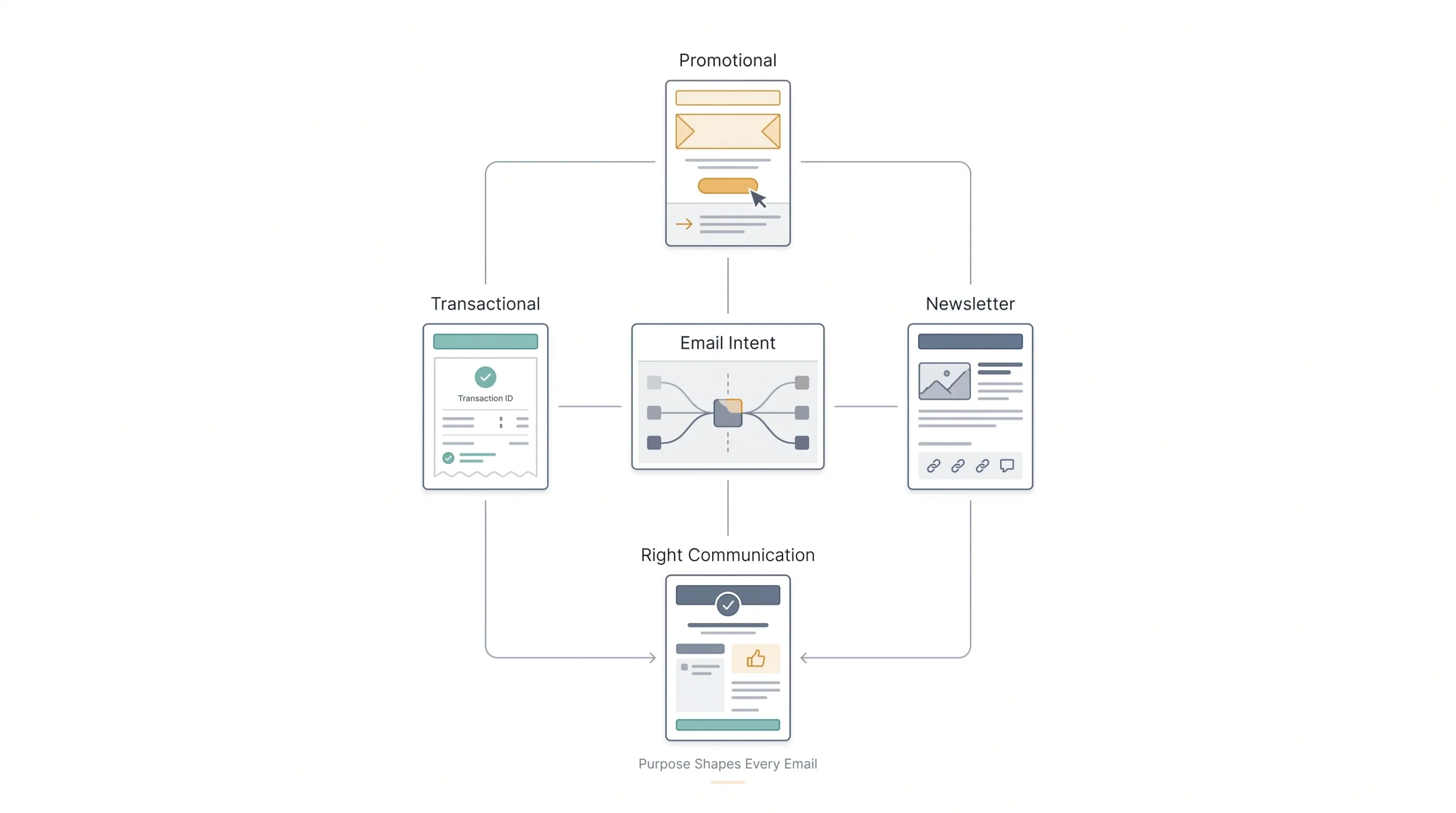
A promotional email is one thing and one thing only, it’s asking someone to do something because there’s an offer attached. A discount, a new product, a limited window to grab something. That’s it. It’s not a newsletter catching people up on your company. It’s not a shipping confirmation. It’s a sales pitch, dressed up nicer, sent to an inbox instead of shouted from a storefront.
People mix these up constantly, and it matters more than you’d think. If you send promotional content but your subscriber expected a newsletter, you’re going to get flagged. If you send a “sale ends tonight” email with the urgency of a receipt, nobody’s going to act on it. Know what bucket your email falls into before you write a single word.
| Type | Purpose | What Triggers It | Typical Open Rate |
|---|---|---|---|
| Promotional | Drive a sale or action tied to an offer | Marketer decides to send it, usually tied to a calendar or campaign | Lower, often 15-20%, because people know it’s a pitch |
| Transactional | Confirm something already happened | User action, like a purchase or password reset | High, often 40-60%+, because people expect and need it |
| Newsletter | Keep subscribers informed or engaged | Regular schedule, not offer-driven | Middling, varies a lot by list quality and niche |
Here’s why this table matters more than it looks like it should. Your subject line strategy, your tone, even how aggressive your CTA can be, all of it depends on which bucket you’re in. A transactional email can be boring and still get opened because someone needs that information. A promotional email has to earn the open every single time. Nobody owes you attention just because you hit send.
The Anatomy of a High-Converting Promotional Email
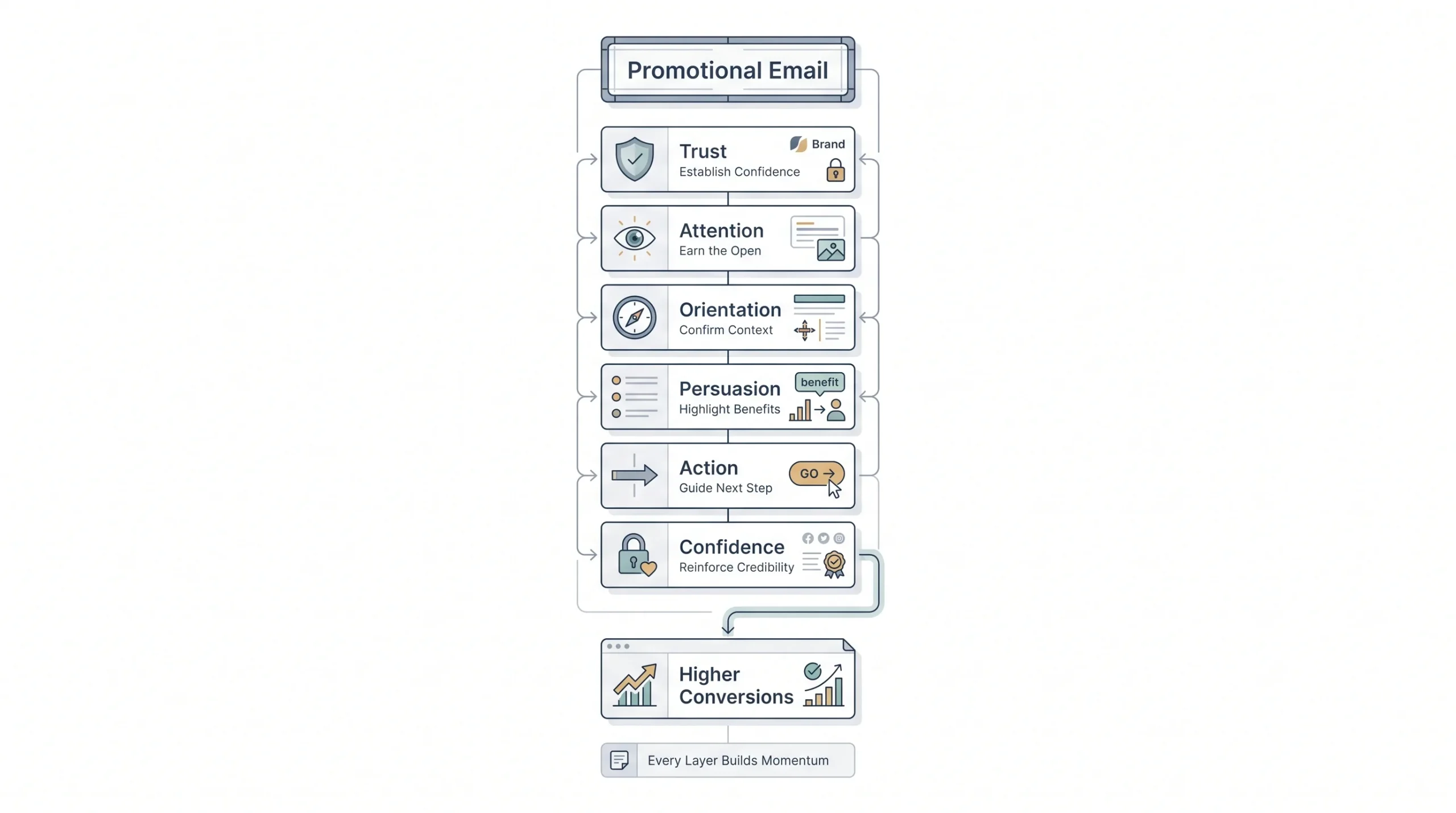
Every promotional email is really just a stack of small decisions, and most people get one or two of them wrong without even noticing. Walk through it top to bottom and you’ll see where things usually fall apart.
| Component | Job It Does | Common Mistake |
|---|---|---|
| Sender name | Builds instant trust or instant distrust | Using a generic “no-reply” or company name nobody recognizes |
| Subject line | Gets the open | Trying to be clever instead of being clear |
| Preheader | Extends the subject line, second chance to hook | Left blank or auto-filled with junk like “view in browser” |
| Header/hero | Confirms the reader opened the right email | Too busy, buries the actual offer |
| Body copy | Makes the case, builds the want | Talks about the brand instead of the reader |
| CTA | Converts intent into action | Too many buttons, or vague copy like “Learn More” |
| Footer/unsubscribe | Keeps you compliant and trustworthy | Missing or hidden, which hurts deliverability |
There are two writing frameworks that show up again and again in strong promotional emails, and it’s worth naming them now because they’ll come up later.
Quick framework primer: AIDA stands for Attention, Interest, Desire, Action. It’s built for emails where the offer itself is exciting enough to carry the read, think flash sales or product drops. PAS stands for Problem, Agitate, Solution. It works better when your product solves something the reader is already annoyed about. Neither is better across the board. It depends on what you’re selling and why someone would want it.
Step 1: Nail the Offer and the Single Goal
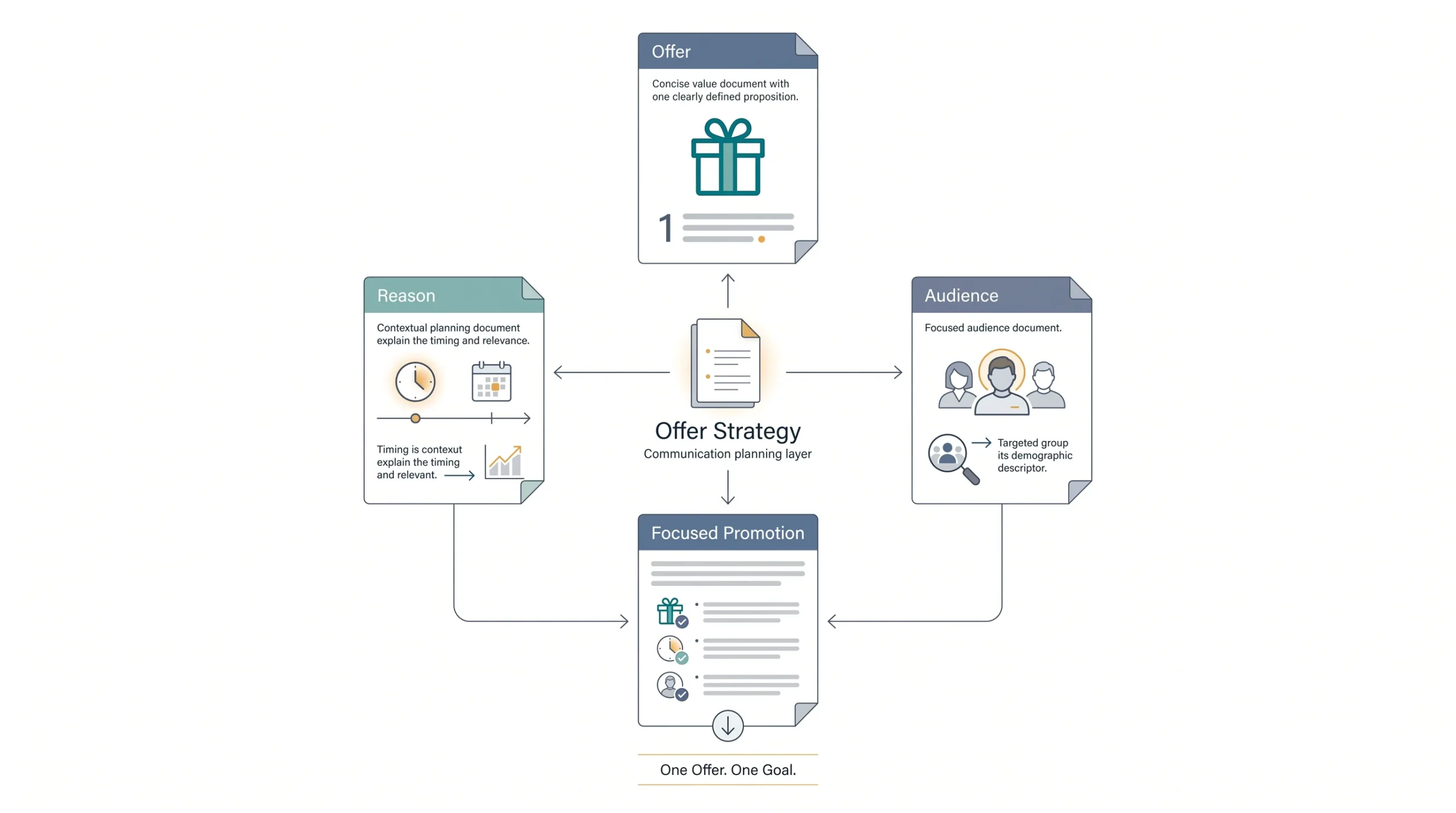
Before writing a single line, get brutally specific about what you’re actually offering. Not “we have a sale,” but “20% off everything, this weekend only.” Not “check out our new feature,” but “book a demo and get onboarding free.” Vague offers produce vague emails, and vague emails don’t convert. That’s just how it goes.
Here’s the mistake almost everyone makes early on: cramming three offers into one email because why not, more chances to convert, right? Wrong. It splits attention, and a reader with three choices usually picks none of them. One email, one offer, one action. If you’ve got multiple things to promote, that’s multiple emails, not one crowded one.
Before writing, answer three questions honestly.
- What are you actually offering? Be specific enough that you could say it in one sentence to a friend without adding “and also.”
- Why are you offering it now? Inventory clearing out, a seasonal moment, a product launch, whatever it is, know the reason because it’ll shape your urgency.
- Who is this for? Not “our customers.” Which segment, and why would this specific offer matter to them?
If you can’t summarize the offer in one sentence, you’re not ready to write the email yet. Go back and figure out what you’re actually selling before you touch the subject line.
Step 2: Know Who You’re Actually Writing To
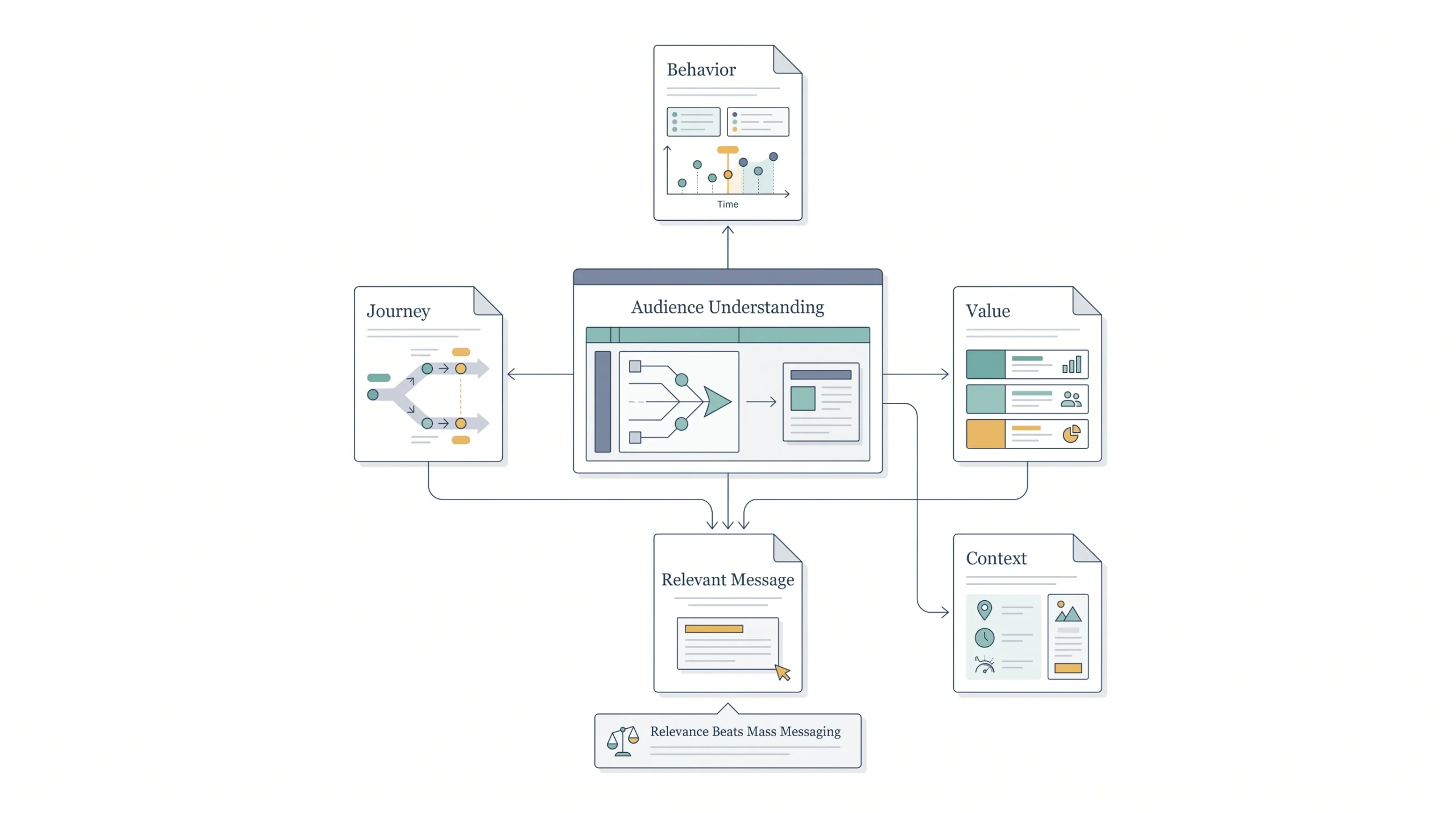
“Know your audience” is the most repeated, least useful piece of advice in marketing. Everyone says it. Almost nobody explains what it actually means in practice. Real segmentation isn’t a vibe, it’s data you already have sitting in your list that most people never touch.
Look at purchase history. Someone who bought once six months ago is a different read than someone who buys every month. Look at engagement level, people who open every email versus people who haven’t clicked anything in ninety days need completely different messages, not the same blast. Look at lifecycle stage, a brand new subscriber and a five-year customer should never get identical copy. Even geography matters more than people give it credit for, a “beat the heat” sale email hits different in Rajasthan in June than it does somewhere cold.
| Segment Type | Signal Used | Example Promotional Angle |
|---|---|---|
| First-time subscriber | Just joined the list, no purchase yet | Welcome discount to convert curiosity into a first sale |
| Repeat buyer | Multiple past purchases | Early access or loyalty pricing, reward the behavior |
| Inactive/disengaged | No opens or clicks in 60-90 days | Win-back offer, often stronger discount to re-earn attention |
| High-value segment | Large average order value | Premium or bundle offers, skip the discount-first approach |
| Location-based | City, region, or timezone data | Local urgency, weather-tied, or event-tied offers |
Here’s the honest part nobody likes hearing: blasting your entire list with the same generic email is one of the biggest reasons people mark stuff as spam. If the email doesn’t feel relevant, the reader’s thumb goes straight to that little spam flag, and that hurts you way beyond just this one send. More on that later, but keep it in the back of your mind now.
Step 3: Write a Subject Line That Earns the Open
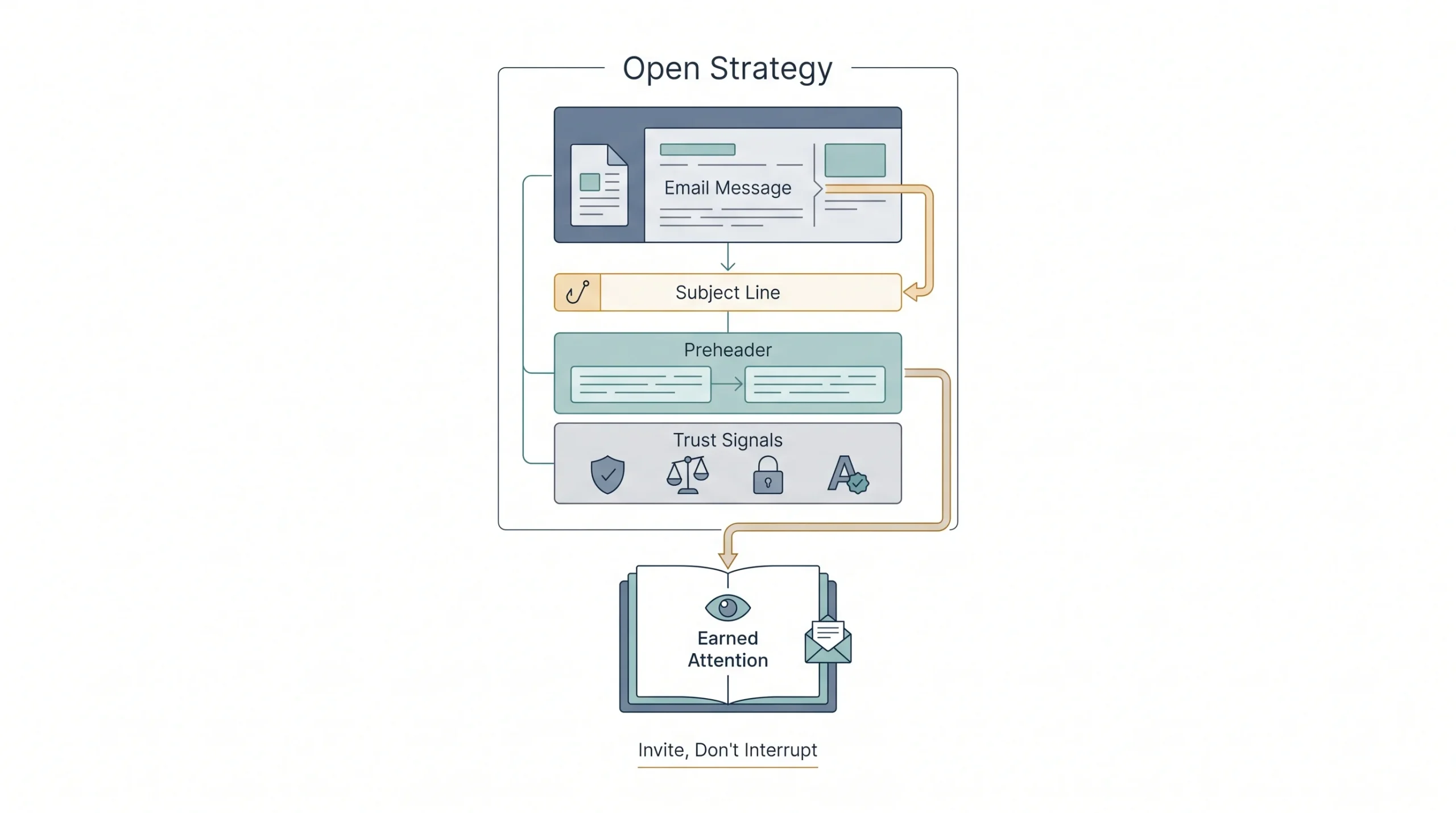
Here’s something that trips people up constantly, write the subject line last, not first. Write the offer, write the body, get clear on what you’re actually saying, and then go back and pull the sharpest hook out of what you already wrote. Writing the subject line first means you’re guessing at what the email is about before you’ve actually figured it out.
A good subject line does one job: makes someone curious or makes them feel like they’ll lose out if they skip it. There’s no single formula that wins every time, but a few patterns show up over and over because they work.
| Subject Line Formula | Example | Best Use Case |
|---|---|---|
| Curiosity gap | “The discount code we almost didn’t send” | New product or surprise offer |
| Urgency/deadline | “Ends tonight: 20% off everything” | Flash sales, time-boxed offers |
| Benefit-led | “Get free shipping on your next order” | Straightforward, no-nonsense offers |
| Personalized | “Niks, your cart’s about to expire” | Abandoned cart, behavior-triggered sends |
| Number-led | “3 items left in your size” | Scarcity, inventory-based urgency |
Don’t sleep on the preheader. It’s that little snippet of text sitting right next to or under the subject line in most inboxes, and it’s basically a second subject line that almost nobody writes on purpose. Most people leave it blank and it auto-pulls junk like “view this email in your browser,” which is a wasted forty to ninety characters that could’ve sealed the open. Write it like a follow-up thought to the subject line, not a repeat of it.
One more thing worth flagging here, and it’ll come back in more detail later: certain words and formatting choices in your subject line can trip spam filters before a human ever sees the email. Words like “free,” “guaranteed,” “act now,” stacked in all caps or with a pile of exclamation points, these raise flags. Doesn’t mean never use the word “free,” it means don’t lean on spam-trigger language as your whole strategy.
Subject lines aren’t decoration. They’re the only reason anyone opens the email at all. Get this wrong and nothing else in the post matters.
Step 4: Write Body Copy That Sells Without Sounding Like an Ad
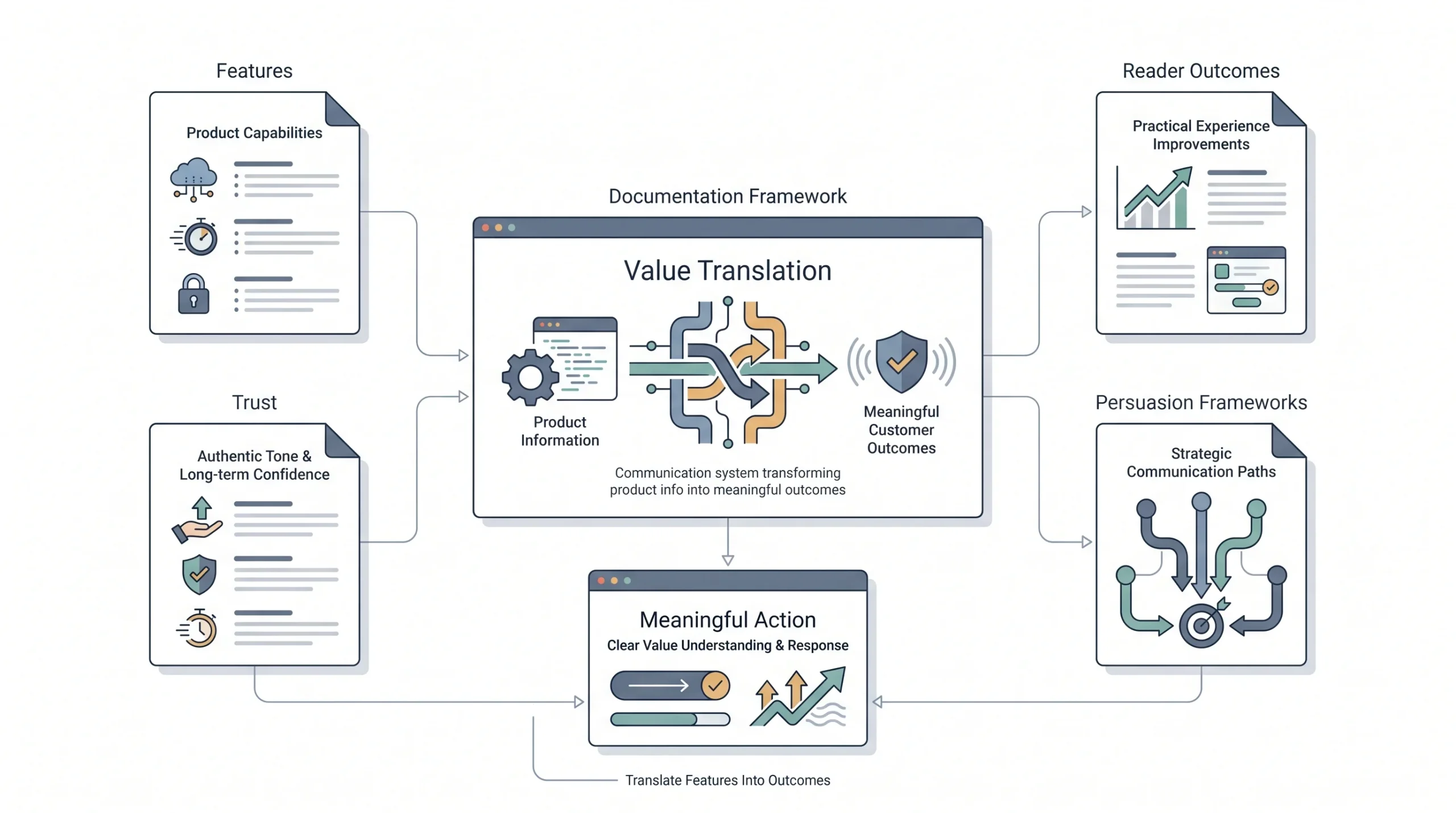
This is where most promotional emails fall apart. Not because the writer can’t write, but because they default to listing features instead of talking about what the reader actually gets out of it. Nobody cares that your jacket has “triple-stitched seams.” They care that it won’t rip apart the first time they wear it.
Look at the difference here.
| Feature (what it says) | Benefit (what it means to the reader) |
|---|---|
| “512GB storage” | “Never delete a photo to make room again” |
| “24/7 customer support” | “Someone’s actually there when something breaks at 2am” |
| “Free returns within 30 days” | “Try it without the risk of getting stuck with it” |
| “AI-powered scheduling” | “Stop juggling three calendars in your head” |
Now watch how AIDA and PAS actually change the shape of the same offer. Say the product is a productivity app with a 30% launch discount.
AIDA version: Open with attention, something like “Your to-do list called, it’s tired of being ignored.” Build interest by talking about what the app actually fixes. Build desire with a specific outcome, “users save six hours a week, on average, once they stop juggling five different tools.” Close with action, the discount and a deadline.
PAS version: Open with the problem, “You’ve got four apps open just to plan tomorrow.” Agitate it a little, talk about how much time gets burned switching between tools, how things fall through the cracks. Then land the solution, the app, with the discount as the reason to try it now instead of later.
Same offer. Two completely different reads. Neither is wrong, it depends on whether your audience is more moved by excitement (AIDA) or relief from a pain point (PAS).
On tone, write like you’re texting someone who already likes your brand, not presenting to a boardroom. Look, nobody forwards a promotional email to a friend because it used the word “leverage” correctly. They forward it because it sounded like a person wrote it, not a committee. If you wouldn’t say a sentence out loud to someone, don’t put it in the email.
And here’s the part that’ll cost you long-term if you fake it: scarcity and urgency only work if they’re real. “Only 3 left” when there’s actually 300 in stock gets figured out eventually, and once a subscriber catches you lying once, they stop trusting every future “limited time” you send. Real urgency, tied to an actual deadline or actual limited stock, converts. Fake urgency burns trust that took months to build.
Step 5: Design and Layout That Support Conversion, Not Distract From It
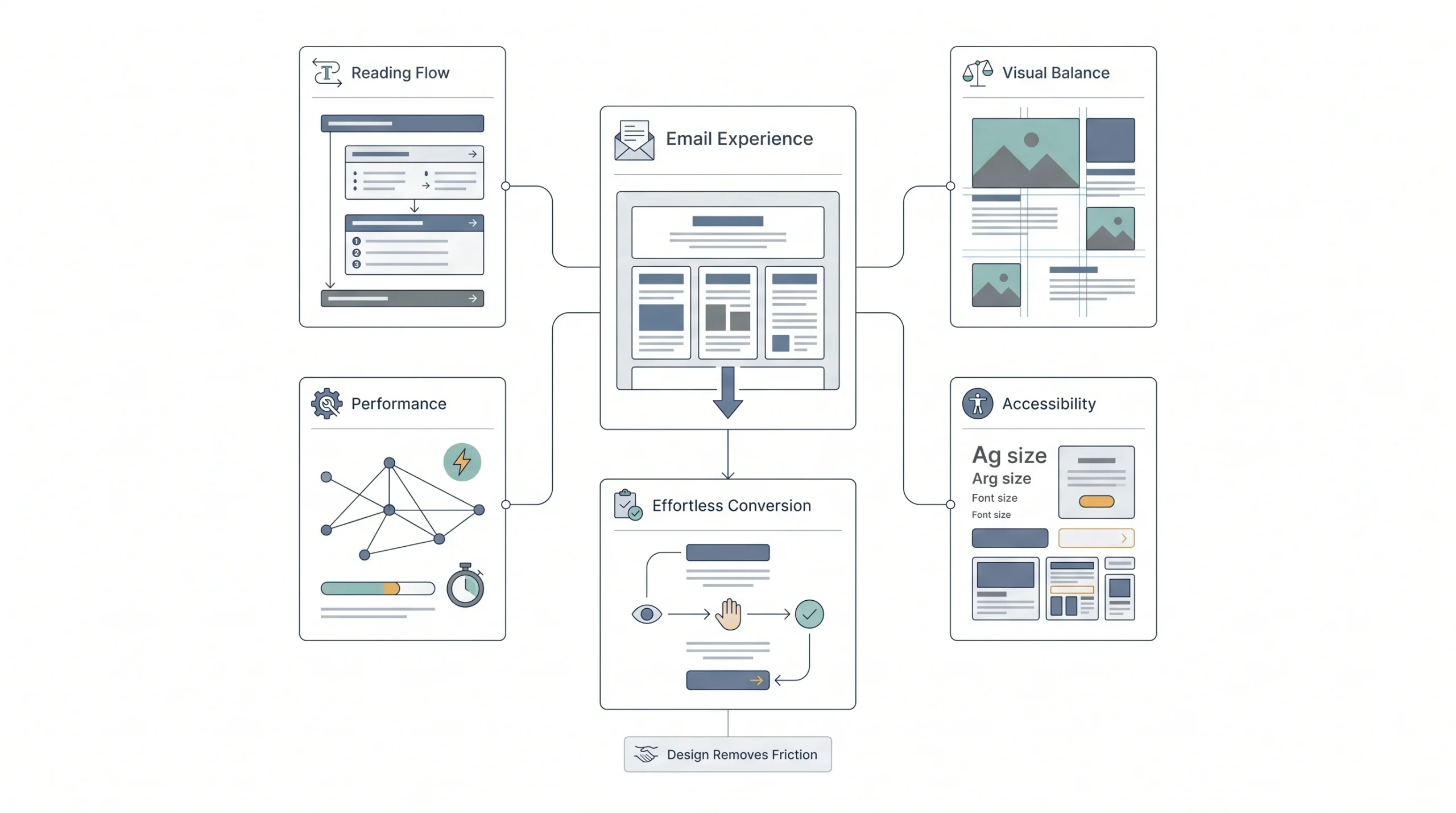
Design isn’t decoration here, it’s function. A single-column layout almost always outperforms a busy multi-column one for promotional email, mostly because it forces a linear read. People scan emails in an F-pattern or a Z-pattern depending on the layout, meaning they hit the top-left hardest and skim the rest. If your offer isn’t near the top, a lot of readers never get to it.
| Design Element | Best Practice | Why It Matters |
|---|---|---|
| Layout | Single column, linear flow | Matches how people actually scan, no confusion about order |
| Image-to-text ratio | Keep it balanced, don’t go image-only | Heavy image ratios look more “salesy” to spam filters and load slower |
| Font size | 14-16px for body, larger for mobile | Small text on a phone screen gets skipped, not squinted at |
| White space | Give the offer room to breathe | Cramped emails feel like clutter, clutter gets deleted |
| Load time | Compress images, avoid heavy files | Slow-loading emails lose people before the offer even renders |
Mobile is where this either works or completely falls apart. Most people are opening email on their phone, not sitting at a desktop, so if your button is too small to tap with a thumb, you’ve lost the click before the reader even meant to lose it. Buttons need to be big enough to actually hit, font needs to hold up at a smaller size, and dark mode is worth checking too, because a white logo on a white background disappears the second someone’s phone flips modes.
Step 6: Write a CTA People Actually Click
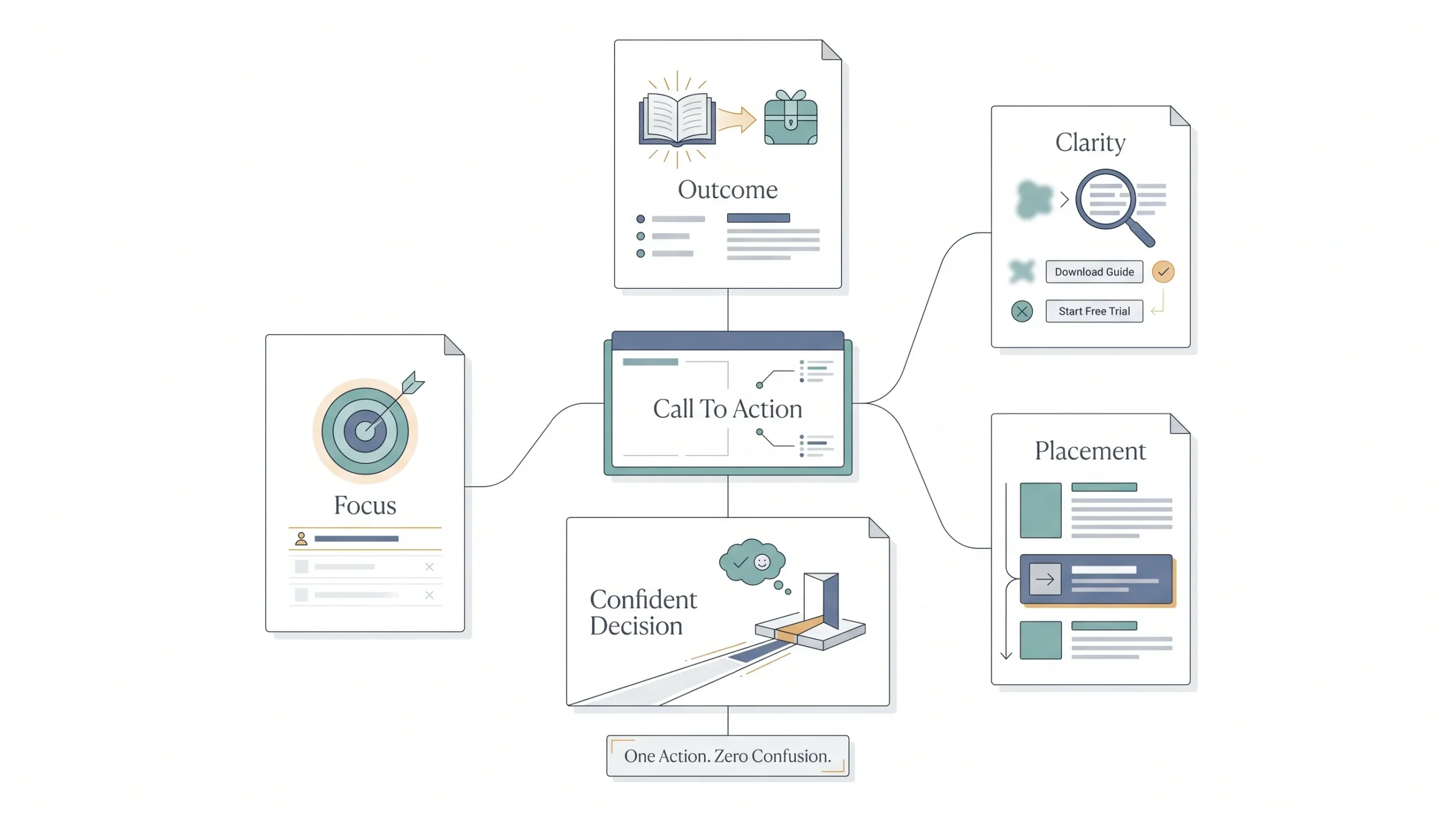
One CTA. Repeated maybe, if the email’s long enough to need a second nudge near the bottom. But one action, one button copy, one destination. The second you give someone two different buttons to choose between, “Shop Now” and “Learn More” sitting side by side, you’ve handed them an excuse to do neither.
Button copy matters more than people think. “Submit” tells someone nothing about what happens next. “Get My Discount” tells them exactly what they’re getting by clicking.
| Weak CTA | Strong CTA | Why the Rewrite Works |
|---|---|---|
| “Submit” | “Get My 20% Off” | Names the outcome, not the mechanism |
| “Learn More” | “See What’s Included” | Specific enough to justify the click |
| “Click Here” | “Claim Your Spot” | Creates ownership, feels personal |
| “Buy” | “Start Free Trial” | Lowers the perceived risk of clicking |
Placement matters too. For shorter emails, get the CTA above the fold, meaning visible without scrolling. For longer emails, don’t be afraid to repeat it, once near the top and once at the bottom, since not everyone reads start to finish. What you shouldn’t do is stack five CTAs down the page hoping one lands. That’s not persistence, that’s noise.
Deliverability and Spam Avoidance
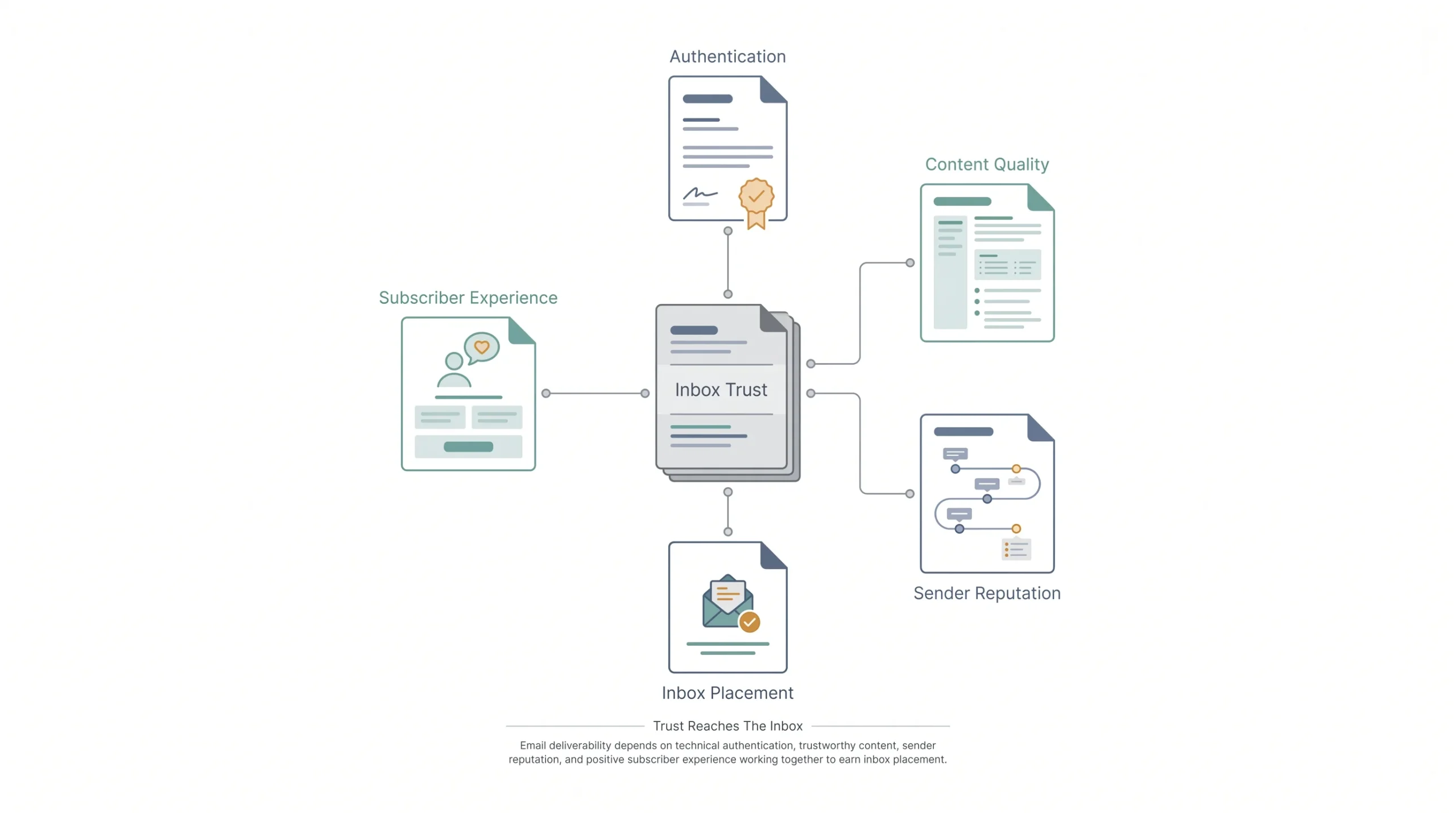
Here’s the section most guides either skip or skim past in two sentences, and it’s honestly the most important one on this whole list. You can write the sharpest subject line and the most persuasive body copy in the world, and none of it matters if the email lands in spam. Nobody converts on an email they never see.
2026 changed the rules here in a real way. Gmail and Yahoo now enforce stricter requirements for anyone sending bulk email, meaning if you’re sending at any real volume, you need proper authentication in place or your deliverability tanks fast.
| Requirement | What It Means | How to Meet It |
|---|---|---|
| SPF | Verifies your sending server is authorized to send on your domain’s behalf | Set up through your domain’s DNS records, usually a one-time setup with your email platform |
| DKIM | Digitally signs your email to prove it wasn’t altered in transit | Enabled through your email service provider, again a DNS-level setup |
| DMARC | Tells receiving servers what to do if SPF/DKIM checks fail | Set a policy, even starting at “none” is better than nothing |
| One-click unsubscribe | Lets recipients opt out in a single click, no extra steps | Required now for bulk senders, most modern email platforms support it natively |
| Complaint rate threshold | Keeps spam complaints below a set percentage of sends | Stay under roughly 0.3%, ideally closer to 0.1%, by sending relevant, well-segmented emails |
None of this is optional anymore if you’re sending real volume. Skip it, and even a perfectly written email gets buried before a human eye ever sees it.
Beyond the technical setup, content and formatting choices affect deliverability too. Certain words trip filters, things like “free,” “guaranteed,” “act now,” “100% off,” especially stacked together or written in all caps. Heavy image-to-text ratios read as “marketing email” to a filter the same way they read as cluttered to a human. Too many links in one email, same problem.
Here’s the part people mix up constantly: delivery and deliverability are not the same thing. Delivery just means the email reached the server without bouncing. Deliverability means it actually landed in the inbox, not spam, not promotions purgatory. You can have perfect delivery and still get zero opens because deliverability was garbage.
Sender reputation builds over time, and it’s fragile. Warming up a new sending domain slowly, keeping a consistent sending schedule instead of going silent for months and then blasting the whole list, and watching engagement rates closely, all of that protects the reputation that gets your emails into the inbox in the first place. Ignore it, and even good copy won’t save you.
Personalization Beyond “Hi [First Name]”
![Personalization Beyond “Hi [First Name]”](https://admeducation.com/wp-content/uploads/2026/07/Personalization-Beyond-Hi-First-Name-scaled.webp)
Slapping someone’s first name into the subject line isn’t personalization anymore, it’s the bare minimum, and honestly readers have gotten numb to it. Real personalization pulls from actual behavior, what someone bought, what they browsed, what they clicked in a past email, and uses that to shape the offer itself, not just the greeting.
Dynamic content blocks are one way in, where different segments see different product recommendations inside the same email template. Behavior-triggered offers are another, someone abandons a cart, they get a nudge with that exact item, not a generic sale blast. Purchase-history-based recommendations work the same way a good salesperson would, suggesting the thing that actually fits based on what someone already bought.
| Personalization Tactic | Data Needed | Impact Level |
|---|---|---|
| First name in subject/greeting | Basic subscriber data | Low, table stakes at this point |
| Product recommendations | Purchase or browse history | High, feels relevant instead of random |
| Abandoned cart triggers | Cart activity data | Very high, catches someone at peak intent |
| Location-based offers | City/region data | Medium, works well for timely or seasonal pushes |
| Lifecycle-stage messaging | Signup date, purchase frequency | High, avoids treating a five-year customer like a stranger |
There’s a line here worth respecting though. Referencing a past purchase feels helpful. Referencing exactly what someone looked at forty minutes ago, in a way that feels like you’re watching them, feels creepy. Use the data to make the offer more relevant, not to prove you’re tracking every move.
Testing and Optimization Framework
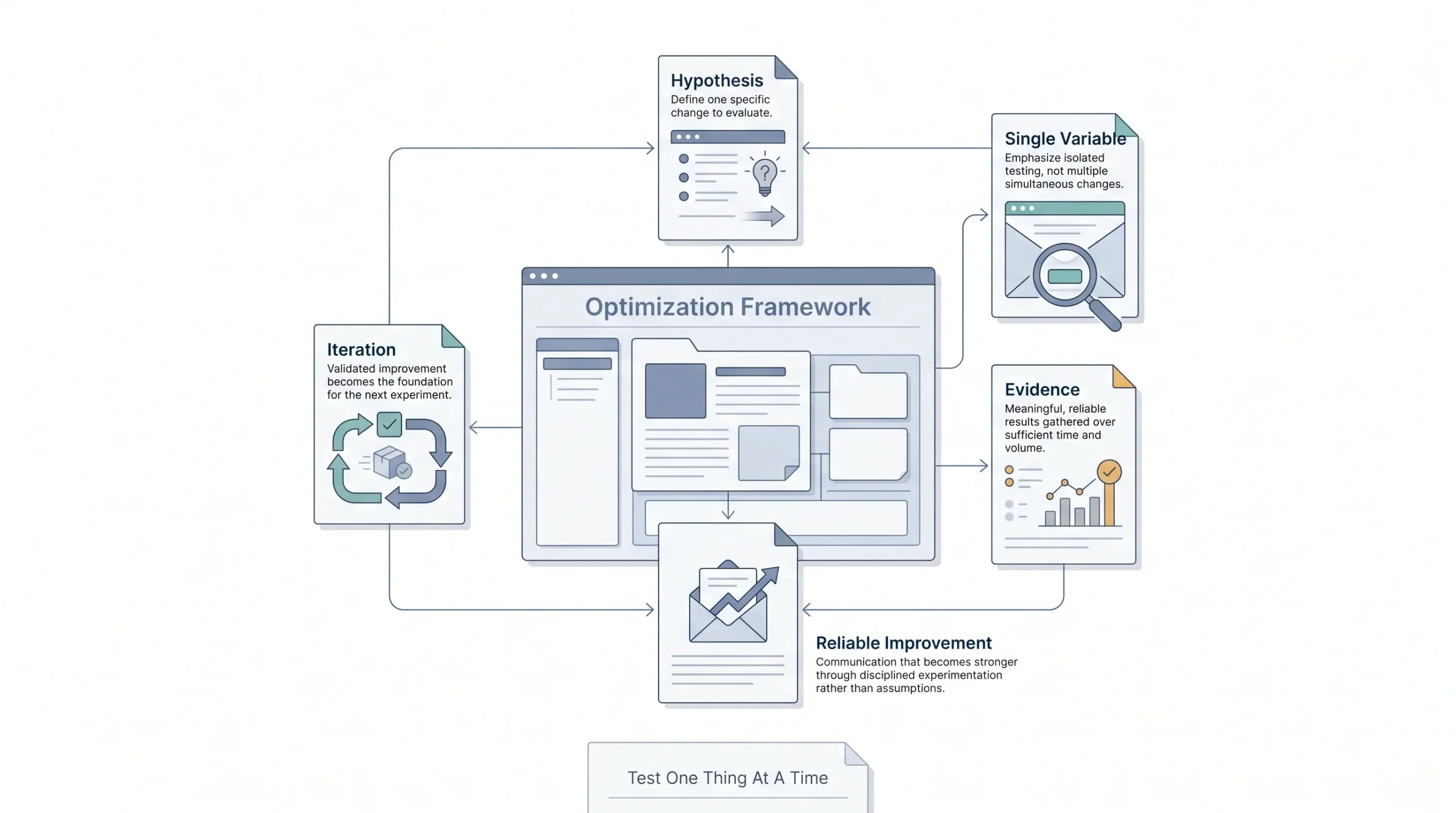
“A/B test everything” is advice that sounds smart and helps nobody, because testing everything at once means you can’t tell what actually moved the needle. Test one thing at a time, in a priority order that matches what actually swings conversion the most.
Subject line first, since it decides whether the email gets opened at all. CTA copy and placement next, since that’s the direct conversion lever. Send time after that, since timing shifts open rates more than people expect. Layout last, since design tweaks tend to move the needle less dramatically than the first three.
| Element to Test | What to Measure | How to Know You Have a Winner |
|---|---|---|
| Subject line | Open rate | Clear, consistent lift over multiple sends, not a one-off fluke |
| CTA copy/placement | Click-through rate | Meaningful gap in clicks, not a few percentage points that could be noise |
| Send time | Open rate, click timing | Run across a few different days before trusting the pattern |
| Layout/design | Click-through and conversion rate | Test with a large enough segment that the result isn’t random |
Run the test long enough and with a big enough slice of the list that the result actually means something. A test on 200 people with a 3% difference isn’t a winner, it’s noise. Give it real volume and enough time to settle before declaring anything a win.
Timing, Frequency, and Send Cadence
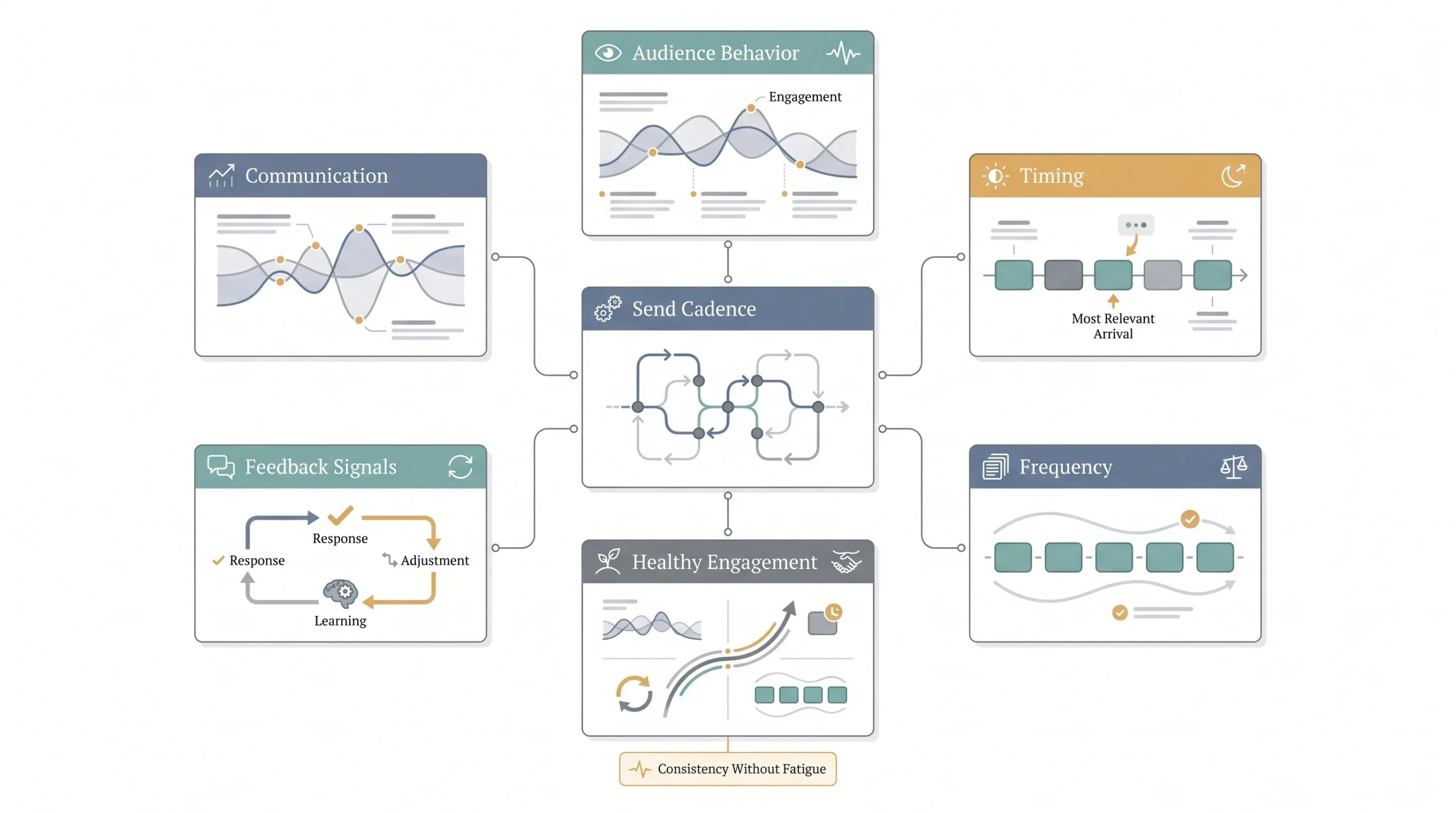
There’s no universal “best time to send email,” despite what a hundred blog posts claim. What works depends entirely on the audience, their habits, their timezone, even their industry. A B2B list checking email during work hours behaves completely differently than a consumer list that opens email on the couch at 9pm. Test it against your own list instead of copying someone else’s benchmark.
Frequency is where a lot of damage happens quietly. Send too often and fatigue sets in, open rates drop, unsubscribes climb, and eventually spam complaints follow. Send too rarely and people forget who you are, which hurts just as much in a different way.
| Email Type | Suggested Frequency | Risk If Overdone |
|---|---|---|
| Regular promotional | 1-2 times per week | Fatigue, rising unsubscribe rate |
| Flash sale/urgent | As needed, tied to actual events | Feels desperate if every week is “urgent” |
| Win-back/re-engagement | Occasional, targeted only at inactive segments | Annoys active subscribers if sent broadly |
| Seasonal/holiday | Tied to the calendar, a handful of times a year | Low risk if genuinely tied to a real occasion |
Watch the list’s own behavior instead of a generic rulebook. If opens start dropping and unsubscribes start climbing, that’s the list telling you to back off, not a coincidence.
Promotional Email Examples by Use Case
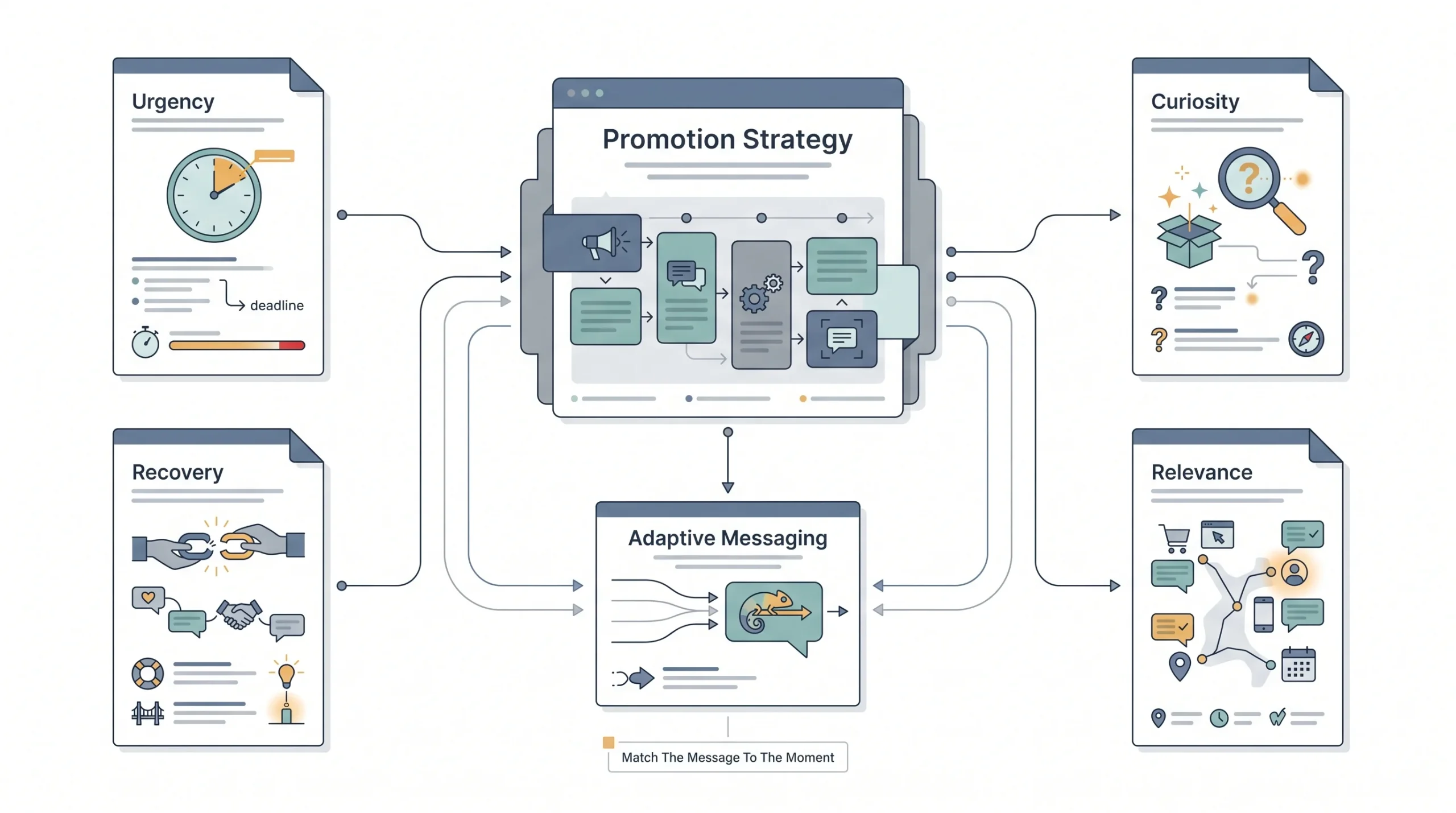
The core principles hold across every type of promotional email, but the angle shifts depending on what’s actually being promoted.
| Use Case | Primary Goal | Key Copy Angle |
|---|---|---|
| Flash sale | Drive urgency-based purchases fast | Countdown, real deadline, scarcity front and center |
| Product launch | Build excitement for something new | Curiosity and benefit-led, less urgency, more “what’s coming” |
| Abandoned cart | Recover a purchase that was already close | Personalized, references the exact item, light urgency |
| Seasonal/holiday | Ride an existing moment of buyer intent | Timely, ties the offer to the occasion naturally, not forced |
| Win-back/re-engagement | Reactivate someone who’s gone quiet | Honest tone, often a stronger offer to re-earn attention |
| Limited inventory | Push a decision before stock runs out | Number-led, specific stock counts if genuinely accurate |
A flash sale email leans hard into urgency because that’s the whole point, the deal disappears soon. A product launch email can’t fake urgency the same way since nothing’s actually running out, so it leans on curiosity and anticipation instead. Match the angle to the actual situation instead of running the same urgency-heavy copy for everything.
Metrics That Actually Tell You If It Converted
Open rate used to be the headline metric everyone obsessed over. It’s weaker now, mostly because privacy changes on platforms like iOS and Gmail mess with how accurately opens even get tracked anymore. Doesn’t mean ignore it entirely, just means don’t treat it as the whole story.
| Metric | What It Measures | Healthy Benchmark Range | What a Bad Number Signals |
|---|---|---|---|
| Open rate | How many people opened the email | Roughly 15-25% for promotional email, varies by industry | Weak subject line, poor sender reputation, or bad timing |
| Click-through rate | How many people clicked something inside | Roughly 2-5% is common for promotional sends | Body copy or CTA isn’t compelling enough to act on |
| Conversion rate | How many people actually completed the action | Varies widely by offer and industry | Landing page mismatch, or the offer wasn’t strong enough |
| Revenue per email | Actual dollars generated per email sent | Depends heavily on average order value | Low relevance or poor segmentation |
| Unsubscribe rate | How many people opted out after this send | Should stay low, generally under 0.5% | Frequency too high or content not matching expectations |
| Spam complaint rate | How many marked it as spam | Should stay well under 0.3% | Poor targeting, deliverability risk building |
Look at these together, not in isolation. A high open rate with a low click-through rate means the subject line worked but the body or offer didn’t land. A decent click-through with a weak conversion rate usually points to a mismatch between what the email promised and what the landing page delivered. The numbers tell a story when you read them as a set, not as separate scores.
Conclusion
Everything in this post really comes down to the same handful of ideas repeated in different forms. One offer, one goal, written for a specific person instead of a faceless list, and tested enough times that decisions come from data instead of gut feeling. That’s it. That’s the whole game, dressed up in subject lines and CTAs and deliverability checklists, but underneath it, it’s just respecting the reader enough to send them something worth their thirty seconds.
The next promotional email going out doesn’t need a total rebuild. Pick one piece from this, maybe the subject line formula, maybe finally setting up proper authentication, maybe just cutting the email down to one CTA instead of three, and apply it to the next send. Small, consistent fixes compound faster than trying to overhaul everything at once.
Frequenty Asked Questions
How long should a promotional email actually be?
There’s no magic word count, but shorter almost always wins for a single-offer email. Enough to explain the offer, build a little desire, and land the CTA, usually a few short paragraphs. If it’s dragging past a couple hundred words for a simple sale, it’s probably padded with stuff nobody’s reading.
What’s the best day or time to send a promotional email?
Honestly, it depends on the list, not some universal rule. A B2B audience checking email during work hours behaves nothing like a consumer list scrolling in bed at night. Test a few different windows against your own subscribers and let the actual open data decide, don’t copy a benchmark from a blog post that’s guessing at your audience.
How often is too often when it comes to sending promotional emails?
Once fatigue sets in, it shows up fast, opens drop, unsubscribes climb. As a general range, one to two promotional sends a week is common for most lists without wearing people out, but watch the numbers on your own list closely instead of locking into a fixed rule.
How long should a subject line be?
Short enough to not get cut off on mobile, which usually means somewhere around 40-50 characters is a safe zone. Go longer and the good part might get chopped off before anyone sees it, especially on a phone screen.
What’s the real difference between a promotional email and a marketing email?
“Marketing email” is the umbrella term, it covers newsletters, promotions, product updates, all of it. A promotional email is one specific type under that umbrella, built around a direct offer meant to drive an action. Every promotional email is a marketing email, not every marketing email is promotional.
Are there legal rules around sending promotional emails?
Yeah, and they’re not optional. In the US, the CAN-SPAM Act requires honest sender info, a clear subject line that matches the content, and an easy way to unsubscribe. If sending to the EU, GDPR adds consent requirements on top of that. Worth getting a lawyer or compliance resource involved if there’s any doubt, this isn’t an area to guess on.
How can someone check if their email is likely to land in spam before sending it?
There are free spam-check tools out there that scan subject lines and body copy for trigger words and flag deliverability risks before a send goes out. Worth running a check like that as a habit, not just when something feels off.
Should promotional emails be written differently for B2B versus B2C audiences?
Pretty much, yeah. B2C can lean into emotion, urgency, and a more casual tone since it’s usually a faster, more personal buying decision. B2B tends to need more substance behind the offer, ROI, time saved, a clearer business case, since there’s often someone else who has to approve the purchase too.
Can emojis be used in a promotional subject line?
They can, and sometimes they help a subject line stand out in a crowded inbox. But it depends heavily on the brand and the audience, a playful emoji fits a casual consumer brand fine and looks out of place for something more formal like B2B software. Test it rather than assuming either way.
How many CTAs should one promotional email have?
One offer, one CTA, that’s the rule to default to. Repeating the same CTA once more near the bottom of a longer email is fine since not everyone reads start to finish, but different CTAs competing for attention usually means fewer people click any of them.
What actually gets a promotional email marked as spam by recipients?
Mostly irrelevance. If the email doesn’t match what someone expected or feels like it’s blasted to everyone regardless of who they are, the spam flag becomes the easiest way out. Poor segmentation and sending too often are usually the real causes, more than any single word or phrase in the copy.
Does unsubscribe rate actually matter if the email still made sales?
It matters more than people think, even if this particular send performed fine. A climbing unsubscribe rate is an early warning that fatigue or irrelevance is building, and it directly affects sender reputation and future deliverability. Don’t ignore it just because today’s numbers looked okay.