


Here’s the thing nobody tells you when you first log into Google Ads. You can pick perfect keywords, write ad copy that actually sounds human, build a landing page that converts like crazy, and still lose money every single month because of one setting buried in your campaign controls. Google Ads Bidding Strategies is not glamorous; nobody talks about it at dinner parties, but it’s the one lever that decides who you’re even competing against and how much every click costs you. Set it wrong and you’re basically handing Google a blank check for traffic that never converts. Set it right and the same budget starts working like it should.
Most guides on this topic list out every strategy Google offers, slap a one-line description next to each one, and call it a day. That’s not enough. You need to know why the auction rewards certain bids over others, what to actually do when you’re switching from one strategy to the next without your account falling apart for two weeks, and what changed recently, because Google update bidding mechanics more than people realize. So that’s what this is. A full walkthrough, no fluff, written for someone who wants to actually understand what’s happening every time their ad shows up in a search result.
What a Bidding Strategy Actually Does
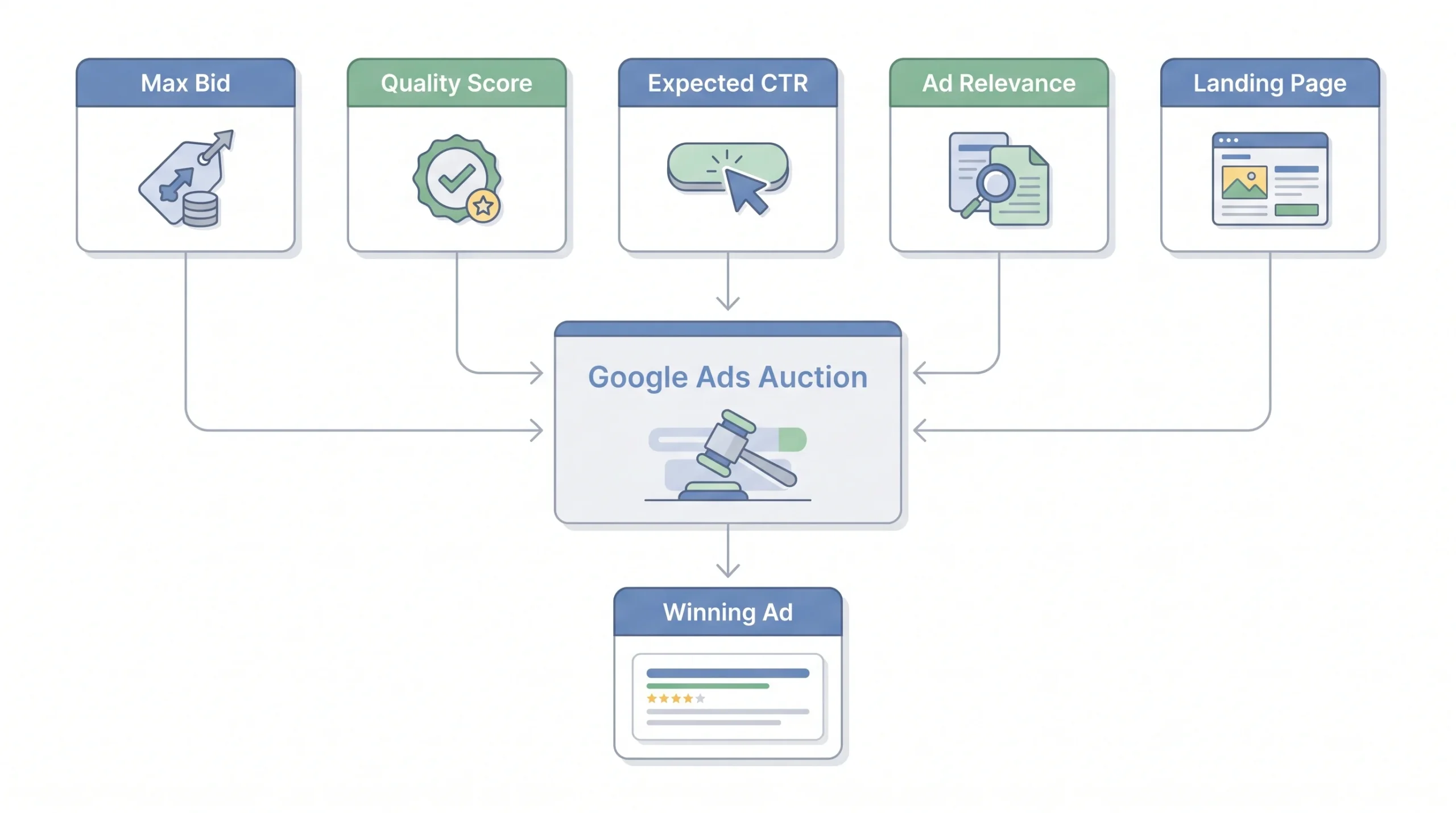
Let’s start with the auction itself, because most people skip this part and it’s the whole reason bidding strategies exist in the first place.
Someone types a search into Google. In the milliseconds after that, Google runs an auction among every advertiser targeting that keyword. Your bid matters here, obviously, but it’s not the only thing that matters. Google multiplies your bid by something called Ad Rank, which factors in your Quality Score (basically Google’s opinion of how relevant your ad and landing page are), your expected click-through rate, and how well your ad format and extensions fit the search.
So no, the highest bidder doesn’t automatically win. A $2 bid with a great Quality Score can beat a $5 bid with a mediocre one. That surprises a lot of beginners, and honestly it should, because it means throwing more money at a bid isn’t always the fix. Sometimes the fix is a better landing page. Two advertisers can bid the exact same amount on the exact same keyword and land in completely different positions, paying completely different prices per click, purely because one of them has a tighter, more relevant ad and page behind it. That’s the part people miss when they assume bidding is just a numbers game.
Quality Score itself isn’t one single thing either. It’s really three components rolled together: expected click-through rate, ad relevance, and landing page experience. Google scores each of these on its own scale, and the combined result is what shows up as your one-to-ten Quality Score number in the interface. A weak landing page can quietly drag down an otherwise strong campaign, and most advertisers never think to check it because they’re too busy staring at the bid amount.
Here’s where automated bidding comes in. Smart Bidding strategies look at what Google calls “auction-time signals.” Stuff like what device someone’s on, where they’re searching from, what time of day it is, whether they’re already on your remarketing list, their browser, even the specific words they used. A human setting manual bids can’t realistically account for all of that in real time. An algorithm can. That’s the entire pitch behind automated bidding, and it’s a fair one, as long as you feed it enough data to actually learn from.
Auction Inputs at a Glance
| Factor | What it means | Can you control it? |
|---|---|---|
| Max bid | What you’re willing to pay per click or conversion | Yes, directly or through a target |
| Quality Score | Google’s estimate of how relevant your ad and landing page are | Indirectly, by improving ad and page quality |
| Expected CTR | How likely someone is to click your ad | Indirectly |
| Ad relevance | How closely your ad copy matches search intent | Indirectly |
| Landing page experience | Page relevance, load speed, mobile usability | Indirectly |
| Auction-time signals | Device, location, audience, time of day, and more | Only available to automated strategies |
Manual vs. Automated Bidding: The Core Divide
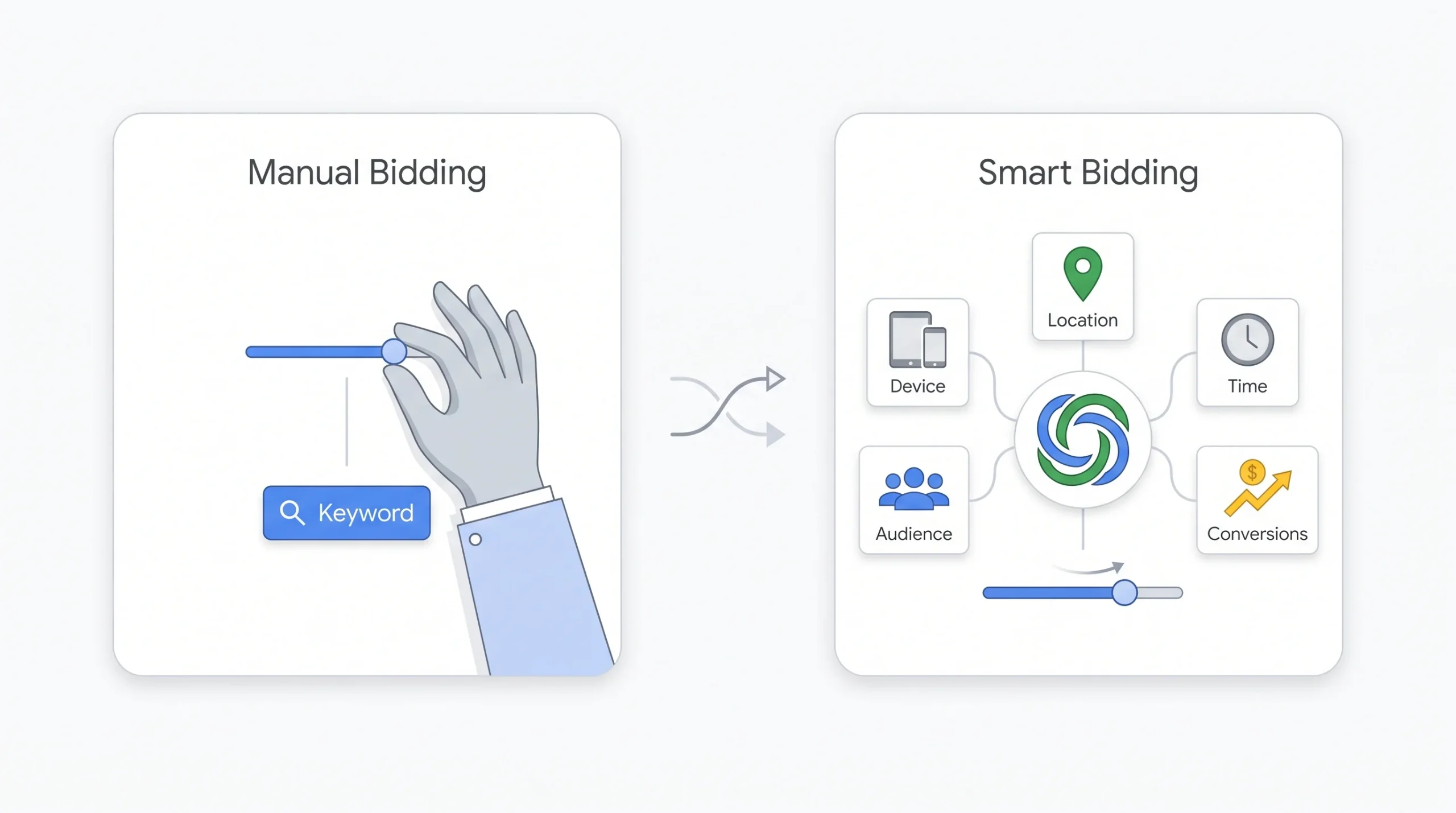
Before naming individual strategies, it helps to understand the two buckets they all fall into. Everything in Google Ads bidding is either manual, meaning you’re setting the number and living with the consequences, or automated, meaning you hand that decision to Google’s machine learning models and let them adjust bids on the fly.
Manual bidding gives you total control. Every keyword, every ad group, you decide the ceiling. That sounds appealing until you realize you’re now responsible for reacting to every shift in competition, seasonality, and user behavior manually. Nobody has time for that at scale. Imagine trying to manually raise bids every weekday morning because that’s when your leads convert best, then lower them again in the evening, then account for the fact that mobile traffic converts worse than desktop for your business, then adjust again because a competitor just entered the auction. That’s four separate manual decisions happening constantly, all day, every day. Nobody’s actually doing that by hand with any consistency.
Automated bidding, or Smart Bidding as Google calls its ML-driven strategies, removes that burden but only works well once it has real conversion data to learn from. This is where a lot of accounts get bidding wrong right out of the gate. They flip on Target CPA with zero conversion history and wonder why performance is a mess. Most experienced advertisers point to somewhere around 15 to 30 conversions a month as the rough threshold where Smart Bidding actually has enough signal to be useful. Below that, it’s guessing, same as you would be, except now you can’t see the reasoning behind the guess.
So the real question isn’t “manual or automated,” it’s “where is my account right now.” A brand new account and a five year old account with thousands of conversions under its belt should not be using the same bidding logic. That’s obvious once you say it out loud, but so many advertisers skip straight to automation because it sounds more advanced. There’s also a psychological trap here worth naming. Automation feels like progress, like you’ve leveled up. But an algorithm without data is just as blind as a person guessing, it just guesses with more confidence.
“If your account has fewer than 15 to 30 conversions a month, Smart Bidding doesn’t have enough signal to learn from. Start manual, earn the data, then graduate.”
Every Bidding Strategy, Explained One by One
Alright, let’s go through each strategy Google actually offers. No skipping the boring ones, because half the mistakes advertisers make come from misunderstanding the ones that sound simple.
Manual CPC
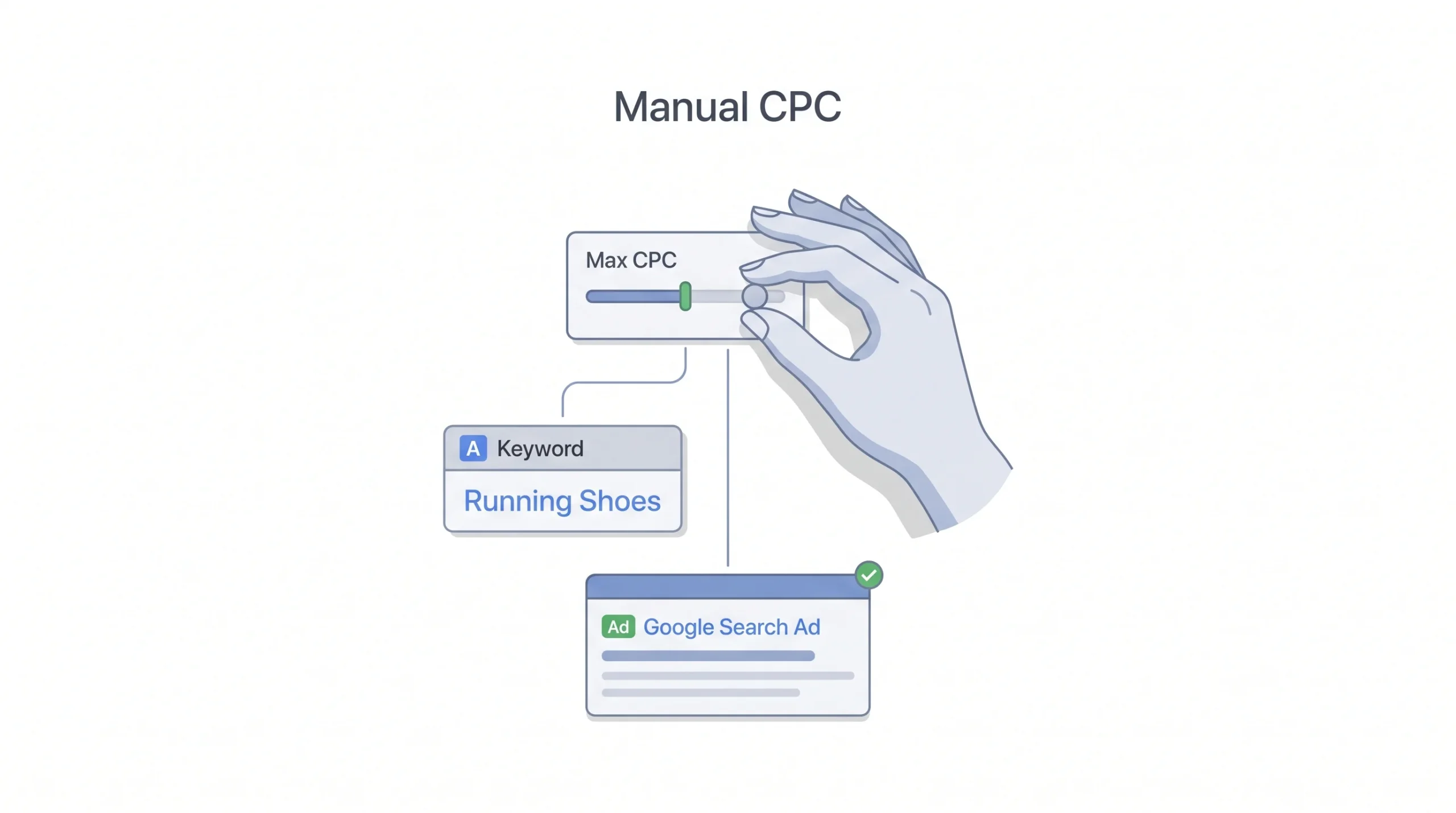
This is the most basic option and it’s exactly what it sounds like. You set the maximum cost per click for each keyword or ad group, and that’s what you’re willing to pay, full stop. No algorithm adjusting anything behind the scenes.
It gives you total granular control, which is great if you’re testing something new or working with a tiny budget where every dollar needs to be watched closely. The tradeoff is obvious too. You’re not using any of those auction-time signals we talked about earlier. You’re bidding the same amount whether someone’s on their phone at midnight with high purchase intent or browsing casually on a desktop at work. Google’s automated options can tell the difference. Manual CPC can’t.
There’s a specific scenario where Manual CPC actually shines that people overlook. Say you’re running a highly niche B2B campaign with maybe five relevant keywords and a handful of clicks a day. Automated strategies need volume to learn anything useful, and five clicks a day just isn’t enough. In that situation, sitting in the driver’s seat manually and adjusting bids based on what you’re seeing week to week is genuinely the smarter play, not a fallback.
Who should use it: brand new accounts with no conversion history yet, advertisers running very tight test budgets, or anyone who genuinely needs keyword-level control for a specific reason, like a low-volume niche where automation just can’t get enough data to do its job. Everyone else should be moving past this once there’s enough data.
Enhanced CPC (ECPC)
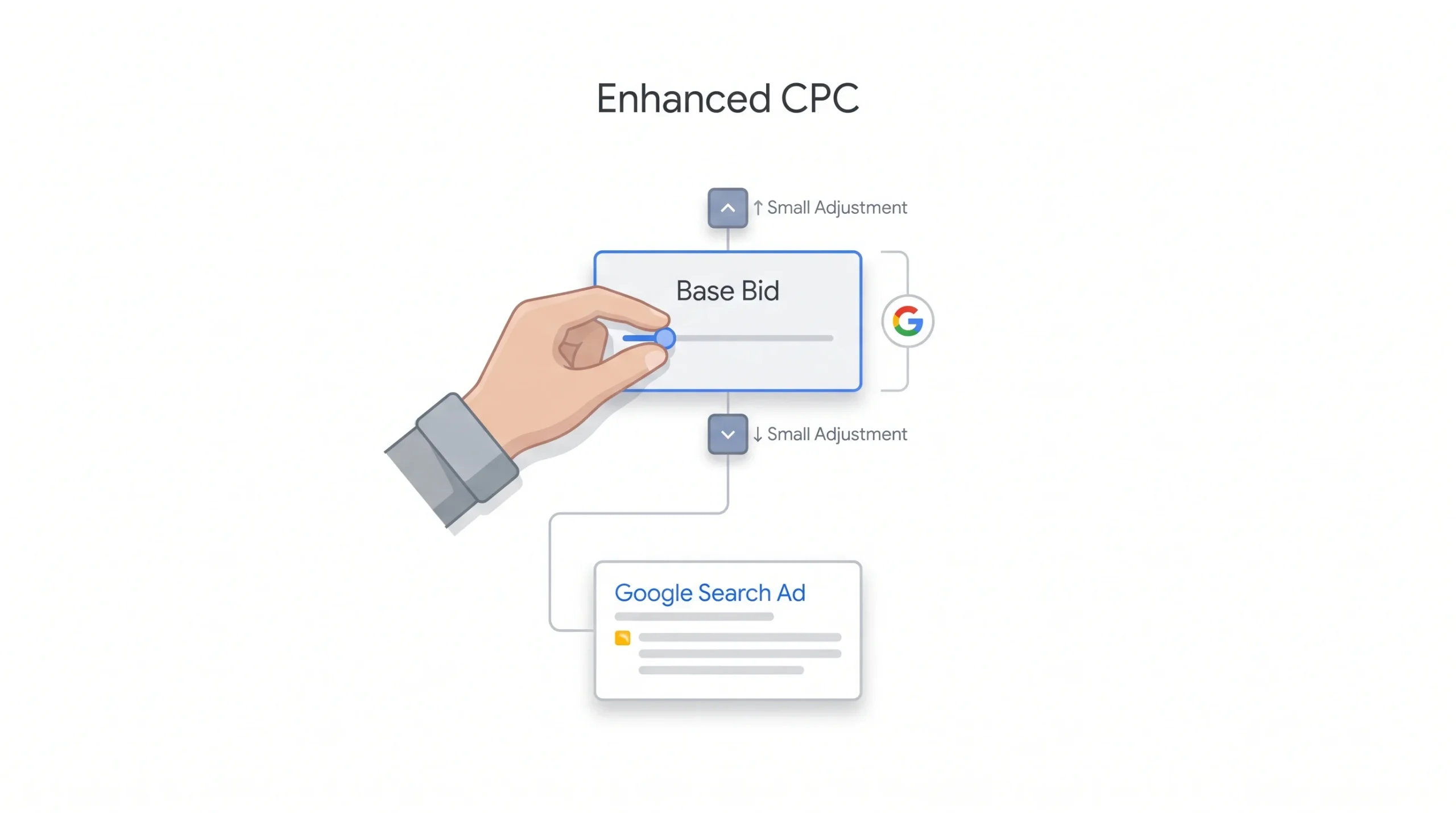
Enhanced CPC is Manual CPC with a bit of help. You still set your base bids, but Google’s allowed to nudge them up or down, typically by around 30%, based on how likely a given auction is to convert.
Here’s the honest truth about ECPC in 2026 though. Google has been quietly pushing it into the background. It used to be positioned as the natural bridge between full manual control and full automation. These days it’s harder to find in the interface, and its adjustments are more limited compared to what Maximize Conversions or Target CPA can actually do. If you’re still running ECPC on a campaign, it’s probably time to think about moving on. Treat it as a short bridge, not a destination. The way to think about it is this: ECPC gives Google a little bit of trust and a little bit of signal to work with, but not enough to actually make the best call. It’s a compromise, and compromises rarely outperform a full commitment in either direction.
Maximize Clicks
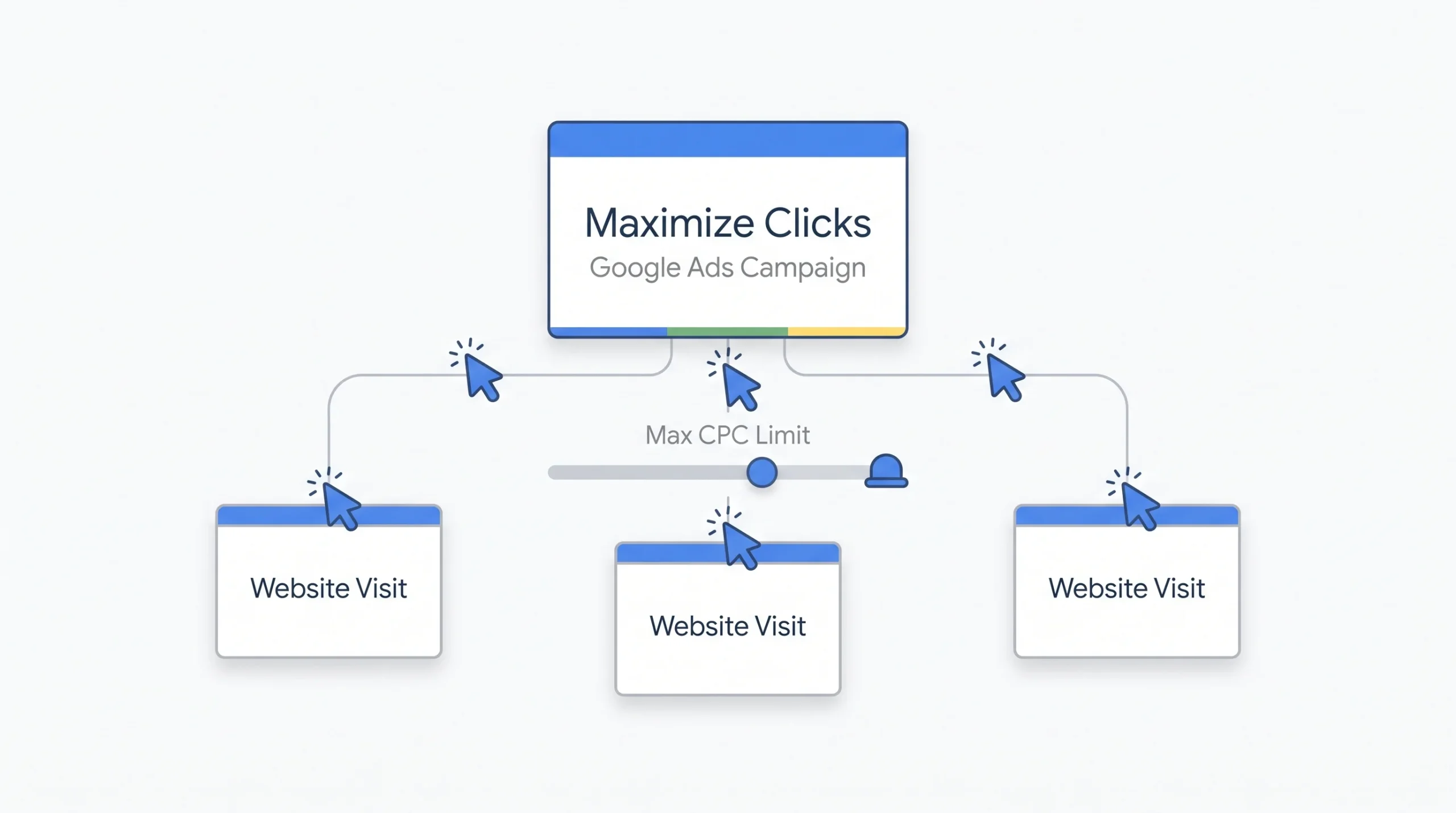
Maximize Clicks does exactly one thing. It spends your budget to get you as many clicks as possible. There’s zero conversion signal involved. None. Google isn’t looking at whether those clicks turn into anything, just whether they happen.
This makes it a genuinely bad choice for anything revenue related, and yet plenty of beginners pick it because “maximize clicks” sounds like a good thing. It’s not, unless your goal really is pure traffic. Building an initial remarketing list, running a brand awareness push where conversions aren’t even the point yet, those are legitimate uses. Anything else, and you’ll end up paying for a flood of cheap, low-intent traffic that never does anything for you.
Worth pointing out too, Maximize Clicks lets you set a max CPC bid limit, which is one guardrail people forget exists. Without that cap, Google can chase clicks in ways that eat through budget faster than expected, especially in a competitive niche where cheap clicks are still fairly pricey clicks.
Maximize Conversions
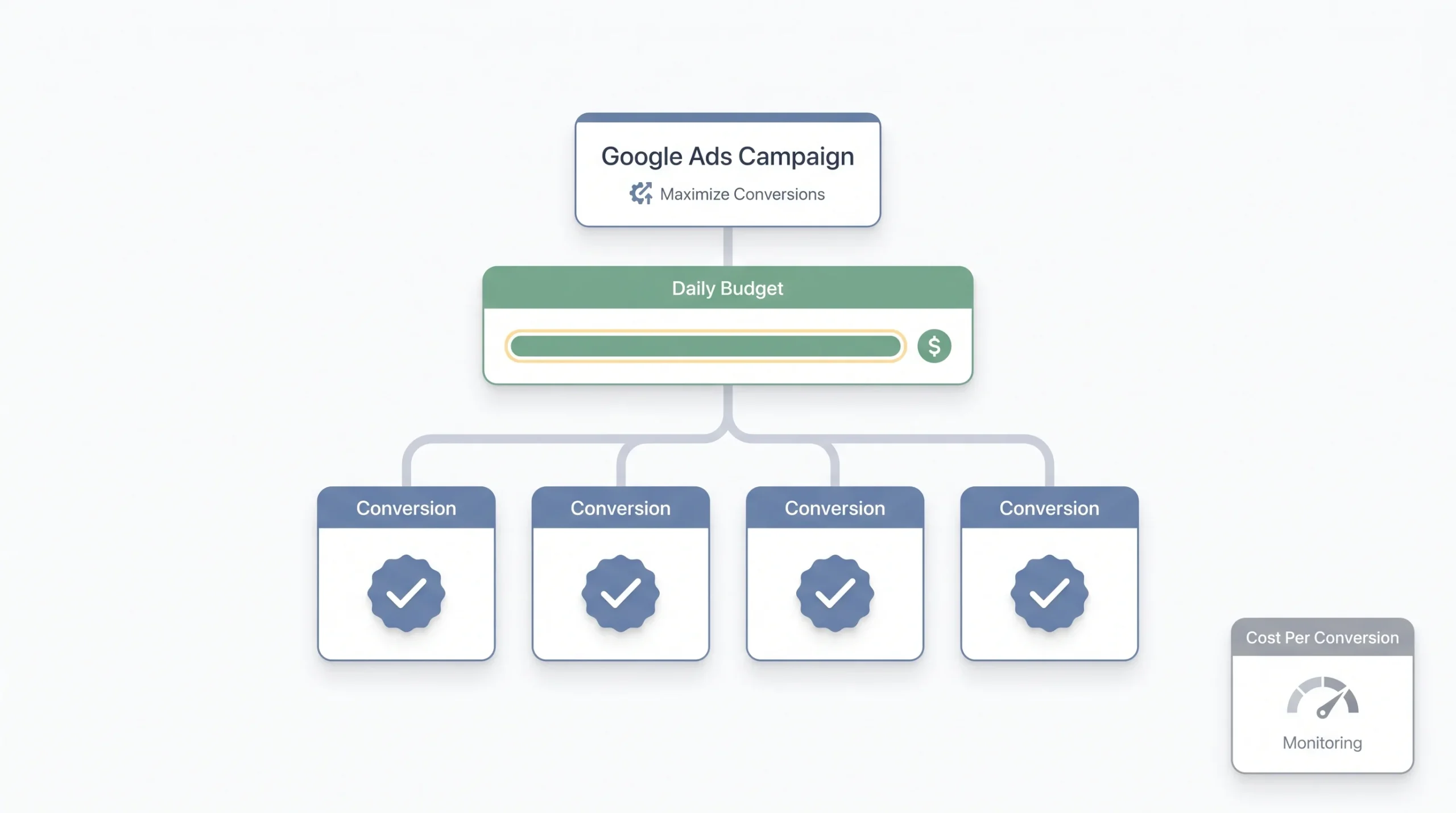
This one flips the goal to conversions instead of clicks. Google spends your full daily budget trying to get you as many conversions as it can, with no ceiling on what each one costs.
That last part matters. No cost ceiling means Maximize Conversions can absolutely spike your cost per acquisition if you leave it running unmonitored for too long. It’s a strong choice for short bursts, though. Product launches, flash sales, any situation where getting volume matters more than hitting a specific cost target. Just don’t treat it as a permanent setting and walk away. Check in on it.
A pattern worth naming here: accounts that turn on Maximize Conversions right when a big sale starts, forget about it, and then get surprised two weeks later when their average cost per lead has crept up 30 or 40%. Nothing broke. That’s just what the strategy is built to do when nobody’s watching the ceiling. If you’re using it, put a reminder on your calendar to check back in, not just hope it settles down on its own.
Maximize Conversion Value
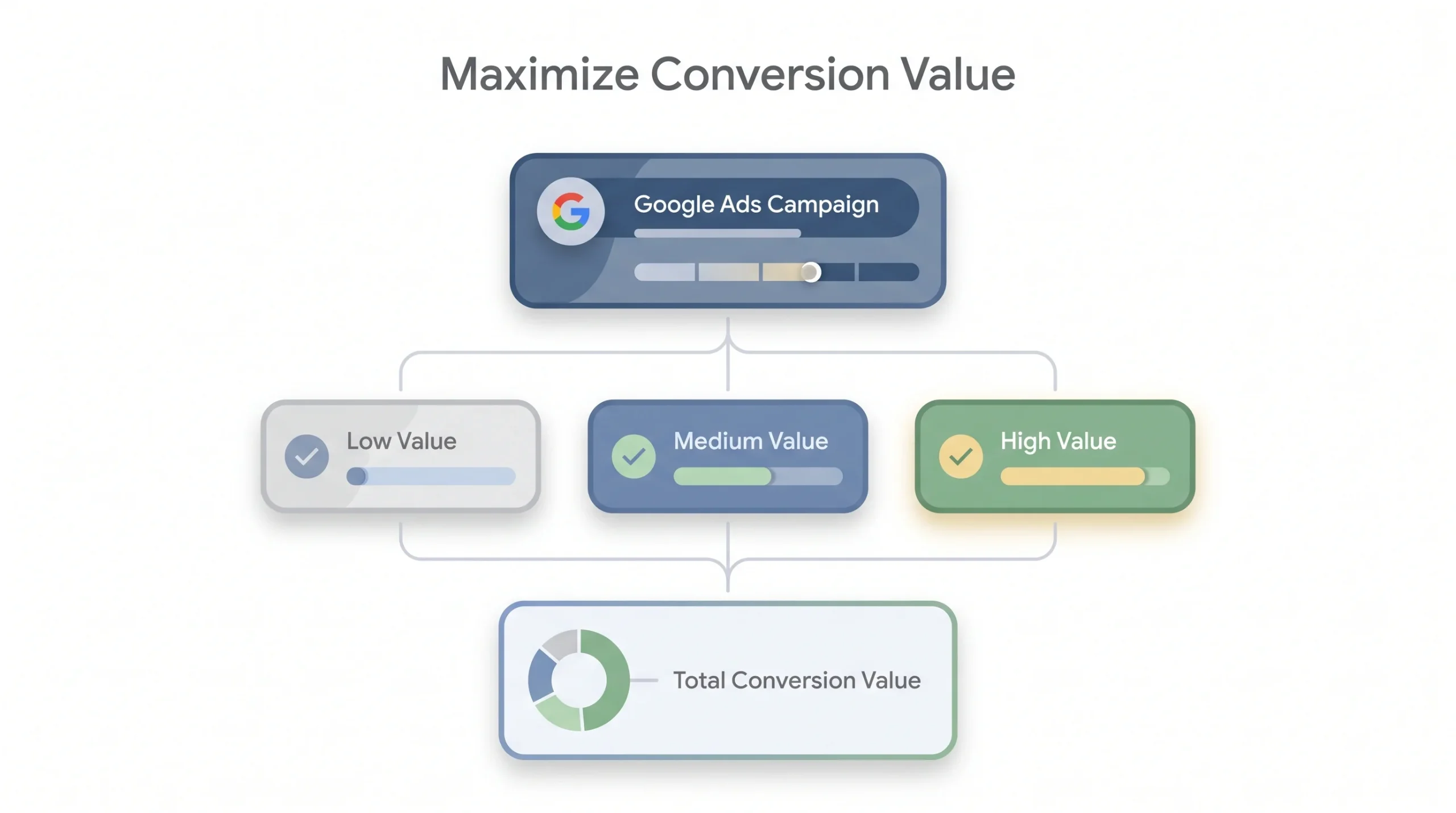
Same basic logic as Maximize Conversions, but instead of optimizing for the number of conversions, it optimizes for the total value of those conversions. That distinction matters a lot for ecommerce accounts where order sizes vary. A $200 order and a $20 order both count as “one conversion” under the previous strategy, which doesn’t make much sense if you’re trying to grow revenue.
One thing to flag clearly here: this strategy is useless without accurate conversion value tracking set up first. If your values aren’t flowing through correctly, say your ecommerce platform isn’t passing the actual cart total back to Google, or you’re tracking a flat conversion value for every purchase regardless of size, Google’s optimizing toward numbers that don’t reflect reality, and you won’t even know it until you’re digging through a spreadsheet months later wondering why high-value customers seem to have dried up.
Target CPA (tCPA)
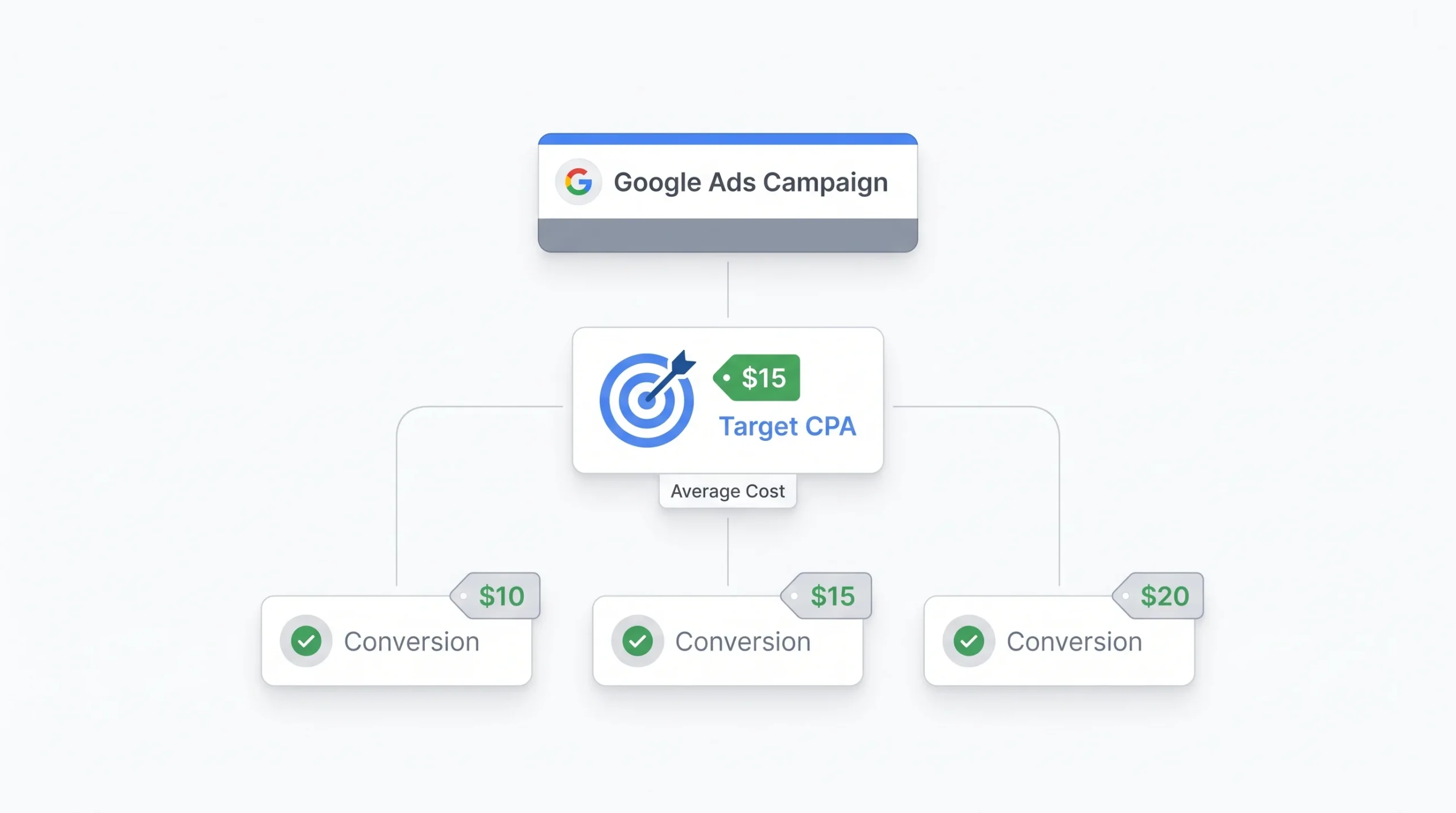
Target CPA tells Google, “I want conversions, and I want to pay roughly this much for each one.” Google then sets bids across every auction trying to hit that average cost.
Let’s actually run the math so this isn’t abstract. Say you’ve got a $3,000 monthly budget and you set a Target CPA of $50. In theory, that’s roughly 60 conversions a month, assuming Google can hit that target consistently, which it usually can once there’s enough historical data behind the campaign. Now compare that to a scenario where you set the target too aggressively, say $25, without the account history to support it. Google will likely underspend your budget trying to stay under that number, and you’ll end up with far fewer conversions than you’d get from a more realistic target.
That’s the biggest mistake with tCPA. Setting the number based on what you wish you were paying instead of what your account’s actual historical data supports. Start closer to your real average cost per conversion, then tighten it gradually once performance is stable. If your account has been converting at roughly $60 per lead for the last three months, setting a Target CPA of $65 to start is a reasonable, low-risk move. Setting it at $30 because that’s the number in your business plan is just wishful thinking dressed up as a strategy, and Google will either fail to hit it or hit it by starving your volume.
It’s also worth knowing that tCPA works as an average, not a hard ceiling per conversion. Some conversions will cost more than your target, some less, and Google’s balancing across the whole campaign to land near your number overall. People sometimes panic when they see one conversion that cost double the target, not realizing that’s completely normal within an averaged system.
Target ROAS (tROAS)
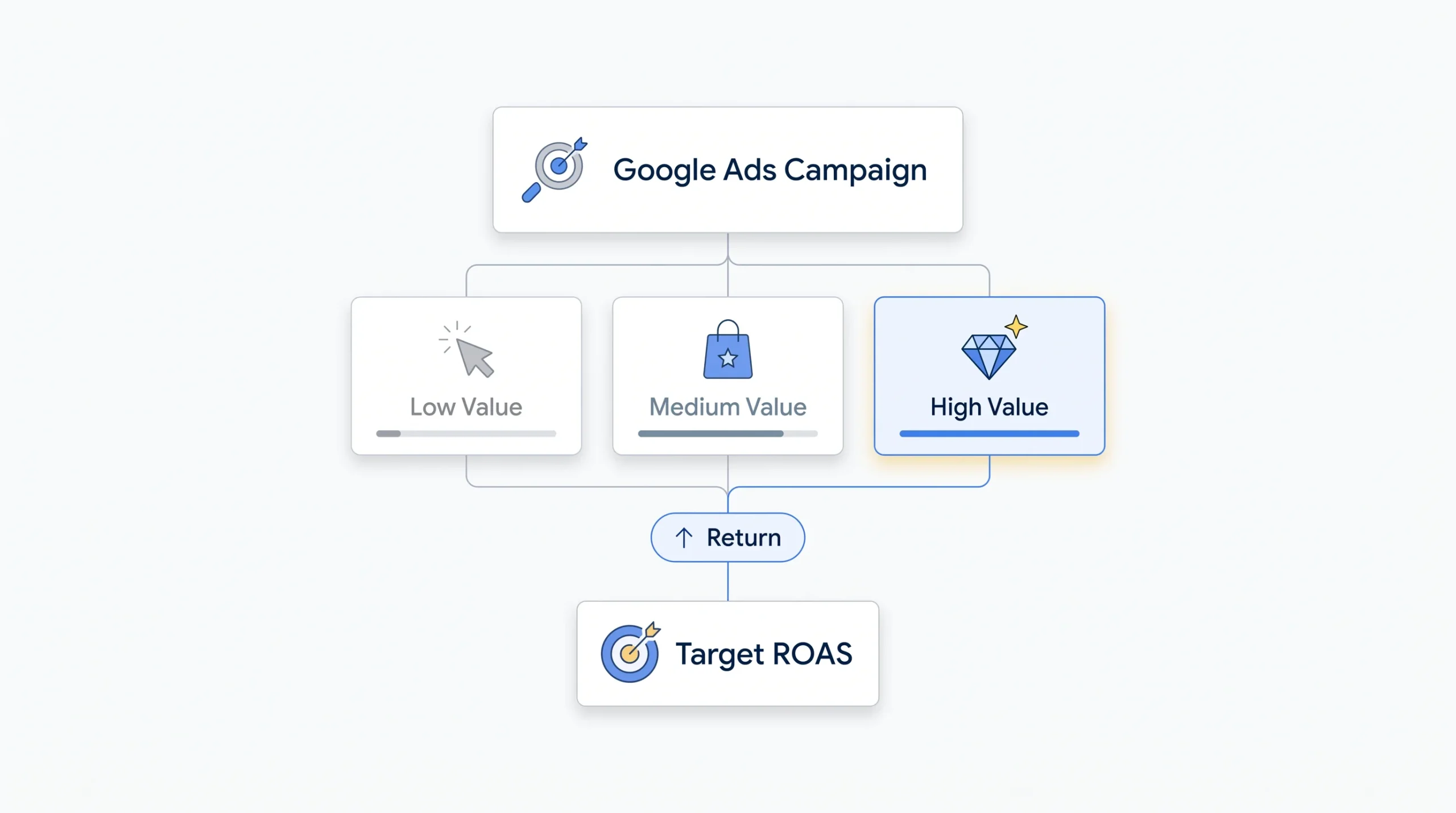
Target ROAS works the same way as Target CPA but flips the math to revenue. You tell Google the return you want on your ad spend, expressed as a percentage, and it sets bids to hit that target.
Quick side by side with the tCPA example. Say you’re spending $3,000 a month and you set a Target ROAS of 400%, meaning you want $4 back for every $1 spent. That’s a target of $12,000 in revenue from that spend. Google adjusts bids auction by auction, bidding more aggressively on searches it predicts will convert at a higher value and pulling back on ones that won’t.
This one needs more data to work well than Target CPA does, because it’s not just predicting whether a conversion happens, it’s predicting how much that conversion will be worth. Ecommerce accounts with a solid volume of historical order data are the natural fit here. Thin data, varied products, low order volume, and tROAS starts guessing more than it should, which usually shows up as choppy, inconsistent performance week over week instead of a smooth trend line.
A mistake worth calling out specifically: setting an unrealistically high ROAS target because it looks better on a report. A 600% target sounds great until you realize Google can only hit it by bidding so conservatively that your overall revenue actually drops, even though your ratio looks fantastic. A slightly lower target that lets the campaign actually spend and scale usually beats a flashy number that starves the account.
Target Impression Share
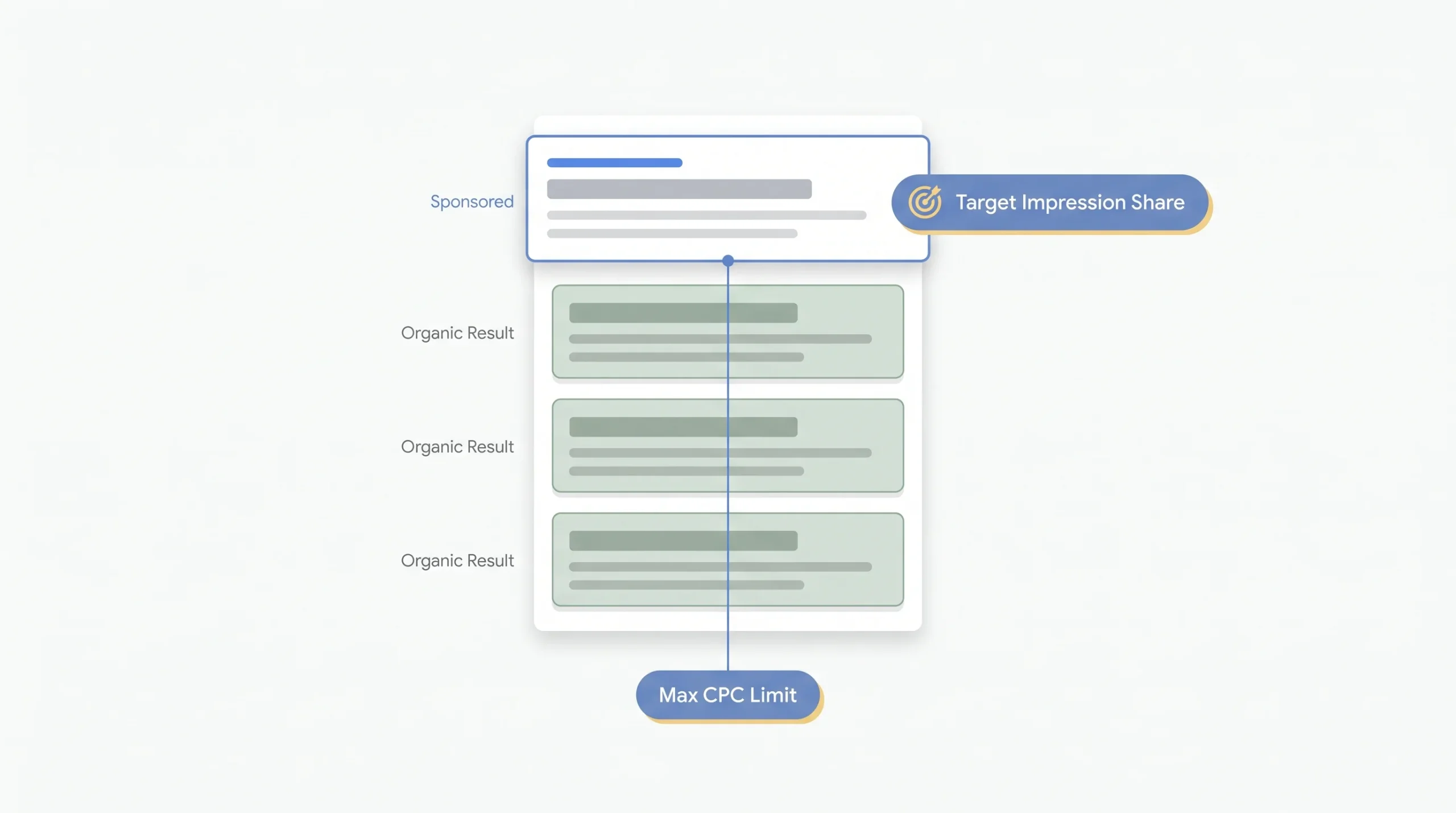
This strategy has nothing to do with clicks or conversions directly. It bids to win a specific visibility target, whether that’s absolute top of page, top of page generally, or just anywhere on the page.
The obvious use case is brand protection. If you’re worried about competitors bidding on your branded search terms, or you’re going after a competitor’s branded terms yourself, Target Impression Share makes sure you’re actually showing up where you want to be. The catch is cost. Chasing a high impression share, especially absolute top of page, can get expensive fast, because you’re bidding for position, not efficiency. It’s worth setting a max CPC cap on this one too, otherwise you can end up paying a premium just to sit in the top slot for searches that were never going to convert particularly well anyway.
Portfolio Bid Strategies
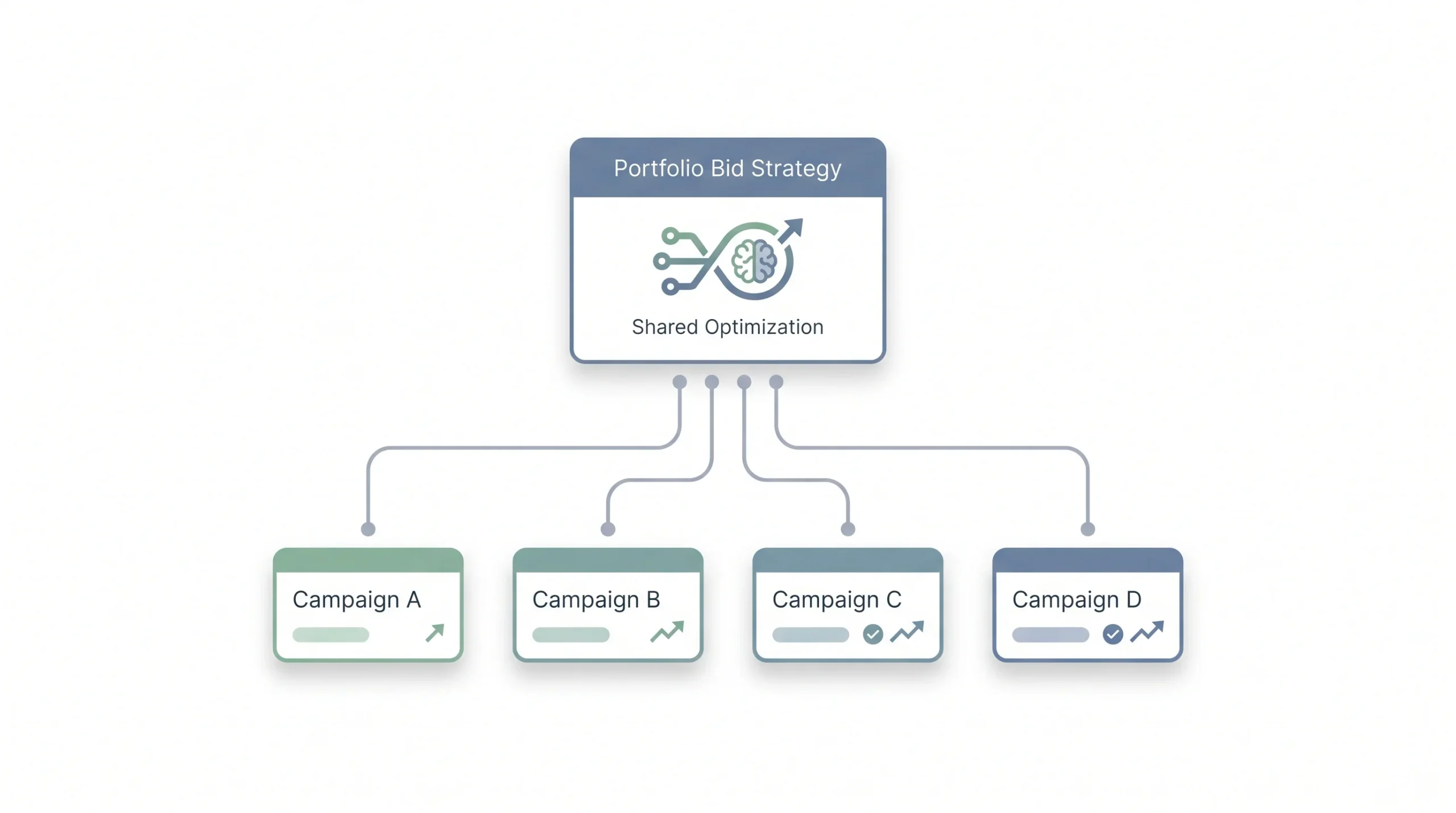
Here’s a common misconception worth clearing up. People assume one campaign equals one bidding strategy and that’s the end of it. True, but portfolio bid strategies let you apply one automated strategy across multiple campaigns or ad groups that are all working toward the same underlying business goal.
Say you’re running five campaigns for different product lines, all targeting a similar CPA. Instead of managing five separate Target CPA settings, a portfolio strategy pools the optimization across all of them. Bigger accounts with multiple campaigns serving the same objective benefit the most here, since it gives Google more combined data to optimize with instead of five smaller, separate data pools. A campaign that individually only sees 10 conversions a month might struggle to get Smart Bidding working well on its own, but pooled with four similar campaigns, that combined data pool crosses the threshold where the algorithm can actually start making confident decisions.
Bidding Strategy Comparison at a Glance
| Strategy | Optimizes for | Needs conversion data? | Best stage of account |
|---|---|---|---|
| Manual CPC | Clicks, value decided by you | No | Brand new |
| Enhanced CPC | Clicks, adjusted by conversion likelihood | Some | Transitional, fading out |
| Maximize Clicks | Traffic volume | No | Awareness phase |
| Maximize Conversions | Conversion volume | Some | Growth or launch phase |
| Maximize Conversion Value | Revenue from conversions | Yes | Ecommerce, established |
| Target CPA | Cost per conversion | Yes, roughly 15-30 a month | Established lead gen |
| Target ROAS | Return on ad spend | Yes, higher volume needed | Established ecommerce |
| Target Impression Share | Visibility and position | No | Brand defense |
| Portfolio strategies | Shared goal across campaigns | Yes | Multi-campaign accounts |
How Smart Bidding Actually Makes Decisions
People throw around the phrase “auction-time bidding” without really explaining what it means, so let’s fix that.
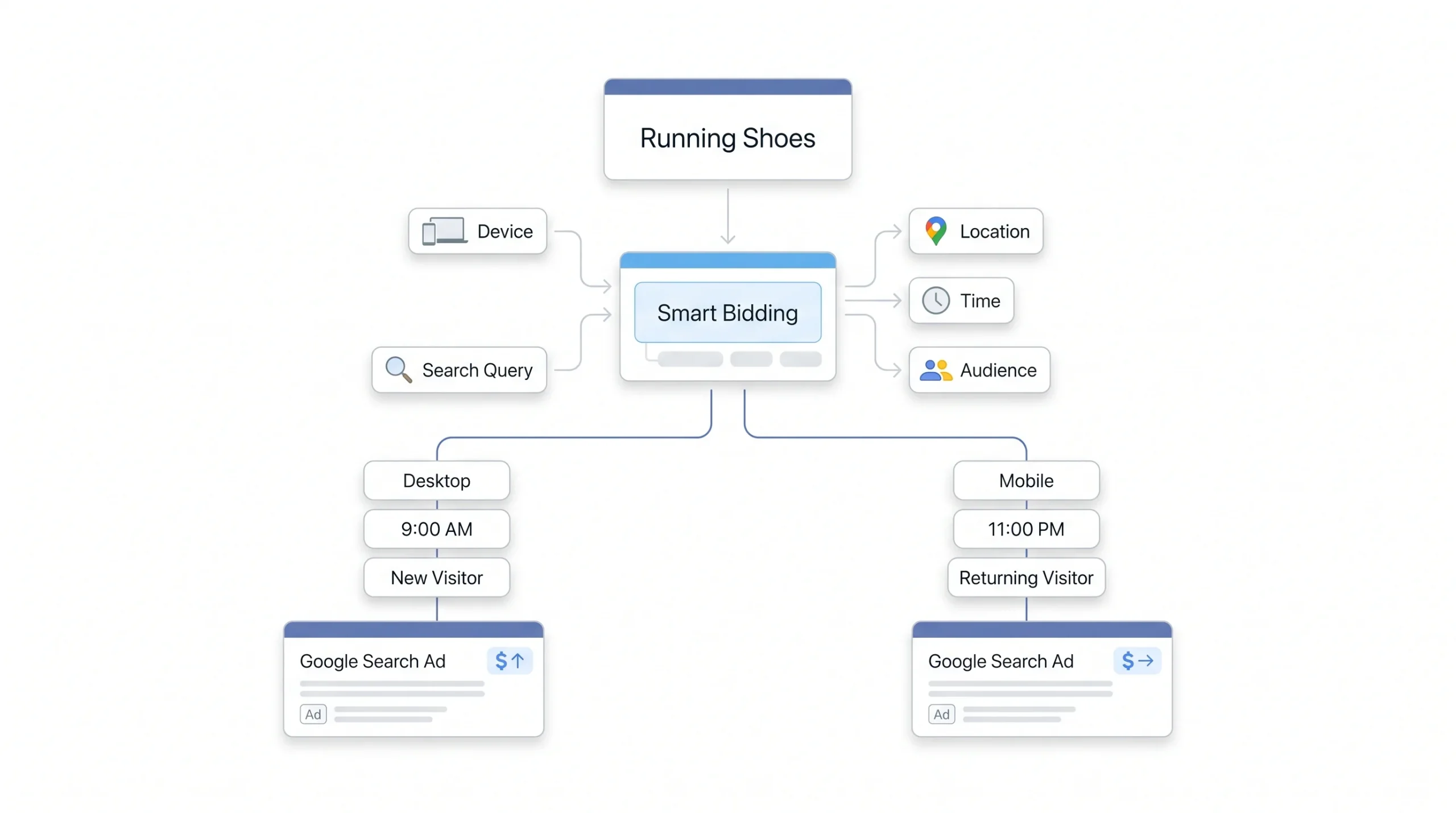
Every single time someone triggers your ad, Smart Bidding runs a fresh calculation. Not once a day, not once an hour, every single auction gets its own bid decision based on the conditions present right then. That’s the part that makes it fundamentally different from setting a bid and leaving it.
The signals feeding that decision are wide-ranging. Device type, location, time of day, day of week, whether the searcher’s already on one of your remarketing lists, their browser, their operating system, even the specific search query they typed. A human managing bids manually could maybe account for two or three of these at once, and only with a lot of effort. The algorithm handles all of them simultaneously, for every single auction, all day long. That’s the real advantage, and it’s not a small one.
Think about what that actually looks like for one keyword across a single day. Someone searches at 9am on a work laptop, someone else searches at 11pm on their phone already having visited your site twice this week. Same keyword, same match type, completely different bid behind the scenes because the underlying likelihood of conversion is wildly different between those two people. That’s the kind of granularity a human bidder simply cannot replicate, not because they’re not smart enough, but because there’s genuinely too much happening at once.
But there’s a real tradeoff here too, and it’s worth being honest about it. You lose visibility. You can’t see exactly why Google bid what it bid on a specific auction. You’re trusting a system you can’t fully audit. And that system is only as good as the conversion data you’re feeding it. Garbage tracking in, garbage bidding decisions out. No amount of algorithmic sophistication fixes bad data. If your conversion tracking is firing on page refreshes, or counting the same purchase twice because of a tracking bug, Smart Bidding will happily optimize toward that broken signal with total confidence, because it has no way of knowing the data is wrong.
“Smart Bidding isn’t magic. It’s pattern matching at a scale humans can’t replicate. It’s only as good as the conversion data you feed it.”
Choosing the Right Strategy: A Decision Framework
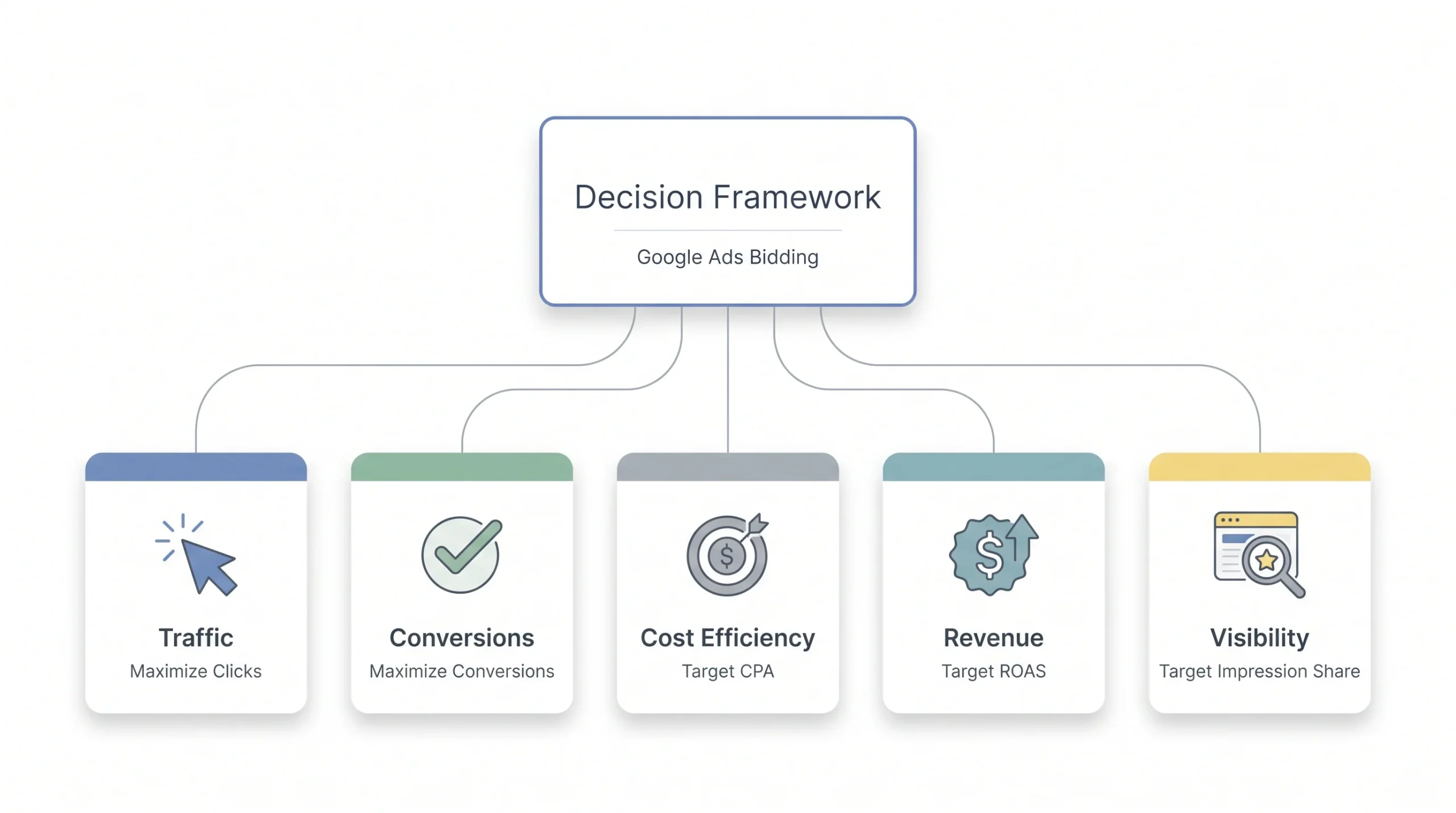
This is probably the section most people came here for, so let’s make it practical.
The decision really comes down to three things. What’s the campaign’s actual goal, how much conversion data does the account already have, and what type of campaign is this running in. Get those three answers and the right strategy usually becomes obvious.
Start with a brand new account. No conversion history, nothing for an algorithm to learn from yet. Manual CPC or Maximize Clicks makes sense here, not because they’re great long-term, but because there’s nothing better available yet given the lack of data. Once you’ve started collecting some conversions and you want more volume without obsessing over cost, Maximize Conversions is a reasonable next step, since it can work off early data without needing a huge history.
Once conversions are stable and you’re seeing enough volume that Google has real patterns to learn from, that’s when Target CPA becomes worth testing, especially for lead gen accounts where cost efficiency actually matters more than raw volume. For ecommerce specifically, once conversion value tracking is solid, Maximize Conversion Value followed eventually by Target ROAS tends to outperform CPA-based targets, since it accounts for the fact that not every sale is worth the same amount.
Branded search terms are a separate conversation entirely. If protecting position matters more than cost, Target Impression Share is the right tool, full stop, regardless of what stage the rest of the account is in. It’s less a step in a progression and more a parallel decision you make whenever brand defense becomes a priority.
Strategy by Goal and Account Stage
| Your situation | Recommended strategy | Why |
|---|---|---|
| Brand new account, no conversion data | Manual CPC or Maximize Clicks | No data yet for automation to use |
| Building initial traffic or remarketing lists | Maximize Clicks | Volume matters more than efficiency here |
| Have some conversions, want more volume | Maximize Conversions | Works with early data, keeps it simple |
| Stable conversions, want cost control | Target CPA | Efficiency makes sense once volume’s proven |
| Ecommerce with conversion value tracking | Maximize Conversion Value, then Target ROAS | Revenue-first optimization |
| Protecting branded search terms | Target Impression Share | Position matters more than cost here |
| Running a short-term sale or launch | Maximize Conversions, temporarily | Volume push, revert after the event |
Bidding Strategy by Campaign Type
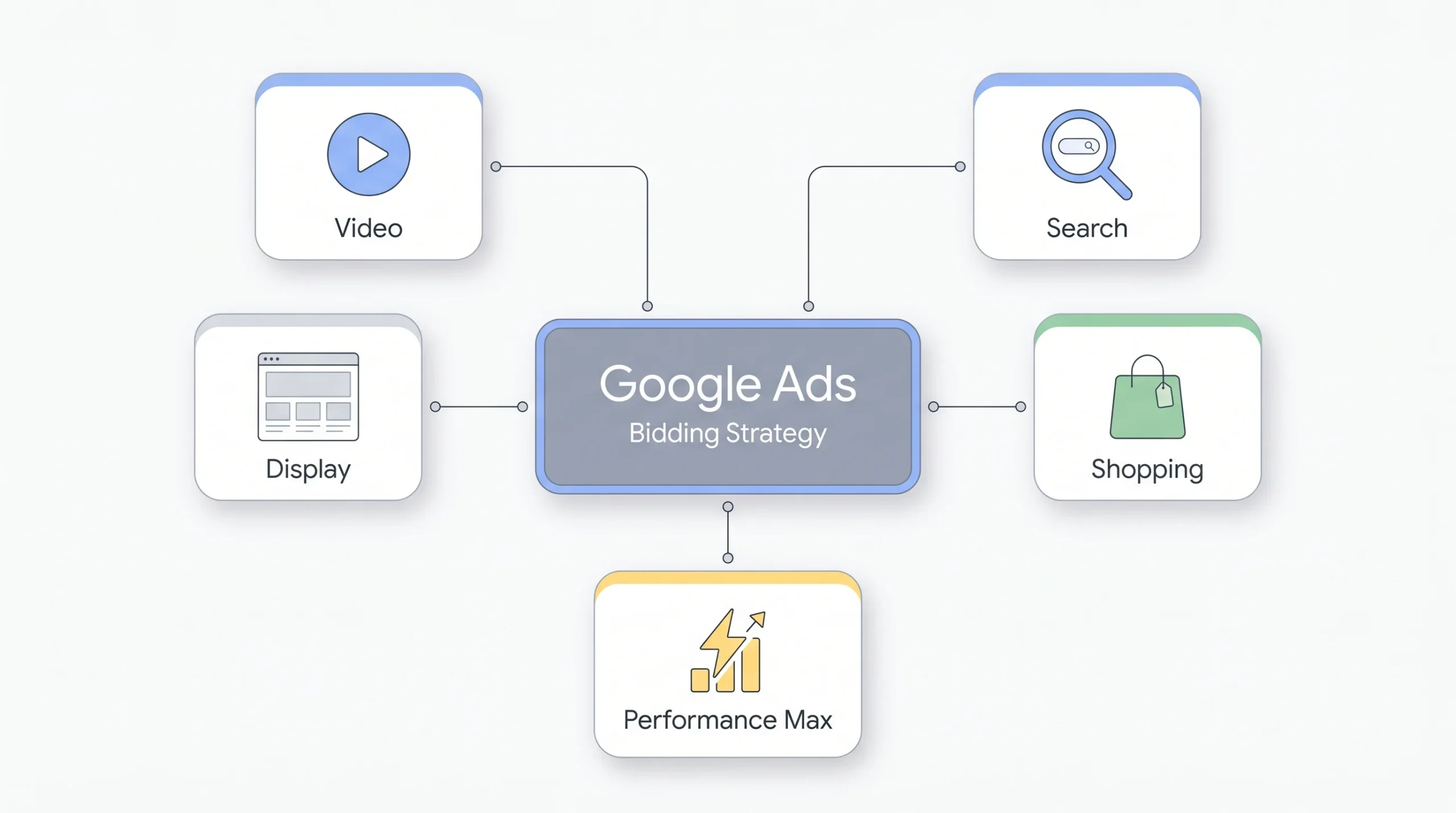
Something beginners often don’t realize is that the “right” bidding advice actually shifts depending on where the campaign is running. Search isn’t Shopping isn’t Performance Max.
Search campaigns give you the most flexibility. Every strategy discussed above is available here, and this is usually where advertisers test and learn what works before rolling it out elsewhere. It’s also the campaign type with the richest intent signal, since someone typing an actual search query is telling you more about what they want than someone just scrolling a feed.
Shopping campaigns lean heavily toward Target ROAS or Maximize Conversion Value once there’s enough data, mainly because product-based accounts almost always have varied order values that a flat CPA target doesn’t account for well. A store selling both a $15 accessory and a $300 main product needs a strategy that can tell those two sales apart, and CPA-based bidding simply can’t.
Performance Max is a different animal entirely. It’s built to be almost fully automated, which means your real control comes from the inputs you give it, your target CPA or ROAS, and how well you build out your asset groups. You’re not micromanaging bids here so much as setting the guardrails and feeding it good creative and audience signals. This is also the campaign type most affected by the Smart Bidding Exploration expansion covered later in this piece, so it’s worth paying closer attention here than you might have in past years.
Display campaigns typically run on Maximize Conversions or straightforward CPC bidding, since intent on the display network is naturally lower than search. People aren’t actively looking for what you sell when they’re scrolling a website, so treating display bidding the same as search bidding usually backfires. Expecting Search-level conversion rates from Display and bidding accordingly is one of the more common ways advertisers waste budget without realizing it.
Video campaigns are their own conversation too, since “views” and “conversions” are genuinely different goals depending on what the campaign’s actually trying to accomplish. A brand awareness video campaign and a direct response video campaign shouldn’t share a bidding logic just because they’re both video. One’s measuring attention, the other’s measuring action, and bidding needs to reflect which one you’re actually chasing.
What’s Changed in Google Ads Bidding in 2026
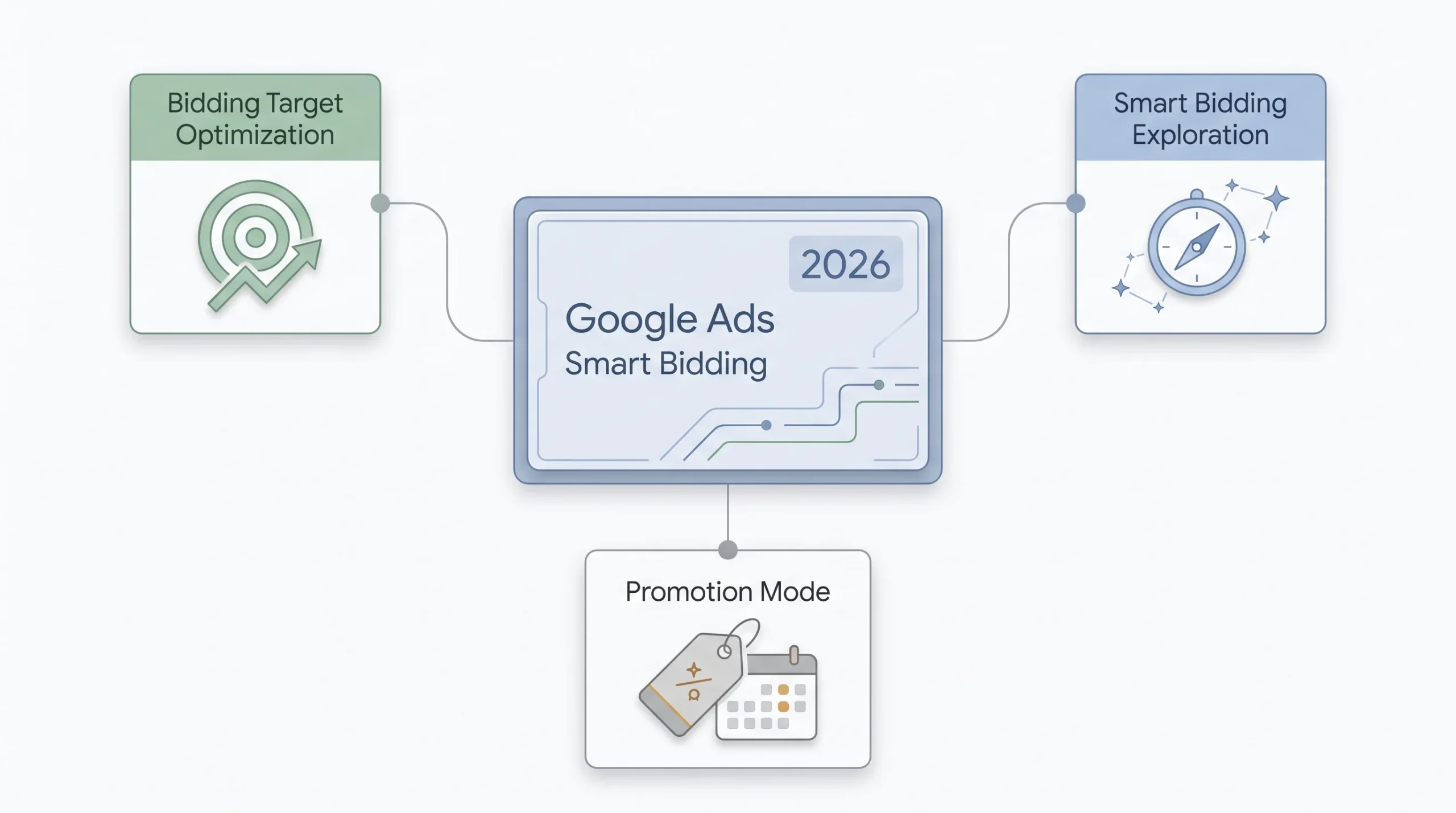
This is the part a lot of guides on this topic just haven’t caught up on yet, so it’s worth spending real time here instead of a quick mention.
Google bundled three separate changes into an announcement in June 2026, and they’re easy to mix up if you’re not paying close attention. First up is Bidding Target Optimization, a backend change taking effect August 17, 2026. What it actually does is pull over-performing Target CPA and Target ROAS campaigns that are budget-limited back toward their stated targets. In plain terms, if your campaign’s been quietly beating its target because it’s capped by budget rather than the target itself, this change adjusts how that gets handled going forward. Anyone running budget-constrained tCPA or tROAS campaigns should be watching performance closely around that date, not reacting in a panic, but paying attention. It’s worth checking, before that date arrives, whether any of your currently strong-performing campaigns are actually budget-limited rather than target-limited, since those are the ones most likely to shift.
Second, Smart Bidding Exploration is expanding. It used to be limited to Search campaigns, and now it’s rolling out to all Performance Max campaigns that don’t use a product feed, with a separate beta running for Shopping. Exploration basically lets the algorithm test slightly outside its usual comfort zone to find new opportunities it might otherwise miss. Expanding that to more of Performance Max means more of your account is now subject to this kind of algorithmic testing, which is worth knowing if you notice performance swinging a bit more than usual. If your non-feed Performance Max campaigns start showing a bit more variance week to week than they used to, this is the most likely explanation, not necessarily a sign something’s gone wrong.
Third, there’s Promotion Mode, a new beta available for both Search and Performance Max. This one’s actually pretty useful if you run seasonal sales. It schedules temporary ROAS tolerance and budget boosts around peak events, meaning you don’t have to manually loosen your targets every time a big sale rolls around and then remember to tighten them back afterward. That used to be a manual workaround plenty of advertisers did by hand, loosening a target a few days before a sale and hoping they remembered to tighten it back a few days after. Now it’s built into the platform as a scheduled setting instead of a manual chore someone has to remember.
One more thing worth tying back to earlier in this piece. The reduced prominence of Enhanced CPC in the interface isn’t random. It reflects the same direction Google’s been pushing for a while now, less manual bridging, more full automation. If ECPC keeps fading the way it has been, don’t be surprised if it eventually disappears from the options entirely.
“If you’re managing seasonal campaigns, Promotion Mode is worth testing before your next big sale. It’s built exactly for the kind of temporary target flexibility advertisers used to hack manually.”
Transitioning Between Strategies Without Wrecking Performance
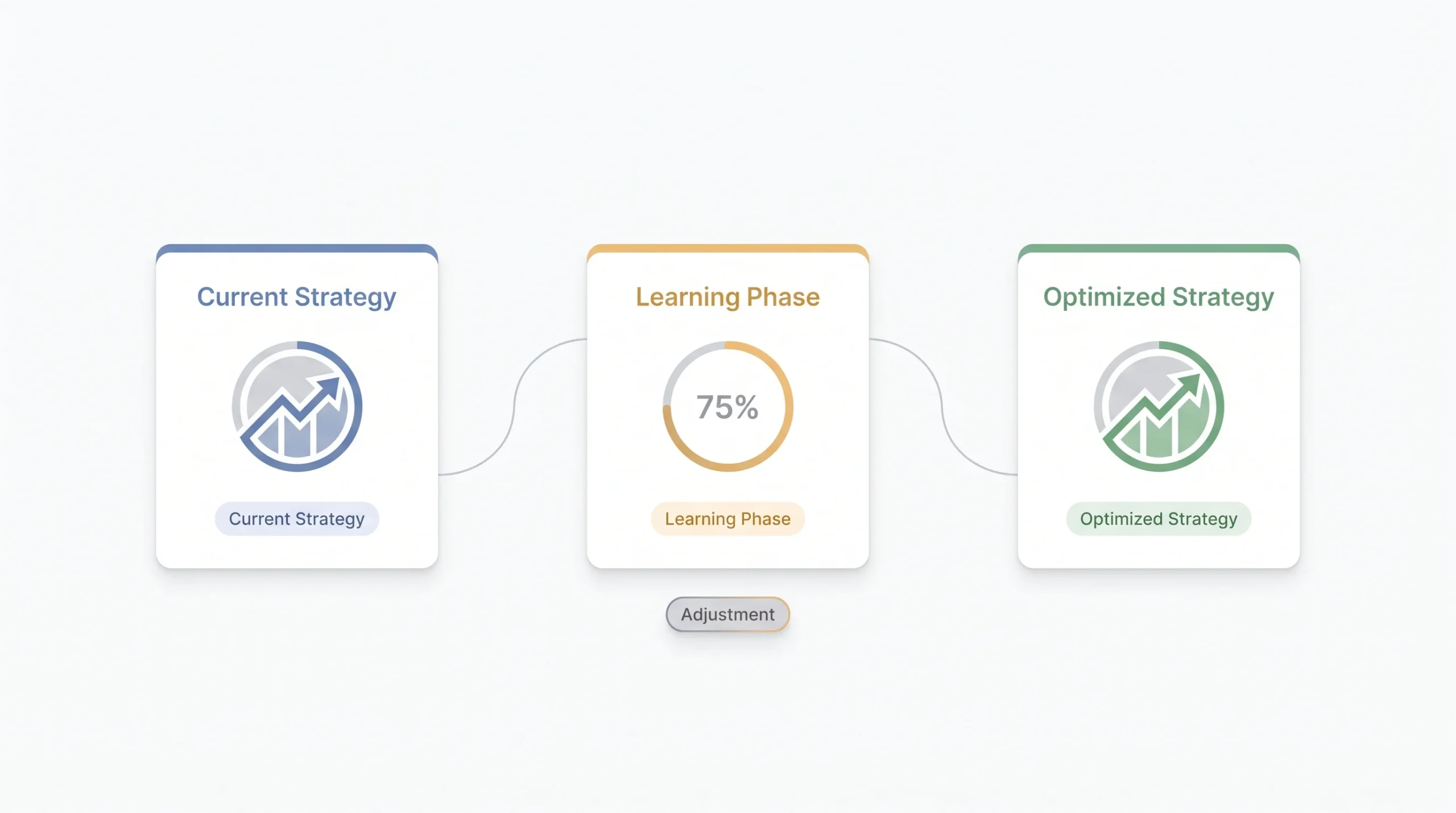
Switching bidding strategies is one of those things that sounds simple until you actually do it and watch performance go sideways for two weeks. Here’s how to do it without that happening.
- Never change your bidding strategy and your budget or targets at the same time. Change one thing, watch it, then change the next. Doing both at once means you won’t know which change actually caused whatever happens next, and you’ll end up guessing at the fix instead of knowing it.
- Expect a learning period after any switch, usually somewhere around one to two weeks. Performance will fluctuate during this window, and that’s normal, not a sign something’s broken. Set a max CPC cap if the strategy allows it, and check in daily without making knee-jerk adjustments. Resist the urge to touch anything in the first three or four days no matter how the numbers look, since early volatility almost always settles.
- Move targets gradually. If you’re tightening a Target CPA, don’t drop it 40% in one move. Small steps, something like 10 to 15% at a time, let the algorithm adjust without getting whiplash, and honestly, it lets you catch problems before they compound into something harder to unwind.
- Know when to actually call it. If CPA is still climbing after two to three weeks with no obvious external cause, that’s a real signal something’s off, not just normal learning-phase noise. That’s when it’s worth reconsidering the switch entirely, rather than continuing to wait it out on hope alone.
Common Bidding Mistakes Beginners Make
A lot of these show up over and over, so it’s worth naming them directly instead of dancing around it.
- Switching strategies too often, never letting the learning phase actually finish before jumping to something else. The algorithm never gets a fair shot to prove itself, and every restart resets the clock back to square one.
- Setting Target CPA or Target ROAS numbers based on what would be nice, instead of what the account’s actual historical data supports. Wishful targets just choke volume, and the campaign ends up looking “efficient” on paper while barely spending anything at all.
- Treating Maximize Clicks or Maximize Conversions as permanent settings instead of the temporary phases they’re meant to be.
- Trusting an automated strategy without first checking whether conversion tracking is even accurate. Nobody catches this until months later when they finally audit the numbers, and by then there’s a long stretch of wasted spend behind it.
- Assuming Smart Bidding means account structure and audience strategy don’t matter anymore. They still do. The algorithm optimizes within the structure you give it, it doesn’t fix a messy one for you. A poorly organized account with mismatched keywords and ad groups will still underperform, automation or not.
- Comparing bidding strategy performance across time periods that aren’t actually comparable, like judging a new tROAS campaign against last year’s holiday numbers. Different seasonality, different competition, not a fair test.
Advanced Tactics for Once You’ve Got the Basics Down
Once the fundamentals are solid, there’s a bit more room to get sharper with things.
- Seasonality adjustments are worth setting up ahead of any known short-term demand spike, like a holiday sale or an event tied to your business, so Google’s bidding models aren’t caught off guard by a sudden shift in conversion rate. Waiting until the sale is already live to make this adjustment usually means missing the first day or two of the spike entirely.
- The bid simulator is underused. Before committing to a new target, it’s worth checking what Google’s simulator predicts for different target levels, since it gives a rough sense of the tradeoff between volume and cost before you actually make the change live. It’s not perfect, it’s a projection, but it beats guessing blind.
- For Performance Max specifically, layering in audience signals within your asset groups helps guide the algorithm without taking away its flexibility. Think of it as pointing the model in the right direction rather than trying to control every decision it makes.
- Portfolio strategies genuinely earn their keep for brand accounts running multiple campaigns toward one shared CPA or ROAS goal, since pooling the data gives the algorithm more to work with than five smaller, separate campaigns ever could on their own.
- Segmenting performance by device and time of day even under automated bidding is worth doing periodically, not to override the algorithm, but to sanity check that what it’s doing actually lines up with how your business performs in the real world.
Conclusion
At the end of all this, the point is pretty simple. Bidding strategy isn’t a box you check once and forget about. It’s the financial logic running underneath every dollar your account spends, and the right choice depends entirely on where your account actually is right now, not on what sounds the most advanced or automated. A brand new account chasing Target ROAS is setting itself up to fail, same as an established account with years of solid data still babysitting Manual CPC out of habit. Match the strategy to the data you actually have, watch it honestly during the learning period instead of panicking at the first dip, and adjust gradually instead of overhauling everything at once. That’s really the whole game. Pick what fits where your account is today, not where you wish it already were.
FAQs
What’s the best Google Ads bidding strategy for beginners?
Manual CPC or Maximize Clicks, depending on the goal. Neither is meant to be permanent. They’re the starting point while the account builds up enough conversion data for automated strategies to actually work well.
How much conversion data do I need before switching to Smart Bidding?
Most experienced advertisers point to somewhere around 15 to 30 conversions a month as the rough threshold. Below that, the algorithm doesn’t have enough signal to make reliable decisions.
Can I use different bidding strategies for different ad groups in the same campaign?
Not directly, since one campaign uses one bidding strategy. Portfolio bid strategies get around this by letting different campaigns or ad groups share a pooled goal, like a common CPA or ROAS target.
Why did my costs spike right after switching bidding strategies?
That’s usually the learning period, which typically runs one to two weeks. Performance fluctuates during this window while the algorithm recalibrates. If costs are still high after two weeks, the target itself might be too aggressive.
Is Enhanced CPC still worth using in 2026?
Not really as a long-term strategy. Google’s reduced its prominence in the interface and its adjustments are more limited than fully automated options like Maximize Conversions or Target CPA. Treat it as a short bridge if you use it at all.
What’s the difference between Target CPA and Maximize Conversions?
Target CPA aims for a specific average cost per conversion, giving you cost control. Maximize Conversions goes for as many conversions as possible within budget, with no cost ceiling. Target CPA suits sustainable, ongoing efficiency. Maximize Conversions suits short-term volume pushes.
How long does the Smart Bidding learning period actually take?
Roughly one to two weeks in most cases, though it can vary depending on how much conversion volume the campaign is generating. Avoid making changes during this window unless something’s clearly gone wrong.
Should Performance Max campaigns use Target ROAS or Maximize Conversion Value?
Depends on data maturity. Maximize Conversion Value works with less historical data and is a reasonable starting point. Once there’s enough volume and accurate conversion value tracking in place, Target ROAS usually gives tighter, more efficient results.
Can I set a bid cap on automated bidding strategies?
Some of them, yes. Maximize Clicks and Maximize Conversions allow a max CPC bid limit, and Target Impression Share lets you set a max CPC cap too. Target CPA and Target ROAS don’t work with a hard CPC cap in the same way, since they’re managing toward an average across the whole campaign rather than a per-click ceiling.
Does raising my budget change how my bidding strategy performs?
It can, especially with Target CPA and Target ROAS. A sudden budget increase gives the algorithm more room to spend, and it may test more aggressively to find that extra volume, which can temporarily shift your average cost. Gradual budget increases tend to behave more predictably than a sudden jump.
Should I pause a campaign during the Smart Bidding learning period?
Generally no. Pausing resets progress and the campaign has to relearn once it’s turned back on, which just extends the disruption you were trying to avoid in the first place. Letting it run through the full learning window, even with fluctuating results, usually gets to stable performance faster than pausing and restarting.
Why does my Target ROAS campaign seem to favor certain products over others?
That’s the algorithm doing exactly what it’s told to do. It’s chasing revenue, so products with a higher price point or a stronger historical conversion rate naturally get more aggressive bidding. If you want more even coverage across your catalog, that usually means separating campaigns by product line rather than relying on one blended ROAS target to treat everything fairly.