

Most businesses start Instagram the same way. Post a photo, post another one a few days later, throw on some hashtags because someone said that’s what you’re supposed to do, check back a week later, and wonder why nothing’s happening. Then it goes quiet for two weeks because life gets busy, and the whole thing starts over from scratch. That’s not a strategy, that’s just posting and hoping.
Here’s the reframe worth sitting with before anything else. Instagram isn’t just a place to “have a presence.” A huge chunk of the people on that platform are actively following and researching brands, not just scrolling past them. People search for products directly inside the app. They follow a business, then decide weeks later whether to actually buy from it based on what they’ve seen since. Treat it like a digital flyer you post occasionally and it’ll behave like one, ignored. Treat it like an actual channel with a plan behind it, and it starts pulling its weight.
So here’s what this guide actually covers, in order. Setting the profile up correctly. Understanding how the algorithm actually decides what gets shown to who. Building a real content strategy instead of winging it. Growing followers who actually convert instead of just padding a number. Figuring out if and when ads make sense. And tracking the metrics that actually tell you something, instead of just watching a follower count. This isn’t a “30 hashtags and post daily” listicle. It’s a build order, followed in sequence.
Instagram doesn’t reward the business that posts the most. It rewards the business that gives people a reason to stick around.
Why Instagram Marketing Actually Works for Business Growth
Before getting tactical, it’s worth being honest about why this specific platform deserves the effort, instead of just accepting “social media matters” as a given.
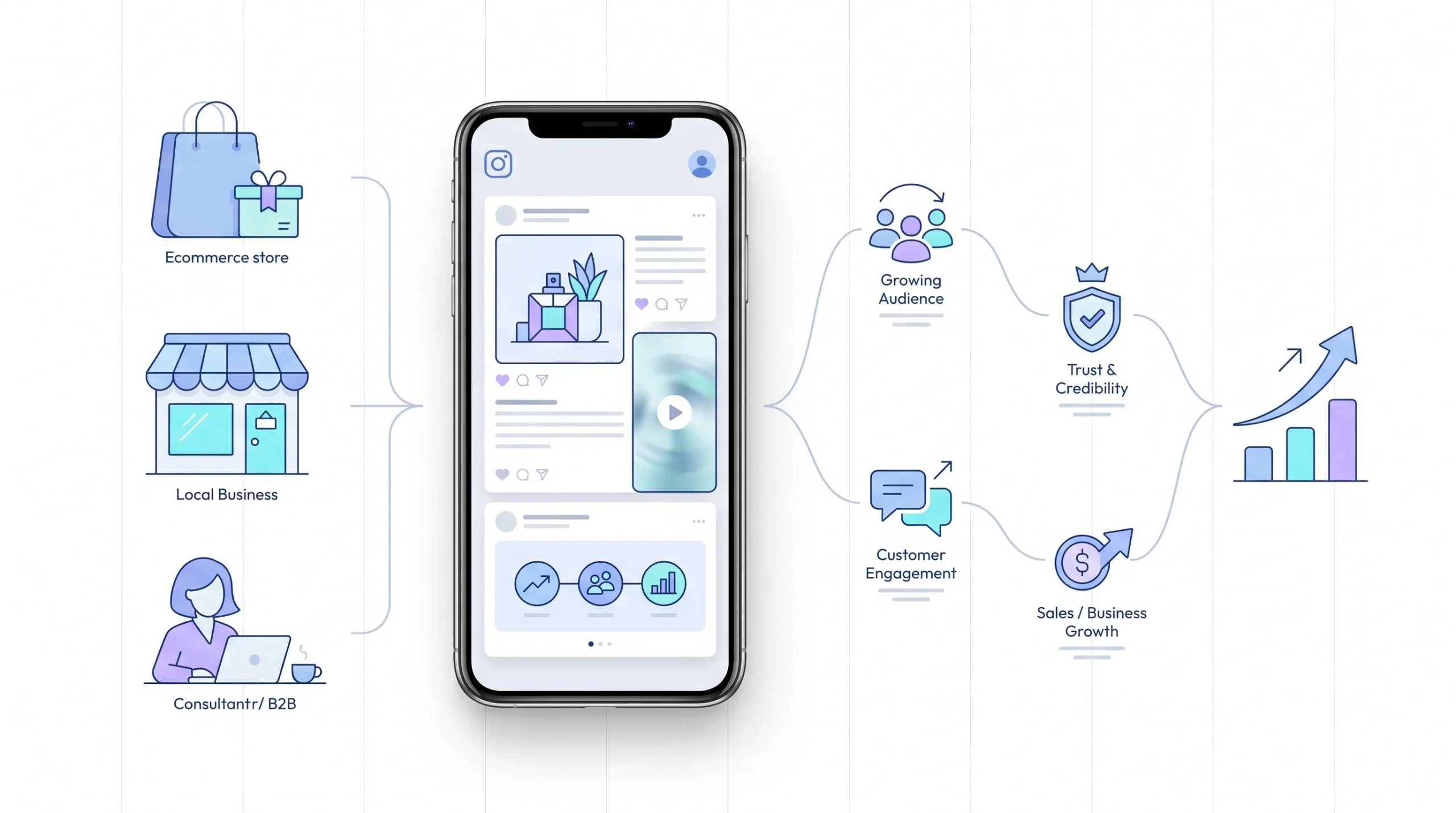
Instagram’s real advantage is that it’s visual and discovery-driven at the same time. A lot of users don’t just follow friends there, they actively follow and research brands, check out products, and make purchase decisions based on what they see. That’s a fundamentally different behavior than, say, checking a feed just to see what people are up to. People go to Instagram expecting to find businesses worth paying attention to.
And the platform itself has leaned into that. It’s not really “just a photo app” anymore. Product tagging, shoppable posts, in-app search that surfaces businesses directly, all of that turned Instagram into something closer to a discovery and shopping engine than a digital scrapbook.
Now, does that mean every business fits the same way? Nope. A physical product with a strong visual identity, think skincare, apparel, food, has an obvious fit here. Someone can literally see the product and want it. But service-based businesses and even B2B companies still get real value out of the platform, it just looks different. Instead of “here’s our product, buy it,” the content mix leans more toward credibility, behind-the-scenes trust-building, and community. A B2B consultant isn’t posting product shots, they’re posting case studies, team moments, and the kind of content that makes a stranger think “these people know what they’re doing.”
| Business Type | Why It Works | Primary Content Focus |
|---|---|---|
| Physical products / ecommerce | Visual product demonstration drives direct interest | Product shots, Reels, shoppable posts |
| Local services (salons, gyms, restaurants) | Location-based discovery and visual proof of quality | Before/afters, behind-the-scenes, customer content |
| Coaches / creators / personal brands | Builds trust and authority through consistent visibility | Educational content, personality-driven posts |
| B2B / service businesses | Builds credibility and human connection, not direct sales | Behind-the-scenes, team content, case studies |
None of this works without an actual plan behind it though. That’s what the rest of this guide builds, piece by piece, starting with the part almost everyone rushes through.
Setting Up Your Instagram Business Profile the Right Way
This is the part most guides cover in a single throwaway paragraph, and it’s honestly one of the most important five minutes you’ll spend on this whole process. Get it right once and everything downstream gets easier.
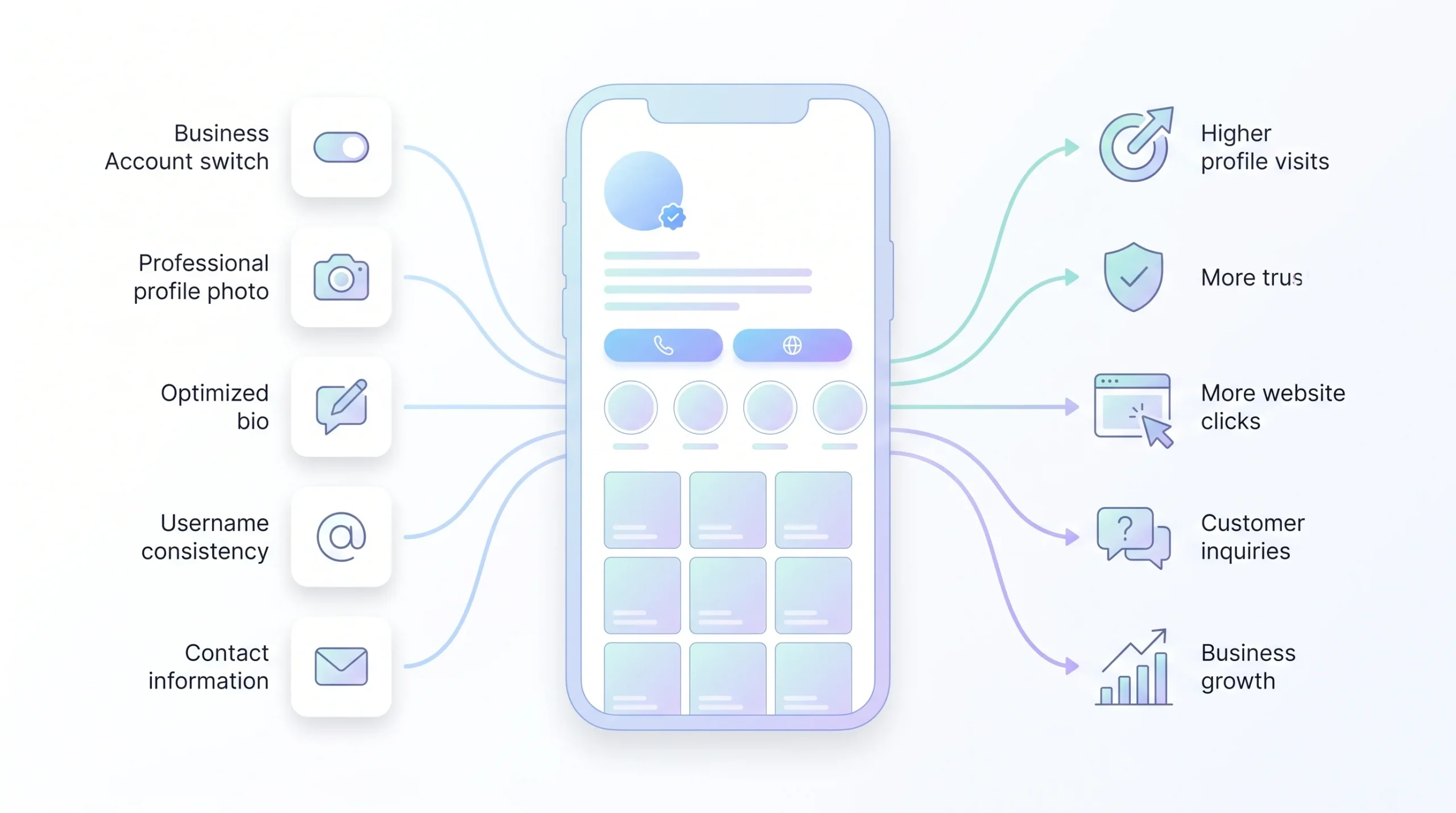
Step 1: Switch from a personal account to a Business or Creator account. This is the single most important click in this entire section. A personal account can’t access analytics, contact buttons, product tagging, or Meta’s ad tools. All of that stays locked until the switch happens. It’s free, it takes about a minute, and there’s genuinely no reason to skip it if there’s any intent to grow this as a business.
Step 2: Choose a profile photo that’s instantly recognizable, even tiny. That circle at the top of the profile shows up small everywhere, in search results, in comments, next to Stories. A busy, detailed image turns into a smudge at that size. A clean logo or a clear, simple product shot reads instantly. Test it by shrinking the image down on a screen and squinting a little. If it’s unreadable, it’s the wrong photo.
Step 3: Write a bio that tells a stranger what the business does and who it’s for, fast. This is not the place for a clever, vague tagline that sounds nice but says nothing concrete. Someone landing on the profile for the first time should know within a few seconds what the business actually offers and whether it’s relevant to them. Specific beats clever every time here.
Step 4: Add a clear call-to-action and link. Instagram only gives one clickable link slot in the bio, so make it count. If there’s a single most important destination, like a shop page or a booking link, send people there directly. If there are multiple destinations that matter, a link-in-bio tool that hosts a small menu of links solves that without cluttering the bio itself.
Step 5: Fill out contact information completely. Address, email, phone, whatever applies. An empty contact section quietly signals “this account isn’t really being managed,” even if that’s not true. It also just makes the business harder to reach, which is the opposite of the point.
Step 6: Pick a consistent, recognizable username across platforms. If the handle on Instagram doesn’t match the handle everywhere else, or doesn’t match the actual business name closely, people searching for the brand can end up confused about whether they found the right account at all.
| Element | What It Should Do | Common Beginner Mistake |
|---|---|---|
| Account type | Business or Creator, not personal | Staying on a personal account and losing access to analytics/ads |
| Profile photo | Instantly recognizable at thumbnail size | Using a busy image that’s unreadable when small |
| Bio | Explains what the business does and for whom, fast | Vague, clever taglines that say nothing concrete |
| Link | Drives to the most relevant destination or a link-in-bio tool | Leaving it blank or pointing to a generic homepage |
| Contact info | Complete and accurate | Leaving fields empty, making the business harder to reach |
A business account isn’t just a formality. It’s the gate that unlocks Insights, contact buttons, shopping tags, and ad access, all things this guide leans on later. Skip this step and half the rest of the guide simply won’t apply.
Understanding the Instagram Algorithm (Without the Guesswork)
Here’s a section most competitor content just glosses over with “engagement matters, post good content.” That’s technically true and completely useless without the actual logic behind it, so let’s get into it.
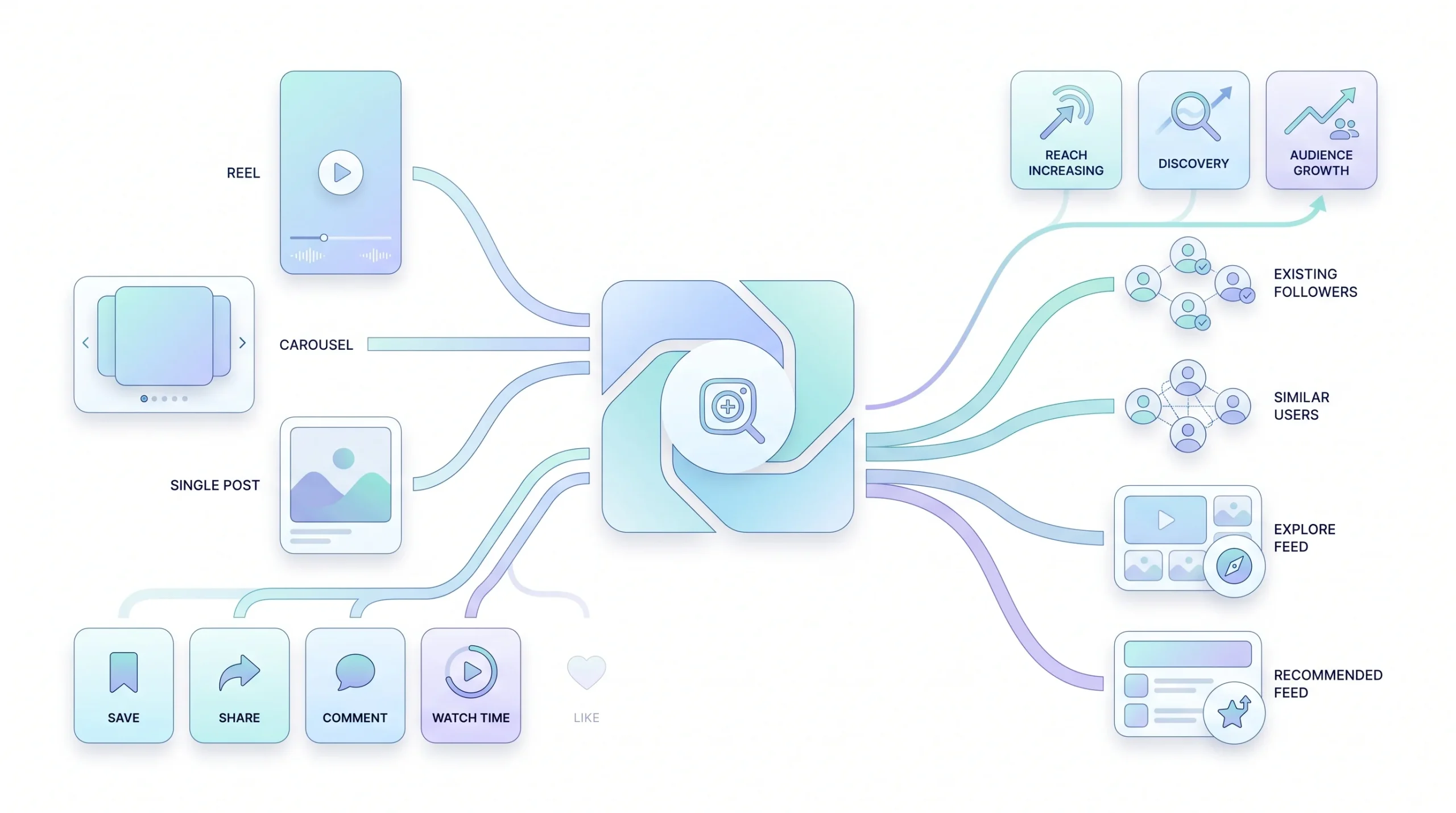
Instagram stopped showing content chronologically a long time ago. What shows up in someone’s feed now is ranked, individually, for that specific person, based on how likely the algorithm thinks they are to engage with it. That ranking decision is the entire game. Understand it, and content decisions get a lot less random.
So what’s actually being predicted? In plain terms, the algorithm is trying to guess: how likely is this specific person to engage with, share, save, or spend real time on this specific piece of content. Not “is this good content” in some abstract sense. “Will this particular person do something with it.”
And here’s where a lot of beginners get it wrong. Likes feel like the obvious win, they’re the easiest thing for someone to give, a quick tap and done. But that’s exactly why they’re a weak signal. Saves, shares, comments, and how long someone actually watches a video, those all take more effort, which means they signal real interest. Someone saving a post means they plan to come back to it. Someone sharing it to a friend means it was worth spreading. A like just means someone’s thumb happened to be near the double-tap for half a second while scrolling.
There’s also a relevance piece that gets missed constantly. Posting a huge volume of content doesn’t automatically win. What tends to matter more is staying consistent and relevant to a specific niche, because the algorithm is trying to match content to the right audience, not just reward whoever posts the most. An account that posts once a week but always delivers exactly what its niche audience wants can genuinely outperform an account posting daily with no clear focus.
So here’s the practical takeaway, and it’s worth internalizing before touching the rest of this guide. Stop optimizing for likes. Start optimizing for the actions that actually tell Instagram “show this to more people like them,” which means saves, shares, comments, and watch time.
Likes are the easiest thing to give and the weakest signal the algorithm actually cares about. Saves and shares are where the real ranking happens.
Defining Your Target Audience and Content Pillars
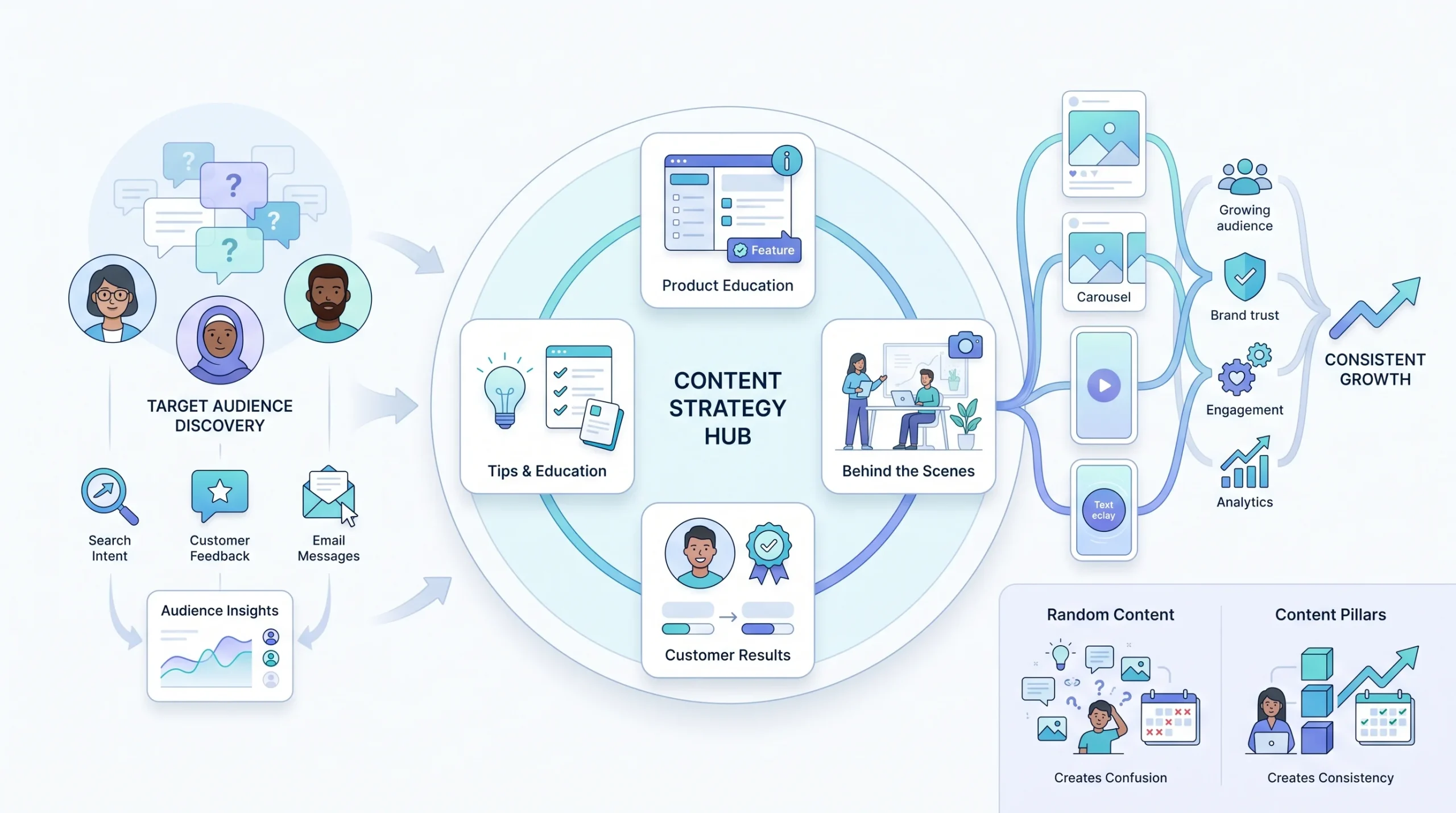
Before a single piece of content gets made, this step needs to happen. Skip it, and content ends up scattered, random, and honestly kind of exhausting to keep producing, because there’s no throughline connecting any of it.
Guessing at an audience is how accounts end up posting whatever feels inspiring in the moment instead of what actually connects. So start with what’s already known. Who are the existing customers? What do they actually care about? What questions do they ask before they buy, whether that’s in DMs, in person, or over email? That’s the raw material for everything that comes next.
From there, build content pillars. This just means picking a small set of recurring themes, typically three to five, that every single piece of content maps back to. Instead of posting whatever comes to mind that day, every post fits into one of these buckets. This is what gives an account a recognizable identity instead of feeling like a random grab bag of posts with nothing connecting them.
Here’s what that looks like in practice, using a small skincare business as an example.
| Content Pillar | What It Covers | Example Post Idea |
|---|---|---|
| Product education | How and why the product works | Ingredient breakdown Reel |
| Behind-the-scenes | Builds trust and personality | Day-in-the-life at the studio |
| Customer results | Social proof | Before/after or testimonial carousel |
| Tips and education | Positions the brand as helpful, not just selling | “3 mistakes people make with X” post |
Notice something about that table. None of these pillars are “random product photo” or “whatever I felt like posting today.” Each one has a job to do. Product education builds understanding. Behind-the-scenes builds trust. Customer results build proof. Tips build authority. Together, they cover the actual journey someone goes through before deciding to buy, instead of just throwing content at the wall.
Content Formats Explained: Feed Posts, Reels, Stories, Carousels, and Live
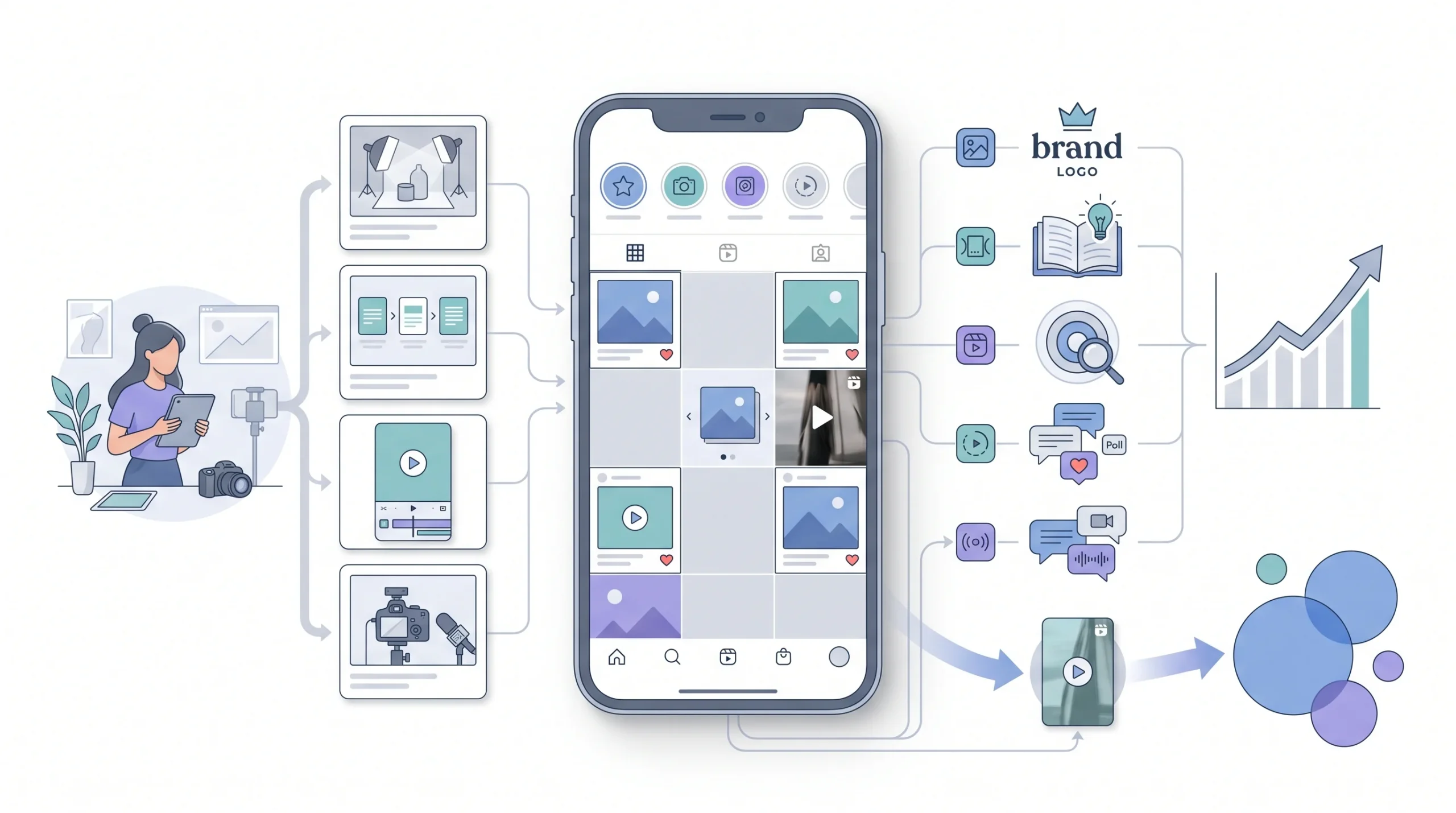
Most articles mention each of these formats in half a sentence and move on. That’s not enough, because picking the wrong format for the wrong job is one of the more common beginner mistakes, and it’s an easy one to fix once the actual purpose of each format is clear.
Feed posts, a single image or short video, are the most “permanent” format on the platform. They sit on the profile grid and represent the account long-term. This is the right home for polished brand moments, the stuff that should still look good to someone scrolling through the profile six months from now.
Carousels, multiple images or slides in one post, are strong for educational, step-by-step, or list-style content. The swipe itself is part of why these perform well, someone engaging with slide two, three, four is spending real time with the content, and that holds attention longer than a single static image ever could.
Reels, short-form video, are currently the strongest format for reaching people who don’t already follow the account. That’s the key distinction. Feed posts and Stories mostly get shown to existing followers. Reels are built around discovery, meaning they’re the format most likely to put content in front of a completely new audience.
Stories, the 24-hour disappearing content, are the least polished by design, and that’s actually the point. This is where behind-the-scenes moments, quick polls, casual updates, and staying visible between bigger content pushes all live. Nobody expects Stories to look like a magazine spread, and trying to make them that polished usually backfires by feeling stiff.
Live, real-time video, is useful for direct engagement, things like Q&As or product launches where the immediacy actually matters. It’s a more advanced tool though, not something a beginner needs to worry about mastering right away. Get comfortable with the other four formats first.
| Format | Best For | Lifespan | Discovery Potential |
|---|---|---|---|
| Feed Post | Polished brand moments, evergreen content | Long-term, stays on profile | Moderate |
| Carousel | Educational, step-by-step, list content | Long-term, stays on profile | Moderate to High |
| Reels | Reaching new/non-follower audiences | Long-term, stays on profile | Highest |
| Stories | Casual, behind-the-scenes, quick updates | 24 hours | Low (mostly existing followers) |
| Live | Real-time engagement, Q&As, launches | Temporary, replay optional | Moderate |
Look at that Discovery Potential column for a second. If growing beyond existing followers is the actual goal, Reels are doing the heaviest lifting here. Feed posts and Carousels build out the profile once someone’s already there. Stories keep the relationship warm. But Reels are what get a completely new person to find the account in the first place.
Building a Content Strategy and Posting Schedule
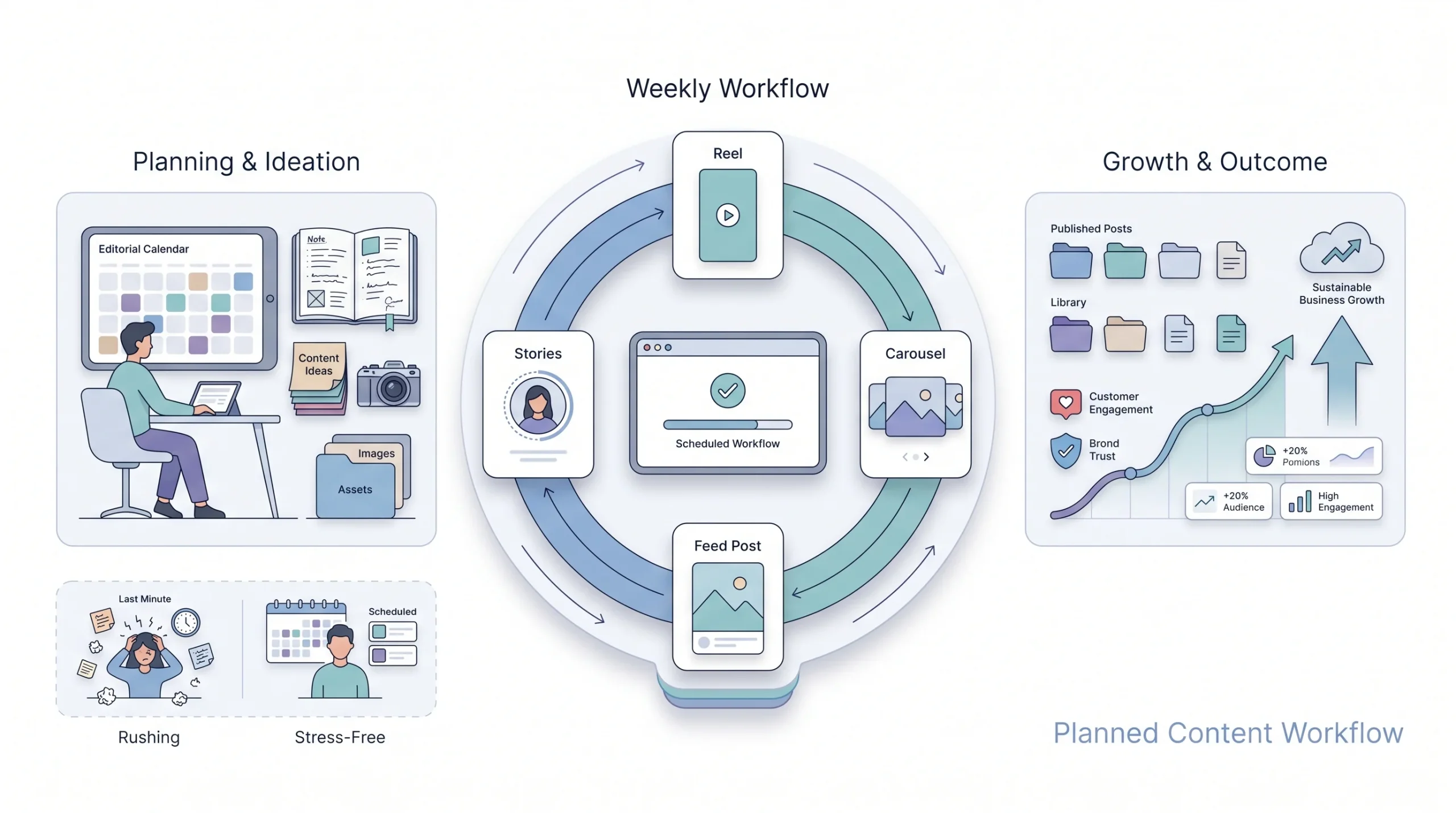
Content pillars and formats only matter if they actually turn into a rhythm someone can maintain. This is where a lot of good intentions quietly fall apart.
A content calendar matters more than posting inspiration in the moment, and here’s why. Waiting for inspiration is exactly how accounts end up posting three times one week, then going quiet for two weeks straight, then panic-posting to make up for it. That inconsistency is one of the clearest ways to stall growth, since the algorithm rewards accounts that show up reliably, not accounts that go silent and then flood the feed.
On frequency, here’s the honest answer. Consistency matters more than raw volume. A sustainable schedule that actually gets maintained beats an ambitious one that collapses after two weeks every single time. Someone posting three times a week, every week, for six months straight is going to outperform someone who posts daily for ten days and then burns out.
Content pillars and formats come together here too. Instead of posting whatever format feels easiest that day, spread the pillars across the different formats deliberately throughout the week, so the account doesn’t lean entirely on one type of content and start feeling repetitive.
And here’s a practical workflow tip that saves a lot of stress. Batch content in advance. Sitting down once, maybe on a weekend or a slower day, and creating a week or two of content at once beats trying to come up with something fresh and post it same-day, every single day. That daily pressure is exhausting and it’s exactly what leads to the inconsistency mentioned above.
| Day | Format | Content Pillar |
|---|---|---|
| Monday | Reel | Tips and education |
| Wednesday | Carousel | Product education |
| Friday | Feed post | Customer results |
| Ongoing | Stories | Behind-the-scenes, daily updates |
That’s a realistic starting rhythm for a beginner. Three planned posts a week across different formats, with Stories filling the gaps in between. Nobody needs to post daily to grow, they need to show up reliably.
Writing Captions That Actually Drive Action
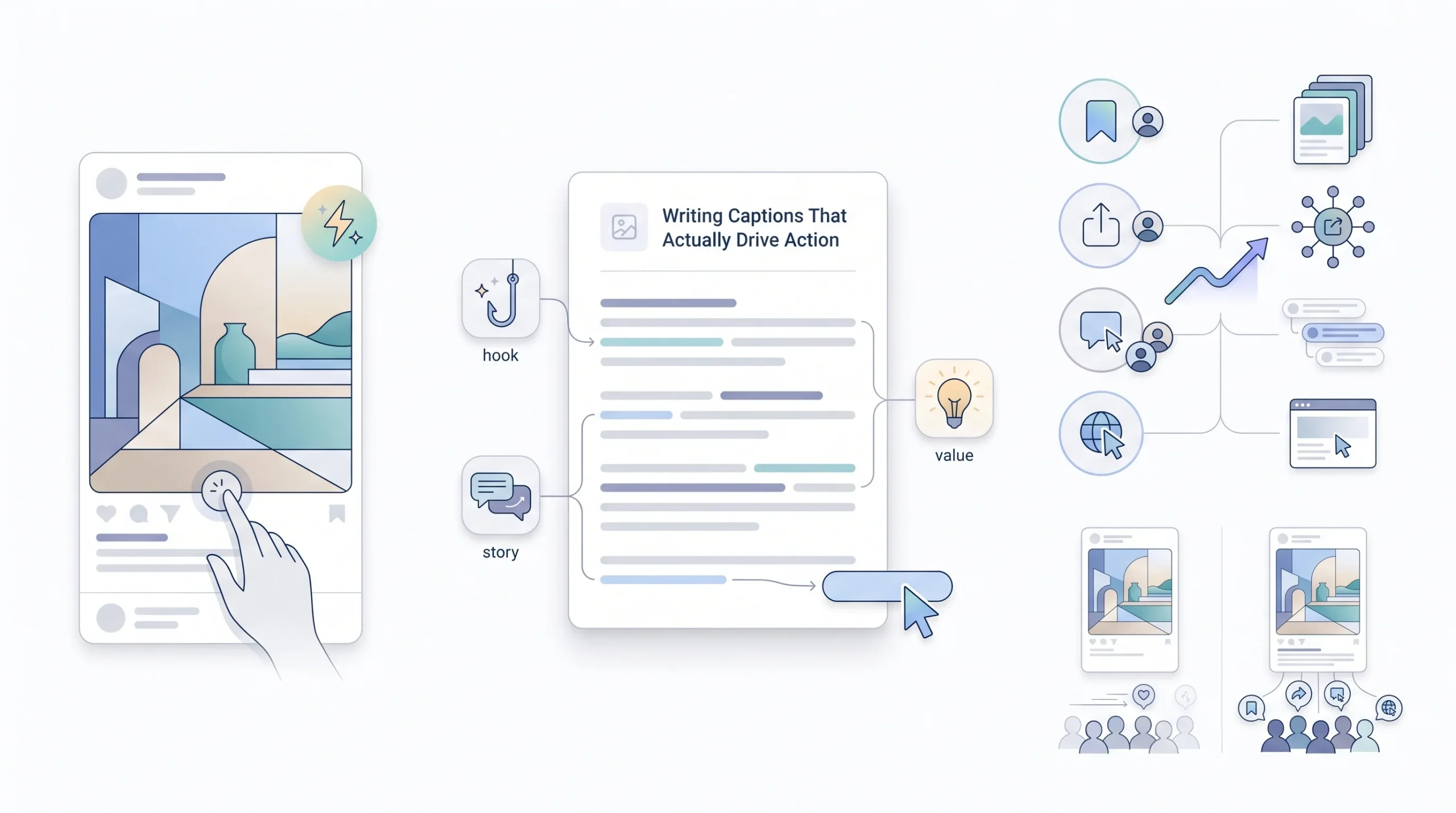
The visual gets someone to stop scrolling. The caption is what actually gets them to do something once they’ve stopped, so it deserves more thought than most beginners give it.
A caption has one real job: give context to the visual, and give someone a reason to do something next. That “something next” could be leaving a comment, saving the post, tapping the link, or just sitting with the message for a second longer. Without that direction, even a great visual can end in a scroll-past with nothing gained.
The hook matters a lot here. Most captions get cut off after the first line or two before someone taps “more,” so that first line has to earn the tap on its own. A weak, generic opening line loses people before they ever see the actual point of the caption.
Then there’s the call-to-action at the end, and this one gets skipped constantly. People generally need to be told what to do next, even something as simple as “save this for later” or “tag someone who needs to see this.” It feels almost too obvious to say out loud, but a caption that just ends without asking for anything leaves a lot of potential engagement on the table.
On length, there’s no universal right answer, the caption should match the post’s actual goal. A quick behind-the-scenes Story moment doesn’t need three paragraphs of context. An educational carousel walking through a process might genuinely benefit from more detail in the caption to reinforce what’s already on the slides.
Beginner tip: write the hook line last, after the rest of the caption is done. It’s a lot easier to write a strong opening once the actual point of the post is already clear in your head.
Hashtag Strategy That Still Works in Instagram Marketing
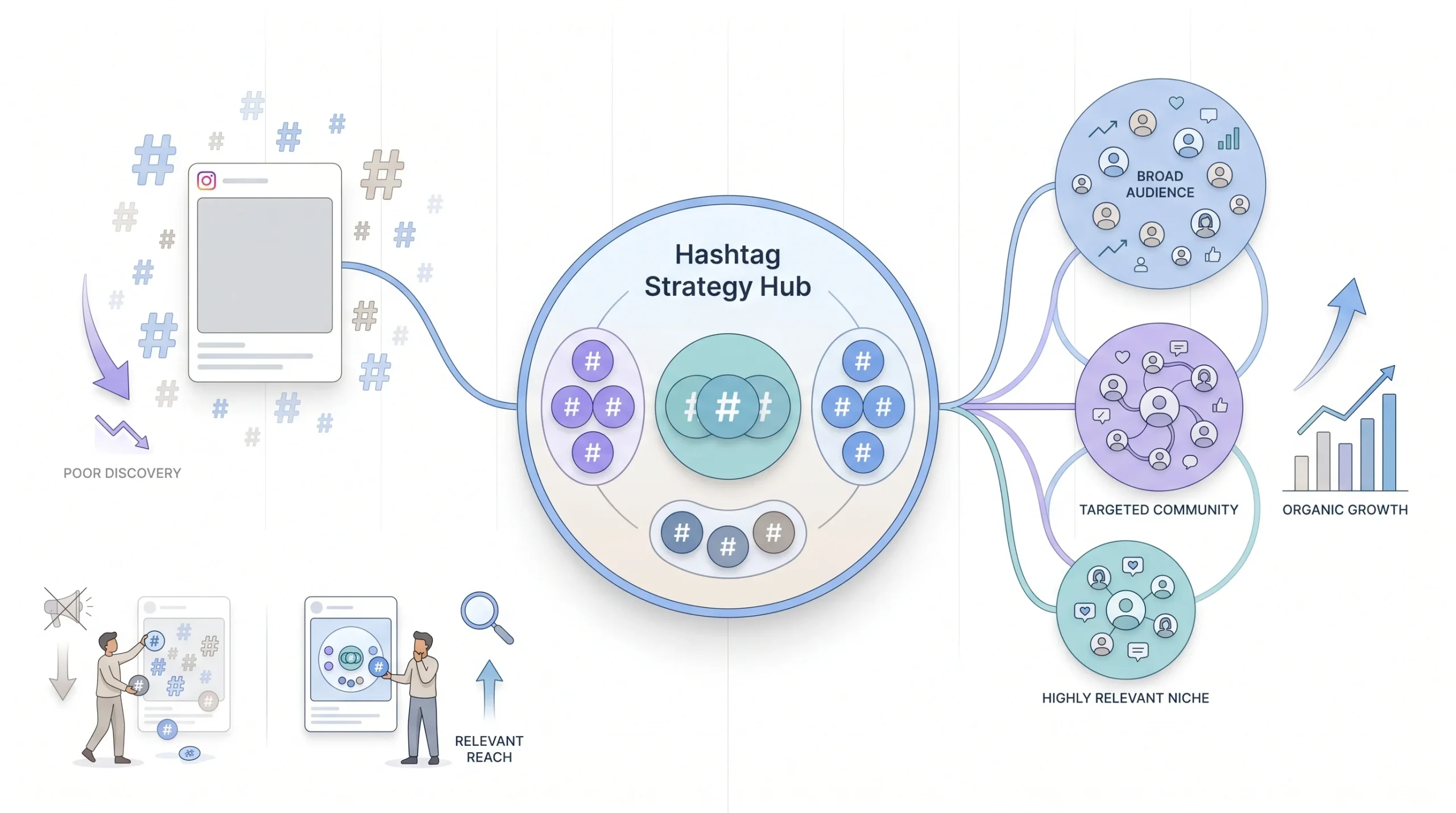
Search “how many hashtags should I use” and the advice contradicts itself everywhere. Some say max out at 30. Some say use three. Nobody explains why the numbers are so different, so let’s actually clear that up.
Here’s why the advice is such a mess. Instagram’s discovery algorithm has shifted a lot over time, so a lot of the old advice about maxing out hashtag counts just doesn’t carry the weight it used to. What used to work as a volume game doesn’t work the same way anymore.
The more reliable approach now is a smaller, genuinely relevant mix instead of a large generic dump. Relevance to the actual content matters more than sheer hashtag count. A pile of broad, generic hashtags slapped onto every post looks like spam and tends to perform like it too.
A tiered mix works better in practice. A couple of broad, high-volume hashtags for reach, a handful of mid-sized ones that are genuinely relevant to the content, and a couple of niche or branded ones for a more targeted audience who’s specifically searching for something close to what’s being posted.
| Tier | Example Size | Purpose |
|---|---|---|
| Broad | 500K+ posts | Wider reach, high competition |
| Mid-sized | 50K–500K posts | Balance of reach and relevance |
| Niche/branded | Under 50K posts | Targeted audience, less competition |
Think about why this mix actually makes sense instead of just following it blindly. The broad hashtags get eyes, but competition is fierce there, a post can get buried in seconds. The mid-sized ones are the sweet spot, enough volume to matter, not so much competition that the post disappears instantly. The niche ones bring in fewer people, but those people are exactly who the content was made for in the first place.
Growing Your Following Organically
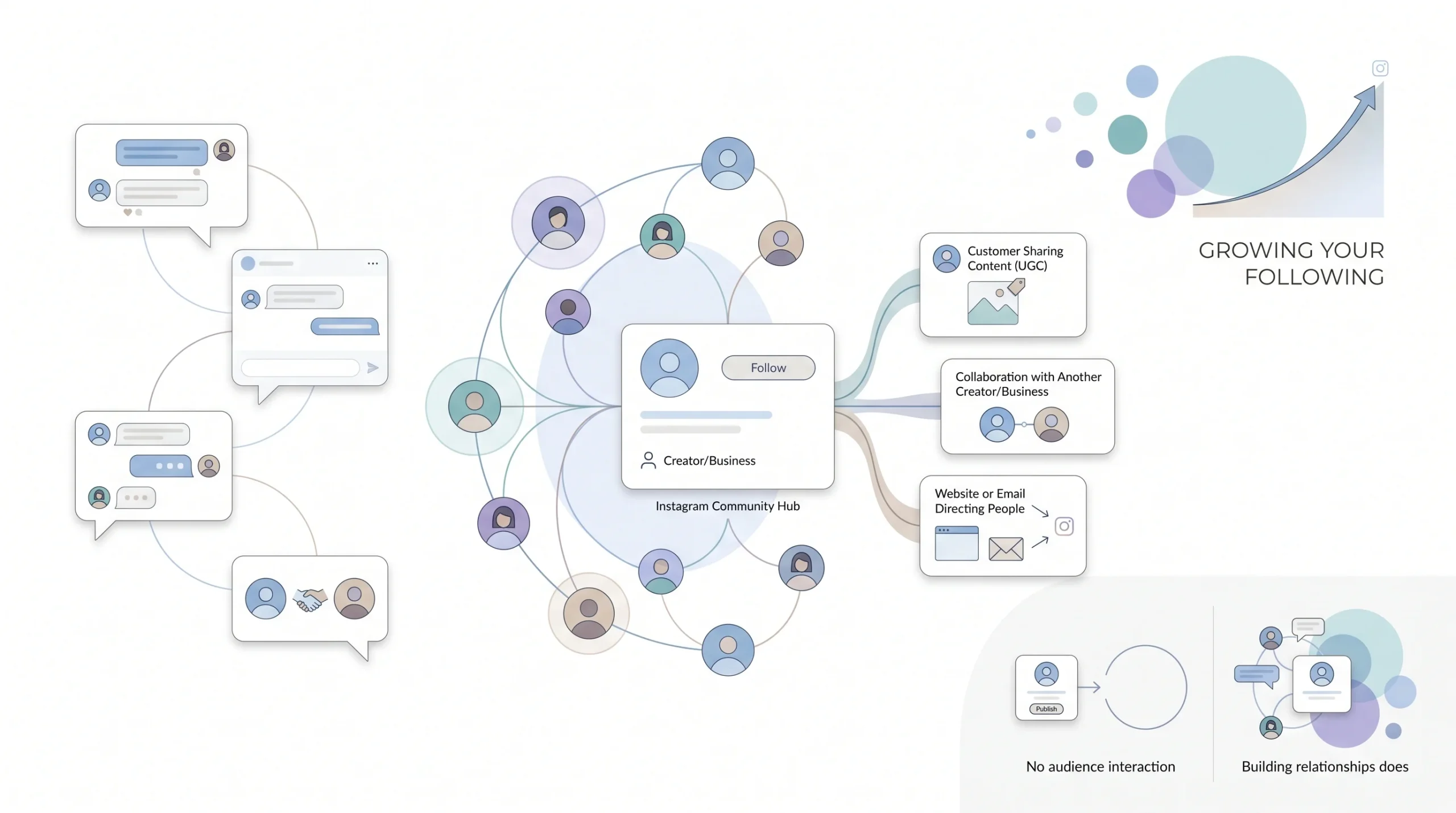
This is the section everyone’s really here for, so let’s get into strategies that actually explain the reasoning instead of just listing tactics.
Engaging authentically with other accounts in the niche matters more than most beginners expect. Posting and disappearing doesn’t build visibility on its own. Showing up in other people’s comment sections, joining actual conversations, being a real presence in the niche beyond just an account’s own feed, that’s often where new followers first notice a business exists at all.
Featuring user-generated content is another one worth leaning into. Reposting customers or clients actually using the product or service does two things at once. It builds social proof, since a stranger’s opinion tends to carry more weight than a brand talking about itself. And it gives real customers a genuine reason to tag the brand in the first place, since they know there’s a chance of getting featured.
Collaborating with other small accounts or micro-influencers in the same niche is a genuinely beginner-accessible move, and it doesn’t require the kind of budget people assume influencer partnerships need. A co-post or a collab feature can introduce an account to a real, relevant new audience without any big spend involved, especially when both accounts are around the same size and genuinely benefit from the exposure.
Cross-promoting the Instagram account through other channels already in place shouldn’t get overlooked either. A website, an email list, other social platforms, none of these require starting from zero. If there’s already an audience anywhere else, pointing even a fraction of them toward the Instagram account is easier growth than trying to build everything from a cold start on the platform itself.
And responding to comments and DMs promptly matters for two separate reasons. It signals real engagement to the algorithm, which helps with reach. But it also directly builds the relationships that eventually turn a follower into an actual customer, and that second part is honestly the whole point of doing any of this in the first place.
Growth on Instagram isn’t just about being seen. It’s about being worth engaging with once someone finds you.
Should You Run Instagram Ads? A Beginner’s Decision Framework
Here’s a question most competitor guides skip entirely, and it’s a real one. When does it actually make sense to move past organic effort and start spending money.
Organic growth has a real ceiling, especially for a brand new account with no existing audience to draw from. There’s only so far posting and engaging can carry a business before reach naturally plateaus. Ads exist to solve exactly that cold-start problem, getting content in front of people who’d never find it organically otherwise.
But that doesn’t mean ads should be the first move. Here’s a simple way to think about the decision. Organic-first makes sense when the priority is building brand voice, testing which content ideas actually resonate, and growing a genuine community, all without spending anything beyond time. Ads make more sense once there’s a validated offer and content that’s already proven to perform organically, because at that point paid budget is amplifying something that’s already working, instead of throwing money at a guess.
Worth knowing too, Instagram ads run through the exact same Meta Ads Manager infrastructure as Facebook ads. So anyone who’s already worked through Facebook ad account setup has a genuine head start here, it’s not a separate system to learn from scratch.
| Situation | Better Fit |
|---|---|
| Brand new account, no proven content yet | Organic-first, build and test |
| Content already performing well organically | Ads, to amplify a proven post |
| Tight budget, time available instead | Organic-first |
| Need faster, more predictable reach | Ads |
Instagram Shopping and Selling Features
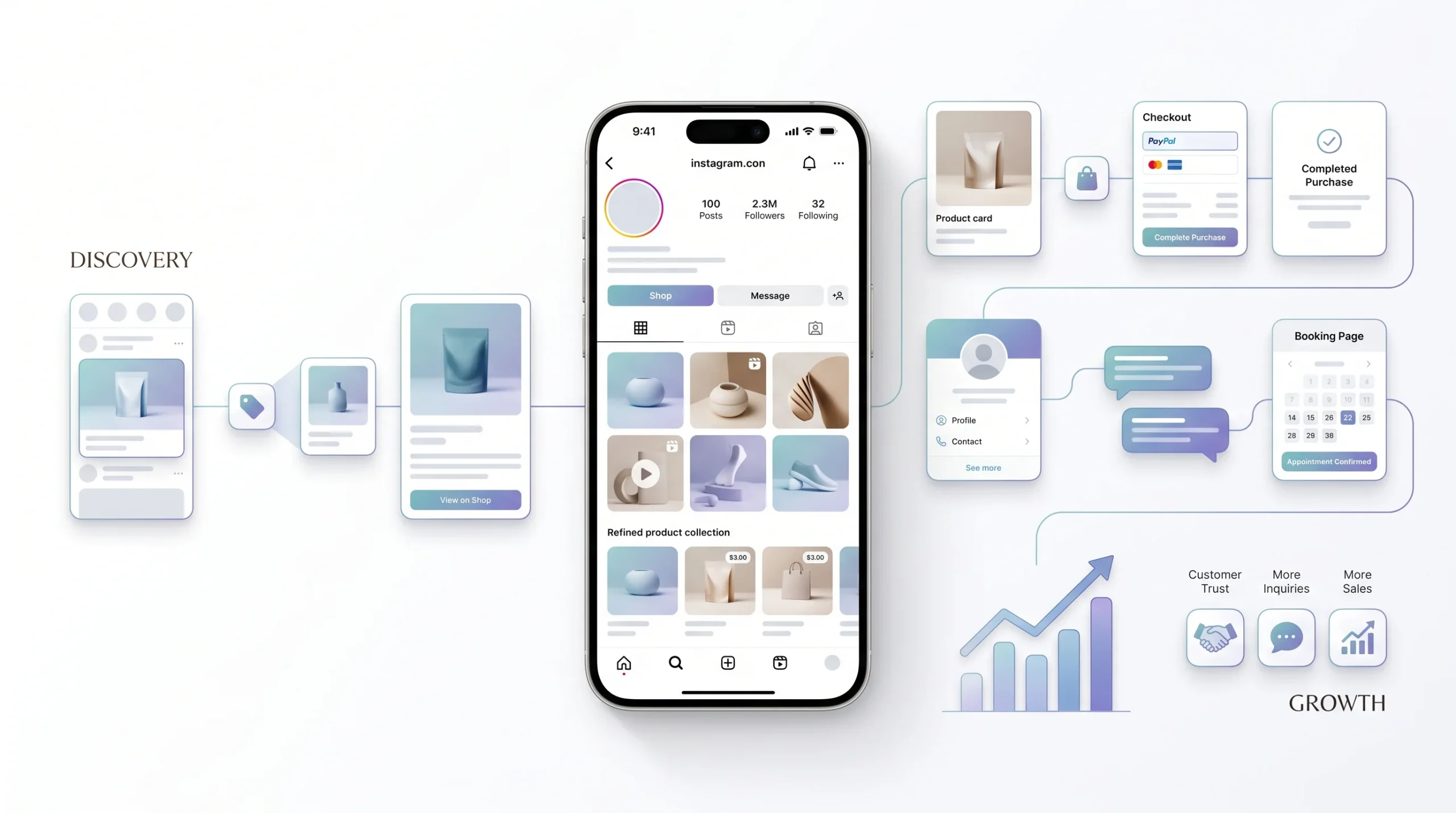
For businesses actually selling something, Instagram has features built specifically for that, and a lot of beginners underuse them.
Product tagging and shoppable posts let people tap directly on a product shown in a post or Reel and see pricing and purchase details without ever leaving the app. That removes a real friction point, someone doesn’t have to go hunting for a link or a website, the path from interest to purchase gets a lot shorter.
Instagram Shop functions as a dedicated storefront tab right on the profile. This is mainly relevant for ecommerce businesses with an actual product catalog to showcase, giving people a browsable store experience without leaving Instagram at all.
DMs are an underused sales and customer service channel, and this one gets overlooked constantly. A huge number of purchase decisions and questions happen directly in Direct Messages, especially for service-based businesses where there’s no simple “add to cart” button. Treating DMs as a real sales channel, responding promptly and helpfully, rather than an afterthought checked once a day, matters a lot more than most beginners realize.
Worth a quick note for service-based businesses without a physical product catalog. Commercial use of Instagram doesn’t require product tags at all. A well-set-up link-in-bio pointing to a booking page, combined with genuine DM-driven inquiries, is a completely valid path to actual revenue, just a different one than the product-tag route ecommerce brands use.
KPIs and Metrics to Track
Just like ROAS or any other performance number, Instagram metrics mean a lot more when they’re read by stage instead of as one flat pile of numbers.
| Funnel Stage | Primary Metric | What It Tells You |
|---|---|---|
| Awareness (TOFU) | Reach and Impressions | How many people are seeing the content, and how often |
| Consideration (MOFU) | Engagement Rate (likes, comments, saves, shares) | Whether content is actually resonating, not just being seen |
| Consideration (MOFU) | Saves | A strong signal of high-value content people intend to revisit |
| Conversion (BOFU) | Profile Visits and Link Clicks | Whether interest is translating into action outside the app |
| Conversion (BOFU) | Follower Growth Rate | Whether the account is building a real audience over time, not just spiking on individual posts |
Here’s the part worth repeating because it trips up a lot of beginners. Follower count alone is a vanity metric if it’s not paired with engagement and conversion data. A large following that never engages, never saves anything, never clicks through to a link, isn’t actually driving the business forward. It just looks good at a glance.
These numbers live right inside native Instagram Insights, available the moment the account is switched to Business or Creator, no extra tool required to get started. Tap “View Insights” below individual posts for post-level data, or check the main Insights tab for the account-wide picture over time.
Conclusion
Instagram growth isn’t random, even though it can feel that way when a post flops for no obvious reason. The accounts that actually turn followers into customers are the ones following a real sequence, setting the profile up properly, understanding what the algorithm actually rewards, building content around clear pillars, and reading the metrics that matter instead of just watching a follower count climb. The platform rewards accounts worth engaging with, not just accounts that post the most. So this week, actually set the profile up right and define the content pillars, instead of reading one more guide before starting. Once organic growth starts hitting its ceiling, it’s worth looking at how Instagram ads work through the same Meta infrastructure covered in the Facebook Ads setup guide already on this blog, since that’s the natural next step once there’s proven content worth amplifying.
Frequently Asked Questions
How often should a beginner post on Instagram?
Consistency matters more than raw volume. A realistic, sustainable schedule of a few feed posts a week paired with regular Stories beats an ambitious daily posting plan that collapses after two weeks. Pick a frequency that can actually be maintained long-term, then stay consistent with it.
How many hashtags should I use on Instagram?
Skip the old advice of maxing out hashtag counts with generic tags. A smaller, relevant mix, a couple of broad ones, a few mid-sized ones, and a couple of niche or branded ones, tends to perform better than a large generic dump, since relevance to the actual content matters more than sheer volume.
Do I need a business account to market on Instagram?
Yes, effectively. A Business or Creator account unlocks analytics, contact buttons, shopping features, and ad access, all of which are difficult or impossible to use on a personal account. It’s free to switch and it’s one of the first steps in this guide for a reason.
How long does it take to grow an Instagram following for a business?
There’s no fixed timeline, and it depends heavily on niche, content quality, and consistency. What matters more than a specific timeframe is tracking engagement and conversion metrics alongside follower growth, since a slower-growing account with real engagement is more valuable than a fast-growing one that never converts.
Should I focus on Reels or feed posts first?
Reels currently have the strongest reach potential for getting in front of people who don’t already follow the account, since the format is built around discovery. Feed posts and carousels still matter for building out a polished, evergreen profile once someone lands there, so the two work together rather than replacing each other.
When should a small business start running Instagram ads instead of relying on organic growth?
Once there’s already content proven to perform well organically, ad spend can amplify something that’s already working instead of guessing blind. Brand new accounts with no track record yet are generally better off spending time building and testing organically first.
What’s the biggest mistake beginners make on Instagram?
Chasing follower count instead of engagement and conversion. A large following that never engages or clicks through isn’t actually moving the business forward, it’s just a number. Tracking saves, shares, profile visits, and link clicks paints a much more useful picture than follower count alone.
Where do I find Instagram’s built-in analytics?
Inside a Business or Creator account, tap “View Insights” below individual posts, or check the main Insights tab from the profile for account-wide data like reach, impressions, and follower growth over time. No separate tool is required to get started, though third-party options exist for deeper reporting later on.