


Somewhere around 2023, content teams split into two camps. One camp started pumping out AI-written articles by the hundred, figuring volume would win no matter what. The other camp swore off AI completely, convinced it would ruin their voice and tank their rankings. Both camps were wrong, and both are now quietly changing their approach, because neither speed nor caution alone was ever the answer.
Here’s the thing nobody wants to say out loud: most AI content problems have nothing to do with AI. They come from skipping steps that were always necessary, research, editing, fact-checking, and just assuming a tool that predicts the next word also understands your audience. It doesn’t. It never did. What it does understand, when used right, is how to take the boring, repetitive parts of content work off your plate so you can spend your time on the parts that actually need a human brain. That’s the whole game. This post walks through exactly how that works, stage by stage, without pretending AI is either a miracle or a threat. It’s a tool. Tools are only as good as the person running them.
Think about how many hours get lost every week to work that isn’t actually creative. Digging through ten competitor articles to figure out what’s already been said. Staring at a blank doc trying to find an opening line. Writing the same idea three different ways for three different platforms. None of that is where the real value of content lives. The value lives in the parts only a person can do, knowing what a client’s audience actually cares about, remembering the exact thing that went wrong on a campaign last quarter, having an opinion worth reading. AI can’t do any of that. It was never supposed to. What it can do is clear out everything standing between an idea and a finished draft, so the time saved goes straight back into the parts that matter.
What “Using AI for Content” Actually Means
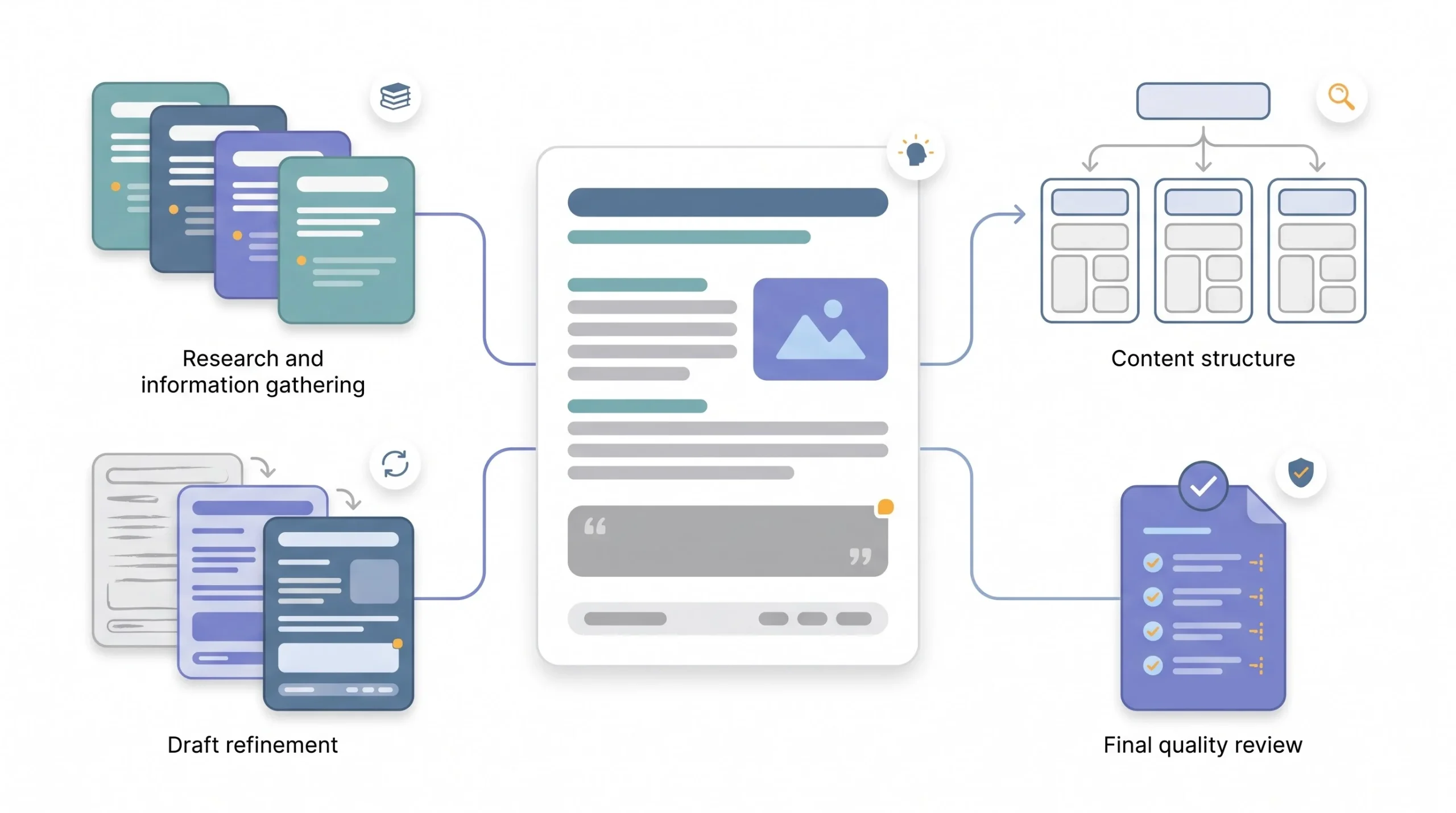
People throw around the phrase “AI content” like it means one thing. It doesn’t. There’s a huge difference between typing a prompt and hitting publish on whatever comes out, versus using AI to speed up research while a real writer still owns every sentence. Lumping those together is how you end up with bad advice, either “AI ruins content” or “AI writes everything now.” Neither is true. It depends entirely on where you land on the spectrum.
Think of it less as a switch and more as a dial. On one end, you’ve got full automation, prompt goes in, article goes out, nobody touches it. On the other end, you’ve got zero AI involvement at all. Most of the useful work happens somewhere in the middle, and honestly, the sweet spot is narrower than people think.
| Level | What it looks like | Speed gain | Quality risk |
|---|---|---|---|
| Full automation | Prompt in, publish output as-is | Highest | Highest, generic, error-prone, thin |
| AI-drafted, human-edited | AI writes first draft, human rewrites and edits | High | Moderate, depends entirely on how rigorous the edit is |
| AI-assisted human writing | Human writes, AI helps with research, structure, phrasing | Moderate | Low |
| AI for support tasks only | Outlines, headlines, meta descriptions, repurposing | Moderate | Low |
| No AI | Fully manual | Lowest | Lowest, assuming the writer actually knows the subject |
Notice where the risk jumps. It’s not a gradual slope, it’s a cliff between “human edits everything” and “nobody edits anything.” That cliff is where most bad AI content lives. So when this post talks about using AI to move faster, it’s talking about the second and third rows on that table. Not “AI writes it, you hit publish.” If that’s what someone’s looking for, this isn’t that post, and honestly, that approach doesn’t hold up for long anyway.
There’s also a fifth row worth mentioning, the one people forget exists: no AI at all. Plenty of experienced writers still do everything manually and produce excellent work. That’s not wrong either. It’s just slower, and for a team producing pillar content week after week across multiple clients, slower eventually becomes a real cost. The point isn’t that everyone needs to use AI. The point is that if speed matters and quality still has to hold up, the middle of that spectrum is where the actual leverage is, not the extremes.
Worth saying plainly too, since it gets glossed over a lot: the level someone lands on isn’t fixed. A quick social caption might live comfortably at “AI-drafted, human-edited” because the stakes are low and the review is fast anyway. A cornerstone piece meant to rank for years probably needs to sit closer to “AI-assisted human writing,” where the person’s actual expertise is doing most of the heavy lifting and AI is filling in the gaps around it. Same tool, same person, different dial setting depending on what’s actually being made.
Why the Speed-vs-Quality Tradeoff Is Mostly a Myth
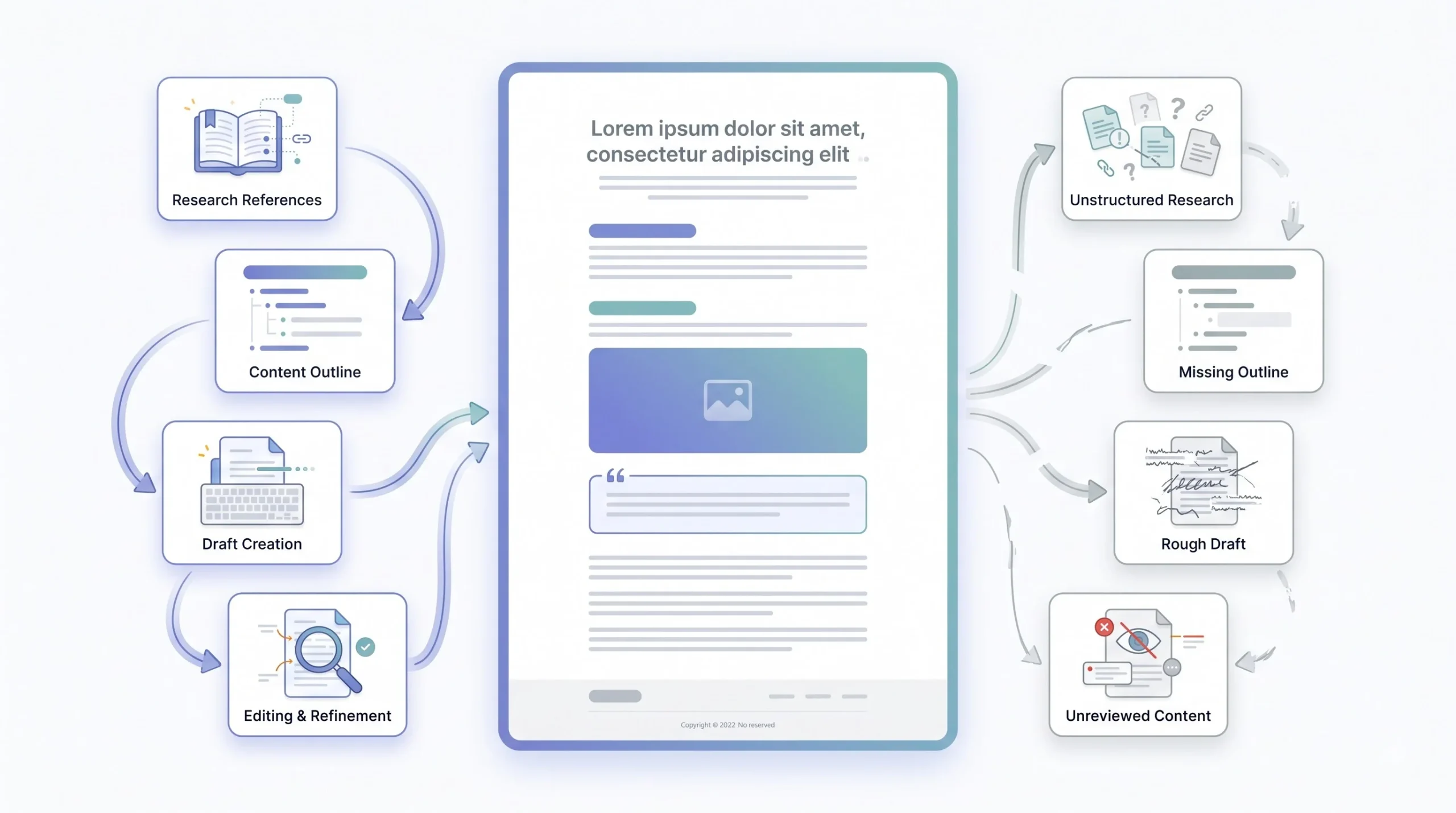
Here’s a claim that gets repeated constantly: if you want speed, you sacrifice quality, and if you want quality, you slow down. Sounds reasonable. It’s also mostly wrong, at least when it comes to AI-assisted content. The tradeoff isn’t between speed and quality. It’s between skipping steps and not skipping steps.
Go back and look at where the “AI content is garbage” narrative actually came from. It wasn’t from teams using AI to speed up research or knock out a first draft faster. It came from the flood of sites in 2023 and 2024 that generated thousands of articles a month with zero human review, publishing whatever the model spat out. That’s not a speed problem. That’s a nobody-checked-this-before-it-went-live problem. You’d get the same result with human writers if you skipped editing entirely and published every rough draft. It just wouldn’t happen as fast, because a human writer physically can’t produce 500 articles a week.
So what actually tanks quality? Skipping the outline stage and going straight to “write me a full article.” Not having a voice guide, so every piece sounds like it came out of the same generic AI blender, because it did. Publishing the first draft instead of treating it as a first draft. Those are choices, not inevitabilities.
And what actually creates real speed without wrecking quality? Compressing research that used to take hours into minutes. Skipping the blank-page problem entirely because there’s already a draft to react to, which is a completely different mental task than staring at nothing. Turning one piece of content into five formats without starting from scratch each time. None of that requires cutting corners. It just requires using the tool for what it’s actually good at.
AI doesn’t lower the quality bar. Skipping the editing step does.
There’s a decent comparison here to how outsourced writing worked before any of this existed. Agencies that hired cheap freelancers, gave them zero brief, and published whatever came back produced exactly the kind of thin, forgettable content people now blame on AI. Agencies that hired the same cheap freelancers but gave them a real brief, real research, and an actual edit pass got something usable. The tool changed. The failure pattern didn’t. It never was about the tool. It was always about whether anyone was paying attention on the way out the door.
Where AI Genuinely Saves Time in Content Production
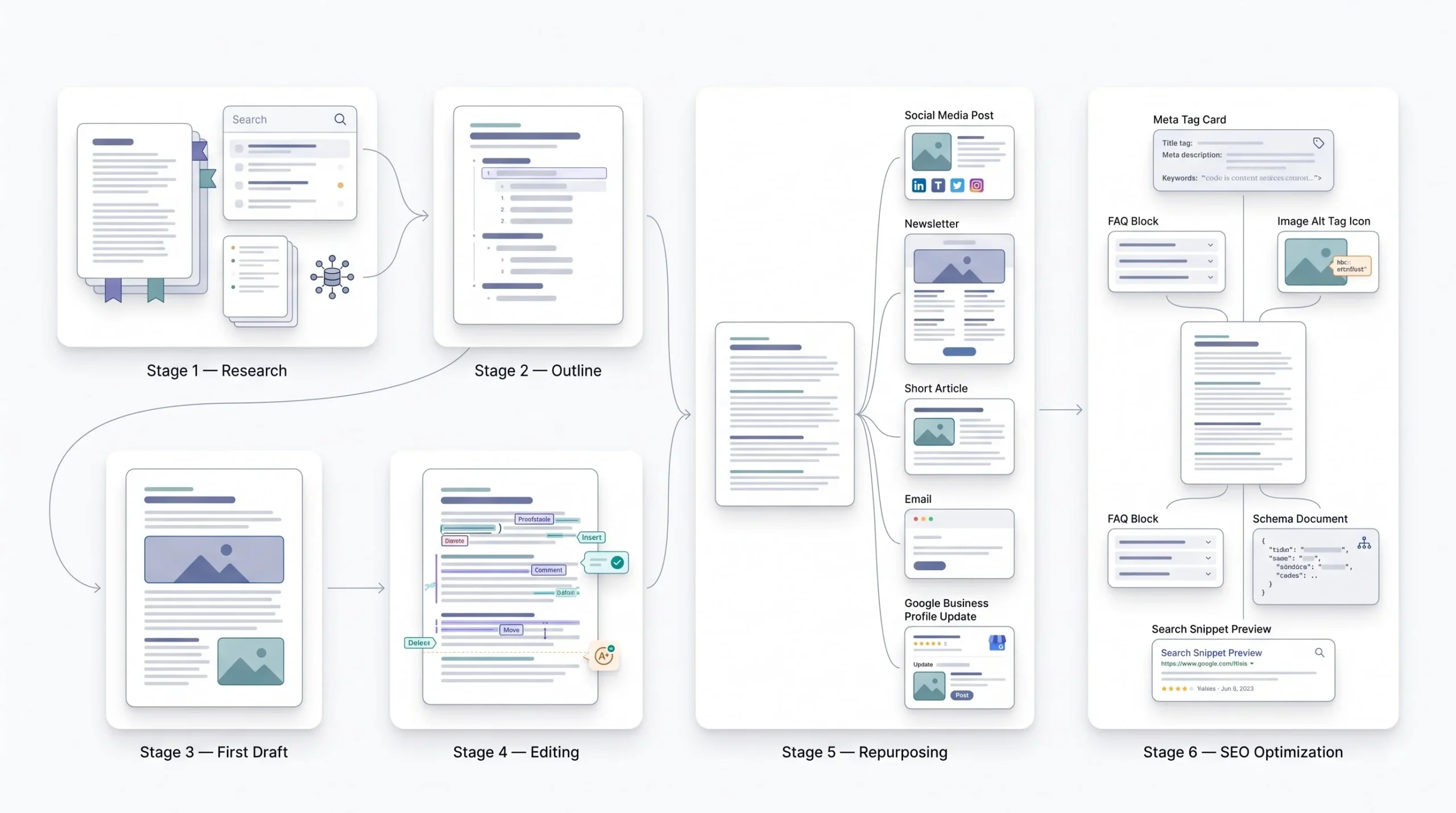
Break content production down into its actual stages and it gets a lot easier to see where AI helps and where it doesn’t. This isn’t theoretical. It’s the same five or six stages every piece of content goes through, whether anyone admits it or not.
Research and Ideation
This is probably the single biggest time saver, and also the one people trust too much. Feeding AI a topic and asking it to pull together what’s already out there, what angles competitors are using, what questions keep coming up, turns a two-hour research session into something closer to fifteen minutes. The catch, and it’s a real one, is that AI can and does get facts wrong. Stats need verification. Names need checking. Treat the research output as a starting map, not a source of truth.
There’s a specific pattern worth watching for here too. Ask an AI tool for “the latest stats on X” and there’s a real chance it hands back something outdated, or worse, a number that sounds plausible but was never actually reported anywhere. That’s not the tool being lazy, that’s just how these models work when they’re pulling from memory instead of checking a live source. Tools with actual web search built in do better here, since they’re pulling something real instead of guessing. Either way, nothing gets published without someone tracing the number back to where it actually came from.
Outlining
This is arguably where AI earns its keep the most. A solid outline needs structure, gap analysis against what’s already ranking, and a logical flow, all things AI can draft quickly when given the right inputs. But a human still needs to look at that outline and ask whether it actually tells a story, whether the internal linking makes sense, whether the order of sections builds toward something. AI can build the skeleton. It can’t decide what the piece is really trying to say.
This step also happens to be the cheapest place to catch a bad idea. Realizing a topic angle doesn’t work at the outline stage costs fifteen minutes. Realizing the same thing after a full 6,000-word draft is finished costs a full afternoon. That alone is reason enough to never skip straight from a keyword to a full draft.
First Drafts
This is where the most time gets saved, and also where the most damage happens if nobody’s paying attention. A first draft from AI can take a blank page problem and turn it into an editing problem, which is a much easier problem to have. The trap is treating that first draft like a finished draft. It’s not. It never is. Somebody has to own it after the AI hands it over.
Worth noticing too, the value of a first draft isn’t really the words themselves, it’s the momentum. Staring at a blank page and staring at a rough, slightly-off paragraph are completely different mental states. One’s paralyzing, the other’s annoying, and annoying is a lot easier to fix. That’s really what this stage is buying, not finished sentences, just something to react to.
Editing and Tightening
AI works well here as a second set of eyes, catching redundancy, awkward phrasing, sections that ramble. What it shouldn’t be doing is making the final call on voice. That’s not a technical decision, it’s a judgment call, and judgment calls need a human who actually knows what the brand or the writer sounds like.
Where this stage actually shines is catching the stuff a tired human editor skims past on the fifth read of the day, a paragraph that says the same thing twice in different words, a sentence that technically parses but takes three reads to understand, a section that wandered off-topic halfway through. Pointing AI at a finished draft and asking specifically for redundancy or clarity issues, not a full rewrite, tends to surface problems faster than another human read-through would. The catch is knowing when to stop there. Past that point, it’s a voice decision, and voice decisions don’t belong to the tool.
Repurposing
This might be the highest return on time of anything on this list. One long-form piece can become five LinkedIn posts, a newsletter section, three Instagram captions, and a handful of Google Business Profile updates, and AI can draft all of that from the source content in a fraction of the time it’d take to write each one from scratch. This is where content teams get real leverage, not from writing faster, but from not having to start over five separate times.
The trick that actually makes this work well is location and audience variation, not just format variation. A single blog post repurposed into a Google Business Profile update shouldn’t read the same across three different locations if those locations have three different audiences. A professional, corporate tone works for one city, a curiosity-driven, entrepreneur-facing tone works for another. AI handles that kind of variation fast once it’s told what each audience actually responds to. Left to guess, it just writes the same neutral version three times, which defeats the point.
SEO Support Tasks
Meta descriptions, FAQ drafts, schema markup, alt text. None of these are glamorous, all of them are necessary, and all of them are exactly the kind of structured, formulaic work AI handles well without needing much creative judgment. A meta description under 145 characters that actually earns a click still needs a human glance before it goes live, since AI tends to either play it too safe or run over the limit, but the first-pass draft is rarely the bottleneck here anymore.
| Stage | Manual time (approx.) | AI-assisted time (approx.) | Time saved |
|---|---|---|---|
| Research and outline | 2 to 3 hours | 30 to 45 minutes | Around 70% |
| First draft, 2,000 words | 3 to 4 hours | 45 to 90 minutes | Around 60% |
| Editing pass | 1 to 2 hours | 30 to 60 minutes | Around 50% |
| Repurposing into 5 assets | 2 to 3 hours | 20 to 30 minutes | Around 85% |
These numbers aren’t universal. They shift depending on the niche, how skilled the writer is, and honestly, how good the prompting is. A sloppy prompt gets a sloppy draft, and then the “time saved” disappears into rewrite time. But directionally, this is roughly what teams see once the workflow settles in.
Where AI Hurts Quality If You’re Not Careful
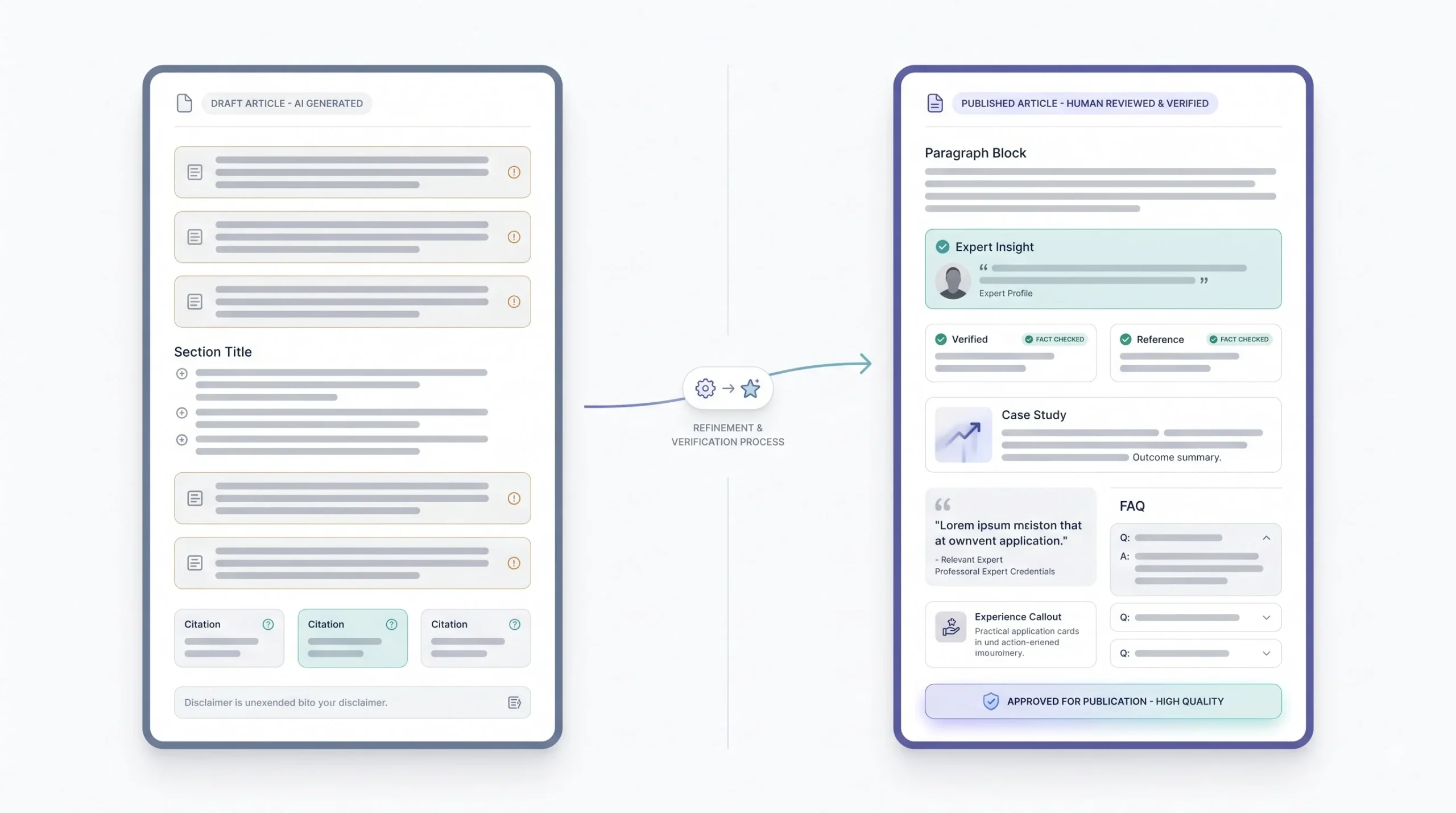
None of this works without being honest about the downside. AI content has a reputation problem for real reasons, not imagined ones. Ignoring that would just be dishonest.
Generic, Voiceless Prose
Left alone, AI defaults to safe. Safe sentence structure, safe word choice, safe opinions, or more accurately, no opinions at all. That’s fine for a weather report. It’s death for a blog post that’s supposed to sound like it came from someone who actually knows what they’re talking about. This is exactly why a strict voice guide matters so much, feeding the model specific rules about tone, banned phrases, and sentence rhythm is what pulls it out of default mode.
Ask ten different people to prompt the same AI tool on the same topic with no voice guide and no constraints, and the results come back sounding almost identical. Same structure, same hedging, same safe conclusion. That’s not a coincidence, that’s the model doing exactly what it was trained to do when there’s nothing pushing it toward a specific point of view. A voice guide is what breaks that pattern. Without one, everyone’s just publishing the same default article with different keywords swapped in.
Hallucinated Facts and Stats
This one’s not a maybe. AI models generate confident-sounding numbers and citations that don’t exist, or exist but got attached to the wrong claim. For general topics that’s annoying. For anything touching finance, health, or legal advice, it’s a real liability. Every stat, every name, every “study found” needs a human checking it before it goes anywhere near a published page.
The dangerous part isn’t when a hallucinated stat sounds wrong. Those get caught fast. The dangerous part is when it sounds completely reasonable, a plausible percentage, a believable year, a source name that sounds like something real. That’s exactly the kind of claim that slips through if fact-checking gets treated as optional instead of mandatory.
Loss of Real Expertise and Experience
Google’s own public guidance on this has stayed consistent for a while now: content gets evaluated on quality and helpfulness, not on whether AI touched it. But quality and helpfulness require something AI genuinely cannot manufacture on its own, real first-hand experience with the subject. Anyone can generate a paragraph about “common mistakes in email marketing.” Not everyone can say “here’s what happened the third time a client’s open rate tanked and it turned out to be a broken unsubscribe link nobody checked for two months.” That second version is what actually separates a page that ranks and holds from one that gets buried in the next update.
Structural Sameness
AI has tells, and anyone who reads a lot of content starts spotting them fast. Same transition phrases showing up over and over. Same three-part conclusion pattern. A handful of words that show up so often in AI writing they’ve become a running joke, words like “seamless,” “elevate,” and “delve.” None of that is a dealbreaker on its own. But stack enough of it together and a piece starts reading like it was assembled instead of written, and readers notice, even if they can’t say exactly why.
It’s not just word choice either. Sentence length is a tell on its own. Left unchecked, AI settles into a comfortable medium-length rhythm and stays there for paragraphs at a time, every sentence roughly the same size, roughly the same shape. Human writing doesn’t do that. It varies without thinking about it, a short sentence to land a point, then a longer one that wanders through the reasoning behind it. That variation is one of the easiest things to check for in an edit, and one of the easiest things to fix once it’s spotted.
The AI-Assisted Content Workflow
This is the actual system, the part that turns everything above into something repeatable instead of a one-off lucky draft. Seven steps, done in order, every time.
Step 1: Build Your Inputs Before You Prompt
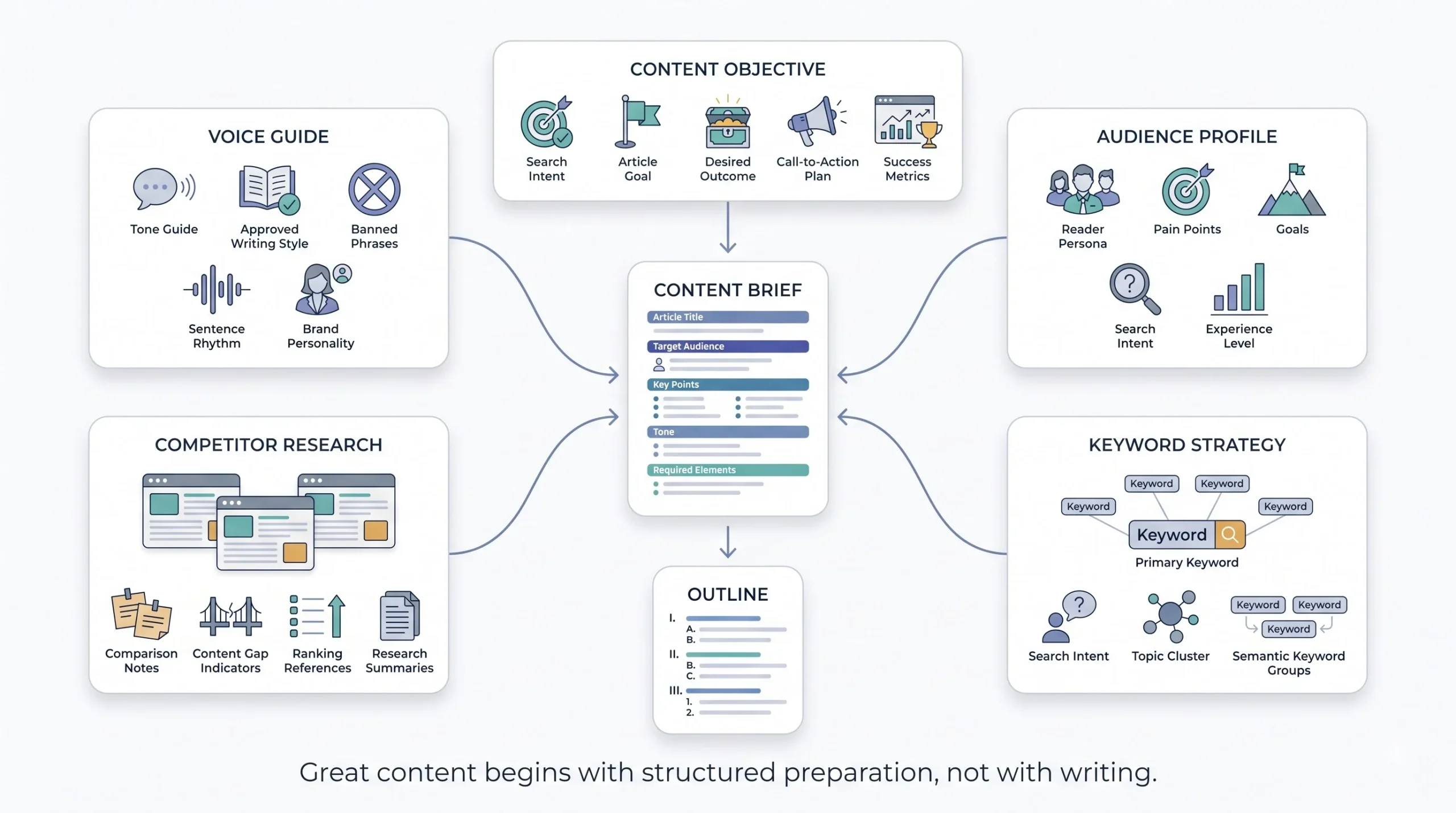
Nothing good comes out of a blank prompt. Before AI gets involved at all, the groundwork needs to exist: a voice guide that spells out tone and banned phrases, a clear picture of who’s reading this, competitor research on what’s already ranking, and the actual keyword and intent behind the piece. Skip this step and everything downstream gets harder, not easier.
This is also the step most teams try to shortcut, because it doesn’t feel like “real work.” It’s just prep. But every minute spent here saves five minutes later, because a clear brief means fewer rounds of back-and-forth with the AI trying to guess what was actually wanted. A vague brief means the outline’s off, the draft’s off, and the edit ends up rewriting more than it should have to.
Step 2: Generate a Competitive Outline
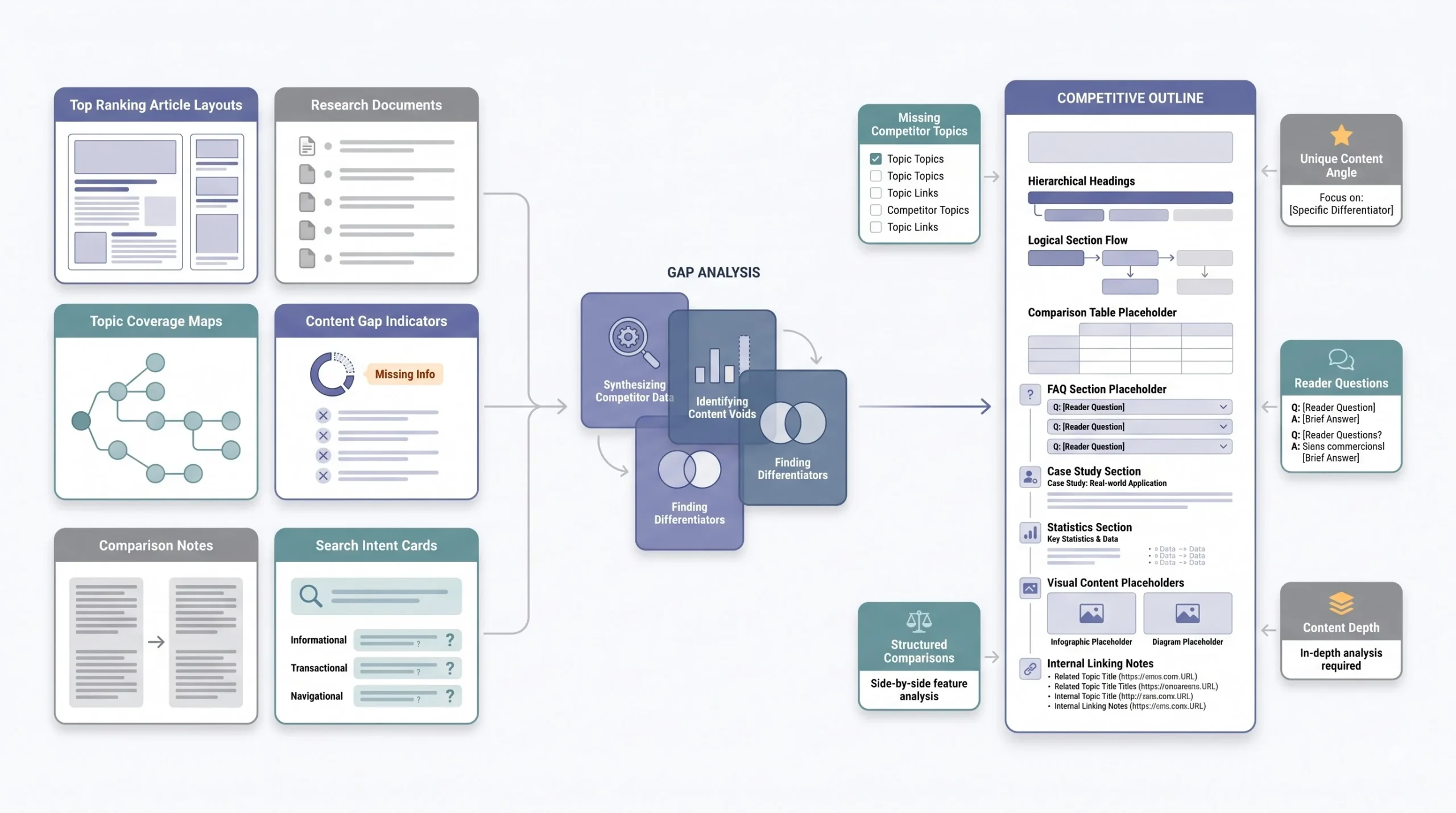
Not a generic outline, a competitive one. That means feeding AI the URLs or topics of what’s currently ranking and asking it to find the gaps, the angles nobody’s covering, the depth nobody’s going into. A generic outline gets a generic article. A gap-driven outline gets something that actually has a reason to exist.
This is also where tables, comparisons, and structured breakdowns get planned in, not bolted on later. Deciding upfront that a section needs a comparison table forces a specific kind of thinking, what exactly is being compared, and why does the reader need to see it side by side instead of just reading a paragraph about it. That decision is much easier to make at the outline stage than after a full draft is already written in prose.
Step 3: Draft in Sections, Not All at Once
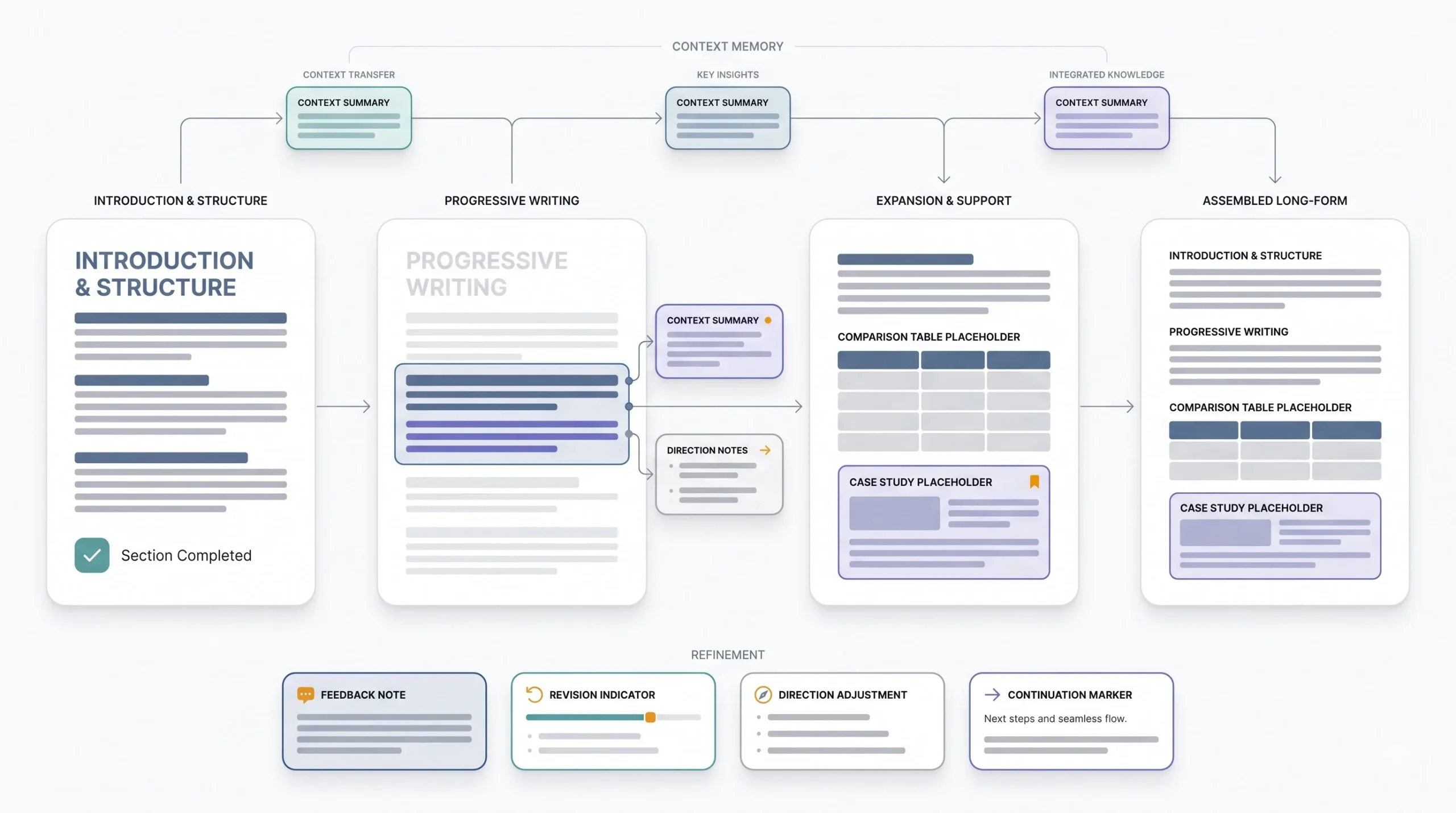
Asking for an entire 8,000-word article in one prompt tends to produce something thin and repetitive, because the model’s trying to hold too much context at once and starts leaning on filler to stretch it out. Drafting section by section, carrying context forward from what’s already been written, produces noticeably tighter, more specific output. It takes more prompts. It’s worth it.
There’s a rhythm to this that gets easier with practice. Draft a section, read it, note what felt off, carry that note into the next prompt along with a summary of what’s already been covered so the piece doesn’t repeat itself. It’s closer to directing than typing. That shift in mindset, from “write this for me” to “here’s the direction, keep adjusting,” is really the difference between a mediocre AI-assisted draft and a strong one.
Step 4: Edit for Voice, Not Just Correctness
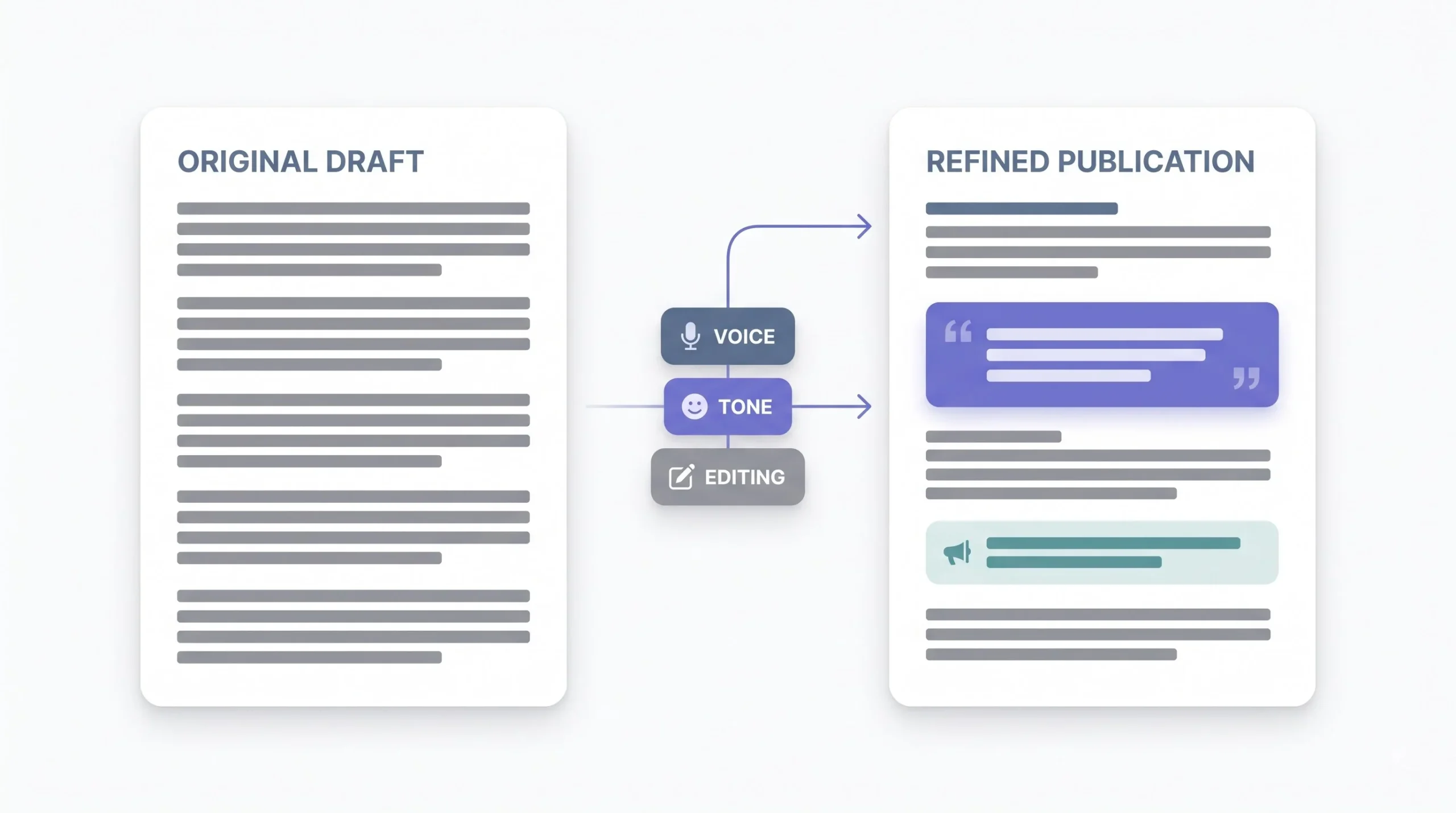
Grammar editing and voice editing are not the same task, and this is where most teams stop too early. A draft can be grammatically flawless and still sound like nobody in particular. Voice editing means reading it and asking, would this person actually say this? Would they use this word? Does this sentence sound like a real reaction to something, or does it sound like a summary of a reaction?
A quick test that works well here: read a paragraph out loud, then ask whether it sounds like something said in an actual conversation, or something read off a slide. If it’s the second one, it needs another pass, no matter how clean the grammar looks.
Step 5: Fact-Check and Add Original Input
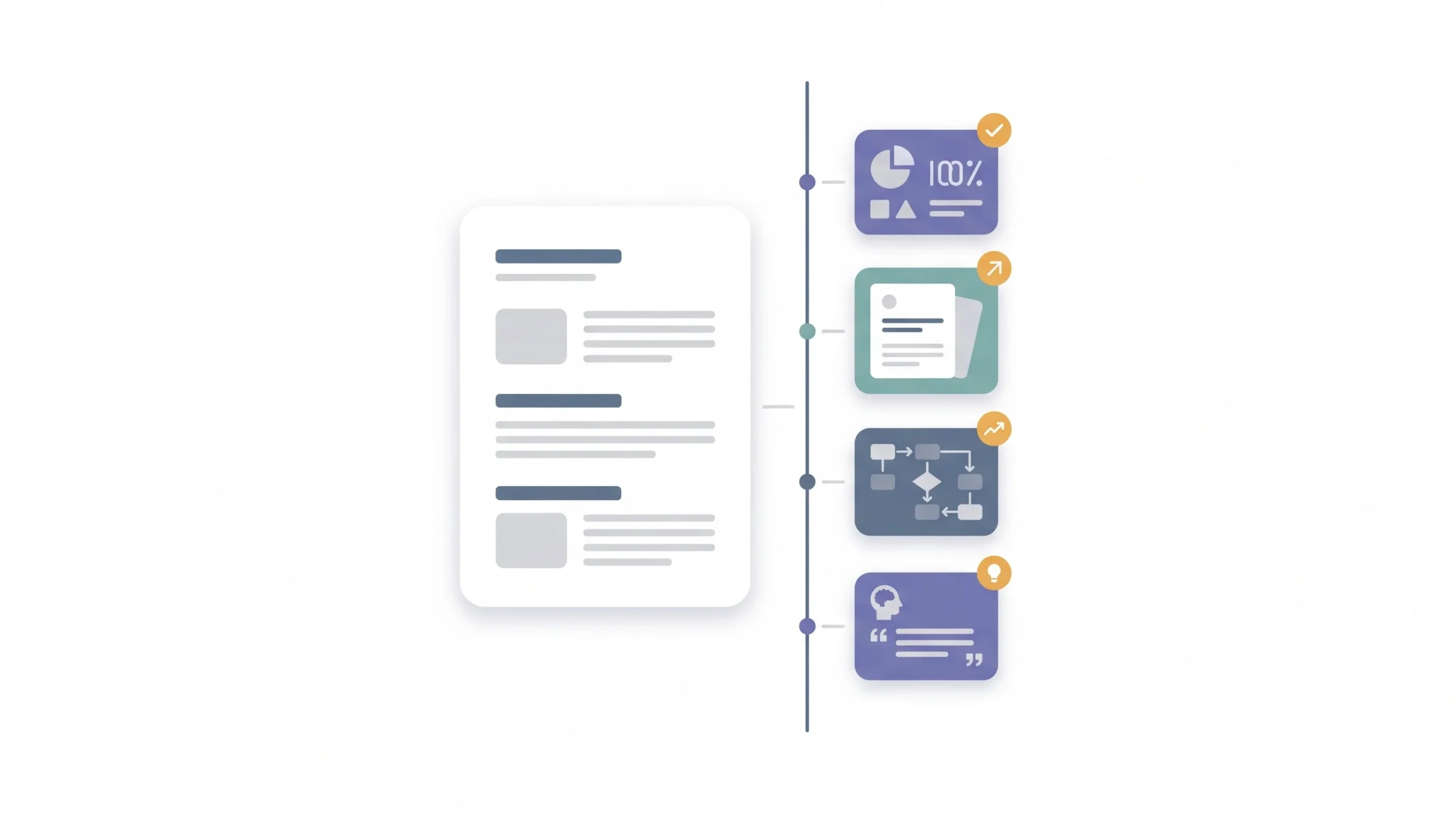
This is the step AI cannot do for anyone, because this is where the writer’s actual knowledge goes in. Every claim gets verified. Every example gets swapped for something real, something specific, something that happened. This is also usually where a piece goes from “fine” to “the reason someone bookmarked it.”
A good habit here is going line by line through anything that reads like a fact, a stat, a name, a claim about “most companies” or “recent studies,” and asking whether that line could be defended if someone pushed back on it in a comment. If the honest answer is no, it either gets a real source or it gets cut. There’s no in-between.
Step 6: Close With FAQs and Meta Description
These come last for a reason. Writing FAQs off the outline instead of the finished draft means they end up slightly out of sync with what the piece actually ended up saying. Doing them last keeps everything aligned to the final version, not the plan.
Step 7: Repurpose After Publishing
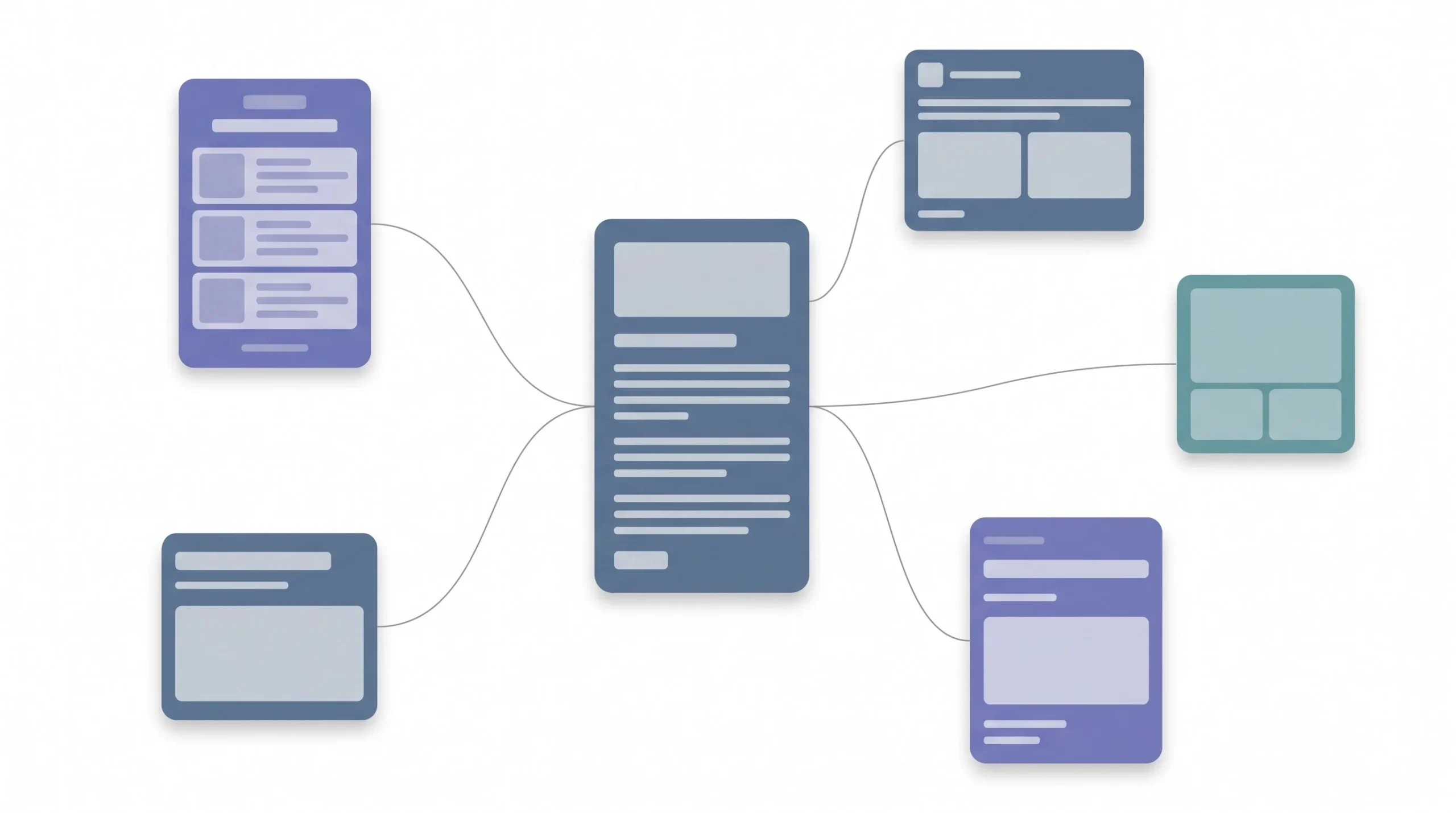
Once the piece is live, that’s the moment to turn it into everything else, social posts, email sections, location-specific variants, whatever the distribution plan calls for. This step gets skipped constantly because by the time a piece is done, everyone’s mentally moved on. That’s exactly why it’s worth building into the process instead of leaving it to memory, ideally as a fixed task on the same checklist as publishing, not a someday idea.
| Step | Who leads | AI’s role | Human’s role |
|---|---|---|---|
| 1. Inputs | Human | None | Define voice, audience, keyword |
| 2. Outline | AI and human | Draft structure from competitor gaps | Approve, reorder, add angle |
| 3. Draft | AI and human | Write sections | Guide direction, provide facts |
| 4. Voice edit | Human | Suggest alternatives if asked | Final rewrite pass |
| 5. Fact-check | Human | Flag uncertain claims if prompted | Verify, add real examples |
| 6. FAQs and meta | AI and human | Draft options | Select and refine |
| 7. Repurpose | AI and human | Generate variants | Approve, adjust per channel |
Prompting for Quality, Not Just Speed
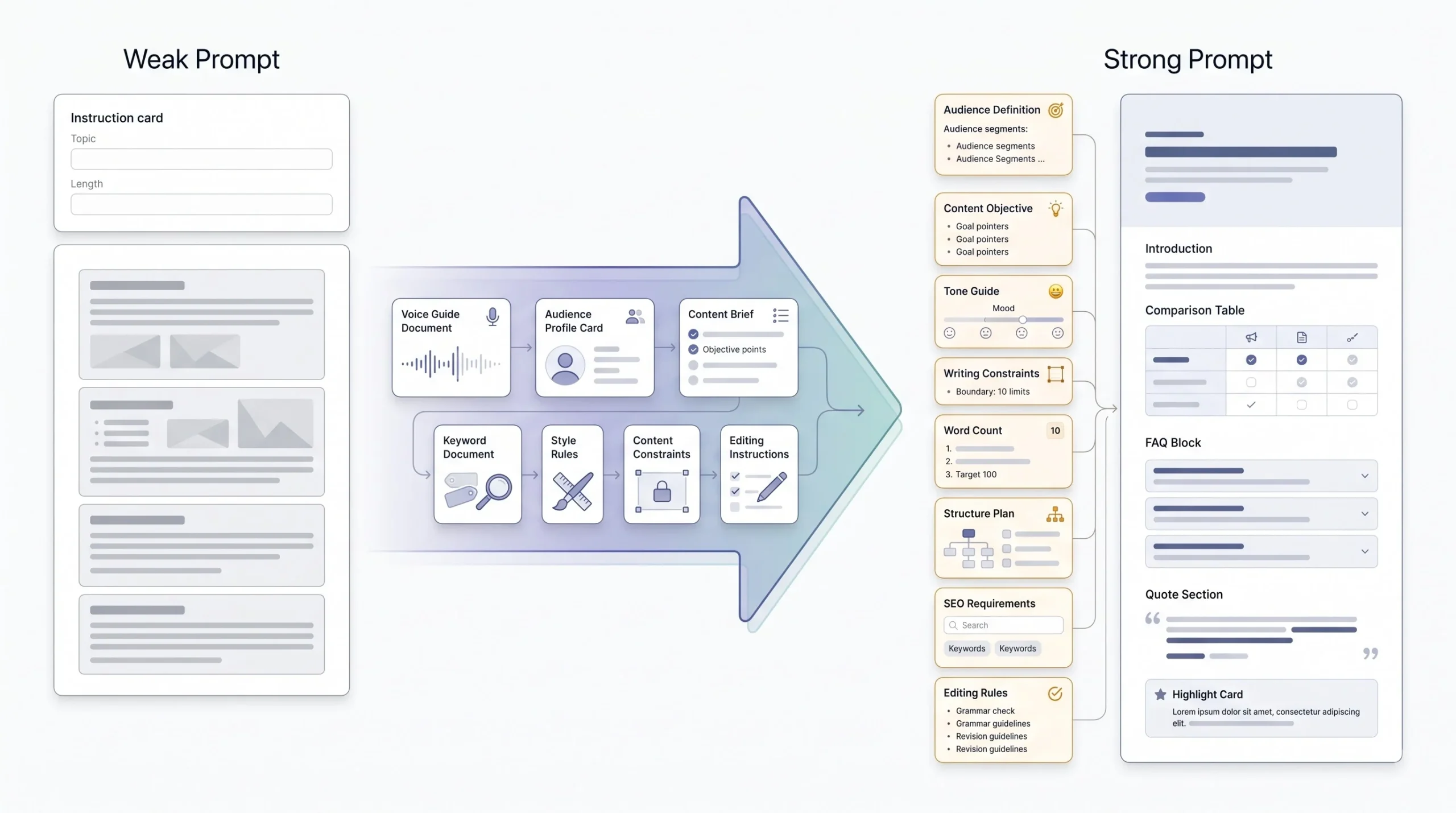
Prompting is a skill, same as any other part of this. A vague prompt gets a vague answer, and then more time gets spent fixing the output than would’ve been spent just writing the thing manually. A few habits fix most of that.
Specificity beats brevity every time. “Write a blog about email marketing” gives the model nothing to work with, so it fills the gap with generic defaults. “Write a 300-word intro on email A/B testing for SaaS marketers, conversational tone, no em dashes, no bullet points, open with a specific mistake beginners make” gives it constraints to actually follow, and constraints are what push output away from generic.
Feeding the voice guide directly into the prompt, not just once at the start of a project but as part of the actual instructions for each piece, keeps the output aligned instead of drifting back to default AI tone after a few paragraphs. And treating prompting as iterative instead of one-shot matters more than people expect. The first output is rarely the final one. Asking for a rewrite that cuts hedging language, or tightens a paragraph, or swaps a generic example for something sharper, that back-and-forth is where the real quality shows up, not in the first response.
Constraints do more work than most people give them credit for too. A word count range, a rule against a specific format, a list of banned phrases, these aren’t limitations on the model, they’re what actually shapes the output into something usable. Open-ended prompts get open-ended, unfocused answers. Bounded prompts get something a lot closer to what was actually needed on the first try, which means fewer rounds of back-and-forth to get there.
| Weak prompt | Strong prompt | Why it’s better |
|---|---|---|
| “Write a blog about email marketing” | “Write a 300-word intro on email A/B testing for SaaS marketers, conversational tone, no em dashes, no bullet points, open with a specific mistake beginners make” | Specificity narrows the guesswork, cuts down on generic output |
| “Make this better” | “Rewrite this paragraph to sound more opinionated and cut any hedging language like ‘might’ or ‘could potentially'” | Gives a concrete editing target instead of a vague improvement request |
Keeping the Human in the Loop, Where It Actually Matters
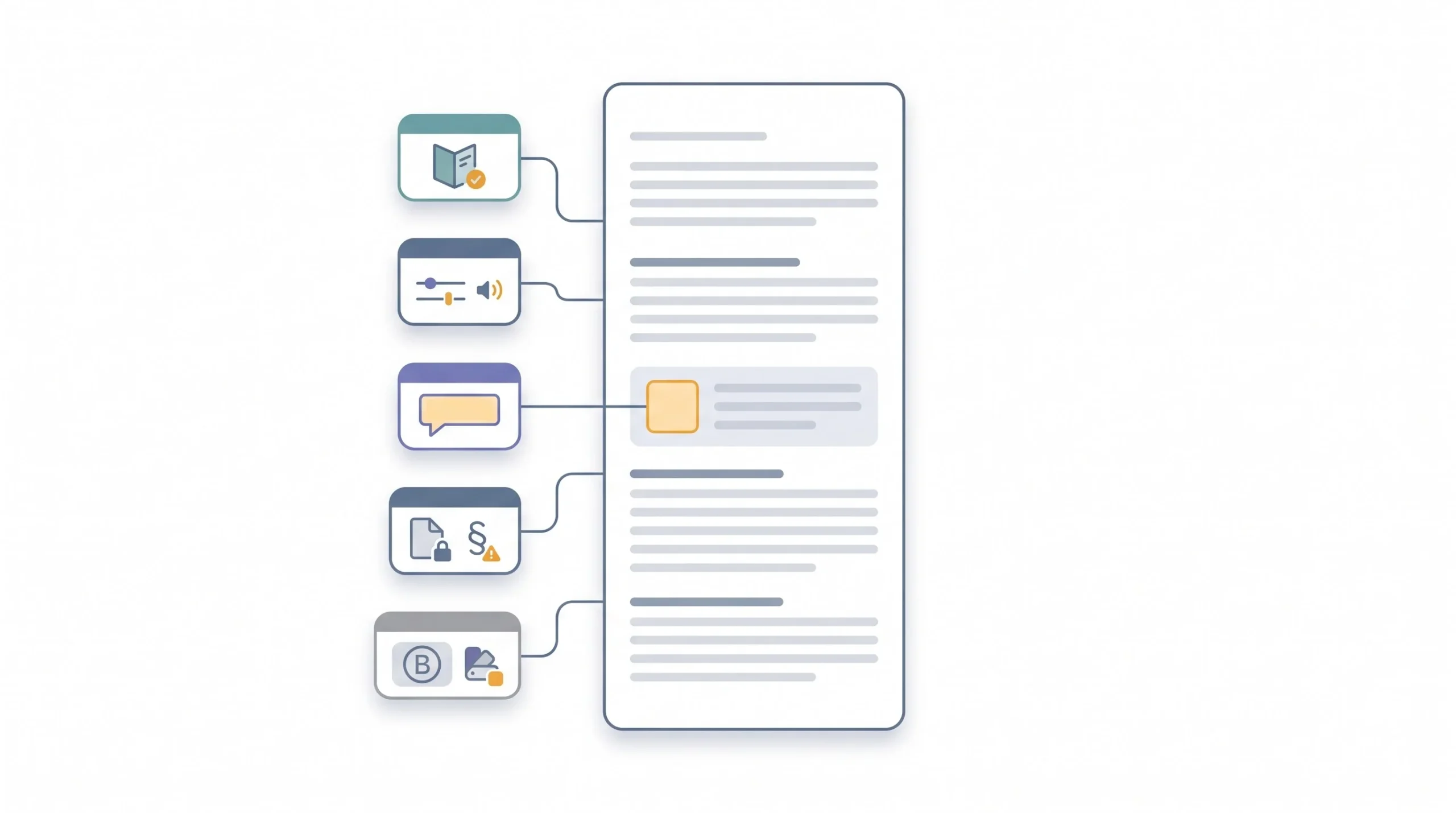
Not every step needs a human hovering over it. Some absolutely do, no exceptions. It’s tempting, once a workflow starts running smoothly, to let the human checkpoints get lighter over time. That’s usually where things start slipping. The checkpoints below aren’t suggestions, they’re the parts of the process that don’t get to shrink no matter how efficient everything else becomes. Here’s where that line sits.
- Final fact verification, every single time, no matter how confident the draft sounds
- The final voice and tone pass, because this is judgment, not correction
- Original examples, data points, or opinions, since these are the things AI genuinely cannot generate on its own
- Anything touching legal, financial, or health claims, where a wrong stat isn’t just embarrassing, it’s a liability
- Brand-specific or client-specific context that lives in someone’s head and nowhere else
Skip any of these and speed stops being an advantage. It just becomes the reason the mistake got published faster.
Tools by Use Case

Tool choice matters less than most people think. Workflow discipline matters more. A great tool used carelessly still produces careless output, and a decent tool used with a tight process still produces solid work. That said, different tasks do lean toward different strengths, and it’s worth knowing which is which. Tool capabilities also shift fast, so treat this as a starting point, not gospel, and check current features before locking in a stack.
It’s easy to fall into the trap of tool-hopping, chasing whichever new platform launched this month, convinced it’ll fix whatever’s slow about the current process. Rarely does. Most of the gains in this whole workflow come from process, the inputs stage, the outline discipline, the editing rigor, not from which specific product name is doing the drafting. A team with a tight process on a mediocre tool will consistently outproduce a team with a loose process on the best tool available.
| Task | Good fit | Notes |
|---|---|---|
| Research and ideation | AI chat assistants with live web search | Best when it can pull current data, not just rely on training knowledge |
| Outlining | AI chat assistants, SEO-integrated tools | Feed it competitor content directly for real gap analysis |
| Drafting | AI chat assistants | Section by section beats one giant prompt, every time |
| SEO optimization | SEO-specific AI tools | Good for keyword density and structural checks, not for voice |
| Repurposing | AI chat assistants, AI-enabled scheduling tools | One input, many outputs |
| Editing and humanizing | AI chat assistants with explicit voice instructions | Only as good as the voice guide fed into it |
Notice the recurring theme in that table: general-purpose AI chat assistants show up in almost every row. That’s not an accident. A dedicated SEO tool is great at what it’s built for, structural checks, keyword coverage, technical audits, but it wasn’t built to hold a nuanced voice guide in its head across a 3,000-word draft. A general assistant, given the right instructions, can do that. Specialized tools are worth adding on top for the specific technical checks they’re good at. They’re not a replacement for the core drafting and editing work.
Editing AI Drafts to Sound Human
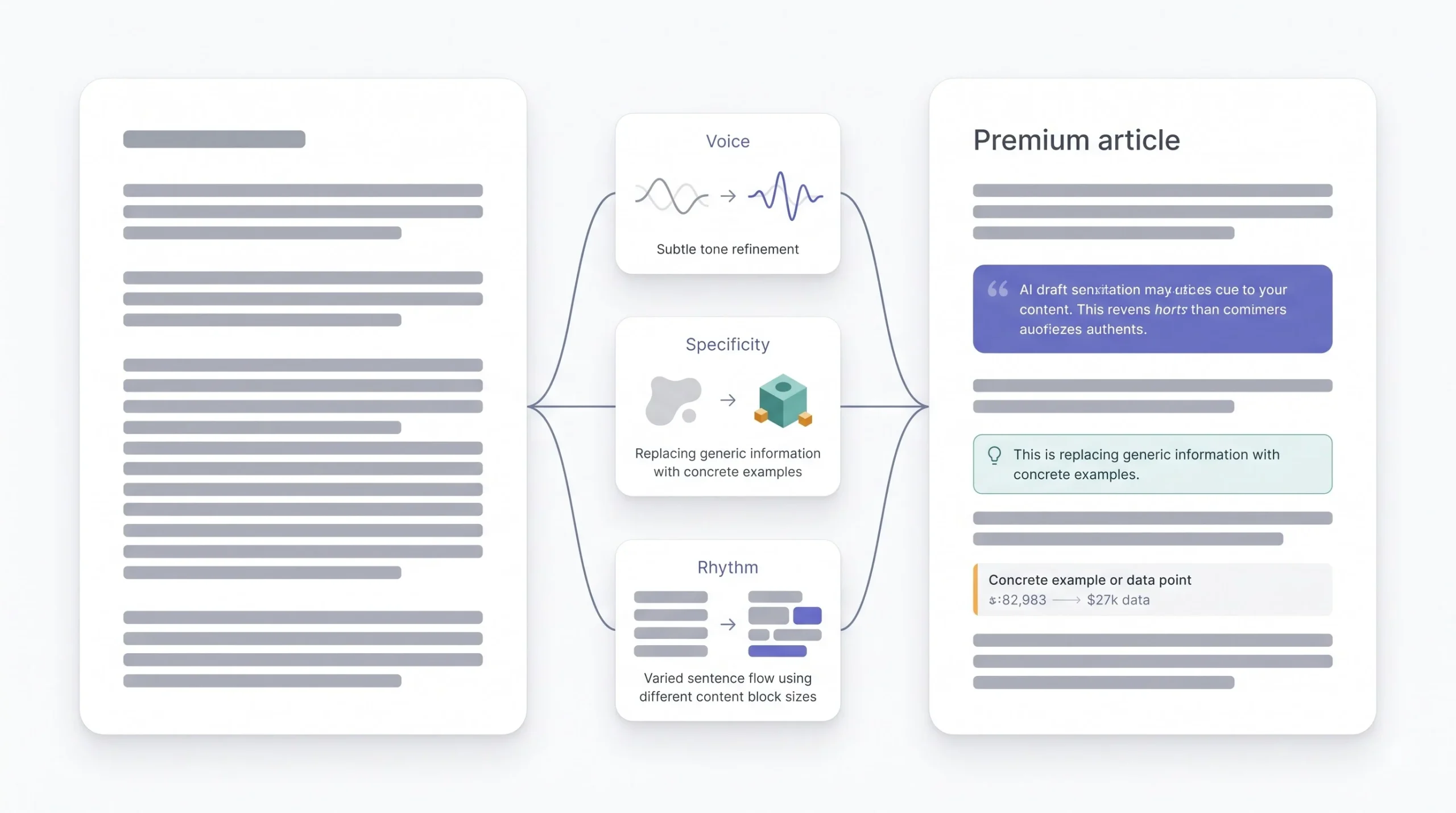
This is where most of the actual craft lives, and it’s also the step people rush through the most.
Reading the draft out loud catches problems the eye skips over, awkward rhythm, sentences that don’t sound like anything a person would say. Cutting hedge words, “might,” “could potentially,” “it’s often said,” tightens everything and forces the piece to actually take a position instead of dancing around one. Swapping generic examples for something specific and real does more for credibility than almost anything else on this list, a made-up “many businesses find” is forgettable, a real client story with real numbers isn’t. Breaking up uniform sentence length matters more than people realize, AI has a tendency to settle into a rhythm and stay there, and a page full of medium-length sentences with the same shape gets monotonous fast. And cutting repeated transition phrases, the same “that said” or “on the other hand” showing up every third paragraph, cleans up a draft more than any single grammar fix.
If it’s not obvious where the writer’s own voice starts and the AI’s draft ends, the edit isn’t done yet.
One more thing worth flagging here, since it trips people up constantly: running a draft through an “AI detector” and getting a clean score doesn’t mean the edit is actually finished. Detectors measure statistical patterns, not whether a piece sounds like a real person with a real opinion. A draft can pass every detector on the internet and still read flat. The out-loud test and the voice check matter more than any score a detector spits out, because those are testing the thing that actually matters to a reader.
SEO and EEAT Considerations for AI-Assisted Content
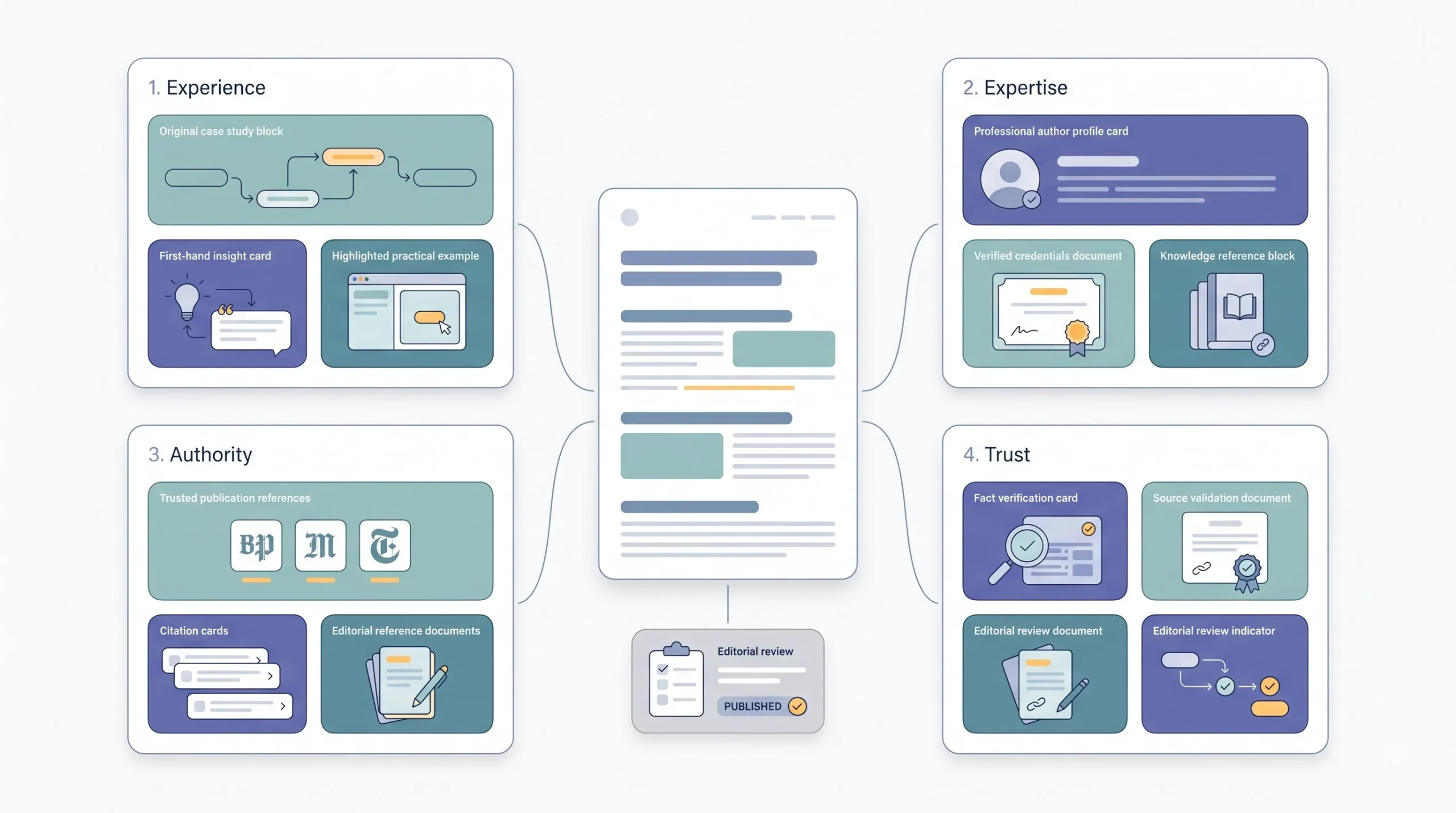
Google’s public position on this has been steady for a while, and it comes down to one line worth remembering: the focus is on the quality of the content, not how it got made. That doesn’t mean AI content gets a free pass. It means the bar is the same bar it’s always been: expertise, experience, authority, and trust, and AI-generated content either meets that bar or it doesn’t. Nobody gets penalized for using a tool. Plenty of sites get buried for publishing thin, unoriginal material, and a lot of that material happens to be AI-written because it’s fast to produce in bulk, which is exactly the trap.
Practically, that means a few things matter more than ever. Author bios that show real credentials, not just a name and a stock photo. Original data or first-hand examples that can’t be found on ten other sites saying the same thing. Specific, concrete detail instead of surface-level summary that reads like it was assembled from other people’s summaries. None of this is new advice. It’s just advice that got a lot more important once everyone had access to the same tools.
The pattern search algorithms are actually built to catch is what gets called scaled content abuse, mass-producing thin, near-identical pages purely to grab rankings, with no editorial review anywhere in the pipeline. That’s a volume problem dressed up as a content problem. A single well-researched, thoroughly edited pillar post, even one that used AI at multiple stages, isn’t anywhere near that pattern. The difference isn’t the tool. It’s whether a hundred pages went up this month with nobody reading a single one of them before publish.
A Sample Workflow Template
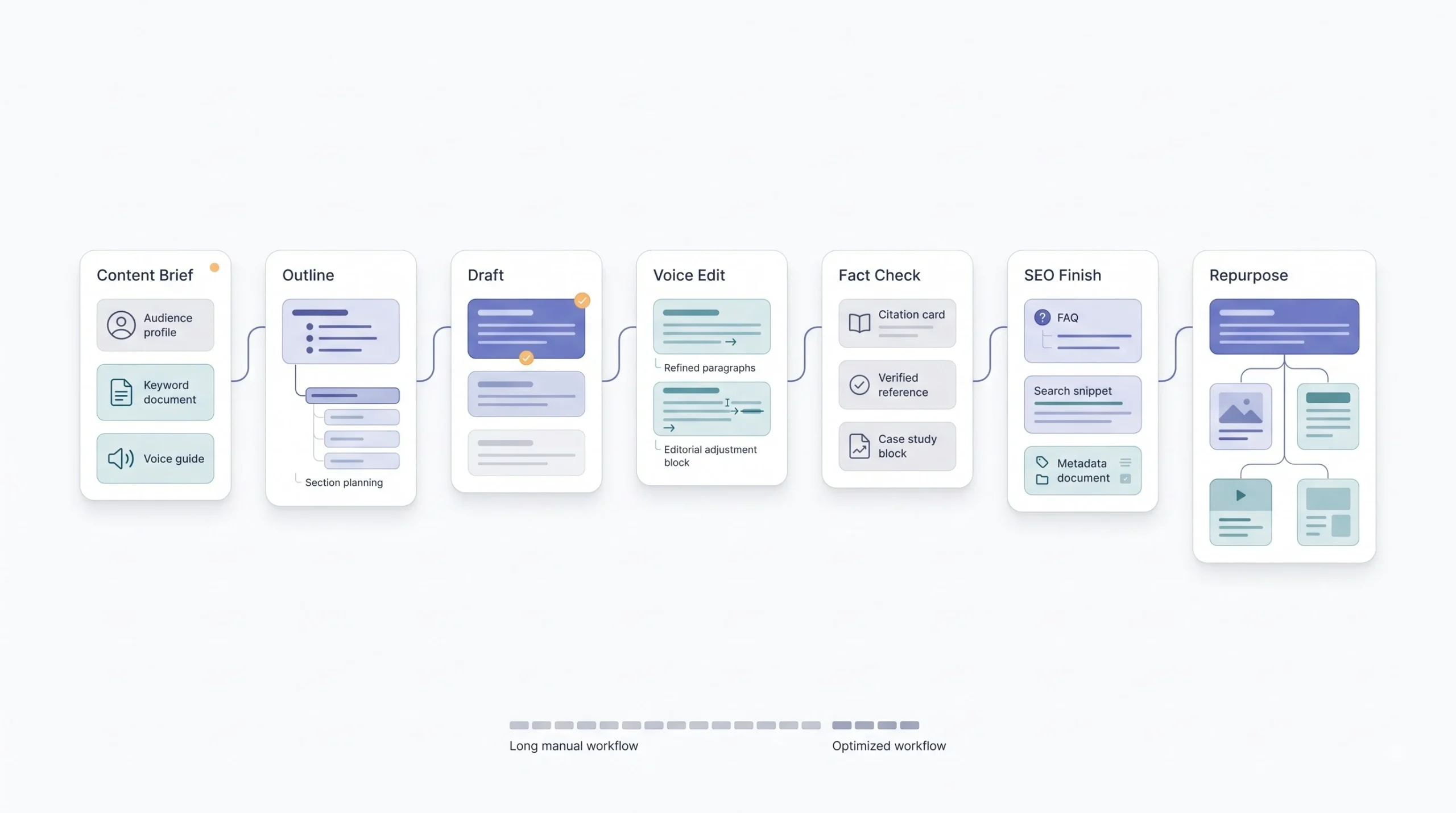
Take one real post going through all seven steps, condensed down to what it actually looks like in practice. Inputs get defined first, target audience, voice guide, keyword. AI drafts a competitive outline off three ranking competitors, a human reorders two sections because the logical flow felt off. Drafting happens section by section, four separate prompts instead of one. The voice edit pass cuts six hedge words and rewrites the opening because it read too safe. Fact-checking catches one stat that turned out to be from an outdated report and swaps in a current one, plus adds a real example from a past client. FAQs and the meta description get written last, based on the finished draft, not the outline. Once it’s live, it gets cut into four LinkedIn posts and a newsletter section the same afternoon.
That’s the whole thing. Nothing exotic, just steps done in the right order without skipping any of them.
Total time on a piece like that usually lands somewhere around three to four hours, start to finish, including the repurposing. Doing the same piece entirely by hand, research through five social variants, typically runs closer to eight or nine hours. That’s not a small gap. It’s the difference between shipping one solid piece a day and shipping one solid piece every two days, without cutting a single corner to get there.
Conclusion
Go back to where this started. The tradeoff between speed and quality was never really about AI, it was about which steps get skipped and which ones don’t. Every team publishing thin, forgettable AI content skipped the same steps, no outline discipline, no voice guide, no editing pass, no fact-check. Every team using AI to genuinely move faster without losing anything did the opposite, kept every step, just made each one quicker. That’s the whole difference, and it’s not a mystery once you see it laid out.
None of this requires the fanciest tool or the longest prompt in the world. It requires a process that doesn’t skip its own checkpoints just because things are moving faster than they used to. AI didn’t change what good content requires. It just changed how fast the boring parts get done, and that’s exactly the point.
Frequently Asked Questions
Does using AI for content hurt SEO rankings?
Not by itself. Google’s own guidance has said for a while now that the focus is on the quality of the content, not how it got made. What actually hurts rankings is thin, unoriginal, unedited material, and a lot of that happens to be AI-written because it’s cheap to produce in bulk. The tool isn’t the problem. Publishing without review is.
Will Google penalize AI-generated content specifically?
No, not just for being AI-generated. What gets targeted is what’s known as scaled content abuse, mass-producing near-identical, low-effort pages purely to grab rankings with no editorial oversight anywhere in the process. A well-researched, properly edited piece that used AI at several stages isn’t anywhere near that pattern, even if AI touched every paragraph along the way.
How much of a blog post can be AI-written before it stops ranking?
There’s no fixed percentage, and anyone who gives one is guessing. What matters is whether the final piece demonstrates real expertise, original examples, and accurate information, regardless of how many words started as an AI draft. A post that’s eighty percent AI-drafted but heavily fact-checked and rewritten for voice can outperform a post that’s fully human-written but generic and thin.
What’s the fastest way to make AI content sound less robotic?
Read it out loud. Seriously, that single step catches more robotic-sounding lines than any editing checklist. After that, cut hedge words like “might” and “could potentially,” swap generic examples for something specific and real, and break up sentences that all sound the same length. Those four moves fix most of what makes a draft sound like a machine wrote it.
Which AI tool is best for content writing?
Tool choice matters less than the process behind it. A general-purpose AI chat assistant, fed a solid voice guide and used section by section instead of all at once, usually outperforms a specialized tool used carelessly. Specialized SEO tools are worth adding for technical checks, keyword coverage, structural audits, but they’re not built to hold a nuanced voice guide across a long draft the way a chat assistant can.
Can AI completely replace a content writer?
No, and this isn’t really up for debate at this point. AI can’t verify facts on its own, can’t supply real first-hand experience, and can’t make the judgment calls that decide what a brand’s voice actually sounds like. What it replaces is the repetitive, mechanical parts of the job, not the parts that require actual expertise or opinion.
How do you fact-check AI-generated content efficiently?
Go line by line through anything that reads like a fact, a stat, a name, a date, a claim about “most companies” or “recent studies,” and ask whether it could be defended if someone challenged it in a comment. If it can’t be traced back to something real, it either gets a proper source or it gets cut. There’s no shortcut that skips this step safely.
What’s a voice guide and why does it matter for AI content?
A voice guide is a written set of rules covering tone, banned phrases, sentence structure, and formatting that gets fed into every prompt. Without one, AI defaults to safe, generic phrasing, and every piece from every writer using the tool starts sounding identical. With one, output stays consistent and actually sounds like a specific person or brand instead of a generic AI blender.
How long should an AI-assisted blog post take to produce?
For a long-form pillar post, somewhere around three to four hours from research through repurposing is realistic once the workflow is dialed in, compared to eight or nine hours doing the same piece entirely by hand. Shorter, simpler posts take less. The exact number depends on the depth needed and how much original research and fact-checking the topic demands.
Do AI content detectors matter for SEO?
Not directly, and search engines have never confirmed ranking based on detector scores. What matters is whether the content is genuinely helpful and accurate. That said, a piece that reads flat enough to trip a detector usually reads flat to a human too, so the real fix isn’t chasing a clean detector score, it’s doing the voice edit properly in the first place.
Can AI write technical or niche content accurately?
It can draft something structurally sound, but accuracy on technical or specialized topics needs a human expert checking every claim. AI has no way to know if a niche detail is outdated, wrong, or missing important nuance specific to an industry. The more specialized the topic, the more fact-checking weight shifts onto the human side of the process.
How do you keep AI content from sounding the same as everyone else’s?
Feed it something only your team has, real examples, real client stories, real numbers from actual campaigns, not generic industry commentary. Combine that with a strict voice guide and a genuine editing pass instead of a quick skim. Generic input produces generic output. Specific input, even run through the same tool everyone else is using, produces something nobody else has.