


Somewhere around 2023, social media managers stopped complaining about creative burnout and started complaining about something new: the math didn’t work anymore. Six platforms, daily posting expectations, and the same three-person team that had it in 2019. Nobody added headcount. Everybody added platforms. That gap is exactly why AI showed up in every marketing meeting whether people wanted it there or not, and honestly, most of those meetings ended with someone opening ChatGPT for the first time with zero idea what they were doing.
This isn’t another “14 tools you need to try” post. Those exist already, dozens of them, and most of them read the same because they were probably written the same way, fast and generic, ironically by AI that nobody bothered editing. There’s a real irony in a listicle about AI content that itself reads like unedited AI content, and if you’ve scrolled through five of these looking for something useful, you already know the feeling. What follows is the actual workflow. How to set up your brand so AI doesn’t sound like a stranger wearing your logo. How to move from a blank page to a published post across six different platforms without producing six versions of the same generic thing. And where this whole process quietly falls apart if nobody’s paying attention. If you’re a solo creator juggling three accounts, or running social for a small team stretched thinner than it should be, this is written for that reality, not for a hypothetical enterprise brand with a forty-person content org and a dedicated AI ops manager.
What “Using AI for Social Media” Actually Means
People throw around “using AI for social media” like it’s one thing. It isn’t, and treating it like one thing is how brands end up either overusing it or being scared off it entirely for the wrong reasons. There’s a real difference between AI-assisted work and AI-automated work, and that difference changes how much risk sits on your shoulders every time you hit publish.
AI-assisted means a human is still driving. AI writes a first draft, throws out three headline options, or sketches a rough visual concept, and a person makes the actual call on what goes live. That’s low risk. A human catches the wrong stat before it embarrasses anyone. AI-automated is a different animal. The machine sits closer to the wheel, sometimes publishing with barely a glance from a person, especially on high-volume accounts running scheduled content rules that fire off posts while everyone’s asleep. That’s where things go sideways. A wrong fact, a tone-deaf joke timed against breaking news, a caption that misreads a sensitive moment, all of that slips through when nobody’s actually watching the pipe.
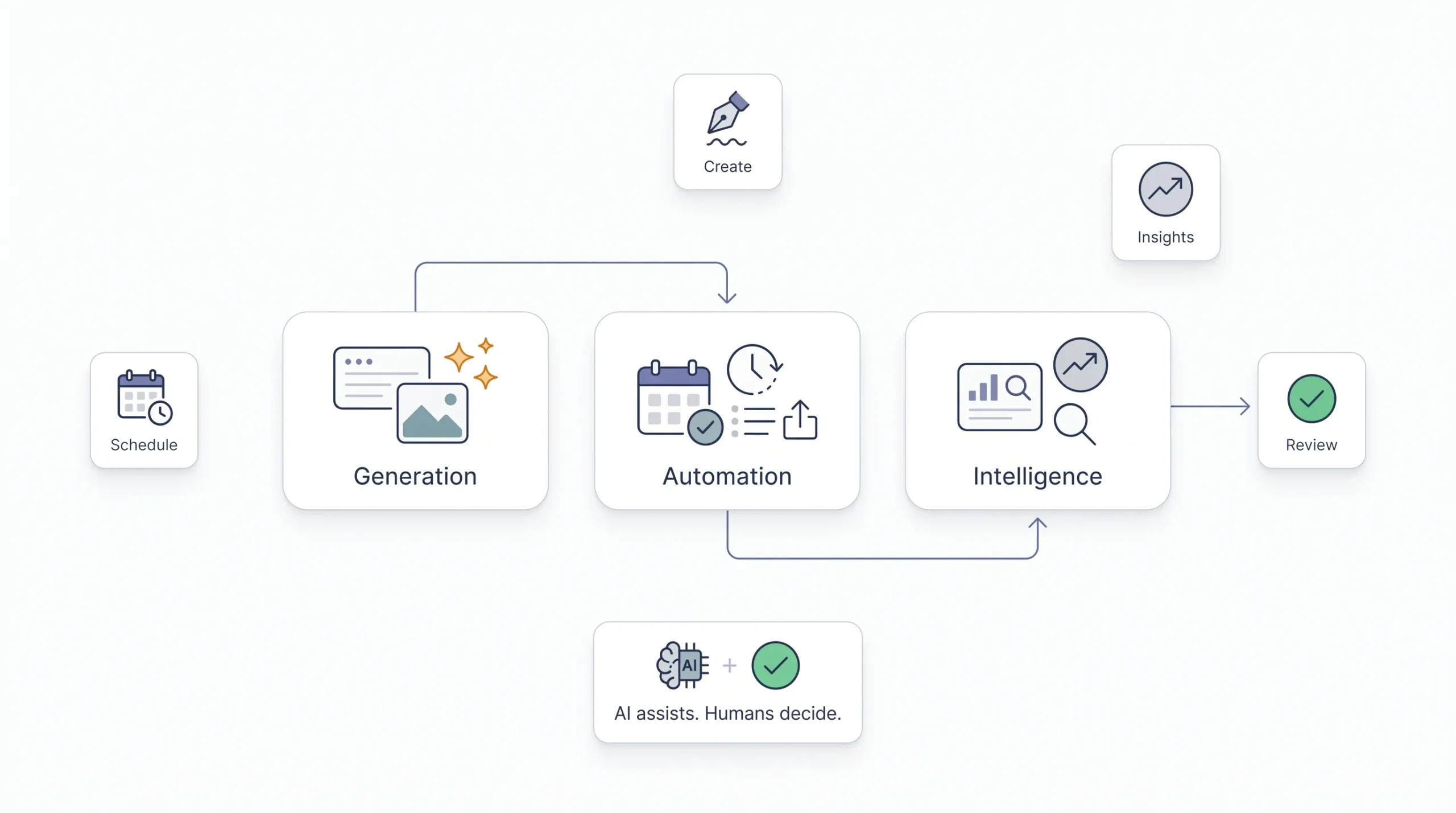
Underneath both of those sits three separate layers, and it genuinely helps to think about them separately instead of lumping everything into one blob called “AI tools,” because each one asks for a different amount of human attention.
| Layer | What it does | Example tasks | Human role required |
|---|---|---|---|
| Generation | Creates raw content | Captions, hooks, images, video scripts | High, brand voice and fact-checking on every piece |
| Automation | Moves content through the pipeline | Scheduling, cross-posting, repurposing | Medium, spot-checking and approval gates |
| Intelligence | Analyzes and predicts | Trend spotting, sentiment reading, best time to post | Low, mostly interpreting what the tool surfaces |
Generation needs the heaviest hand by far. That’s where brand voice actually lives or dies, sentence by sentence. Automation needs somebody checking the pipe isn’t clogged, or worse, firing off the wrong content at the wrong moment because a schedule was set two weeks ago and the news cycle changed since then. Intelligence is the safest layer to lean into hard, because the AI’s just surfacing a pattern, a spike in engagement, a shift in sentiment, and the decision about what to do with that pattern stays entirely yours.
Why Bother – What AI Actually Changes About Your Workflow
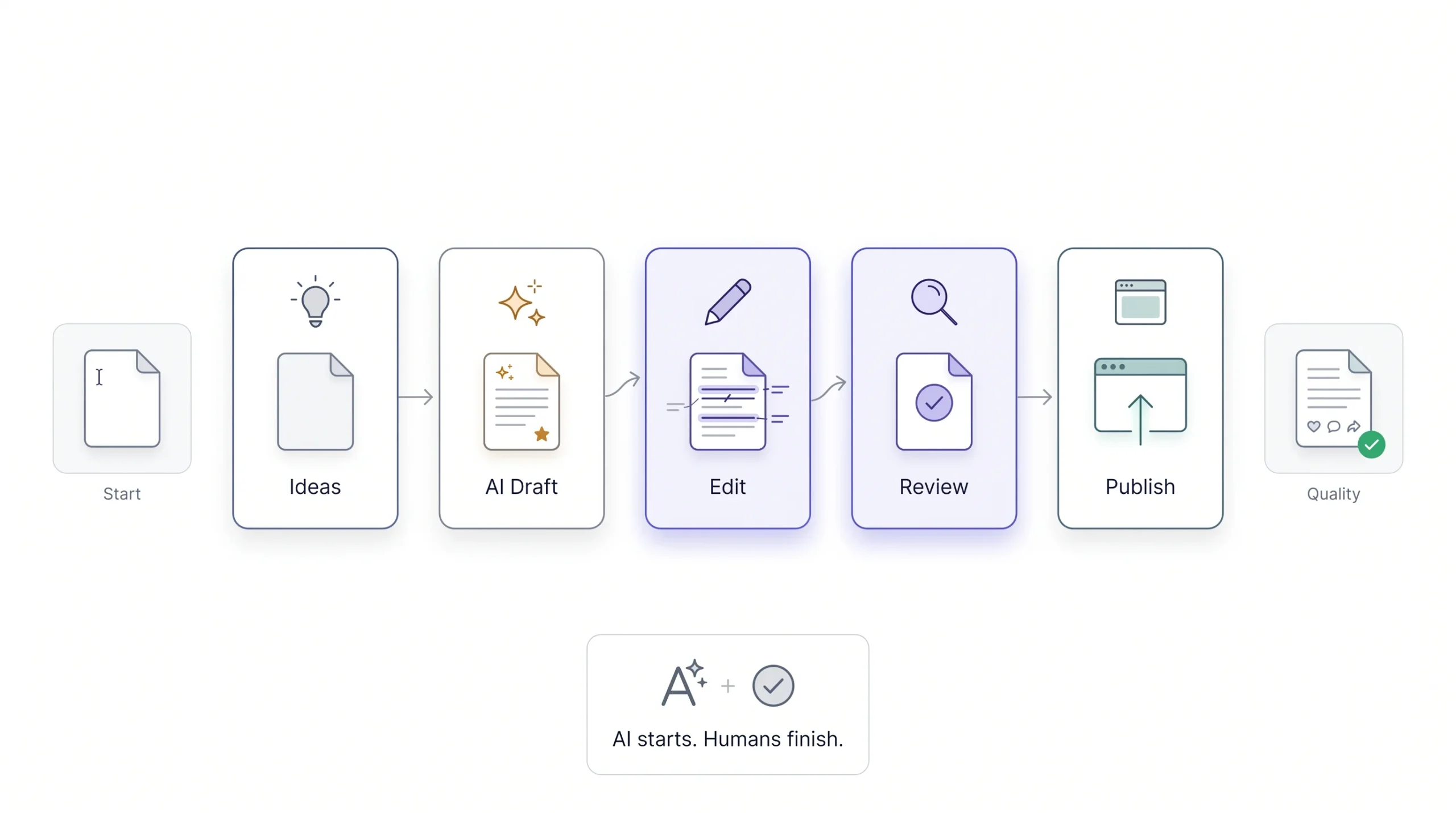
Here’s the claim everyone makes: AI saves you time. Fine. True, technically, but vague enough to be almost useless as advice. What it actually does, specifically, is remove the blank-page cost. That’s the twenty to forty minutes most people burn staring at a cursor trying to figure out what to even say about a product update or a Tuesday tip post nobody’s excited to write. AI collapses that particular cost to almost nothing. Ask for eight ideas, get eight ideas back in under a minute, some usable, some not, but the blank page is gone.
What it doesn’t touch, at least not reliably, is the editing cost. Fitting the voice, checking facts, making sure a CTA doesn’t sound like it was lifted from a marketing textbook nobody’s opened since 2015, that’s still on you. Skip that step and something ugly starts happening that a lot of teams don’t notice until engagement’s already dropped for a month. Posting volume goes up. Average engagement per post quietly goes down. That’s not the algorithm punishing anyone for using AI, whatever people want to believe. It’s audiences getting sharper at spotting templated, soulless content and scrolling straight past it, the same reflex people developed for spotting spam emails a decade ago. And platforms are catching up on their end too. There’s early, visible movement toward ranking systems deprioritizing content that reads as obviously mass-produced, the kind with the same rhythm, the same three buzzwords, the same fake-enthusiastic tone showing up across a hundred different brand accounts.
Reality check: AI doesn’t cut your total workload by 80 percent. It cuts the ideation and first-draft time by roughly that much. Editing, brand-fitting, and quality control still eat real hours. Skip that part and it shows up fast, usually in the comments before it shows up in the analytics.
Before You Touch a Tool – Setting Up an AI-Ready Content Foundation
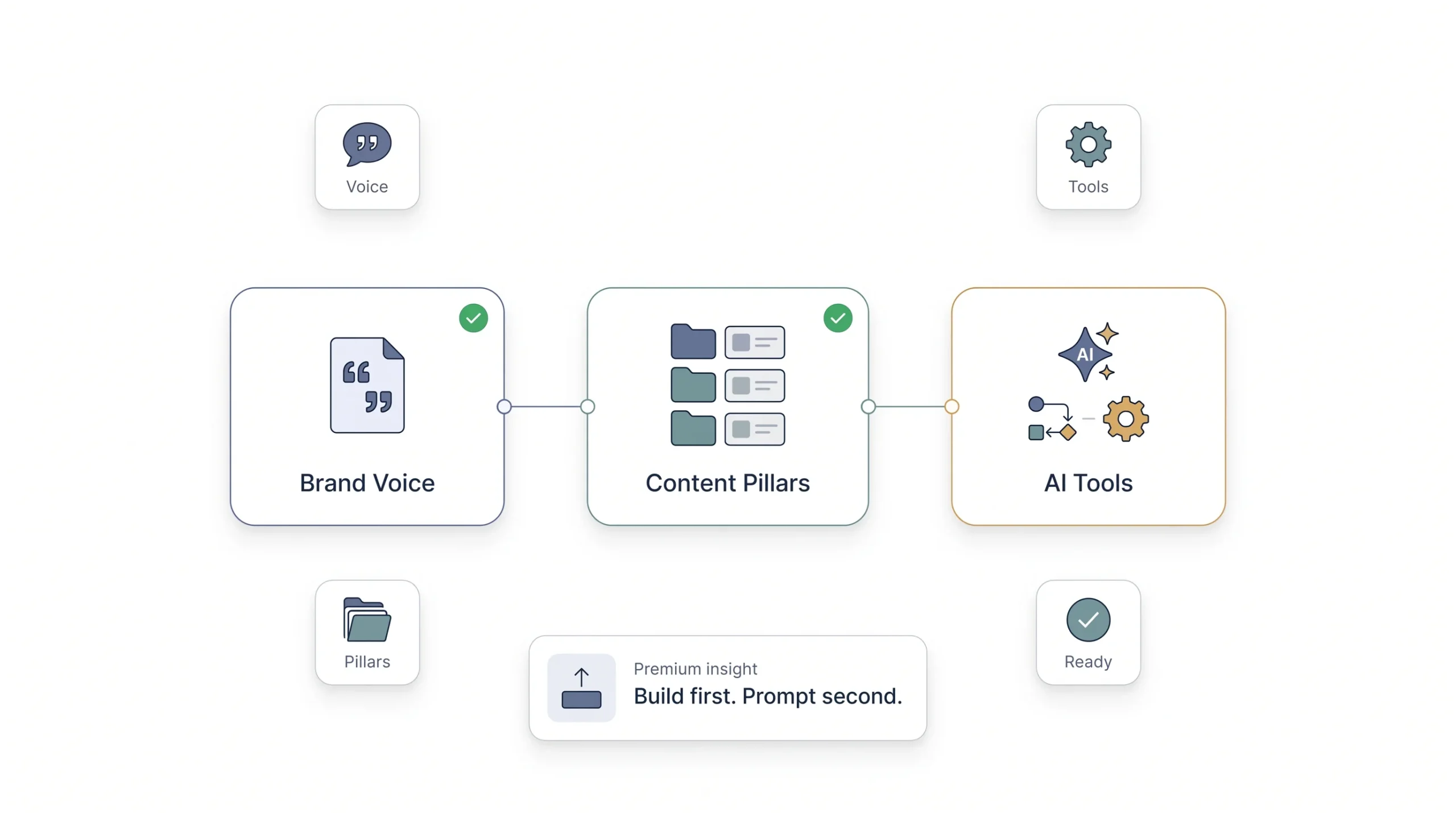
This is the part almost every AI-for-social guide skips entirely, which is genuinely strange, because it’s the actual difference between AI content that sounds like your brand and AI content that sounds like every other brand using the same default prompt. Three things need to exist before anyone opens a chat window and starts typing.
Building a Brand Voice Document
A real brand voice document isn’t a mood board with three adjectives taped onto it. “Fun, bold, authentic” tells an AI model nothing useful, and it tells your team even less. It needs tone descriptors specific enough to act on, sentence-level, not vibes-level. It needs a list of words and phrases the brand never uses, and a real one, not a generic ban list copied from a template. It needs five or six example posts that absolutely nail the voice, the ones you’d point to and say “yeah, that’s us.” And just as important, it needs two or three examples that miss it, close but wrong, so the model understands the actual edge between right and almost-right instead of guessing.
Test whether the document’s working with a simple exercise nobody bothers to run but should. Feed the voice doc into the tool, ask it to write about something completely neutral, an industry stat, a random Tuesday tip, then show that output to three people who know the brand without telling them it’s AI. If none of them can tell, the document’s doing its job. If two out of three flag something as “off,” go fix the document. Don’t just fix that one post and move on, because the same problem will show up in the next fifty posts too.
Defining Content Pillars Before Prompting
Content pillars are the three to five recurring themes a brand keeps coming back to. Education, behind-the-scenes, product, opinion, community, whatever actually fits. The reason this needs to exist before anyone starts prompting is simple and a little obvious once you say it out loud: ask an AI tool for “content ideas” with zero pillar structure and you get a pile of scattered, directionless suggestions that don’t build toward anything over time. Ask it for ideas inside a defined pillar and the output starts to compound, week over week, instead of feeling like ten unrelated one-off posts that happen to share a logo.
Picking Your AI Stack by Job-to-be-Done
Don’t start with “which AI tool should I use.” Start with the job. What actually needs solving, captions, images, video clips, scheduling, analytics, and let that decide the tool, not the other way around. People buy tools backwards constantly. They see a shiny all-in-one AI suite demoed at a conference, subscribe on the spot, then end up using maybe ten percent of what it does while paying for the other ninety percent every month.
| Job to be done | Tool category | Examples | Notes |
|---|---|---|---|
| Caption and copy generation | LLM chat tools | ChatGPT, Claude, Jasper | Works best with a custom brand voice prompt loaded in every session |
| Image generation | Text-to-image | Midjourney, DALL·E, Adobe Firefly | Firefly’s training data is commercially licensed, which matters if brand safety is a concern |
| Video clipping | Repurposing tools | OpusClip, Descript | Turns long-form video into short-form clips automatically |
| Scheduling and publishing | Social suites | Hootsuite, Buffer, Later | AI features sit as a layer on top of core scheduling |
| Analytics and insight | Native platform tools plus third-party | Platform insights, Sprout Social | Best for predicting posting windows and reading audience sentiment |
The Step-by-Step AI Content Creation Workflow
This is the actual process, start to finish, not a scattered list of tips pulled from different corners of the internet. Follow it roughly in order. Each step feeds the next one, and skipping a step doesn’t save time, it just moves the cost downstream where it’s more expensive to fix.
Step 1: Ideation and Research
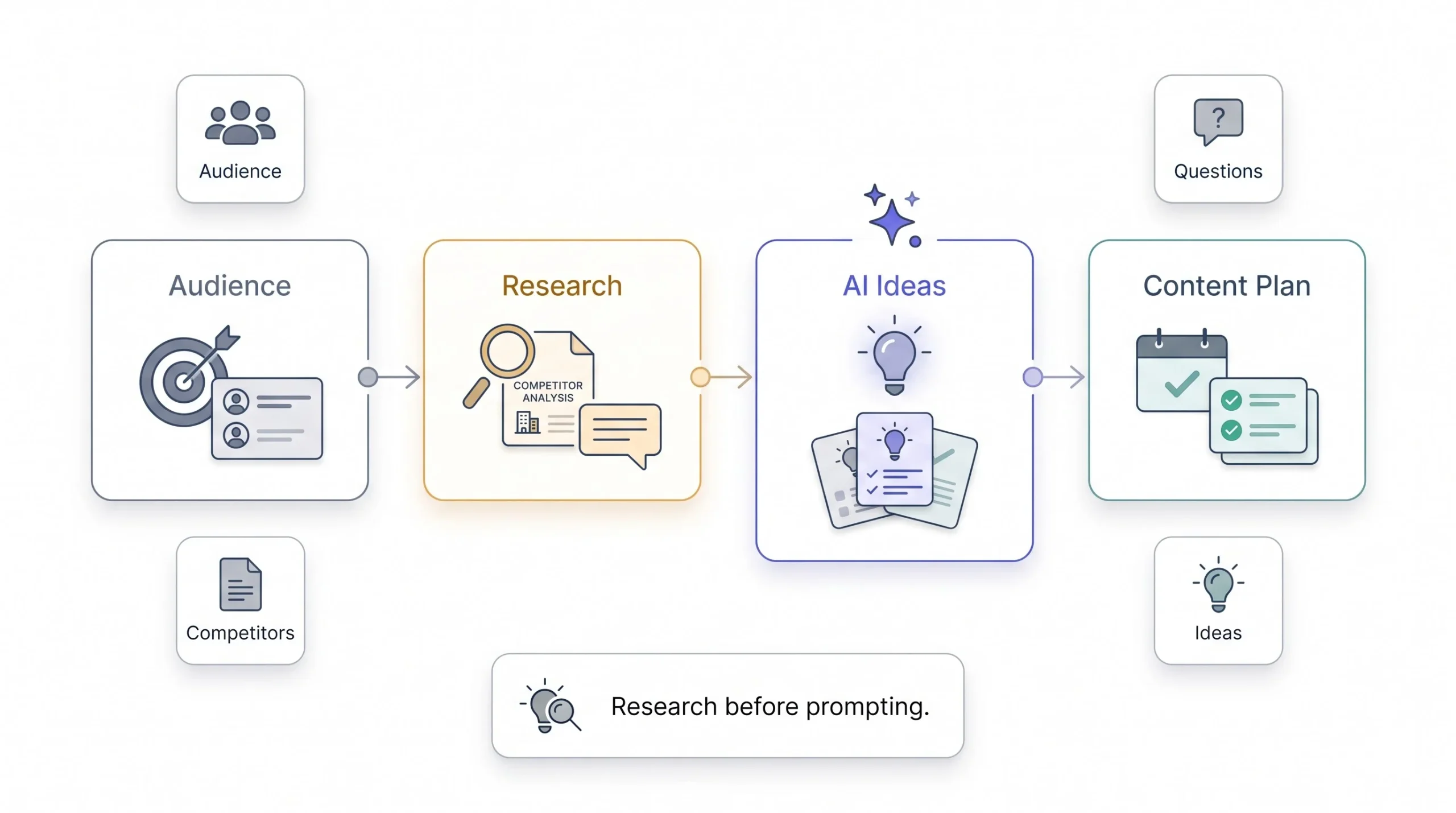
Prompting AI with “give me 10 Instagram ideas” produces garbage. Not because the tool’s bad, but because the prompt gave it nothing real to work with. No audience, no goal, no format, no constraint. It defaults to the most generic, most repeated pattern sitting in its training data, which is exactly what every other brand typing the same lazy prompt is getting back too. Same soup, different logo.
A properly scoped prompt names the platform, the specific audience, their actual pain point, and the format mix wanted.
Prompt template: “Give me 8 content ideas for [platform] aimed at [specific audience] who care about [pain point or interest]. Format as a mix of educational, behind-the-scenes, and opinion posts. Avoid generic advice, each idea needs a specific angle or example, not a broad theme.”
Beyond pure prompting, AI earns its keep for research-based ideation too, and this part gets underused. Feed it competitor content and ask it to spot recurring patterns. Pull the actual questions showing up in comments and DMs and ask AI to cluster them into themes. Ask it to summarize what’s trending in a niche right now. That’s a stronger, more grounded ideation source than asking a language model to invent ideas from thin air, because it’s rooted in something real your audience is already doing or asking.
Step 2: Drafting the Copy
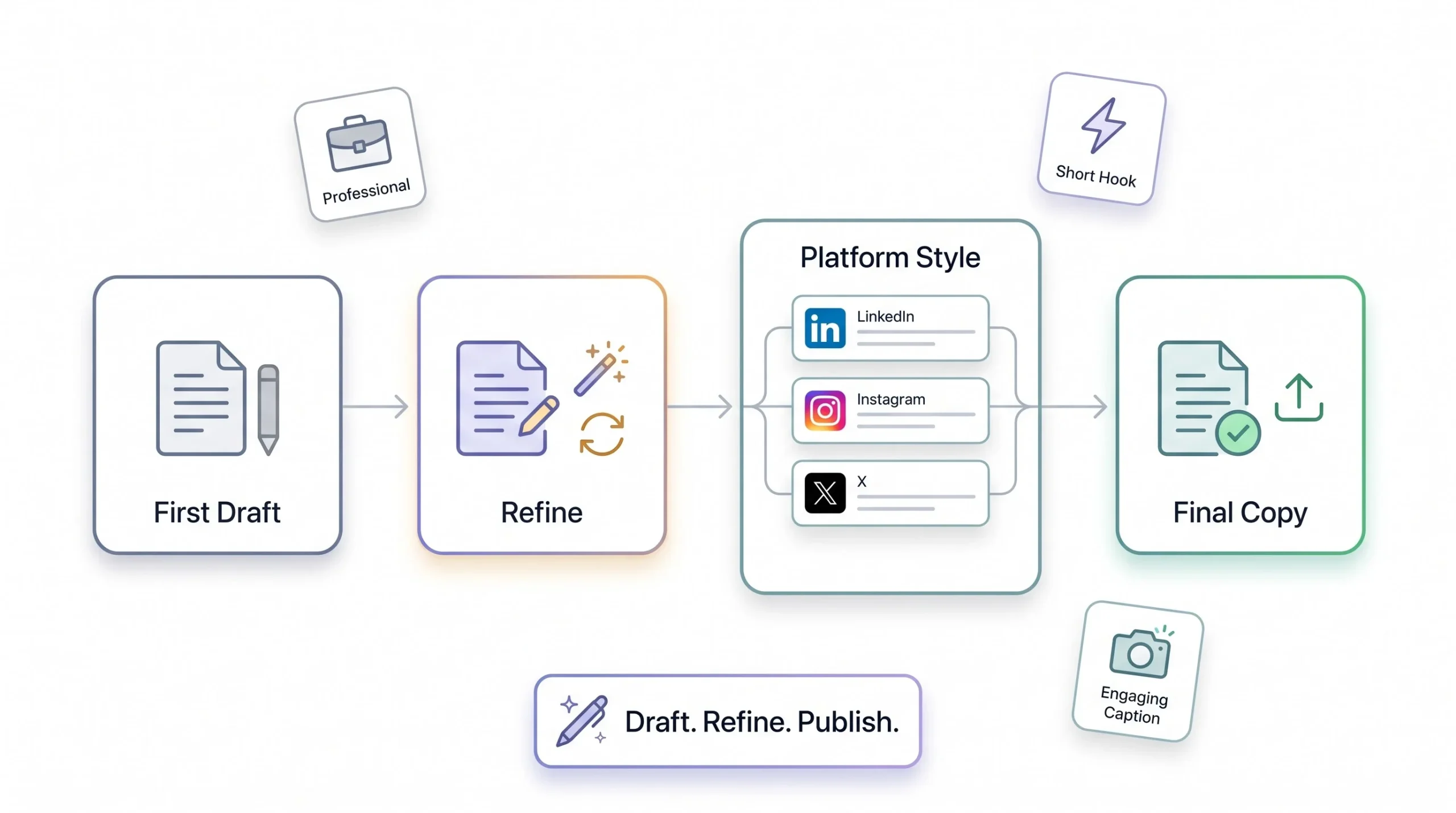
Nobody gets a perfect caption on the first prompt, and treating the first output as final is where most bad AI content starts its life. The move is iterative. First draft, then refine passes, tighten it, shift the tone up or down, cut the length in half if it’s dragging. Think of the first output as raw material, not a finished post.
Platforms also need different copy instructions, and this is the part people forget to actually spell out. LinkedIn tolerates longer text and rewards a professional register built around personal experience, not corporate summary. X needs the punch loaded into the first line, because nobody’s tapping “see more” for a slow build. Instagram captions live or die on the hook, the opening line has to earn the rest of the read or the whole caption’s wasted regardless of how good line four was. Skip specifying this and you’ll get one generic caption style forced onto every platform, and it’ll read that way to anyone paying attention.
Step 3: Visual and Video Generation
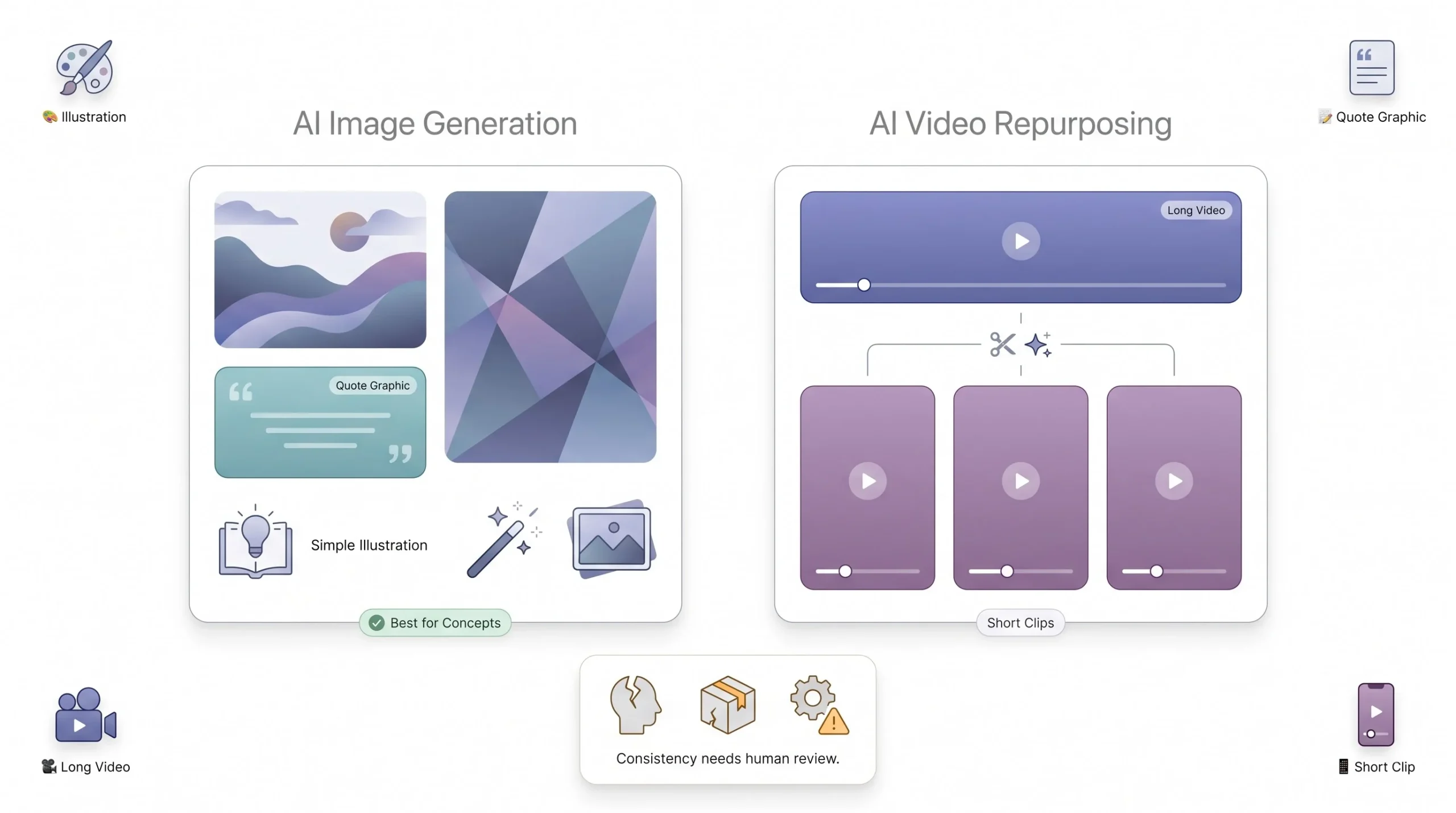
Being honest about where AI visuals actually stand matters more than repeating the hype. They’re solid for abstract or illustrative visuals, quote graphics, stylized backgrounds, concept art that doesn’t need to match anything specific. They’re still weak, genuinely weak, at accurate product shots or real human faces that need to stay consistent across a campaign. Ask for the same person in five different generated images and watch the face drift slightly each time. Brand consistency across multiple generated images takes deliberate style-locking, reference images fed in each time, a repeated prompt structure, or a brand kit feature in tools that support one. Skip that discipline and every image looks like it came from a slightly different brand each week.
For video, the highest-return use case right now isn’t fully AI-generated footage, that’s still inconsistent and often lands somewhere uncanny for brand work, the kind of slightly-off motion that makes people pause for the wrong reason. The real win is repurposing. Taking a long-form video, a webinar recording, a podcast episode, a YouTube upload, and letting an AI tool clip it down into short-form pieces automatically, finding the moments worth pulling out instead of someone scrubbing through forty minutes of footage by hand. That’s the application actually saving people real hours today, not the fully synthetic stuff getting all the attention.
Step 4: Editing for Brand Voice and Accuracy
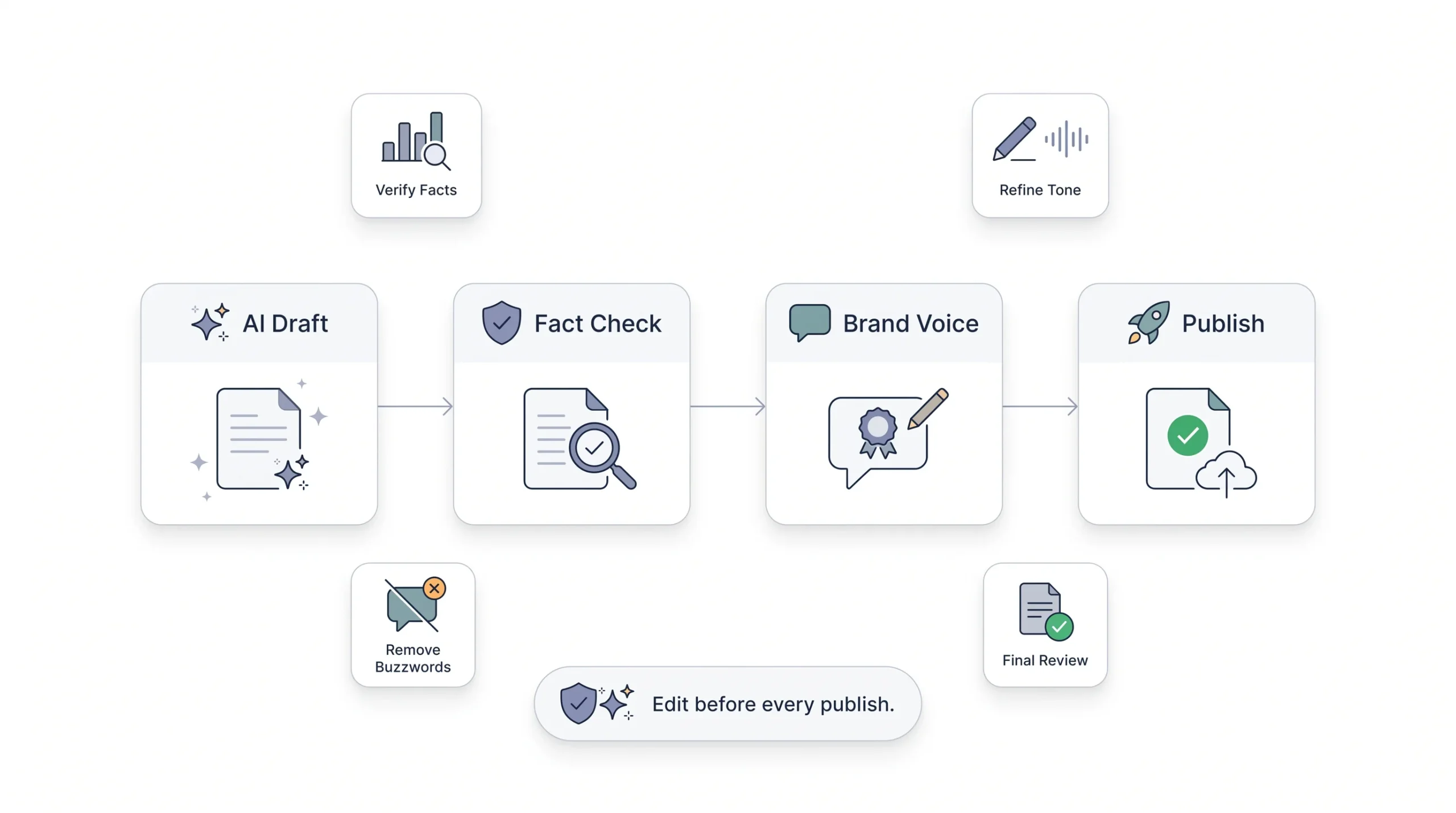
This is the step most AI-for-social guides mention in one throwaway sentence and move past. It deserves far more than that, because it’s where quality actually gets decided, not at the prompting stage. Editing needs to catch factual claims first, and this matters more than people give it credit for. AI tools will state a statistic or a date with total, unwavering confidence even when it’s flat wrong, and that’s not a minor formatting quirk, that’s a credibility problem the moment it goes live and someone in the comments fact-checks it faster than the brand can delete the post.
Beyond facts, check for tone drift creeping in mid-caption, banned phrases sneaking back through a side door, and the generic tells that make content read as obviously synthetic to anyone who’s scrolled enough AI-generated posts to develop a nose for it.
| AI tell | Why it happens | Fix |
|---|---|---|
| Overuse of “unlock,” “elevate,” “game-changer” | Trained heavily on marketing copy patterns | Add a ban list directly into the prompt, then run a manual sweep anyway |
| Every post ends in a question | Default engagement pattern baked into training data | Vary the CTA, cut it entirely on some posts |
| Symmetrical, listy structure everywhere | Model defaults to structure when it’s unsure what else to do | Ask for prose first, then bullet only where it genuinely earns it |
| Overconfident stats and claims | Model fills gaps plausibly instead of flagging uncertainty | Verify every single number by hand, no exceptions, ever |
Step 5: Repurposing One Piece Across Platforms
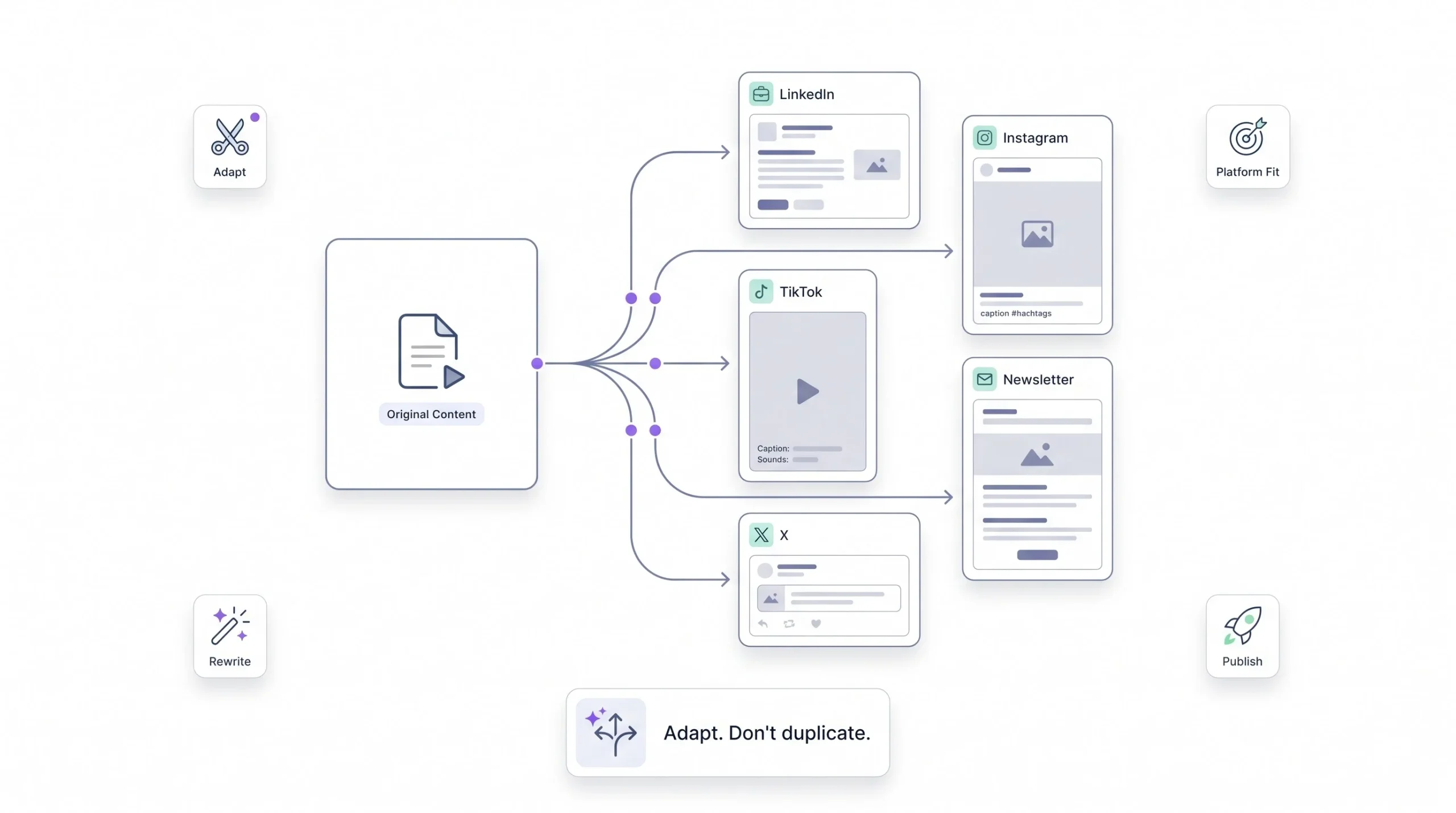
One blog post or one video can become five to eight platform-native pieces if it’s done right. That’s the whole idea behind content atomization. The mistake people make constantly is prompting once and pasting the same text everywhere with a different logo slapped on top. That’s not repurposing, that’s duplication wearing a disguise, and audiences notice immediately when a caption clearly wasn’t written for the platform it’s sitting on, the LinkedIn-voiced caption dropped onto a TikTok clip is a specific kind of cringe most people can spot in two seconds. Prompt for platform-specific adaptation explicitly. Tell the tool this version’s for LinkedIn, this one’s for TikTok, and the output actually starts fitting the room it’s walking into.
Step 6: Scheduling and Publishing
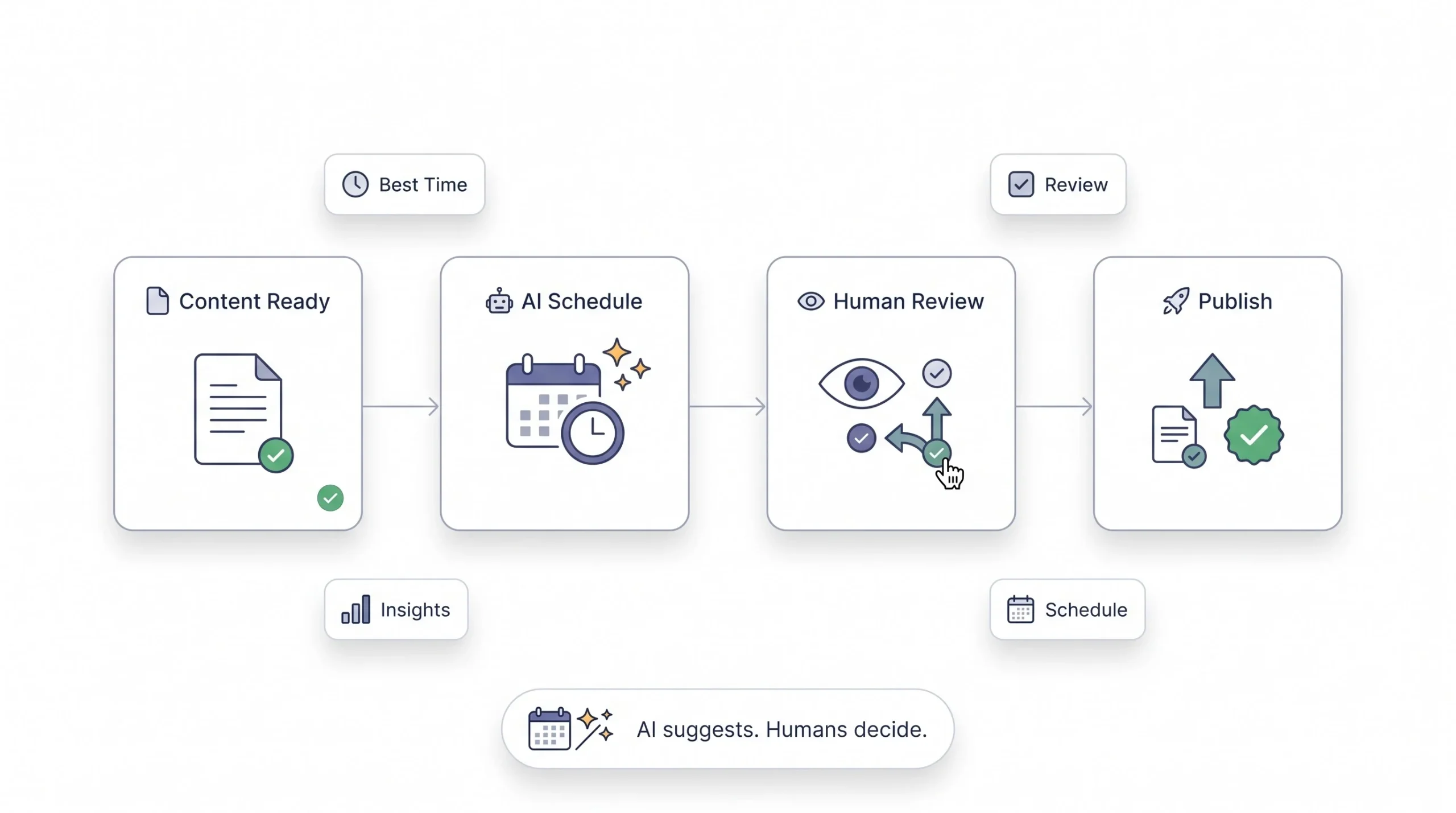
AI scheduling tools suggest optimal posting windows based on historical engagement data pulled straight from the account. Useful, genuinely, but directional, not gospel. Audience behavior shifts over time, sometimes fast, and the tool’s working off lagging data, meaning it’s telling you what worked before, not necessarily what’s working right now this week. Treat the suggestion as a starting point worth testing against your own instincts, not a rule to follow blindly forever because a dashboard said 6pm once.
Step 7: Measuring and Feeding Results Back
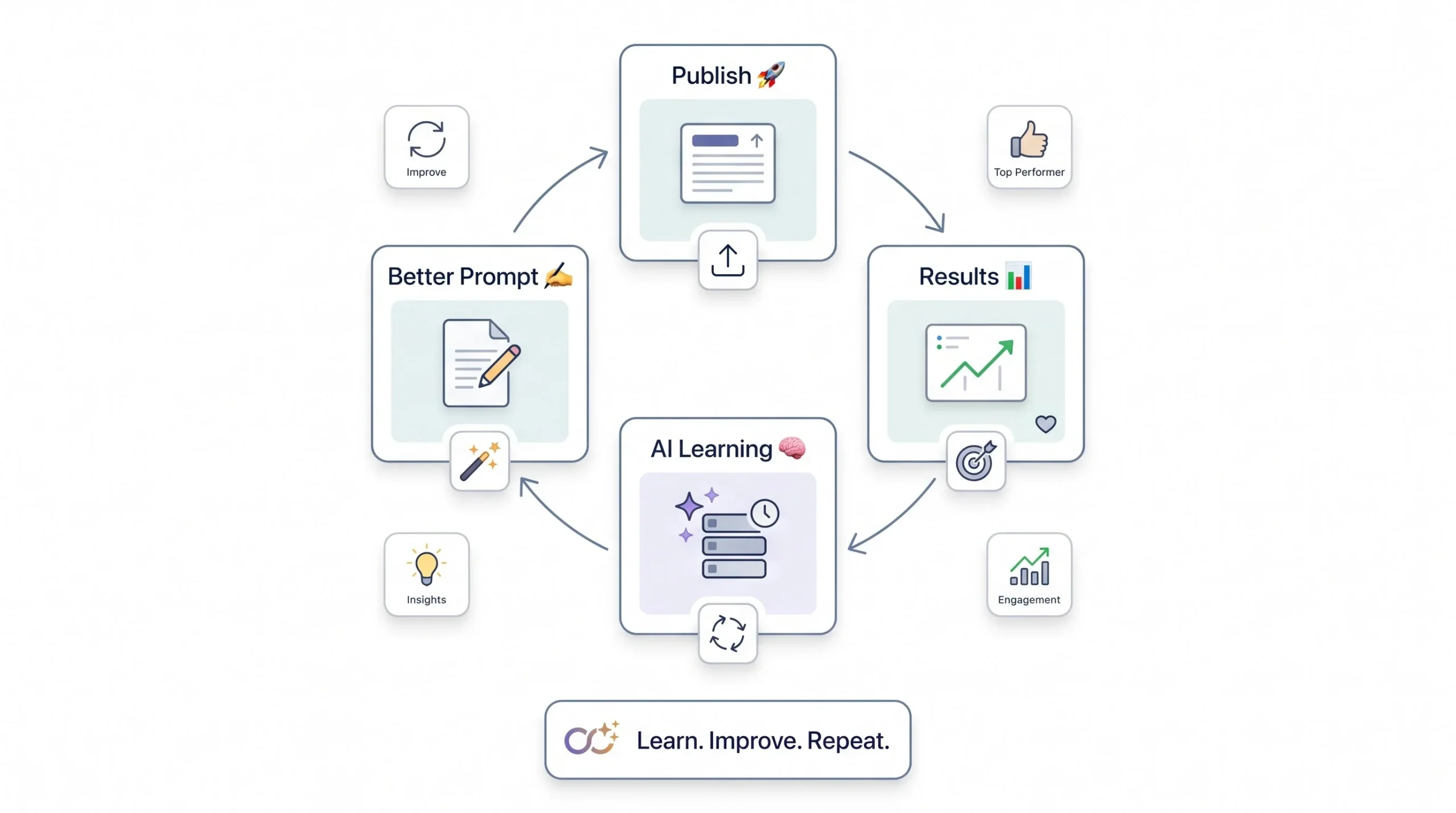
The part almost nobody actually does: closing the loop. When a post performs well, that information should go straight back into the next round of prompts. This topic worked. This hook format worked. This one flopped and here’s roughly why. Told explicitly to the AI next time, instead of starting every content cycle from zero like the last one never happened and left no trace behind it. That feedback loop is what separates a system that quietly gets better every month from one that just produces the same average output on an endless loop, forever, without ever learning anything from what actually landed.
Platform-by-Platform AI Content Playbook
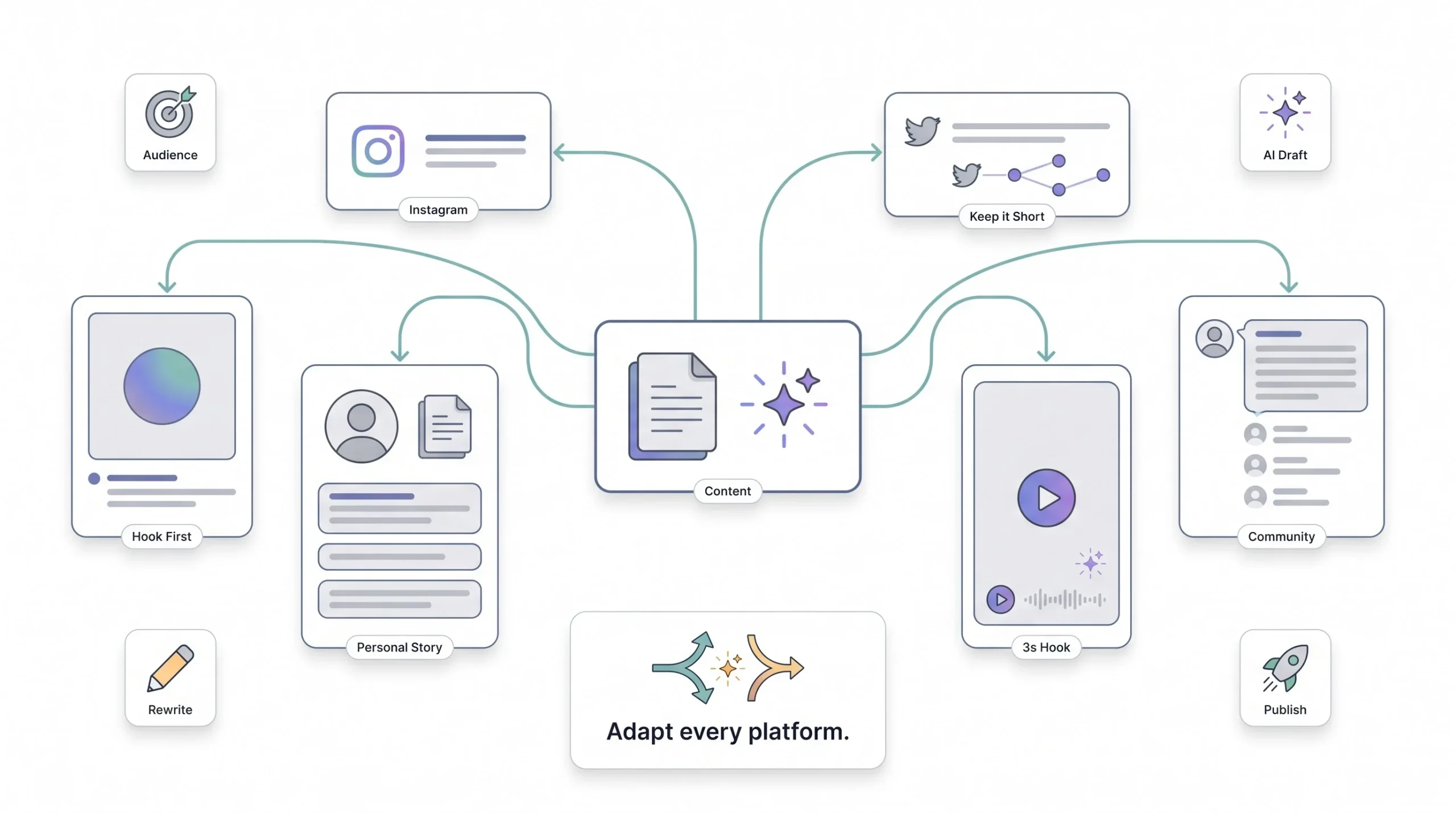
Generic prompting produces generic content, and nowhere is that more obvious than across platforms sitting side by side. Each one rewards a different structure, a different pace, a different tone entirely, and treating them the same is probably the single most common mistake in this whole process, more common than any technical mistake with the tools themselves.
Instagram – Captions, Carousels, and Reels
The caption lives or dies on its hook line. The first sentence has to earn the tap on “more,” because most people never get past it otherwise, no matter how good the rest of the caption turns out to be. Carousels work best with one idea per slide, not a wall of text crammed onto slide one hoping people will swipe through six slides of dense paragraphs, they won’t. For Reels specifically, AI’s most useful for scripting the hook. The first three seconds decide whether anyone keeps watching at all, so that’s exactly where the prompting effort should concentrate, not on the middle of the script.
LinkedIn – Professional Voice Without Sounding Corporate
Here’s the tension nobody talks about enough: AI defaults toward corporate-sounding output because that’s a huge chunk of what it was trained on, and LinkedIn’s actual best-performing content is close to the opposite of that. Personal, specific, a little informal, built around a real experience or a genuine opinion someone’s willing to stand behind. Counter that default by prompting for a first-person anecdote structure explicitly, and telling the tool directly to avoid press-release language, because left alone it’ll drift straight back toward “excited to announce” within a paragraph or two.
X (Twitter) – Speed and Thread Structuring
Character economy is everything here, and it’s unforgiving about it. AI’s genuinely good at outlining threads, one clear idea per tweet, building toward a payoff instead of rambling across ten posts that could’ve been three. For single posts, the prompt needs to push hard for punch over explanation. X rewards the version that says less, not more, and that’s a harder instruction to give an AI model than it sounds, because the default instinct is almost always to add another clarifying sentence.
TikTok – Scripts, Hooks, and Trend-Jacking
Scripts need to be built around the first-three-seconds rule, same logic as Reels but with even less patience from viewers who are one thumb-flick away from gone. AI’s also useful for adapting a trending format or a trending audio concept into a brand-relevant angle, spotting the underlying pattern in what’s working right now and translating it into something that fits the brand, rather than copying the trend outright and hoping nobody notices it’s the fortieth version of the same joke that week.
Facebook – Community and Longer-Form Posts
Facebook’s audience skews older on average and behaves differently, more community-group driven, more comfortable sitting with a longer, conversational post than Instagram’s audience typically tolerates. Prompting needs to shift accordingly, longer sentences, more context up front, less punchy shorthand that assumes the reader already knows what’s being referenced.
| Platform | Ideal AI output length | Key prompt variable | Common mistake |
|---|---|---|---|
| Short caption plus a strong hook | Visual pairing context | Treating the caption as standalone text | |
| 150 to 300 words | Personal angle or lived experience | Sounding like a press release | |
| X | Under 280 characters or a structured thread | Punchiness, zero fluff | Overexplaining the point |
| TikTok | 15 to 30 second script | Hook in the first line, no exceptions | Ignoring native audio and format culture |
| Medium length, conversational tone | Community and group context | Copy-pasting the Instagram caption straight over |
Keeping AI Content Authentic (and Why This Isn’t Optional)
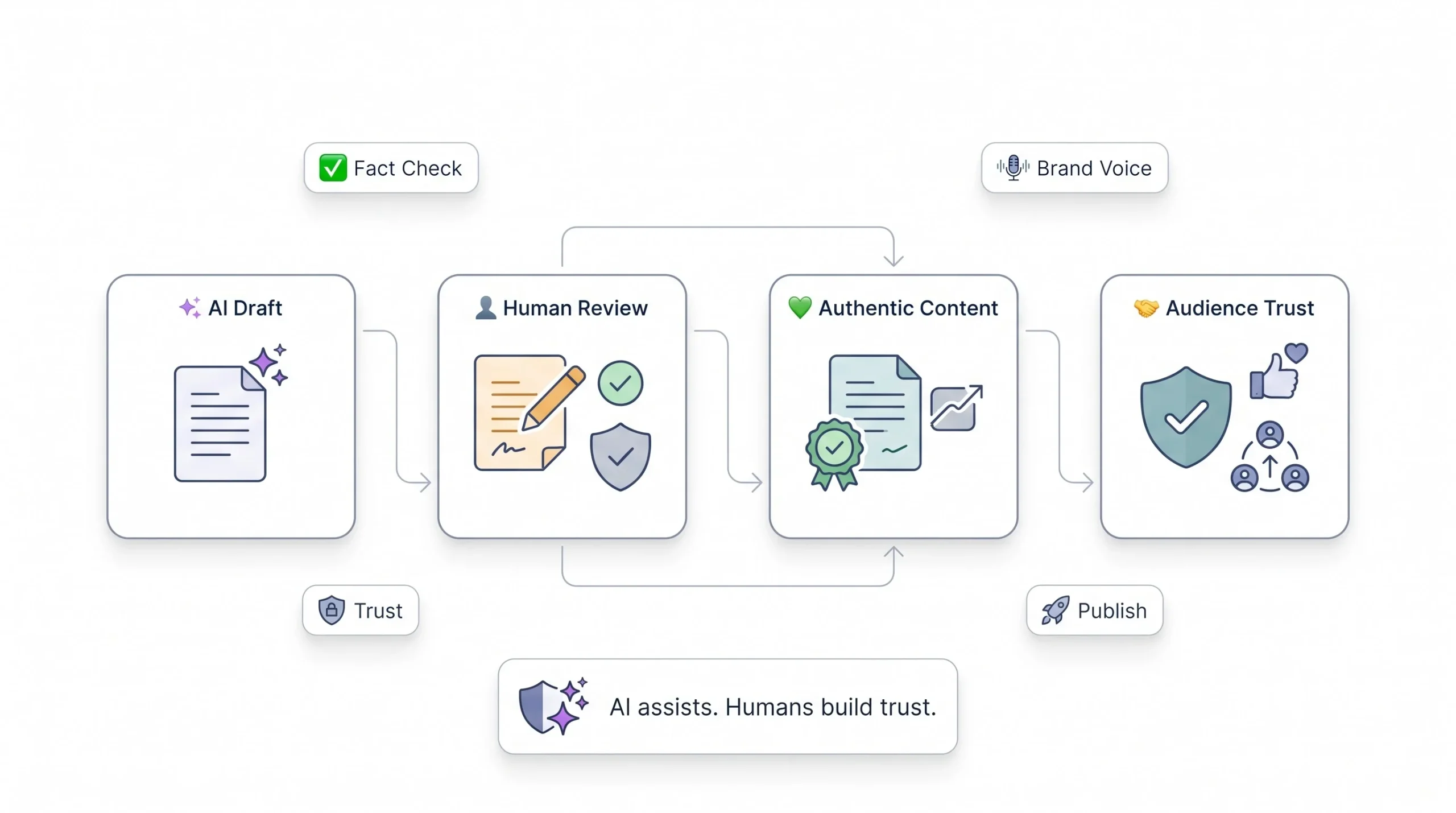
Platforms are starting to build AI labeling directly into their tools, and some scheduling and publishing platforms already flag content differently depending on how much editing happened before it went live, fully AI-generated versus AI-assisted with real human input. That’s not a random feature someone added to check a box. It’s a signal that disclosure norms are shifting under everyone’s feet right now, and brands ignoring it are quietly betting against a direction the industry’s already moving in.
Beyond policy, there’s a trust issue sitting right underneath all of this that matters more day to day. Audiences are getting sharper at spotting content that reads as obviously synthetic, the same rhythm, the same hollow enthusiasm, the same three phrases showing up again and again. Once an audience clocks a brand as “that’s the AI account,” engagement drops and it doesn’t bounce back easily, because trust is a lot easier to lose than to rebuild in a feed people scroll through in half a second. Authenticity isn’t a nice-to-have layered on top of the workflow at the end. It’s the thing the entire workflow exists to protect.
Tip: If a specific post would embarrass the brand were the audience to find out it was AI-generated, that’s usually a sign it needs more human editing before it goes out, not proof that AI shouldn’t have touched it at all.
Common Mistakes to Avoid
Publishing the first draft unedited is the biggest one, and it’s the root cause behind most of the others on this list. It happens because AI output feels finished the moment it lands, clean sentences, correct grammar, nothing obviously broken sitting on the surface. But finished-looking isn’t the same thing as ready, and that gap is where a lot of embarrassing posts come from.
Using the identical prompt across every platform runs a close second, producing content that technically exists on six channels but genuinely fits none of them. Letting AI fabricate stats or quotes without checking is a credibility risk that’s completely avoidable with five minutes of verification, and yet it happens constantly because confident-sounding output tricks people into trusting it more than they should. Chasing volume at the cost of a coherent voice is another one worth naming directly, because more posts doesn’t help anything if none of them sound like the same brand said them, and audiences pick up on that inconsistency faster than most teams realize. And ignoring negative signals, comments calling out content as obviously AI-written, screenshots getting mocked elsewhere, engagement quietly sliding over a few weeks, without ever adjusting the process, that’s just refusing to look at feedback that’s sitting right there in plain view.
Measuring Whether Your AI Workflow Is Actually Working
Vanity metrics won’t tell the real story here, and leaning on them is how teams convince themselves something’s working when it isn’t. Track time saved per piece first, that’s the actual operational number worth watching closely, how long a post takes from idea to publish now compared to before AI entered the workflow at all. Track the engagement rate delta against a genuine pre-AI baseline too, not just raw engagement sitting in isolation, because that comparison is what actually reveals whether the shift helped or just changed the volume without changing the outcome. And read the comments, actually read them, don’t just glance at the count. Audience sentiment shows up there in ways dashboards miss entirely. Someone calling a post “so AI” in the replies is a data point no analytics panel is ever going to surface on its own.
Conclusion
AI doesn’t solve the judgment problem, it solves the blank-page problem. That’s the whole thesis here, and it’s easy to lose sight of once a tool starts spitting out ten captions in ten seconds and it feels like the hard part’s already over. It isn’t. The brands actually winning with this right now aren’t the ones posting the most. They’re the ones who built something first, a real voice document, defined content pillars, an editing checklist that actually gets used every single time instead of skipped on busy weeks, before they ever opened a prompt window and started typing. Everyone else is just producing more content that looks like everyone else’s content, faster than before, filling more feed space without actually saying more. Start with the system, not the tool, and the tool ends up doing exactly what it was supposed to do the whole time.
Frequently Asked Questions
Is it okay to post AI-generated content without disclosing it?
Depends on the platform and how much AI actually touched the piece. Light AI assistance on a human-edited post is generally treated differently than fully AI-generated, unedited content. Some platforms are starting to label this automatically, so check the specific platform’s current policy directly rather than assuming it’s the same everywhere.
Will AI-written captions hurt my engagement or reach?
Not inherently. Unedited, generic AI captions will, because both audiences and algorithms respond negatively to obviously templated content over time. Well-edited AI-assisted captions that actually match brand voice generally perform in line with fully human-written ones.
What’s the best free AI tool to start with?
For text, the free tiers of ChatGPT or Claude cover most caption and ideation needs to get started without spending anything. For image work, free tiers of tools like Canva’s AI features or Adobe Firefly are a reasonable entry point before paying for a dedicated image generator.
Can AI fully replace a social media manager?
No, not currently, and probably not soon. AI handles drafting, ideation, and repurposing well. Strategy, brand judgment, community response during a crisis, and final quality control still need a person making the actual call.
How do I stop AI content from sounding generic?
Build a real brand voice document with specific banned phrases and real example posts, prompt with platform-specific constraints every time, and always run an editing pass that specifically hunts for the common AI tells, overused buzzwords, symmetrical structure, the fake-enthusiasm tone that creeps in by default.
Does using AI for social media violate platform terms of service?
Generally no, most major platforms allow AI-assisted content without restriction. Some have specific rules around disclosure or synthetic media, particularly for AI-generated video or images depicting real people, so it’s worth checking each platform’s current policy directly rather than assuming.
How much should I edit AI-generated content before posting?
Enough that someone familiar with the brand can’t immediately tell it was AI-drafted. That usually means checking facts line by line, adjusting tone where it drifts, cutting generic phrasing, and making sure the hook and CTA actually fit the platform it’s going on.
Can AI generate accurate images of my actual products?
Not reliably yet. AI image tools are strong for abstract or stylized visuals but weak at reproducing a specific real product accurately and consistently across multiple generations. For actual product shots, real photography still wins by a wide margin.
How do I train AI to match my brand voice consistently?
Feed it a detailed voice document every session, including example posts that hit the tone and examples that miss it so it understands the actual edge. Some tools let this get saved as a persistent project or custom instructions, so it doesn’t need re-uploading every single time.
Is AI-generated video good enough to use for brand content yet?
Fully AI-generated video is still inconsistent for polished brand use, often landing in uncanny territory that draws attention for the wrong reason. AI-assisted video repurposing, turning long-form content into short clips, is far more reliable and already delivering real time savings today.
How often should I update my AI prompts or brand voice document?
Whenever the brand voice shifts meaningfully, or at minimum once a quarter, based on what’s actually performing rather than gut feeling. If certain phrasing or formats keep underperforming, that’s the signal to revise the document itself, not just patch the individual prompt each time.
What’s the biggest mistake beginners make using AI for social content?
Treating the first output as the final post. AI is a drafting tool, not a publishing tool, and that distinction matters more than almost anything else in this guide. Skipping the editing and brand-fitting step is where nearly every bad AI content experience starts, and it’s the easiest one to fix once someone actually sees it happening.