

A few years ago, “using AI for marketing” meant opening ChatGPT, typing “write me a blog post about X,” and copy-pasting whatever came out. That was it. That was the whole workflow. Nobody talks about marketing that way anymore, and honestly, nobody should have talked about it that way even back then.
Look at what actually happens on a marketing team’s laptop today. Someone pulls keyword data through an AI-assisted SEO platform, drafts a content brief with an assistant, generates ten ad variations in AdCreative.ai before lunch, schedules a week of social posts through Buffer, and then asks an AI model to explain why last month’s landing page conversion rate dropped. None of that is “writing a blog post.” That’s a workflow. AI tools for digital marketers have moved from being a shortcut for one task to becoming the connective tissue across research, creation, distribution, and analysis.
That’s the shift this guide is built around. Not “here are 40 tools, good luck,” but an honest look at which AI tools for digital marketers actually earn a spot in a working stack in 2026, what each one is genuinely good at, where it falls short, and how real marketers are stitching these tools together instead of using them in isolation. Marketing hasn’t stopped requiring human judgment. It just requires a lot less manual grunt work to get there.
What You Will Learn in This Guide
- Which AI tools for digital marketers are actually worth paying for in 2026, category by category
- How to pick the right tool for content, SEO, AEO/GEO visibility, social, design, video, email, ads, automation, analytics, research, and lead gen
- Real workflows showing how these tools connect instead of sitting in separate tabs
- A breakdown of AI marketing stacks by role: freelancer, SEO specialist, content marketer, social media manager, agency, small business, and enterprise team
- How to think about free versus paid tools, and where the ROI math actually works
- A practical framework for choosing tools without falling into the “shiny new app” trap
- The mistakes marketers keep making with AI, and what to do instead
- Where AI marketing is actually headed, not the hype version
The Best AI Tools for Digital Marketers Right Now
If you’re short on time and just want the shortlist, here it is. This isn’t a popularity ranking. It’s what’s actually earning its subscription fee in real marketing teams right now.
| Marketing Need | Recommended Tool | Best For |
|---|---|---|
| General AI Marketing Assistant | ChatGPT | Research, drafting, planning, almost everything |
| Deep Research & Source Discovery | Perplexity | Competitor research, fact-checking, market scans |
| Long-Form Content & Strategy Docs | Claude | Brand voice, editing, long documents |
| SEO Research & Optimization | Semrush | Keyword data, audits, content planning |
| Competitive SEO Analysis | Ahrefs | Backlinks, keyword gaps, brand visibility |
| Content Optimization | Surfer | On-page scoring, NLP-based content editing |
| AI Search Visibility (AEO/GEO) | Semrush + Ahrefs + Surfer | Getting cited inside AI-generated answers |
| Graphic Design | Canva | Social creatives, ad graphics, brand kits |
| Video Editing | CapCut / Descript | Short-form video, podcast-to-clips |
| Email Marketing | HubSpot / Klaviyo | Automation, segmentation, lifecycle emails |
| Ad Creative Generation | AdCreative.ai | Performance-focused ad variations |
| Social Media Management | Buffer | Scheduling, AI captions, analytics |
| Workflow Automation | n8n / Zapier | Connecting tools into one pipeline |
| Marketing Analytics | GA4 + AI assistants | Turning raw data into decisions |
| CRM & Marketing Hub | HubSpot | Full-funnel marketing automation |
One honest caveat before you go bookmark this table: AI tools change their pricing, their feature sets, and sometimes their entire product direction every few months. What’s true about Jasper’s pricing tier today might not be true in six months. Treat this as a strong starting point, not gospel, and always check the tool’s actual pricing page before you commit a card number.
How We Selected the Best AI Marketing Tools
Picking tools for a list like this isn’t just “which ones show up first on Google.” A lot of AI marketing tool roundups are basically affiliate link farms dressed up as advice. We wanted this to actually be useful, so here’s the filter every tool had to pass through.
AI Capability That Actually Matters
Plenty of software slapped “AI-powered” on their landing page in the last two years without changing much under the hood. The real question isn’t whether a tool has an AI feature bolted on somewhere. It’s whether AI is doing something structurally different than the manual version of the task. Surfer’s content scoring, for example, isn’t just “AI helping you write.” It’s pattern-matching against what’s actually ranking, which is a genuinely different capability than a human editor eyeballing a draft.
Does It Solve a Real Marketing Problem
A tool can be technically impressive and still be useless for your actual job. Midjourney generates gorgeous images. It’s not going to help you write a cold email sequence. Every tool on this list earns its place because it solves a specific, recurring problem that digital marketers deal with weekly, not because it’s technically clever.
Ease of Use and Time to Value
Nobody has three weeks to learn a new platform before they see results. We looked at how steep the learning curve is, how the interface holds up under real deadline pressure, and whether a marketer with zero AI background could get value out of it in the first session. Tools with brutal onboarding get dinged here even if the underlying tech is strong.
Output Quality and Accuracy
This is where a lot of AI hype falls apart. Content quality, research accuracy, the reliability of AI-generated recommendations, how well a tool interprets messy data. A keyword tool that confidently gives you wrong search volume is worse than useless, it’s actively dangerous to your strategy. We weighted accuracy heavily.
Integration With the Rest of Your Stack
A tool that doesn’t talk to WordPress, Google Analytics, Search Console, your CRM, or your automation platform creates friction. In 2026, isolated tools are a liability. The best AI tools for digital marketers plug into an existing workflow instead of forcing you to rebuild your whole process around them.
Pricing Against Real Value
Free plans, entry tiers, professional tiers, enterprise pricing. We looked at what you actually get at each level, not just the marketing page’s “starting at” number, which is almost always the least useful plan on offer.
Scalability Across Team Sizes
Does the tool hold up whether you’re a solo freelancer or a 40-person agency? Some tools are brilliant for one person and fall apart the moment three teammates need to collaborate inside them. Others are overbuilt for a freelancer and just add unnecessary complexity.
Human Oversight Still Matters
Here’s the principle running through this whole guide: the best AI marketing tools should speed up marketing work, not replace the judgment behind it. A tool that tempts you to skip strategic thinking entirely isn’t good; it’s a shortcut to generic, forgettable marketing. Every recommendation here assumes a human is still steering.
Best AI Tools for Digital Marketers: The Full Lineup at a Glance
Before diving into deep reviews, here’s the broader landscape. Not every tool below gets a full section; some are strong enough to mention but don’t need 400 words of explanation.
| Tool | Category | Free Plan | Starting Price | Difficulty | Best For |
|---|---|---|---|---|---|
| ChatGPT | AI Assistant | Yes | Free / $20/mo Plus | Easy | General marketing tasks |
| Claude | AI Assistant | Yes | Free / $20/mo Pro | Easy | Long-form content, analysis |
| Gemini | AI Assistant | Yes | Free / bundled with Workspace | Easy | Google ecosystem workflows |
| Perplexity | Research | Yes | Free / $20/mo Pro | Easy | Research and source discovery |
| Semrush | SEO | Limited trial | ~$139/mo | Medium | All-around SEO platform |
| Ahrefs | SEO | Limited | ~$129/mo | Medium | Competitive research |
| Surfer | Content SEO | No | ~$89/mo | Easy | Content optimization |
| Frase | Content SEO | Limited | ~$45/mo | Easy | Content briefs |
| Canva | Design | Yes | Free / $15/mo Pro | Easy | Marketing creatives |
| Jasper | Content | No | ~$49/mo | Medium | Marketing teams, brand voice |
| Copy.ai | Content | Yes | Free / $49/mo | Easy | Sales copy, workflows |
| HubSpot | CRM/Automation | Yes | Free / $20/mo up | Medium | Email, CRM, automation |
| Buffer | Social | Yes | Free / $6/mo per channel | Easy | Scheduling, AI captions |
| AdCreative.ai | Ads | Limited trial | ~$29/mo | Easy | Ad creative generation |
| Klaviyo | Yes | Free / usage-based | Medium | Ecommerce email | |
| Descript | Video | Yes | Free / $24/mo | Medium | Podcast/video editing |
| CapCut | Video | Yes | Free / $9.99/mo Pro | Easy | Short-form video |
| Zapier | Automation | Yes | Free / $19.99/mo | Easy | No-code automation |
| n8n | Automation | Yes (self-host) | Free / $20/mo cloud | Medium-Hard | Flexible AI automation |
| Notion AI | Productivity | Bundled | ~$10/mo add-on | Easy | Content planning, docs |
That’s a lot of tools, and nobody needs all twenty. The point of this table isn’t to overwhelm you, it’s so you can scan it and go “oh yeah, I’ve heard of that one, let’s see if it’s actually worth it” for the specific gap in your own stack.
Best AI Tools for Content Creation
Content creation is still where most people start when they think about AI tools for digital marketers, and for good reason. It’s the highest-volume, most time-consuming task on almost every marketing team’s plate. But “which AI writes the best blog post” is honestly the wrong question in 2026. The better question is which assistant fits how you actually work.
ChatGPT
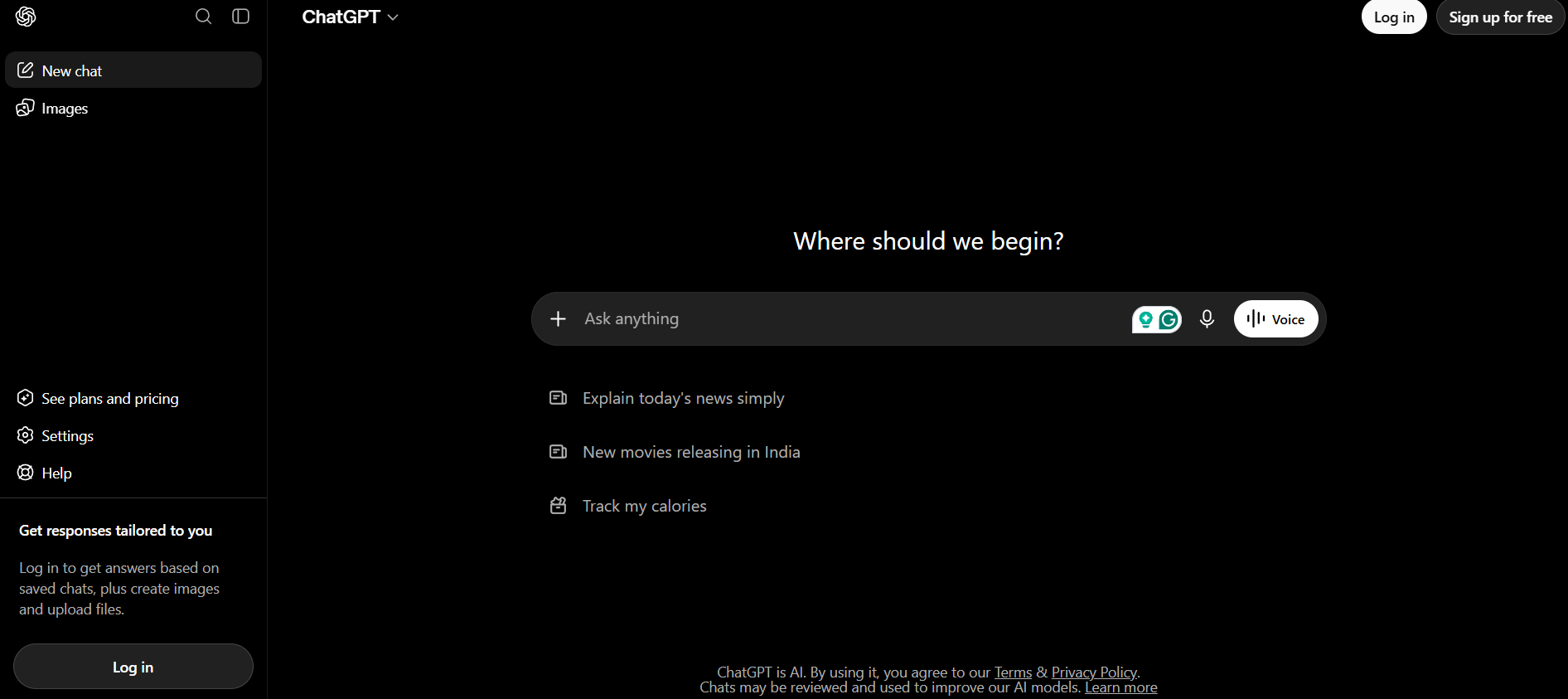
ChatGPT earns the “best overall” spot not because it’s the smartest model on every single benchmark, but because it’s the most flexible. One tool, dozens of use cases: blog ideation, content briefs, keyword clustering, outlines, first drafts, meta descriptions, ad copy, social captions, email sequences, repurposing an existing article into five other formats, basic data analysis on exported reports, and rough marketing strategy sketches. It’s the Swiss Army knife of the group.
The people who get the most out of ChatGPT treat it like a very fast, very knowledgeable junior strategist rather than a finished-product machine. Ask it to draft a content brief, then rewrite the weak parts yourself. Ask it to generate ten headline variations, then pick and tweak the two that actually sound like your brand. The moment you start publishing its raw output unedited is the moment your content starts sounding like everyone else’s ChatGPT output, and readers notice that faster than marketers want to admit.
Pros: Extremely versatile, huge plugin and custom GPT ecosystem, strong at brainstorming and structuring messy ideas, decent memory across a conversation for iterative work.
Cons: Can get generic without specific prompting, needs fact-checking on anything statistical, brand voice consistency requires real setup work with custom instructions.
Pricing: Free tier is genuinely usable for light work. The paid Plus tier unlocks faster responses, better models, and more consistent access during peak hours.
Example workflow: Keyword research pulled from Semrush, fed into ChatGPT for a content brief, drafted, handed to a human editor, optimized in Surfer, published, then repurposed into three LinkedIn posts and an email.
Claude
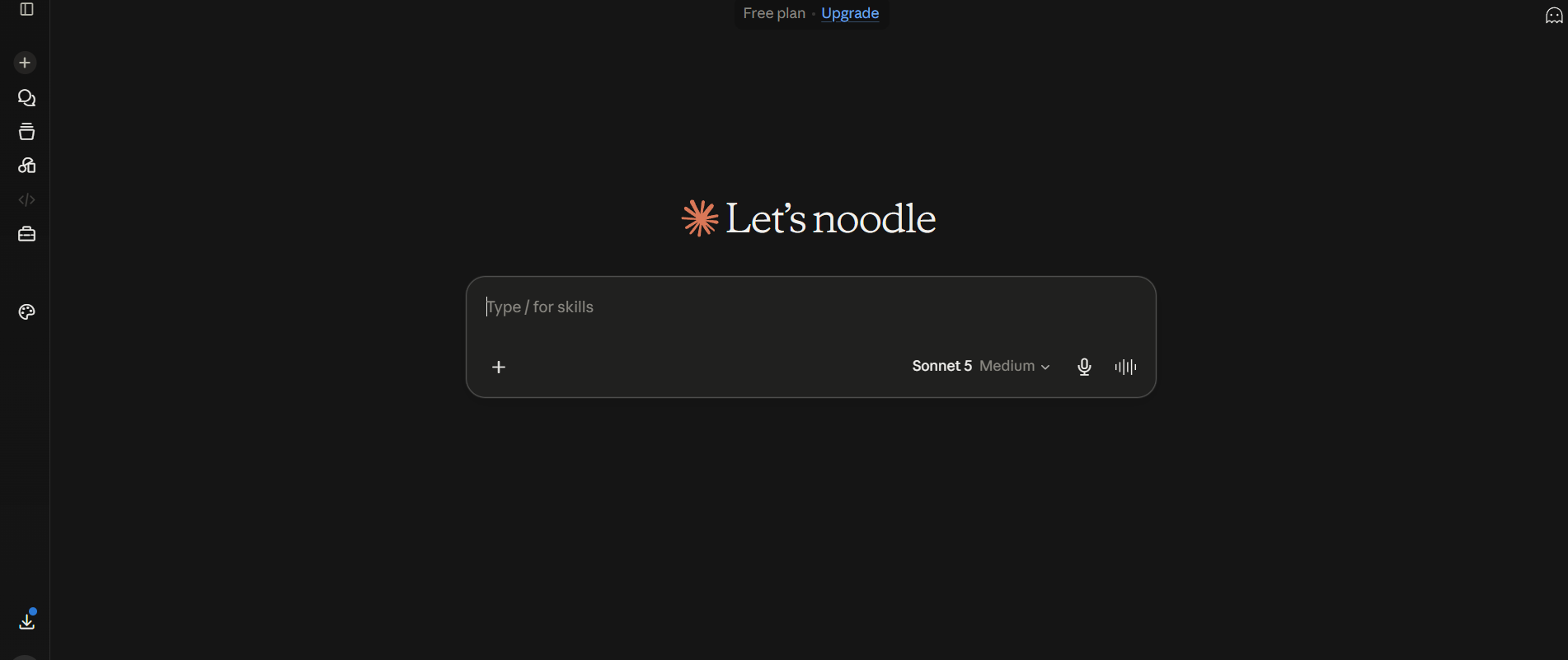
Claude has built a reputation among content-heavy marketers for a specific reason: it holds context on long documents better than most alternatives and tends to write with less of that overly enthusiastic, exclamation-point-heavy tone that plagues a lot of AI output. If you’re feeding it a 40-page brand guideline and asking it to write in that exact voice, or dropping in a competitor’s entire content library for a gap analysis, Claude tends to handle that heavier lifting more gracefully.
Strategists lean on it for research synthesis too. Drop in ten customer interview transcripts and ask what themes keep showing up. Feed it a messy analytics export and ask what story the numbers are telling. It’s less flashy than some competitors, but for the actual thinking work behind a marketing strategy, not just the writing, it’s become a quiet favorite.
Gemini
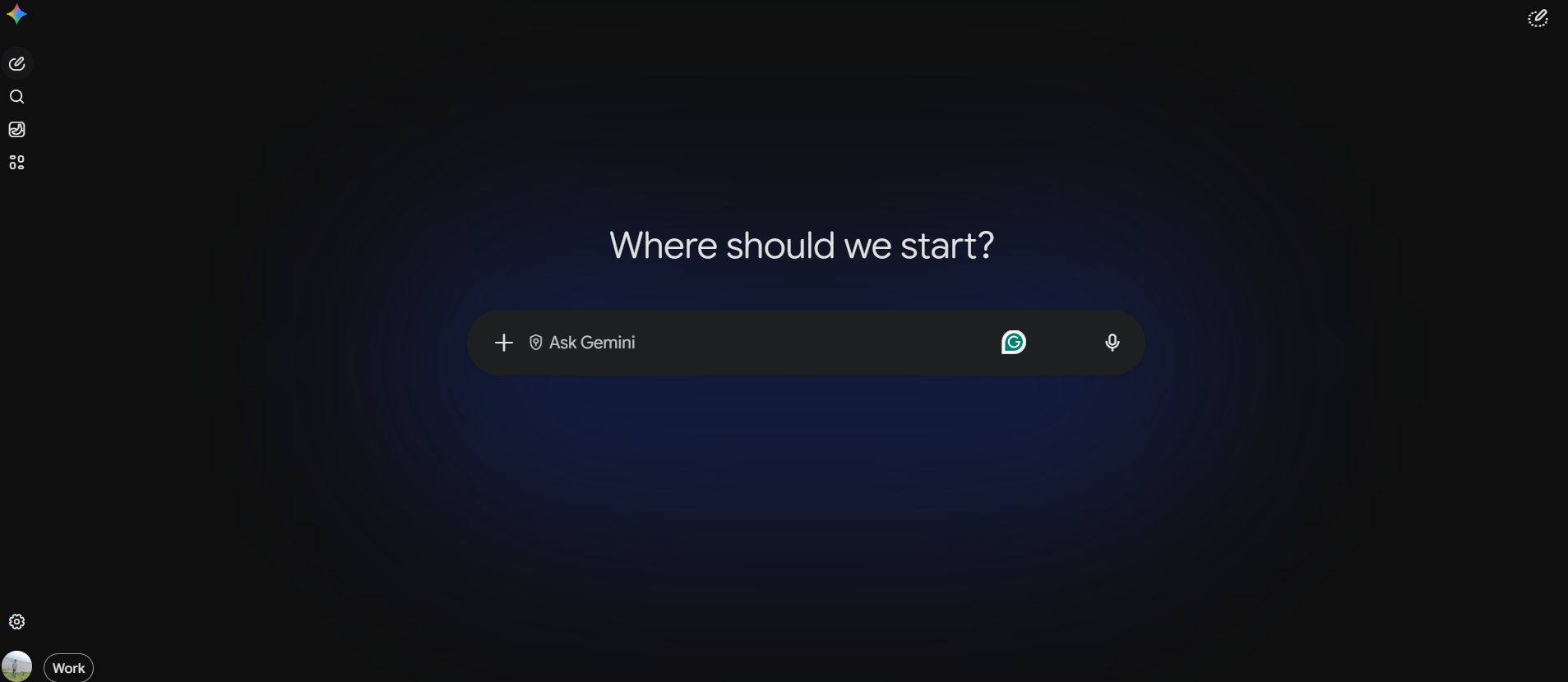
If your team runs on Google Docs, Sheets, and Slides all day, Gemini’s native integration is the whole pitch. It can pull from your Gmail, reference a Doc, and draft inside Sheets without you exporting anything. For marketers who spend half their day inside Google’s ecosystem anyway, that friction reduction is worth more than a marginally better model score on some benchmark nobody outside AI Twitter cares about.
Jasper
Jasper was built specifically for marketing teams from day one, not retrofitted from a general-purpose chatbot, and it shows in the brand voice tooling. If you manage content across five writers and need everyone’s output to sound like the same company, Jasper’s brand voice profiles and campaign templates handle that consistency problem better than most general assistants out of the box.
Copy.ai
Copy.ai has quietly repositioned itself around go-to-market workflows rather than pure content generation. Sales copy, email sequences, and repurposing one piece of content into a dozen formats for different channels. It’s the tool teams reach for when marketing and sales operations start overlapping, which happens more than most org charts admit.
Content Creation Tools Compared
| Tool | Strength | Weakness | Best Fit |
|---|---|---|---|
| ChatGPT | Versatility | Generic without tuning | Everyone, as a default |
| Claude | Long documents, tone | Fewer marketing-specific templates | Content strategists, editors |
| Gemini | Google Workspace integration | Less specialized for marketing | Google-native teams |
| Jasper | Brand voice at scale | Pricier, steeper setup | Marketing teams, agencies |
| Copy.ai | GTM and sales copy | Less strong for long-form | Sales-marketing overlap |
Best AI SEO Tools for Digital Marketers
SEO is where AI tools for digital marketers have arguably matured the fastest, because search data has always been number-heavy and pattern-based, exactly the kind of problem machine learning is good at. Nobody’s manually cross-referencing ten thousand keywords in a spreadsheet anymore. That workflow just doesn’t exist in a serious SEO operation in 2026.
Semrush
Semrush is the closest thing to an all-in-one SEO command center on this list. Keyword research, competitor tracking, content optimization suggestions, technical site audits, backlink analysis, and increasingly, AI visibility tracking for how often your brand shows up inside ChatGPT and Google AI Overviews. That last part matters more every quarter.
What makes Semrush worth the subscription isn’t any single feature, it’s that everything talks to everything else. Pull a keyword gap report, and it feeds directly into a content plan. Run a site audit, and the fixes link straight to the pages causing the problem. For a solo marketer or small team that can’t afford five separate specialized tools, Semrush is genuinely the highest-leverage single purchase on this list.
The AI visibility toolkit specifically deserves a callout. It tracks whether your brand gets mentioned when someone asks ChatGPT or Perplexity a question your business should be answering. That’s a completely different metric than a Google ranking position, and a growing number of marketers are treating it as seriously as they treat page-one rankings.
Ahrefs

If Semrush is the generalist, Ahrefs is the specialist that SEO professionals reach for when they need to go deep on backlinks and competitive gaps. Its backlink index has long been considered one of the most comprehensive in the industry, and its content gap analysis, showing you exactly which keywords your competitors rank for that you don’t, is genuinely one of the best research shortcuts in SEO.
Ahrefs’ Brand Radar feature extends into AI visibility tracking too, monitoring how often your brand gets cited inside AI-generated answers across different engines. For competitive research specifically, teams often run Ahrefs alongside Semrush rather than choosing one over the other; they solve slightly different problems well enough that the overlap is worth paying for.
Surfer
Surfer solves a narrower but genuinely painful problem: how do you know if a piece of content is actually optimized, beyond just “it has the keyword in the title”? Surfer’s Content Editor scores your draft against what’s currently ranking for that term, using NLP analysis to flag missing subtopics, thin sections, and structural gaps compared to competitors.
Writers who’ve used Surfer for a while describe it less as a grading tool and more as a checklist that catches blind spots. You think you covered a topic thoroughly, then Surfer flags that every top-ranking page mentions a specific subtopic you skipped entirely. That’s the kind of gap a human editor might miss on the fifth draft of the day but an algorithm catches instantly.
Frase

Frase specializes in one thing and does it well: turning a target keyword into a research-backed content brief in minutes instead of the hour or two it takes to manually pull SERP data, read the top five results, and outline the gaps. For teams producing high volumes of content on tight deadlines, that time savings compounds fast.
Other AI SEO Tools Worth a Mention
SE Ranking offers a lot of Semrush’s core functionality at a friendlier price point for smaller budgets. Scalenut leans heavily into AI content generation paired with SEO research. Outranking focuses on content briefs and SERP analysis similar to Frase. Alli AI automates on-page fixes directly, which is useful for large sites with technical debt. Clearscope is a premium content optimization tool that some enterprise content teams swear by over Surfer, mostly on the strength of its readability scoring.
Best AI Tools for AEO, GEO and AI Search Visibility
This is the section a lot of older “best AI marketing tools” articles skip entirely, and honestly, that’s a mistake given where search behavior is heading. So let’s slow down here.
What Is AEO (Answer Engine Optimization)
Answer Engine Optimization is the practice of structuring content so it gets pulled directly into answer boxes, featured snippets, and voice assistant responses instead of just ranking as a blue link someone has to click. It’s not brand new; featured snippet optimization has existed for years, but AEO has expanded to cover a much wider range of answer surfaces than Google’s search results page alone.
What Is GEO (Generative Engine Optimization)
GEO is the newer cousin: optimizing so that generative AI engines like ChatGPT, Perplexity, and Google’s AI Overviews actually cite your content when generating an answer. This is a genuinely different discipline from traditional ranking optimization. A page can rank on page one and still never get cited inside an AI-generated summary, because AI engines weigh source authority, factual density, and content structure differently than the classic ranking algorithm does.
Why Marketers Suddenly Care About This
Look at what actually changed. People used to type a query, get ten blue links, and click through to a website. Now a huge chunk of queries get answered directly inside the AI interface, no click required. That’s a real threat to organic traffic if you’re invisible in those answers, and a real opportunity if you’re the source getting cited by name. Marketers increasingly care about being mentioned, recommended, cited, and referenced inside AI-generated answers, not just ranked in the traditional sense.
Tools That Track and Improve AI Search Visibility
Semrush’s AI Visibility Toolkit tracks brand mentions across major AI engines and shows you which competitors are getting cited for queries you should own. Ahrefs’ Brand Radar does something similar, tracking sentiment and frequency of brand mentions inside AI answers over time. Surfer has started weaving GEO signals into its content scoring, flagging when a draft lacks the kind of factual density that gets cited. HubSpot has rolled AEO-adjacent recommendations into its content tools for teams already inside that ecosystem. Scrunch and AirOps are newer, more specialized entrants built specifically around tracking and optimizing for AI search visibility rather than bolting it onto an existing SEO product.
| Tool | AI Visibility Tracking | Content Optimization | Competitor Analysis | Best For |
|---|---|---|---|---|
| Semrush | Strong | Strong | Strong | All-around GEO/AEO |
| Ahrefs | Strong | Moderate | Strong | Brand mention tracking |
| Surfer | Moderate | Strong | Weak | Content-level GEO signals |
| Scrunch | Strong | Moderate | Moderate | Dedicated AI visibility |
| AirOps | Moderate | Strong | Weak | Content workflows for AEO |
AEO/GEO Doesn’t Replace Traditional SEO Fundamentals
Here’s the part that gets lost in the hype: none of this works if your basic SEO foundation is broken. Crawlability, genuinely helpful content, topical authority built over time, E-E-A-T signals, clean structured content, sensible internal linking, original research nobody else has, real brand mentions across the web, digital PR, and backlinks. AI engines pull from sources that already demonstrate authority in traditional search. GEO isn’t a separate universe you optimize for instead of SEO; it’s an extension of doing SEO well, with an added layer of factual clarity and citation-worthy specificity on top.
Best AI Tools for Social Media Marketing
Social media has always been a volume game, and AI tools for digital marketers have made that volume dramatically more manageable without turning every account into an obviously automated feed. The good ones, anyway.
Buffer: Best for Scheduling and AI-Assisted Captions
Buffer built its reputation on being the simplest social scheduler around, and it’s added AI caption generation, content repurposing, and analytics without losing that simplicity. For a small team or solo marketer managing three or four platforms, Buffer hits the sweet spot between capability and not needing a training manual to operate.
Hootsuite: Best for Teams Needing Social Listening
Hootsuite adds a layer Buffer doesn’t compete on as heavily: social listening. Tracking brand mentions, sentiment, and competitor activity across platforms in one dashboard. Larger teams managing multiple brands or clients often lean toward Hootsuite specifically for that listening and team-approval workflow layer.
Predis.ai: Best for AI-Generated Social Creatives
Predis.ai leans hard into generating actual visual content, not just captions, pairing AI image generation with caption writing and content calendar suggestions. It’s popular with smaller businesses that don’t have a dedicated designer but still need a steady stream of on-brand social creatives.
Canva for Social: Best for Templated, On-Brand Content at Speed
Canva deserves its own mention here separate from the general design section, because its social-specific templates, auto-resizing for different platform dimensions, and brand kit consistency make it a genuine social media production tool, not just a design app that happens to work for social.
Other Social Tools Worth Knowing
Sprout Social offers deeper analytics and team workflows for larger organizations. Later leans into visual content calendars, particularly strong for Instagram-heavy brands. Ocoya combines scheduling with AI copywriting in a lighter package aimed at smaller teams.
A Realistic Social Media Workflow
Content idea gets generated or pulled from a content calendar, an AI assistant drafts the caption, Canva or Predis.ai produces the visual, a human reviews both for tone and accuracy, Buffer or Hootsuite schedules it, and the analytics loop feeds back into what gets created next. The AI speeds up steps two and three dramatically. It should never replace step four.
Best AI Tools for Graphic Design and Marketing Creatives
Design used to be the bottleneck almost every marketing team complained about. Ask for one banner ad, wait three days, get back something that’s fine but not what you pictured. AI design tools have genuinely closed that gap, though not without some real limitations worth being honest about.
Canva Magic Studio
Canva remains the default recommendation for a simple reason: almost nobody needs a professional graphic designer’s toolkit for day-to-day marketing creatives, they need something fast, on-brand, and good enough to ship. Magic Studio bundles AI image generation, Magic Design layout suggestions, background removal, one-click presentation creation, social creative templates, brand kit enforcement, and automatic resizing across every platform’s dimension requirements.
The brand kit feature alone saves real headaches. Lock in your fonts, colors, and logo once, and every team member’s creative output stays consistent without someone playing brand police in every Slack channel. For marketers without design training, Canva is genuinely the tool that lets them ship professional-looking work without waiting on a designer’s queue.
Adobe Firefly
Firefly’s biggest advantage isn’t necessarily raw image quality, it’s that it lives inside tools your design team already uses: Photoshop, Illustrator, Express. If your creative team is already fluent in Adobe’s workflow, Firefly slots in without forcing a whole new tool onto people who’ve spent years mastering a different interface.
Midjourney
Midjourney still produces some of the most visually striking AI-generated imagery available, and marketing teams reach for it specifically for campaign concept art, mood boards, and brand imagery where visual quality matters more than editability or brand-kit precision. It’s less practical for quick turnaround social posts, more useful for the campaigns where visual impact is the whole point.
Ideogram
Ideogram solved a problem that plagued a lot of AI image generators for years: rendering actual readable text inside an image. For marketing graphics that need words baked into the visual, think quote cards, promotional banners with specific copy, Ideogram handles that far more reliably than most competitors.
| Tool | Best For | Ease of Use | Best User |
|---|---|---|---|
| Canva | All-around marketing creatives | Very easy | Everyone |
| Adobe Firefly | Adobe-native design teams | Medium | Professional designers |
| Midjourney | High-concept campaign visuals | Medium | Creative directors |
| Ideogram | Text-in-image graphics | Easy | Social and ad creators |
Best AI Video Tools for Digital Marketers
Video content isn’t optional anymore, and it hasn’t been for a while, but the production overhead used to be brutal. AI video tools have chipped away at that overhead from a few different angles.
CapCut
CapCut became the default tool for Reels, Shorts, and TikTok-style content because it’s fast, mobile-friendly, and built around the exact editing patterns short-form video needs: quick cuts, auto-captions, trending audio integration, template-based editing. For a marketer producing daily or near-daily short video content, CapCut’s speed is the entire value proposition.
Descript
Descript flipped the script on video editing by making it text-based. Edit the transcript, and the video edits itself to match. Cut a sentence from the transcript, that section disappears from the video. For podcast editing, repurposing long interviews into short clips, and general video editing without a traditional timeline-based skill set, Descript removes most of the technical barrier.
Runway
Runway pushes into territory the other tools on this list don’t touch: actually generating video content from text prompts, not just editing existing footage. It’s found a real home in creative campaign work where the goal is a striking, unusual visual that would be expensive or impossible to shoot traditionally.
Synthesia
Synthesia’s AI avatars deliver scripted content on camera without an actual human on camera. For corporate training videos, product explainers, and localized marketing content across multiple languages without reshooting, it’s become a legitimate production shortcut for teams that need a lot of talking-head style video without a studio.
ElevenLabs
ElevenLabs generates remarkably natural-sounding AI voiceovers, and its localization capability, taking one voiceover and generating it in multiple languages while preserving tone, has made international marketing campaigns dramatically cheaper to produce than hiring voice talent in every target market.
A Realistic AI Video Workflow
Record or source long-form video, transcribe it, pull short clips using an AI-assisted editor like Descript, add captions and trending audio in CapCut for the social versions, and distribute across platforms with platform-specific edits rather than one video dumped everywhere identically.
Best AI Tools for Email Marketing
Email marketing might be the most underrated beneficiary of AI tools for digital marketers, mostly because email has always rewarded personalization and timing precision, exactly the kind of pattern-recognition work AI handles well.
HubSpot
HubSpot’s strength isn’t that its AI email generation is dramatically better than competitors, it’s that email sits inside the same platform as your CRM data, lead scoring, and automation workflows. That means personalization can genuinely reference where a contact is in the funnel, not just their first name pulled from a spreadsheet. For teams that need email tightly wired into sales and lead nurturing, HubSpot’s integration depth is the real selling point.
Klaviyo
Klaviyo built its entire reputation on ecommerce, and it shows in the segmentation depth: browse abandonment, purchase history, predicted lifetime value, all feeding into automated flows that feel personalized rather than generic. For any brand selling products online, Klaviyo’s ecommerce-specific automations tend to outperform more general-purpose email platforms on revenue attribution alone.
Mailchimp
Mailchimp remains the accessible entry point, particularly for small businesses that need AI-assisted campaign creation and reasonable automation without a steep learning curve or enterprise pricing. It’s not the most sophisticated tool on this list, but it doesn’t need to be for a business sending its first few campaigns.
Where AI Actually Helps Inside Email Marketing
Subject line generation and testing, email body copy drafting, list segmentation based on behavioral patterns, personalization at a scale no human could manage manually, send-time optimization based on individual open patterns, automated A/B testing that adjusts in real time, and lead nurturing sequences triggered by specific actions rather than a fixed calendar. Each of these used to require either manual guesswork or a data analyst. Now they run largely on autopilot, with a marketer setting the strategy and reviewing the results.
Best AI Tools for Paid Advertising
Paid ads have quietly become one of the most AI-automated corners of digital marketing, mostly because the platforms themselves, Google and Meta, have pushed hard toward AI-driven bidding and targeting whether advertisers wanted that shift or not.
AdCreative.ai
AdCreative.ai solves a specific, painful problem: generating enough ad variations to actually test what works without a designer spending a full day on each one. It generates dozens of creative variations from a product description or existing asset, scored on predicted performance. For performance marketers running constant creative testing cycles, that volume is the whole point.
Google Ads AI
Google’s Performance Max campaigns represent a genuine philosophical shift in how paid search works. Instead of manually building out keyword lists and bid strategies, marketers feed the system audience signals, creative assets, and goals, and Google’s AI handles placement and bidding across its entire network. It works well when you feed it strong creative and clear signals. It works poorly when you treat it as a set-it-and-forget-it button, which a lot of advertisers unfortunately do.
Meta Advantage+: AI Targeting and Creative Optimization
Meta’s Advantage+ campaigns operate on a similar philosophy: less manual audience building, more AI-driven targeting and budget allocation based on real-time performance signals. The learning curve here is less about the interface and more about trusting the system with less granular control than advertisers used to have, which is honestly still an adjustment for a lot of experienced media buyers.
Jasper and ChatGPT for Ad Copy
For the actual words in an ad, headlines, hooks, description lines, variations for testing, general-purpose AI writing assistants remain the fastest way to generate a batch of options before a human picks and refines the strongest ones.
A Realistic Paid Ads Workflow
Research the audience and offer, draft ad copy variations with an AI assistant, generate creative variations through AdCreative.ai, launch across Performance Max or Advantage+ campaigns, monitor performance daily during the initial testing window, and continuously feed learnings back into the next round of creative and copy.
Best AI Tools for Marketing Automation
This is the category that genuinely differentiates marketers who are using AI tools well from marketers who are using AI tools in isolated silos. Automation is what turns five separate tools into one actual workflow.
n8n
n8n has become the favorite among technically inclined marketers precisely because it doesn’t box you into predefined templates the way simpler tools do. It connects AI agents, APIs, webhooks, Google Sheets, WordPress, OpenAI, CRMs, and SEO tools into custom workflows built exactly around how your team actually operates. A common example: keyword research data lands in a Google Sheet, triggers an AI content generator, publishes the draft to WordPress, generates a featured image, and posts a promotional snippet to social, all without a human touching each step individually.
The tradeoff is a genuinely steeper learning curve than something like Zapier. n8n rewards teams willing to invest a few hours understanding node-based workflow building, and pays that investment back with automation flexibility most no-code tools simply can’t match.
Zapier
Zapier remains the easiest entry point into marketing automation, connecting thousands of apps through simple trigger-and-action logic without needing any technical background. For straightforward automations, new form submission triggers a CRM update, new blog post triggers a social announcement, Zapier gets the job done with minimal setup friction.
Make
Make sits between Zapier’s simplicity and n8n’s technical depth, offering a visual workflow builder that handles more complex multi-step automations than Zapier comfortably manages, while staying more approachable than n8n’s node-based system for teams without a developer on staff.
Pabbly Connect
Pabbly Connect has built a following among budget-conscious small businesses and freelancers specifically because of its pricing model, often a flat lifetime fee rather than a recurring subscription, for automation capabilities that cover most small team needs without the ongoing cost of competitors.
| Tool | Difficulty | Flexibility | Best For |
|---|---|---|---|
| n8n | Medium-Hard | Very High | Custom, AI-driven workflows |
| Zapier | Easy | Medium | Simple app-to-app automation |
| Make | Medium | High | Complex visual workflows |
| Pabbly Connect | Easy-Medium | Medium | Budget-conscious automation |
Best AI Tools for Marketing Analytics and Data
Data has always been marketing’s biggest untapped resource, mostly because interpreting it properly used to require either a dedicated analyst or hours of manual spreadsheet work most marketers didn’t have time for. AI has changed that math considerably.
Google Analytics 4: The Foundation, Now With AI-Assisted Insights
GA4 remains the backbone of most marketing analytics stacks, and its AI-assisted insights have gotten meaningfully better at surfacing anomalies and trends without a marketer having to go hunting for them manually. Traffic shifts, engagement patterns, conversion trends, and user journey mapping all benefit from the platform flagging what’s actually worth your attention instead of drowning you in every metric simultaneously.
Microsoft Clarity: Best for Understanding Actual User Behavior
Clarity fills a gap GA4 doesn’t cover well: what users are actually doing on your pages. Session recordings and heatmaps show you where visitors hesitate, where they rage-click, where they abandon a form halfway through. It’s free, which makes it one of the best value-per-dollar tools on this entire list, and the behavioral insight it provides often explains conversion problems that raw traffic numbers alone never would.
Looker Studio: Best for Custom Reporting and Dashboards
Looker Studio (formerly Google Data Studio) pulls data from multiple sources into unified, visual dashboards. For agencies reporting to multiple clients or internal teams that need a single view across GA4, ad platforms, and CRM data, Looker Studio remains the standard for turning raw numbers into something a stakeholder actually wants to look at.
ChatGPT and Gemini for Data Analysis
Here’s an underrated workflow: export raw data from GA4, Search Console, and your ad platforms, then upload it directly into ChatGPT or Gemini and ask it to identify traffic trends, conversion problems, high-performing pages, and content opportunities. This isn’t a replacement for a real analyst on complex statistical questions, but for the everyday “what’s actually going on with my traffic this month” question, it’s dramatically faster than manually cross-referencing three spreadsheets.
Best AI Tools for Market Research and Competitor Analysis
Research used to eat entire afternoons: opening a dozen browser tabs, reading competitor websites, trying to synthesize what you found into something useful. AI research tools have compressed that timeline dramatically.
Perplexity: Best for Fast, Sourced Research
Perplexity earns its spot specifically because it cites its sources inline, which matters enormously for market research where you need to trust and verify what you’re reading, not just accept an AI’s confident-sounding summary. For competitor research, market sizing questions, and general fact-finding, Perplexity has become the default first stop for a lot of researchers precisely because it shows its work.
ChatGPT: Best for Structured Competitive Analysis
ChatGPT handles the structuring work well: feed it raw competitor information and ask for a SWOT analysis, a competitive positioning breakdown, or customer persona synthesis from interview notes. It’s less reliable for pulling live, current data than Perplexity, but stronger at organizing whatever information you already have into a usable strategic framework.
Gemini: Best for Large-Scale Information Synthesis
Gemini’s advantage in research contexts is handling large volumes of information at once, useful when you’re trying to synthesize insights across dozens of documents or a huge exported dataset rather than a single focused query.
Semrush and Ahrefs: Best for Search-Specific Competitive Research
For the specific question of “what is this competitor doing in search,” nothing beats dedicated SEO tools. Keywords they rank for that you don’t, backlinks pointing to their site, content gaps in their strategy compared to yours. General-purpose AI assistants simply don’t have access to this kind of search index data.
A Realistic Research Workflow
Identify competitors through a mix of direct knowledge and search-based discovery, collect data through Semrush or Ahrefs for the search-specific angle and Perplexity for broader market context, run the raw findings through ChatGPT or Claude for synthesis and pattern identification, then translate whatever gaps or opportunities surface into an actual strategy document.
Best AI Tools for Lead Generation and Sales
The line between marketing and sales tooling keeps blurring, and AI has accelerated that overlap considerably.
HubSpot: Best for Integrated Lead Management
HubSpot’s CRM and marketing automation living under one roof means lead data flows naturally from a marketing campaign into a sales pipeline without the manual handoff friction that plagues teams running separate marketing and sales platforms.
Apollo and Clay: Best for Prospect Research and Enrichment
Apollo and Clay have become go-to tools for finding and enriching prospect data at scale, pulling contact information, company details, and firmographic data that would take a researcher hours to compile manually. Clay in particular has built a reputation for its flexible, workflow-based approach to combining multiple data sources and AI enrichment into a single prospect list.
LinkedIn Sales Navigator Plus AI-Assisted Outreach
Sales Navigator’s targeting capability paired with AI-assisted personalization tools has changed how outbound prospecting works. Instead of generic connection requests, marketers and SDRs can generate personalized outreach that references a prospect’s actual role, recent activity, or company news, at a volume that would have been impossible manually.
The Important Caveat on AI Outreach
AI-generated outreach that feels personal works. AI-generated outreach that’s obviously mass-produced spam damages your brand and gets flagged as such almost immediately by recipients who’ve gotten very good at spotting it. The tools here should make genuine personalization scalable, not make mass spam look slightly less like spam. That distinction matters more than most sales AI tutorials admit.
Best AI Tools for Marketing Productivity and Operations
The unglamorous backend work, planning, documentation, meeting notes, editing, has its own set of AI tools worth knowing about.
Notion AI: Best for Content Planning and Documentation
Notion AI works well specifically because it lives inside a tool teams already use for documentation and planning. Generating a first draft of a content calendar, summarizing a long strategy doc, or drafting meeting notes into action items, all without leaving the workspace where the rest of your planning already lives.
ClickUp AI: Best for Project and Campaign Management
ClickUp’s AI features focus on the operational side: breaking a campaign brief into tasks, estimating timelines, and summarizing project status without someone manually compiling an update. For marketing teams juggling multiple campaigns simultaneously, that task-generation speed genuinely reduces project management overhead.
Grammarly: Best for Editing, Tone, and Clarity
Grammarly’s AI-assisted editing has moved well beyond basic grammar checking into tone adjustment, clarity suggestions, and brand voice consistency checks. For any marketer publishing content under deadline pressure, it’s become close to a non-negotiable safety net before anything goes live.
Otter and Fireflies: Best for Meeting Transcription and Summaries
Otter and Fireflies both handle meeting transcription, summarization, and action item extraction, which sounds minor until you consider how many marketing decisions get made verbally in a call and then partially forgotten by the time someone tries to act on them a week later.
Best AI Marketing Tools by Use Case
Sometimes you don’t need a category deep-dive; you just need to know which tool solves the specific problem in front of you right now.
| If You Need To… | Best Tool |
|---|---|
| Write blog posts | ChatGPT / Claude |
| Research keywords | Semrush / Ahrefs |
| Optimize content for SEO | Surfer |
| Track AI search visibility | Semrush / Ahrefs |
| Create social posts | Canva / Buffer |
| Design marketing graphics | Canva |
| Generate video content | CapCut / Runway |
| Create AI voiceovers | ElevenLabs |
| Run email campaigns | HubSpot / Klaviyo |
| Create ad creatives | AdCreative.ai |
| Automate marketing workflows | n8n / Zapier |
| Research competitors | Semrush / Ahrefs |
| Analyze marketing data | ChatGPT / Gemini |
| Manage marketing projects | Notion / ClickUp |
| Do deep web research | Perplexity |
Free vs Paid AI Marketing Tools: Which Should You Choose
This question comes up in every marketing Slack channel eventually, and the honest answer is: it depends entirely on where your business actually is, not on which tools have the flashiest paid features.
When Free Tools Are Genuinely Enough
Free tiers make total sense for freelancers just starting out, basic content creation needs, small campaigns without much budget behind them, and general experimentation while you’re still figuring out which tools actually fit your workflow. There’s no shame in running a lean, mostly-free stack. Plenty of successful small operations do exactly that for years.
When Paying Actually Makes Sense
The math shifts once marketing is generating real revenue, once you genuinely need automation beyond what a free tier allows, once you’re managing multiple clients and need the reporting and collaboration features paid tiers unlock, once you need SEO data at a depth free tools simply don’t provide, or once team collaboration itself becomes the bottleneck rather than any individual feature.
Suggested Budget Tiers
For a starter stack running roughly ₹0 to ₹2,000 per month, you’re mostly working with free tiers and maybe one entry-level paid tool. A professional freelancer stack in the ₹2,000 to ₹10,000 range typically adds a real SEO tool subscription and a paid AI assistant tier. An agency or small business stack from ₹10,000 to ₹30,000 usually includes multiple specialized tools running simultaneously across content, SEO, and automation. Beyond ₹30,000 monthly, you’re into enterprise territory: multiple team seats, advanced reporting infrastructure, and tools priced around usage volume rather than flat monthly fees.
How to Choose the Right AI Marketing Tool
Here’s a practical framework, because “which tool is popular” is genuinely the wrong starting question.
Step 1: Identify the Actual Marketing Problem
Don’t start with “which AI tool is trending right now.” Start with “what task is eating the most time on my team right now.” That question points you toward the right category immediately, instead of chasing whatever tool showed up on your LinkedIn feed this week.
Step 2: Calculate the Realistic ROI
A simple gut-check: time saved multiplied by the hourly value of that time, compared against the tool’s monthly cost. If a tool saves five hours a month and your time is worth even a modest hourly rate, most subscription costs justify themselves fast. If it saves twenty minutes a month, it probably doesn’t matter how impressive the demo looked.
Step 3: Check Integration Before You Commit
Does the tool actually connect to your existing stack, or does it become an isolated island you have to manually export data in and out of? Integration friction kills more tool adoptions than any feature gap does.
Step 4: Evaluate Output Quality, Not Just Speed
Fast and wrong is worse than slow and right. Don’t pick a tool solely because it generates content quickly, test whether what it generates actually holds up to your standards before you build a workflow around it.
Step 5: Check Data and Privacy Practices
This matters more with every passing quarter, especially for tools touching customer data, lead information, or confidential business documents. Read the actual data policy, not just the marketing page’s vague reassurance.
Step 6: Test Before You Buy
Use free trials, free plans, and demo accounts aggressively before committing to an annual contract. A fifteen-minute demo call rarely reveals what a tool feels like after two weeks of actual daily use.
Step 7: Avoid Tool Overlap
One of the most common budget leaks in marketing teams is paying for three tools that all do roughly the same thing because nobody audited the stack in over a year. Before adding a new tool, check whether something you already pay for already covers that need.
How to Build an AI-Powered Digital Marketing Workflow
Individual tools matter less than how they connect. Here are five workflows that show the actual difference between using AI tools in isolation and using them as a system.
Workflow 1: AI-Assisted SEO Content
The pipeline runs Semrush for keyword and gap research, into ChatGPT for a drafted content brief and first pass, into Surfer for optimization scoring against what’s actually ranking, into WordPress for publishing, with Search Console tracking performance afterward. Each tool hands off cleanly to the next instead of requiring you to manually re-key data between them.
Workflow 2: Social Media Content Production
Content ideas flow into ChatGPT for caption drafting, into Canva for the visual asset, into Buffer for scheduling across platforms, with analytics looping back to inform what gets created next cycle. The loop matters as much as any individual step, without it you’re just guessing at what to make next.
Workflow 3: Lead Generation Pipeline
A lead source feeds into an enrichment tool like Clay or Apollo, which feeds AI-personalized outreach, which lands in a CRM, triggering an automated but genuinely personalized follow-up sequence rather than a generic drip campaign everyone on the list receives identically.
Workflow 4: Automated Blog Publishing at Scale
For teams producing content at real volume, this workflow gets more technical: keyword research populates a Google Sheet, n8n watches that sheet and triggers an AI writer for each new row, the draft runs through SEO optimization, publishes automatically to WordPress, and triggers a social distribution post. This is where automation tools stop being a convenience and start being the difference between a two-person team producing five articles a week versus fifty.
Workflow 5: Automated Marketing Reporting
GA4, Search Console, and ad platform data feed into a Looker Studio dashboard, which an AI assistant analyzes monthly to draft the narrative summary a stakeholder actually reads instead of staring blankly at a spreadsheet of numbers. This alone can save hours every single month that used to go into manual report writing.
Is AI Going to Replace Digital Marketers
This question comes up constantly, and the honest answer resists the simple yes-or-no framing most people want. AI is far more likely to automate specific tasks within the marketing role than to eliminate the role itself.
Tasks AI Genuinely Handles Well
Research compilation, first-draft writing, data analysis at speed, reporting, repurposing existing content into new formats, basic creative production, and workflow automation. These are real, substantial chunks of a marketer’s week, and AI has meaningfully compressed the time they take.
Skills That Remain Distinctly Human
Strategy that accounts for a business’s specific competitive position, brand positioning decisions, actual creativity rather than pattern-remixing, deep customer understanding built from real conversations, judgment calls under ambiguity, relationship building with clients and stakeholders, and critical thinking about whether a tactic actually serves the business goal or just looks busy. None of these show real signs of being replaceable by current AI systems, and the marketers who lean into these skills while letting AI handle the mechanical work tend to become more valuable, not less.
Conclusion
AI isn’t replacing the fundamentals of good marketing. It’s changing how fast marketers can actually execute on them. The strategy still has to be sound, the brand voice still has to be distinct, and someone still has to make the judgment calls that no algorithm handles well yet. What’s different is how much of the mechanical, repetitive work between “having an idea” and “shipping it” has gotten dramatically faster.
The teams getting real value out of AI tools for digital marketers aren’t the ones chasing every new tool that launches. They’re the ones who picked a handful of tools that solved their actual bottlenecks, built repeatable workflows around them, kept a human checking the output at every important step, and kept measuring whether any of it was actually moving the needle. Start with one or two tools from this guide that address your biggest time drain right now. Build the workflow. Measure the results. Then expand from there.
Which AI marketing tool are you currently using, and how has it actually changed your day-to-day work? That’s the real test of whether any of this hype holds up.
Frequently Asked Questions
What are the best AI tools for digital marketers in 2026?
The strongest overall picks are ChatGPT for general assistance, Semrush for SEO, Canva for design, Buffer for social scheduling, and HubSpot for email and CRM. The right combination depends on your specific role and budget, but these five cover the majority of a marketer’s recurring needs.
Which AI tool is best for digital marketing overall?
ChatGPT remains the most versatile single tool because it handles research, drafting, strategy, and analysis across nearly every marketing function. It’s rarely the single best tool at any one specific task, but it’s the strongest generalist by a wide margin.
Is ChatGPT actually useful for digital marketing?
Yes, genuinely. It speeds up content briefs, drafting, ad copy, email sequences, and basic data analysis significantly. The output still needs human editing and fact-checking before publication, but as a first-draft and research accelerator, it’s become close to indispensable for most marketing workflows.
What is the best AI tool for SEO?
Semrush is the strongest all-around choice because it combines keyword research, content optimization, technical audits, and AI visibility tracking in one platform. Ahrefs is the stronger pick specifically for deep backlink and competitive gap analysis.
Which AI tool is best for keyword research specifically?
Semrush and Ahrefs both offer strong, reliable keyword research with accurate volume and difficulty data. Many SEO professionals run both simultaneously because they occasionally surface slightly different keyword opportunities.
What is the best AI tool for content writing?
ChatGPT and Claude are the two strongest options. ChatGPT edges ahead on versatility and speed, while Claude tends to perform better on long-form documents and maintaining a specific tone across a lengthy piece.
Which AI tool is best for social media marketing?
Buffer is the strongest pick for scheduling and AI-assisted captions at a manageable price point. Canva remains essential for the visual side of social content production.
What is the best AI tool for AEO and GEO specifically?
Semrush’s AI Visibility Toolkit and Ahrefs’ Brand Radar are currently the most developed tools for tracking how often your brand gets cited inside AI-generated answers, alongside more specialized newer entrants like Scrunch.
Which AI tool is best for creating marketing graphics?
Canva remains the default recommendation for the vast majority of marketers because of its speed, ease of use, and brand kit consistency features. Adobe Firefly is the stronger choice specifically for teams already working inside the Adobe ecosystem.
What is the best AI tool for email marketing?
HubSpot is strongest for teams that need email tightly integrated with CRM and lead data. Klaviyo is the better pick specifically for ecommerce brands due to its purchase-behavior-based segmentation and automation.
Which AI tool is best for marketing automation?
n8n offers the most flexibility for teams willing to invest time learning its node-based workflow builder. Zapier remains the easier, faster entry point for simpler automations without a technical learning curve.
Are AI marketing tools actually worth paying for?
For any marketing effort generating real revenue, yes, in most cases. The time savings on research, drafting, and reporting alone typically justify the subscription cost within the first month for a team using the tools consistently rather than sporadically.
Can AI actually replace digital marketers?
Not in any meaningful sense currently visible. AI automates specific tasks, drafting, research, reporting, well, but strategy, brand positioning, genuine creativity, and relationship-driven work remain distinctly human skills that current AI systems don’t replicate.
What is the best free AI tool for digital marketing?
ChatGPT’s free tier, Canva’s free plan, and Google Analytics 4 together cover a surprising amount of ground for marketers not ready to invest in paid tools yet.
How can digital marketers realistically start using AI tools?
Start by identifying the single most time-consuming task on your plate right now, pick one tool that directly addresses it, and get genuinely comfortable with that one tool before adding a second. Trying to overhaul an entire stack at once almost always leads to half-used subscriptions and wasted budget.