

Look, everyone in content marketing has told you the same thing at some point: “just write longer content, Google loves it.” So you did. You wrote 4,000 words on something, hit publish, and then watched the average read time sit at 47 seconds. Ouch.
Here’s the thing nobody explains properly: long content doesn’t rank or get read because it’s long. It gets read because every paragraph earns the next one. A 6,000 word guide that keeps someone scrolling is doing something completely different than a 6,000 word guide that gets abandoned after the intro. Same word count, totally different outcome.
Attention spans online are short, somewhere around 8 seconds before someone decides whether to stay or bounce, according to most behavioral studies floating around. Average time on a blog post hovers around 2 to 4 minutes for most sites, and that’s for the posts that are actually working. Ranking content on competitive keywords tends to run long too, often past 1,500 or 2,000 words, but that number swings wildly depending on the topic and who you’re competing against. None of that matters if the writing itself doesn’t hold someone’s attention past line three.
This guide is going to walk through how to write long-form content that people actually finish. Not tricks, not filler padding to hit a word count, actual structural and psychological reasons content keeps people reading. By the end you’ll know how to plan it, structure it, write it, and edit it so it earns its length instead of just having it.
What You Will Learn in This Guide
- What actually counts as long-form content and why the word count alone means nothing
- Why long-form content performs better for SEO, for readers, and for business results
- How to start from search intent instead of a target word count
- The research process that makes long content feel complete instead of stretched
- How to outline, structure, and write sections that don’t lose people halfway through
- The specific writing techniques that keep readers scrolling
- How to balance SEO requirements with writing that doesn’t sound like a robot wrote it
- How to edit ruthlessly and optimize for search without killing the readability
- How to measure whether your long-form content is actually working
What Is Long-Form Content?
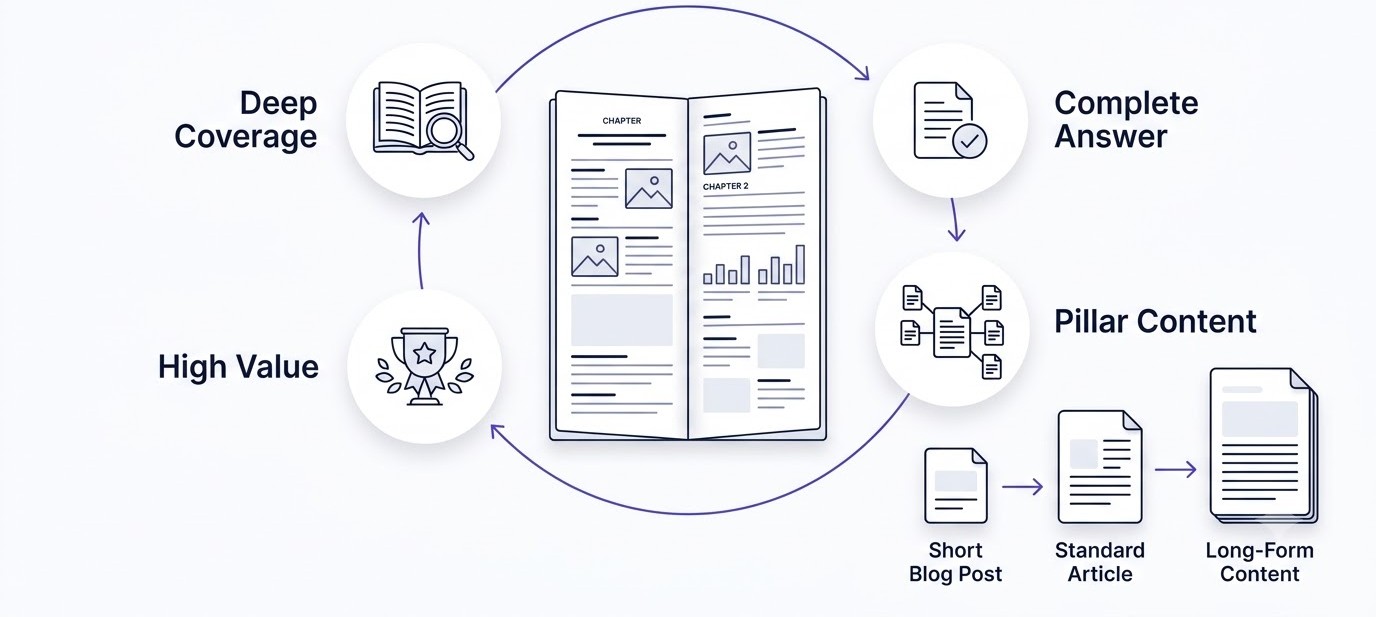
Long-form content is any piece of writing that goes deep enough on a topic to be the last thing someone needs to read on it. That’s the real definition. The word count is just a symptom of the depth, not the cause of it.
That said, numbers help set expectations. A short blog post usually sits between 800 and 1,200 words and answers one specific question quickly. A standard article runs 1,500 to 2,500 words and covers a topic with reasonable depth. Long-form content starts around 3,000 words and can run past 7,000 when the topic demands it. Pillar content, the kind meant to be the definitive resource on a broad topic, often runs 5,000 to 10,000 words.
| Content Type | Average Length | Purpose |
|---|---|---|
| Short blog | 800-1,200 | Quick answer |
| Standard article | 1,500-2,500 | Topic coverage |
| Long-form content | 3,000-7,000 | Complete authority |
| Pillar content | 5,000-10,000 | Topical authority |
Why Word Count Alone Doesn’t Make Content Long-Form
Here’s where a lot of writers mess up. They see “aim for 3,000 words” and start padding. They repeat the same point three different ways, add unnecessary background history nobody asked for, or write five examples where two would’ve done the job. That’s not long-form content. That’s a short article wearing a long coat.
Real long-form content is long because the topic genuinely has that much ground to cover. If you’re writing about “how to boil an egg,” it doesn’t need 3,000 words, and forcing it there will just annoy people. If you’re writing “the complete guide to running Facebook ads for eCommerce,” that topic naturally needs room to breathe because there are that many decisions, mistakes, and edge cases worth covering.
Pillar Pages and Ultimate Guides
Pillar pages exist to own a broad topic completely, with links out to more specific cluster content underneath them. An “ultimate guide” promises exactly what it sounds like: nothing left uncovered. These formats work because they match reader expectations set by the title itself. Someone clicking “The Ultimate Guide to Email Marketing” expects depth. If you give them a skim-level 900 words, that mismatch is exactly why they bounce.
Why Long-Form Content Performs Better
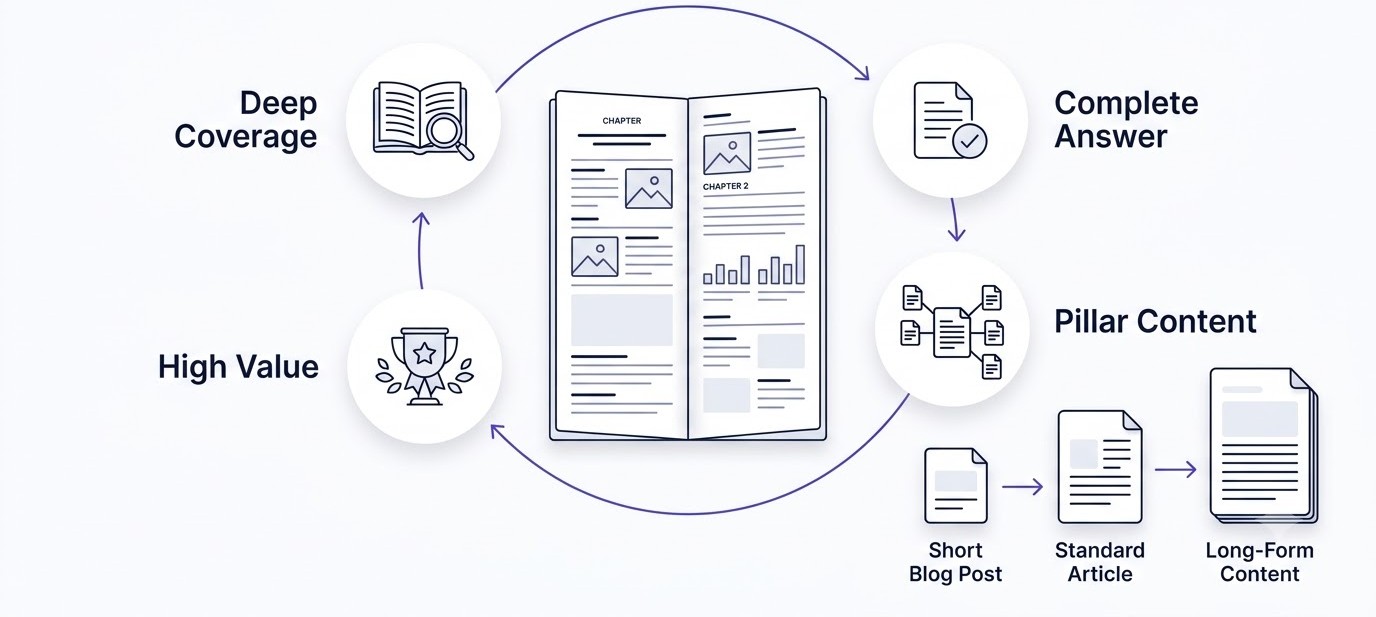
Long-form content isn’t automatically better. But when it’s done right, it wins on three fronts at once: search visibility, reader trust, and business outcomes. Let’s go through each one honestly.
SEO Benefits of Long-Form Content
Longer pieces naturally cover more keyword variations because you’re forced to explain adjacent subtopics to make the main topic complete. That means more chances to rank for long-tail searches you never even targeted directly. It also means better semantic relevance, since Google’s systems look at the full topical footprint of a page, not just an exact-match keyword.
Long articles also tend to attract more backlinks because they become the resource people cite instead of writing their own version. And dwell time, how long someone actually stays on the page, tends to climb when content is genuinely useful, which is a signal search engines pick up on indirectly through user behavior patterns.
Reader Benefits of Long-Form Content
From the reader’s side, a complete answer means they don’t have to open five more tabs to finish their research. That builds trust fast. Someone who gets a full answer in one place is far more likely to remember your brand, share the article, or come back next time they have a related question. Fewer return searches, better learning experience, simple as that.
Business Benefits of Long-Form Content
For the business paying for this content, long-form pieces tend to convert better because they build more trust before asking for anything. A reader who just spent six minutes learning something real from you is in a completely different headspace than someone who bounced off a 400-word listicle. That trust translates into higher lead quality, better brand recall, and content that keeps pulling in traffic for years instead of weeks.
Start With Search Intent, Not Word Count
This is honestly the biggest mistake people make when planning long-form content. They sit down and think “let’s write 5,000 words on this.” Wrong starting point completely. The right question is “what does someone searching this actually need answered, completely?” The word count is just whatever it takes to answer that fully.
The Four Types of Search Intent
Every search someone types has one of four intents behind it, and figuring out which one applies to your topic changes everything about how you structure the piece.
Informational intent is when someone wants to learn something. “How does compound interest work” or “what causes inflation” are informational searches. They want understanding, not a sales pitch.
Commercial investigation is when someone is comparing options before buying. “Best CRM software for small teams” or “Shopify vs WooCommerce” fall here. They’re close to a decision but not ready to commit.
Transactional intent means they’re ready to act. “Buy running shoes online” or “sign up for Mailchimp” are transactional. They want a clear path to the action, not a history lesson.
Navigational intent is when someone already knows where they want to go. “Facebook login” or “Ahrefs pricing page” are navigational. They typed a brand name because they want that specific destination.
Mapping Intent to Structure
Once you know the intent, the structure writes itself. Wrong approach sounds like “let’s write 5,000 words on content marketing.” Right approach sounds like “let’s answer everything someone wants to know before they’ll feel confident choosing a content strategy.” See the difference? One is arbitrary. The other tells you exactly what sections need to exist and which ones don’t.
Research Before Writing a Single Word
Skipping research is why so much long-form content feels padded instead of complete. If you start writing before you know what the topic actually requires, you end up filling space instead of filling gaps.
Keyword Research That Actually Shapes the Outline
Start with your primary keyword, the exact phrase your piece is built around. Then pull secondary keywords, related searches, and the specific questions people are typing into Google around that topic. Tools like Ahrefs, Semrush, Google Search Console, AlsoAsked, and AnswerThePublic all surface different angles on the same core topic, and using more than one gives you a fuller picture than relying on a single source.
The goal here isn’t to stuff these keywords into the article. It’s to use them as a map of what people actually want to know. If “AlsoAsked” keeps surfacing “how long should a blog post be for SEO,” that’s a signal your article needs a section that answers exactly that, in plain language.
Competitor Analysis Without Copying
Look at what’s currently ranking for your target keyword and read it honestly. What did they explain well? Where did they go vague or skip a step? What’s outdated in their examples or data? This isn’t about copying their structure, it’s about finding the gap you can fill better. If every top-ranking article explains the “what” but skips the “how,” that’s your opening.
Audience Research From Where People Actually Talk
Reddit threads, Quora answers, forum posts, and YouTube comments are goldmines that most writers skip. People are blunt in these spaces in a way they never are in a survey. Search your topic on Reddit and read the actual complaints and confusions people post. That’s where you find the real pain points, the specific frustration that a polished competitor article glosses over.
How to Build an Outline Before You Write Anything
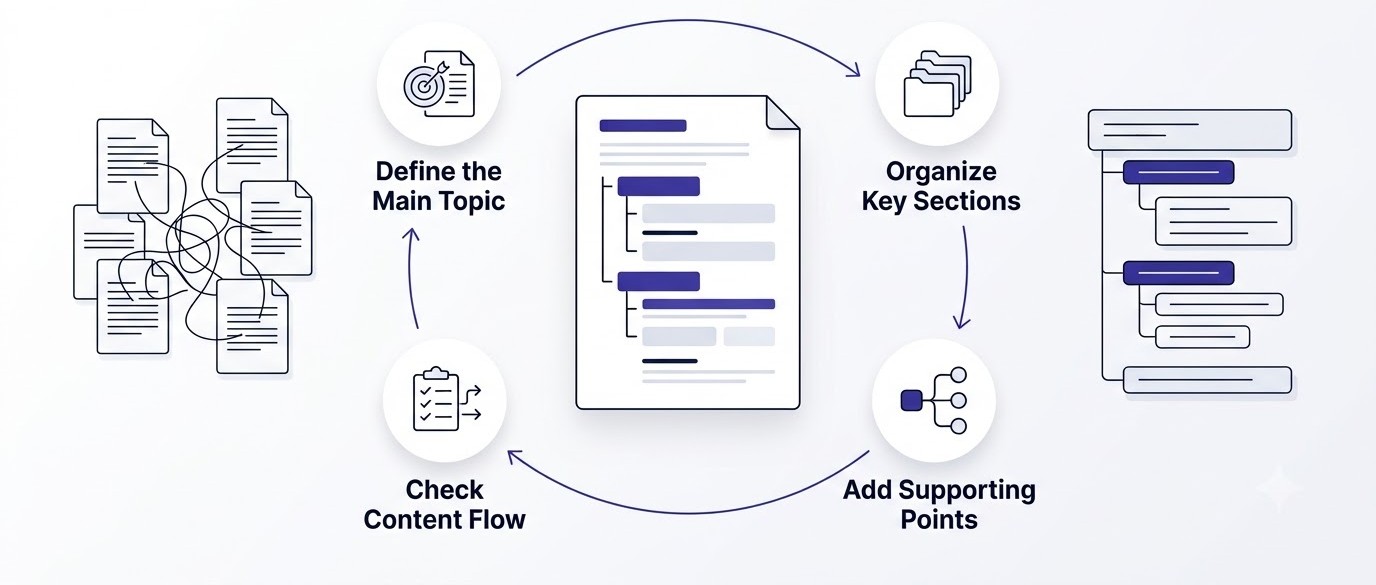
Writing without an outline for long-form content is how you end up with a piece that wanders, repeats itself, or forgets to answer half of what the title promised.
Why Outlines Matter More As Length Increases
A 600 word post can survive without a tight outline because the writer can hold the whole thing in their head. A 6,000 word post can’t. Without a map, you’ll circle back to points you already made, bury important information in the wrong section, or realize at word 4,000 that you never explained something the reader needed at word 800.
Using H1, H2, H3, and H4 Correctly
Your H1 is the title, one per page. H2s are your major sections, the core topics the article breaks into. H3s are subpoints within those sections. H4s show up rarely, mostly for deeply nested lists or steps inside a complex H3. Getting this hierarchy right matters for two separate reasons: it helps search engines understand your content’s structure, and it helps actual humans scan the page and find the part they care about without reading the whole thing.
What a Good Outline Actually Looks Like
A solid outline for a piece like this one lists every H2, the H3s beneath each one, and a one-line note on what each section needs to accomplish. Not just topics, but the actual job each section is doing. “Section 4 needs to explain keyword research tools AND how to interpret what they return” is a useful outline note. “Section 4: Research” is not.
Writing Introductions That Actually Hook Readers
The intro decides whether anyone reads past it. Get this wrong and none of your later sections matter, because nobody gets there.
Different Ways to Open an Article
A problem-first opener starts with the exact frustration your reader is currently feeling. A story-first opener drops them into a specific scenario before generalizing. A statistic-first opener leads with a number surprising enough to earn a second sentence. A question-first opener asks something the reader is already asking themselves. A contrarian opener challenges something the reader assumes is true. None of these is objectively best, it depends on the topic and the tone you’re going for.
The Hook, Problem, Promise, Preview Framework
A reliable structure for intros: hook them with something specific in the first line, name the actual problem they’re facing, promise what this piece will do about it, then give a quick preview of what’s coming without turning it into a bullet list. Notice how this article’s own intro follows roughly that shape. That’s not an accident.
Good Intro vs Bad Intro
A bad intro says: “In today’s fast-paced digital landscape, content marketing has become more important than ever before.” That tells the reader nothing and could apply to literally any article ever written. A good intro says: “You wrote 4,000 words on something, hit publish, and watched the average read time sit at 47 seconds.” Specific, relatable, and it makes the reader want the fix.
How to Structure Every Section So It Doesn’t Lose People
This is where most long-form content falls apart. The intro is strong, then section three turns into a wall of text with no shape, and readers quietly close the tab.
The Answer, Explain, Example, Evidence Framework
Every section should open with a direct answer to the question implied by its heading. Then explain the reasoning behind that answer. Then give a concrete example that shows it in action. Then, where relevant, back it up with data or evidence. This order matters because readers who only skim the first sentence of a section still walk away with the core point.
What Every Section Needs, No Exceptions
A main point stated clearly. Supporting explanation that goes one layer deeper than the obvious. A practical example that makes it real instead of theoretical. Data or statistics when they genuinely add weight. And something the reader can actually do with what they just read. Skip any of these and the section feels thinner than it should.
Keeping Logical Flow Between Sections
Each section should connect to the next one, not sit as an isolated island. A quick transitional line at the end of a section, something like “once you’ve got the outline locked, the actual writing gets a lot easier,” does more for reader retention than people give it credit for.
How to Write Techniques That Keep People Scrolling
This is the actual craft part. You can have the best research and outline in the world and still lose readers if the sentence-level writing drags.
Short Paragraphs and White Space
Nobody wants to open a page and see a solid brick of text. Break paragraphs every two to four sentences, even if grammatically they could keep going. White space isn’t wasted space, it’s what makes a long page feel readable instead of exhausting.
Bullet Lists and Numbered Steps
When you’re listing options, features, or sequential steps, use actual lists instead of cramming them into a paragraph separated by commas. It’s faster to scan and easier to reference later, especially when someone comes back to the article looking for one specific step.
Bold Text, Questions, and Stories
Bold sparingly, just to flag the phrase someone would want if they were skimming. Ask direct questions occasionally, it mimics conversation and pulls the reader into actively thinking instead of passively reading. And stories work because human brains are wired to follow narrative better than lists of facts, even short two-sentence anecdotes.
Open Loops and Curiosity Gaps
Mentioning something is coming later (“we’ll get into exactly why that matters in the editing section”) keeps people reading to close that loop. Use this sparingly though. Overdo it and it starts to feel manipulative instead of genuinely engaging.
Micro Conclusions and Smooth Transitions
Wrapping up each section with a one-line takeaway gives readers a sense of progress, like they’re actually getting somewhere. Combined with a smooth transition into the next section, this is what makes a 6,000 word piece feel like it moves fast instead of dragging.
How to Make Long Articles Easy to Scan
Not everyone reads top to bottom. A lot of people scan first, decide the piece is worth their time, then go back and read properly. Long-form content needs to work for both types of readers.
Table of Contents and Jump Links
A table of contents at the top with jump links to each section respects the reader’s time. Someone searching “how long should a blog post be for SEO” doesn’t want to read your entire guide, they want to jump straight to that one answer. Give them the option.
Visual Breaks That Actually Help
Images, infographics, tables, and comparison charts break up the page visually and often communicate faster than paragraphs can. A comparison table like the one earlier in this piece does more work in five seconds than three paragraphs of prose would.
Callout Boxes and Summary Sections
Pull quotes, callout boxes, and “key takeaway” summaries give skimmers a shortcut to the important stuff without forcing them through every sentence. This matters more now than it used to, because reading behavior online has genuinely shifted toward scanning first, committing second.
How to Balance SEO With Writing That Sounds Human
This is where a lot of content ends up feeling stiff. Writers get so focused on hitting keyword targets that the writing stops sounding like a person and starts sounding like a checklist.
What to Avoid
Keyword stuffing is the obvious one, repeating the same phrase unnaturally until it reads awkwardly. Over-optimization is subtler, forcing every heading into an identical keyword pattern until the piece feels robotic. Thin content, saying the same thing multiple times to hit a word count, is just as bad as too little content.
What to Focus On Instead
Natural language wins over forced phrasing every time. Write about the entities and concepts connected to your topic, not just the exact keyword. Build topical authority by covering the subject from multiple angles instead of repeating one phrase fifty times. This naturally satisfies semantic SEO without sounding forced.
Writing for AEO and GEO
Answer Engine Optimization means structuring your content so AI assistants can pull a clean, complete answer directly from your page. Generative Engine Optimization is similar but focused on getting cited inside AI-generated summaries. Both come down to the same habit: answer the question directly and completely in the first sentence or two of a section, then expand from there. Combine that with EEAT principles, showing real experience, expertise, authority, and trustworthiness, and you’re writing for search engines, AI search, voice search, and featured snippets all at once without doing anything extra.
Add Trust Signals Throughout the Content
Long-form content lives or dies on whether the reader believes what they’re reading. Trust isn’t a single section, it’s something you build line by line.
What Builds Trust in Written Content
Original insights that aren’t just repeating what every other article says. Real experience with the topic. Named expert opinions instead of vague references. Actual statistics with sources attached. Case studies that show a real before and after. Direct quotes. Concrete examples instead of hypotheticals. Screenshots when you’re walking through a tool or process.
Why Trust Directly Drives Engagement
Readers who trust the content stay longer, read deeper into the piece, and are far more likely to convert on whatever action the article points toward. This isn’t abstract. A reader who sees a specific, verifiable stat is more likely to believe your recommendation than one who reads “many experts agree this is important.” Specificity is what separates trustworthy content from filler.
Edit Ruthlessly, No Exceptions
The first draft of any long-form piece is always longer and messier than it needs to be. Editing is where good content becomes great content, and skipping this step is why so much long-form writing feels bloated.
The Editing Checklist
Remove fluff sentences that don’t add new information. Cut repetition, even the subtle kind where you’re making the same point with slightly different words. Simplify overly complex sentences. Fix grammar issues that break reading flow. Strengthen weak transitions between sections. Improve headings so they’re specific instead of generic. Check that the logical flow makes sense from start to finish. Verify every fact and stat you’ve included. Optimize formatting for scannability. And read the whole thing aloud, this catches awkward phrasing faster than reading silently ever will.
Tools Worth Using
Grammarly catches surface-level grammar and clarity issues fast. Hemingway Editor flags sentences that are too complex or passive. LanguageTool is a solid free alternative that covers similar ground. None of these replace a real editing pass, but they speed up the mechanical parts so you can focus your attention on structure and substance.
How to Optimize Long-Form Content for SEO Properly
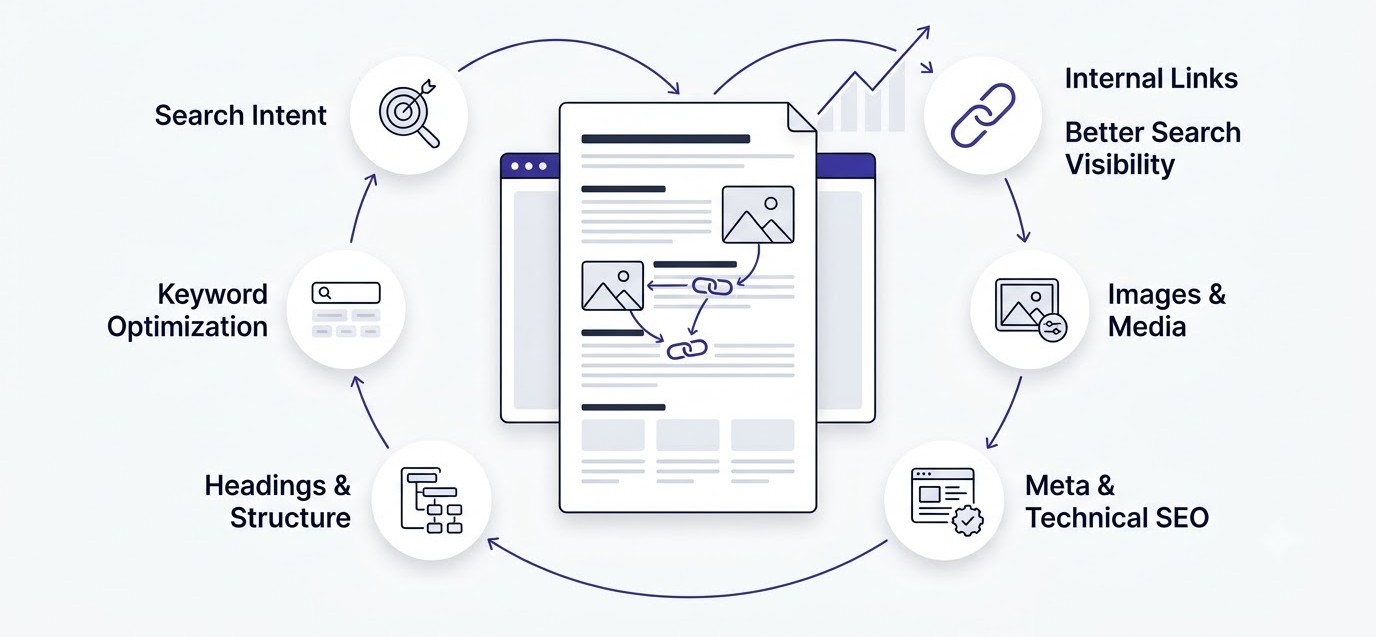
Once the writing itself is solid, there’s still on-page work to do before this content can actually perform in search.
On-Page Elements That Matter
Your title tag and meta description need the primary keyword and a clear reason to click. The URL should be short and keyword-focused. H1 should match search intent closely. Headings need a logical hierarchy that a search engine can parse cleanly. Internal links should point to related content on your own site, and external links should point to genuinely authoritative sources, not just anything that ranks.
Technical Details That Get Skipped
Schema markup, especially FAQ schema, helps search engines understand and potentially feature your content directly in results. Image optimization and descriptive alt text matter both for SEO and accessibility. Core Web Vitals affect how the page performs technically, which increasingly factors into how well content ranks regardless of how good the writing is. Anchor text on your internal and external links should describe what the reader will find, not just say “click here.”
Featured Snippets and Entity Optimization
Structure at least one section as a clean, extractable answer, a tight definition, a numbered list, or a simple table, since these formats are what search engines pull into featured snippets. Mentioning related entities, the tools, concepts, and named frameworks connected to your topic, helps search engines understand the full scope of what your page covers, which supports rankings well beyond just your target keyword.
Mistakes That Kill Reader Engagement
Even with a solid outline and good research, certain habits quietly wreck long-form content. Here’s what to watch for.
Writing for Search Engines Instead of Readers
If every sentence feels like it exists to hit a keyword quota, readers feel it immediately, even if they can’t articulate why. Fix: write the point first, naturally, then check afterward whether the keyword fits without forcing it.
Weak Introductions and Huge Paragraphs
A vague opener loses readers before they even reach the good part. A wall of unbroken text feels exhausting on mobile especially. Fix: open with something specific and real, and break paragraphs every few sentences without exception.
No Visuals, No Examples, Too Much Jargon
Pure text with no breaks, no concrete examples, and unexplained industry terms all push readers toward the exit. Fix: add at least one visual per major section, ground every claim in a real example, and explain jargon in plain language the first time it shows up.
Poor Formatting and No Clear Structure
If a reader can’t tell at a glance what this section is about, they’ll skip it or leave entirely. Fix: use clear, specific headings and consistent formatting throughout the piece.
Ignoring Reader Intent and Skipping the Conclusion
Content that answers a question nobody actually asked, or that just trails off without wrapping up, leaves readers unsatisfied even if the middle of the piece was solid. Fix: match the intro’s promise all the way through to a real conclusion that closes the loop.
A Real Long-Form Content Workflow, Start to Finish
Here’s how this actually comes together in practice, step by step, roughly in order.
Start with keyword research to confirm there’s real search demand and to surface the related terms and questions worth covering. Next, nail down the search intent so you know exactly what job this content needs to do. Then run competitor analysis to find the gaps you can fill better. Build the outline next, mapping every H2 and H3 before writing a single sentence of the actual draft. Do deeper research on any specific claims, stats, or examples you’ll need. Write the full draft without stopping to perfect every sentence. Edit ruthlessly once the full draft exists. Handle SEO optimization on the finished piece, not before, since editing often reshapes headings and structure. Publish. And then, this is the step most people skip, come back and update the piece regularly as the topic evolves or new information becomes available.
Realistically, a piece like this takes a few hours for research and outlining, a few more for the draft, and at least one full editing pass before it’s ready. Rushing any of these stages is exactly where quality drops.
How to Measure Whether Your Long-Form Content Is Actually Working
Publishing isn’t the finish line. You need to know whether the piece is doing its job.
The Metrics That Actually Matter
Organic traffic tells you if the piece is getting found at all. Average engagement time and scroll depth tell you if people are actually reading it once they arrive, which is the metric most people skip and shouldn’t. Bounce rate gives a rough sense of whether the content matched what people were looking for. Conversions, if the piece has a goal beyond just reading, tell you whether it’s driving business results. Backlinks and keyword rankings show whether the piece is building authority over time. Click-through rate from search results shows whether your title and meta description are doing their job. Returning visitors suggest the content built enough trust that people came back.
Which Metrics to Prioritize
Traffic without engagement means people are finding the piece but not finishing it, which usually points back to structure or writing quality issues covered earlier in this guide. Engagement without traffic means the content is good but not being found, which is more of a distribution or SEO problem. Look at both together, not one in isolation, or you’ll misdiagnose what’s actually wrong.
Long-Form Content Formats That Consistently Work
Some formats just naturally hold attention better because the structure itself creates momentum.
Ultimate Guides and Complete Tutorials
These work because the title itself sets an expectation of completeness, and readers stick around because leaving feels like leaving the job half-done. A complete tutorial format works especially well because each step naturally pulls the reader to the next one.
Industry Reports and Case Studies
These work because they’re grounded in real data and real outcomes, which naturally builds the trust signals covered earlier in this guide. Readers stay engaged because they’re learning from something that actually happened, not a hypothetical.
Pillar Pages, Comparison Articles, and Resource Hubs
Pillar pages work by owning a topic completely and linking out to deeper content, keeping readers within your site’s ecosystem. Comparison articles work because they answer a decision the reader is actively trying to make. Resource hubs work as reference material people bookmark and return to, which builds the kind of long-term traffic that a single blog post rarely achieves on its own.
The Future of Long-Form Content in the AI Era
Search behavior is shifting fast, and long-form content has to shift with it.
AI-Assisted Writing vs Human Expertise
AI tools can speed up drafting, but originality and real, lived experience are what actually separate content that ranks and gets cited from content that reads like a summary of everything else already published. That gap is only getting more visible as more AI-generated content floods the internet.
Multimedia, Interactive, and Personalized Content
Static text alone is losing ground to pieces that combine writing with interactive elements, embedded tools, or content that adapts based on who’s reading it. This doesn’t replace good writing, it extends what good writing can do.
Content Updates as an Ongoing SEO Strategy
A piece published once and never touched again slowly loses relevance as facts change, competitors improve, and search intent shifts. Treating updates as part of the strategy, not an afterthought, is quickly becoming a requirement rather than a nice-to-have.
How GEO and AEO Are Reshaping the Game
As more searches get answered directly by AI overviews and assistants, getting cited inside those answers matters as much as ranking in the traditional ten blue links. That means answer-first structure, named entities, and verifiable specificity aren’t optional extras anymore, they’re becoming core requirements for any long-form content that wants to stay visible.
Conclusion
Length by itself never made content valuable. Reader-first structure beats keyword-first writing every single time, and the research, organization, readability, and trust covered throughout this guide are what actually determine whether a long piece gets read or abandoned. Long-form content should educate, engage, and convert, in that order, and none of that happens by accident.
Go back through your existing articles and check honestly which ones are padded versus which ones are genuinely complete. Fix the padded ones, and start applying this same structured process to whatever you write next.
Frequently Asked Questions
What is considered long-form content?
Long-form content generally starts around 3,000 words and can run well past 7,000 depending on the topic. What actually makes something long-form isn’t the number though, it’s whether the piece covers a topic completely enough that a reader doesn’t need to look anywhere else for the answer.
How long should a blog post be for SEO?
There’s no fixed number that works for every topic. Ranking content on competitive keywords often lands somewhere between 1,500 and 3,000 words, but the right length depends entirely on how much genuine ground the topic needs to cover to answer the search intent completely.
Does Google rank longer articles higher?
Not automatically. Google ranks content that satisfies search intent well, and longer articles often do that better simply because they have more room to be thorough. But a padded 3,000 word article will lose to a tight, complete 1,200 word article every time.
How do you keep readers engaged in long articles?
Short paragraphs, clear headings, concrete examples, visual breaks, and smooth transitions between sections all keep readers moving forward. The Answer, Explain, Example, Evidence structure covered earlier in this guide is one reliable way to keep each section pulling its weight.
How many headings should a 5,000-word article have?
There’s no strict rule, but a good benchmark is one H2 roughly every 500 to 800 words, with H3s breaking up any H2 section that runs longer than three paragraphs without a natural subdivision. The goal is scannability, not hitting an exact number.
How often should long-form content be updated?
For fast-moving topics, every three to six months is reasonable. For more evergreen subjects, a yearly review to check facts, examples, and competitor coverage is usually enough. The key is checking regularly, not letting a high-performing piece go stale for years.
Can AI write effective long-form content?
AI can help with drafting speed, but content built entirely from AI output without real research, original insight, or lived experience tends to read as generic and often struggles to earn trust or citations. The strongest long-form content in the current search landscape combines efficient tools with genuine expertise.
What’s the difference between pillar content and a regular blog post?
A regular blog post usually answers one specific question or covers one narrower topic. Pillar content is built to be the definitive resource on a broader subject, often linking out to multiple related articles, or cluster content, that go deeper on specific subtopics.
How do you optimize long-form content for featured snippets?
Format at least one section as a clean, extractable answer, a short definition, a numbered list, or a simple comparison table. Featured snippets get pulled from content that answers a question directly and concisely, even inside a much longer piece.
What metrics should you track to measure long-form content performance?
Organic traffic, average engagement time, scroll depth, bounce rate, conversions, backlinks earned, keyword rankings, and click-through rate from search results together give the clearest picture. Traffic alone doesn’t tell you if people are actually reading, so pair it with engagement metrics.
Is long-form content always better than short content?
No. Short content works fine for simple, quick-answer searches where the reader just wants one fact and nothing more. Long-form content earns its place when the topic genuinely has enough depth, decisions, or nuance to justify the extra length. Forcing length onto a simple topic usually hurts more than it helps.
What’s the ideal paragraph length for long-form articles?
Two to four sentences per paragraph is a safe range for most long-form content, especially since a large share of readers are on mobile screens where large text blocks feel overwhelming. Breaking paragraphs more often than feels natural in print writing genuinely improves online readability.