


Most beginners don’t fail at SEO because they didn’t try hard enough. They fail because they were confidently doing the wrong things for months, sometimes years, and nobody told them. That’s the honest truth of it. You can work sixty hours on a website, publish forty blog posts, and still get zero organic traffic because of one bad decision made in week one.
This isn’t another “SEO checklist” post that lists ten generic tips you’ve already read on twenty other blogs. This is a walkthrough of the specific mistakes beginners make, over and over, on real websites, and exactly what to do instead. Some of these mistakes are strategic. Some are technical. A couple are just about mindset, and those matter more than people admit.
By the end, you’ll know exactly where most beginner sites go wrong, and more importantly, where yours might be going wrong right now.
Why Beginner SEO Mistakes Are So Common
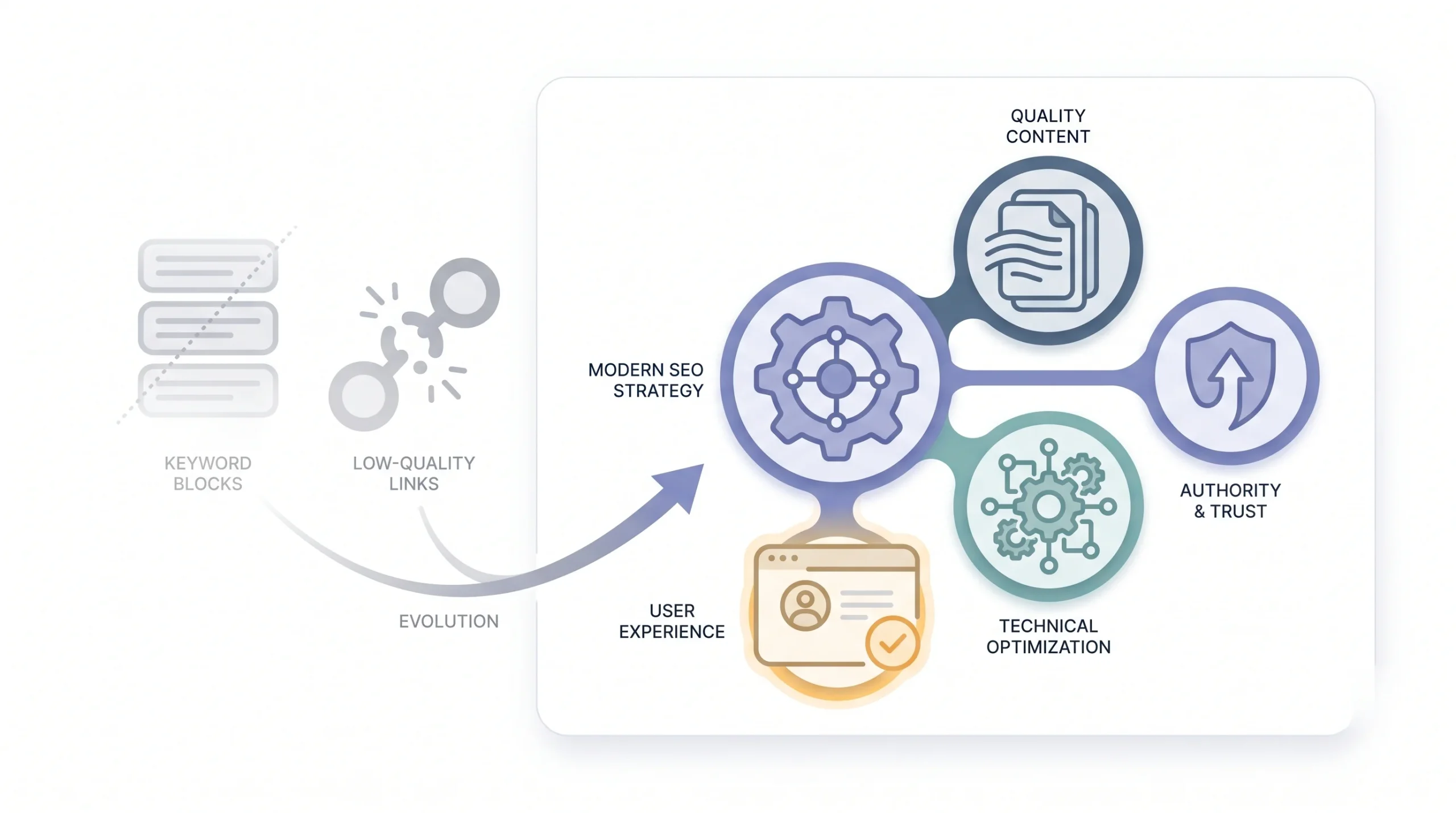
SEO looks simple from the outside. Write content, sprinkle in some keywords, wait for Google to notice you. That’s the story most people get sold. Reality is messier. SEO is actually four or five different systems running at once, technical setup, content quality, site authority, user experience, and they all have to work together. Miss one and the others don’t matter much.
Here’s the bigger problem though. A lot of what beginners learn comes from outdated blog posts and YouTube videos still teaching tactics from 2015. Keyword stuffing, directory submissions, exact match domains, stuff that either does nothing now or actively hurts you. Nobody updates old content once it starts ranking, so it just sits there misleading the next batch of beginners. Honestly, it’s kind of a mess out there.
| Old Advice (Still Floating Around) | Why It’s Outdated | What Works Instead |
|---|---|---|
| Keyword density 2-3% | Google reads intent, not repetition | Natural language and topical depth |
| Submit site to 100 directories | Most directories are dead or spammy now | Earn links through content and outreach |
| Meta keywords tag | Deprecated, Google ignores it completely | Focus on title tag and meta description |
| More backlinks = better rankings | Quality and relevance matter way more than count | Fewer, relevant, authoritative links |
| Exact match domains | Lost most of their ranking power years back | Brandable domain plus genuinely strong content |
So yeah, if you learned SEO from a random 2018 blog post, chances are you’re carrying a few bad habits right now without even knowing it. Let’s fix that.
The 10 SEO Mistakes Beginners Make (and How to Fix Them)
These are listed roughly in the order beginners tend to run into them. First come the strategy mistakes, the stuff that goes wrong before you even write a word. Then the execution mistakes, where the plan was fine but the setup wasn’t. And at the end, a couple of mindset mistakes that quietly kill more websites than any technical error ever could.
Mistake #1: Targeting Keywords with No Search Intent Match
This one’s probably the most common mistake on this entire list, and also the one people understand the least.
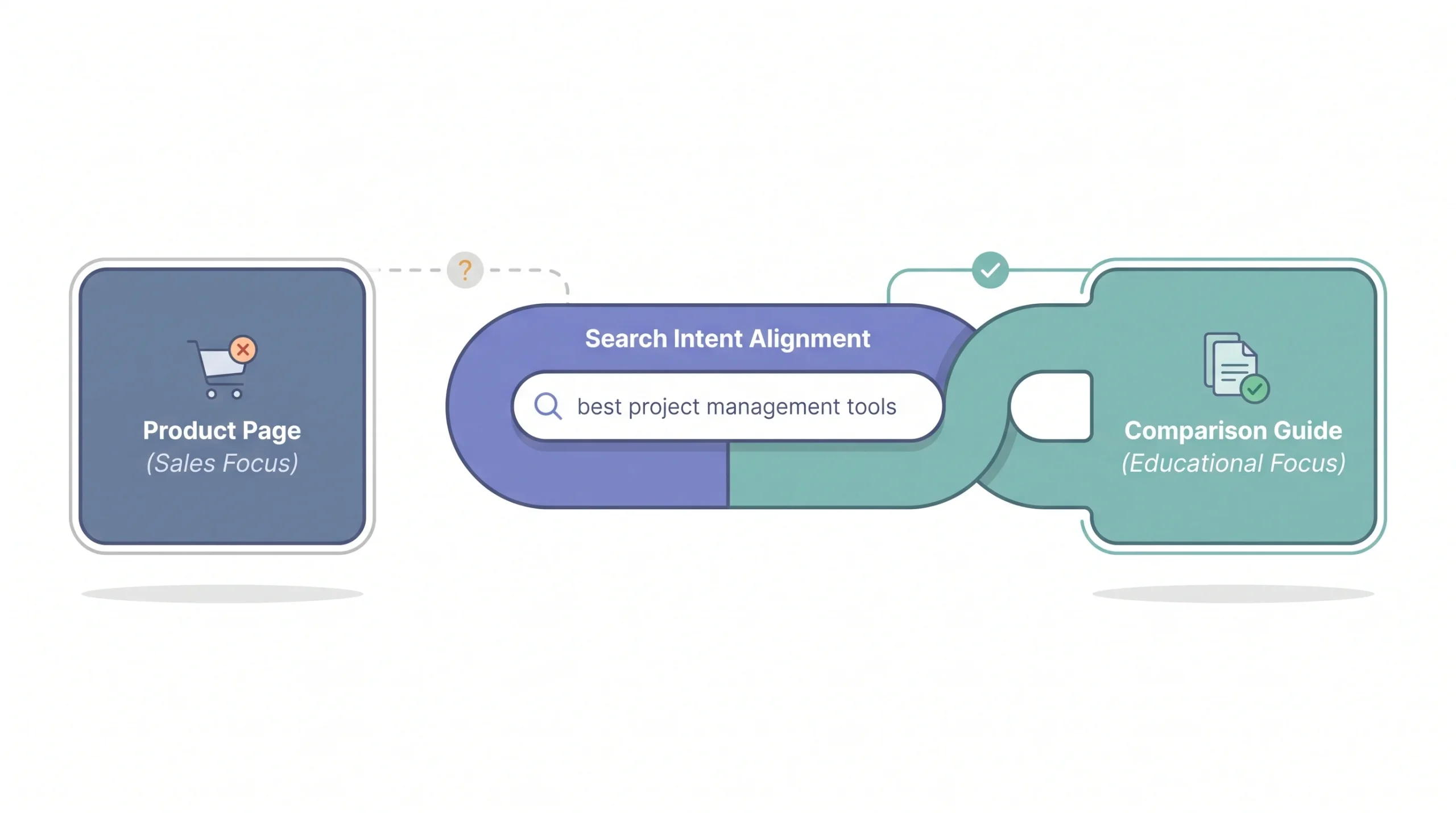
Search intent means figuring out what a person actually wants when they type something into Google. Not what the keyword literally says. What they want. Google has gotten really good at reading this, and it groups queries into four rough buckets: informational (they want to learn something), navigational (they’re looking for a specific site or brand), transactional (they’re ready to buy), and commercial investigation (they’re comparing options before buying).
Here’s where beginners go wrong. They find a keyword with decent search volume, say “best running shoes,” and they build a product category page for it. Problem is, if you actually Google “best running shoes” right now, every single result on page one is a listicle. Roundup posts. “15 Best Running Shoes Tested in 2026” type content. Google has already told you, loud and clear, what kind of page it wants to rank for that search. And it’s not a product page.
So the site owner writes their product page, optimizes the title tag, adds the keyword five times, and waits. Nothing happens. Not because their SEO was bad technically, but because they built the wrong type of content for what Google already decided that keyword means.
Quick Tip: Before writing a single word, Google your target keyword and look at what’s already ranking. If it’s all listicles and yours is a landing page, you’re fighting the algorithm, not the competition.
This mismatch happens constantly with beginners who pull keywords from a tool, see decent volume, and jump straight to writing without checking the actual search results first. Takes two minutes to check. Saves you weeks of wasted writing.
Mistake #2: Ignoring Keyword Difficulty and Site Authority Gap
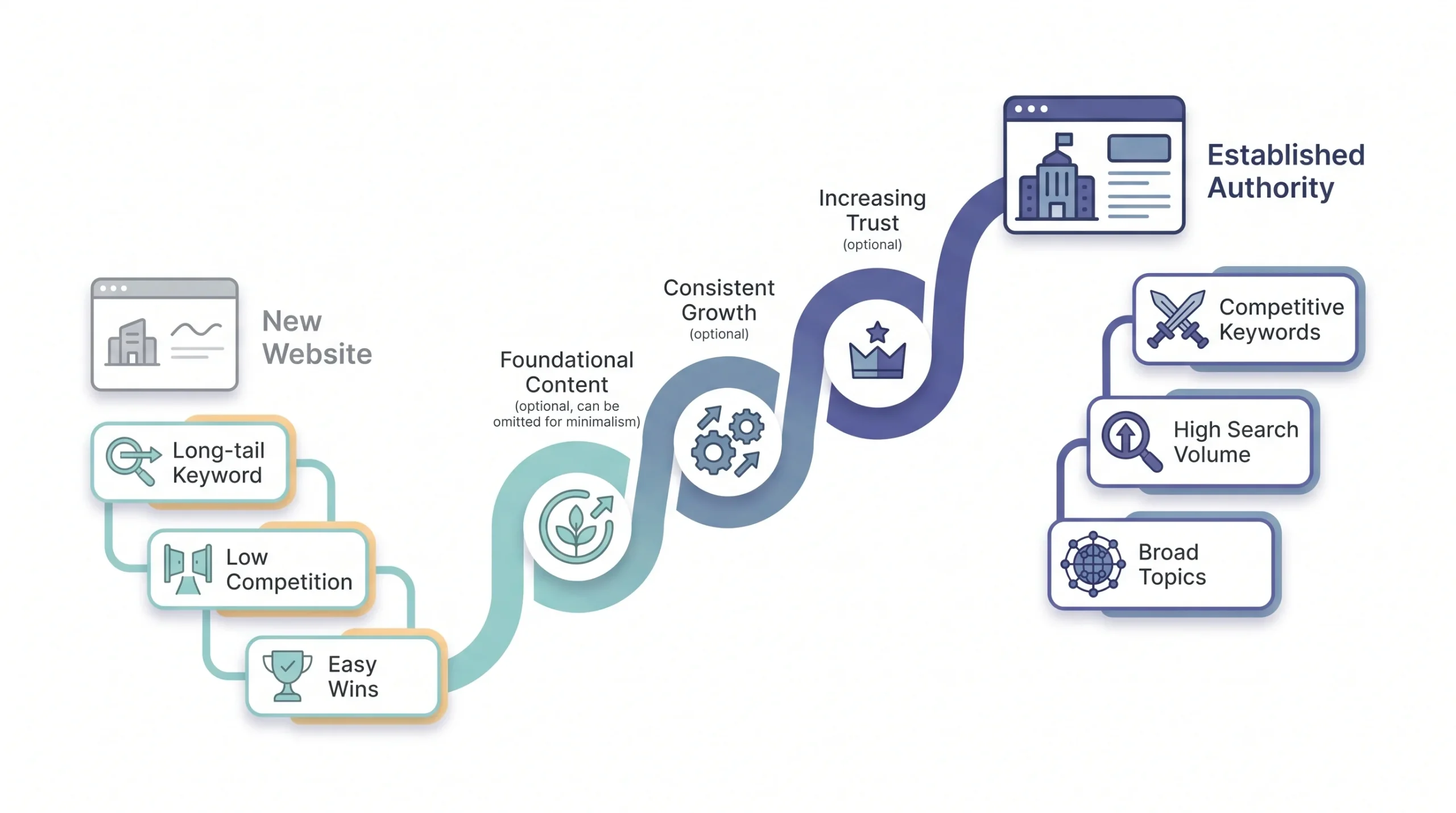
Second mistake, and this one’s about timing more than intent. Beginners find a keyword like “digital marketing” or “content marketing,” see it has huge search volume, and go after it on day one of a brand new website. That’s not going to happen. Not because the content is bad, but because ranking for competitive terms requires domain authority, and a brand new site simply doesn’t have any yet.
Every keyword has a difficulty score, basically a measure of how hard it’ll be to outrank the sites currently sitting on page one. New sites with zero backlinks and no history are going up against domains that have been building authority for years. It’s not a fair fight, and it’s not supposed to be one right away.
The smart move is what people call the keyword ladder. Start with long-tail keywords, the specific, lower-volume searches with less competition. Build some wins there. Earn a few backlinks. Let Google see your site consistently, then start climbing toward the bigger, more competitive terms.
| Site Age/Authority | Keyword Type to Target | Example |
|---|---|---|
| 0-6 months, new domain | Long-tail, low competition | “how to fix squeaky door hinge” |
| 6-18 months, some backlinks | Medium competition, more specific | “best door hinge lubricant” |
| 18+ months, established authority | Broader, competitive terms | “door hinge maintenance guide” |
Look, nobody wants to hear “start small.” Everyone wants the big keyword, the big traffic number. But chasing a term way above your site’s authority level just burns months of effort for a page sitting on position 47 that nobody will ever click.
Mistake #3: Thin or Duplicate Content
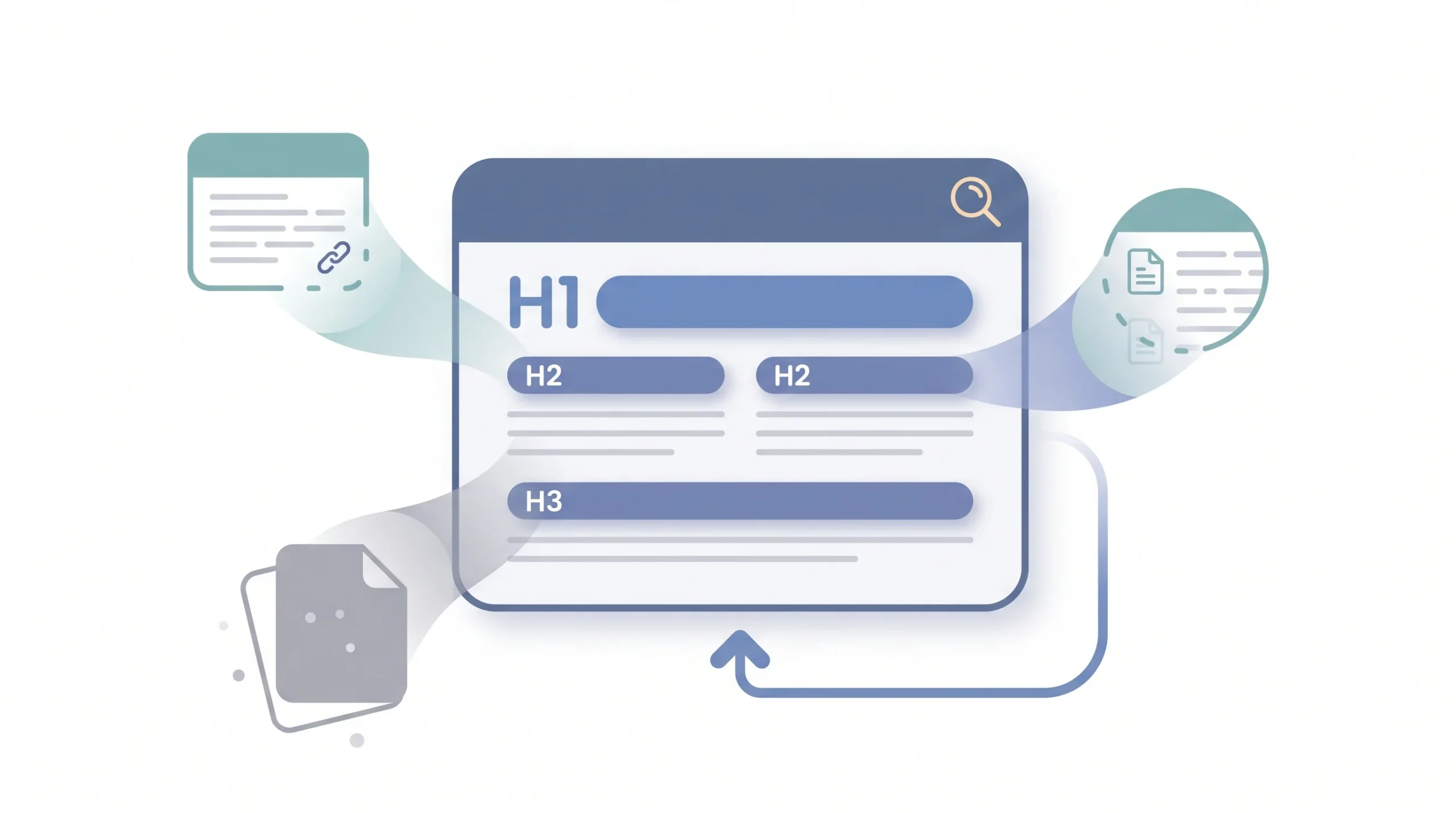
Thin content is exactly what it sounds like. A 300-word page that barely scratches the surface of a topic, or worse, AI-generated filler that says a lot of words without saying much of anything. Google’s gotten sharp at spotting this. Pages like that just don’t rank, no matter how well you optimize the title tag around them.
But there’s a sneakier version of this mistake that trips up a lot of beginners: duplicate or near-duplicate content. This is content cannibalization, and it happens when you write multiple pages that are all basically answering the same question in slightly different words.
Common Trap: Writing five separate blog posts for “email marketing tips,” “email marketing best practices,” and “how to do email marketing” is three pages fighting each other for the same spot. Consolidate instead.
Here’s the thing people don’t realize: Google doesn’t rank all three of your pages. It picks one, usually whichever one it thinks is strongest, and buries the rest. So instead of one solid page ranking well, you’ve got three mediocre pages splitting whatever authority you had, none of them ranking anywhere near where they should. The fix isn’t writing more content. It’s consolidating what you already have into one genuinely thorough page that covers the topic properly.
Mistake #4: Broken or Missing On-Page SEO Basics
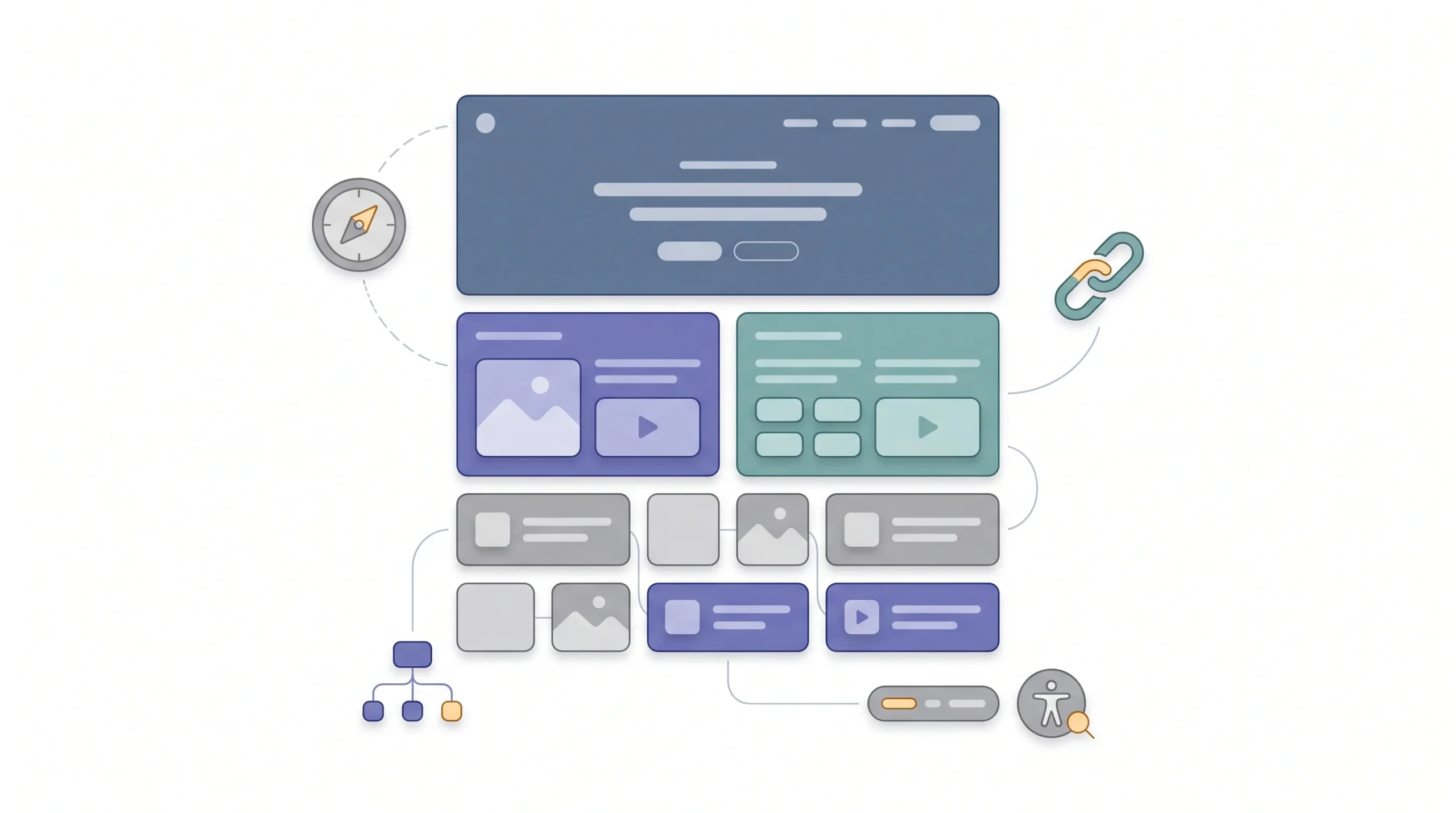
This is the boring stuff, honestly, but it matters more than most beginners give it credit for. On-page SEO is the set of signals living directly on your page that tell Google, and your visitors, what the page is actually about.
Here’s what tends to go missing or go wrong most often:
- Title tags left duplicated or missing. Multiple pages on the same site using the exact same title, or worse, no custom title at all, just the CMS default.
- Meta descriptions auto-generated. Google just pulls a random sentence from the page when there’s no manual meta description written, and it rarely reads well or drives clicks.
- Missing or multiple H1 tags. Some pages have zero H1, some have three. Either way, it confuses the structure of the page for both Google and readers.
- Alt text left blank. Every image should have descriptive alt text, not just for SEO but for accessibility too. Blank alt text is a missed opportunity, and stuffed alt text (just repeating the keyword five times) looks spammy.
- URLs stuffed with parameters or dates. A URL like site.com/2023/04/12/post-name-final-v2 tells nobody anything useful.
- No internal linking. Pages sitting on the site in complete isolation, never linked from anywhere else, so Google barely finds them and readers never discover them either.
| Element | Beginner Mistake | Fix |
|---|---|---|
| Title Tag | Missing or duplicated across pages | Unique, keyword-front-loaded, under 60 characters |
| Meta Description | Left blank or auto-pulled | Write manually, under 145-155 characters, include a CTA |
| H1 Tag | Multiple H1s or none at all | One clear H1 matching search intent |
| Alt Text | Empty or keyword-stuffed | Descriptive, natural, keyword only if it fits |
| URL Structure | Long, parameter-heavy, dated | Short, readable, keyword-included |
| Internal Links | None or random | Contextual links to relevant pillar or cluster content |
None of this is complicated. It’s just tedious, and beginners skip it because it feels like admin work compared to actually writing content. But a page with great writing and broken on-page basics is like showing up to a job interview in a great suit with your shirt buttoned wrong. People notice the small stuff.
Mistake #5: Neglecting Technical SEO Foundations
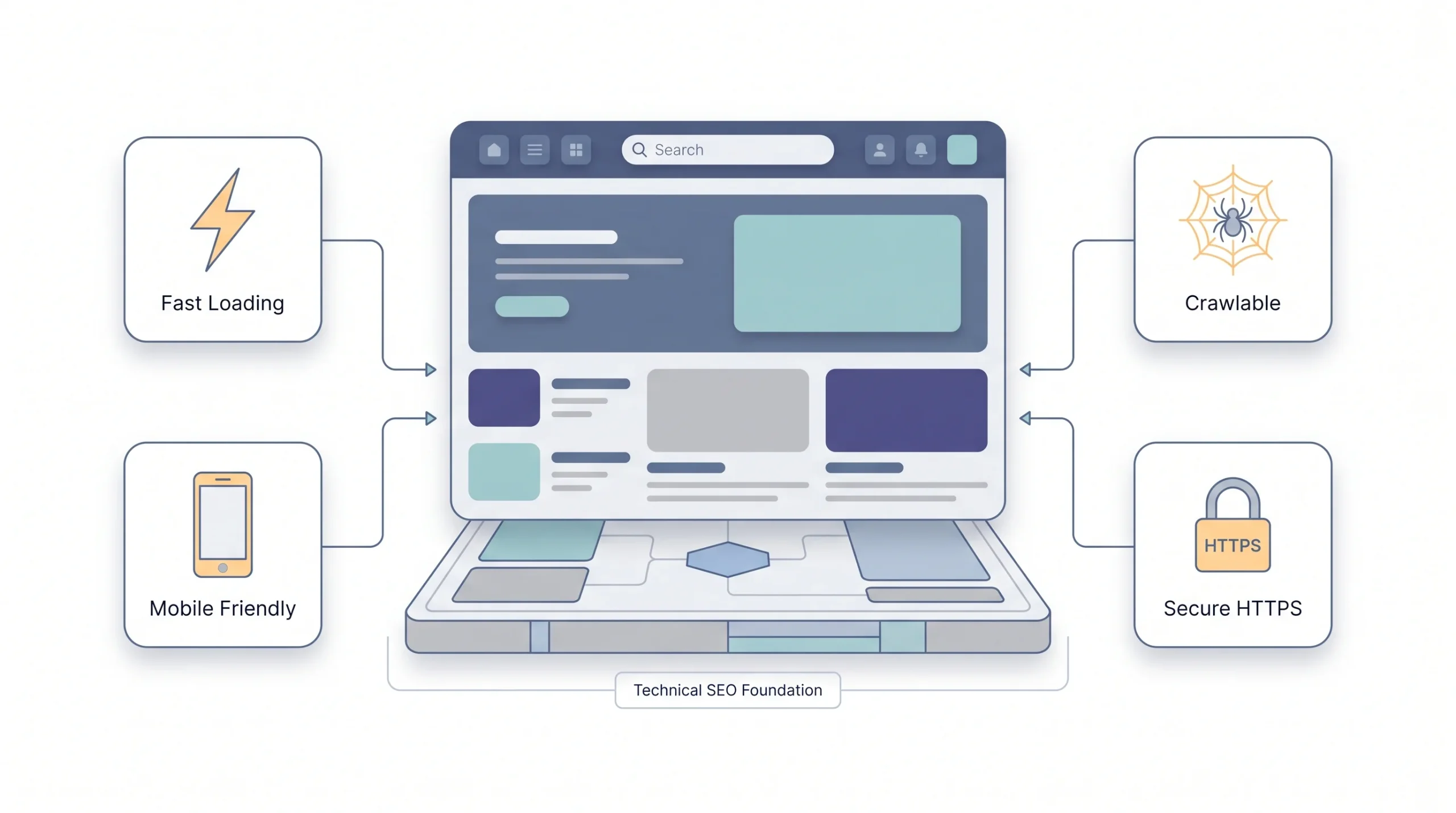
Technical SEO is where a lot of beginners just check out completely, because it sounds intimidating. But most of it isn’t. It’s about whether Google, and your visitors, can actually access and use your site properly.
Site speed is the big one. A slow-loading page kills two things at once: it frustrates real visitors who bounce before the page even finishes loading, and it signals to Google that your site isn’t giving people a good experience. Mobile responsiveness matters just as much, since most search traffic now comes from phones, not desktops.
Reality Check: You can write the best article on the internet, but if your page takes 8 seconds to load on mobile, most people (and Google) won’t stick around to find out.
Then there’s crawlability. This is about whether Google’s bots can even find and read your pages properly. A robots.txt file accidentally blocking important sections of the site, no XML sitemap submitted to Search Console, broken internal links leading to 404 error pages, these are all things that quietly choke a site’s ability to rank, no matter how good the content is.
And HTTPS. If your site’s still running without SSL in 2026, that’s a red flag both for Google’s ranking algorithm and for visitors who see the “not secure” warning and immediately leave.
None of this requires you to be a developer. Most of it can be checked with free tools and fixed through your CMS or hosting settings. It just needs to actually get done, instead of sitting on a “someday” list.
Mistake #6: Over-Optimizing (Keyword Stuffing and Unnatural Anchor Text)
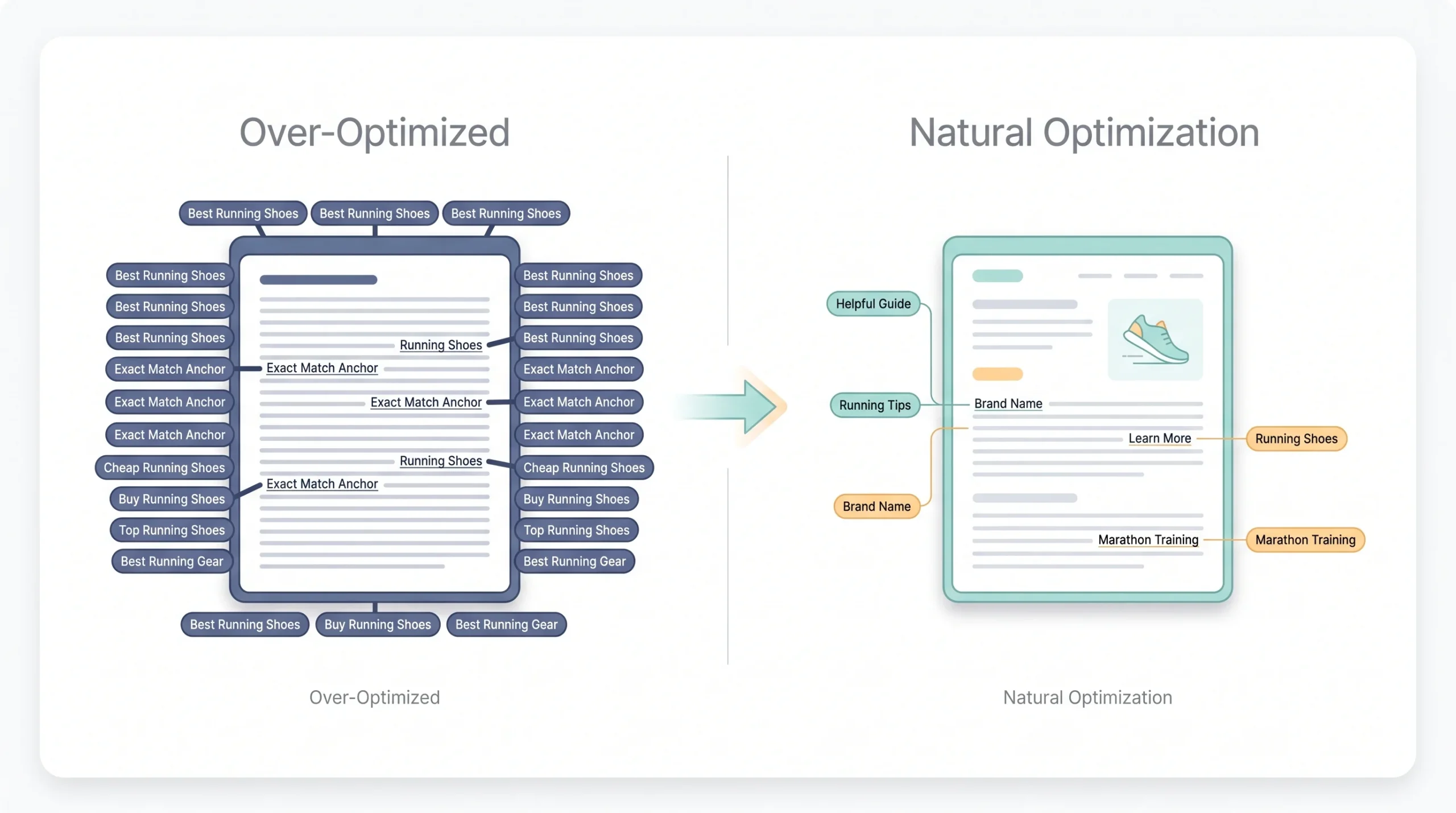
Funny thing about this mistake, it’s usually the beginners who learned about Mistake #1 that fall into this one. They realize search intent matters, they get nervous about not ranking, and they overcorrect hard. Suddenly the keyword’s shoved into every sentence, every heading, every image alt tag, every internal link anchor text.
Reads something like: “If you’re looking for the best running shoes, our best running shoes guide covers the best running shoes for every budget, because best running shoes matter.” Nobody talks like that. Nobody wants to read that. And Google’s spam-detection algorithms have gotten very good at flagging exactly this pattern.
The anchor text part trips people up especially. Internal and external links where the clickable text is the exact same keyword phrase, over and over, across the whole site. That’s not a natural linking pattern, and it’s one of the clearer signals of manipulation that Google’s algorithms watch for. A natural link profile mixes it up, sometimes the keyword, sometimes the brand name, sometimes just “click here” or “this guide.”
The irony is real. Trying too hard to rank for a keyword is often exactly what stops you from ranking for it.
Mistake #7: Ignoring Backlink Quality (Chasing Quantity Instead)
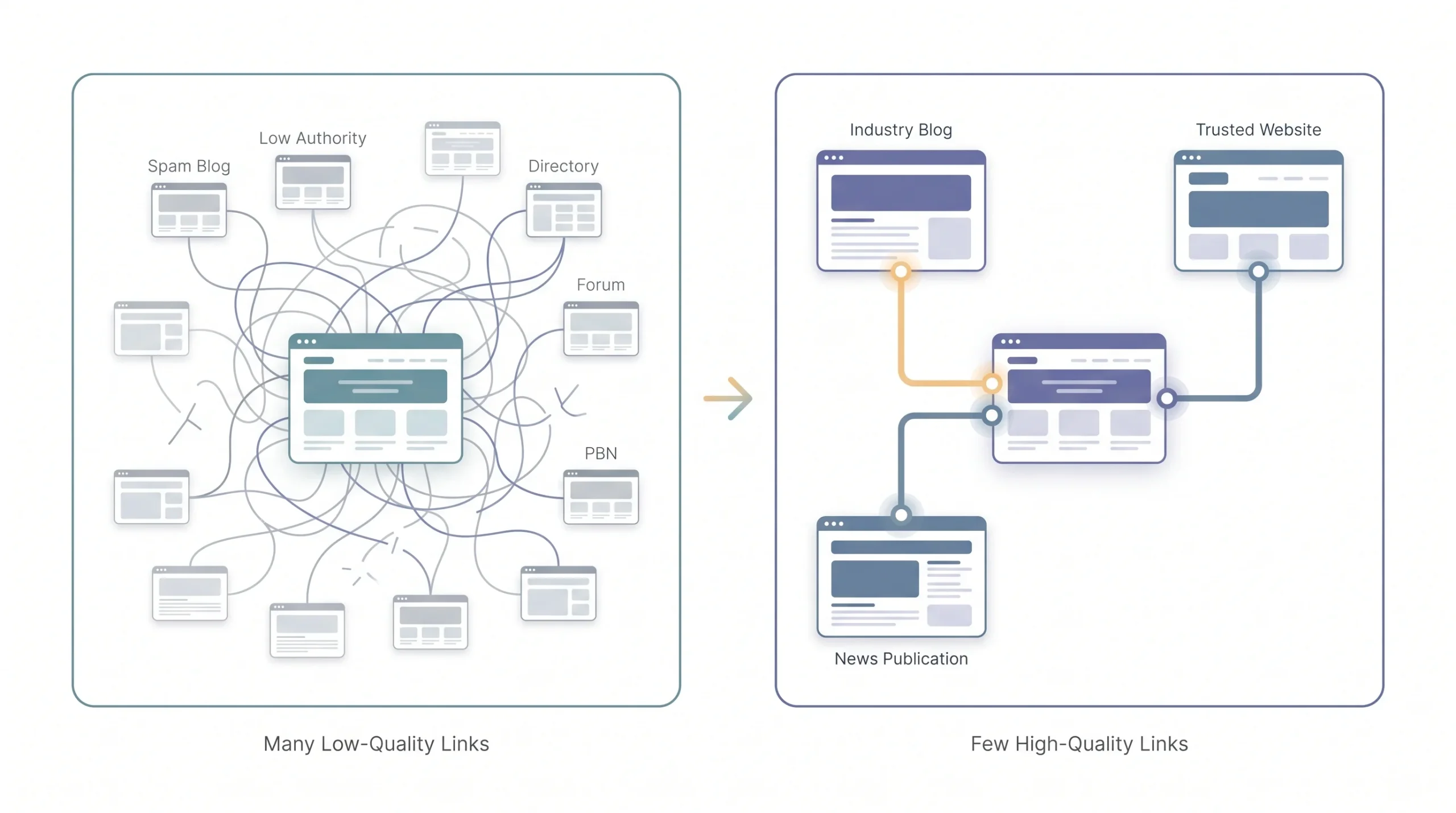
Backlinks still matter, that part hasn’t changed. What’s changed is how much quality outweighs quantity now, and beginners haven’t caught up to that.
The classic mistake looks like this: someone buys a “500 backlinks for $50” package off some marketplace, or spams their link into blog comment sections across the internet, or builds a private blog network (a bunch of low-quality sites all linking back to one main site). This all worked, sort of, years ago. Post-Penguin, this stuff doesn’t just fail to help, it can actively get a site penalized.
A healthy backlink profile isn’t about volume. It’s about relevance and trust. A single link from a respected, topically relevant site is worth more than a hundred links from random low-authority pages nobody’s ever heard of.
| Signal | Low Quality | High Quality |
|---|---|---|
| Source Relevance | Unrelated niche | Same or adjacent industry |
| Domain Authority | Low, spammy, foreign-language spam sites | Established, trusted domains |
| Link Placement | Footer or sidebar, site-wide | Contextual, placed within body content |
| Anchor Text | Exact-match keyword every single time | Natural mix of brand, generic, and keyword |
Building real backlinks takes more effort. Outreach, guest posts, genuinely link-worthy content, digital PR. It’s slower. But it’s the only version of link building that still actually works, and doesn’t come with the risk of a manual penalty hanging over your site.
Mistake #8: Not Tracking or Measuring SEO Performance

This mistake is quiet. It doesn’t break anything visibly. It just means beginners publish content, cross their fingers, and never actually check whether any of it worked.
Google Search Console and Google Analytics are free, and they tell you almost everything you need to know. Which pages are getting impressions but no clicks (usually a title tag or meta description problem). Which keywords you’re ranking for that you didn’t even know about. Which pages used to get traffic and are now sliding down.
Beginner Habit to Build: Check Search Console once a week, not once a quarter. SEO problems compound fast. Catching a ranking drop in week one is a five-minute fix. Catching it in month three is a rebuild.
Without tracking, you’re just guessing. You don’t know if the last ten blog posts you wrote actually did anything, and you can’t tell which strategies are worth doubling down on versus which ones are wasting your time. Weekly check-ins don’t take long, maybe fifteen minutes, and they catch small problems before they turn into three-month rebuild projects.
Mistake #9: Expecting Instant Results and Quitting Too Early
This isn’t a technical mistake. It’s a mindset one, and honestly, it kills more beginner SEO efforts than any of the technical stuff on this list.
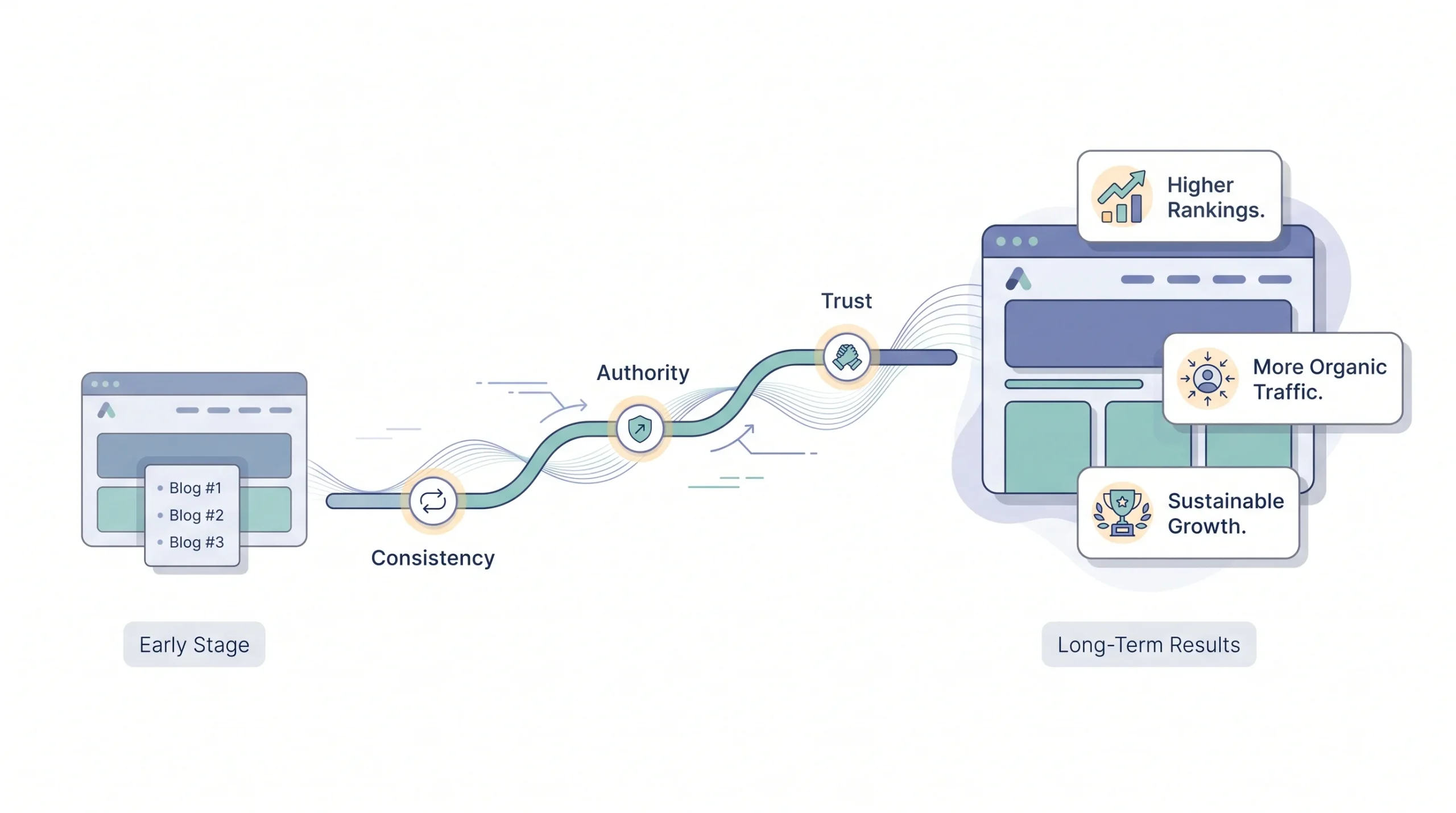
SEO doesn’t work like paid ads. You don’t turn it on and see traffic the next day. Competitive keywords typically take somewhere between four and twelve months to show real ranking movement, sometimes longer depending on the niche and how much authority the competition already has. Beginners publish for six weeks, see nothing on page one, and conclude that SEO “doesn’t work” or that they’re doing something wrong.
Sometimes something is wrong, sure, that’s what the other nine mistakes on this list are for. But often, the content and setup are fine, and the site just needs more time for Google to trust it. Quitting at month two, right before the momentum usually starts building, is one of the most common and most avoidable mistakes out there.
Mistake #10: Ignoring User Experience and Content Readability
Last one, and it’s easy to overlook because it doesn’t feel like “SEO” in the traditional sense. But how a page reads and feels affects rankings indirectly, and sometimes directly.
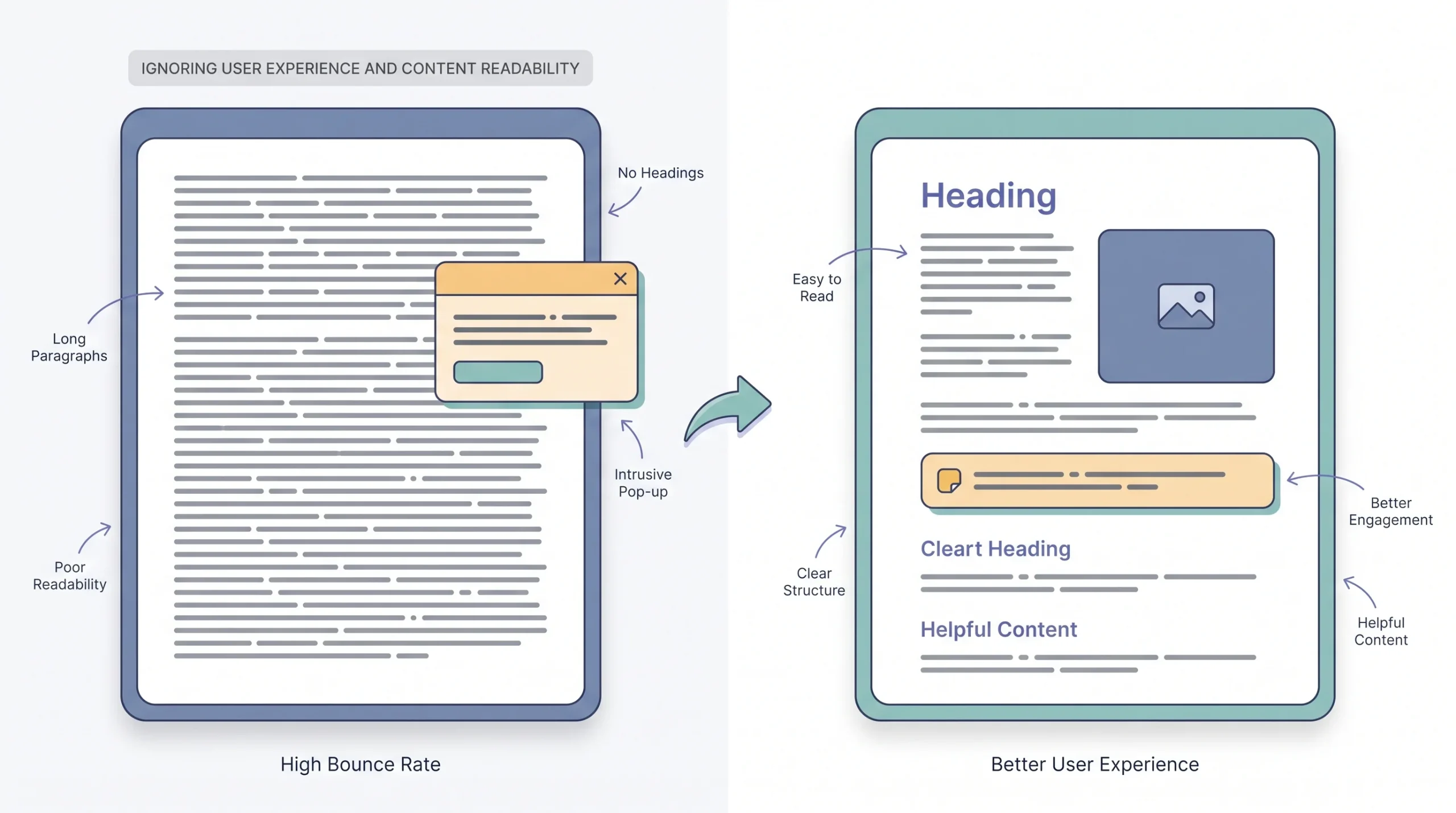
Big wall-of-text paragraphs with no breaks. No subheadings guiding the reader through the page. No visual variation, just line after line of dense text. Pop-ups that cover the screen the second someone lands on mobile. All of this pushes people to bounce off the page fast, and that behavior sends a signal to Google that the page isn’t giving people what they wanted.
Good formatting isn’t just about looking nice. Short paragraphs, clear subheadings, the occasional bolded phrase or table, these give readers a reason to stick around and actually read the thing you spent hours writing. And the longer people stay engaged with a page, generally, the better that page tends to perform over time.
Quick Self-Audit Checklist
Run through this list on your own site right now. Yes or no on each one.
- Does every important page target a keyword that matches the actual search intent behind it?
- Are you targeting keywords realistic for your site’s current age and authority?
- Is every page on your site at least reasonably in-depth, with no near-duplicate pages competing against each other?
- Does every page have a unique title tag, a written meta description, and exactly one H1?
- Have you checked your site speed and mobile experience in the last month?
- Are you avoiding keyword stuffing in your content and in your anchor text?
- Are your backlinks coming from relevant, trustworthy sources, not bulk packages or spam?
- Are you checking Search Console at least once a week?
- Have you given your current content strategy at least four to six months before judging results?
- Is your content actually easy to read, with short paragraphs and clear formatting?
If you’re saying no to more than two or three of these, that’s probably exactly where your SEO is losing steam.
Conclusion
Making mistakes in SEO isn’t a sign that something’s wrong with you or your approach. It’s just part of learning a system that’s genuinely more complicated than it looks from the outside. Every beginner hits some version of these ten mistakes, the difference is how long it takes to notice and fix them. Some sites carry the same broken title tags for two years without anyone catching it.
The real shift that needs to happen isn’t doing more SEO. It’s doing SEO correctly, with fewer wasted moves and less guessing. Fix the search intent mismatches. Get the on-page basics right. Track what’s actually happening instead of hoping for the best. Give it the time it actually needs. That combination is what separates sites that quietly compound their traffic over a year from sites that plateau and never figure out why.
FAQs
1. What is the biggest SEO mistake beginners make?
Targeting keywords with no clue about search intent. It’s the mistake that quietly wastes the most time and effort, because everything else about the page can be technically correct and it still won’t rank.
2. How long does it take to fix SEO mistakes on a website?
Depends on the mistake. On-page fixes like title tags and meta descriptions can show up in Search Console within a few weeks. Technical and content-depth fixes usually need two to four months before ranking movement shows up clearly.
3. Can too many keywords hurt my SEO?
Yes. Keyword stuffing gets flagged by Google’s algorithms and can trigger ranking drops instead of boosts. It also just reads badly to actual people.
4. Do beginners need backlinks to rank on Google?
Backlinks help, but quality matters far more than quantity. A handful of relevant, authoritative links will outperform hundreds of spammy, unrelated ones every time.
5. Why isn’t my content ranking even though I followed SEO tips?
Usually it’s a combination of things: thin content, mismatched search intent, low site authority, or unresolved technical issues. Rarely is it just one single mistake.
6. How often should beginners check their SEO performance?
Weekly checks in Google Search Console catch small problems before they snowball. A monthly deep-dive is good for spotting broader trends.
7. Is keyword density still important for SEO in 2026?
Not in the old sense of hitting a specific percentage. Google prioritizes topical depth and natural language over how many times a keyword gets repeated.
8. What’s the difference between on-page and technical SEO mistakes?
On-page mistakes involve content-level elements like titles, meta descriptions, and headers. Technical mistakes involve site infrastructure, things like speed, crawlability, and mobile responsiveness.
9. How long should I wait before I know if my SEO strategy is working?
Most competitive keywords take four to twelve months to show meaningful movement. Quitting before that window closes is itself one of the most common mistakes beginners make.
10. Can duplicate content hurt my website’s ranking?
Yes. Duplicate or near-duplicate pages cause keyword cannibalization, where a site’s own pages end up competing against each other in search results instead of one strong page ranking clearly.
11. Do beginners need to know coding to fix technical SEO issues?
Not always. A lot of technical fixes, sitemaps, redirects, basic speed optimization, can be handled through CMS plugins or tool-based audits without touching code directly.
12. What tools should beginners use to find SEO mistakes?
Google Search Console and Google Analytics cover the free baseline tracking. For deeper technical and on-page audits, a crawler tool like Screaming Frog or a platform like Ahrefs fills in the gaps.