

Look, if you’re running a B2B company in 2026 and you’re still treating LinkedIn like a place to post your quarterly earnings announcement, you’re leaving money on the table. A lot of it.
Here’s the thing nobody tells you when you start out: LinkedIn isn’t really a “social media platform” the way Instagram or TikTok are. It’s closer to a permanent trade show floor that never closes, except everyone there actually has a job title, a budget, and a reason to be talking to you. That’s a completely different animal.
I’ve watched companies burn six figures on Facebook ads trying to reach CFOs and VPs of Procurement, when those same people are sitting on LinkedIn, scrolling during their commute, checking notifications between meetings. The audience quality gap between LinkedIn and basically every other platform for B2B is not subtle. It’s massive.
So why does LinkedIn work so differently for B2B than, say, Instagram works for a skincare brand? Because B2B buying isn’t impulsive. Nobody wakes up and buys a $40,000 CRM implementation because they saw a nice ad while eating breakfast. B2B purchases involve committees, procurement teams, budget approvals, security reviews, sometimes legal sign-off. The sales cycle can run six months, twelve months, sometimes longer for enterprise deals. That means your marketing has to build trust over a long runway, not just grab attention for three seconds.
And decision-makers trust LinkedIn more than other platforms for a simple reason: everyone on there is using their real name, their real job, their real company. There’s an accountability layer baked into the platform that Twitter or Facebook never had. When a VP of Sales writes a post about a mistake they made scaling a team, that carries weight because their name and reputation are attached to it. You can’t say that about an anonymous Reddit thread.
LinkedIn also happens to touch every single stage of the buyer journey now, not just the “top of funnel awareness” stage marketers used to assign it. People research vendors on LinkedIn. They check out the founder’s profile before a sales call. They look at employee reviews and company culture posts before deciding if they even want to work with you. It’s woven into due diligence now, whether companies realize it or not.
What You Will Learn in This Guide
This is a long one, so let me tell you upfront what’s actually in here, because I don’t want you scrolling through 8,000 words hoping to stumble on the part that matters to you.
You’re going to get a real breakdown of what LinkedIn B2B marketing actually is, not the fluffy definition. Then we’ll get into why LinkedIn beats other platforms for B2B specifically, and I’ll back that up with actual reasoning, not just “trust me.” We’ll walk through the modern B2B buyer journey and how LinkedIn shows up at every stage of it. Then we get tactical: setting up your profile and company page the right way, building a real strategy instead of just posting randomly, creating a content system that actually generates demand instead of just likes, and the specific content formats that perform in 2026.
After that we go deep on organic growth tactics, personal branding (because yeah, founders posting under their own name now outperforms most company pages), lead generation systems, Sales Navigator, cold outreach that doesn’t feel like spam, paid LinkedIn Ads, funnel building, automation (and where it goes wrong), measurement, tools worth paying for, how this plays out differently across industries, real case study examples, common mistakes, where things are heading in 2026, a full checklist, and FAQs at the end for the quick-answer folks.
Grab a coffee. Let’s get into it.
What Is LinkedIn Marketing for B2B?
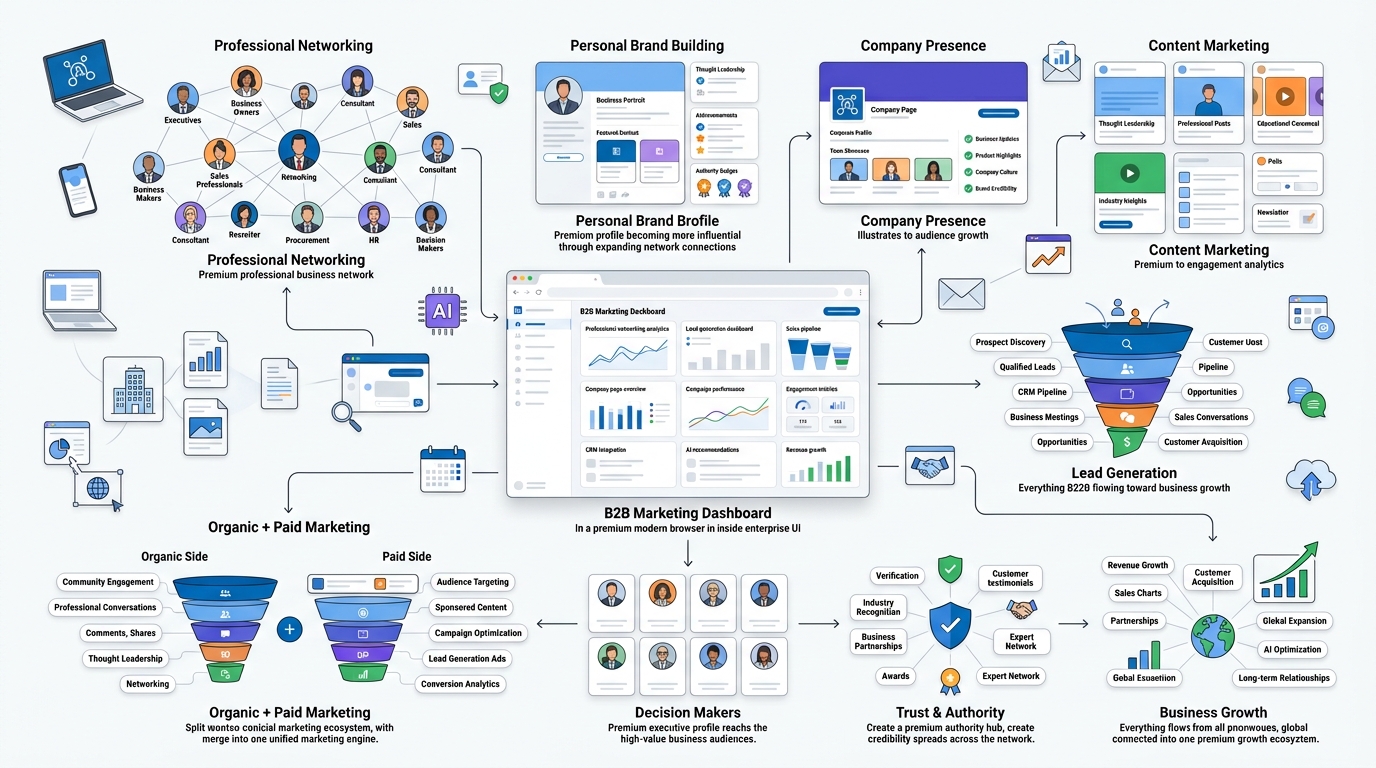
LinkedIn marketing for B2B is basically the practice of using LinkedIn, both your personal profile and your company presence, to build awareness, generate leads, and close deals with other businesses. That’s it in one sentence. But the execution is where most companies fall apart, because they treat it like a broadcasting channel instead of a relationship-building tool.
The core idea is simple: business buyers are people too, and they hang out on LinkedIn doing research, learning, networking, and yeah, occasionally scrolling mindlessly like the rest of us. If you show up there consistently with something useful to say, you get remembered when a buying need actually shows up.
Why LinkedIn Is Built for Professional Networking
LinkedIn was built from day one around professional identity. Your job title is right there. Your company. Your work history. Nobody’s hiding behind an anime avatar. That structural choice matters more than people give it credit for, because it means the platform’s entire algorithm and culture reward professional, career-relevant content instead of pure entertainment.
Compare that to Instagram, where the algorithm rewards whatever keeps eyeballs glued longest, regardless of relevance to anyone’s job. LinkedIn’s algorithm still cares about relevance to your professional world. That’s why a post about enterprise sales strategy can genuinely outperform a post with a cute dog photo, on this one platform specifically.
How LinkedIn Marketing Differs from Other Social Platforms
On Instagram or TikTok, you’re often selling a feeling, a lifestyle, an impulse. On LinkedIn, you’re selling credibility, expertise, and trust. Nobody buys enterprise software because a post made them laugh. They buy because they believe you understand their problem better than the next vendor and you can actually solve it.
That means the content style shifts. Less “look at this cool thing,” more “here’s a problem I see happening constantly, and here’s how smart teams are solving it.” The tone is different too. You can be conversational and even a little irreverent on LinkedIn now, that’s changed a lot since 2020, but it still needs a professional backbone.
Organic vs Paid LinkedIn Marketing
Organic LinkedIn marketing is your posts, your comments, your personal brand-building, your company page updates. It’s free but it costs time and consistency. Paid LinkedIn marketing is Campaign Manager, Sponsored Content, Message Ads, all of it. It costs real money but it scales faster and lets you target with surgical precision.
Honestly, the companies that win aren’t picking one or the other. They’re running both. Organic builds the trust and the audience. Paid amplifies your best content and targets the accounts you actually want. Doing only paid without organic feels cold and untrustworthy. Doing only organic without paid means you’re leaving reach on the table that you’re already paying LinkedIn’s subscription or ad account fees for anyway.
Benefits of LinkedIn Marketing for Businesses
The list here is long, but the big ones are: access to decision-makers you literally cannot reach on other platforms, higher intent audiences who are already in a “work mindset” when they’re scrolling, better lead quality than most other paid channels, a natural home for thought leadership content, and a compounding effect where your personal brand becomes a company asset over time.
Industries That Benefit Most from LinkedIn
SaaS companies, IT services, consulting firms, recruitment agencies, manufacturing, financial services, and marketing agencies all see strong results. Basically, if your buyer has a job title, a budget line, and a LinkedIn profile, which describes almost every B2B buyer that exists, LinkedIn works for you. The ROI ceiling is highest for companies with a long sales cycle and a high average contract value, because that’s exactly the kind of purchase that benefits from sustained trust-building over months.
Why LinkedIn Is the Best Platform for B2B Marketing
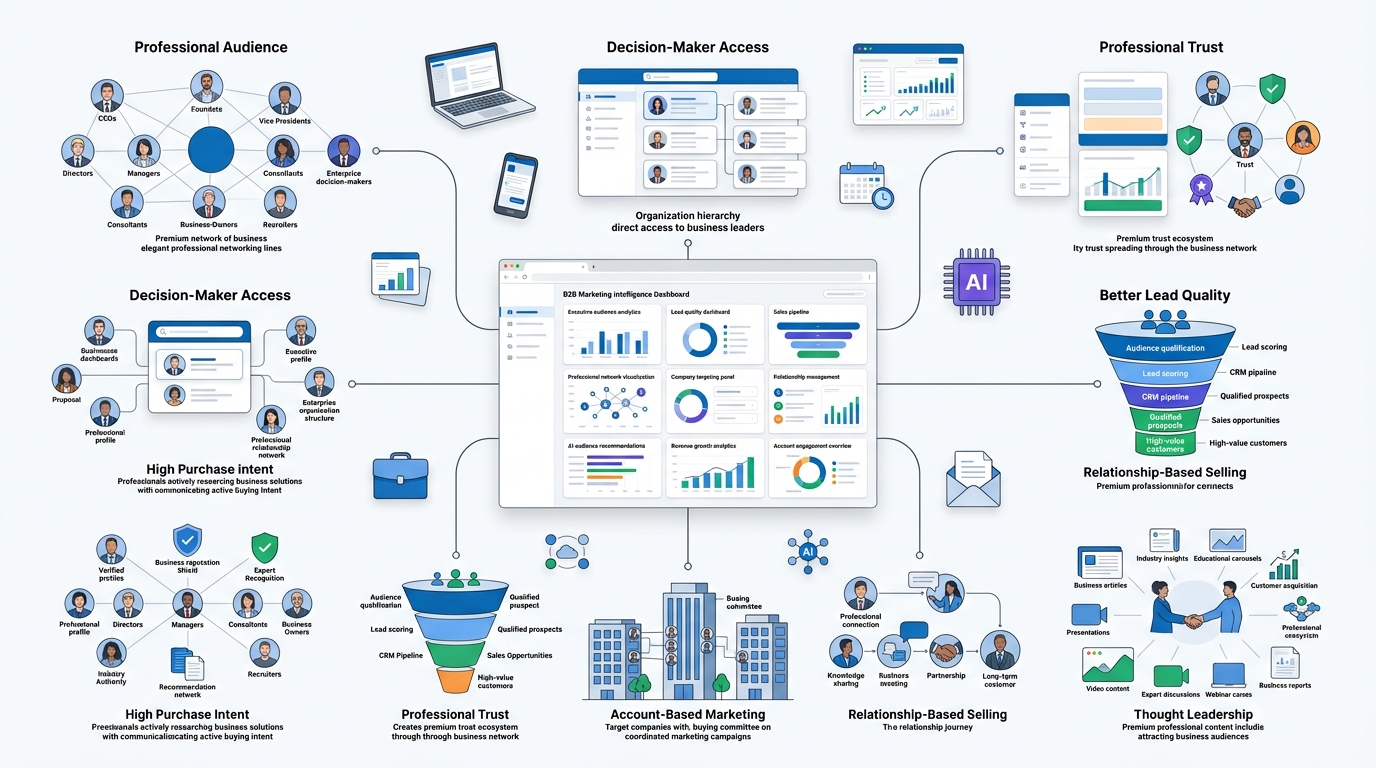
This section should establish why LinkedIn has become the most effective social platform for B2B marketing. Begin by explaining how LinkedIn differs from consumer-focused platforms like Facebook, Instagram, or TikTok, where users primarily seek entertainment, whereas LinkedIn attracts professionals with a business mindset. Discuss the platform’s audience quality, emphasizing the presence of decision-makers, executives, business owners, recruiters, and industry experts.
Explain why LinkedIn is particularly valuable for businesses with longer sales cycles and high-value products or services. Cover topics such as professional networking, trust-based marketing, thought leadership, organic reach, lead generation, employer branding, account-based marketing (ABM), and relationship building. Include recent statistics demonstrating LinkedIn’s effectiveness for B2B marketers, and conclude by explaining why it should be a core channel in a modern B2B marketing strategy rather than just another social network.
Audience Quality Over Audience Size
You don’t need a million followers on LinkedIn. You need the right 5,000. I’ve seen accounts with 8,000 followers generate more qualified pipeline than accounts with 200,000 followers on other platforms, simply because those 8,000 are actual buyers, not random scrollers. Quality beats quantity here in a way that’s almost unfair compared to other channels.
Access to Decision-Makers
Try finding the VP of IT Infrastructure at a mid-market manufacturing company on Instagram. You can’t. On LinkedIn, they’re one search away, and depending on your plan, you can see their job history, mutual connections, and recent activity. That level of access changes everything about how you approach outreach and targeting.
Higher Purchase Intent
People on LinkedIn are, generally speaking, in “work mode.” They’re more receptive to business content because that’s literally why they opened the app. Compare that to someone scrolling Facebook to relax after work who suddenly gets hit with a B2B software ad. The mental context is wrong, and conversion rates reflect it.
Professional Trust and Credibility
Because profiles are tied to real careers and reputations, content on LinkedIn carries more credibility by default. A case study shared by a real person with a verifiable job title lands differently than an anonymous testimonial on a landing page.
Better Lead Quality
This one shows up in the data constantly. LinkedIn leads tend to convert at higher rates than leads from other social channels because the targeting options (job title, seniority, company size, industry) let you pre-qualify before someone even fills out a form.
Account-Based Marketing Opportunities
LinkedIn is basically built for ABM. You can target specific companies, specific job titles within those companies, and run coordinated campaigns that hit multiple stakeholders at the same account simultaneously. No other platform makes this as easy.
Relationship-Based Selling
B2B deals close on trust, and trust is built through relationships, not ad impressions. LinkedIn lets you build genuine relationships with prospects over months through comments, DMs, shared content, and mutual connections, long before a sales call ever happens.
Understanding the Modern B2B Buyer Journey
This section should explain how the B2B buying process has evolved in recent years. Introduce the concept that today’s buyers conduct extensive independent research before ever speaking to a sales representative. Explain that buyers consume multiple pieces of content, compare vendors, seek peer recommendations, and evaluate credibility long before making contact.
Break down each stage of the buyer journey Awareness, Consideration, Decision, Purchase, and Retention—and explain how LinkedIn supports each stage. Discuss the importance of educational content, thought leadership, social proof, customer testimonials, webinars, and case studies throughout the buying process. Also explain the role of multiple stakeholders in B2B purchasing decisions and why businesses must nurture prospects over time instead of expecting immediate conversions.
Awareness Stage
This is where a buyer first realizes they have a problem worth solving. Maybe they saw a post about a pain point they didn’t even have language for yet. Good LinkedIn content at this stage doesn’t sell anything. It names the problem clearly enough that someone thinks, “wait, that’s exactly what’s happening to us.”
Consideration Stage
Now they know the problem exists and they’re evaluating options. This is where case studies, comparison content, and thought leadership around “here’s how to think about solving this” really earn their keep. Buyers are Googling you, checking your LinkedIn presence, reading your posts to see if you actually know what you’re talking about.
Decision Stage
By now it’s often down to two or three vendors. This is where personal relationships, direct outreach, demos, and social proof matter most. A buyer scrolling through your founder’s LinkedIn profile at 11pm before a final decision is a very real thing that happens more than people admit.
Post-Purchase Engagement
Marketing doesn’t stop at the signed contract. Customer success stories, ongoing engagement, and turning happy clients into vocal advocates on LinkedIn feeds your entire funnel for the next customer. This stage gets ignored constantly and it shouldn’t.
How LinkedIn Influences Every Stage
Unlike most channels that only really work at one or two funnel stages, LinkedIn threads through the entire journey. Same platform, same profiles, different content for each stage. That’s rare, and it’s why so much B2B marketing budget is shifting there.
Multi-Touch Attribution in B2B
Here’s an honest truth: most B2B deals involve five, ten, sometimes twenty touchpoints before close. Someone saw your post six months ago, then a colleague mentioned your company in a Slack channel, then they saw an ad, then they got a cold message, then they took a demo. Attribution is messy. Don’t expect a single LinkedIn post to get “credit” for a deal in your CRM. Track influenced pipeline, not just last-touch conversions, or you’ll massively undervalue what LinkedIn is doing for you.
How to Set Up Your LinkedIn Marketing Foundation
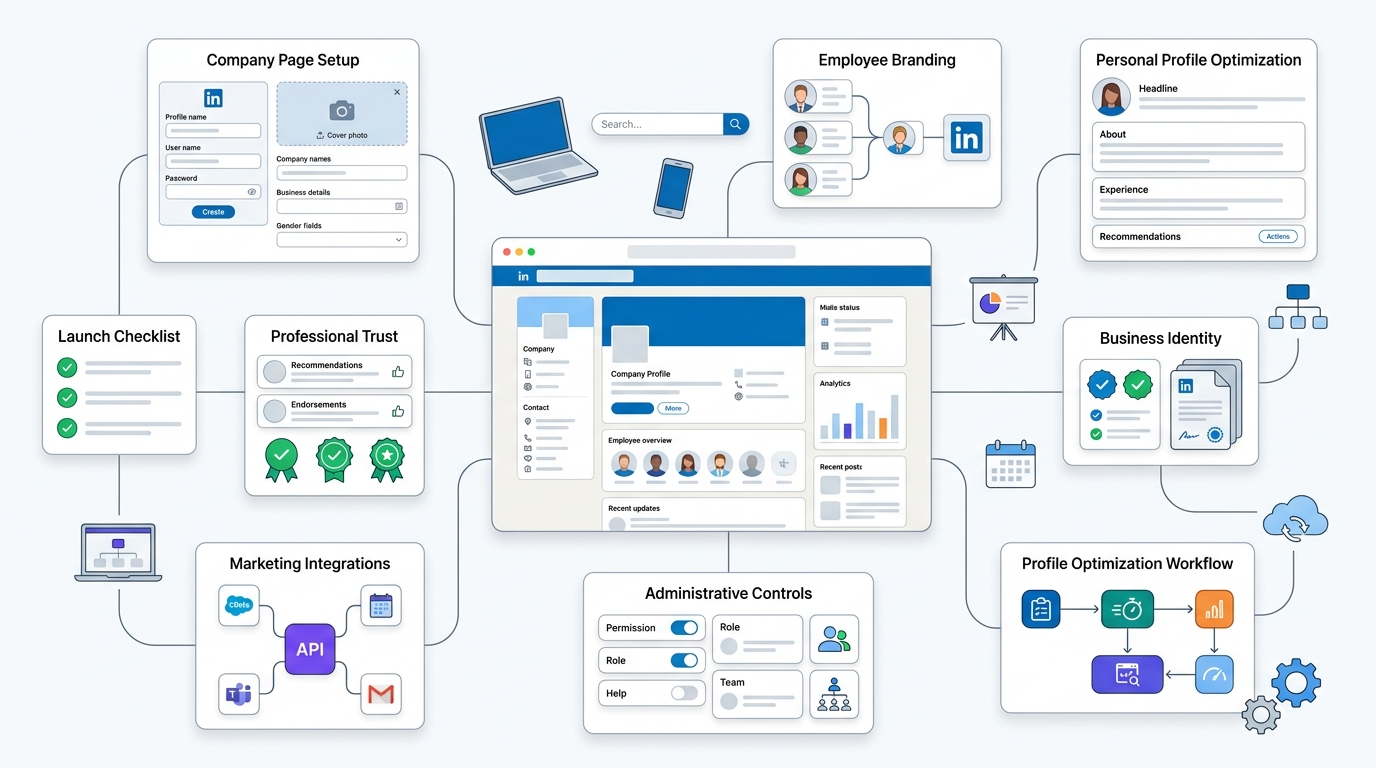
This section should guide readers through creating a professional LinkedIn presence before launching any marketing campaigns. Explain how to set up and optimize a LinkedIn Company Page, employee profiles, showcase pages, and business information.
Discuss profile optimization elements including company description, banner image, logo, custom URL, contact details, specialties, website links, and branded visuals. Cover administrative settings, page roles, verification, and integrating LinkedIn with other marketing tools. Explain why every employee profile contributes to the company’s credibility and how consistent branding across all profiles strengthens trust. Finish with a checklist for ensuring the LinkedIn foundation is complete before moving into content and lead generation.
Optimizing Your Personal Profile
Before you post a single piece of content, fix your profile. This is the thing people check first, always.
Professional Headline — Don’t just write your job title. “VP of Sales” tells nobody anything. “Helping B2B SaaS teams cut sales cycles by 30% | VP of Sales at [Company]” tells a story and gives a reason to click.
Banner Image — Most people leave this as the default LinkedIn blue. That’s wasted real estate. Put your value proposition, your company logo, or a call to action there.
About Section — Write it like you’re talking to a real person, not submitting a resume. What do you do, who do you help, and why should they care. First few lines matter most because that’s all that shows before “see more.”
Experience — Don’t just list job titles. Add outcomes. Numbers. What changed because you were there.
Featured Section — This is prime real estate that almost nobody uses well. Pin your best case study, a video, a lead magnet, whatever converts.
Skills — Get endorsed for the skills that actually matter to your positioning, not fifty random things.
Recommendations — Ask for them. Genuinely, three or four strong recommendations from clients or colleagues does more for trust than any amount of self-promotion.
How to Build a High-Converting Company Page
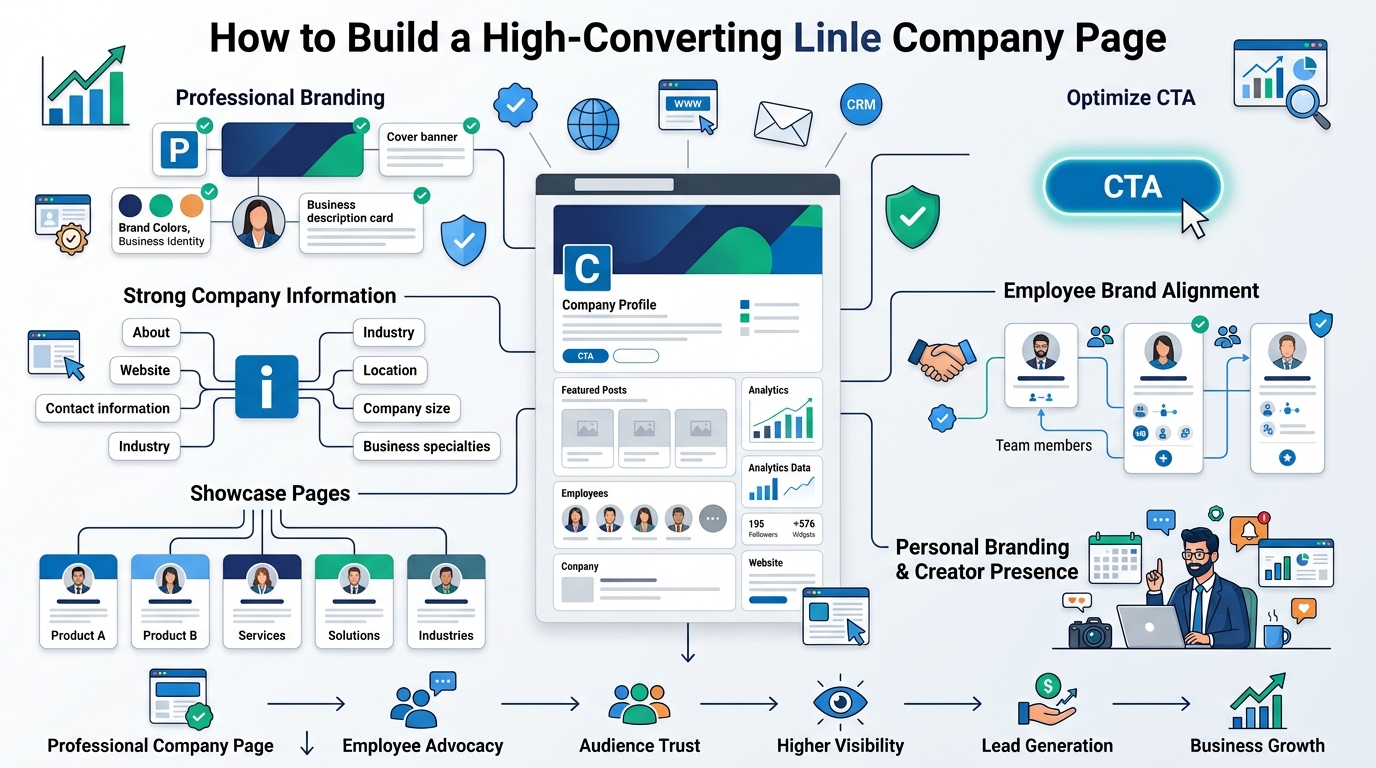
Your company page isn’t the star of the show anymore, personal profiles usually outperform it on reach, but it’s still your home base. Clean logo, clear tagline, a real “About” description that explains who you help and how, not corporate jargon.
Choosing the Right Page CTA
LinkedIn lets you set a call-to-action button on your company page. “Visit website,” “Contact us,” “Sign up,” whatever fits your funnel. Pick the one that matches where you actually want traffic to go, and don’t leave it on the default.
Showcase Pages
If you’ve got multiple product lines or distinct audience segments, showcase pages let you split them out. Useful for larger companies, honestly overkill for most small and mid-size B2B businesses.
Employee Profiles and Brand Alignment
Get your team’s profiles looking sharp too. When ten employees have strong, aligned profiles, your company’s reach multiplies without spending a dollar on ads. This is one of the most underused levers in B2B marketing, full stop.
Creator Mode (If Available)
Depending on how LinkedIn’s rolled out features by the time you’re reading this, creator-style settings can boost your content’s discoverability and let you add relevant topic hashtags to your profile. Worth checking what’s currently available.
Custom LinkedIn URL
Small thing, but clean up your profile URL. “linkedin.com/in/johnsmith” looks a lot more professional than a string of numbers, and it’s better for anyone Googling you.
How to Define Your LinkedIn B2B Marketing Strategy
This section should explain how businesses can create a structured marketing strategy instead of posting randomly. Begin by defining clear business objectives such as brand awareness, lead generation, website traffic, recruitment, customer retention, or thought leadership.
Discuss audience research, ideal customer profiles (ICP), buyer personas, competitor analysis, messaging, content pillars, positioning, and key performance indicators (KPIs). Explain how to align LinkedIn activities with the overall sales and marketing strategy. Cover resource planning, team responsibilities, campaign planning, and budgeting. Conclude by explaining how a documented strategy creates consistency and makes performance easier to measure.
Setting SMART Goals
Don’t just say “grow on LinkedIn.” Say “generate 40 marketing qualified leads per month by Q3” or “grow founder’s profile from 2,000 to 8,000 relevant followers in six months.” Specific, measurable, time-bound goals change how you plan content.
Identifying Your Ideal Customer Profile (ICP)
Who are you actually trying to reach? Company size, industry, revenue range, tech stack, pain points. If you can’t describe your ICP in two sentences, your content is going to be too vague to convert anyone.
Building Buyer Personas
Beyond the company-level ICP, who’s the human being making the decision? What’s their day look like, what keeps them up at night, what do they get blamed for when things go wrong at work. Write for that person specifically.
Mapping Decision-Makers
Big B2B deals rarely have one decision-maker. There’s usually a champion, an economic buyer, a technical evaluator, sometimes legal or procurement. Know who these people are and think about how your LinkedIn presence reaches more than just one of them.
Competitor Analysis
Look at what your competitors are posting, how often, what’s getting engagement, what’s falling flat. You’re not copying them, you’re figuring out the gaps they’re leaving open.
Brand Positioning
What makes you different? If your LinkedIn presence sounds exactly like every other company in your space, you’re invisible even if you’re posting daily.
Creating a Unique Value Proposition
Say it clearly, everywhere. Your headline, your about section, your content themes should all reinforce the same core message about why you’re worth paying attention to.
Defining KPIs
Decide upfront what you’re measuring. Follower growth, engagement rate, inbound leads, pipeline influenced, whatever matters for your business. Otherwise three months from now you won’t know if any of this worked.
How to Create a LinkedIn Content Strategy That Generates Demand
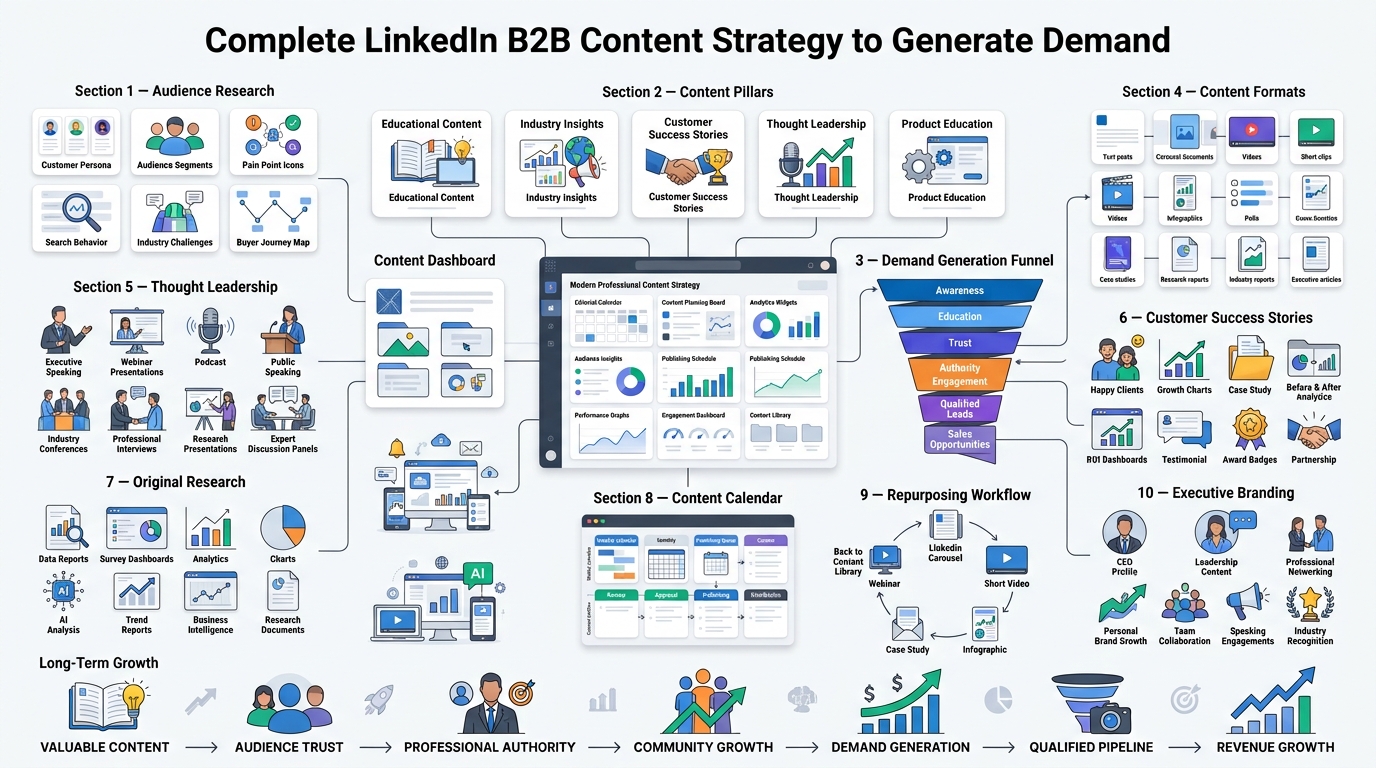
This section should explain how content can move potential buyers through the sales funnel while building trust and authority. Introduce the concept of demand generation and explain why educating the market is often more effective than directly selling.
Discuss content planning around customer pain points, frequently asked questions, industry trends, case studies, original research, success stories, and expert insights. Explain how to build monthly content calendars, define content pillars, repurpose content across formats, and maintain a consistent publishing schedule. Cover balancing educational, promotional, community-focused, and thought leadership content while encouraging engagement and long-term audience growth.
Understanding Content Marketing on LinkedIn
Content on LinkedIn isn’t about going viral. It’s about staying relevant to the same group of buyers over and over until they trust you enough to raise their hand. Viral posts feel great but rarely convert. Consistent, useful posts to the same audience are what actually build pipeline.
Building Content Pillars
Pick three to five core themes you’ll consistently post about. Maybe it’s “industry trends,” “customer stories,” “how-to frameworks,” and “behind the scenes.” Having pillars keeps your content from feeling random and helps you build authority in specific areas instead of being a jack of all topics.
Educational Content
Teach something. Genuinely useful, specific, tactical content outperforms vague inspirational posts almost every time on LinkedIn now. People save and share posts that actually help them do their job better.
Industry Insights
Share your honest take on where your industry is heading. Data, trends, predictions. This positions you as someone paying attention, not just selling.
Original Research
If you can run a small survey or pull data from your own customer base, do it. Original data gets shared and cited far more than recycled takes, and it’s genuinely rare, which makes it valuable.
Customer Success Stories
Real numbers, real names when possible, real outcomes. “We helped a client reduce onboarding time by 40%” beats vague testimonials every time.
Thought Leadership
This gets overused as a term, but real thought leadership is having a genuine point of view and defending it, even when it’s a little controversial. Bland, safe content doesn’t build authority.
Product Education
Not every post needs to sell, but some should explain what you actually do and how, in plain language, without a hard sales pitch attached.
Behind-the-Scenes Content
People connect with people, not logos. Show the actual humans building the thing, the messy parts of running a company, the wins and the failures.
Company Culture
Talk about how your team works, what you value, what it’s like to be there. This helps with recruiting too, not just sales.
Executive Branding
Get your leadership team posting under their own names. A CEO’s post about a lesson learned tends to outperform the same message from a company page by a wide margin.
Types of LinkedIn Content That Perform Best
This section should examine the various content formats available on LinkedIn and explain when each format is most effective. Cover text posts, image posts, carousels, videos, newsletters, articles, polls, documents, live events, webinars, and native PDFs.
For each format, explain its strengths, ideal use cases, audience engagement potential, and best practices for maximizing reach. Discuss how different content formats support different marketing objectives, such as awareness, engagement, lead generation, or authority building. Finish by helping readers choose the right mix of content formats instead of relying on a single posting style.
Text Posts
Honestly, this is the format most people underestimate. You don’t need a design team or a video crew, just a strong first line that stops the scroll and a point that actually lands. The trick is the first two lines have to work alone, since that’s all anyone sees before they hit “see more.” A lot of the best-performing posts on LinkedIn right now are just plain text, no image, no carousel, because the algorithm still rewards genuine engagement over production value. If you’re intimidated by content creation, start here. It’s the lowest barrier to entry and honestly still one of the highest-converting formats for building trust over time.
Carousel Documents
Carousels are basically PDFs you upload directly and people swipe through slide by slide, and right now they’re one of the strongest formats on the platform because they force people to stay engaged longer, which the algorithm loves. They work especially well for breaking down a process into steps, like “5 mistakes founders make on LinkedIn” or “how to write a cold outreach message that actually gets replies.” Keep each slide light, one idea per slide, big readable text, and end with a clear takeaway or call to action on the last slide. People save these and come back to them, which is exactly the kind of behavior that tells LinkedIn’s algorithm this content matters.
Native Videos
Uploading video directly to LinkedIn instead of dropping a YouTube link makes a real difference, because the platform wants to keep people scrolling inside LinkedIn, not sending them elsewhere. Native video gets a noticeable reach bump compared to linked video, and it doesn’t need to be polished. Some of the best-performing videos are just someone talking to camera, sharing an opinion or a lesson, filmed on a phone. What matters more than production quality is whether the first three seconds hook someone before they scroll past. Add captions too, since a huge chunk of people watch with the sound off during work hours.
Images
A single strong image paired with a sharp caption still does real work here, especially when you’re sharing a quote, a stat, or breaking down something visually that would take paragraphs to explain in text. It doesn’t need to be fancy. Sometimes a simple screenshot of a client message or a whiteboard sketch outperforms a polished graphic because it feels more real and less like an ad. The caption is doing most of the heavy lifting though, so don’t treat the image as the whole post. Use it to support the point, not replace it.
Polls
Polls are the easiest engagement win on the platform because voting takes two seconds and LinkedIn’s algorithm counts every vote as an interaction, which pushes the post further into more feeds. Use them to ask genuinely interesting questions related to your industry, not lazy “yes or no” filler. A good poll sparks curiosity and gets people commenting on why they picked what they picked, which adds even more engagement signal. Just don’t overuse this format, since polls alone won’t build the depth of trust that longer-form content does. Think of them as a supplement, not your whole strategy.
LinkedIn Newsletters
Newsletters are genuinely underrated because once someone subscribes, LinkedIn pushes a notification straight to them every time you publish, which is a level of guaranteed visibility regular posts simply don’t get. This makes newsletters perfect for deeper, less frequent content, maybe once every week or two, where you can go longer and more detailed than a typical feed post. Over time you’re building an owned audience inside the platform, people who’ve actively said “yes, I want to hear from this person regularly.” That’s a warmer audience than cold followers, and it compounds nicely if you stay consistent.
Articles
Articles are the long-form option on LinkedIn, and while they don’t get the algorithmic reach boost that regular posts and carousels do, they’re still valuable for evergreen content that people find later through search or shares. Think of articles as your LinkedIn blog. They’re good for detailed breakdowns, opinion pieces, or anything too long for a standard post. Just don’t expect them to spike your reach the way a well-timed text post might. Use articles for depth and credibility, not for immediate engagement numbers, and link back to them from shorter posts to drive traffic.
LinkedIn Live
Going live creates real-time engagement that recorded content can’t match, since people show up specifically to interact, ask questions, and comment while you’re talking. It’s especially strong for product launches, panel discussions with industry voices, or straightforward Q&A sessions where your audience gets direct access to you. The energy is different too, live content tends to feel more authentic because there’s no editing safety net. It takes more coordination to pull off well, but the relationship-building payoff is worth it if you do it a few times a quarter.
Events
LinkedIn’s native events feature does more than most people give it credit for. Beyond just promoting a webinar or meetup, it lets you track exactly who registered and attended, which becomes a built-in follow-up list for nurturing after the event ends. That attendee data is genuinely valuable for sales, since these are people who already raised their hand and showed real interest. Pair events with a short content series leading up to the date to build anticipation, and don’t skip the post-event follow-up message, that’s where a lot of the actual conversion happens.
PDF Guides
These work a lot like carousels but are usually positioned more explicitly as downloadable resources, something meaty enough that someone’s willing to comment or DM you to get it. Gating them behind a “comment GUIDE and I’ll send it to you” tactic works well because it drives comments, which boosts the post’s reach, while also collecting a warm lead in your inbox. Keep the guide genuinely useful though, not a thinly veiled sales pitch, or you’ll burn trust fast. The best PDF guides solve one specific, narrow problem really well instead of trying to cover everything.
Case Studies
Nothing builds credibility faster than a detailed, numbers-backed breakdown of a real client win. Vague testimonials like “great to work with” don’t move anyone. But “we helped this client cut onboarding time from six weeks to nine days” makes people pay attention, especially if you can tag the client (with their permission) so it feels verified and real. Structure these around the problem, the specific approach you took, and the measurable outcome. Case studies work at every funnel stage too, from building general credibility to closing a hesitant prospect who needs proof before signing.
Infographics
Visual breakdowns of data or step-by-step processes tend to get saved and shared more than plain text, simply because they’re easy to skim in a few seconds and easy to reference again later. If you’ve got a process, a comparison, or a set of statistics, turning it into a clean infographic makes it far more digestible than a wall of paragraphs. Keep the design simple though, cluttered infographics with too much text defeat the purpose. The goal is instant clarity, someone should understand the core point in five seconds of looking at it.
LinkedIn Organic Marketing Strategies That Still Work
This section should focus on growing visibility without paid advertising. Explain how LinkedIn’s algorithm rewards valuable conversations, consistency, and meaningful engagement over promotional posting.
Discuss strategies such as publishing high-quality educational content, engaging with industry conversations, commenting strategically, employee advocacy, creator partnerships, community participation, hashtag usage, profile optimization, and relationship building. Explain how consistency, authenticity, and audience engagement contribute to long-term organic growth. Include common mistakes that reduce reach, such as excessive outbound links, overly promotional content, and inconsistent posting.
Consistent Posting
Look, this is the least exciting advice in the whole guide, but it’s the one that actually moves the needle. Posting three solid times a week for six straight months beats one genius post followed by two months of silence, every single time, because LinkedIn’s algorithm rewards accounts that show up reliably. Consistency also builds a pattern of trust with your audience, they start expecting to see you, and that familiarity is what eventually turns into inbound messages. Nobody wants to hear “just be consistent,” but there’s really no shortcut around it.
Storytelling for B2B
People forget stats. They remember stories. If you tell someone “our tool improves efficiency by 30%,” it goes in one ear and out the other. But if you tell them about the exact moment a client almost lost a huge account because of a broken process, and how that got fixed, that sticks. Frame your content around specific moments, specific people, specific mistakes, not abstract claims about your product’s features. The B2B space is drowning in generic claims, so a real, detailed story instantly stands out from the noise everyone else is producing.
Educational First Selling Later
This one’s simple but so many companies get it backwards. Give away genuinely useful, specific information before you ever ask for anything in return. Teach people how to actually solve a piece of their problem, even the part they could theoretically do without you. That builds real trust, and trust is what makes the eventual sales conversation feel natural instead of forced. The companies that lead with pure selling burn through their audience fast because nobody wants to follow an account that only shows up when it wants something from them.
Comment Marketing
This is probably the single most underrated tactic in this entire guide. Leaving genuinely thoughtful comments on other people’s posts, especially prospects, industry voices, and people with bigger audiences than yours, puts your name in front of completely new people without you posting a single thing yourself. It’s free, it takes ten minutes a day, and it works because a smart comment often gets more visibility than a mediocre post. The catch is the comment has to add real value, not just “Great post!” Generic comments do nothing. Specific, thoughtful ones get noticed and remembered.
Employee Advocacy
Ten employees who actually engage with and share company content can generate more combined reach than the company page manages on its own, and it costs nothing extra. The problem is most companies never activate this. They post from the company page and stop there, ignoring the fact that every employee’s personal network is a completely separate audience the company page can’t touch. Make it easy for your team, share drafts, give talking points, encourage genuine reactions rather than forced reposts, and this becomes one of the highest-leverage, lowest-cost growth channels available.
Community Building
Real community on LinkedIn isn’t about follower count, it’s about engaging with the same group of people over and over until relationships actually form. Reply to every comment on your posts. DM people who consistently show up and engage. Remember details about them and bring those up later. This kind of consistent, personal attention is what turns passive followers into people who actively root for you and refer business your way. It takes more effort than just broadcasting content, but it’s also what separates accounts that build real pipeline from accounts that just accumulate likes.
Relationship Marketing
Not every single interaction needs to lead somewhere immediately. Some of the best B2B deals I’ve seen trace back to a relationship that started a year or two before any actual sales conversation happened. Comment on someone’s posts for months. Celebrate their wins. Share their content sometimes. None of that needs an immediate payoff. Play the long game here, because B2B buying cycles are long anyway, and the relationships you’re patiently building now are exactly what gets you remembered when that person finally has a real need for what you do.
Cross-Platform Distribution
Don’t let a good LinkedIn post die after 48 hours of feed visibility. Turn it into an email newsletter section, repurpose it into a short video clip for other platforms, or expand it into a longer blog post. One solid idea, told once on LinkedIn, can realistically show up in four or five different formats across different channels without much extra work. This stretches your content investment further and reaches people who might not be active on LinkedIn but do read your emails or watch your other channels regularly.
Personal Branding for Founders
Founders who post consistently, with a real point of view and enough honesty to admit when something went wrong, build trust for the entire company faster than any corporate account manages on its own. People connect with people, not logos, and a founder’s voice carries a kind of weight and accountability a company page just can’t replicate. Heading into 2026, this has become one of the strongest growth levers available in B2B, and companies without a visible founder presence are noticeably behind the ones that treat this as a real priority.
Executive Visibility
It shouldn’t stop at the founder. Sales leaders, product leaders, customer success leaders, each of them reaches a slightly different segment of your audience and speaks with a different kind of credibility. A Head of Product talking about roadmap decisions reaches a technical audience the CEO’s posts about company culture never will. Give your leadership team a light, sustainable content cadence, even one post a week each adds up to real combined reach over a year, and it makes the company feel like it’s run by real, visible humans instead of a faceless brand.
LinkedIn Personal Branding for Business Growth
This section should explain why people often trust individuals more than company pages in B2B marketing. Discuss how founders, executives, consultants, sales professionals, and subject matter experts can use LinkedIn to establish authority within their industries.
Cover profile optimization, headline writing, banner design, About section optimization, featured content, recommendations, experience sections, and skills. Explain how consistent content publishing, storytelling, thought leadership, and active engagement help build credibility. Discuss how a strong personal brand increases trust, generates inbound opportunities, strengthens employer branding, and supports business growth.
Why People Buy From People
Nobody wants to have a relationship with a logo. When someone’s evaluating a six-figure B2B purchase, they’re not just assessing your product, they’re assessing whether they trust the humans behind it. Personal branding turns your team members into the actual face of that trustworthiness. A prospect who’s been following your Head of Sales for months and seen them share honest, useful content walks into a sales call already halfway convinced. That’s the entire point of personal branding in B2B, it converts strangers into people who already feel like they know you.
Building Trust
Trust doesn’t come from one polished pitch, no matter how good it is. It comes from showing up repeatedly, being honest even when it’s a little uncomfortable, and being useful without expecting anything back every single time. Someone who sees you post consistently over four or five months starts to feel like they actually know you, even though you’ve never spoken. That familiarity compounds. By the time they’re ready to buy, the trust-building phase of the sales process that usually takes weeks has already happened passively, just from them following your content.
Becoming an Industry Expert
This isn’t about claiming to be an expert, it’s about actually demonstrating depth on the same handful of topics consistently enough that people start associating your name with them. Post about the same core themes, with real specificity and real opinions, and over time people start tagging you in conversations about that exact topic. It won’t happen after five posts. It takes months of consistent, substantive content before that reputation solidifies. But once it does, inbound opportunities start showing up because people already see you as the go-to voice in that specific space.
Founder-Led Marketing
Founders who put themselves out there, sharing genuine struggles alongside the wins, tend to build audiences faster than polished corporate accounts ever manage, because honesty is rare on this platform and it stands out immediately. Nobody wants to read another humble-brag disguised as a lesson. What actually resonates is a founder admitting they made a bad hiring decision, or missed a target, and explaining what they learned from it. That vulnerability builds a level of connection that a perfectly polished, risk-free company page post simply cannot replicate, no matter how well-designed it looks.
Executive Content Strategy
Leadership teams don’t need to post daily to make an impact, but they do need a light, sustainable plan so their visibility doesn’t disappear for months at a time. Even a single well-thought-out post a week from each executive, tied loosely to their area of expertise, adds up to meaningful combined reach across the company over a year. The key is giving them enough structure that it’s not a burden, maybe a shared content calendar or a few prompts each month, without making it feel like a chore they’ll eventually abandon.
Authentic Storytelling
People are genuinely good at spotting a fake story now, the humble brag dressed up as a lesson, the suspiciously perfect anecdote that conveniently makes the poster look brilliant. Skip that. Real storytelling includes the messy middle part, the actual mistake, the moment things didn’t go as planned, and what specifically changed because of it. The more specific and unpolished the story feels, the more it resonates, because specificity is what separates something real from something manufactured to look impressive on a feed.
Authority Building
Vague, agreeable content that nobody could possibly disagree with doesn’t build authority, it just blends into the noise. Real authority comes from having an actual point of view and being willing to defend it, even knowing some people won’t agree. Say the thing that most people in your industry are quietly thinking but not saying publicly. That’s what gets remembered, gets shared, and gets you tagged in conversations later. Playing it safe might avoid pushback, but it also guarantees you stay forgettable, and forgettable doesn’t build trust or pipeline.
Common Personal Branding Mistakes
The biggest one is only posting when you have something to sell, which trains your audience to tune you out the second you show up. Close behind that is copying someone else’s voice instead of finding your own, which comes across as hollow no matter how good the original inspiration was. Disappearing for months after a strong start kills whatever momentum you built. And being too polished, too corporate, too safe, makes you forgettable in a feed that rewards humans who sound like actual humans, not brochures.
LinkedIn Lead Generation Strategies
This section should explain how businesses can consistently generate qualified leads through LinkedIn. Discuss organic methods such as valuable content, profile optimization, networking, referrals, events, and employee advocacy alongside paid methods including Lead Gen Forms and sponsored campaigns.
Explain lead magnets, webinars, downloadable resources, consultations, newsletters, and gated content. Cover lead qualification, CRM integration, nurturing sequences, follow-up strategies, and measuring lead quality. Emphasize that the objective is generating qualified prospects rather than maximizing the number of leads.
Inbound Lead Generation
Inbound leads are the ones that come to you because something you did, a post, your profile, your reputation, made someone reach out first. It’s slower to build than outbound, since it depends on accumulated trust and visibility over time, but the leads that come in this way tend to be higher intent. They’ve usually already read some of your content, maybe checked your case studies, before they ever message you. That pre-qualification makes inbound leads easier to close and generally shortens the sales conversation compared to a cold outbound approach.
Outbound Lead Generation
Outbound means proactively reaching out, connection requests, DMs, Sales Navigator searches, instead of waiting for people to find you. It moves faster than inbound, you can generate conversations within days instead of months, but it takes real strategy and effort per lead to avoid coming across as spammy. Generic mass messaging gets ignored or reported fast. Good outbound requires research on each prospect, a personalized reason for reaching out, and patience with the follow-up sequence. Done right, it fills the gap while your inbound engine is still building momentum in the background.
Profile Optimization for Leads
Your profile works whether you’re actively posting or not, it’s essentially a 24/7 landing page that anyone checking you out will see. If the headline is vague, the about section is empty, and the featured section has nothing pinned, you’re wasting an enormous amount of passive lead generation potential. Make sure every part of your profile, from the headline down to the featured content, points toward some kind of action, whether that’s booking a call, downloading a resource, or just understanding clearly what you do and who you help.
Lead Magnets
A good lead magnet is something specific and genuinely useful enough that a stranger will trade their contact information for it, a template, a checklist, a detailed guide solving one narrow problem really well. The mistake most companies make is creating something too broad or too promotional disguised as a resource. Promote lead magnets through posts and comments, make the value obvious in the first line, and don’t gate anything mediocre behind a form, because a weak lead magnet actually damages trust more than having no lead magnet at all.
Webinars
Webinars work especially well at the consideration stage because anyone willing to give up thirty or sixty minutes of their workday is already genuinely interested, not just casually curious. That’s a much warmer lead than someone who clicked a random ad. Promote webinars through LinkedIn’s native events feature and personal posts leading up to the date, and make sure the content actually delivers real value rather than turning into a sales pitch halfway through, because attendees will remember if they felt tricked into sitting through a demo disguised as education.
Newsletter Subscribers
LinkedIn’s built-in newsletter feature is genuinely underused by most companies, and that’s a missed opportunity because every subscriber gets a direct notification the moment you publish, which is guaranteed visibility that regular posts don’t get. Building a subscriber base here means you’re accumulating a warm, owned audience you can nurture over months without depending entirely on the algorithm’s mood that day. Treat your newsletter content as slightly deeper and more valuable than your regular feed posts, since subscribers have actively opted in and deserve something worth that extra attention.
Event Marketing
Beyond LinkedIn’s native events tool, cross-promoting external events like conferences and trade shows on the platform drives real pipeline when it’s done consistently rather than as a one-off announcement. Post before the event to build anticipation, during the event to capture real-time engagement, and after the event with recap content and photos to extend the reach even further. People who see you actively participating in industry events, not just posting about your product, get a much stronger signal that you’re genuinely embedded in the space, not just marketing from the sidelines.
Contact Forms
This sounds almost too basic to mention, but you’d be surprised how many company pages and personal profiles link to broken or clunky contact forms, or don’t link to anything actionable at all. Make sure both your company page and your personal profile point to a working, mobile-friendly form, since a huge share of LinkedIn traffic comes through mobile. Every bit of friction between someone’s interest and their ability to reach you costs conversions, so test the actual experience yourself regularly rather than assuming it still works fine.
Landing Pages
Sending LinkedIn traffic to your generic homepage is a mistake that quietly kills conversion rates across the board. If someone clicked because of a specific post about, say, reducing onboarding time, they should land on a page that continues that exact message, not a homepage covering everything your company does. Build specific landing pages that match the promise of the content that drove the click, keep the messaging consistent from post to page, and the conversion rate difference compared to a generic homepage redirect is usually significant.
CRM Integration
Every lead source coming from LinkedIn, whether it’s a form fill, a DM conversation, or a Sales Navigator connection, should be flowing into your CRM automatically wherever possible. Manual tracking works fine when you’re getting five leads a month, but it falls apart fast once volume grows, and leads slipping through the cracks between marketing and sales is one of the most common, most preventable ways companies waste their LinkedIn effort. Setting up this integration properly upfront saves headaches later and gives you the clean data needed to actually measure what’s working.
Using LinkedIn Sales Navigator Effectively
This section should introduce LinkedIn Sales Navigator as a specialized prospecting tool for sales and marketing teams. Explain its features, including advanced search filters, account lists, lead lists, buying intent signals, saved searches, alerts, and relationship insights.
Show readers how to build prospect lists based on company size, job title, industry, location, seniority, and other filters. Explain how Sales Navigator integrates with CRM systems and supports Account-Based Marketing (ABM). Include practical workflows for finding, organizing, monitoring, and engaging high-value prospects while maintaining personalized outreach.
What Is Sales Navigator?
Sales Navigator is LinkedIn’s paid prospecting tool, built specifically for finding and tracking the exact right people at the exact right companies with a level of precision the free search function simply can’t match. If you’re doing any serious outbound work, this is the tool that makes it efficient instead of a manual slog through LinkedIn’s basic search. It’s not cheap, but for teams doing consistent outreach, the time saved and the targeting accuracy gained usually justify the monthly cost pretty quickly once you’re using it properly.
Finding Ideal Prospects
The real power here is stacking filters together, job title, seniority level, company size, industry, geography, all layered at once to land on exactly the people who match your ideal customer profile. Free LinkedIn search lets you do a fraction of this. Sales Navigator lets you get genuinely specific, narrowing a list of thousands down to a focused group of a few hundred people who actually fit your target buyer. That precision is the entire value proposition of the tool, and it’s what makes outbound efforts feel targeted instead of like guesswork.
Advanced Search Filters
Beyond the basics, filters like years in current role, group memberships, and recent posting activity let you fine-tune your prospecting even further. Someone who’s been in their role for six months behaves very differently than someone who’s been there five years, and targeting accordingly changes your messaging approach. Group memberships can reveal shared interests or communities worth referencing in outreach. These deeper filters are what separate a decent prospect list from a genuinely well-targeted one, and they’re worth spending real time exploring instead of just using the obvious basic filters.
Saved Searches
Once you’ve nailed down your ideal prospect criteria, saving that search means Sales Navigator automatically alerts you when new people match it, without you having to manually re-search every week. This keeps your prospecting pipeline fresh without constant manual effort. It’s a small feature but it saves real time over months, especially for teams doing ongoing outbound work rather than a one-time prospecting push. Set it up once, check the alerts regularly, and your pipeline of fresh prospects basically maintains itself in the background.
Lead Lists
Organizing prospects into structured lead lists keeps your outreach from turning into a scattered mess of random DMs sent whenever you remember to. You can track where each prospect is in your outreach sequence, add notes about conversations, and revisit the list systematically instead of relying on memory. For anyone doing outbound at any real volume, skipping this organizational step usually means leads get forgotten or followed up with inconsistently, which quietly kills conversion rates that could have been much higher with just a bit more structure.
Account Lists
While lead lists track individual people, account lists track entire target companies, which matters a lot for ABM strategies where you’re trying to reach multiple stakeholders at the same organization rather than just one contact. This gives you a company-level view of engagement and buying signals, useful for coordinating outreach across a whole deal team internally too, since sales, marketing, and leadership can all see the same target account list and avoid stepping on each other’s outreach or duplicating effort with the same prospects.
Buying Signals
Sales Navigator surfaces signals like recent job changes, company headcount growth, or increased hiring activity, all of which can hint that a company is entering a period where they’re more likely to buy. A company suddenly hiring a bunch of new sales reps might be scaling and need new tools. Someone who just changed jobs might be more open to evaluating vendors they didn’t use at their previous company. These signals help you time your outreach around moments when a prospect is genuinely more receptive, rather than reaching out completely cold.
Alerts and Notifications
Getting notified the moment a prospect changes jobs, posts something relevant, or a target account shows a buying signal means your outreach can be timed around real moments instead of arbitrary scheduling. Reaching out right after someone starts a new role, when they’re actively evaluating new tools and vendors, converts far better than a cold message sent at a random point in their tenure. These notifications essentially do the timing work for you, so all that’s left is crafting a message relevant to whatever triggered the alert.
CRM Integration
Sales Navigator connects with most major CRMs, which keeps your prospecting activity, notes, and pipeline stage in sync with the rest of your sales process instead of living in a completely separate silo. This matters more than people realize, because disconnected tools mean duplicate work, forgotten follow-ups, and sales reps working from outdated information. When Sales Navigator activity flows directly into the CRM your whole team already uses, prospecting and pipeline management stop being two disconnected processes and start functioning as one continuous workflow.
Sales Navigator Best Practices
The biggest mistake is treating Sales Navigator as just a list-building tool and skipping the engagement step entirely. Don’t just collect leads and immediately pitch them. Actually engage with their content first, comment on their posts, react thoughtfully, before ever sending an outreach message. Warm connections built this way convert dramatically better than pure cold outreach, even when using identical targeting criteria. The tool gives you precision, but precision without warmth still gets ignored. Combine the targeting power with genuine relationship-building and the results compound significantly.
LinkedIn Outreach Without Being Spammy
This section should teach readers how to build relationships instead of sending generic sales pitches. Explain why many outreach campaigns fail due to poor personalization, aggressive selling, and lack of relevance.
Cover connection request best practices, personalized messaging, follow-up sequences, value-first communication, conversation starters, and social selling techniques. Discuss timing, frequency, and respecting prospect preferences. Include examples of effective outreach frameworks and explain how trust-based communication consistently outperforms mass messaging campaigns.
Building Warm Connections
The single biggest lever for outreach that actually works is warming someone up before you ever ask for anything. Engage with their content, leave a genuinely thoughtful comment, maybe share something they posted, all before sending a connection request. This completely changes the tone of the eventual interaction, because by the time you reach out, you’re not a stranger anymore, you’re someone who’s already shown up and added value. It takes more patience than blasting cold requests, but the response rate difference is significant enough that it’s worth the extra effort every time.
Personalized Connection Requests
Skip the generic “I’d like to add you to my professional network” message entirely, it signals zero effort and gets ignored constantly. Reference something specific instead, a recent post they made, a shared connection, something about their company that caught your attention. This small effort shows you actually looked at their profile rather than mass-sending the same template to five hundred people. Personalization at this stage sets the tone for the whole relationship and dramatically increases both acceptance rates and the likelihood of an actual conversation happening later.
Follow-Up Strategy
Don’t pitch the second someone accepts your connection request, that’s the fastest way to get ignored or blocked. Give it real time. Comment on something they post, maybe send a genuinely helpful resource with zero strings attached first. Let the relationship develop a bit before asking for anything. This patience feels counterintuitive when you’re eager to generate leads quickly, but rushing the pitch almost always backfires. The prospects who convert best are usually the ones given room to warm up naturally instead of being pushed toward a decision immediately.
Value-Based Messaging
Every outreach message should lead with what’s actually in it for the person receiving it, not what you’re trying to sell. “Here’s something that might genuinely help with X” performs completely differently than “book a demo with us,” even when the underlying goal is the same. People can tell within a sentence whether a message is about them or about you. Lead with their problem, their context, something useful, and the conversation that follows feels like a genuine exchange instead of a transaction disguised as a friendly message.
Multi-Step Outreach Sequences
A single message rarely closes anything, so plan a real sequence: connection request, a value-add message once connected, a follow-up with a useful resource, and eventually a soft ask for a conversation, spaced out over weeks rather than crammed into a few days. Rushing the sequence feels aggressive and pushes people away. Spacing it out feels natural and gives the relationship room to actually develop. Most people give up after one or two touches, but the data consistently shows conversions often happen on the third, fourth, or fifth touch, not the first.
Handling Objections
“Not interested right now” is not always a permanent no, and treating it as one means giving up on prospects who might genuinely be a fit later, just not at this exact moment. Respond respectfully, acknowledge their timing, and leave the door open without being pushy about it. A low-pressure, understanding response actually keeps you on their radar for when their situation changes. Pushing harder after an objection almost always damages the relationship permanently, while a graceful acceptance often gets remembered positively months down the line when circumstances shift.
Conversation to Meeting Framework
Once an actual conversation starts happening, the transition to asking for a meeting should feel natural, tied specifically to something they mentioned needing help with, not a generic “let’s hop on a call” thrown in randomly. Forcing the meeting ask too early, before there’s real context or rapport, tends to reset the relationship back to feeling transactional. Wait until there’s a clear, specific reason for the meeting that connects directly to something the person actually said they’re dealing with, and the ask becomes a natural next step instead of a hard pivot.
Outreach Mistakes to Avoid
Mass-messaging with zero personalization is the most common and most damaging mistake, since people spot templates instantly now and it kills your credibility immediately. Pitching in the very first message is another one, it skips all the trust-building and just feels like spam. Following up too aggressively, multiple messages within days, comes across as desperate rather than persistent. And overly salesy language that reads like it was copied from a script gets ignored on sight, because people have simply seen too many of these messages to fall for generic phrasing anymore.
LinkedIn Ads for B2B Marketing
This section should provide a complete overview of LinkedIn’s advertising platform. Explain campaign objectives, campaign structure, audience targeting, budgeting, bidding strategies, and ad formats.
Discuss Sponsored Content, Message Ads, Conversation Ads, Dynamic Ads, Text Ads, Video Ads, Carousel Ads, and Lead Gen Forms. Explain audience targeting using job titles, industries, company size, skills, interests, matched audiences, and account-based targeting. Cover conversion tracking, campaign optimization, A/B testing, bidding strategies, and performance metrics such as CTR, CPC, CPL, and ROAS. Finish by discussing common mistakes and best practices for maximizing advertising ROI.
Why Use LinkedIn Ads?
The core reason to invest here is the targeting precision, job title, seniority, company, industry, layered together in a way that genuinely doesn’t exist at this level on any other advertising platform. Yes, the cost per click runs noticeably higher than Facebook or Google in most cases, but the audience quality often justifies it for B2B, where a single qualified lead can be worth thousands in downstream revenue. It’s not the cheapest channel, but for reaching specific decision-makers with real intent, it remains one of the most precise tools marketers have access to.
Campaign Objectives
LinkedIn lets you choose objectives like awareness, engagement, website visits, lead generation, and conversions, and picking the right one depends entirely on where in the funnel you’re targeting. Running a lead gen objective toward a cold audience that’s never heard of you usually underperforms compared to running awareness content first, then retargeting with a lead gen push later. Matching the objective to the actual stage of the buyer journey matters more than most advertisers realize, and mismatched objectives are a quiet, common reason campaigns underdeliver despite decent budgets.
Audience Targeting
The real power move here is layering, stacking job function, seniority, industry, company size, and skills together to build an audience that’s genuinely specific rather than broad and generic. The more layers you add, the smaller the resulting audience gets, but also the more qualified it becomes. A campaign targeting “marketing” broadly wastes budget on a huge range of irrelevant job levels and industries. A campaign targeting “VP-level marketing leaders at SaaS companies with 200 to 1000 employees” reaches a much smaller but far more relevant group of people.
Matched Audiences
Uploading your own contact lists or website visitor data lets you retarget people who’ve already interacted with your brand in some way, and these audiences convert at meaningfully higher rates than cold targeting because there’s already a level of familiarity there. This is one of the most cost-effective uses of LinkedIn Ads budget, since you’re not paying to introduce yourself from scratch, you’re reinforcing a connection that already exists. Combining matched audiences with fresh, relevant creative usually produces some of the strongest performance across an entire ad account.
Account-Based Marketing (ABM)
Uploading a list of target companies and running campaigns aimed specifically at people working there is one of LinkedIn’s strongest advertising features for B2B, full stop. This lets you coordinate marketing spend directly around your sales team’s target account list, hitting multiple stakeholders at the same organization with consistent messaging over time. When someone at a target company sees the same relevant message from you across several touchpoints before a sales rep even reaches out, that familiarity does a lot of the trust-building work before the first conversation happens.
Lead Gen Forms
Native lead forms auto-populate with the viewer’s own LinkedIn profile data, name, job title, company, email, which removes almost all the friction of a typical external form. That reduction in friction translates directly into higher conversion rates compared to sending someone off-platform to fill out a form manually. The tradeoff is that leads collected this way sometimes convert with less intent than someone who clicked through and filled out an external form deliberately, so follow-up quality and speed matter more when working with lead gen form submissions specifically.
Sponsored Content
This is the standard feed ad format that looks like a native post, and it’s the workhorse of most B2B ad accounts because it blends into the scrolling experience rather than feeling like an obvious interruption. The best-performing sponsored content usually doesn’t look like a traditional ad at all, it looks like a genuinely useful post that happens to be promoted. Overly polished, obviously corporate creative tends to underperform compared to something that feels native to how real people post on the platform.
Message Ads
These land directly in someone’s LinkedIn inbox and get notably high open rates simply because people check their messages more reliably than they scroll through ads in the feed. But that high visibility is exactly why overuse annoys people fast, and once someone’s inbox starts feeling spammed by message ads, it damages brand perception. Use these sparingly, reserve them for genuinely relevant offers, and keep the copy short and clearly valuable, since people open these expecting something worth their time given the personal nature of the inbox.
Conversation Ads
These are interactive message ads that let the recipient choose from clickable response options, guiding them through a choose-your-own-path style sequence rather than a single static message. They work well for qualifying interest upfront, since someone selecting “tell me more about pricing” versus “I want a demo” gives you immediately useful information about their intent. The interactive format also tends to feel a bit more engaging than a plain message ad, though it requires more setup work to map out the different response branches properly.
Dynamic Ads
These pull in the viewer’s own profile photo or company name to create a personalized feel, and while that personalization grabs attention initially, it can feel a little gimmicky if the surrounding messaging doesn’t back it up with real substance. Use dynamic ads for things like company page follow campaigns or job promotions where the personalization genuinely adds relevance. Overusing this format for generic product pitches tends to feel more like a novelty trick than a real value proposition, and the effect wears off quickly once people see it repeatedly.
Text Ads
These are the small, simple sidebar ads, cheap to run but limited in impact compared to sponsored content or message ads. They’re mostly useful for retargeting at scale on a tight budget, since the cost per click is low even if individual engagement is modest. Don’t expect text ads to carry a full campaign on their own, they work best as a supplementary layer alongside stronger-performing formats, picking up incremental impressions and clicks without eating significantly into a broader budget allocated toward higher-impact ad types.
Budgeting Strategies
Start small and test messaging and audience combinations before committing real budget at scale, since LinkedIn’s cost per click runs considerably higher than most other platforms and mistakes get expensive fast. Run a few variations of creative and targeting with a modest daily budget, see what actually gets clicks and conversions, then scale the winners. Jumping straight to a large budget without this testing phase is one of the most common ways companies burn through ad spend without learning anything useful about what actually resonates with their specific audience.
Creative Best Practices
Ads that feel native, real photos, conversational language, specific claims, consistently outperform polished, obviously-corporate creative that screams “advertisement” the moment someone sees it. Stock photography and generic messaging blend into the background noise people have already learned to scroll past. Specificity works here too, a headline claiming “cut onboarding time by 40%” beats a vague “improve your workflow” every time, because specific numbers feel credible in a way generic promises never do. Treat your ad creative the same way you’d treat a strong organic post, not a separate, more sterile category.
Building a B2B Marketing Funnel with LinkedIn
This section should explain how LinkedIn supports prospects throughout the complete customer journey rather than serving only as a lead generation platform. Divide the funnel into Awareness, Consideration, Decision, Conversion, and Retention stages.
For each stage, explain the most effective content formats, advertising campaigns, engagement strategies, and nurturing activities. Discuss retargeting, email integration, webinars, lead magnets, sales conversations, customer onboarding, and advocacy programs. Show how businesses can map LinkedIn activities to every stage of the funnel to create a predictable and scalable customer acquisition process.
Awareness
This is the top of the funnel, where the goal is simply getting your name and your point of view in front of people who’ve never heard of you before. Educational posts, industry insights, and broader-reach content or campaigns all live here. Nobody’s converting at this stage, and trying to force a sale this early usually backfires. The job of awareness content is purely to plant a seed, to make sure that when this person eventually starts thinking about the problem you solve, your name is somewhere in the back of their mind.
Engagement
Once someone’s aware of you, the next job is getting them to actually interact, commenting, sharing, reacting repeatedly over time, because that repeated interaction builds familiarity before you’ve asked them for anything at all. This stage is where relationship-building really happens. Someone who’s commented on five of your posts over two months feels like they know you, even without a single direct conversation. That familiarity is what makes the eventual lead capture and nurturing stages feel like a natural continuation rather than a cold ask out of nowhere.
Lead Capture
This is where engaged followers actually convert into real, trackable leads, through lead magnets, gated content, or a direct outreach message. The transition from passive engagement to an actual lead requires a clear, low-friction next step, whether that’s downloading something valuable or starting a conversation. Companies that skip this stage entirely, just posting content without ever giving people a clear way to raise their hand, end up with a lot of quiet fans and very few actual leads flowing into their pipeline, no matter how good the content itself is.
Nurturing
Once someone’s a lead, the work isn’t done, it’s really just beginning. Ongoing content and touchpoints move a lead closer to sales readiness gradually over weeks or months, not through a single aggressive push. This might mean continued valuable posts they see in their feed, a nurture email sequence, or occasional direct check-ins that aren’t pitchy. Rushing this stage, pushing for a sales call too soon, often loses leads who genuinely would have converted with more patience and a longer, more natural runway toward that decision.
Sales Qualification
Handing a warm lead over to sales works far better when there’s context attached, what content they engaged with, what pain points they’ve shown interest in through their comments or downloads, rather than just a name and an email address. This context lets sales have a genuinely relevant first conversation instead of starting from zero. Marketing and sales alignment really shows up at this exact handoff point, and when it’s done well, the first sales call feels informed and specific rather than generic and exploratory.
Conversion
The actual close is informed by everything that happened before it, the awareness content, the engagement, the nurturing, the qualified conversation, not a cold pitch that appears out of nowhere. By the time someone’s ready to convert through a well-built LinkedIn funnel, they’ve usually already made most of the decision mentally. The sales conversation at this stage is often more about confirming details and handling logistics than convincing someone from scratch, which is exactly why building the earlier funnel stages properly makes this final step so much smoother.
Customer Retention
The funnel doesn’t stop at the signed contract. Post-sale content and continued engagement keep customers genuinely happy and reduce churn, and retaining an existing customer is consistently cheaper than acquiring a brand new one. Sharing customer success stories, celebrating their wins publicly, and staying visible even after the deal closes keeps the relationship warm and reminds customers why they chose you in the first place. Companies that go quiet the moment a deal closes miss an enormous opportunity to deepen loyalty and set up future upsells or renewals.
Referral Generation
Happy customers who genuinely engage with and share your content become one of the strongest top-of-funnel sources available, closing the entire loop right back to the awareness stage. A customer publicly praising your work, or sharing a case study you built together, carries a level of trust that no ad or company post can replicate. Encouraging this doesn’t need to be complicated, sometimes it’s just asking a satisfied client directly if they’d be willing to share their experience, and most genuinely happy customers are more willing than companies assume.
LinkedIn Marketing Automation
This section should explain how automation improves efficiency while maintaining personalization. Introduce automation tools and workflows for content scheduling, lead management, CRM synchronization, outreach sequencing, analytics reporting, and campaign management.
Discuss the benefits and limitations of automation, emphasizing the importance of complying with LinkedIn’s policies and avoiding excessive automation that could damage account health. Cover AI-assisted content creation, chatbot integration, lead routing, reporting dashboards, and workflow automation. Conclude by explaining how businesses should combine automation with genuine human engagement rather than relying entirely on automated interactions.
What Can Be Automated?
Connection requests, follow-up sequences, content scheduling, and basic reporting can all be automated to some degree, and doing so genuinely saves time on repetitive tasks. But LinkedIn actively polices automation that violates its terms of service, and getting flagged or restricted can seriously damage an account that’s taken years to build. The line between helpful automation and risky automation isn’t always obvious, so understanding what LinkedIn actually tolerates matters before building an entire workflow around tools that might get your account penalized down the line.
Outreach Automation
Tools exist that automate connection requests and follow-up messages at scale, and they can genuinely save hours of manual work. But overuse gets accounts flagged or restricted fast, and once that happens, rebuilding trust with LinkedIn’s systems takes time. Use these tools with real caution, keep volume reasonable, and always find a way to personalize at scale rather than sending the exact same message to hundreds of people. The goal should be efficiency, not mass-blasting, because mass-blasting is exactly the behavior LinkedIn’s systems are designed to catch and penalize.
CRM Workflows
Automating how leads flow from LinkedIn straight into your CRM saves real time and prevents leads from quietly slipping through the cracks between marketing and sales teams, which happens more often than most companies realize when this process is manual. Setting this up properly means every form fill, every DM conversation flagged as a lead, every Sales Navigator connection, lands in one central place automatically. This isn’t glamorous work, but it’s the operational backbone that makes everything else in this guide actually translate into tracked, manageable pipeline instead of scattered effort.
Lead Enrichment
Automatically pulling additional data about a lead the moment they enter your system, company size, industry, recent news about their company, helps sales prioritize which leads deserve immediate attention versus which ones can wait. Instead of a rep manually researching every single lead before reaching out, enrichment tools do that groundwork instantly. This speeds up response time significantly, and speed matters a lot in B2B, since leads that get a fast, informed follow-up convert notably better than ones left sitting for days before anyone reaches out with real context.
AI-Assisted Personalization
AI tools can genuinely speed up drafting personalized outreach messages, pulling relevant context and generating a first pass quickly. But these drafts still need a human review pass before sending, because generic AI-sounding language is easy to spot now and it kills response rates the moment someone senses they’re getting a templated message dressed up to look personal. Use AI as a starting point, not a finished product. The final message should sound like it came from an actual person who read the prospect’s profile, not a tool that scanned it.
Content Scheduling
Scheduling tools help maintain posting consistency without requiring you to be logged in at the exact right moment every single day, which matters a lot for anyone juggling content creation alongside actual work responsibilities. Batch-writing a week or two of posts in one sitting, then scheduling them out, keeps your presence consistent even during busy weeks. Just make sure scheduled content still gets active engagement afterward, replying to comments, engaging with reactions, since scheduling the post itself is only half the work needed for it to actually perform well.
Reporting Automation
Automated dashboards that pull LinkedIn analytics into one central place save hours of manual reporting work every month, especially for teams tracking performance across multiple profiles or campaigns. Instead of manually exporting numbers from LinkedIn’s native analytics every week, automated reporting tools consolidate everything, sometimes alongside CRM and ad spend data, into a single view. This makes it much easier to spot trends over time and make faster decisions about what’s working, rather than losing hours every month just compiling numbers that should already be readily accessible.
Safe Automation Practices
Keep messaging volume reasonable, avoid connecting with hundreds of people a day even if a tool technically allows it, and always leave room for genuine personalization even within automated sequences. LinkedIn’s systems are specifically built to detect and penalize accounts behaving in obviously non-human patterns. The safest approach treats automation as a support tool that handles repetitive scheduling and data tasks, while anything customer-facing, actual messages and conversations, retains a real human layer of judgment and personalization that automation alone simply can’t replicate convincingly.
Automation Mistakes to Avoid
Over-automating to the point where every single message feels robotic and interchangeable is the most common failure. Ignoring LinkedIn’s usage limits and getting accounts restricted, sometimes permanently, is another costly mistake that can undo years of profile-building overnight. And automating outreach without a clearly defined ICP just wastes everyone’s time, including yours, since you end up messaging a large volume of people who were never going to be a fit in the first place. Automation amplifies whatever strategy you already have, good or bad, it doesn’t fix a weak one.
Measuring LinkedIn Marketing Success
This final section should explain how businesses can evaluate whether their LinkedIn marketing efforts are producing meaningful business outcomes. Begin by distinguishing between vanity metrics and business metrics, emphasizing that success should be measured by impact rather than follower counts alone.
Discuss important key performance indicators (KPIs) such as impressions, reach, engagement rate, follower growth, profile views, website traffic, click-through rate (CTR), lead generation, conversion rate, cost per lead (CPL), customer acquisition cost (CAC), pipeline contribution, return on investment (ROI), and customer lifetime value (LTV). Explain how to use LinkedIn Analytics, Campaign Manager, CRM systems, and marketing dashboards to monitor performance, identify trends, and optimize future campaigns through continuous testing and data-driven decision-making.
Profile Analytics
Tracking profile views, search appearances, and follower growth over time tells you whether your personal brand efforts are actually gaining traction or just producing content into the void. A spike in profile views after a particular post is a strong signal that piece resonated and drove genuine curiosity about who you are. Search appearances specifically show how often you’re showing up when people search for relevant terms, which matters a lot for being discoverable by people actively looking for someone with your expertise, not just people who stumble across your content passively.
Company Page Analytics
Monitoring follower growth, visitor demographics, and post-level performance on your company page helps you understand what content actually resonates with your specific audience versus what falls flat. Demographics data especially matters, since it tells you whether the people actually seeing and engaging with your content match your target ICP, or whether you’re accidentally attracting the wrong audience entirely. Reviewing this regularly, not just glancing at it occasionally, lets you adjust your content strategy based on real signals instead of guessing what your audience wants based on assumptions.
Engagement Metrics
Likes, comments, shares, and saves all indicate how well content is landing with your audience, but they’re not all equal in what they signal. Comments and shares typically represent deeper resonance than a passive like, since someone had to actually stop, think, and take an active step to comment or share. A post with fewer likes but more comments is often doing more real work than a post with a thousand likes and zero conversation happening underneath it. Pay closer attention to the depth of engagement, not just the raw volume of it.
Reach and Impressions
This tells you how many people actually saw your content, which is genuinely useful for tracking awareness over time, but it shouldn’t be treated as your only success metric. High reach with low engagement or zero downstream leads means people are scrolling past without really connecting with anything you’re saying. Reach is a useful early indicator, especially for tracking whether your posting consistency is paying off algorithmically, but it needs to be paired with deeper engagement and conversion data to understand whether that visibility is actually translating into anything meaningful.
Click-Through Rate (CTR)
For any content or ad driving traffic somewhere else, whether that’s a landing page, a case study, or a lead form, CTR tells you whether your messaging is actually compelling enough to make someone take action beyond just reading. A low CTR usually means the hook or the call to action needs work, even if the underlying content itself is solid. Testing different headlines, different calls to action, and different placements of your link can meaningfully move this number, and small improvements here compound significantly across larger campaign volumes over time.
Lead Conversion Rate
Of the people who actually click through to whatever you’re offering, how many actually become real leads by filling out a form or starting a conversation. This number tells you whether your landing experience genuinely matches what your content promised. A high CTR paired with a low conversion rate usually points to a mismatch, the content promised something the landing page or offer didn’t deliver clearly enough. Tightening that alignment between what draws someone in and what they actually find when they arrive is often the fastest way to improve this metric.
Cost Per Lead (CPL)
For paid campaigns specifically, tracking CPL over time reveals whether your targeting and creative are getting more efficient or gradually becoming more expensive as audiences fatigue. A rising CPL over several weeks usually signals it’s time to refresh creative or adjust targeting before performance degrades further. Comparing CPL across different campaign types, sponsored content versus message ads versus lead gen forms, also helps you figure out where your ad budget is working hardest and where it might be better reallocated toward a stronger-performing format.
Return on Ad Spend (ROAS)
This is the ultimate paid metric, for every dollar spent, how much revenue actually came back. Calculating this accurately requires solid attribution tracking, connecting ad spend all the way through to closed revenue in your CRM, which takes some setup work but pays off enormously when justifying budget to leadership. Without this connection, you’re left arguing about vague engagement numbers instead of concrete revenue impact, and vague numbers rarely win budget conversations compared to a clear, defensible figure showing exactly what the ad spend generated in actual closed business.
Pipeline Contribution
How much of your total sales pipeline can be traced back to LinkedIn activity, whether that’s organic content, outbound messages, or paid campaigns, is often the single most meaningful metric for conversations with leadership. This requires some multi-touch attribution thinking since B2B deals rarely close off one single touchpoint. Tracking pipeline contribution shifts the conversation away from vanity metrics like impressions and toward the number that actually matters to a business, how much real, tangible opportunity is this channel generating relative to the time and money invested into it.
Revenue Attribution
The hardest number to nail down but also the most valuable, actual closed revenue that can be traced back specifically to LinkedIn touchpoints somewhere in the buyer’s journey. Multi-touch attribution models help here since B2B rarely converts off a single interaction, someone might see a post, then get a cold message, then attend a webinar, then finally book a call months later. Building this attribution properly requires connecting marketing activity data with CRM close data, but once it’s in place, it’s the clearest possible proof of what LinkedIn is actually worth to the business.
Conclusion
Here’s the honest truth after all of this: LinkedIn isn’t going anywhere as the leading B2B marketing platform heading into 2026, and the gap between companies doing it well and companies still treating it as an afterthought keeps widening.
What actually works isn’t complicated. It’s optimizing your profile and company page properly, defining exactly who you’re trying to reach, publishing genuinely useful content consistently instead of sporadically, using Sales Navigator to prospect with precision instead of guesswork, running LinkedIn Ads based on real data instead of gut feeling, and measuring performance across the whole funnel instead of just vanity metrics.
None of this happens overnight. Trust built on LinkedIn compounds slowly, then all at once, the same way most good B2B relationships do. Start with the fundamentals from this guide, test what resonates with your specific audience, and keep refining based on what the analytics actually tell you, not what you assumed would work.
If you’re ready to put this into action, grab the LinkedIn B2B marketing checklist above, work through it section by section, and revisit your approach every month as you learn what’s actually driving pipeline for your business. And if you’d rather have someone build out a customized LinkedIn strategy tailored to your specific ICP and goals, that’s a conversation worth having sooner rather than later.
Frequently Asked Questions
Is LinkedIn marketing worth it for B2B businesses?
Yes, and honestly for most B2B companies it’s one of the highest-ROI channels available, mainly because the audience targeting precision doesn’t exist anywhere else at this level. It takes consistency to see results, but the compounding trust-building effect makes it worth the investment over time.
How often should I post on LinkedIn?
Three to five times a week for company pages tends to work well, and two to four times a week for personal profiles. Consistency matters more than raw frequency, so pick a cadence you can actually sustain long-term.
What is the best time to post on LinkedIn?
Generally weekday mornings, especially Tuesday through Thursday, tend to perform best since that’s when professionals are most active checking the platform. That said, always check your own audience’s specific activity patterns since it varies by industry and geography.
How do I generate B2B leads on LinkedIn?
A mix of consistent educational content, targeted outreach through Sales Navigator, lead magnets, and paid lead gen forms tends to work best. Relying on just one tactic usually underperforms compared to a layered approach.
Is LinkedIn Ads better than Google Ads for B2B?
They serve different purposes. Google Ads captures existing demand from people actively searching, while LinkedIn Ads is stronger for reaching decision-makers with precise targeting even before they’re actively searching. Most B2B companies benefit from running both.
Do I need LinkedIn Sales Navigator?
If you’re doing any serious outbound prospecting, yes, it’s worth the cost. The advanced search filters and lead tracking capabilities pay for themselves quickly if outbound is part of your strategy.
What types of content perform best on LinkedIn?
Carousel documents, native video, and well-written text posts with strong hooks currently perform strongest, though this shifts as the algorithm evolves. Educational and story-driven content consistently outperforms purely promotional posts.
How long does LinkedIn marketing take to show results?
Organic growth typically takes three to six months of consistent effort before you see meaningful traction. Paid campaigns can show faster results but still benefit from a few weeks of testing before scaling.
How can small businesses compete on LinkedIn?
Focus on a tightly defined niche and personal branding rather than trying to out-spend larger competitors. A small company with a sharp, consistent voice can genuinely outperform a bigger brand with a generic presence.
What is the difference between a LinkedIn profile and a Company Page?
A personal profile represents an individual and generally gets more organic reach, while a Company Page represents the business itself and is required for running LinkedIn Ads. The strongest strategies use both together.
How can founders build authority on LinkedIn?
Post consistently under their own name, share real experiences and lessons instead of polished corporate messaging, and engage genuinely with other people’s content, not just their own posts.
Should I automate LinkedIn outreach?
Light automation for scheduling and CRM syncing is fine, but heavy automation of connection requests and messages risks account restrictions and tends to produce lower-quality conversations. Keep the human touch in anything customer-facing.
Which metrics matter most for LinkedIn marketing?
Engagement rate and follower growth matter for awareness, but for business impact, focus on lead conversion rate and pipeline contribution. Vanity metrics like impressions alone don’t tell you if the effort is actually driving revenue.
How much should I budget for LinkedIn Ads?
Costs vary significantly by industry and targeting specificity, but expect to pay more per click than most other platforms. Start with a modest test budget, identify what’s converting, then scale spend behind proven campaigns rather than committing a large budget upfront.
Can LinkedIn marketing support account-based marketing (ABM)?
Absolutely, it’s actually one of the strongest platforms for ABM given the ability to target specific companies and specific job titles within those companies simultaneously through both organic outreach and paid campaigns.