


Type something into a box, hit enter, and half a second later you’ve got answers pulled from billions of pages. Nobody thinks twice about it anymore. But that half second is doing an insane amount of work behind the scenes, and honestly most people who use a search engine ten times a day couldn’t explain what actually happens in that gap if you asked them.
Here’s the other thing worth saying up front. 2026 is a weird year to be writing a “what is a search engine” guide, because the answer isn’t as clean as it used to be. For twenty years, “search engine” basically meant Google, a search box, and ten blue links. That’s changing right now, mid-transition, while you’re reading this. Google’s own results page has AI-written summaries sitting above the links. ChatGPT has become a search habit for a chunk of younger users. Perplexity calls itself an answer engine, not a search engine, on purpose. So this guide covers both worlds: the classic search engine most of us grew up with, and the newer AI-driven version that’s eating into it. No fluff, no jargon dump, just a straight explanation of how this stuff actually works and why it looks the way it does today.
What Is a Search Engine?
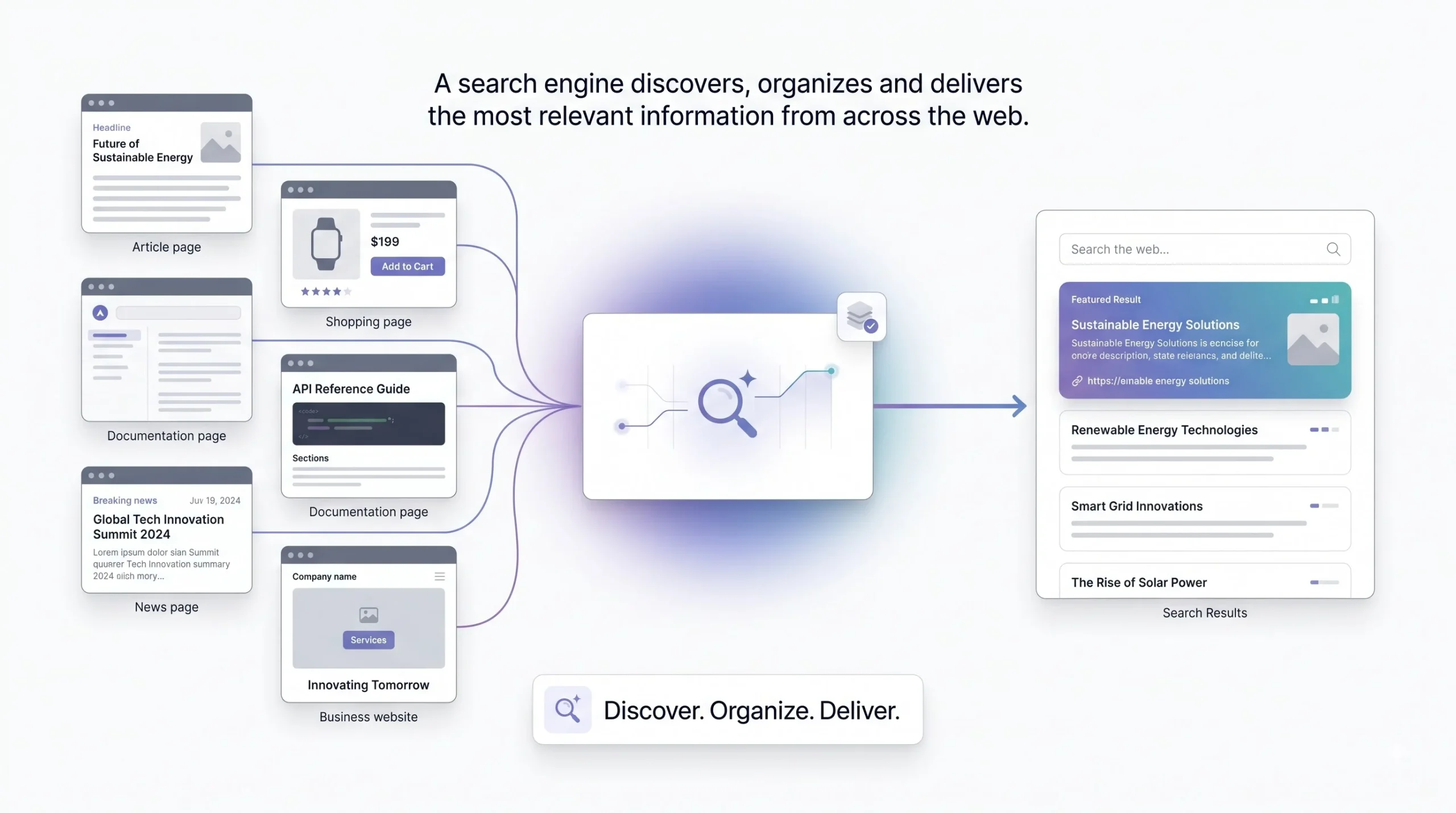
Strip away the branding and a search engine is just a piece of software that does three things: it finds information out there on the web, it organizes that information so it can be searched fast, and it hands you back the pieces that match what you typed. That’s it. Discovery, organization, retrieval. Everything else, the algorithms, the ranking factors, the AI summaries, is just detail layered on top of those three jobs.
Now, two mix-ups trip up almost every beginner, so let’s clear them out of the way early.
First one: search engine versus browser. Chrome is not a search engine. Safari is not a search engine. Those are browsers, basically windows you use to look at the internet. Google is the search engine you’re using through that window. People confuse the two because Chrome’s address bar doubles as a Google search box, so it feels like one thing. It isn’t. You could open Firefox and search on Bing instead, same browser concept, totally different search engine underneath.
Second mix-up: search engine versus website. A website is a destination, one address, one place. A search engine is the thing that helps you find the destination in the first place. Simple enough, but worth saying because of what’s coming in the next section.
And a small historical note that’ll make more sense once you read the history section: not every “search engine” you’ve heard of started life as an actual search engine. Yahoo, for a long time, was a human-curated list of websites sorted into categories. No algorithm, just people organizing links by hand. It only became something closer to a modern search engine later. Keep that in mind, because it explains a lot about why algorithmic search had to happen at all.
| What It Is | Example | What It Actually Does |
|---|---|---|
| Browser | Chrome, Safari, Firefox | Lets you view and navigate websites |
| Search Engine | Google, Bing, DuckDuckGo | Finds and ranks content across the web for you |
| Website | wikipedia.org, amazon.com | A single destination you land on |
A Brief History of Search Engines (Why Search Looks the Way It Does)
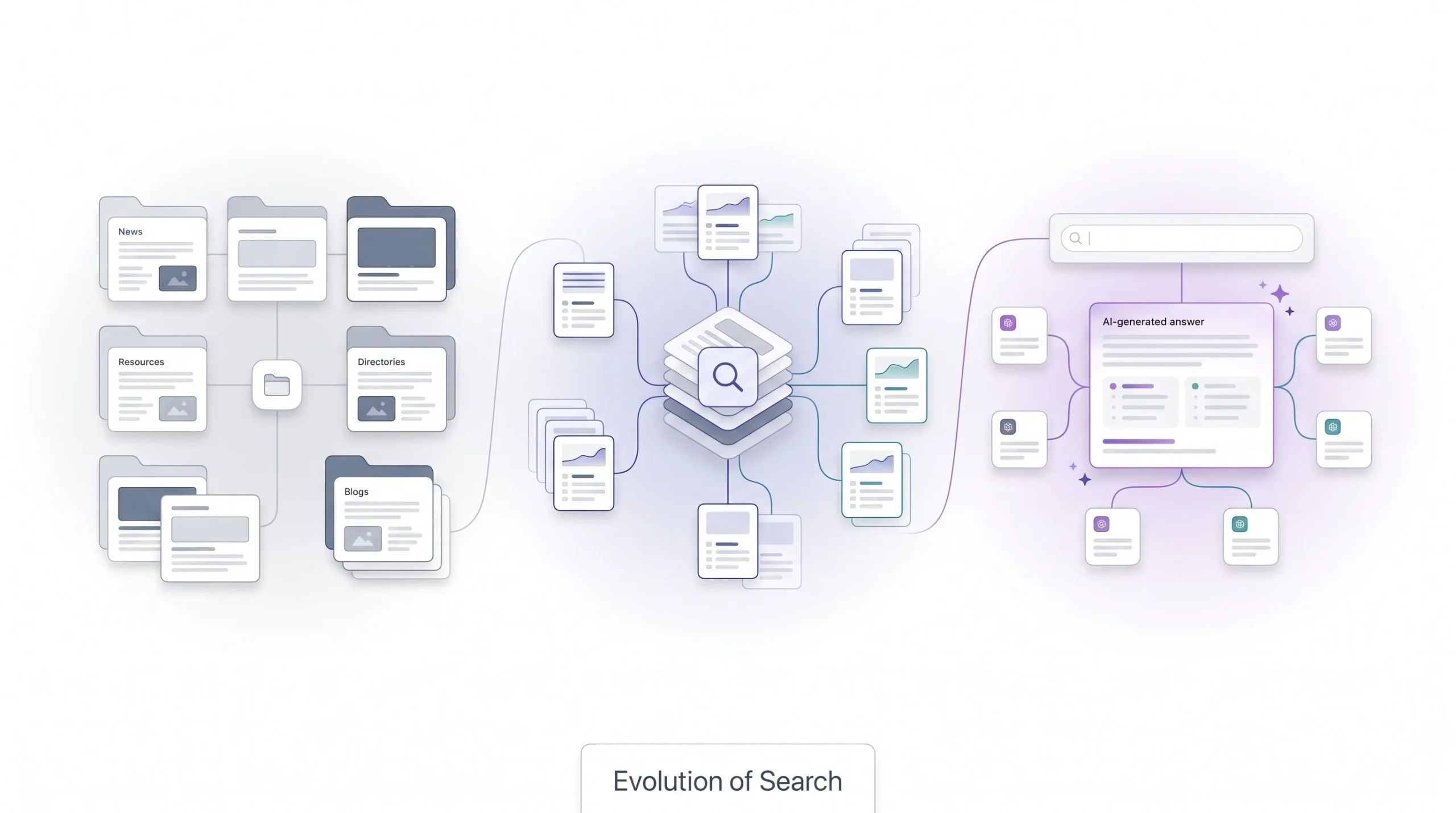
Most guides skip this part or give it two sentences and move on. That’s a mistake, honestly, because you can’t really understand how modern search ranks things unless you know what problems it was built to fix. Nothing about today’s search engines is arbitrary. Every major shift happened because the previous version broke somehow.
Start before the web even existed properly. In the early 90s there were tools like Archie and Veronica, and calling them search engines is generous. They searched file names on FTP servers, not content, not meaning, just names. If a file wasn’t named something obvious, good luck finding it. This matters because it shows search predates the web itself. People needed a way to find stuff on networks before there was a “web” to search in the modern sense.
Then came the directory era, roughly 1994 to 1996, and Yahoo is the name everyone remembers here. Yahoo wasn’t an algorithm, it was a team of humans manually sorting websites into categories and subcategories. You’d click through folders like you were browsing a library card catalog. And for a little while that actually worked fine, because the web was small enough that humans could keep up. Then it wasn’t small anymore. The number of websites exploded faster than any team of humans could categorize, and the whole model just couldn’t scale. That failure is the entire reason algorithmic search had to exist. Someone had to build a machine that could organize the web because people physically couldn’t do it fast enough anymore.
So you get the first wave of algorithmic engines: WebCrawler, Lycos, Excite, AltaVista, roughly 1994 to 1998. These actually crawled pages and indexed the text on them, which was a real leap forward. But they had a massive weak spot. Most of them ranked pages mainly by how often a keyword showed up on the page. Type “car insurance” and rank whoever stuffed “car insurance” onto their page the most times. Webmasters figured that out almost immediately and started spamming keywords everywhere, sometimes in white text on a white background so users couldn’t see it but the crawler could. The whole system was gameable in an afternoon, and search quality suffered badly for it.
That’s the exact problem Google’s founders were solving in 1998 with PageRank, and it’s worth understanding the actual idea because it’s genuinely clever. Instead of only looking at what’s on a page, PageRank looked at what other pages said about it, specifically through links. A link from Page A to Page B gets treated kind of like a vote of confidence. But not all votes count the same. A link from a page that itself has tons of trusted links pointing at it counts for more than a link from some random, unlinked page nobody trusts. It’s the internet’s version of “it’s not what you say about yourself, it’s who’s vouching for you.” That single idea is a huge part of why Google jumped past AltaVista and the rest so fast. It made keyword stuffing a lot less effective overnight, because now the page needed outside credibility too, not just repeated words.
The 2000s and 2010s were consolidation. A lot of the early names, Ask Jeeves, Excite, either died off or got absorbed into bigger players. Microsoft came late to the party with Bing in 2009, replacing what used to be called Live Search, and has been the permanent number two ever since, not really threatening Google’s lead but sticking around.
Then smartphones and voice assistants forced another shift through the 2010s. People stopped typing careful keyword phrases like “weather Jaipur tomorrow” and started asking full questions out loud, “hey, is it going to rain in Jaipur tomorrow.” Search engines had to get a lot better at understanding natural, conversational language instead of just matching keyword fragments, because Siri and Alexa and Google Assistant made that the new normal.
And now you’re in the AI search era, which really kicked off with ChatGPT’s launch at the end of 2022 and has only accelerated since. Google rolled out AI Overviews and then AI Mode. Perplexity built its entire identity around being an “answer engine.” This is the shift that’s still actively happening as this is being written, and it gets its own full section later, because it deserves one.
| Era | Years | Key Players | What Changed |
|---|---|---|---|
| Pre-web search | Early 1990s | Archie, Veronica | Searched file names, not content |
| Directory era | 1994 to 1996 | Yahoo | Humans manually sorted websites, couldn’t scale |
| Early algorithmic search | 1994 to 1998 | WebCrawler, Lycos, Excite, AltaVista | Ranked by keyword frequency, easily gamed |
| PageRank breakthrough | 1998 | Ranked by link-based authority, not just text | |
| Consolidation | 2000s to 2010s | Google, Bing | Weaker competitors died out, Bing became the permanent number two |
| Mobile and voice | 2010s | Siri, Alexa, Google Assistant | Search had to handle natural, spoken language |
| AI search era | 2022 to present | ChatGPT, Google AI Mode, Perplexity | Answers get generated, not just linked to |
How Search Engines Actually Work: The Three-Stage Process
This is the part everyone skims past, and it’s actually the part worth slowing down on, because once this clicks, the rest of search stops feeling like a black box. There are three stages: crawling, indexing, ranking. They’re separate systems doing separate jobs, and mixing them up is where almost every beginner myth comes from.
Crawling
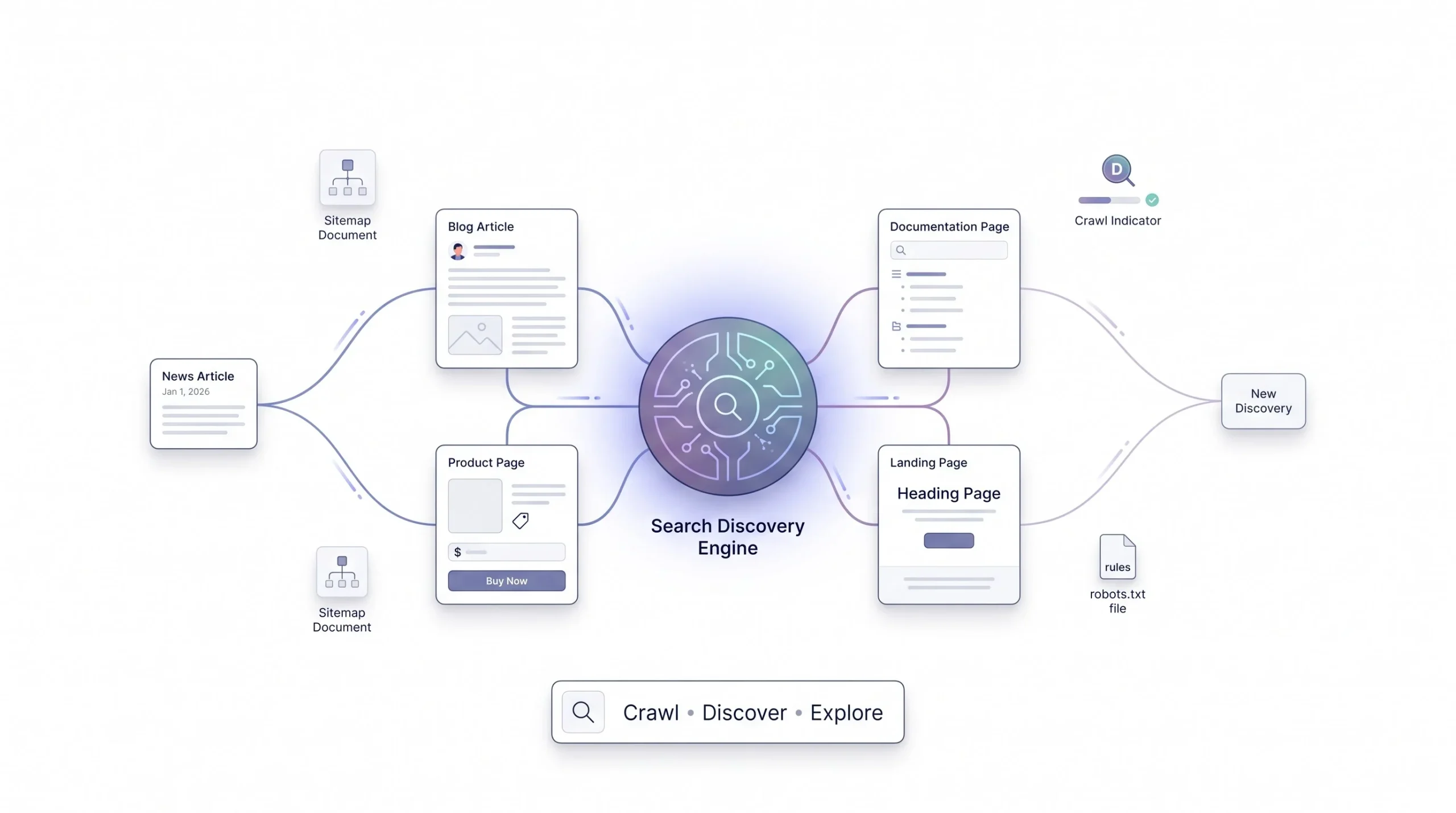
A crawler, sometimes called a spider or a bot (Googlebot is the one you’ll hear most), is just an automated program that requests web pages the exact same way your browser does when you type in a URL. It’s not some physical robot roaming the internet, it’s software making requests, grabbing the page, and moving on.
How does it even find new pages to visit? Mostly by following links from pages it already knows about. If a page it’s already crawled links out to a brand new URL, that’s how the crawler discovers it. Site owners can also speed this along by submitting a sitemap, basically a list of “here are all my pages, please come look,” or by pinging a search engine directly through something like Google’s URL Inspection tool when new content goes live.
One thing beginners rarely hear about is crawl budget. Search engines aren’t crawling the entire internet non-stop, they’re allocating a limited amount of crawling resources to each individual site. How much budget a site gets depends on things like how authoritative the site already is, how fast its server responds, and how often its content actually changes. A huge, fast, frequently updated site like a major news outlet might get crawled dozens of times a day. A small, slow, rarely updated personal blog might get a crawler visit once a week, sometimes less. Server response time actually matters more than people assume here too, if a site takes three or four seconds to respond to every request, Googlebot backs off and crawls it less often, purely to avoid overloading a slow server. It’s a self-preservation move on the crawler’s part, not a punishment, but the practical effect on the site owner is the same either way, less of the site gets discovered and refreshed in a given window.
Site owners also get to steer crawlers using files like robots.txt or meta robots tags, basically saying “don’t bother crawling this section.” A robots.txt file sits at the root of a domain and lists rules like disallowing crawlers from an internal search results folder or an admin login page, sections that have zero value showing up in search anyway and would otherwise waste crawl budget that could go toward pages that actually matter. That whole file-and-directive system is a big enough topic to deserve its own dedicated post later, this is just the surface of it.
There’s also a difference worth knowing between discovery and crawling. A URL can be discovered, meaning the search engine knows it exists because a link pointed to it, without ever actually being crawled, especially if crawl budget is tight or the page looks low priority. That’s part of why submitting a sitemap genuinely helps smaller or newer sites, it’s a direct signal that says “these specific URLs matter, please prioritize them” instead of hoping a crawler stumbles onto them naturally through link-following alone.
Indexing
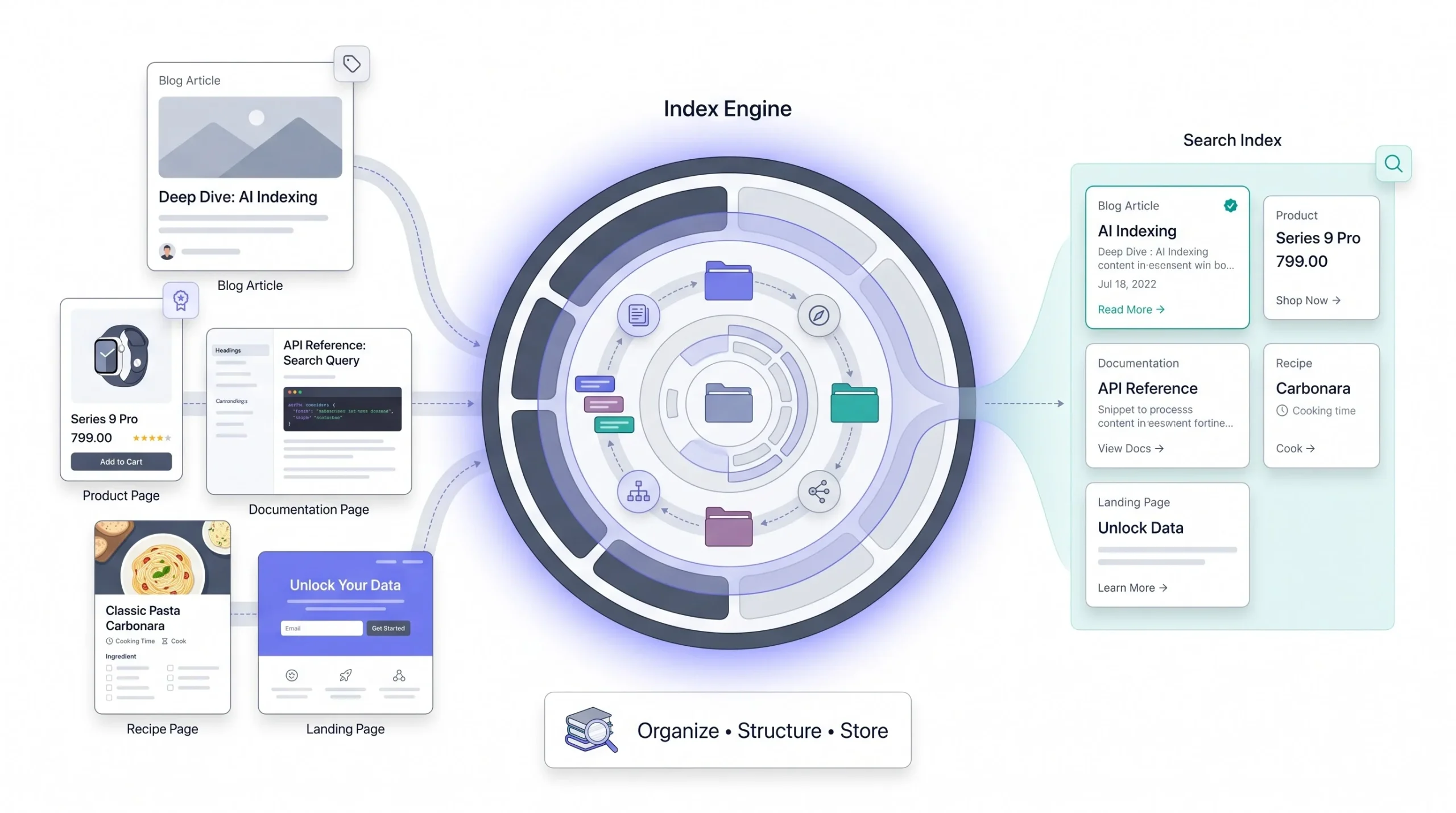
Once a page gets crawled, it doesn’t automatically show up in search results. First it has to get indexed. Indexing is the process where the search engine reads the page, pulls out the text, and stores it in a massive database, the index, so it doesn’t have to re-crawl the live internet every single time someone searches. Think of the index as the world’s biggest, most organized library catalog, except instead of index cards it’s storing structured data about billions of pages.
Here’s the misconception that trips up more beginners than anything else in this whole guide: being indexed does not mean you’ll rank well, or rank at all, for anything specific. Indexing just means the page is eligible to show up. Whether it actually shows up, and where, is a completely separate process, covered in the next section. People confuse these constantly and it leads to a lot of confused “why isn’t my page ranking even though Google indexed it” questions.
What actually gets pulled out and stored during indexing goes well beyond plain text. Meta tags, structured data or schema markup, image alt text, the overall structure of the page, all of it gets extracted. Structured data matters more than people think, because it gives the search engine explicit, unambiguous signals about what something is, instead of forcing the engine to guess based on surrounding text. A recipe page with proper schema markup can literally tell the engine “this is a recipe, here’s the prep time, here’s the rating” instead of the engine trying to infer that from paragraphs.
And modern indexing doesn’t just look at raw HTML anymore. A lot of today’s websites build their content using JavaScript, meaning the raw HTML that first loads is nearly empty until the JavaScript runs and fills it in. So modern crawlers actually render the page, running the JavaScript the same way a browser would, to see the page the way a real visitor sees it. That’s where the phrase “JavaScript SEO issues” comes from if you’ve ever heard it thrown around. If a page depends heavily on JavaScript and the rendering step fails or gets delayed, content can get missed entirely. Rendering also costs extra computing resources compared to just reading plain HTML, which is part of why heavily JavaScript-dependent sites sometimes see slower or patchier indexing than simpler, mostly-HTML pages.
There’s also the question of what happens when two pages look basically identical. If a site has the same product listed under three different URLs, one for each color variant, say, the search engine has to decide which version counts as the “real” one and quietly folds the others into it during indexing, a process called canonicalization. Get this wrong on a site with a lot of near-duplicate pages and you end up with a diluted, confusing index entry instead of one clean, strong one, which is a subtle but real reason some sites underperform even with genuinely good content.
Ranking
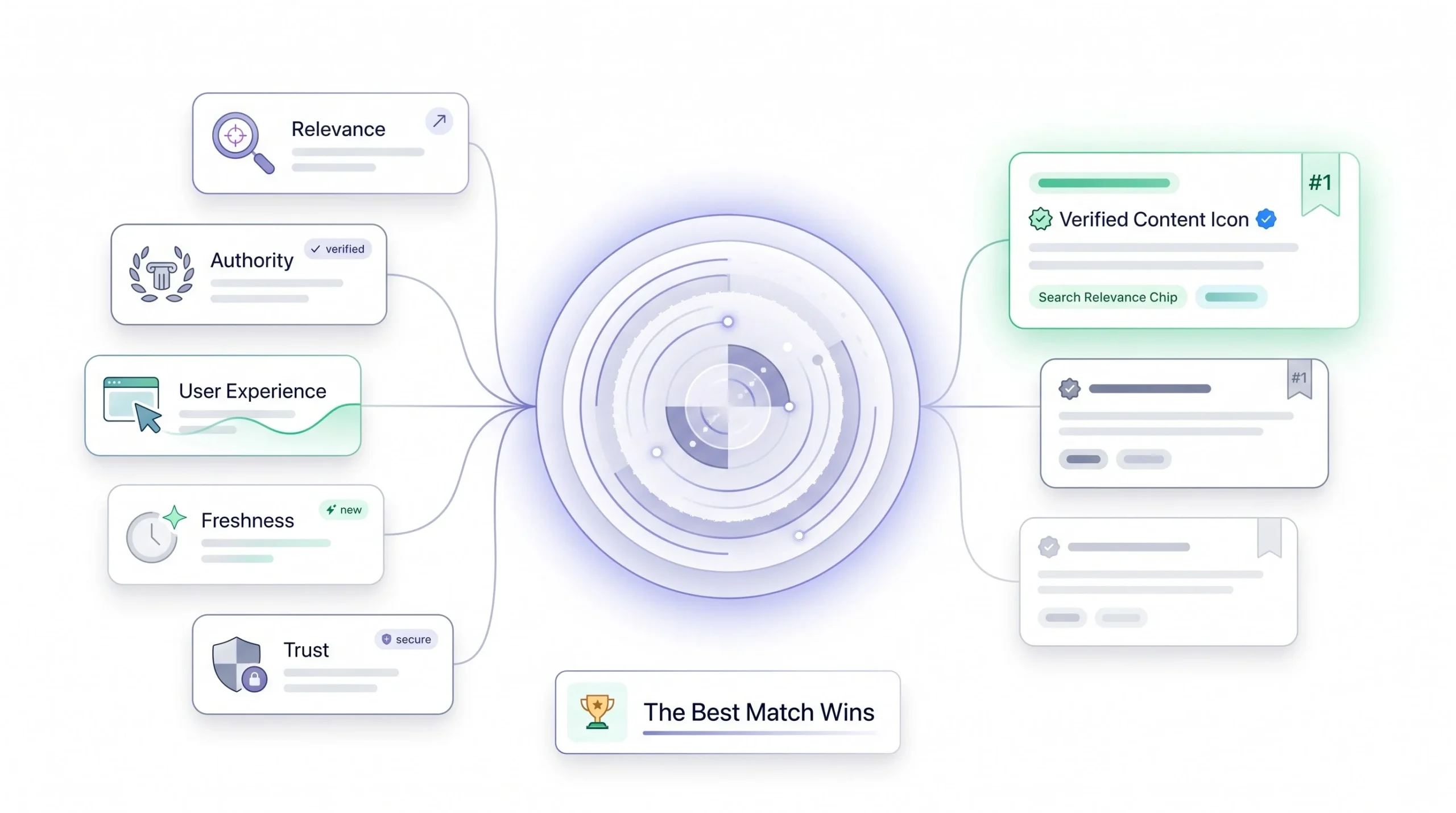
Ranking is the last stage, and it’s the one everyone actually cares about. This is where the search engine takes your query, runs it against everything sitting in the index, and scores and orders the matches using an algorithm built out of hundreds of individual signals.
It’s worth walking through the major categories of what those signals actually measure, because “the algorithm” isn’t one mysterious thing, it’s a combination of fairly understandable pieces working together.
Relevance signals used to mean pretty basic keyword matching, does this page contain the words you typed. That’s evolved a lot into what’s called semantic search, which just means the engine tries to understand meaning and the relationship between concepts, not just match exact strings of text. So a search for “best laptop for college” can now surface pages that never use that exact phrase, as long as the content is clearly about the right topic and intent.
Authority signals are the modern descendants of that PageRank idea from 1998. Backlinks still matter, brand mentions matter, and Google talks a lot these days about something called E-E-A-T, which stands for Experience, Expertise, Authoritativeness, and Trustworthiness. The “Experience” part got added specifically because Google wanted to reward content written by people who’ve actually done the thing they’re writing about, not just people summarizing other summaries. A product review written by someone who owns and uses the product should, in theory, beat a review written by someone who just read the spec sheet.
User experience signals cover things like Core Web Vitals, which measure loading speed, interactivity, and visual stability (does the page jump around while it’s loading, which is annoying and gets penalized), plus mobile-friendliness and whether the site runs on HTTPS. These aren’t about content quality directly, they’re about whether the experience of using the page is actually good.
Freshness signals matter a lot for some queries and basically not at all for others. Search “who won the match last night” and freshness is everything, a three-day-old article is useless. Search “how to boil an egg” and freshness barely matters, that content doesn’t go stale.
And then there’s personalization. Location, search history, device type, all of it shapes what you individually see. That’s exactly why two people sitting next to each other, searching the exact same term, can get noticeably different results.
None of this stays fixed either. Search engines run algorithm updates, sometimes called broad core updates, that periodically reweight how much these different signals matter. There have been named updates historically, Panda in 2011 went after thin, low-value content and content farms, Penguin in 2012 targeted manipulative link schemes, the Helpful Content update starting in 2022 went after content written primarily to rank rather than to actually help a reader. Each one shifted the balance a bit, usually in direct response to some new gaming tactic that had started working too well and was making search results noticeably worse for actual users. That pattern, quality problem shows up, algorithm update follows, is basically the whole rhythm of search engine evolution if you zoom out and watch it over twenty years.
Worth being clear about scale too. No single signal decides a ranking on its own. A page could have a mountain of backlinks and still rank behind a page with fewer links but a much stronger match to what the searcher actually wanted. The algorithm is weighing all of these signals together, and the exact weighting shifts by query type, a local plumber search leans harder on location and reviews, a medical question leans harder on E-E-A-T and source credibility, a shopping query leans harder on price and availability freshness. There isn’t one universal formula, it flexes based on what kind of question is being asked.
Common beginner myth: getting indexed and ranking well are not the same thing. Indexing just gets you into the pool. Ranking decides where you land in it, and that’s a whole separate fight.
| Signal Type | What It Measures | Example |
|---|---|---|
| Relevance | How well the content matches the meaning behind the query | Semantic matching for “best laptop for college” |
| Authority | Trust and credibility of the source | Backlinks, E-E-A-T, brand mentions |
| User Experience | How good the page actually is to use | Core Web Vitals, mobile-friendliness, HTTPS |
| Freshness | How recent the content needs to be | News queries versus evergreen “how to” content |
| Personalization | Individual context of the searcher | Location, search history, device |
Anatomy of a Search Engine Results Page (SERP) in 2026
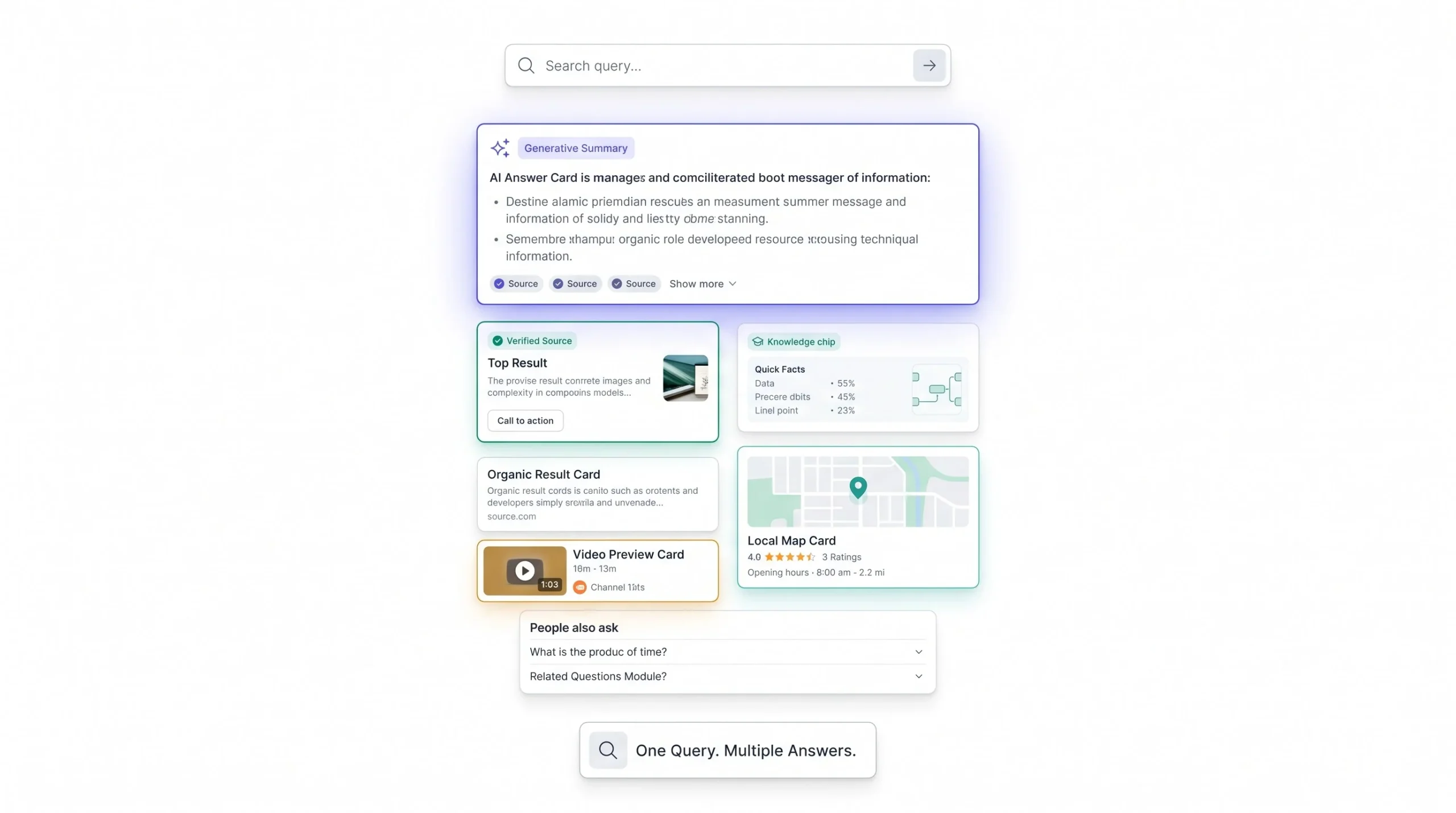
People stare at a SERP every single day and couldn’t tell you what half the pieces on it actually are. Worth breaking down, because the layout of that page tells you a lot about what a search engine thinks you actually want, based on the type of query you typed.
Query intent is really the deciding factor for what shows up. There are generally four flavors: informational (you want to learn something), navigational (you’re trying to get to a specific site), transactional (you want to buy or do something right now), and commercial investigation (you’re comparing options before you buy). What the SERP shows you shifts a lot depending on which bucket your query falls into.
Ads usually sit at the very top, and they’re labeled “Sponsored,” which is the tell that distinguishes them from organic results. Below that in 2026, on a lot of informational queries, you’ll now see an AI Overview or AI-generated summary block, a paragraph or two written by an AI model that pulls from multiple sources and tries to answer your question directly, often with small citation links tucked in. That’s new since 2024, and it’s different from a traditional featured snippet in that it’s generated fresh for your query rather than pulled word for word from one single page.
Speaking of which, featured snippets still show up too, a boxed answer pulled directly from one specific page, usually for clean, well-defined questions. Knowledge panels appear on the right side for searches about specific entities, people, companies, places, pulling together facts in one summarized card. Then you get into the organic results, the classic ten blue links, still very much the backbone of the page for a huge chunk of query types.
For anything with location intent, “coffee shop near me” being the obvious example, a local pack or map block shows up with a handful of nearby businesses plotted on a small map, usually pulling from Google Business Profile listings, ratings, and proximity to whatever location the search engine has for you. People Also Ask boxes show related questions that expand when clicked, and here’s a detail worth knowing, clicking one usually loads a couple more questions underneath it, which is the search engine dynamically expanding the box based on what it thinks you’ll want next, not a fixed static list. Related searches sit near the bottom, giving you other phrasings to explore. And video or image carousels show up when the query benefits from visual results, “how to tie a tie” being a good example where a video just works better than text.
Worth noticing how much of this stacking is really about query intent doing the sorting. Type something purely navigational, “facebook login,” and you’ll get a clean, minimal SERP, mostly just the organic link to the actual site, because there’s nothing to summarize or compare. Type something transactional, “buy wireless earbuds under 3000,” and Shopping ads and product carousels dominate the top of the page instead. Type something informational, “how does compound interest work,” and that’s exactly where AI Overviews and featured snippets show up most aggressively, because the engine has decided you want an explanation, not a destination.
| SERP Feature | What It Is | What Triggers It |
|---|---|---|
| Paid ads | Sponsored listings at the top | Advertiser bidding on the keyword |
| AI Overview | AI-generated summary answer | Mostly informational queries |
| Featured snippet | Boxed answer pulled from one page | Clear, well-defined questions |
| Knowledge panel | Summary card about an entity | Searches about people, places, brands |
| Organic results | The traditional ranked list | Most query types |
| Local pack | Map plus nearby business listings | Location-intent queries |
| People Also Ask | Expandable related questions | Informational queries |
| Related searches | Alternate phrasings at the bottom | Most query types |
| Video and image carousels | Visual content blocks | Queries better answered visually |
Types of Search Engines (Beyond “Just Google”)
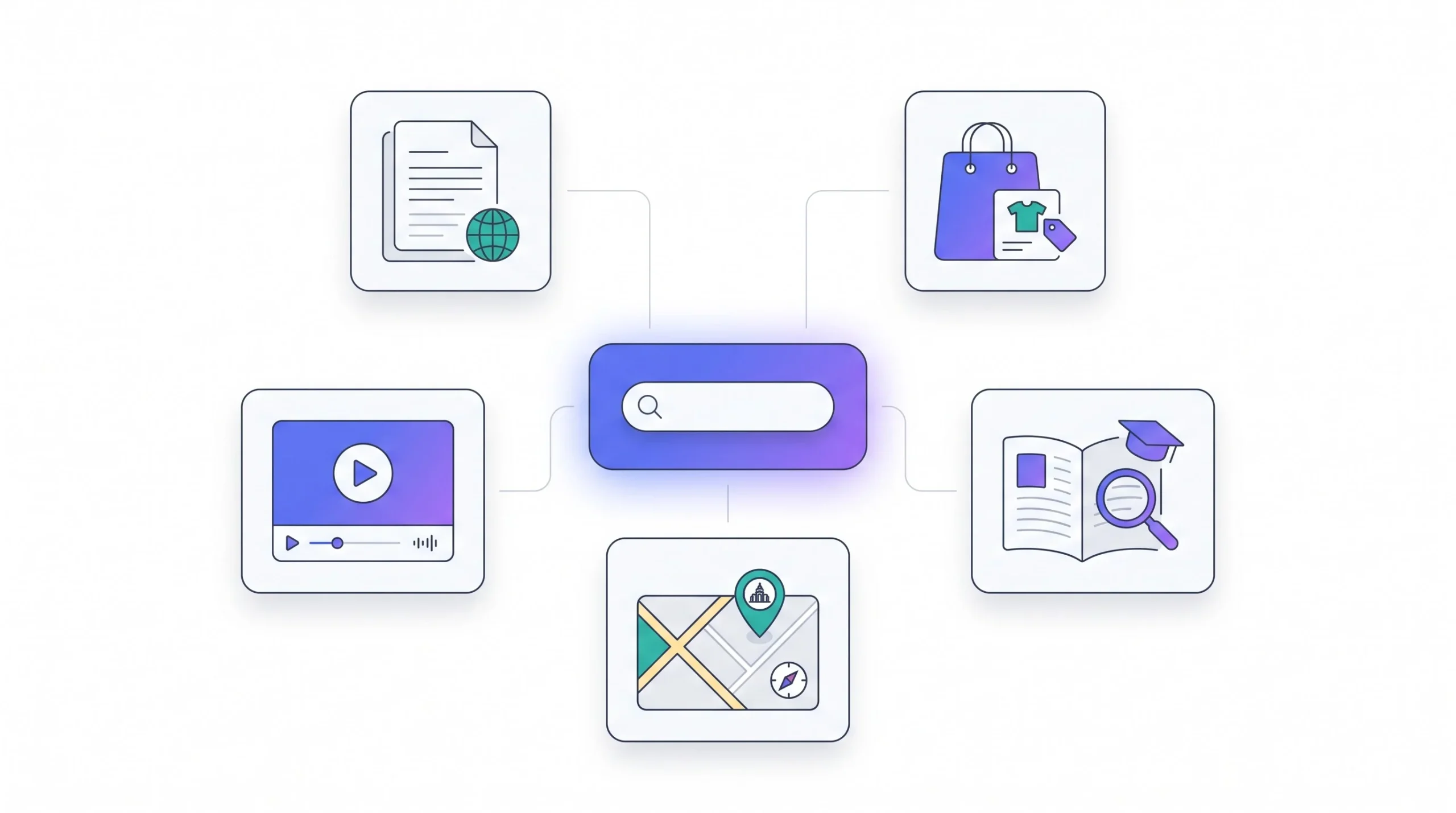
Say “search engine” and most people picture exactly one company. Fair enough, given the market share numbers later in this guide, but there’s actually a handful of different categories worth knowing, because a few of them you’re probably already using without realizing they count.
General or crawler-based search engines are the ones people usually mean by default, Google, Bing, Yandex. These crawl broad chunks of the web themselves and build their own index from scratch, which is what makes them “general,” they’re not limited to one topic or one data source.
Metasearch engines work differently. They don’t crawl the web on their own at all, they take your query and send it out to other search engines, then combine the results into one list. Dogpile is a classic example. DuckDuckGo has historically leaned on this kind of approach in part too, pulling from multiple sources rather than running its own full-scale independent crawl the way Google does.
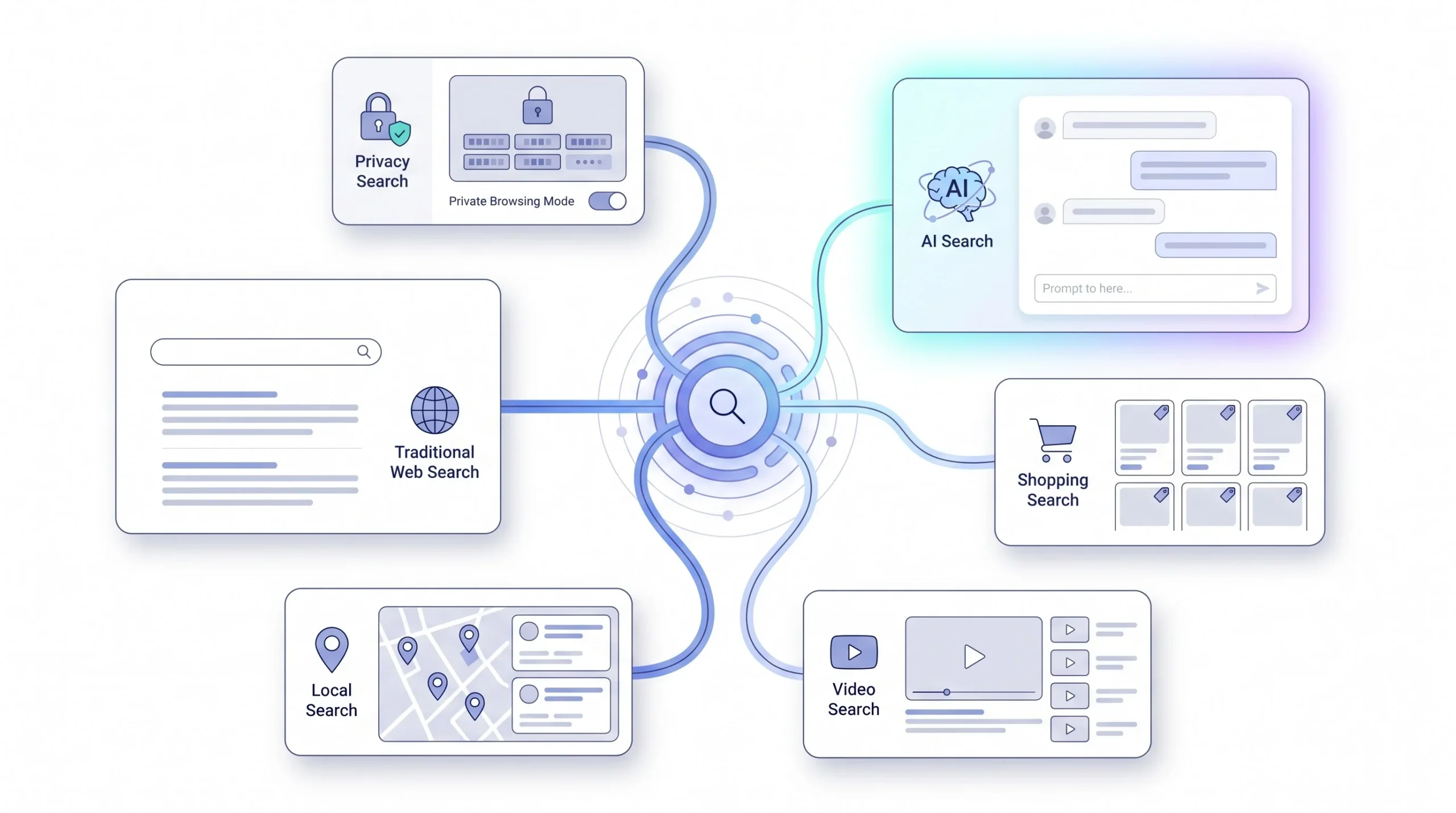
Privacy-focused search engines get lumped together a lot, DuckDuckGo, Brave Search, Startpage, and there’s a real technical difference here, not just marketing. These engines generally don’t log your individual queries, don’t build a personalized tracking profile tied to your identity, and don’t feed your search history into ad targeting the way the big players do. It’s a legitimate structural difference in how they handle your data, not just a slogan on the homepage.
Then there’s vertical or specialized search engines, and this category is worth sitting with for a second because most people use several of these constantly without mentally filing them as “search engines.” Amazon is a search engine for products. YouTube is a search engine for video, and it’s genuinely one of the largest search engines in the world by raw query volume, way bigger than most people assume. Google Scholar searches academic papers specifically. Google Maps is a search engine for places. Each one is narrower than a general search engine, but within its lane it’s doing the exact same crawl-index-rank job.
Last category, AI-native search or answer engines, ChatGPT Search, Perplexity, Google’s AI Mode. These get their own dedicated section later because they work meaningfully differently from everything above.
Worth throwing in one more edge case that’s genuinely new to 2026 and doesn’t fit cleanly into any of the categories above: social platforms functioning as search engines. A huge chunk of Gen Z, particularly, now defaults to searching TikTok or Instagram for things like restaurant recommendations or product reviews instead of Google, because the content is video-first and feels more trustworthy coming from a real person than from a written listicle. Reddit has seen something similar, people appending “reddit” to their Google search specifically because they want unfiltered opinions from actual users rather than SEO-optimized brand content. Neither of these platforms was built to be a search engine in the traditional sense, but functionally, for a growing number of queries, that’s exactly what they’ve become.
| Type | Examples | How It’s Different | Best Used For |
|---|---|---|---|
| General search engines | Google, Bing, Yandex | Crawl the broad web, build their own index | Everyday, general-purpose search |
| Metasearch engines | Dogpile, some DuckDuckGo modes | Pull and combine results from other engines | Aggregated results without their own crawl |
| Privacy-focused engines | DuckDuckGo, Brave Search, Startpage | Don’t log queries or build tracking profiles | Users prioritizing privacy |
| Vertical search engines | Amazon, YouTube, Google Scholar, Google Maps | Narrow focus on one content type | Product, video, academic, or local search |
| AI-native answer engines | ChatGPT Search, Perplexity, Google AI Mode | Generate synthesized answers, not just links | Quick explanations and synthesis |
How Search Engines Make Money (And Why It Shapes What You See)
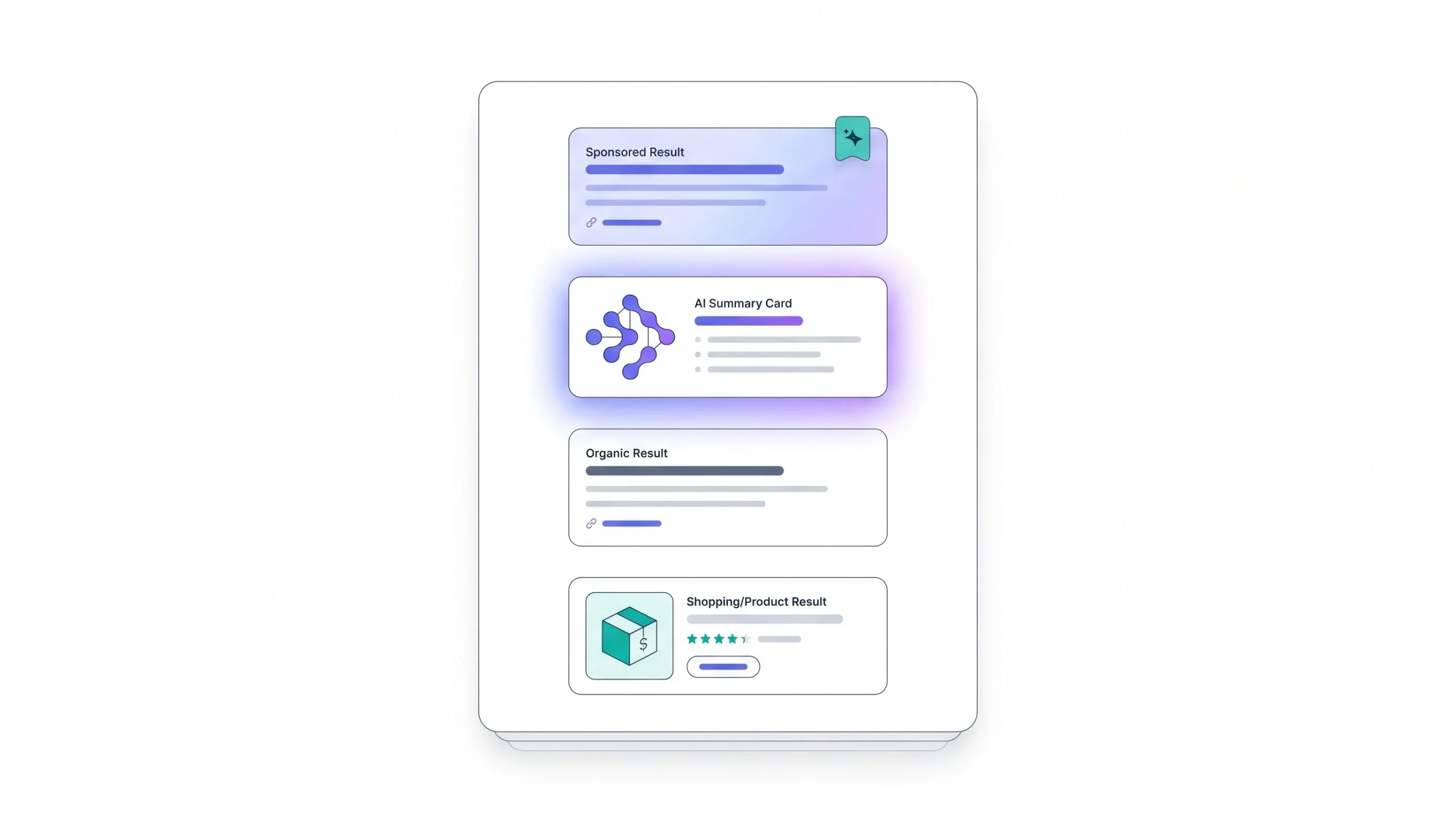
Worth understanding this, because it explains a lot of what feels annoying about modern search, why there’s so much ad clutter, why the page feels more crowded every year. Search engines aren’t charities. The core business model, for basically all the major players, is pay-per-click advertising. Advertisers bid on keywords they want to show up for, and they only pay when someone actually clicks their ad, not just for showing up.
It’s not a pure “highest bidder wins” auction either, which surprises people. Google and Bing both factor in something like a Quality Score or Ad Rank, meaning your bid amount matters, but so does how relevant your ad actually is to the query and how good the landing page experience is once someone clicks through. A high bid with a bad, irrelevant landing page can lose out to a lower bid with a genuinely relevant, well-built page. That’s a deliberate design choice, keeps the ads from getting completely disconnected from what people are actually searching for.
This ad-auction model is exactly why the SERP looks the way it does. More ad formats keep showing up over the years, Shopping ads, Local Service ads, and now AI-generated ad placements too, all competing for the same limited visual real estate that used to belong almost entirely to organic results.
And there’s real tension building here in 2026 worth flagging honestly. AI Overviews answer a lot of questions directly on the results page itself, which means fewer people click through to actual websites, a trend usually called zero-click search. That’s genuinely a problem for the ad-revenue model, since ad clicks and organic clicks both depend on people leaving the search page to visit somewhere else. Nobody’s fully solved that tension yet, and it’s a live, ongoing issue in the industry, not some resolved footnote.
Google’s search advertising revenue is projected to top $230 billion in 2026, even as zero-click searches from AI Overviews keep chipping away at the number of people actually clicking through to websites. Those two things are happening at the same time, and it’s a genuinely strange position for the business model to be in.
Search Engines by the Numbers: Market Share and Usage in 2026
Numbers are more interesting here than they’ve been in years, because for the first time in over a decade, the story isn’t just “Google has basically all of it and nothing’s changing.”
Google still holds somewhere around 89 to 90 percent of global search, depending on which tracker you check. Still an enormous, dominant number by any reasonable standard. But that share has actually eroded by roughly 1.5 to 2.5 percentage points over the past year, and that’s the largest single-year drop Google has seen since 2009. Bing has picked up a bit of that, helped along by Microsoft folding Copilot into its search experience. AI search assistants have grabbed a small slice too. Small in absolute terms, but the direction matters more than the size right now.
Mobile and desktop tell pretty different stories. On mobile, Google is close to untouchable, north of 95 percent, mostly thanks to being the default search engine baked into Android and locked in through Apple’s long-running default-search deal on iOS. On desktop, the gap narrows a lot. Bing holds somewhere around 10 to 12 percent of desktop search specifically, largely because it’s the built-in default on Windows and Edge, and plenty of people just never bother changing the default.
The genuinely new part of this picture is AI search adoption, and this is the number that should actually grab your attention if you’ve been assuming AI search is still a niche thing. ChatGPT has crossed 400 million weekly active users, and a meaningful chunk of that usage now functions as search behavior, people asking it things they’d have Googled two years ago. Among Gen Z specifically, roughly 37 percent in the US and Europe say they now use an AI chatbot as their first stop for informational or product research queries, ahead of a traditional search engine. That’s not a rounding error, that’s a real behavioral shift happening in one specific age group right now.
Worth a regional note too, so this doesn’t read like a US-and-Google-only picture. Baidu still dominates inside China. Yandex holds a strong position in Russia and other CIS markets. Japan has actually seen one of the sharper shifts anywhere in the world, with Bing’s share climbing sharply on the back of Copilot integration, something that would’ve seemed unlikely even a year or two ago.
| Search Engine | Approximate Global Market Share (2026) | Primary Strength |
|---|---|---|
| ~89 to 90% | Dominant across desktop and mobile worldwide | |
| Bing | ~4 to 5% | Strong on Windows and Edge, gaining via Copilot |
| Yandex | ~1.8 to 2% | Dominant in Russia and CIS markets |
| Yahoo | ~1.3 to 1.5% | Legacy user base, portal traffic |
| DuckDuckGo | ~0.9 to 1.4% | Privacy-focused users |
| Baidu | Dominant within China | China’s largest search engine |
Among Gen Z users in the US and Europe, roughly 37 percent now say an AI chatbot is their first stop for informational or product research, not a traditional search engine. That single stat says more about where search is headed than any market share table can.
The Rise of AI Search: How 2026 Is Different

This is the section that separates a “what is a search engine” guide written in 2020 from one written today, and honestly it’s the part worth paying the most attention to, because it’s still actively changing while this gets written.
Here’s the core mechanical difference, worth being precise about it. Traditional search retrieves already-existing pages and ranks them, then hands you a list and lets you do the reading and synthesizing yourself. AI search does something structurally different. It retrieves relevant sources too, but then a language model actually generates a new, synthesized answer using those sources, often stitching together information from several pages into one paragraph, frequently with small citation links pointing back to where it pulled things from.
The technique underneath most of this is called retrieval-augmented generation, RAG for short, and it’s worth understanding the two-step nature of it because it explains both the strength and the weakness of AI search. Step one, the system retrieves a handful of relevant documents or pages, basically the same retrieval job traditional search already does. Step two, it feeds those retrieved documents into a language model as context and asks it to write an answer grounded in that material. The strength is obvious, you get a synthesized, readable answer instead of ten separate pages to piece together yourself. The weakness is just as real, if the retrieval step pulls in a weak or outdated source, or if the model misreads or slightly misrepresents what a source actually said while generating the answer, you get a confident-sounding paragraph that’s wrong in a way that’s harder to catch than a bad link would be, since there’s no obvious red flag the way there is with an outdated web page.
The major players are handling this in genuinely different ways, worth knowing the distinction. Google’s AI Overviews and AI Mode are built directly on top of Google’s existing search index, showing up alongside or sometimes instead of the traditional results list, so it feels like an extension of classic Google search rather than a separate product. ChatGPT Search works more conversationally, session-based, where you can ask a follow-up question and it remembers the thread, which feels closer to a conversation than a query. Perplexity leans hardest into being explicitly an “answer engine,” it’s built its whole identity around heavy, visible source citation, almost positioning itself as the anti-black-box option in this space.
What actually changes for the person using it is pretty concrete. Fewer clicks to the actual source websites, since a lot of what people wanted is now sitting right there on the results page itself, that’s the zero-click trend again. More conversational, multi-turn querying instead of one-shot keyword searches. Less of that old habit of scanning ten blue links and picking one, more of just reading the generated answer and moving on.
Now, where does this actually leave things, honestly, without pretending to know more than anyone actually does right now. Traditional search isn’t going away, that much seems clear from the data. But the mix of how people search is genuinely diversifying, and the two models seem to be settling into different jobs rather than one flat-out replacing the other. AI search tends to win for synthesis and explanation, the kind of question where you want a digested answer, not ten different pages to read yourself. Traditional search still dominates for navigation (going to a specific site), local search (finding a nearby business), and transactional intent (actually buying something specific). Nobody serious is calling a winner here yet, and honestly, anyone who tells you definitively how this settles is guessing.
| Traditional Search | AI Search | |
|---|---|---|
| Retrieval method | Crawl, index, and rank existing pages | Retrieve sources, then generate a new answer |
| Output format | List of ranked links | Synthesized answer with citations |
| Source visibility | You choose which link to click | Sources often cited inline, but less browsing |
| Typical use case | Navigation, local search, transactions | Synthesis, explanation, research questions |
How to Use a Search Engine Effectively (Practical Skills for Beginners)

All the theory above is useful, but search is also just a skill, and most people never really learned it past the basics. A few things worth actually knowing.
Query construction matters less rigidly than it used to. You genuinely don’t need to strip your question down to bare keywords anymore, “best laptop college student budget,” typing the full natural question, “what’s the best laptop for a college student on a tight budget,” works fine now too, because semantic understanding, covered earlier, means the engine is reading for meaning, not just matching exact word strings.
That said, a few search operators are still genuinely worth knowing even for casual, everyday use. Put a phrase in quotation marks and the engine searches for that exact sequence of words, useful when you’re hunting a specific quote or phrase and don’t want loosely related results. Put a minus sign in front of a word and it excludes that term entirely, handy when a word has multiple meanings, searching “jaguar -car” if you want the animal, not the vehicle. site: followed by a domain restricts your search to just that one website, genuinely useful when a site’s own internal search is bad, which happens constantly. filetype: narrows results down to a specific document type, filetype:pdf income tax form if you specifically want a downloadable form and not a blog post explaining it. And typing OR in capital letters between two terms tells the engine you’ll accept either one, “flight OR train Jaipur to Delhi,” instead of it assuming you want both terms to appear together.
| Operator | What It Does | Example |
|---|---|---|
| ” “ | Searches for the exact phrase | “how to boil an egg perfectly” |
| – | Excludes a word from results | jaguar -car |
| site: | Searches within one specific website | site:wikipedia.org search engine |
| filetype: | Limits results to a specific file type | filetype:pdf income tax form |
| OR | Accepts either term, not just both | flight OR train Jaipur to Delhi |
Worth building a habit of evaluating results critically too, not just trusting whatever shows up first. Check who’s actually behind a source before treating it as fact. Notice the difference between a labeled ad and an organic result, they’re not the same thing and shouldn’t be treated the same. And with AI-generated summaries specifically, treat them as a decent starting point, not the final word, since they’re generated text, not manually fact-checked content, and they can get things wrong with total confidence.
A couple of settings beginners rarely touch but probably should know about: SafeSearch filters explicit content, region and language settings shift what results you see based on where you’re supposedly located, and if results start feeling weirdly narrow or oddly personalized in a way that’s annoying, clearing your search history or personalization settings can reset that.
Three operators worth actually memorizing: quotation marks for exact phrases, the minus sign to exclude a word, and
site:to search inside one website only. All three take five seconds to use and genuinely save time constantly.
Search Engines and SEO: Why This Matters Beyond Just Searching
Search engine optimization, SEO, is really just the practice of building and shaping a website so it aligns well with everything covered in the crawling, indexing, and ranking section earlier. That’s the whole concept in one sentence, though obviously the execution gets a lot more involved.
Why does this actually matter, and to who specifically. For business owners, it’s fairly direct, visibility in search drives traffic, and traffic drives revenue, so understanding even roughly how ranking works changes how seriously you take your own site’s structure and content. For content creators, understanding query intent, covered back in the SERP section, genuinely shapes what gets written in the first place, since writing for the wrong intent means writing something nobody searching that term actually wanted. And for regular, everyday users who have zero interest in ever running a website, there’s still value here, understanding ranking factors is basically a form of media literacy, it helps explain why you’re seeing what you’re seeing on a results page instead of just accepting it as some neutral, objective list.
Conclusion
Strip all the branding and market share numbers away and a search engine really just comes down to that same three-part job from the very start of this guide: find information, organize it, hand back the right pieces fast. Once that crawl-index-rank pipeline actually clicks for you, most of what used to feel like a mysterious algorithm starts making a lot more sense, because it’s really just a stack of understandable pieces working together, not some unknowable black box.
Search is genuinely mid-transition right now, and that’s worth sitting with honestly rather than glossing over. Traditional search and AI-generated answers are both live, both growing in their own lanes, and staying reasonably literate about how both actually work matters for basically anyone using the internet regularly, not just people working in marketing or SEO. Whichever way this settles over the next few years, understanding how search actually works underneath the surface only gets more useful, not less.
Frequently Asked Questions
Is Google the biggest search engine in the world?
Yes, by a wide margin, holding somewhere around 89 to 90 percent of global search traffic in 2026. But “biggest search engine” gets a little slippery once you count YouTube, which is technically the second-largest search engine on earth by raw query volume and rarely gets counted as one in casual conversation.
What’s the difference between SEO and SEM?
SEO, search engine optimization, is about earning visibility in the unpaid, organic results through content, site structure, and authority. SEM, search engine marketing, is the broader umbrella that includes SEO plus paid advertising, running actual ad campaigns to buy visibility instead of earning it. Paying for SEM ads doesn’t improve SEO rankings, they’re separate systems entirely, covered earlier in this guide.
How do search engines find new websites?
Mostly by following links from pages they’ve already crawled. If an existing, already-indexed page links to a brand new site, that’s usually how a crawler discovers it. Site owners can speed this up by submitting an XML sitemap directly or pinging the search engine through tools built for that purpose.
Are AI search engines like ChatGPT actually replacing Google?
Not replacing, at least not yet, but genuinely chipping away at specific query types. Traditional search still dominates navigation, local search, and transactional queries. AI search is winning ground mainly on synthesis and explanation questions, where people want a digested answer rather than ten pages to read themselves. The honest answer right now is that both are growing in their own lanes, not one flat-out beating the other.
Why did my website get indexed but still isn’t showing up in search results?
Because indexing and ranking are two completely separate steps. Being indexed just means a page is eligible to appear in results at all. Whether it actually shows up, and where, depends on the ranking stage, which weighs relevance, authority, user experience, freshness, and personalization signals against every other indexed page competing for that same query.
What is crawl budget and does it actually matter for small websites?
Crawl budget is the limited amount of crawling resources a search engine allocates to a given site, based on factors like authority, server speed, and how often content changes. It matters more for very large sites with thousands of pages than for small ones, since a small site’s total page count usually fits comfortably within whatever budget it gets anyway.
What does E-E-A-T actually mean for a search engine?
It stands for Experience, Expertise, Authoritativeness, and Trustworthiness, and it’s a framework Google uses to evaluate content quality, especially on topics where bad information could genuinely hurt someone, health and money being the two biggest examples. The “Experience” part specifically rewards content written by people who’ve actually done or used the thing they’re writing about, not just people summarizing other sources.
Do search engines charge money to show up in organic results?
No. Organic results, the regular unpaid list, can’t be bought directly. What businesses pay for is placement in the ads section, which is clearly labeled “Sponsored” and sits in a completely separate system from organic ranking.
Is DuckDuckGo actually more private than Google, or is that just marketing?
It’s a real technical difference, not just marketing. DuckDuckGo generally doesn’t log individual queries tied to your identity and doesn’t build a personalized ad-targeting profile the way Google does. That said, “more private” doesn’t automatically mean “better results” for every query, it’s a genuine tradeoff between privacy and the kind of deep personalization that sometimes makes results more relevant.
Can AI Overviews be wrong?
Yes, and this is worth taking seriously. AI Overviews are generated text produced by a language model pulling from retrieved sources, not manually fact-checked content. They can misread a source, blend information incorrectly, or state something with total confidence that simply isn’t accurate. Treating them as a solid starting point rather than a final answer is the safer habit.
What’s the fastest way to search within just one website?
Use the site: operator followed by the domain, then your search term, something like site:wikipedia.org search engine history. This restricts results to that one website only, genuinely useful when a site’s own built-in search function is weak or missing entirely.
Why do two people searching the exact same term sometimes see different results?
Personalization. Location, search history, device type, and even language settings all factor into ranking, so the same query typed by two different people, sometimes sitting right next to each other, can return noticeably different result orders and even different SERP features altogether.