


Most websites don’t lose rankings because of thin content or a missing backlink. They lose rankings because Google can’t figure out what the site is actually about, and neither can the person visiting it. You’ve probably seen it yourself: a site with genuinely good content that just doesn’t rank, buried three or four clicks deep behind a menu that makes no sense. That’s not a content problem. That’s an architecture problem.
Website architecture is the skeleton everything else hangs on. Your keyword research, your content, your backlinks, none of it performs the way it should if the underlying structure is a mess. Google’s crawlers follow links to find and understand pages. If your important pages are hard to reach, or your site doesn’t group related content together, you’re basically asking Google to guess what matters on your site. Google doesn’t guess. It ranks what it understands, and it understands what’s organized.
This has gotten more important, not less, now that AI-driven search results and AI Overviews pull directly from pages that demonstrate clear topical relationships. A flat, scattered site structure gives search engines nothing to connect. A site organized around clusters and logical hierarchy gives them everything they need to cite you confidently.
This guide walks through what website architecture actually means, why it affects crawlability, indexing, and rankings, and how to plan, build, and fix a structure that works for both search engines and real people clicking around on their phones. It’s written for business owners trying to understand why their site isn’t ranking, marketers planning a content strategy, developers building the thing, and SEOs auditing what’s already live.
What You Will Learn in This Guide
- What website architecture means and how it’s different from navigation, URL structure, and general information architecture
- Why a poor structure quietly kills crawlability, indexing speed, and internal link equity
- The main types of website architecture and which one fits which kind of site
- How to plan a structure before you build anything, including keyword mapping and topic clusters
- How to build SEO-friendly URLs, navigation, and internal linking that actually distributes authority
- How breadcrumbs, sitemaps, robots.txt, and schema markup fit into the bigger structural picture
- The most common architecture mistakes that quietly cap a site’s rankings
- How to audit an existing website and which tools to use to do it
- A full, practical checklist you can run against your own site today
What Is Website Architecture?
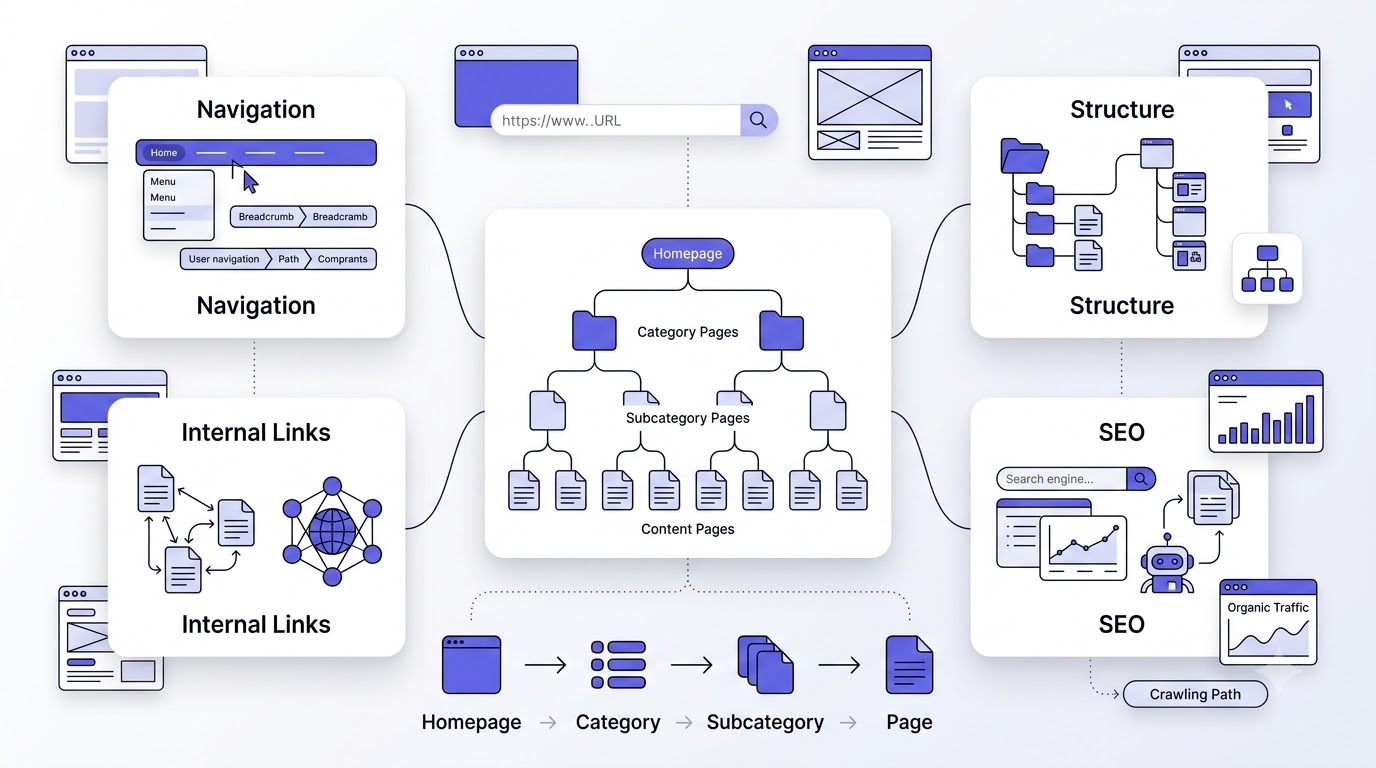
Website architecture is the way you organize, group, and connect the pages on a site so both users and search engines can find what they need with the fewest possible clicks. Think of it as the blueprint of the house before you decide on paint colors. Everything else, content, design, even conversion rate, sits on top of it.
Website architecture is the structural plan that decides how pages relate to each other: what sits under the homepage, what sits under categories, and how links connect those pages together. It covers hierarchy, URL patterns, navigation menus, and internal linking as one connected system, not as separate tasks handled by different people at different times.
Website Architecture vs Information Architecture
Information architecture is the broader discipline, borrowed from library science, about organizing and labeling content so people can find it. Website architecture is the applied version of that specifically for a website: URLs, folders, menus, link paths. Every website architecture decision is an information architecture decision, but not every information architecture principle turns into a literal URL folder.
Website Structure vs Navigation
Navigation is what a visitor sees and clicks on: the menu bar, the footer links, the dropdowns. Website structure is the underlying map those navigation elements are supposed to represent. You can have great navigation sitting on top of a broken structure, and it usually shows up as menus that don’t match how the URLs or categories are actually organized underneath.
Website Architecture vs URL Structure
URL structure is one visible output of your architecture, not the whole thing. A clean URL like /services/technical-seo/ tells you where a page sits in the hierarchy, but the architecture is the decision-making behind why that page lives there, what links point to it, and what other pages it connects to. Good URLs without a good structure behind them are just cosmetic.
Why Google Cares About Site Architecture
Google’s crawlers have a limited amount of time and resources to spend on any given site, and they rely almost entirely on internal links to discover new and updated pages. A logical structure tells Google which pages are most important based on how deep they sit and how many internal links point to them. A messy structure forces Google to guess, and guessing usually means your best pages get crawled less often and rank lower than they should.
Why Website Architecture Matters for SEO
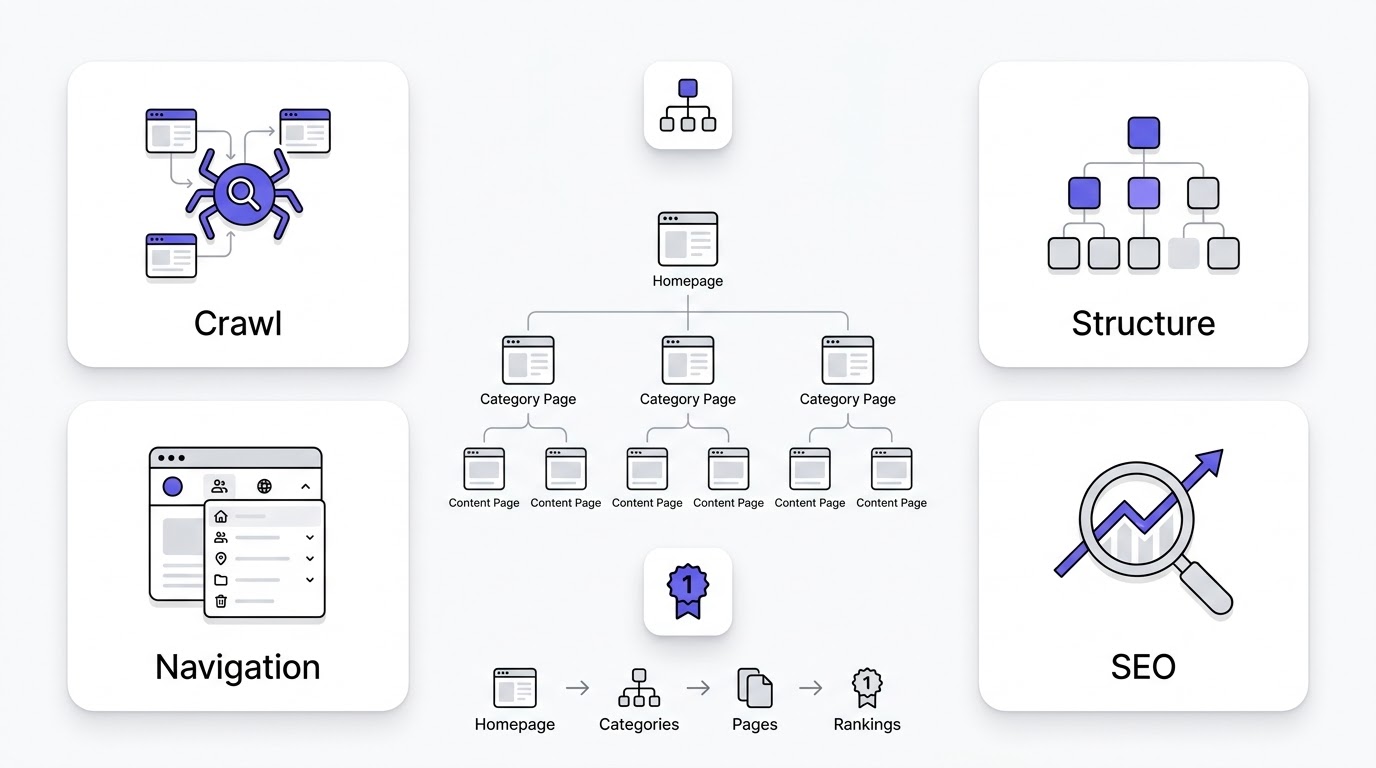
A well-planned website architecture affects nearly every ranking factor Google looks at, directly or indirectly. It’s not one lever, it’s the foundation the other levers sit on. Here’s what specifically improves when you get the structure right, and what breaks down when you don’t.
Better Crawlability
Search engine bots follow links to move through your site, and a clean hierarchy with clear internal linking gives them an efficient path to every important page. When architecture is flat and chaotic, bots waste crawl time on low-value pages and may never reach the pages you actually want ranking, especially on larger sites with thousands of URLs.
Faster Indexing
New content gets indexed faster when it’s linked from pages Google already crawls frequently, like your homepage or top category pages. A shallow, well-linked structure means a new blog post published today can get discovered and indexed within hours instead of sitting unindexed for weeks because nothing links to it yet.
Improved Internal Link Equity
Link equity, sometimes called link juice, flows through your site via internal links the same way it flows through external backlinks. A structure that funnels links from high-authority pages down to important category and product pages spreads that ranking power where you need it. A flat structure with no clear hierarchy just lets equity pool randomly instead of where it counts.
Higher Keyword Relevance
Grouping related content into clusters and categories signals topical relevance to Google far more effectively than isolated pages ever could. A category page surrounded by ten supporting articles on the same subtopic tells Google this site has real depth on that topic, which is exactly the kind of signal that pushes rankings up for competitive terms.
Better User Experience
People leave sites where they can’t find what they’re looking for within a couple of clicks. A logical structure with intuitive categories and predictable navigation keeps visitors moving through the site instead of hitting a dead end and bouncing back to the search results, which Google also notices as a negative signal.
Lower Bounce Rate
When architecture matches how people actually think about your product or content, visitors land on a page, find a clear next step, and click through instead of leaving. Confusing structures do the opposite: visitors land, can’t tell where to go next, and leave within seconds, which drags down engagement metrics site-wide.
Improved Core Web Vitals
Architecture affects performance more than people expect. Deep, bloated menus with hundreds of links, unnecessary redirect chains from a messy URL history, and heavy category pages loaded with widgets all slow things down. A leaner, well-planned structure naturally reduces the technical weight that hurts Largest Contentful Paint and Interaction to Next Paint.
Better Conversion Rates
A visitor who reaches a product or service page in two clicks, following a path that matches their intent, converts at a noticeably higher rate than one who wandered through five irrelevant pages first. Structure isn’t just an SEO concern; it’s directly tied to how efficiently your site turns traffic into revenue.
Easier Website Maintenance
A site organized into clear categories and clusters is dramatically easier to update, expand, and audit than one where pages were added wherever seemed convenient at the time. When you know exactly where a new page belongs and what it should link to, adding content takes minutes instead of becoming a guessing game every time.
Scalability for Future Growth
Sites that plan architecture early can add hundreds of new pages without breaking the existing structure, because the categories and linking patterns were built to expand. Sites that skip this step usually end up needing a full structural overhaul once they hit a certain size, which is a far more expensive fix than planning it right the first time.
How Search Engines Understand Your Website
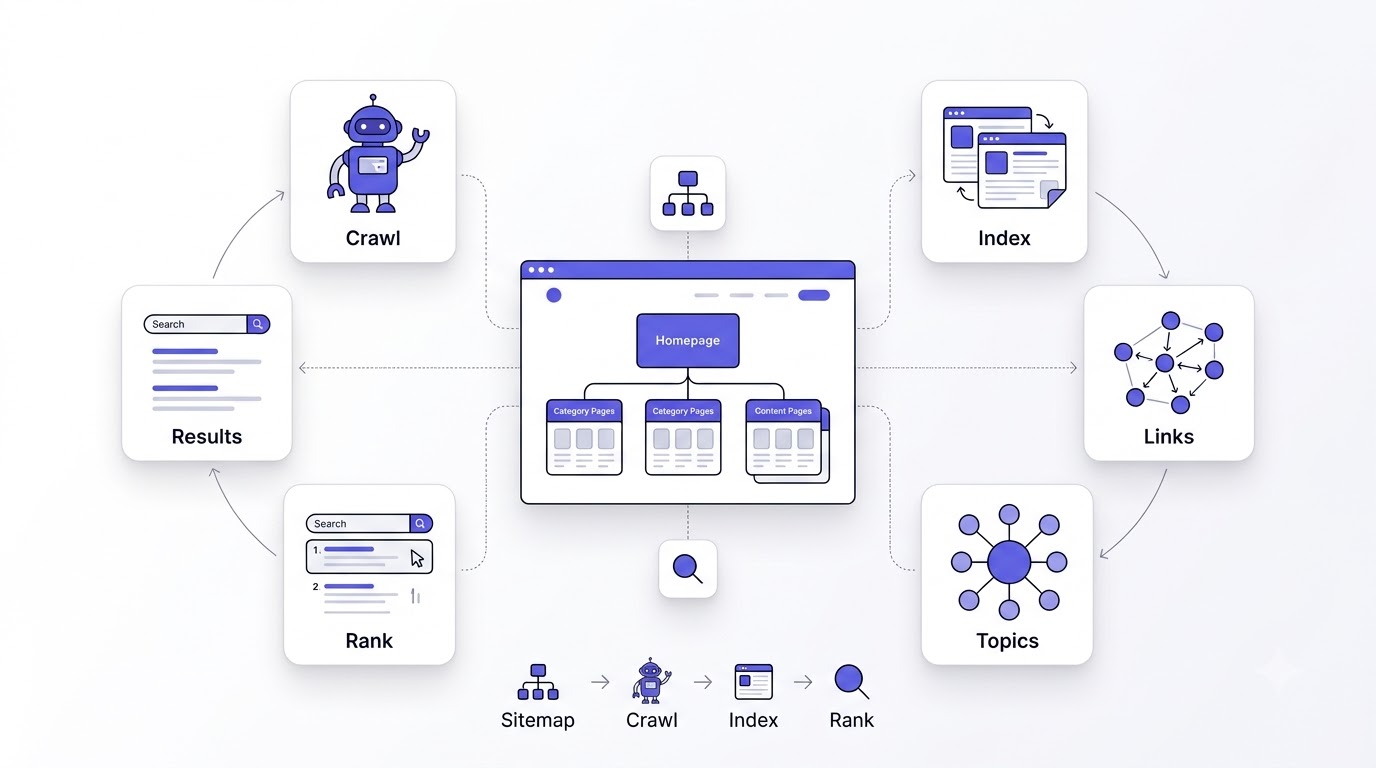
Search engines don’t read a website the way a person does. They move through a defined technical process, and your architecture determines how smoothly that process runs. Understanding these stages helps explain why structural decisions have such an outsized effect on rankings.
Crawling
Crawling is the process where bots like Googlebot follow links from page to page, discovering URLs across your site. Crawlers start from known entry points, usually your homepage or sitemap, and move outward through internal links. Pages with no internal links pointing to them, called orphan pages, may never get crawled at all, no matter how good the content is.
Indexing
Once a page is crawled, Google decides whether to add it to its index, the massive database it pulls search results from. A page can be crawled and still not indexed if Google judges it duplicate, thin, or not valuable enough. Clear architecture helps here because it signals which pages are genuinely important versus which are just supporting utility pages.
Rendering
Modern pages often rely on JavaScript to load content, and Google has to render the page, essentially open it like a browser would, before it can see everything on it. Complex navigation built entirely in JavaScript without proper fallback links can hide your architecture from crawlers that don’t render every page the same way a human browser does.
Link Discovery
Every internal link is a signal. Google uses the pattern of internal links to understand which pages are related, which are most important, and how the site is organized conceptually. A site with hundreds of pages linking back to five or six pillar pages tells a very different story than a site where every page links to every other page with no pattern at all.
Page Relationships
Search engines build a map of how your pages relate to each other based on link structure and content similarity. Pages that consistently link to and from each other around a shared topic get grouped conceptually, which strengthens how Google understands the depth of your coverage on that subject, even without you explicitly labeling anything.
Semantic Relevance
Beyond links, Google analyzes the actual language on your pages to understand topical relationships. A well-structured site reinforces this because related pages tend to share vocabulary, internal anchor text, and context, all of which help Google confirm that your category pages and cluster content genuinely belong together rather than being loosely related at best.
Topic Clusters
A topic cluster is a pillar page covering a broad subject, supported by multiple cluster pages that go deep on specific subtopics, all interlinked. This structure is one of the strongest architectural signals you can send Google today, because it mirrors exactly how Google’s own systems try to map topical authority across a domain.
Knowledge Graph Connections
Well-structured sites with clear entity relationships (your brand, your services, your locations) are easier for Google to connect to its Knowledge Graph, the system behind rich results, knowledge panels, and a lot of what AI Overviews pull from. Scattered, inconsistent architecture makes it harder for Google to confidently tie your content to a recognized entity.
Core Principles of SEO-Friendly Website Architecture
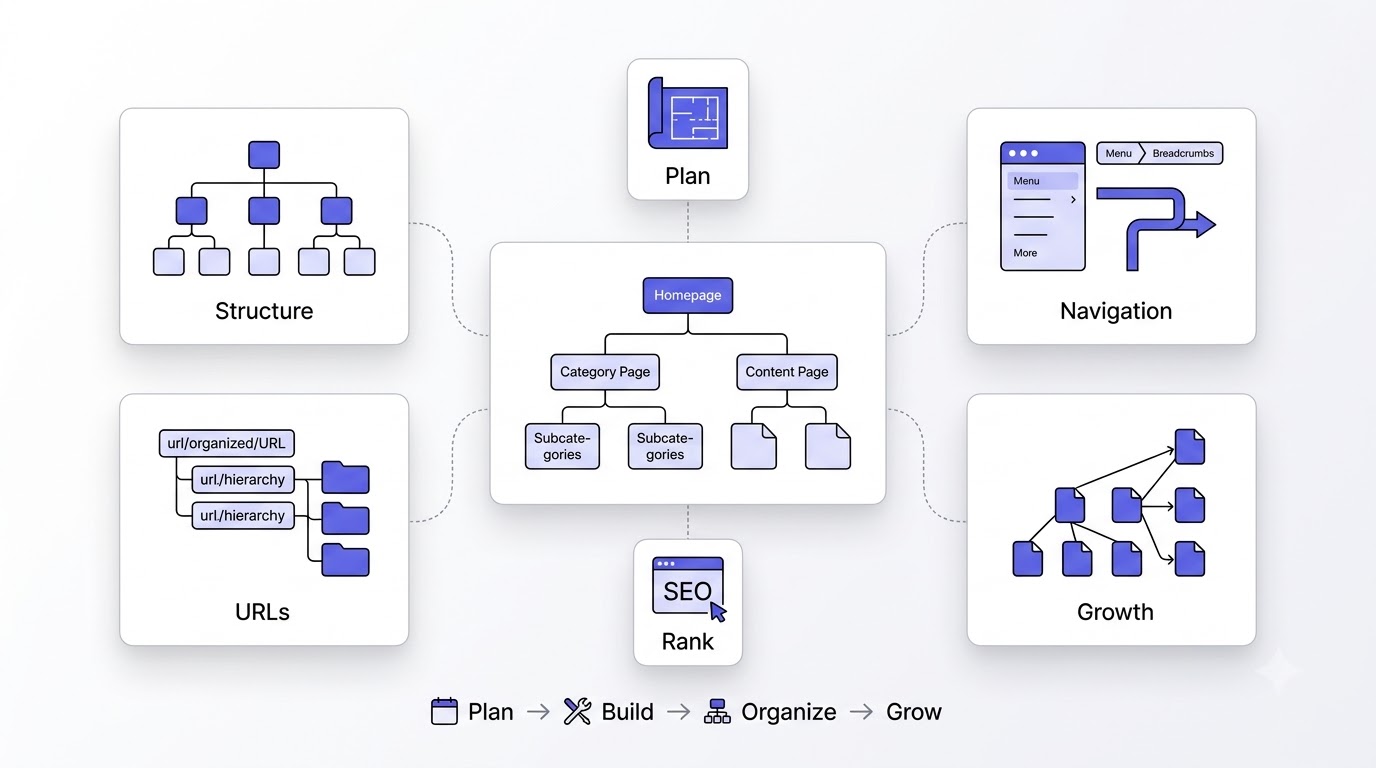
Before getting into specific architecture types, it helps to nail down the principles that apply no matter which structure you end up choosing. These are the non-negotiables.
Simplicity
The best architecture is the one a first-time visitor can understand without thinking about it. If you have to explain your own navigation to someone, it’s too complicated. Simplicity means fewer top-level categories, clearer labels, and resisting the urge to add a menu item for every single thing your business does.
Logical Hierarchy
Every page should sit at a level that reflects its actual importance and specificity. Broad topics belong near the top, closer to the homepage, and increasingly specific pages sit deeper. A blog post about a niche subtopic shouldn’t sit at the same URL depth as your main service page, because that mismatch confuses both users and crawlers.
Scalability
Structure needs to handle growth without requiring a rebuild. If you’re planning to add fifty new product pages next year, your category structure needs folders and taxonomy that can absorb that growth logically, rather than forcing you to invent new categories on the fly that don’t connect to anything else.
Crawl Efficiency
Every unnecessary click, redirect, or dead-end page eats into the limited crawl budget Google allocates to your site, especially if it’s a larger domain. Efficient architecture minimizes waste: no orphan pages, no redirect chains, no duplicate category structures competing for the same crawl attention.
User-Centric Navigation
Structure should be built around how real users search and think, not around your internal org chart. A common mistake is organizing a site by department (like a company would internally) instead of by what customers are actually looking for when they land on the site, which are two very different mental models.
Consistency
URL patterns, category naming, and navigation labels should stay consistent across the entire site. If your blog uses /blog/category/post-title/ in one place and /articles/post-title/ somewhere else, you’re fragmenting both user trust and the crawl signals that help Google understand your site as one coherent structure.
Topic Organization
Grouping content by topic rather than by date, format, or internal convenience is one of the highest-leverage architectural decisions you can make. Topic-first organization is what makes clusters, silos, and hub-and-spoke models work, and it’s the single biggest shift most older websites need to make.
Clear URL Structure
URLs should read like a sentence describing where the page sits: domain, category, subcategory, page. A URL like /shoes/running/mens-trail-runners/ tells a user and a crawler exactly what to expect before the page even loads, which builds trust and supports keyword relevance at the same time.
Minimal Click Depth
Every important page, meaning anything you want ranking or converting, should be reachable within three clicks from the homepage. Beyond that, both crawl frequency and user patience drop off fast. Click depth isn’t about total page count, it’s about how deliberately you’ve linked things together.
Types of Website Architecture
There isn’t one correct website architecture that fits every site. The right choice depends on the size of your site, the type of content, and how users actually navigate to what they need. Here’s a breakdown of the main models and where each one actually works.
Hierarchical Architecture
This is the most common model: a homepage at the top, broad categories underneath, then subcategories and individual pages below those, like an upside-down tree. The benefit is that it’s intuitive for both users and search engines, and it scales cleanly as you add more categories or products. The drawback is that if categories aren’t planned well upfront, you end up with awkward overlaps or orphaned subcategories later. It’s the best default for ecommerce stores, corporate sites, and most content-heavy blogs.
Sequential Architecture
Sequential architecture forces users through a specific linear path, page one leads to page two, which leads to page three, and so on. It works well for guided processes like online courses, checkout flows, or step-by-step tutorials where order genuinely matters. The drawback for SEO is that sequential pages often aren’t meant to be discovered independently through search, so this model should be reserved for functional flows, not for your primary content structure.
Matrix Architecture
Matrix architecture lets users move between pages through multiple different paths rather than one fixed hierarchy, similar to how Wikipedia links related topics across many different entry points. It gives users freedom but can confuse both visitors and crawlers if there’s no clear primary hierarchy underneath it. It works best layered on top of a hierarchical structure, not as a replacement for one, since pure matrix structures rarely give Google clean signals about page importance.
Database-Driven Architecture
This is common on large ecommerce and marketplace sites where pages are generated dynamically from a database based on filters, attributes, or user queries. It scales incredibly well for huge catalogs but creates real SEO risk through duplicate content and thin, near-identical pages if filters aren’t managed with canonical tags and careful indexing rules. Done right, it powers massive product catalogs efficiently. Done wrong, it floods Google’s index with junk.
Silo Website Architecture
Silo architecture groups content into strictly separated topical sections, where pages within a silo link heavily to each other and rarely, if ever, link outside that silo. It’s a stronger, more rigid version of topic clustering, popular with SEOs specifically because it concentrates topical relevance signals tightly. The tradeoff is flexibility. Rigid silos can feel unnatural for users and make cross-topic content awkward to place.
Hub-and-Spoke Architecture
A hub page covers a broad topic and links out to several spoke pages that each cover a specific subtopic, with the spokes linking back to the hub. It’s nearly identical in concept to topic clusters, and it’s particularly effective for service-based businesses that want one strong page ranking for a broad, competitive term while spoke pages capture long-tail variations.
Topic Cluster Model
The topic cluster model organizes an entire content strategy around pillar pages (broad, comprehensive) and cluster pages (narrow, specific), all interlinked in both directions. It’s currently the model most actively rewarded by Google’s systems because it maps so directly onto how Google evaluates topical depth and authority. Most content-heavy sites, blogs, SaaS knowledge hubs, and agency sites benefit the most from adopting this as their core model.
Quick comparison:
| Architecture Type | SEO Strength | Scalability | User Experience | Maintenance | Best Industry |
|---|---|---|---|---|---|
| Hierarchical | Strong | High | Strong | Moderate | Ecommerce, corporate |
| Sequential | Weak (standalone) | Low | Strong (guided) | Low | Courses, checkout flows |
| Matrix | Moderate | Moderate | Moderate | High | Large content hubs |
| Database-Driven | Risky without control | Very High | Strong | High | Marketplaces, large ecommerce |
| Silo | Very Strong | Moderate | Moderate | Moderate | Niche SEO-focused sites |
| Hub-and-Spoke | Strong | High | Strong | Moderate | Service businesses |
| Topic Cluster | Very Strong | High | Strong | Moderate | Blogs, SaaS, agencies |
Understanding Website Hierarchy
Hierarchy is the skeleton of your architecture, the actual levels pages sit at and how they relate top to bottom. Getting each layer’s purpose right prevents the confusion that creeps in as a site grows past its first fifty pages.
Homepage
The homepage sits at the top of the hierarchy and usually carries the most internal and external link equity of any page on the site. Its job is to guide visitors and crawlers toward your main categories quickly, not to try to explain everything about your business in one scroll. Overloaded homepages dilute the very authority they’re supposed to distribute.
Category Pages
Category pages sit directly under the homepage and represent your broadest content or product groupings. They should have enough unique content and internal links to rank on their own, not just function as a menu with a paragraph slapped on top. Weak category pages are one of the most common reasons hierarchical sites underperform.
Subcategory Pages
Subcategories sit beneath categories and narrow the focus further, splitting a broad group into more specific segments users are actually searching for. A category like “Running Shoes” might split into subcategories like “Trail Running Shoes” and “Road Running Shoes,” each targeting a more specific, often less competitive keyword.
Service Pages
Service pages describe what a business actually offers and typically sit one or two levels below the homepage. They carry heavy commercial intent, so they need direct, clear internal links from both the homepage and related blog content, since these are usually the pages closest to driving actual revenue.
Product Pages
Product pages sit at the bottom of an ecommerce hierarchy, under categories and subcategories, and represent the most specific, highest-intent pages on the site. They need unique descriptions, not manufacturer copy pasted across a thousand competing stores, or Google will treat them as duplicate and suppress them in results.
Landing Pages
Landing pages are often built for a specific campaign or offer and don’t always fit neatly into the main hierarchy. They still need at least one clear internal link path so they aren’t orphaned, even if they’re primarily driven by paid traffic rather than organic search discovery.
Blog Categories
Blog categories organize articles into topical groups and function similarly to product categories: they need enough supporting content and internal linking to stand as real pages, not just an automated tag listing with no unique value of their own.
Blog Posts
Individual blog posts sit at the deepest level of the content hierarchy and should link both upward to their category or pillar page and sideways to related posts within the same topic. Posts with no internal links pointing to them are extremely common on older blogs and quietly waste a huge amount of content investment.
Resource Pages
Resource pages, things like glossaries, downloadable guides, or tool pages, often sit outside the standard product or blog hierarchy but still need a clear home and internal links from relevant category or blog pages, or they end up forgotten and unindexed.
Contact & Trust Pages
Pages like About, Contact, and Privacy Policy don’t drive much organic traffic directly, but they support trust signals Google factors into overall site quality, especially for YMYL-adjacent topics. They should be easy to reach from anywhere on the site, usually via the footer.
Flat vs Deep Website Architecture
One of the most consequential structural decisions is how many levels deep your site goes before reaching individual pages. This single choice affects crawl efficiency, link equity distribution, and how quickly new content gets discovered.
What Is Flat Architecture?
Flat architecture keeps most pages within two or three clicks of the homepage, using broad categories with many pages linked directly beneath them rather than long chains of nested subcategories. It prioritizes crawl efficiency and fast discovery over granular organization.
What Is Deep Architecture?
Deep architecture nests content through several layers of categories and subcategories before reaching an individual page, sometimes five or six clicks from the homepage. It’s common on large sites trying to organize massive catalogs into very specific, granular segments.
Advantages of Flat Architecture
Flat structures get crawled more completely and more often because there’s less distance between the homepage and any given page. Link equity also distributes more efficiently since it doesn’t get diluted across as many intermediate category layers before reaching the actual content.
Disadvantages of Deep Structures
Deep structures risk pages sitting so far from the homepage that they rarely get crawled, and any link equity reaching them has already passed through multiple layers, losing strength at each step. They’re also just harder for users to navigate without getting lost or giving up.
Ideal Click Depth
Most SEOs agree that three clicks from the homepage is the practical ceiling for any page you want ranking well. Four is workable if the page isn’t a priority target. Beyond five, you’re effectively telling both Google and your users that the page doesn’t matter much.
Which Structure Google Prefers
Google doesn’t explicitly favor flat over deep as a rule, but it consistently rewards whichever structure gets important pages crawled, indexed, and linked efficiently, and flat structures simply do that more reliably for most sites. Massive catalogs sometimes need some depth for genuine organizational clarity, but even then, flattening wherever possible tends to outperform deep nesting for its own sake.
Planning Website Architecture Before Building Your Website
Architecture planned before development is dramatically cheaper and cleaner than architecture retrofitted onto a site that’s already live. This is the stage most teams skip, and it’s the reason so many sites need a painful restructure two years in.
Define Business Goals
Start with what the business actually needs the site to do: sell products, generate leads, build authority, or some mix of all three. Every category and page priority downstream should trace back to one of these goals, otherwise you end up building structure around content that doesn’t move the business forward.
Understand Search Intent
Look at what people are actually typing into Google around your topic and what kind of result they expect, informational, navigational, commercial, or transactional. Structure needs to match intent: a commercial-intent term deserves a service or product page, not a blog post buried in a category no one browses.
Perform Keyword Research
Keyword research isn’t just for individual pages, it’s what determines your categories in the first place. Group keywords by shared intent and topic before you decide on a single category name, so the structure reflects real search demand instead of internal guesswork about what customers care about.
Create Topic Clusters
Once keywords are grouped, map them into pillar and cluster relationships. A broad, high-volume term becomes your pillar page, and the more specific, lower-volume variations become the supporting cluster content that links back to it, forming the backbone of your topical structure.
Group Similar Keywords
Beyond clusters, look for keyword overlaps that suggest pages should be combined rather than split. Splitting nearly identical keyword intents into separate thin pages is one of the fastest ways to create internal competition, where two of your own pages fight each other for the same ranking spot.
Build a Content Map
A content map lays out every planned page, its target keyword, its URL, and what it links to, all before a single page goes live. It sounds tedious, but it catches structural gaps and overlaps far earlier and far cheaper than discovering them after launch.
Design Category Structure
Turn your keyword clusters into an actual category tree: primary categories, subcategories, and the pages beneath them. Keep the tree as shallow as the content genuinely allows, and resist adding a category just because a competitor has one if your own keyword data doesn’t support it.
Prepare Navigation Flow
Map out how users move from the homepage to any given page through your planned menu and internal links, before development starts. If a path feels awkward on paper, it will feel worse once it’s actual code, so fix it at the planning stage.
Creating SEO-Friendly URL Structures
URLs are one of the most visible pieces of your architecture, showing up in search results, browser tabs, and shared links. Small mistakes here compound across thousands of pages on a larger site.
Characteristics of Good URLs
A good URL is short, readable, lowercase, and reflects the page’s position in the hierarchy without unnecessary parameters or IDs. Someone should be able to read the URL alone and have a reasonable guess at what the page contains before ever clicking it.
Keyword Placement
Include the primary keyword naturally in the URL slug, but don’t force in every variation you’re targeting. A URL like /technical-seo-audit/ is clean and relevant. A URL like /technical-seo-audit-checklist-guide-2026-free/ is keyword stuffing dressed up as a URL.
Folder Structure
Folders in a URL should mirror your actual hierarchy: /services/seo/technical-seo/ tells Google exactly where this page sits relative to broader categories. Skipping folder structure entirely and dumping every page at the root level throws away a genuinely useful relevance signal.
Dynamic vs Static URLs
Static URLs (fixed, human-readable) are almost always preferable to dynamic URLs full of query parameters and session IDs, which are harder for both users and crawlers to interpret and can create duplicate content issues if the same page is reachable through multiple parameter combinations.
URL Length
Shorter URLs tend to perform slightly better and are far easier to share and remember, but this isn’t a hard ranking factor on its own. The real issue with long URLs is usually that they’re a symptom of over-nested folder structures or keyword stuffing, not the length itself.
Hyphens vs Underscores
Always use hyphens to separate words in a URL, never underscores. Google reads hyphens as word separators but treats underscores as connecting characters, meaning “seo_audit” can get read as one word instead of two, which quietly hurts keyword matching.
Canonical URLs
Canonical tags tell Google which version of a page is the “real” one when multiple URLs could show similar or duplicate content, like a product page reachable through several filter combinations. Missing or incorrect canonicals are one of the most common causes of unnecessary duplicate content penalties.
HTTPS Importance
Every URL on the site should run on HTTPS, not just for the security signal Google explicitly confirmed as a ranking factor, but because mixed HTTP and HTTPS versions of the same page create duplicate content issues that are entirely avoidable with a proper site-wide redirect.
Good vs bad URL example: Good: example.com/services/technical-seo/ Bad: example.com/index.php?page=23&cat=seo&ref=99
Website Navigation Best Practices
Navigation is where your architecture becomes visible and usable. Even a perfectly planned hierarchy fails if the menu built on top of it doesn’t communicate that structure clearly.
Primary Navigation
Primary navigation should reflect your top-level categories only, kept to a manageable number, generally under seven or eight items. Cramming every service or product line into the main menu overwhelms visitors and dilutes the relevance signal each menu link is supposed to carry.
Secondary Navigation
Secondary navigation, often shown as sidebar menus or in-page filters, handles subcategories and more specific options without cluttering the primary menu. It gives users a way to drill down once they’ve already committed to a broad category from the main navigation.
Mega Menus
Mega menus work well for sites with large catalogs or many service lines, since they expose more of the hierarchy at once without forcing users through multiple clicks. The risk is overloading them with so many links that neither users nor crawlers can tell what actually matters most.
Sticky Navigation
A sticky menu that stays visible while scrolling keeps navigation accessible on long pages, which matters more on content-heavy sites like blogs or resource hubs where users might scroll for a while before deciding to jump elsewhere.
Mobile Navigation
Mobile navigation usually condenses into a hamburger menu, but that condensing shouldn’t hide your architecture entirely. Group items logically within the mobile menu the same way you would on desktop, since more than half of most sites’ traffic is arriving on mobile first.
Footer Navigation
The footer is a good home for secondary links, legal pages, and less prominent but still important pages like a sitemap link or resource hub, giving crawlers and users another path to reach pages that don’t fit naturally in the primary menu.
HTML Navigation
Navigation should be built with real, crawlable HTML links rather than JavaScript-only interactions that don’t render a proper anchor tag. If Googlebot can’t see an actual href in the page’s rendered HTML, that navigation path might not get followed at all.
Navigation Accessibility
Accessible navigation, meaning it works with keyboard-only input and screen readers, isn’t just a compliance checkbox. It overlaps heavily with crawlability, since both accessibility tools and search bots rely on clean, semantic HTML to understand what a menu item actually links to.
Internal Linking Strategy for SEO
Internal linking is where architecture actually gets executed page by page. You can have a perfect category structure on paper, but if the individual pages don’t link to each other correctly, none of that planning translates into real SEO value.
What Is Internal Linking?
Internal linking is the practice of connecting pages on your own site to each other through hyperlinks, guiding both users and search engines through your content. Every internal link is a vote of relevance from one page to another, and the anchor text used tells Google what that destination page is about.
Why Internal Links Matter
Internal links are the primary way Google discovers new pages and understands how pages relate to each other. Without them, even a brilliant piece of content sitting at a valid URL might never get crawled, indexed, or associated with the topic it’s actually targeting.
Link Equity Distribution
Pages with more internal links pointing to them, especially from high-authority pages like the homepage, tend to rank better because they’re receiving more of the site’s overall link equity. Deliberately linking to priority pages from multiple relevant locations is one of the most underused SEO tactics available.
Contextual Links
Links placed naturally within body content carry more relevance weight than links stuffed into a sidebar or footer, because the surrounding text gives Google additional context about why that link exists. A sentence that naturally references and links to a related article does more SEO work than a generic “related posts” widget.
Navigation Links
Menu links matter for structure and equity distribution, but they’re repeated identically across every page on the site, which dilutes their individual relevance signal compared to a unique contextual link placed specifically because it’s relevant to that one piece of content.
Related Posts
Automated related-posts sections are useful for keeping users engaged and reducing bounce rate, but they shouldn’t replace deliberate, manually chosen internal links within your actual content. Automated widgets often surface loosely related content instead of the genuinely most relevant page.
Breadcrumb Links
Breadcrumbs provide a consistent internal linking pattern showing the hierarchy path back to the homepage, and they reinforce the same structural signals your main navigation does, just in a smaller, more contextual format that also shows up in search result snippets.
Anchor Text Best Practices
Anchor text should describe the destination page clearly and naturally, ideally including a relevant keyword without being forced or repetitive. Avoid generic anchors like “click here” across the board, since they waste an opportunity to reinforce topical relevance for the linked page.
Avoiding Orphan Pages
Orphan pages, pages with zero internal links pointing to them, are essentially invisible to both users browsing the site and crawlers discovering it through links. Regular audits should specifically hunt for these, since they’re easy to create by accident when content gets published without a deliberate linking plan.
Internal Linking Mistakes
The most common mistakes include linking excessively to the homepage instead of deeper relevant pages, using the same handful of anchor texts everywhere, and never revisiting old content to add links to newer, related pages once they’re published.
Breadcrumbs and Their SEO Benefits
Breadcrumbs are a small structural element that pays off disproportionately for how simple they are to implement. They reinforce hierarchy, help users, and often show up directly in Google’s search results.
What Are Breadcrumbs?
Breadcrumbs are a horizontal trail of links, usually near the top of a page, showing the path from the homepage down to the current page, like Home > Services > Technical SEO > Site Audit. They give users an instant sense of where they are within the larger structure.
Types of Breadcrumbs
The most common type mirrors location within the hierarchy, but attribute-based breadcrumbs (common on ecommerce filters) and history-based breadcrumbs (showing the user’s actual click path) also exist. Location-based breadcrumbs are generally the strongest choice for SEO because they reflect your actual site structure.
Schema Markup
Adding BreadcrumbList schema markup to your breadcrumb trail helps Google understand and display that hierarchy directly in search results as a clickable path beneath your listing, which improves both click-through rate and how clearly Google understands the page’s position in your structure.
User Experience Benefits
Beyond SEO, breadcrumbs reduce the number of times a user hits the back button to reorient themselves, since they can jump directly to any parent category from wherever they currently are on the site, which keeps sessions longer and bounce rates lower.
Google Rich Results
When implemented with proper schema, breadcrumbs frequently appear in place of the raw URL in search results, replacing a clunky string of slashes and parameters with a clean, readable path that builds more trust and gets more clicks than the default display.
Category and Tag Structure
Categories and tags are two of the most misused organizational tools on content-heavy sites, often applied interchangeably when they should serve entirely different purposes.
Categories vs Tags
Categories represent your primary, structural organization, the actual hierarchy a piece of content belongs to. Tags are supplementary, cross-cutting labels that connect content across different categories based on a shared attribute. A blog post should have one primary category but can carry several relevant tags.
Creating SEO Categories
Categories should map directly to your keyword research and topic clusters, not to arbitrary internal groupings. Each category needs to justify its own existence with enough unique supporting content to be worth ranking as its own page, not just function as a folder name.
Tag Best Practices
Keep tags focused and reused consistently rather than creating a new tag for every post. A tag used on only one piece of content provides no real organizational value and just adds another thin, low-value page to your site that Google has to crawl for nothing.
Avoid Thin Archives
Category and tag archive pages with only one or two pieces of content read as thin, low-value pages to Google. Either build out enough content to justify the archive page existing, or noindex it until there’s enough there to make it worthwhile.
Managing Large Blogs
On blogs with hundreds of posts, periodically auditing categories and tags prevents structural drift, where categories multiply over time until the original organizational logic completely breaks down and nobody, including Google, can tell what the site is actually organized around anymore.
Website Taxonomy for Large Websites
Taxonomy is the formal system of categories, labels, and relationships used to organize content at scale. Larger sites need this formalized far earlier than smaller ones, because informal organization breaks down fast once you cross a few hundred pages.
E-commerce Sites
Ecommerce taxonomy typically follows product type, then brand or attribute filters underneath. The challenge is managing filtered and faceted pages so they don’t create thousands of near-duplicate URLs competing against each other for the same search terms.
SaaS Websites
SaaS taxonomy usually splits between product pages, use-case pages, and a resource or knowledge base section, each needing its own internal structure while still connecting back to core product pages that drive actual conversions.
Agency Websites
Agency sites organize around service lines first, then supporting content and case studies underneath each service, which helps demonstrate topical authority in each specific service area rather than presenting one generic “services” page trying to cover everything at once.
Educational Platforms
Educational platforms typically organize by subject, then course level, then individual lessons or modules, mirroring the sequential learning path while still keeping each subject area crawlable and discoverable independently through search.
News Websites
News sites organize primarily by section (politics, sports, business) with a strong emphasis on freshness and fast indexing, since taxonomy here needs to support rapid publishing volume without turning into an unmanageable pile of uncategorized articles.
Enterprise Websites
Enterprise sites often manage multiple product lines, regions, and languages simultaneously, requiring taxonomy that scales across all of those dimensions without duplicating structure unnecessarily or creating conflicting hierarchies between different regional or departmental teams.
XML Sitemaps and HTML Sitemaps
Sitemaps are a direct communication channel to search engines and users about what pages exist on your site, and they work alongside, not instead of, a solid internal linking structure.
XML Sitemap
An XML sitemap lists every important URL on your site in a machine-readable format submitted directly to Google Search Console, giving crawlers a reliable backup path to discover pages, especially useful for very large sites or pages that are harder to reach through links alone.
HTML Sitemap
An HTML sitemap is a user-facing page listing site sections and links, useful mainly on smaller or older sites where navigation alone might not surface every page. It’s become less critical as internal linking practices have improved, but it’s still a helpful safety net.
Image Sitemap
An image sitemap tells Google specifically about images on your site that might not be discoverable through standard crawling, useful for sites depending on visual search traffic, like ecommerce product photography or design portfolios.
Video Sitemap
A video sitemap provides metadata about video content, including duration, thumbnail, and description, helping Google index and potentially feature video content in search results, particularly relevant for tutorial-heavy or media sites.
News Sitemap
A dedicated news sitemap is required for sites wanting to appear in Google News, since it uses a different, faster-indexing format built specifically for time-sensitive published articles.
Best Practices
Keep sitemaps updated automatically as content changes, exclude noindexed or low-value pages from them, and split sitemaps by content type on larger sites rather than dumping everything into a single massive file that’s harder to monitor and troubleshoot.
Robots.txt, Crawl Budget, and Indexability
Robots.txt and related technical controls determine what search engines are even allowed to look at, which makes them a critical, easily misconfigured part of architecture.
Understanding Crawl Budget
Crawl budget is the amount of time and resources Google is willing to spend crawling your site during a given period, and it’s not unlimited, especially for larger sites. Wasting it on low-value pages directly reduces how often your important pages get revisited and re-indexed.
Robots.txt
The robots.txt file tells crawlers which sections of the site they’re allowed or not allowed to access. Misconfiguring it, like accidentally blocking an entire directory of important pages, is a shockingly common and often invisible cause of sudden ranking drops.
Noindex
The noindex tag tells Google not to include a specific page in search results, even if it’s crawled. It’s the right tool for thin, duplicate, or purely functional pages like internal search results or admin-facing pages that shouldn’t ever show up in organic search.
Canonical Tags
Canonical tags consolidate ranking signals when multiple URLs show similar content, telling Google which version should be treated as authoritative. Missing canonicals on filtered or paginated pages is one of the most frequent technical issues found in larger site audits.
Redirect Chains
A redirect chain happens when URL A redirects to URL B, which redirects to URL C, and so on. Each hop wastes crawl budget and slightly dilutes link equity. Chains should be flattened to a single direct redirect wherever they’re found.
Duplicate Content
Duplicate content confuses Google about which version of a page to rank, splitting ranking signals across multiple URLs instead of consolidating them onto one. It commonly comes from URL parameters, printer-friendly page versions, or HTTP and HTTPS duplicates left unresolved.
Faceted Navigation Issues
Faceted navigation, common on ecommerce filters (size, color, price range), can generate an enormous number of URL combinations, most of which shouldn’t be indexed. Managing this with canonicals, noindex rules, or robots.txt disallow patterns is essential on any site using heavy filtering.
Website Architecture for Different Website Types
Different site types need meaningfully different architectural approaches, and applying a generic template without adjusting for the site’s actual purpose is a common source of structural mismatch.
Local Business Website
Local business sites benefit from a flat structure centered around service and location pages, keeping the path from homepage to any given service extremely short, since local intent searches expect fast, direct answers.
Corporate Website
Corporate sites typically organize around About, Services or Products, Resources, and Contact, with enough depth to demonstrate authority but not so much that key pages get buried under unnecessary internal departments and sub-departments.
Blog Website
Blog-focused sites benefit heavily from the topic cluster model, organizing posts around pillar pages and tightly interlinked cluster content rather than a simple chronological or tag-based structure alone.
Affiliate Website
Affiliate sites need a structure built around comparison and review content, usually organized by product category, with clear internal links pushing users toward the highest-converting comparison and buying-guide pages.
Ecommerce Website
Ecommerce architecture centers on category and subcategory hierarchy leading to product pages, with careful management of filtered navigation to avoid the duplicate content issues that plague poorly managed online stores.
SaaS Website
SaaS sites need a structure balancing product pages, use-case pages, and a scalable resource hub, since these sites often grow their content section far faster than their core product pages once a content strategy takes off.
Portfolio Website
Portfolio sites, common for freelancers and creative agencies, benefit from simple, flat structures organized by service type or project category, since the primary goal is usually fast browsing rather than deep topical SEO depth.
Marketplace
Marketplace sites combine ecommerce-style category structure with additional complexity from multiple vendors, requiring careful taxonomy planning so listings from different sellers still map cleanly into a single consistent structure.
Mobile-First Website Architecture
Google indexes the mobile version of your site by default, which means architecture decisions need to be evaluated on mobile first, not adapted from a desktop-first mindset after the fact.
Mobile Navigation
Mobile navigation needs to condense your hierarchy without hiding it. A hamburger menu that buries important categories three taps deep undermines the same click-depth principles that matter on desktop, just in a smaller format.
Responsive Structure
A responsive structure should present the same content and same internal links on mobile as on desktop. Hiding content or links specifically on the mobile version, sometimes done for design simplicity, actively hurts SEO since Google is primarily evaluating that mobile version.
Touch-Friendly Menus
Navigation elements need adequate spacing and sizing for touch input, since a cramped mobile menu increases the chance users tap the wrong link or give up navigating altogether, both of which hurt engagement metrics.
Mobile Crawlability
Ensure that JavaScript-dependent navigation renders correctly on mobile crawls specifically, since mobile rendering can behave differently than desktop rendering, occasionally hiding menu items or links that desktop testing wouldn’t catch.
Mobile UX Best Practices
Keep primary actions and top categories immediately visible or one tap away, minimize pop-ups that block content on small screens, and test actual click depth on a real mobile device, not just a resized desktop browser window.
Website Architecture and Core Web Vitals
Structure and performance are more connected than most site owners realize. A bloated architecture often shows up directly as poor Core Web Vitals scores.
Largest Contentful Paint (LCP)
LCP measures how long it takes the largest visible element to load. Category pages overloaded with excessive widgets, filters, and cross-links, often a symptom of poorly planned architecture, tend to load slower and hurt this metric directly.
Interaction to Next Paint (INP)
INP measures how responsive a page feels when a user interacts with it. Heavy, deeply nested navigation menus with excessive JavaScript can introduce noticeable lag, particularly on mobile devices with less processing power.
Cumulative Layout Shift (CLS)
CLS measures unexpected visual shifting as a page loads. Complex mega menus and dynamically loaded navigation elements are common culprits, especially when menu items load after the initial page render and shift surrounding content.
Performance Optimization
Simplifying navigation, reducing unnecessary internal widgets on category pages, and flattening redirect chains all improve Core Web Vitals as a side effect of cleaning up architecture, showing how tightly structure and technical performance are actually linked.
Schema Markup and Website Structure
Schema markup gives search engines explicit, structured data about your pages, reinforcing the same relationships your architecture already establishes through links and hierarchy.
Organization Schema
Organization schema identifies your business entity clearly to Google, connecting your site’s structure to a recognized entity in the Knowledge Graph, which supports brand-related search features and knowledge panels.
Breadcrumb Schema
Breadcrumb schema formalizes the hierarchy your breadcrumb navigation already displays, letting Google show that path directly in search results instead of a raw URL string.
Article Schema
Article schema helps Google understand blog and news content specifically, including publish date and author, which supports better display in search results and news-related features.
FAQ Schema
FAQ schema marks up question-and-answer content so it can appear as expandable rich results directly in search, giving FAQ sections (like the one at the end of this guide) extra visibility beyond the standard blue link.
Product Schema
Product schema provides Google with structured pricing, availability, and review data for ecommerce pages, which frequently shows up as rich snippets with star ratings and price directly in search results.
Service Schema
Service schema identifies the specific services a business offers, reinforcing the same categorization your service page hierarchy already establishes, and supporting local and service-specific search features.
Common Website Architecture Mistakes
Most structural problems fall into a fairly predictable set of mistakes, seen over and over across sites of every size and industry.
Too Many Clicks to Important Pages
Burying priority pages under multiple layers of navigation is one of the most damaging and most common mistakes, since it directly reduces both crawl frequency and the chance a user ever actually finds that page.
Broken Internal Links
Links pointing to deleted or moved pages waste crawl budget and create a frustrating dead end for users. Regular link audits should catch these before they accumulate into a real problem across a large site.
Orphan Pages
Pages with no internal links pointing to them are effectively invisible, no matter how good the content is. This happens constantly when content gets published without a deliberate plan for where it should be linked from.
Duplicate Categories
Overlapping categories covering nearly the same topic split both content and ranking signals between them, competing against each other instead of consolidating authority into one strong page.
Thin Content
Category and archive pages with minimal unique content read as low-value to Google, regardless of how well they’re positioned structurally, since structure alone can’t compensate for a page that doesn’t actually say much.
Poor URL Structure
Inconsistent, parameter-heavy, or overly nested URLs confuse both users and crawlers, and cleaning them up after the fact usually requires a careful redirect strategy to avoid losing existing rankings in the process.
Overuse of Tags
Creating a new tag for nearly every post floods the site with thin, low-value archive pages that add crawl burden without adding any real organizational or ranking value.
Weak Navigation
Navigation that doesn’t accurately reflect the site’s actual hierarchy misleads both users and search engines about what’s genuinely important, undermining even a well-planned underlying structure.
Missing Breadcrumbs
Skipping breadcrumbs removes a low-effort, high-value structural signal and a genuinely useful navigation aid, especially on deeper sites where users benefit from an easy way back up the hierarchy.
Ignoring Mobile Users
Building architecture with a desktop-first mindset, then adapting it awkwardly for mobile, consistently produces a worse experience on the platform Google actually prioritizes for indexing and ranking.
How to Audit Your Website Architecture
Periodic audits catch structural drift before it turns into a real ranking problem. Here’s a practical process for reviewing an existing site’s architecture.
Crawl Your Website
Run a full site crawl using a tool built for this purpose to get a complete map of every existing URL, redirect, and broken link currently live on the site, which becomes the foundation for the rest of the audit.
Analyze Internal Links
Review which pages receive the most internal links and which receive none, comparing that distribution against which pages actually matter most for the business, and adjust linking to close the gap wherever it exists.
Check Click Depth
Measure how many clicks it takes to reach every important page from the homepage, flagging anything beyond three clicks for restructuring or additional internal linking to shorten that path.
Review URL Structure
Check for consistency, unnecessary parameters, and proper use of hyphens across the site’s URLs, noting any patterns that would benefit from cleanup, kept in mind alongside the redirect work that cleanup would require.
Identify Orphan Pages
Cross-reference your full crawl list against your internal link data to find pages receiving zero internal links, then decide whether to link them properly, consolidate them into existing pages, or remove them entirely.
Evaluate Crawl Errors
Check Google Search Console’s coverage report for crawl errors, blocked resources, and pages excluded from indexing, since these often reveal architecture problems that aren’t obvious just from browsing the site manually.
Measure User Flow
Look at analytics data for how users actually move through the site, comparing that real behavior against the intended navigation paths to spot mismatches between planned structure and actual usage.
Prioritize Improvements
Rank the issues found by potential impact, usually starting with orphan pages and click-depth problems on high-value pages, before moving on to smaller cleanup tasks like tag consolidation or minor URL inconsistencies.
Best Tools to Analyze Website Architecture
The right tools make architecture audits far faster and more accurate than trying to manually click through a large site.
Google Search Console
Search Console shows exactly how Google is crawling and indexing your site, including coverage issues, crawl stats, and which pages are excluded, making it the first stop for any architecture audit.
Google Analytics 4
GA4 reveals actual user behavior and navigation paths, helping identify where real visitors are getting stuck or dropping off, which often points directly to a structural or navigation problem worth fixing.
Screaming Frog SEO Spider
Screaming Frog crawls a site the way a search engine would, mapping every URL, redirect, internal link, and broken page in one report, making it one of the most widely used tools for a full structural audit.
Semrush Site Audit
Semrush’s site audit tool flags structural issues like orphan pages, redirect chains, and crawl depth problems automatically, alongside broader technical SEO health checks across the entire domain.
Ahrefs Site Audit
Ahrefs offers similar crawl-based auditing with strong internal link visualization, helping identify exactly how link equity is currently flowing (or not flowing) across the site’s existing structure.
Sitebulb
Sitebulb specializes in visualizing site structure and internal linking patterns as actual diagrams, which makes spotting architectural imbalances far more intuitive than reading through spreadsheet data alone.
PageSpeed Insights
PageSpeed Insights ties directly back into the Core Web Vitals discussion earlier, showing how structural bloat on specific pages, like an overloaded category page, is affecting real performance metrics.
Visual Site Mapper Tools
Dedicated site-mapping tools generate a visual tree of your entire architecture, making it much easier to spot duplicate categories, overly deep nesting, or unbalanced sections at a glance rather than piecing it together from raw crawl data.
Website Architecture Case Studies
Looking at how structure plays out across different site types makes the principles above easier to apply to a real, specific situation.
Ecommerce Website Example
An online retailer restructuring from a flat product list into clear category and subcategory hierarchy typically sees improved rankings for category-level keywords within a few months, since Google finally has a clear page to associate with that broader search term instead of splitting relevance across dozens of individual product pages.
SaaS Website Example
A SaaS company consolidating scattered blog content into a proper topic cluster model, with pillar pages for core use cases and interlinked supporting articles, tends to see ranking improvements specifically on competitive, broad terms that individual blog posts alone struggled to rank for on their own.
Local Business Example
A local service business flattening its structure so every service and location page sits within two clicks of the homepage, rather than nested under multiple unnecessary category layers, generally sees faster indexing of new location pages and stronger local pack visibility.
Enterprise Website Example
A large enterprise site consolidating duplicate regional and departmental structures into one consistent taxonomy usually recovers crawl budget previously wasted on redundant pages, freeing that budget to focus on genuinely important, revenue-driving pages instead.
Blog Website Example
A content site cleaning up years of inconsistent tagging and category sprawl into a focused set of pillar-driven categories typically sees stronger topical authority signals, since Google can finally see clear depth on specific subjects instead of scattered, loosely related posts.
Key lessons learned: structure changes take time to show full ranking impact, redirects need careful planning to avoid losing existing equity during a restructure, and the biggest wins consistently come from fixing click depth and internal linking on pages that already had decent content but poor discoverability.
Website Architecture Checklist (Actionable)
Planning checklist: define business goals, complete keyword research, map topic clusters, build a content map, and design a category structure before development begins.
Navigation checklist: limit primary navigation to essential categories, ensure mobile navigation mirrors desktop hierarchy, and confirm all navigation links use crawlable HTML anchors.
URL checklist: use hyphens not underscores, keep URLs short and readable, mirror folder structure to hierarchy, and run the entire site on HTTPS.
Internal linking checklist: eliminate orphan pages, link priority pages from multiple relevant locations, use descriptive anchor text, and add breadcrumbs with schema markup.
Crawlability checklist: review robots.txt for accidental blocks, submit an updated XML sitemap, fix redirect chains, and resolve duplicate content through proper canonical tags.
Mobile checklist: test click depth on an actual mobile device, ensure responsive navigation doesn’t hide content, and confirm touch targets are adequately sized.
Technical SEO checklist: monitor Core Web Vitals regularly, audit crawl stats in Search Console, and check indexing status for all priority pages.
Content organization checklist: consolidate duplicate categories, avoid thin tag archives, and ensure every category page has enough unique supporting content.
Maintenance checklist: schedule quarterly architecture audits, update sitemaps automatically, and review new content placement against the existing structure before publishing.
Conclusion
Website architecture isn’t a one-time setup task you finish before launch and never revisit. It’s an ongoing discipline that either compounds in your favor as the site grows or quietly erodes into the kind of mess that eventually needs a painful, expensive rebuild. Every new page, category, or product line is a small architectural decision, and those decisions add up fast.
Getting website architecture right pays off everywhere at once: faster crawling, quicker indexing, stronger topical authority, better user experience, and rankings that actually reflect the quality of the content you’ve already built. If you haven’t looked closely at your own site’s structure recently, that’s the next move. Run a crawl, check your click depth on the pages that matter most, and fix the internal linking gaps before you write another single piece of new content.
Frequently Asked Questions
What is website architecture in SEO?
Website architecture in SEO refers to how a site’s pages are organized, linked, and structured so search engines can crawl and index them efficiently while users can navigate intuitively. It covers hierarchy, URL structure, navigation, and internal linking as one connected system.
What is the ideal website structure?
The ideal structure is a shallow, logical hierarchy where important pages sit within three clicks of the homepage, organized around topic clusters that group related content together and link it consistently in both directions.
What is flat website architecture?
Flat architecture keeps most pages close to the homepage, usually within two or three clicks, prioritizing broad categories with many pages linked directly beneath them over deeply nested subcategory chains.
How many clicks should pages be from the homepage?
Most SEOs recommend keeping important pages within three clicks of the homepage. Beyond that, both crawl frequency and user patience tend to drop off noticeably.
Do breadcrumbs help SEO?
Yes. Breadcrumbs reinforce site hierarchy for search engines, provide additional internal links, and, when paired with schema markup, often appear directly in search results, improving both crawlability and click-through rate.
Does URL structure affect rankings?
URL structure isn’t a major standalone ranking factor, but clean, hierarchy-reflecting URLs support keyword relevance and crawlability, while messy URLs can contribute to duplicate content and indexing issues that do affect rankings.
How do internal links improve SEO?
Internal links help search engines discover new pages, distribute link equity across the site, and clarify topical relationships between related content, all of which support both crawling and ranking performance.
What is website taxonomy?
Website taxonomy is the formal system of categories, subcategories, and labels used to organize content or products, particularly important on larger sites where informal organization breaks down at scale.
How often should website architecture be updated?
A full architecture audit every quarter is a reasonable baseline for most active sites, with lighter checks whenever a significant amount of new content or new product lines are added.
Which architecture is best for ecommerce websites?
Hierarchical architecture, organized around clear category and subcategory pages leading to individual product pages, generally works best for ecommerce, combined with careful management of faceted navigation to avoid duplicate content.
What causes orphan pages and why do they matter?
Orphan pages happen when content gets published without any internal links pointing to it, often due to a rushed publishing process. They matter because search engines rely heavily on internal links for discovery, meaning an orphan page may never get crawled or indexed at all.
Is a sitemap a replacement for good internal linking?
No. A sitemap is a backup discovery mechanism, not a substitute for strong internal linking. Google still relies primarily on links to understand page relationships and importance, something a sitemap alone can’t communicate.
How does mobile-first indexing affect website architecture?
Since Google indexes the mobile version of a site by default, architecture decisions, including navigation and internal linking, need to be evaluated and tested on mobile first, not adapted from a desktop version after the fact.