

Most people don’t fail at Google Ads because the platform is hard. They fail because they open the account, click through the setup wizard in ten minutes, throw in a budget, and hit launch before they’ve thought about a single thing that actually matters. Then three days later they’re staring at a spend report wondering where ₹3,000 went with zero leads to show for it. That’s not a Google Ads problem. That’s a “I skipped every step that mattered” problem.
Here’s the thing nobody tells beginners upfront. Google Ads isn’t complicated. It’s just unforgiving. The platform will happily take your money no matter how sloppy your setup is. It won’t stop you from picking the wrong campaign type, ignoring negative keywords, or launching without conversion tracking. It’ll just let the algorithm burn through your budget while you learn the hard way.
This guide walks through the whole thing properly. Not theory, not “here’s what Google Ads is” fluff you could get from a Wikipedia page. Actual setup, actual decisions, actual mistakes to dodge, from opening the account to watching your first campaign through its first two weeks. By the end you’ll know how to build a campaign that has a real shot, not one that’s guessing.
Think about the last time you searched for something you actually wanted to buy. A pair of shoes, a plumber, a course, whatever it was. Chances are the first two or three results you clicked on were ads, and you didn’t even notice, because a good ad doesn’t feel like an interruption, it feels like the answer to what you were already looking for. That’s the whole game here. Get your setup right and your ad becomes exactly that, the answer someone was already searching for. Get it wrong and you’re just another business shouting into a room nobody’s listening to, and paying for the privilege.
“Google Ads doesn’t reward the biggest budget. It rewards the tightest structure.”
What Google Ads Actually Is (and Isn’t)
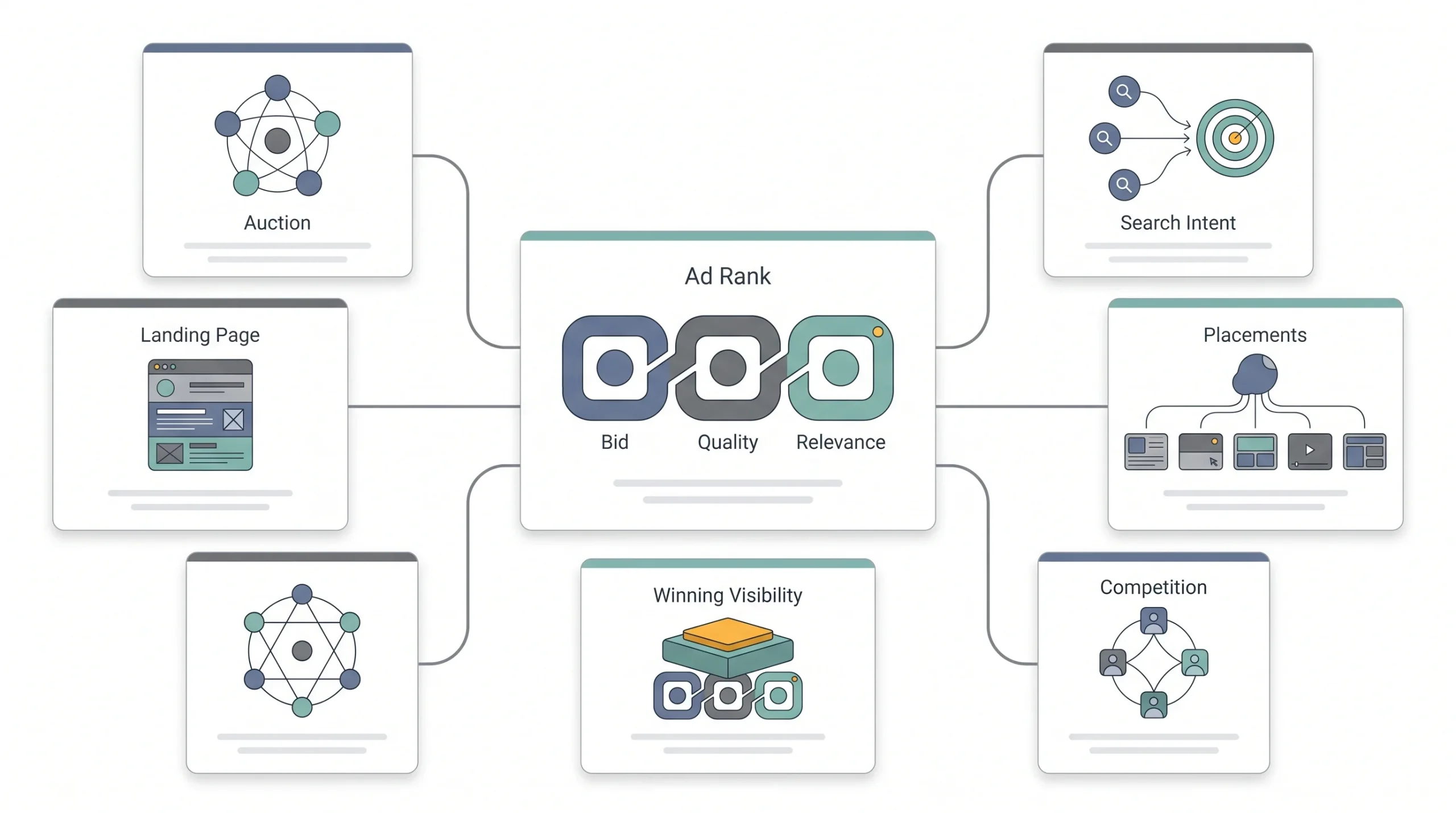
Google Ads runs on an auction. Every time someone types a search into Google, there’s a split-second bidding war happening behind the scenes between advertisers who want that click. You’re not paying for a guaranteed spot. You’re bidding for one, against other businesses doing the exact same thing, every single time someone searches.
Most people know Google Ads as “the ads on top of search results.” Fair, that’s the biggest use case. But the platform actually covers a handful of different placements. Search ads show up in the results page itself. Display ads show as banners across millions of websites and apps. YouTube runs video ads before and during content. Shopping ads show product listings with images and prices right in the search results. And then there’s Performance Max, which is Google’s newer automated format that runs across all of those placements at once using AI to decide where your ads show.
Here’s what that auction actually looks like in practice. Say three businesses are all bidding on “emergency plumber Jaipur.” Business A is willing to pay ₹80 a click and has a decent landing page. Business B is willing to pay ₹120 but their landing page loads slowly and barely mentions plumbing at all, it’s just a generic homepage. Business C is willing to pay ₹60 but has a landing page built specifically for emergency plumbing with clear pricing and a phone number front and center. In a lot of cases, C beats B, even with a lower bid, because Google’s Ad Rank formula weighs relevance and quality alongside the raw bid. That’s not a hypothetical, that’s how the auction is literally built to work, and it’s the reason two businesses with the same budget can get wildly different results.
Now here’s a myth that trips up almost every beginner. People assume the guy with the biggest budget always wins the top spot. Nope. Google actually uses something called Ad Rank, which is a mix of your bid AND your Quality Score, which is basically Google’s grade on how relevant your ad and landing page are to the search. A smaller advertiser with a tightly relevant ad can genuinely outrank a bigger spender with a lazy, generic one. We’ll get into Quality Score properly later, it deserves its own deep dive, but keep that in your head from the start. Relevance beats raw budget more often than people expect.
One more thing worth clearing up early. Google Ads and SEO are not the same game, even though people lump them together constantly. SEO is a long game, you’re building organic authority that compounds over months. Google Ads is instant, you’re renting visibility for as long as you keep paying. Neither replaces the other, they just work on completely different timelines.
| Factor | Google Ads | SEO | Social Media Ads |
|---|---|---|---|
| Speed to results | Same day | 3–12 months | 1–3 days |
| Cost model | Pay per click/action | Time + content cost | Pay per impression/click |
| Intent level | High (search intent) | High (search intent) | Low–medium (interruption) |
| Control over messaging | Full | Limited | Full |
| Longevity of results | Stops when budget stops | Compounds over time | Stops when budget stops |
Before You Touch the Platform: What You Need Ready
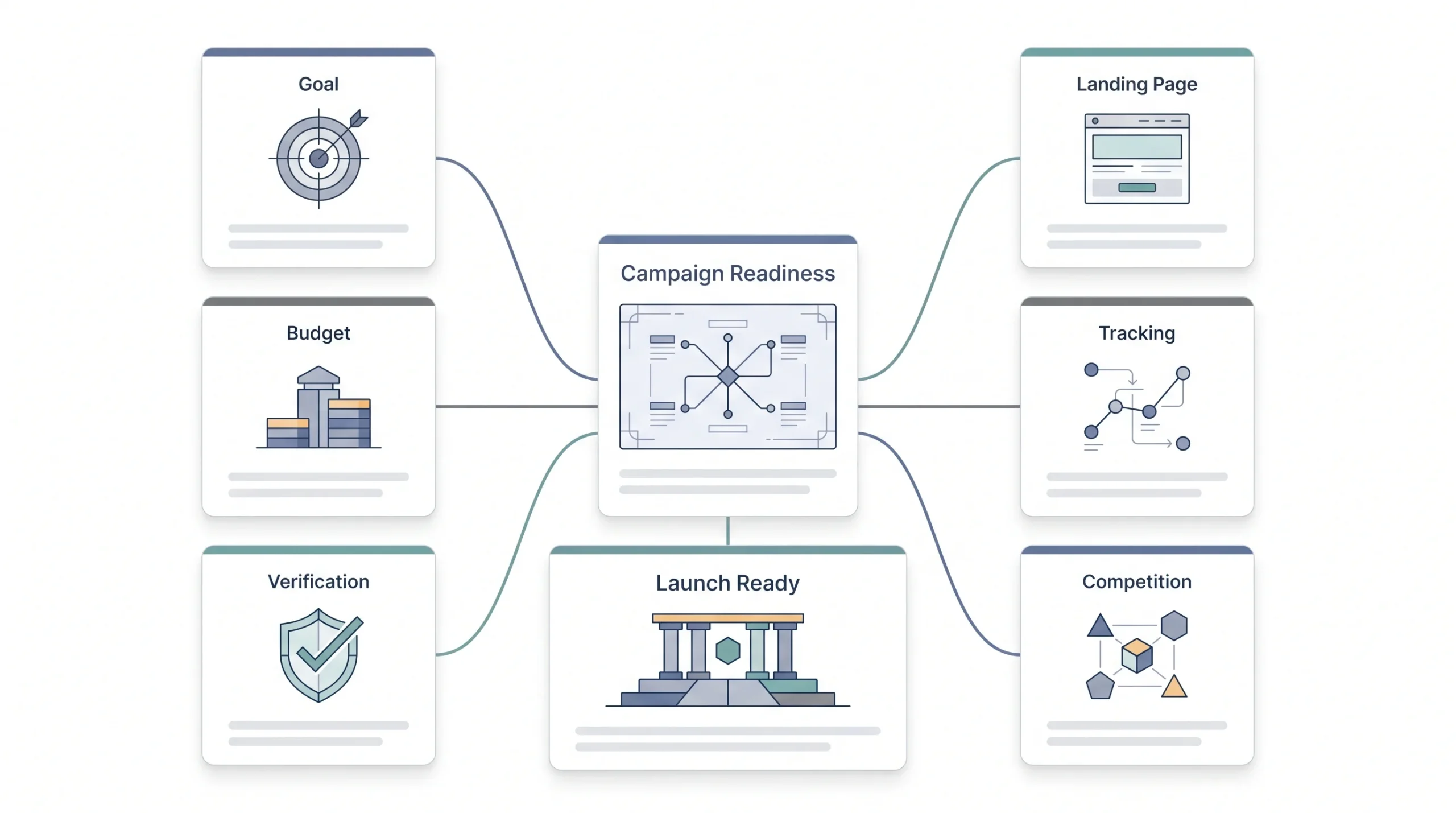
Look, before you even open ads.google.com, there’s homework. Skip it and you’ll be rebuilding your campaign from scratch in two weeks anyway, so might as well do it now.
First, know exactly what this campaign is for. Not “get more customers,” that’s not a goal, that’s a wish. Is it leads through a form? Phone calls? Direct sales? Sign-ups for a webinar? Every downstream decision, campaign type, bidding strategy, ad copy, all of it depends on this one answer. Don’t skip it.
Second, you need a landing page built specifically for this campaign. Not your homepage. Sending paid traffic to a generic homepage is one of the most common ways beginners waste money, because the page doesn’t match what the person searched for, and Google notices that mismatch too through Quality Score. A dedicated page that speaks directly to the search intent does two jobs at once, it converts better and it costs you less per click.
Third, have a real number in mind for budget. Not a hopeful number, a realistic one based on what your industry’s cost per click actually looks like. If you’re in a competitive space like legal services or insurance, ₹500 a day isn’t going to get you meaningful data. If you’re in a niche local service, it might go further than you think.
Fourth, if you’re in India, get your billing and business verification sorted before setup, GST details, business proof, whatever your account type requires. Nothing kills momentum like getting halfway through campaign setup and getting stuck on a billing verification step.
Fifth, start thinking about conversion tracking now, even though we cover the actual setup later. The mindset shift matters early. If you’re not planning to track what counts as a “win” before you launch, you’re setting yourself up to optimize blind.
There’s a sixth thing people don’t think about until it bites them, and that’s competitor awareness. Spend fifteen minutes actually searching your own target keywords on Google and see who’s already showing up. Not to copy them, but to get a real sense of what you’re walking into. If five established businesses are already running polished ads for “best CA firm Jaipur,” that tells you something about what it’ll take to compete, and it might shift how you think about your budget or your first keyword list. Skipping this step means launching completely blind to the competitive landscape you’re actually stepping into.
| Item | Why it matters | Skip this and… |
|---|---|---|
| Defined goal (lead/sale/call) | Determines campaign type & bidding | You optimize for the wrong action |
| Dedicated landing page | Relevance = Quality Score = lower CPC | You overpay for every click |
| Realistic daily budget | Algorithm needs data to learn | Campaign never exits learning phase |
| Conversion tracking plan | Can’t optimize what you don’t measure | You’re flying blind after week one |
Google Ads Account Setup, Step by Step
Alright, actual setup time. Here’s how it goes.
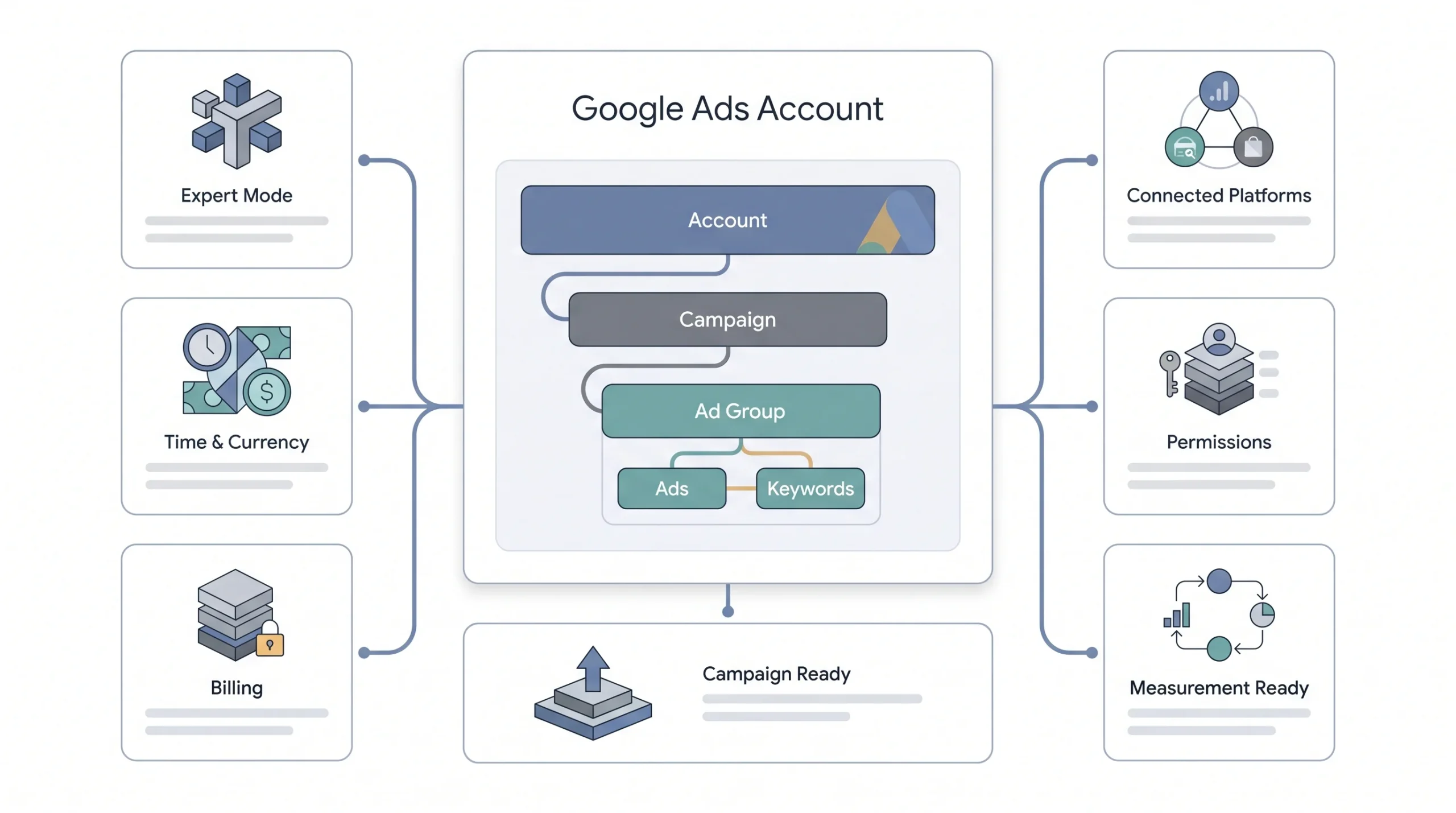
- Create the account. Head to ads.google.com and sign in with a Google account. If this is a business, use a dedicated Google account for it, not someone’s personal Gmail that also handles their vacation photos and random newsletters.
- Choose Expert Mode over Smart Mode. Google will nudge you hard toward Smart Mode because it’s simpler and more “beginner friendly.” Don’t fall for it. Smart Mode strips away control over targeting, keywords, and bidding, and hands most decisions to automation that has zero data about your business yet. You want Expert Mode from day one, even as a beginner, because you need the ability to actually shape your campaign instead of hoping the algorithm figures it out for you.
- Set your time zone and currency correctly, right now. This is one of those settings that feels minor and isn’t. Once you confirm it, it’s permanent. You cannot change it later without creating an entirely new account and starting from zero. Beginners get this wrong constantly, either picking the wrong currency by accident or leaving the default time zone when their business operates somewhere else. Triple check this before moving on.
- Link your billing details. Straightforward, add a valid payment method, confirm your billing country matches your business.
- Link Google Analytics, Search Console, and Merchant Center if relevant. You don’t need to configure all of this deeply right now, but linking these accounts early saves you a scramble later when you want fuller reporting or you’re running Shopping campaigns.
- Understand the account structure before you build anything. Every Google Ads account follows the same hierarchy: Account, then Campaign, then Ad Group, then Ads and Keywords inside each ad group. Your account can hold multiple campaigns, each campaign holds multiple ad groups, and each ad group holds its own set of keywords and ads. This structure isn’t just organizational, it directly affects your Quality Score and your costs, and we’re about to get into exactly why.
A quick word on account access too, because beginners often overlook this until it becomes a headache. If you’re planning to eventually hand this account to an agency, a freelancer, or bring on a team member, set up user access properly from the start rather than sharing your login credentials directly. Google Ads lets you invite people with different permission levels, admin, standard, read-only, email-only, so you keep control over who can actually touch budgets and settings versus who just needs to view reports. It’s a five minute setup now that saves a genuinely awkward conversation later about who changed a bid without telling anyone.
“Time zone and currency lock in the moment you confirm them. Get this wrong and you’re rebuilding the account from scratch.”
Understanding Campaign Types (Choosing the Right One)
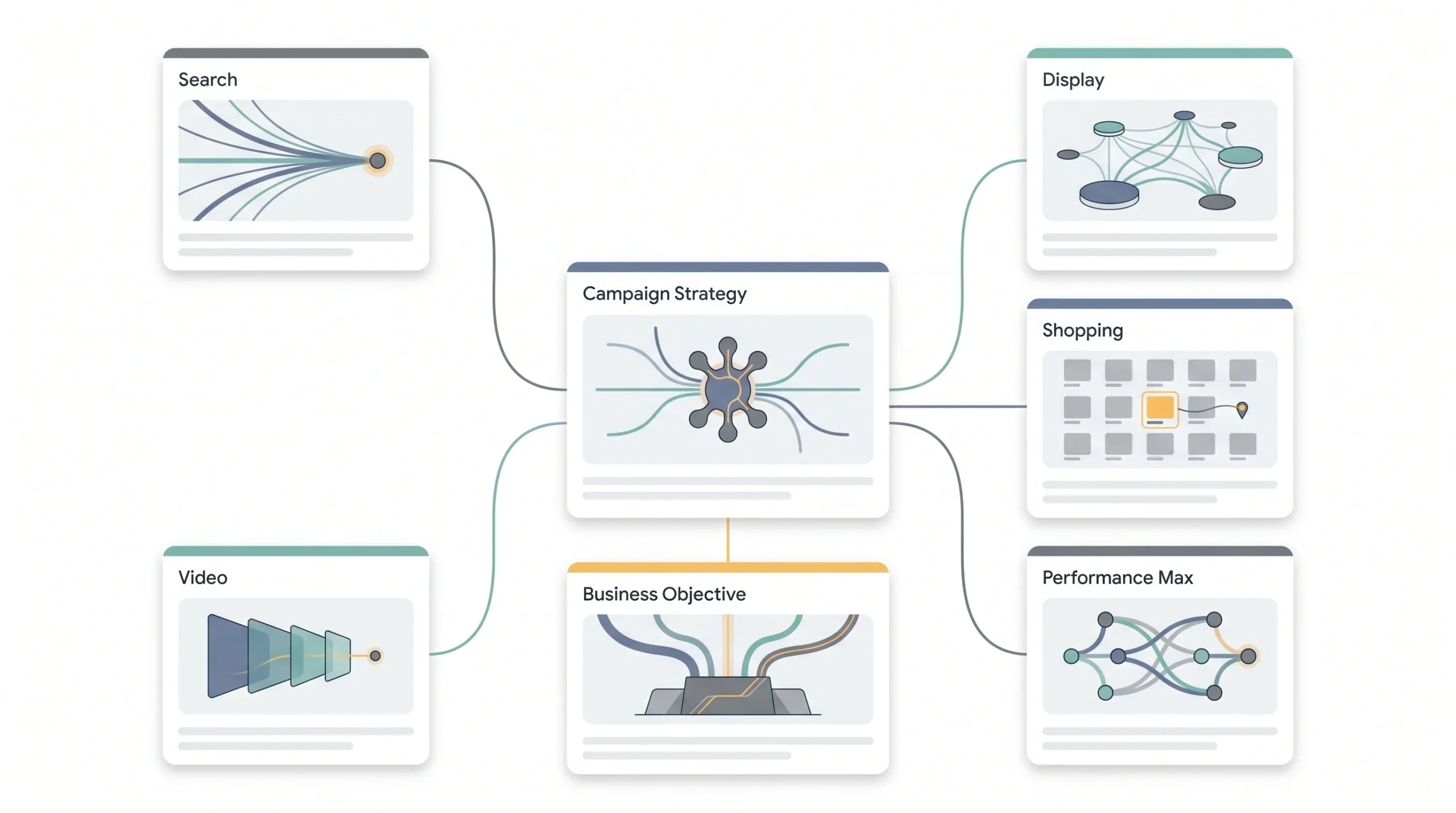
Your campaign type decides where your ads actually show up and how they behave. This isn’t a small setting buried somewhere, it’s one of the first choices you make and it shapes everything downstream.
Search campaigns show your ads directly in Google’s search results when someone types a relevant query. This is the highest intent format that exists, because the person is actively looking for something right now.
Display campaigns place banner-style ads across millions of websites, apps, and YouTube through Google’s ad network. Good for brand visibility and retargeting people who’ve already interacted with you, not great for driving immediate conversions from cold traffic.
Shopping campaigns pull directly from a product feed and show image, price, and store name right in the search results. If you’re running e-commerce, this format usually performs incredibly well because people can see the product and price before they even click.
Performance Max is Google’s newer format, and it runs your ads across every single placement, Search, Display, YouTube, Shopping, Gmail, all of it, using automation to decide where and when to show your ad. Google pushes this format hard because it’s easier for them to manage, but it needs a decent amount of existing conversion data to actually perform well.
Video campaigns run on YouTube, mostly built for awareness and consideration rather than immediate action, and they usually need a bigger budget to make sense.
| Campaign type | Where it shows | Best for | Skip if |
|---|---|---|---|
| Search | Google search results | High-intent leads/sales | You don’t have search demand yet |
| Display | Websites, apps, YouTube (banner) | Brand awareness, retargeting | You need immediate conversions |
| Shopping | Google Shopping tab, search | E-commerce with product feed | You’re a service business |
| Performance Max | All Google inventory (automated) | Scale once you have data | You’re setting up campaign #1 |
| Video | YouTube | Awareness, consideration | Budget under a certain threshold |
For a genuine first campaign, Search is almost always the right call. You get high intent, you get full control over keywords and targeting, and you get to actually learn how the platform behaves before handing decisions over to automation. Honestly, this is where most beginners should stay for a while before branching out.
And yeah, Performance Max looks tempting because Google keeps recommending it right there in the dashboard. Resist it as your first campaign. It runs on machine learning that needs real conversion history to make good decisions, and a brand new account has none. Running Performance Max as campaign number one is basically handing the wheel to a driver who’s never seen your business before.
Here’s a comparison that makes this clearer. Picture two businesses launching the same week, both selling handmade furniture online. Business one jumps straight into Performance Max because the setup wizard made it look like the “smart” option. Business two starts with a tightly built Search campaign, ten keywords, three ad groups, manual bidding. Two weeks in, business two has real numbers, actual cost per click, actual conversion rate, actual sense of which keywords bring buyers versus browsers. Business one has a pile of spend across Display, YouTube, and Search all mixed together with almost no way to tell what’s actually working, because Performance Max reporting doesn’t break things down the same granular way. Business two can now make an informed decision about scaling. Business one is stuck guessing, just with less money than they started with.
Campaign Structure: The Part Beginners Get Wrong
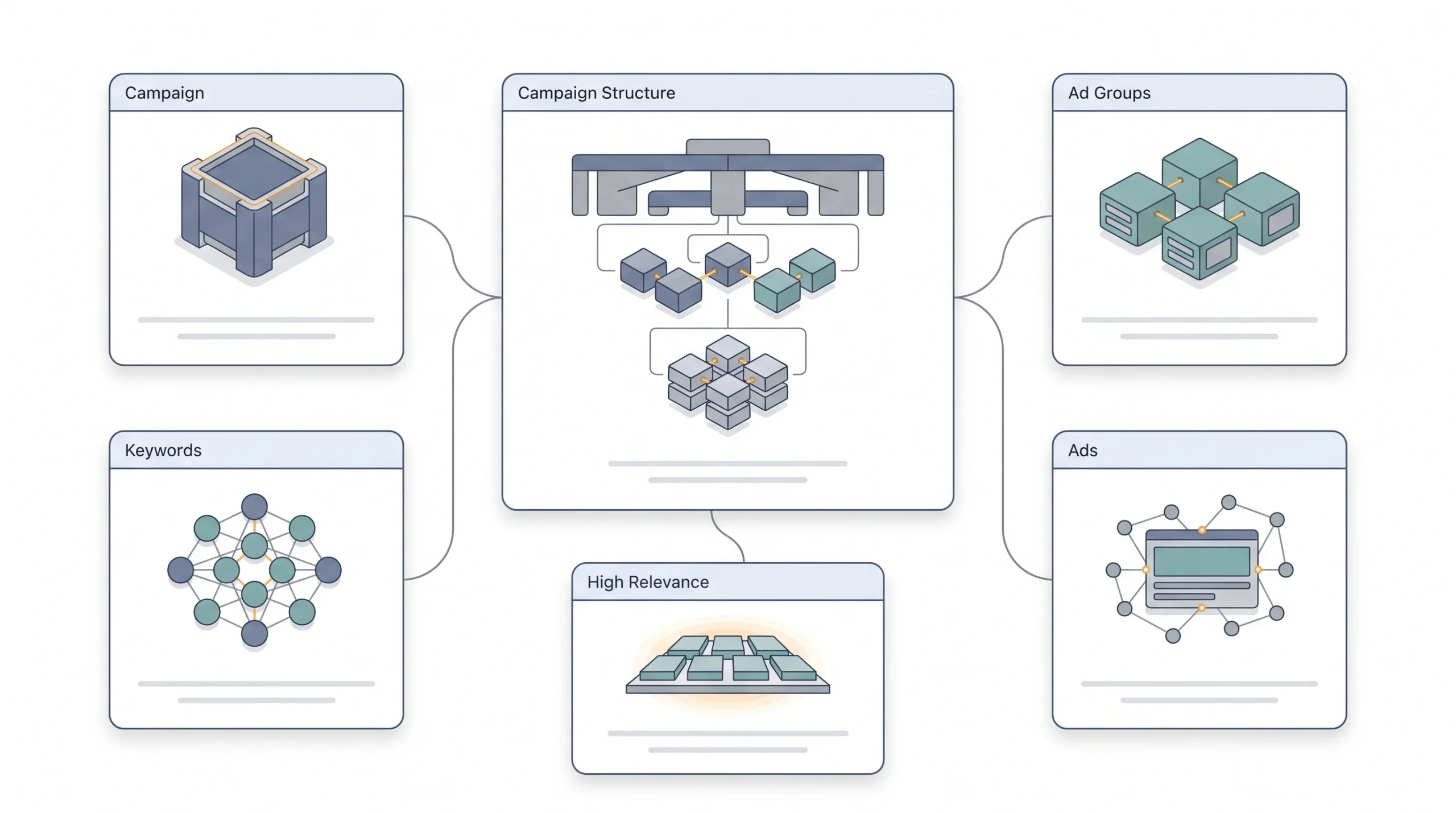
This is genuinely the section that separates campaigns that work from campaigns that quietly bleed money. Structure isn’t a boring administrative detail, it’s the backbone of everything.
Remember the hierarchy from earlier. Campaign sits at the top and controls your overall budget and goal. Ad Groups sit inside a campaign and organize keywords by theme. Keywords and Ads sit inside each ad group and do the actual work of matching searches and showing messaging.
Here’s why this matters so much. Tight, themed ad groups mean your keywords and your ad copy are closely related to each other. That relevance is exactly what Quality Score measures, and Quality Score directly affects how much you pay per click and how well your ads rank. Loose, mixed ad groups with dozens of unrelated keywords dilute that relevance, and your costs go up because of it. We go deeper on Quality Score and full campaign structure mechanics in a dedicated post, worth reading once you’ve got this basic version down.
There’s an ongoing debate in the PPC world about SKAGs, single keyword ad groups, versus themed ad groups with a handful of closely related keywords each. For a beginner, don’t overthink this. Build themed ad groups with 5 to 15 tightly related keywords each. It’s manageable, it’s relevant enough to keep Quality Score healthy, and it doesn’t require managing hundreds of micro ad groups before you even understand how the platform behaves.
One more practical thing, naming conventions. Set them up properly from day one. Something like “Search – Running Shoes – Men – India” tells you everything at a glance six months from now when your account has thirty campaigns in it. Skip this early and your account turns into an unreadable mess as it scales.
Let’s walk through what a real ad group split looks like for, say, a business selling running shoes online. A beginner without structure in mind might build one ad group called “Shoes” and dump in keywords like running shoes, trail shoes, women’s sneakers, men’s sports shoes, kids running shoes, all two hundred variations they can think of. Now write one ad for that entire group. It can’t possibly speak to all of those searches at once, so it ends up generic, something like “Shop Shoes Online, Great Prices.” That ad is relevant to almost nothing in that pile of keywords, and Google notices.
Split it properly instead. One ad group for “Running Shoes Men” with keywords like men’s running shoes, running shoes for men, best running shoes men. Another for “Running Shoes Women” with the mirrored version. Another for “Trail Running Shoes” if that’s a distinct enough product line. Now each ad group can have ad copy that speaks directly to that specific search, “Men’s Running Shoes Starting ₹2,499, Free Returns,” and that tight match between keyword, ad, and landing page is exactly what pushes your Quality Score up and your cost per click down. Same product, same budget, wildly different outcome, purely because of structure.
| Bad structure | Good structure |
|---|---|
| One ad group “Shoes” with 200 keywords | Ad group “Running Shoes Men”, “Running Shoes Women”, “Trail Shoes”, split by intent |
| Mixed match types dumped together | Match types organized with clear bidding logic per group |
| Generic ad copy for all keywords | Ad copy mirrors the specific ad group theme |
“A messy ad group isn’t a small problem you fix later. It’s the reason your CPC never comes down.”
Keyword Research for Your First Campaign
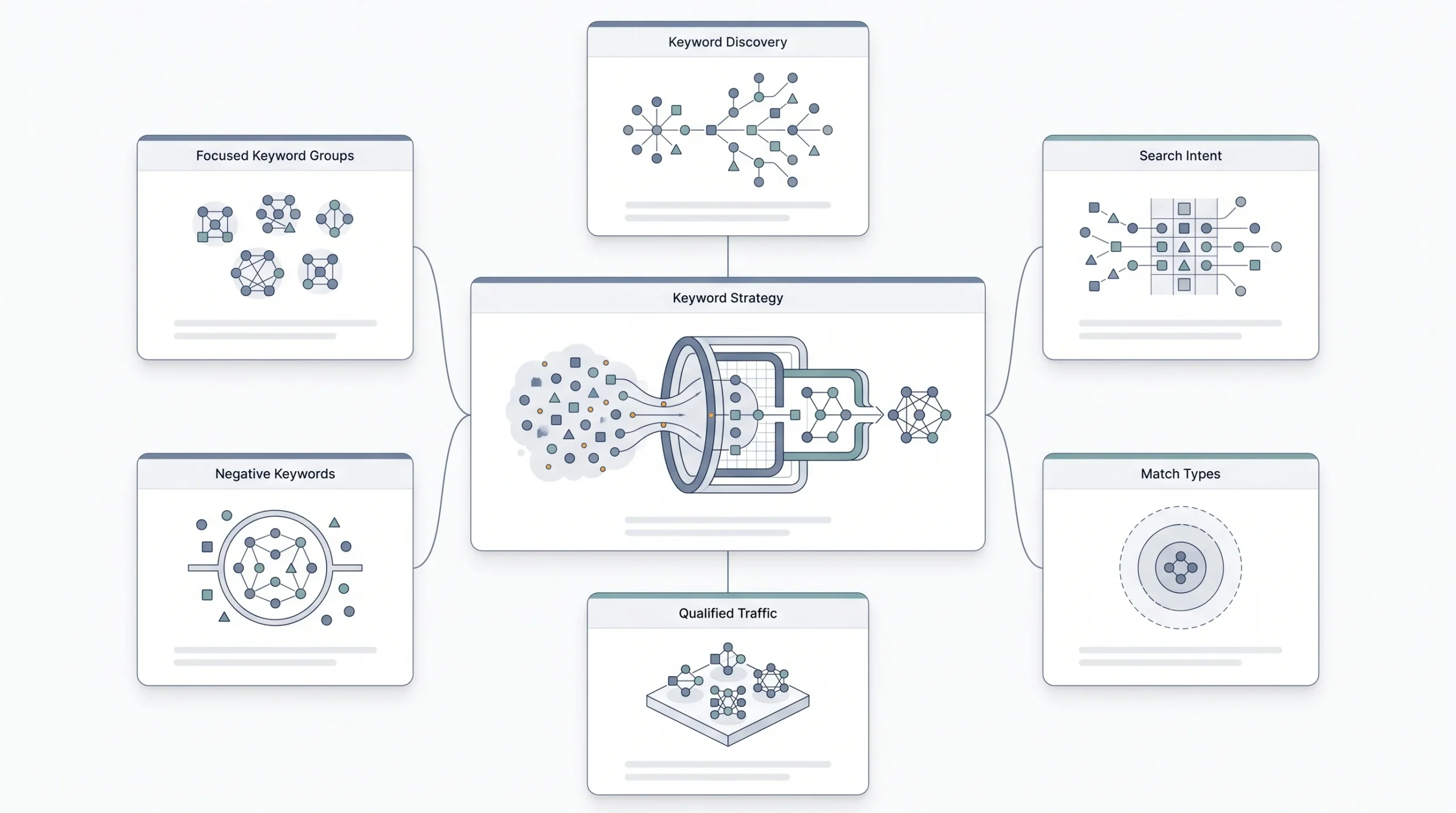
Keyword research for a beginner doesn’t need to be an academic exercise. You need a practical list you can actually launch with today, not a spreadsheet of five hundred keywords you’ll never use.
Start with Google Keyword Planner, it’s free and it’s built right into the platform. Go to Tools and Settings inside your account, then Planner, then Discover New Keywords. Type in a few seed terms related to your business and it’ll spit out volume estimates, competition levels, and related keyword ideas.
The bigger skill here is filtering for actual search intent, not just volume. Someone searching “what is running shoe pronation” is researching. Someone searching “buy running shoes online India” is ready to spend money. For a sales-focused first campaign, you want commercial and transactional intent keywords, not informational ones. Bidding on informational searches for a direct sales goal is a classic way to burn budget on clicks that were never going to convert.
Match types matter a lot here too, and beginners often either ignore them or misuse them completely.
| Match type | Syntax | Example keyword | Triggers on |
|---|---|---|---|
| Broad match | running shoes | “best sneakers for jogging” | Widest reach, related searches |
| Phrase match | “running shoes” | “buy running shoes online” | Includes exact phrase meaning |
| Exact match | [running shoes] | “running shoes” (close variants) | Tightest control, highest intent |
Broad match casts the widest net, Google will match your ad to all kinds of related searches, even ones that don’t literally contain your keyword. It can work, but it needs close monitoring or it’ll burn through budget on loosely related traffic. Phrase match keeps things tighter, requiring the core meaning of your phrase to be present. Exact match gives you the tightest control, matching only close variants of your exact term. For a first campaign with a limited budget, leaning more toward phrase and exact match keeps things controlled while you learn what’s actually converting.
Now, negative keywords. This is not optional, and beginners skip it constantly. Negative keywords tell Google which searches you do NOT want your ad showing up for. If you sell a paid service, you probably want to exclude “free,” “jobs,” “DIY,” “how to do it yourself,” anything that signals the searcher isn’t a buyer. Build even a basic negative keyword list before launch, it’ll save you money in the very first week.
Say you’re running ads for a digital marketing course priced at ₹15,000. Without negative keywords, broad match can pull in searches like “digital marketing course free,” “digital marketing jobs near me,” or “digital marketing course pdf download.” None of those searchers are anywhere close to paying ₹15,000 for anything, but your ad shows up anyway and you pay for the click if they tap it out of curiosity. Add “free,” “jobs,” “pdf,” “download,” and “salary” as negative keywords before launch and you’ve already closed off a chunk of wasted spend before it even happens. This is genuinely one of the highest leverage five minute tasks in the entire setup process.
For your actual first list, keep it lean. Ten to twenty tightly themed keywords per ad group is plenty to start. You’re not trying to cover every possible search on day one, you’re trying to get clean, useful data you can act on. A common beginner instinct is to throw in every keyword variation imaginable because it feels like more coverage means more chances to get found. It actually works against you, because a bloated list with mismatched relevance drags your Quality Score down across the board and makes it harder to tell which specific terms are actually driving results.
Setting Your Budget and Bidding Strategy
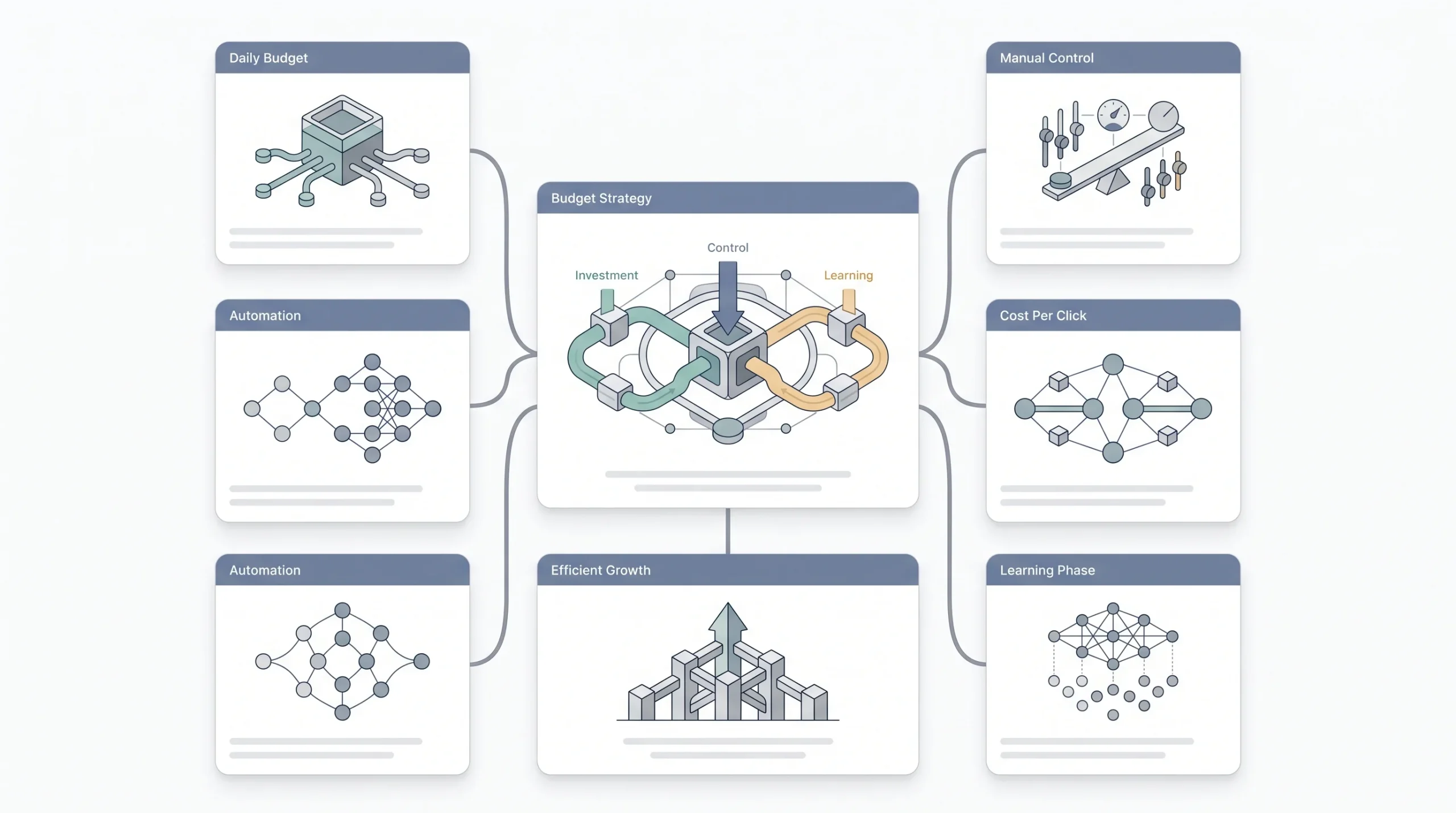
Budget confuses beginners more than almost anything else on this platform, mostly because of how Google actually spends it.
Your daily budget is not a hard daily cap the way people assume. Google can spend up to roughly double your daily budget on high-traffic days, and then it balances that out across the month so your total spend lines up with your daily budget times the number of days. So if you set a daily budget of ₹1,000, don’t be shocked seeing ₹1,800 spent on a Tuesday. That’s normal, not a glitch.
Bidding strategy is the other half of this decision, and here’s where beginners get pulled toward automation way too early.
| Strategy | How it works | Good for beginners? | Why |
|---|---|---|---|
| Manual CPC | You set max bid per keyword | Yes | Full control while you learn costs |
| Maximize Clicks | Google auto-bids for volume | With a cap, cautiously | Can burn budget fast without a cap |
| Maximize Conversions | Google auto-bids for conversions | No, not on day one | Needs conversion data to work well |
| Target CPA/ROAS | Google bids to hit a cost/return goal | No | Needs 30+ conversions of history first |
Manual CPC is genuinely the right starting point for a first campaign. You set the maximum you’re willing to pay per click for each keyword, and you stay in full control while you’re still learning what things actually cost in your industry. Maximize Clicks can work if you set a bid cap, but leave it uncapped and it’ll happily spend your whole budget chasing volume, quality be damned. Maximize Conversions and Target CPA or ROAS both need real conversion history to work properly, usually somewhere around 30 conversions minimum, and a brand new account simply doesn’t have that yet. Turning these on too early is like asking an intern to make financial decisions before they’ve seen a single report.
“Automated bidding isn’t smarter than you on day one. It’s smarter than you after it has data. Start manual, earn the right to automate.”
Here’s a rough way to think about your actual numbers before you set that first bid. Look up the average cost per click for your industry and location, even a loose estimate from Keyword Planner works, and then work backward from your budget. If your daily budget is ₹1,000 and your industry’s average CPC sits around ₹40, you’re looking at roughly 25 clicks a day, assuming Google spends the full amount, which it usually will if there’s enough search volume. Now think about your conversion rate. If, say, 1 in 20 clicks turns into a lead, that’s roughly one lead a day off that budget. Is that acceptable for your business? If not, you either need a bigger budget, a lower CPC through better targeting and Quality Score, or a landing page that converts at a higher rate. Running these numbers before launch, even roughly, keeps you from being surprised a week in.
Writing Ad Copy That Actually Gets Clicked
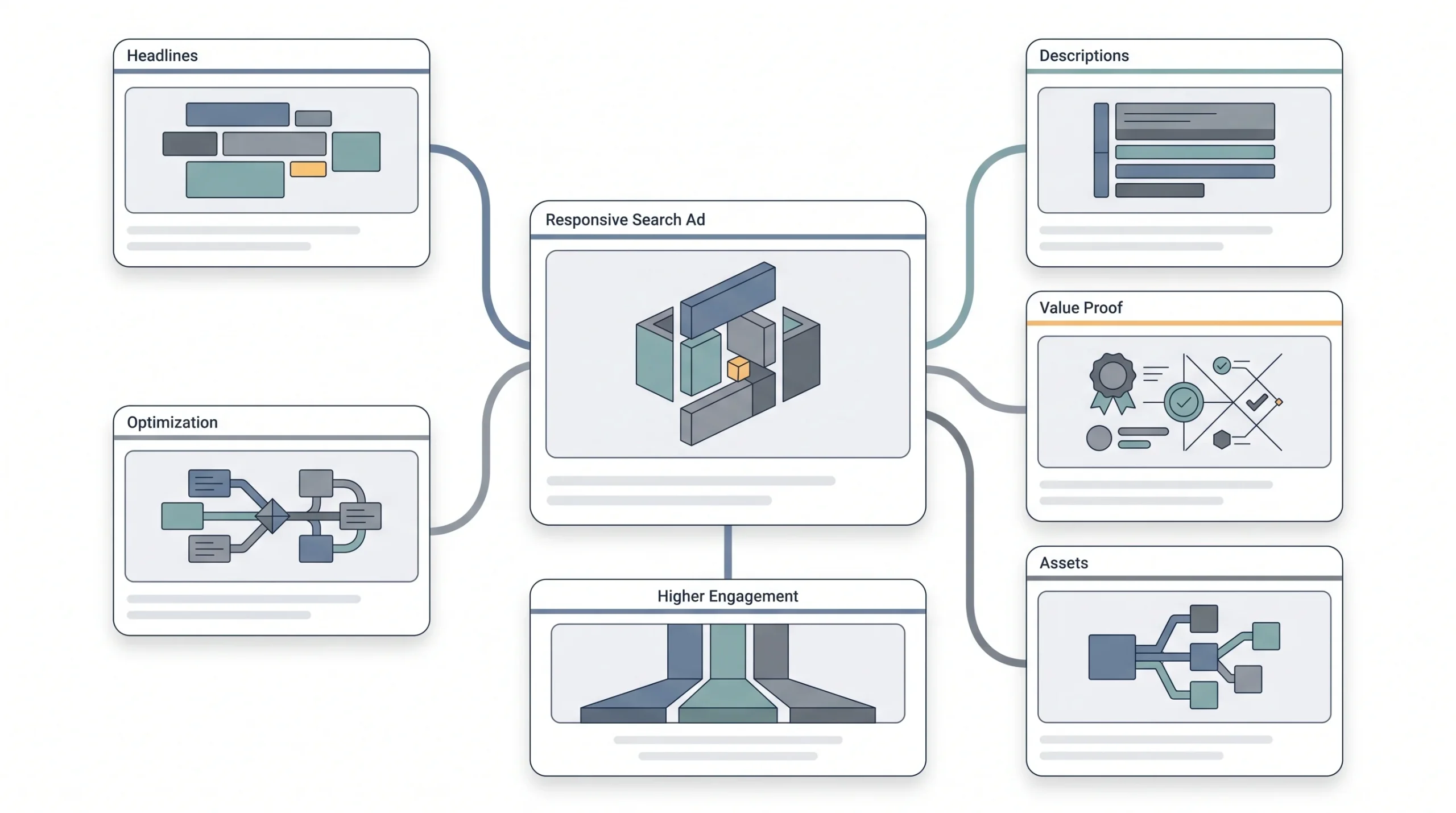
Google’s current default format is Responsive Search Ads. You provide up to 15 headlines and 4 descriptions, and Google mixes and tests different combinations automatically to see what performs best for each search.
This means your headline strategy needs range, not repetition. Across those 15 slots, don’t write the same idea fifteen different ways. Cover different angles, one that includes your primary keyword directly, one that leads with a clear benefit, one that names a specific differentiator, one that has a direct call to action. Give Google’s testing engine actual variety to work with.
Descriptions matter more than people give them credit for. Specificity beats cleverness every time. “Quality Service Provider” tells the reader nothing. “GST Filing in 48 Hours, CA Certified” tells them exactly what they’re getting and why they should trust it. Numbers, timeframes, credentials, actual proof, these convert. Vague adjectives don’t.
Google also gives you an Ad Strength meter while you’re writing, ranging from Poor to Excellent. You don’t need to obsess over hitting Excellent every single time, that’s not mandatory. But if it’s showing Poor, that’s a real signal something’s off, usually not enough variety across your headlines or too much repetition.
| Weak headline | Why it fails | Strong headline |
|---|---|---|
| “Best Shoes Online” | Generic, no proof, no intent match | “Running Shoes From ₹1,499, Free Shipping” |
| “Quality Service Provider” | Says nothing specific | “GST Filing in 48 Hours, CA Certified” |
| “Click Here Now” | No value, sounds spammy | “Book a Free Consultation Today” |
One more thing that beginners treat as optional and shouldn’t. Ad extensions, now officially called assets inside the platform, sitelinks, callouts, structured snippets, call extensions. These aren’t decoration. They physically increase how much space your ad takes up on the results page, and they usually improve click-through rate, all without costing you extra. Skipping these is leaving free real estate on the table.
Think about sitelinks specifically for a second. A basic search ad without them takes up maybe two or three lines. Add four sitelinks, say “Pricing,” “About Us,” “Client Reviews,” “Contact Us,” and suddenly your ad occupies double or triple the vertical space on the page, pushing competitors further down and giving the searcher more reasons to click through to exactly the page they care about. A furniture business might add callouts like “Free Delivery Above ₹5,000,” “10 Year Warranty,” “500+ Happy Customers.” None of that costs extra to add, and all of it makes your ad look more established and trustworthy sitting next to a competitor who skipped this step entirely.
Conversion Tracking: Set This Up Before You Launch

This deserves its own section before launch, not after, because so many beginners treat it as a “later” task and it should never be that.
First, get clear on what actually counts as a conversion for your specific goal. A purchase completion, a form submission, a phone call that lasts a certain length, a sign-up confirmation, whatever the real action is that matters to your business. Vague definitions here lead to vague optimization later.
Setting this up involves installing the Google Ads conversion tag on your site, typically on the confirmation or thank-you page that only loads after the actual action happens, and creating the corresponding conversion action inside your account settings. It’s not overly technical, but it does need to be done correctly, because a broken tag gives you false confidence that everything’s working when it isn’t.
Linking Google Analytics 4 alongside this gives you a fuller picture too, letting you see behavior beyond just the ad click itself.
Watch for common mistakes here. Tracking a page load instead of an actual form submission counts every visitor as a conversion, which is meaningless. Not tracking phone calls at all means you’re blind to a chunk of your actual results if calls are a real conversion path for your business. Double counting, where a single action fires the conversion tag twice, inflates your numbers and quietly wrecks your optimization decisions.
“If you launch before conversion tracking is live, every rupee you spend in week one teaches the algorithm nothing.”
Play this out practically. Say you launch on a Monday without tracking set up, planning to “add it later this week.” By Thursday you’ve spent ₹4,000 and gotten, let’s say, six form fills based on what you can see manually in your email inbox. But Google Ads itself has zero record of those six conversions, because the tag was never live. Now the algorithm has three days of pure spend data with no signal about what actually worked. Even once you fix tracking on Friday, you’ve lost those first three days of learning entirely, and you’re essentially starting the clock over. That’s three days of budget that taught the system nothing it can use.
Targeting Settings That Are Easy to Get Wrong
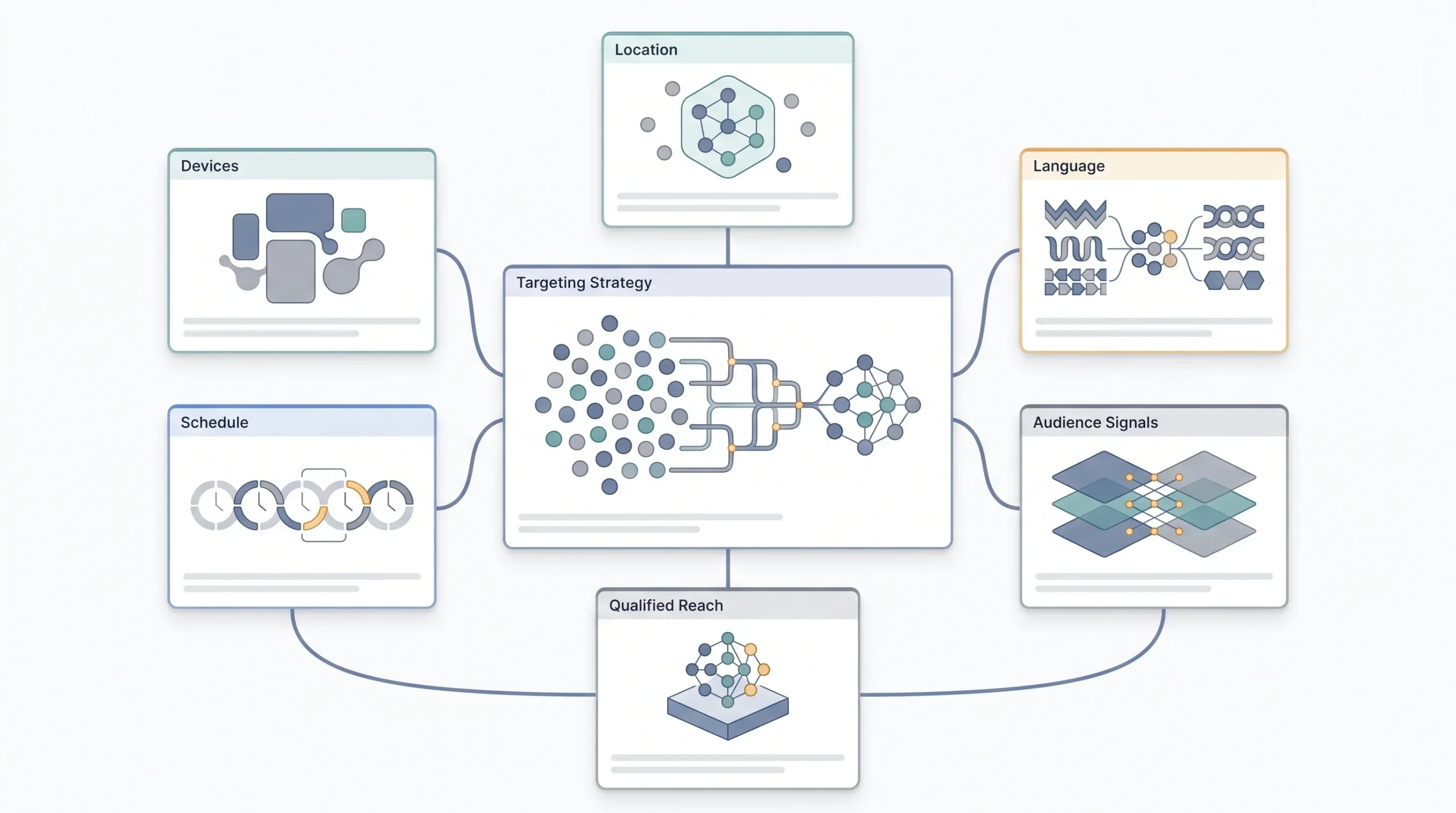
A handful of targeting settings trip up nearly every beginner, and they’re buried just enough in the interface that people miss them entirely.
Location targeting is the biggest one. Google actually gives you a choice between “Presence, people in your targeted locations” and the default setting, “Presence or interest,” which also shows your ads to people outside your target area who’ve simply searched about that location. That default setting is often way too broad for a local business, and most beginners never even realize it’s been sitting there the whole time. Check this setting specifically before launch.
| Setting | What it does | Default | Recommended for most beginners |
|---|---|---|---|
| Presence: People in your targeted locations | Only shows to people physically there | n/a | Usually yes |
| Presence or interest (default) | Shows to people who searched about the location too | Google’s default | Often too broad, review before launch |
| Excluded locations | Blocks specific areas | Off | Use for known low-value regions |
Language targeting is simpler but still worth double checking, make sure it actually matches your audience’s real language behavior, not just the country’s official language.
Audience layering, things like in-market audiences, affinity audiences, remarketing lists, these are genuinely powerful, but they’re an advanced lever, not a core piece of campaign number one. Get comfortable with the fundamentals first before stacking audience signals on top.
Ad schedule, also called dayparting, lets you control which hours and days your ads run. Leave this alone at first unless you have a strong, specific reason, like a business that genuinely can’t take calls outside certain hours. You need actual performance data before you can make smart decisions about which hours to cut.
Device targeting and bid adjustments let you shift spend toward mobile, desktop, or tablet based on performance. Again, worth revisiting once you have data, not something to guess at on day one.
Here’s a real scenario that shows why the location default matters so much. A tuition center in Jaipur sets up a campaign targeting Jaipur specifically, but leaves the default “Presence or interest” setting untouched. Two weeks in, they notice a chunk of clicks coming from people in other cities who simply searched something like “best tuition centers Jaipur for my cousin” out of general interest, not because they’re actually in Jaipur or planning to be. Those clicks cost real money and were never going to convert into an actual student walking through the door. Switching to “Presence, people in your targeted locations” would have avoided that entire category of wasted spend from day one. It’s one checkbox, and it’s buried deep enough in the advanced location options that most beginners never even see it during setup.
Launching Your Campaign: Final Pre-Flight Check
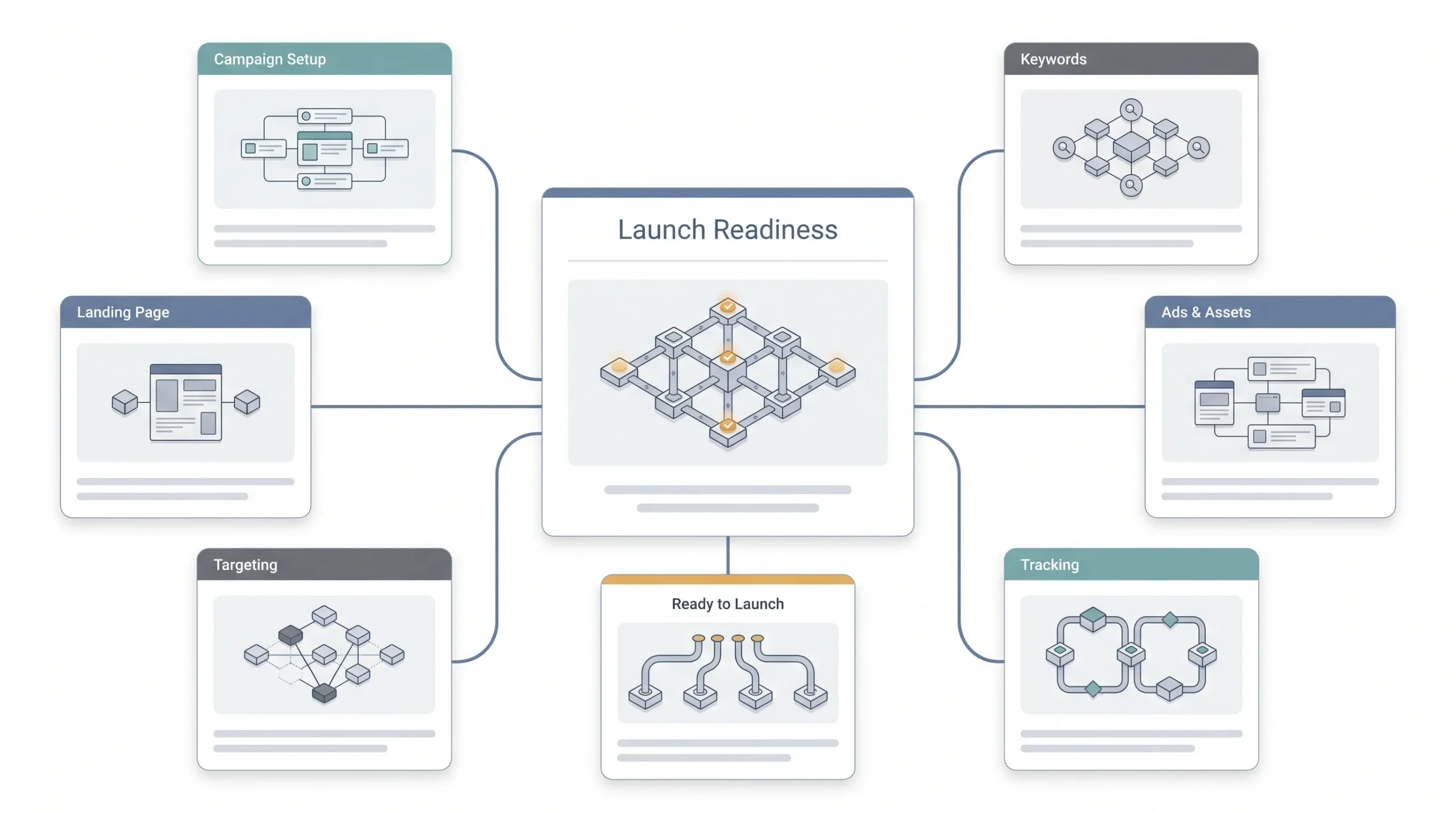
Before you actually hit that launch button, run through this list properly. Every single item here has already been covered above, this is just pulling it together.
- Campaign goal and campaign type are both confirmed and match each other.
- Budget is set with a realistic number, and bidding strategy is Manual CPC for week one.
- Ad groups are tightly themed with no keyword overlap between them.
- A negative keyword list is added, even a basic starting version.
- Each ad group has at least two to three ads with decent ad strength.
- Extensions and assets are added, sitelinks and callouts at minimum.
- Conversion tracking is verified as actually firing, test it with a real conversion before trusting it.
- Location, language, and device settings are all double checked, especially that location default.
- The landing page has been tested on mobile, not just desktop.
Miss even a couple of these and you’re not launching a campaign, you’re launching a guess.
What to Do in the First 7–14 Days After Launch
Here’s the part that tests patience more than skill. Your campaign enters something called a learning phase, and Google’s system needs real data before it can optimize toward anything meaningful. Panicking and making constant changes during this window actually resets that learning and makes things worse, not better.
In the first week, focus on the basics. Are impressions happening at all, meaning is your ad actually showing up for relevant searches. Is CTR in a reasonable range, which is a sanity check on whether your ad copy is relevant to what people searched. Average CPC, is it landing somewhere close to what you expected based on your research. Don’t obsess over conversions yet if volume is still low, there just isn’t enough data to draw real conclusions.
The Search Terms report becomes your best friend right around now. This shows you the actual real searches that triggered your ads, which is often wildly different from the keywords you originally targeted, especially if you’re running any broad or phrase match. Mine this report constantly in the early days for irrelevant searches you can add as negative keywords. This single habit alone will save you more money than almost anything else in this guide.
| Metric | Week 1 focus | Week 3+ focus |
|---|---|---|
| Impressions | Are ads showing at all | Impression share trends |
| CTR | Sanity check (is copy relevant) | Optimization lever |
| Search terms | Mine for negatives | Mine for new keyword ideas |
| CPC | Is it in expected range | Trend over time |
| Conversions | Too early to judge | Primary optimization metric |
Avoid the classic beginner panic moves. Pausing a keyword after two clicks with no conversions means nothing statistically, that’s not data, that’s noise. Raising bids emotionally because you feel like the campaign “isn’t moving fast enough” usually just burns money faster without fixing the actual issue. Rewriting your entire ad copy on day two before it’s even had a chance to gather impressions resets whatever learning had already started. Give it real time before you touch anything major.
There’s a general rule of thumb worth keeping in mind here, and it’s not a magic number, more a sanity check. Don’t make big decisions about a keyword until it’s had somewhere around 50 to 100 impressions or at least a handful of clicks, and don’t judge conversion performance until you’ve got a meaningful sample, generally somewhere north of 15 to 20 conversions before you start drawing real conclusions. Anything before that threshold is just noise dressed up as a pattern. It’s genuinely hard to sit on your hands during week one when you’re checking the dashboard every few hours, but that restraint is exactly what separates campaigns that mature into something profitable from ones that get tinkered into chaos before they ever had a fair shot.
Common Beginner Mistakes
Everything in this guide exists because beginners keep making the same handful of mistakes over and over. Walk through this guide properly and you’ve already avoided every single one of them, but it’s worth naming them plainly one more time.
Running broad match on everything with zero negative keywords is probably the single most expensive mistake on this list, because it invites the widest possible range of irrelevant traffic straight into your budget. Skipping conversion tracking before launch means you’re spending money without any real way to judge if it’s working. Choosing Performance Max as your very first campaign hands control to an algorithm that has no data about your business yet. Turning on automated bidding before you have any conversion history is asking the system to optimize toward a goal it doesn’t understand. And building one giant, unfocused ad group instead of tight, themed ones quietly tanks your Quality Score and drives your costs up for months without you ever quite understanding why.
| Mistake | Section that prevents it |
|---|---|
| Broad match everything, no negatives | Keyword Research section |
| Skipping conversion tracking | Conversion Tracking section |
| Choosing Performance Max as campaign #1 | Campaign Types section |
| Auto-bidding with no data | Budget and Bidding section |
| One giant ad group | Campaign Structure section |
Conclusion
None of this is about having the biggest budget or the fanciest tools. A beginner with ₹500 a day and a properly structured campaign will consistently beat someone spending ₹5,000 a day with a messy, unfocused one. Structure and patience do more heavy lifting here than money ever will, especially in those first few weeks while the algorithm is still learning who you’re trying to reach.
Go back through the setup checklist before you launch anything. Take conversion tracking seriously before day one, not after. And once your campaign is actually live, resist the urge to touch everything constantly, let it gather real data before making real decisions. Once you’ve got a solid first campaign running and some actual performance history behind it, that’s the right moment to dig deeper into bidding strategies and campaign structure at a more advanced level, and build from something that’s already working instead of guessing all over again.
FAQs
How much budget do I actually need to start Google Ads?
There’s no single number that works for everyone, it genuinely depends on your industry’s average cost per click. A local service business in a low-competition niche might do fine starting around ₹300 to ₹500 a day. Something competitive like legal, insurance, or real estate can need ₹1,500 or more a day just to get enough clicks to learn anything useful. The honest answer is to check your industry’s average CPC first and work backward from there, rather than picking a random number and hoping.
How long before I actually see results?
Impressions and clicks show up immediately, that part’s instant. But meaningful conversion data, the kind you can actually trust and act on, usually needs at least one to two weeks of consistent spending, sometimes longer depending on your search volume. Don’t judge a campaign’s real performance in the first 48 hours. That’s not enough data to mean anything yet.
Do I need a website to run Google Ads?
Yes, in almost every real case. Google requires a working landing page for most campaign types, and honestly you’d want one anyway, since sending paid clicks to a Facebook page or an Instagram profile converts nowhere near as well as a dedicated page built for the specific search intent. There are a few narrow exceptions, like call-only campaigns for certain local businesses, but for a standard first campaign, plan on having a proper landing page ready.
What’s the difference between Google Ads and Google Business Profile or Local Services Ads?
Google Ads is the paid auction system covering Search, Display, YouTube, and Shopping. Google Business Profile is your free local listing that shows up in Maps and local search results, no bidding involved. Local Services Ads is a separate paid product mainly for service businesses like plumbers, electricians, and lawyers, and it works differently, often on a pay-per-lead basis with a Google Guaranteed badge attached. All three can work together, but they’re genuinely different systems with different setups.
Can I run Google Ads without conversion tracking?
Technically yes, the platform won’t stop you. Practically, no, not if you actually want the campaign to improve over time. Without tracking, you’re spending money with no reliable way to know what’s working, and the algorithm has nothing to learn from either. Set it up before launch, not as an afterthought.
Is Smart Mode really that bad for beginners?
Not “bad” exactly, but limiting. Smart Mode simplifies things by handing over a lot of control, keyword targeting, bidding, ad creation, to automation that has zero data about your business yet. Expert Mode takes a bit more effort upfront but gives you the visibility and control you actually need while you’re still learning how your specific market behaves. Once you’ve got real experience and data behind you, some of that automation becomes genuinely useful. On day one, it’s mostly just a black box.
How many keywords should my first campaign have?
Somewhere around 30 to 60 total keywords spread across a handful of tightly themed ad groups tends to work well for a first campaign, so roughly 10 to 20 keywords per ad group. That’s enough to get real coverage without diluting relevance. Piling in hundreds of keywords on day one usually backfires, since it drags down how relevant your ad groups feel to Google and makes the whole account harder to manage while you’re still learning.
What’s a good click-through rate for a first campaign?
It varies a lot by industry, but for Search campaigns, anything above 3 to 5 percent is generally considered healthy. If you’re seeing something well below 2 percent consistently after your first week, that’s usually a sign your ad copy isn’t matching the intent behind your keywords closely enough, or your keyword-to-ad group structure needs tightening.
Should I run Google Ads and SEO at the same time?
Ideally yes, they work on different timelines and support each other well. Google Ads gets you visibility right away while your SEO is still building up in the background. Ranking organically for a keyword you’re also running ads on tends to build more trust too, since people see your business showing up twice on the same results page. They’re not competing budgets, they’re two different speeds working toward the same goal.
What happens if I pause my campaign?
Pausing stops spend and ad delivery immediately, but your campaign history and settings stay intact. You can resume anytime. Keep in mind that a long pause, especially early on, can reset some of that learning phase progress once you turn it back on, so pausing casually just to “save money for a few days” isn’t usually worth the disruption unless there’s a real reason for it.
Why is my Quality Score low even though my campaign is new?
A brand new campaign often starts with an average Quality Score simply because Google doesn’t have performance history for it yet, that’s normal and not something to panic about immediately. If it stays low after a week or two of real data, the usual culprits are loosely themed ad groups, ad copy that doesn’t closely match the keywords, or a landing page that isn’t clearly relevant to what people searched. Go back to the structure and relevance basics covered earlier in this guide before assuming something more complicated is wrong.
Can I edit my campaign after it’s live, or do I need to start over?
You can edit almost everything after launch, keywords, ad copy, budget, targeting, bidding strategy, without starting a new campaign. The only real exception is account-level settings like time zone and currency, which lock in permanently. Everything at the campaign level stays flexible, just remember that frequent, unnecessary changes during the early learning phase can slow down how quickly the algorithm settles into good performance.