


Here’s a thing that trips up almost every content team eventually. You publish fifty, sixty, sometimes two hundred blog posts. Traffic creeps up for a while. Then it stalls. Or worse, it starts dropping even though you’re still publishing every week. You check Search Console and find something weird: three of your own pages are competing against each other for the same query. Nobody wins. Google can’t tell which one you actually want to rank, so it just picks whichever, half the time it’s not even the best one.
This isn’t a content problem. It’s a structure problem. And the fix has a name that gets thrown around a lot without much explanation: topic clusters.
So let’s actually get into it. What a topic cluster is, why Google cares about this specific structure right now, and how to build one on your own site without guessing your way through it.
What Is a Topic Cluster?
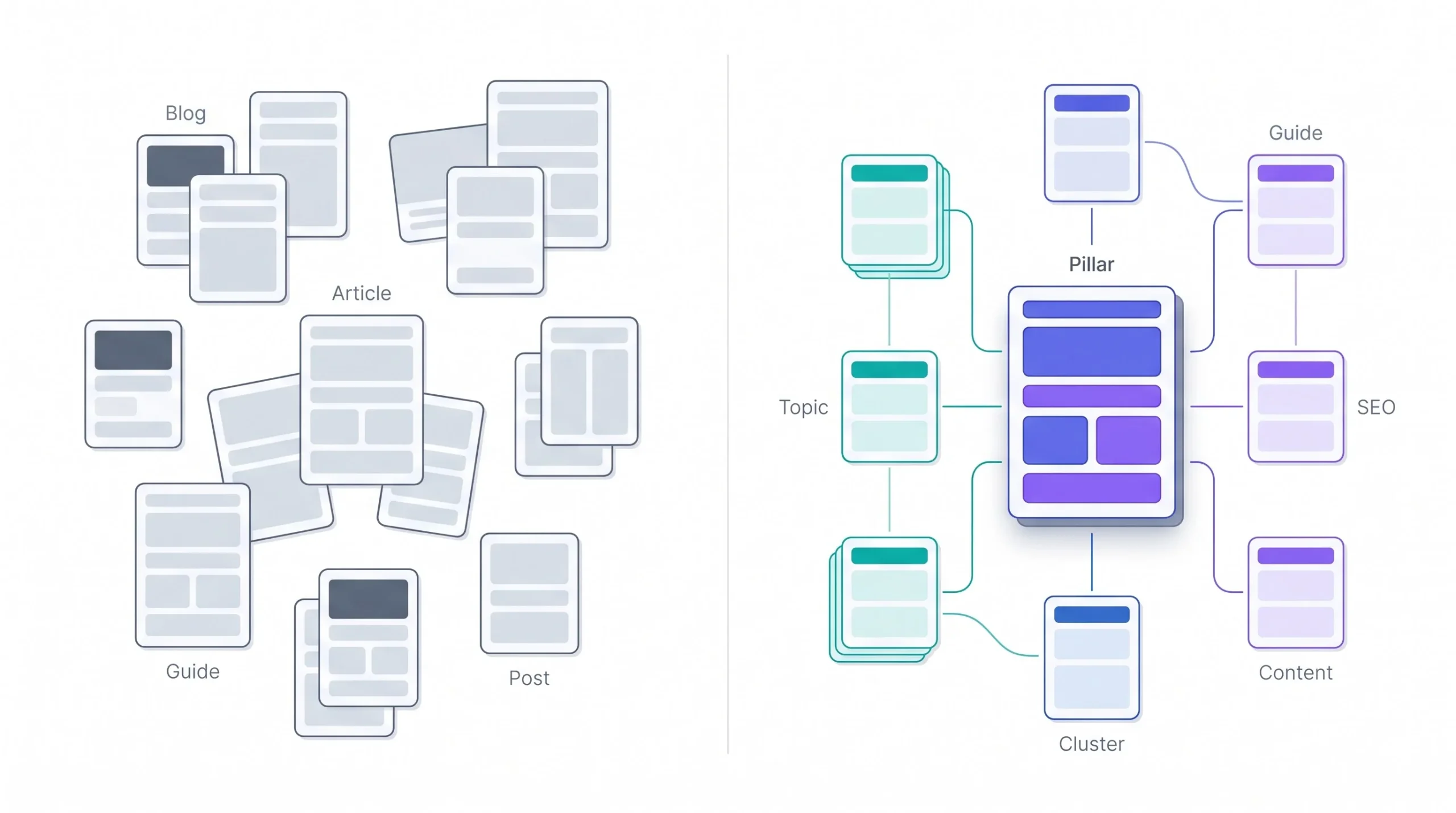
Okay, definition first, then the part that actually matters.
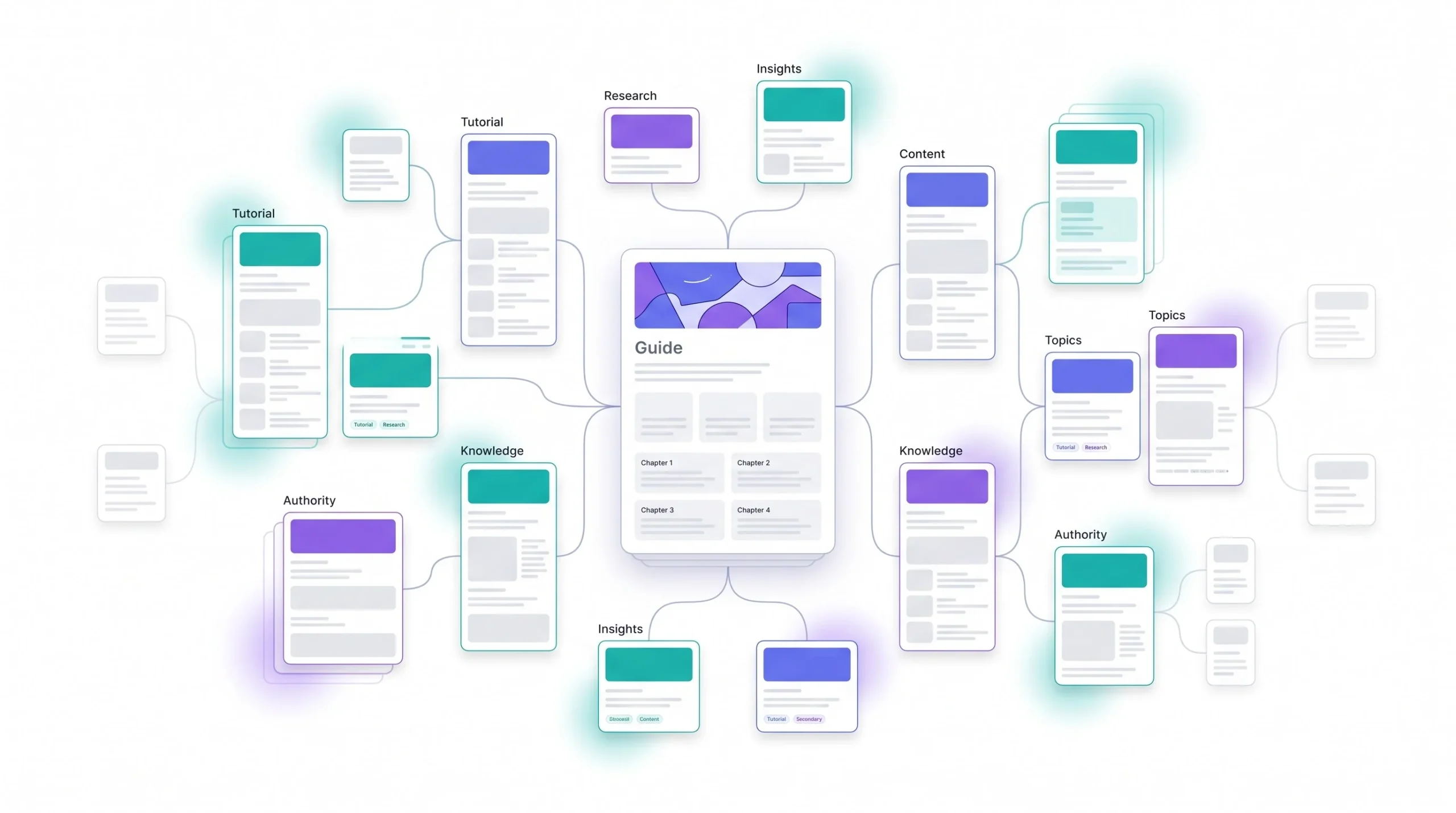
A topic cluster is a group of content pieces built around one core subject, organized so that one central page (the pillar) covers the topic broadly, and a set of supporting pages (the cluster content) each go deep on one narrow piece of it. Every cluster page links back to the pillar. The pillar links out to every cluster page. That’s the whole mechanic.
But here’s where people get it wrong. They think having a lot of content on a subject IS a topic cluster. It’s not. You can have forty posts about email marketing sitting on your blog with zero links between them, and Google will treat them as forty separate, disconnected signals about your site. No structure, no cluster, no compounding effect. It’s just a pile.
What actually makes it a cluster is the linking. That’s the part that turns a stack of blog posts into something Google can read as “this site genuinely knows email marketing, top to bottom.” The internal links are what carry that signal. Without them, you just have content sitting in isolation, each page fighting its own lonely battle for rankings with no help from anything else on the site.
Think about it like a library versus a pile of books on the floor. Same books. Wildly different usefulness, because one has a system connecting everything and the other is just… books. On the floor.
| Topic Cluster | Random Blog Posts | |
|---|---|---|
| Structure | One pillar page, multiple linked subtopic pages | Standalone posts, no defined hierarchy |
| Internal Linking | Deliberate, hub-and-spoke pattern | Sparse, inconsistent, or none |
| Search Intent Coverage | Broad and narrow intent both covered systematically | Random coverage, gaps and overlaps |
| Google’s Read On It | Reads as comprehensive topical depth | Reads as scattered, unrelated pages |
That difference in the last row is the whole point of this article, honestly. Let’s get into why it matters so much right now.
Why Topic Clusters Matter for SEO Right Now
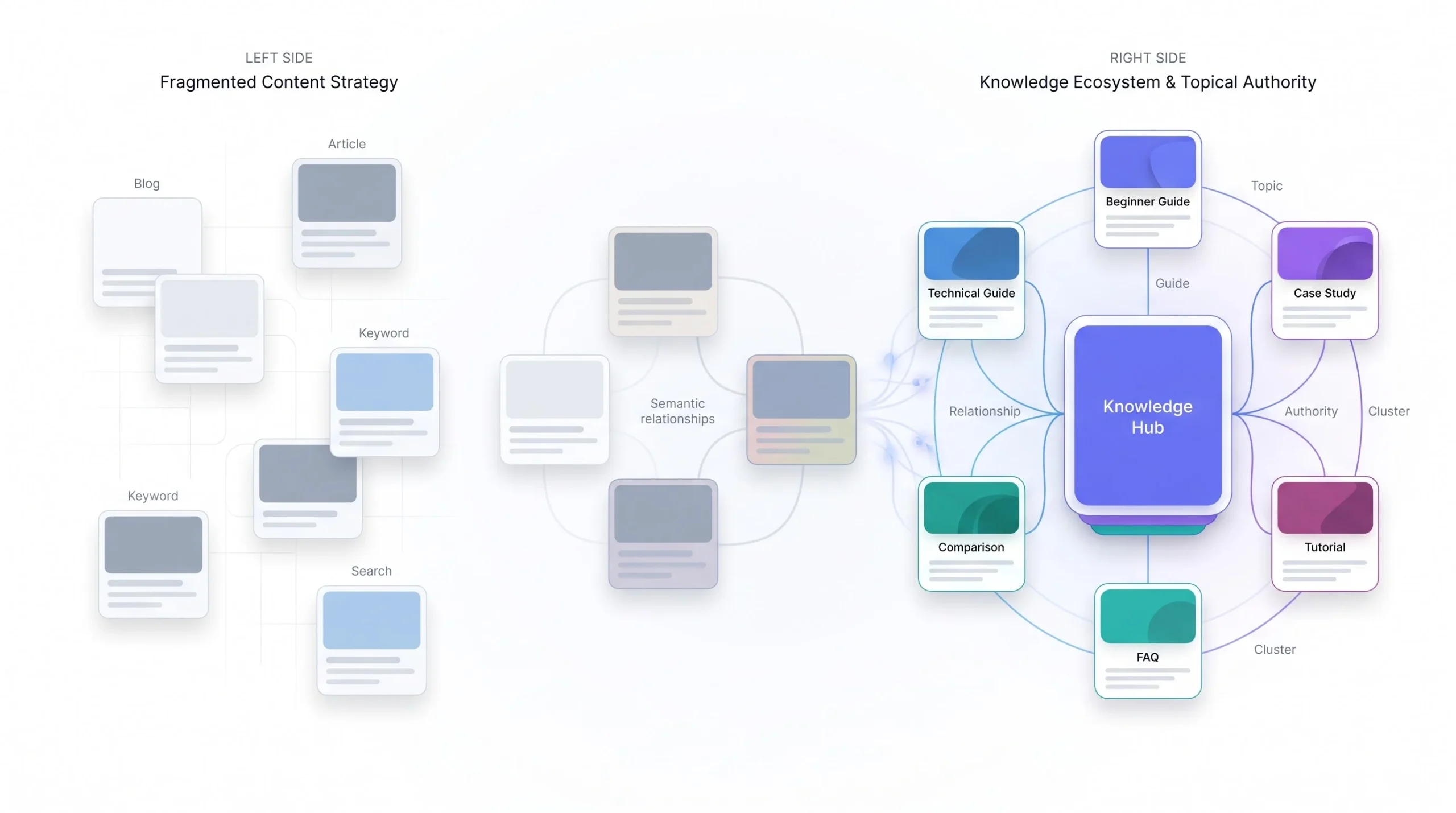
Search used to work on keyword matching. You wrote “best running shoes for flat feet,” you used that phrase a few times, Google matched it to the query, you ranked. Simple, kind of dumb, but it worked well enough for a long time.
That’s not really how ranking works anymore. Google’s systems now try to understand topics and entities, not just strings of words. This means a page doesn’t just get scored on whether it contains the right phrase. It gets scored on whether the surrounding content, the site structure, and the linked pages around it all support the idea that this domain actually understands the subject.
This is why keyword cannibalization has gotten so much worse as a problem. Say you’ve got a post called “How to Improve Bounce Rate” and another one called “Reduce Bounce Rate on WordPress” and a third called “Bounce Rate Tips for Blogs.” All three are basically answering the same question with slightly different words. You wrote them at different times, probably didn’t even remember the first one existed when you wrote the third. Now Google has three pages from your own site competing against each other for the same search intent, and instead of consolidating ranking power into one strong page, you’ve split it three ways and diluted all of them. Nobody ranks well. You did this to yourself.
A cluster fixes this because it forces you to actually map out intent before you write. One page covers “what is bounce rate,” a different page covers “how to lower bounce rate specifically on WordPress,” another covers “bounce rate benchmarks by industry.” Different angles, different intents, no overlap, and they all link to each other because they’re genuinely related. That’s the difference between cannibalization and a cluster. Same topic area, completely different outcome.
There’s also the AI Overviews piece, which honestly changes the math on this even more. When Google’s generative results pull an answer together, they tend to draw from sites that show clear, structured coverage of a subject rather than one isolated page that happens to rank. A site with fifteen interlinked pages on content marketing looks like a more reliable source to pull from than one great post sitting by itself with no supporting structure around it. Structure isn’t just a ranking factor anymore. It’s becoming a trust signal for how these AI-generated answers decide who to cite.
The keyword-stuffing era is dead, and honestly it’s been dead for a while, most people just haven’t updated their mental model yet. You’re not optimizing for a phrase anymore. You’re optimizing for whether your site actually knows what it’s talking about.
Anatomy of a Topic Cluster: Pillar Pages vs. Cluster Content
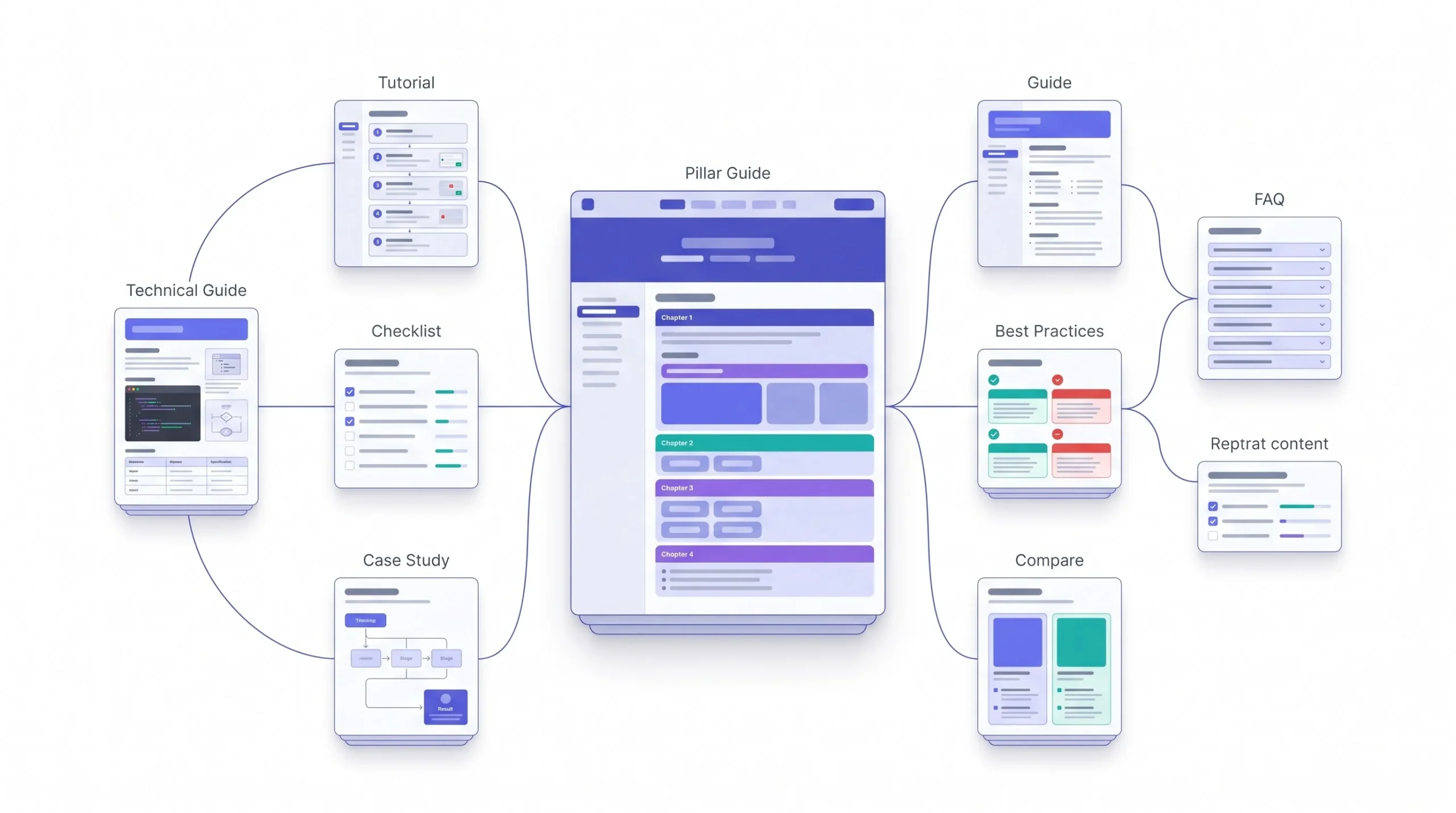
Let’s break down the two pieces properly, because people mix these up constantly, usually by assuming the only difference is word count. It’s not. Word count is a symptom of the real difference, not the cause of it.
What a Pillar Page Actually Is
A pillar page covers a topic broadly. It’s meant to answer the big question a beginner would ask, and then point them toward every narrower question that comes after it. If your topic is “content marketing,” the pillar page touches on strategy, distribution, formats, measurement, all of it, at a level deep enough to be genuinely useful but not so deep it becomes its own encyclopedia entry for every subtopic.
The intent match here usually skews broader and more competitive. People searching “what is content marketing” or “content marketing guide” aren’t looking for a hyper-specific answer, they’re looking for orientation. The pillar page’s job is to give them that orientation and then hand them off to the specific piece they actually need next.
This is also, functionally, the internal link hub for the whole cluster. Every single cluster page should be linkable from the pillar. If you can’t find a natural spot on your pillar page to link to a cluster piece, that’s usually a sign the cluster piece doesn’t actually belong in this cluster.
What Cluster Content Is
Cluster pages go narrow. One question, answered thoroughly, in a way the pillar page never could because the pillar has to cover too much ground to go this deep on any single piece.
“How to Calculate Bounce Rate,” “Bounce Rate vs Exit Rate: What’s the Difference,” “What’s a Good Bounce Rate for an Ecommerce Site” — each of these is a cluster page hanging off a broader “What Is Bounce Rate” pillar. Long-tail intent, more specific searcher, usually someone further along in actually solving their problem rather than just learning the term exists.
The Hub-and-Spoke Linking Model
Here’s the mechanic in full. Every cluster page links up to the pillar page, using descriptive anchor text, not just “click here.” The pillar page links down to every cluster page. And where it actually makes sense, cluster pages link sideways to each other too.
That sideways linking part matters more than people give it credit for. If your “How to Calculate Bounce Rate” post naturally references the concept of exit rate, link to that cluster page too. Don’t force it if it doesn’t fit, but when two cluster pieces are genuinely related, connecting them strengthens the whole structure instead of just funneling everything through the pillar like a bottleneck.
| Pillar Page | Cluster Page | |
|---|---|---|
| Search Intent | Broad, informational, often top-of-funnel | Narrow, specific, ranges from top to bottom of funnel |
| Word Count Range | 3,000–6,000+ words | 1,200–3,000 words, depends on the question |
| Keyword Type | Head term or broad phrase, higher competition | Long-tail, specific phrase, lower competition |
| Internal Links In/Out | Links out to every cluster page, receives links from all of them | Links up to pillar, sideways to related cluster pages |
| Update Frequency | Frequent, since it’s the hub and needs to stay current | Less frequent, updated when the specific answer changes |
How Topic Clusters Help Google Understand Your Site
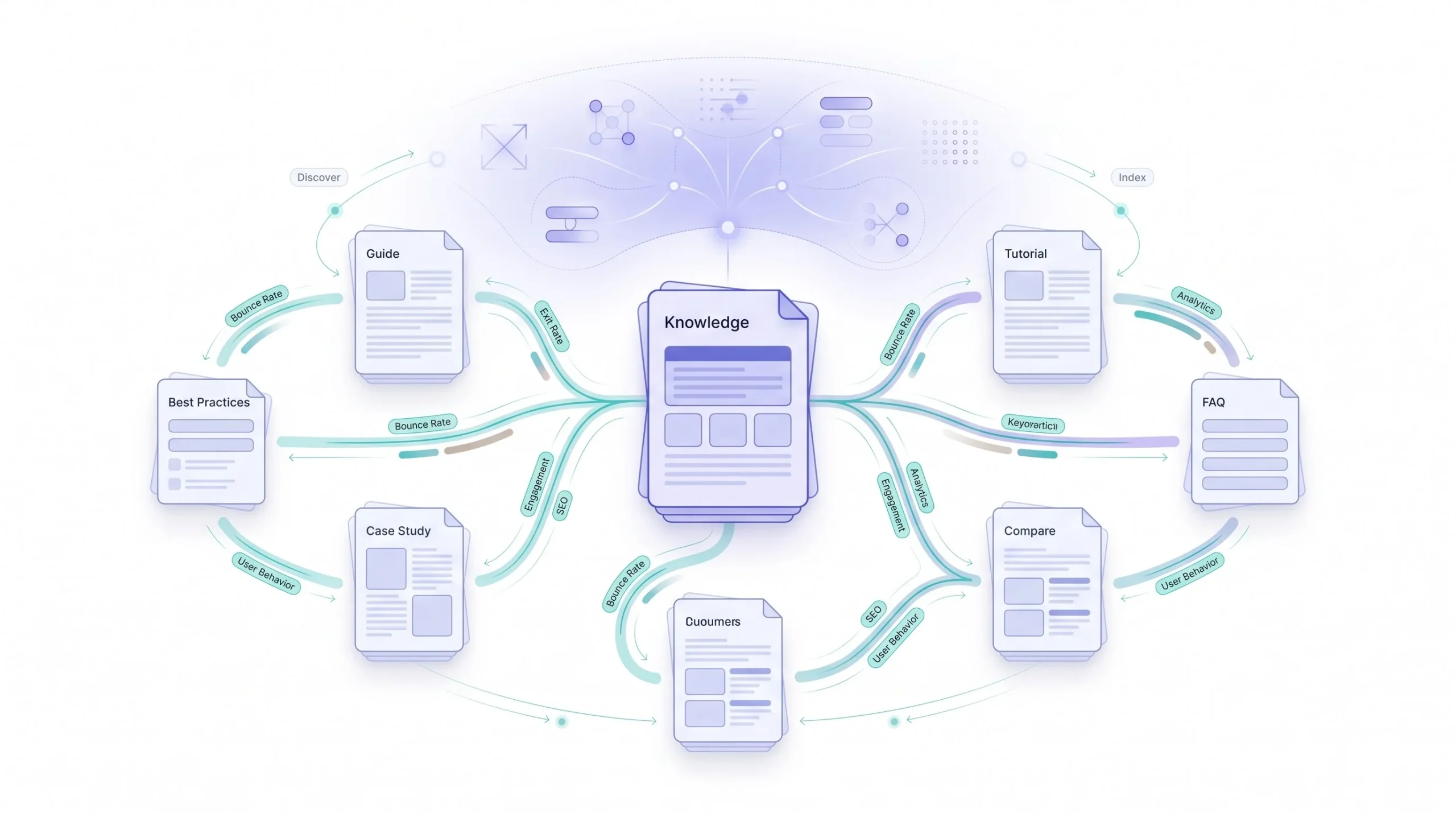
Alright, mechanism time. Why does linking pages together actually change anything on Google’s end?
When you link from one page to another using descriptive anchor text, you’re not just handing the reader a shortcut. You’re passing contextual information about what that linked page is about. If your bounce rate pillar links to a cluster page with anchor text like “how bounce rate differs from exit rate,” that phrase itself tells Google’s crawlers something about the destination page’s subject matter, on top of whatever the destination page says about itself.
Do this across a dozen or fifteen pages, all linking to each other with genuinely descriptive anchor text, and you’ve built a web of contextual signals that reinforces, again and again, “this cluster of pages is about bounce rate specifically, and this site clearly knows the subject in depth.” That’s a much stronger signal than one isolated page trying to prove the same thing by itself.
Anchor text strategy matters here, and it’s worth being direct about what NOT to do. Don’t exact-match stuff every link with your target keyword. That reads as manipulative and it doesn’t even work that well anymore. Use natural, descriptive phrases that actually tell a human where they’re headed, because that’s also what tells Google’s systems where they’re headed.
There’s a crawl efficiency angle too, especially once a site gets bigger. Search engines have to decide how much time to spend crawling your site, and a well-linked cluster makes it easier for crawlers to discover and understand every page without wasting effort. A page sitting orphaned with zero internal links pointing to it might not get crawled as often, or at all, no matter how good the content is. Linking structure isn’t just about passing authority around, it’s about making sure your content actually gets found and indexed in the first place.
And then there’s the E-E-A-T angle, which gets mentioned so often it’s become a bit of a buzzword, but the underlying logic holds up. A site that covers a topic in real depth, from multiple angles, with pages that clearly reference and build on each other, looks like a site written by someone who actually has experience with the subject. A single isolated post can’t demonstrate that kind of depth on its own, no matter how well it’s written.
How to Research and Choose Your Pillar Topics
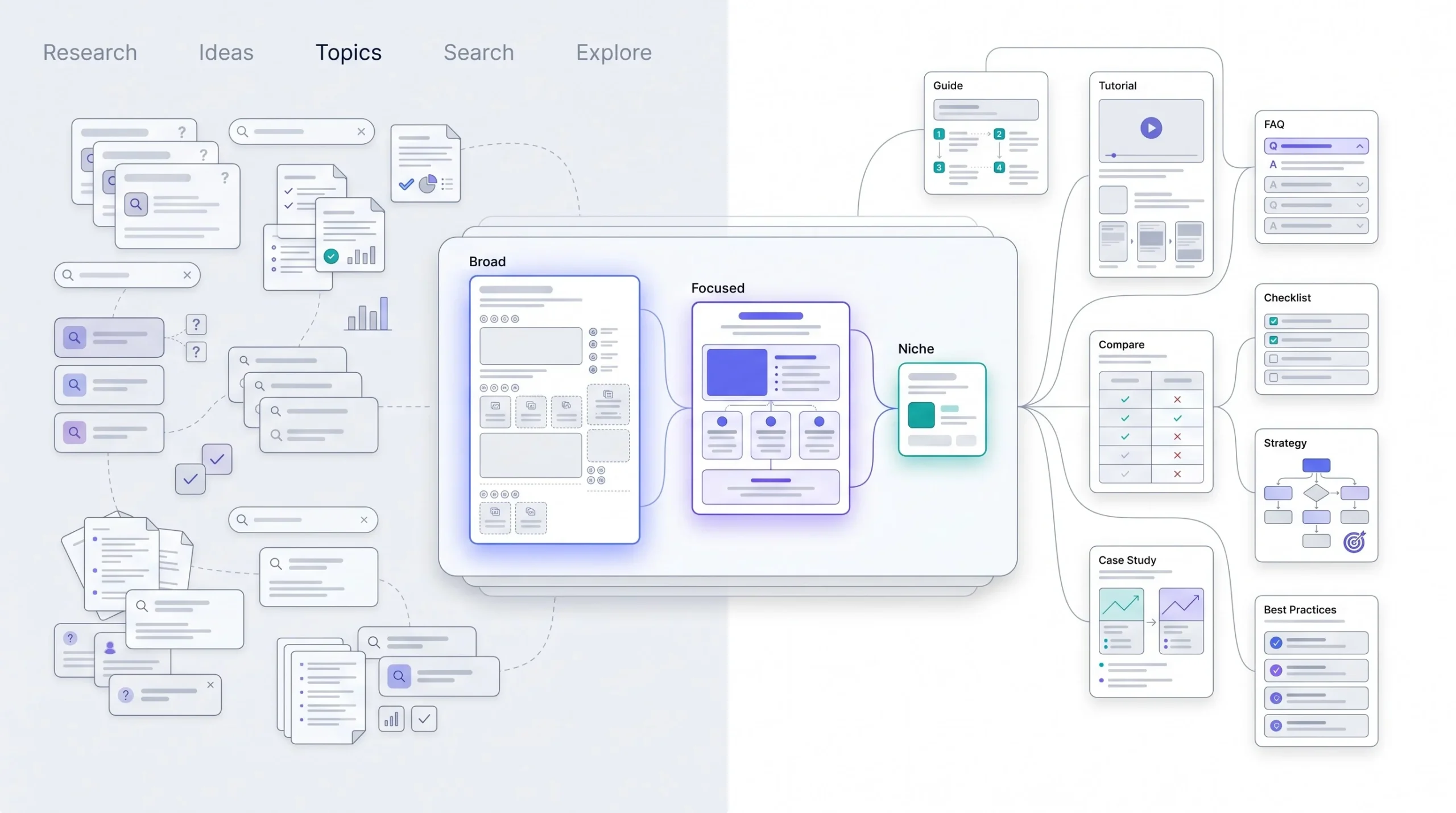
This is where a lot of clusters go wrong before a single word gets written. People pick a topic that’s either way too broad to structure, or way too narrow to build anything around. Getting the size right matters more than almost anything else in this whole process.
Finding Topics With Real Cluster Potential
The test here is simple. Can you list eight to fifteen genuinely distinct subtopics under this pillar without forcing it? If you’re sitting there trying to invent a tenth angle on “email subject lines” and it’s starting to feel like padding, the topic’s too narrow for a full cluster. Go broader. “Email marketing” as a whole can easily support fifteen or twenty cluster pieces. “Email subject line capitalization” cannot support more than maybe two or three before you’re just repeating yourself with different words.
On the flip side, if your pillar topic is so broad that a single page can’t reasonably summarize it (something like “digital marketing” as a whole), you’re going to end up with a pillar page that’s either impossibly long or embarrassingly shallow. That’s too broad. Narrow it down to something like “content marketing” or “paid social advertising” instead.
Keyword Research for Cluster Mapping
Three distinct methods here, and honestly people tend to only use one and miss the other two.
Seed keyword expansion is the obvious one. Take your core topic, plug it into a keyword research tool, and pull every related term with meaningful search volume. This gives you the skeleton of your cluster.
People Also Ask mining is underused and it shouldn’t be. Search your core topic, look at every question Google surfaces in that box, and click into a few of them, because each click reveals more questions. This is basically Google handing you its own map of what people actually want to know about this subject, for free.
Competitor content gap analysis is the third piece. Look at who’s already ranking well for your pillar topic and map out what subtopics they’ve covered that you haven’t. Not to copy them, but to make sure you’re not leaving an obvious gap that a competitor’s cluster already fills and yours doesn’t.
Mapping Search Intent to Cluster Structure
Every keyword you’ve gathered falls into one of three buckets. Informational, where someone’s trying to learn something (“what is a lead magnet”). Commercial, where someone’s comparing options before a decision (“best email marketing tools for small business”). Navigational, where someone’s looking for a specific brand or product.
Your pillar and most of your top-of-funnel cluster pages should target informational intent. Deeper in the cluster, you can start layering in commercial-intent pieces, comparison posts, “best of” roundups, that kind of thing. Mixing intents without mapping them out first is how you end up with a cluster that reads inconsistently, some pages trying to educate and others trying to sell, with no clear path between them.
| Topic Size | Signal | Cluster Fit | Example |
|---|---|---|---|
| Too broad | Can’t be summarized on one page without being shallow | Break into 2–3 separate pillars | “Digital marketing” |
| Right size | Supports 8–15 genuinely distinct subtopics | Ideal pillar | “Content marketing” |
| Too narrow | Can’t generate more than 2–3 non-redundant angles | Fold into a larger cluster as one cluster page | “Email subject line capitalization” |
Building the Cluster: Step-by-Step Process
Alright, here’s the actual sequence, laid out the way it really happens on a content calendar, not the tidy version people write up after the fact when everything already worked.
Step 1 — Define the Pillar Topic and Audience Intent
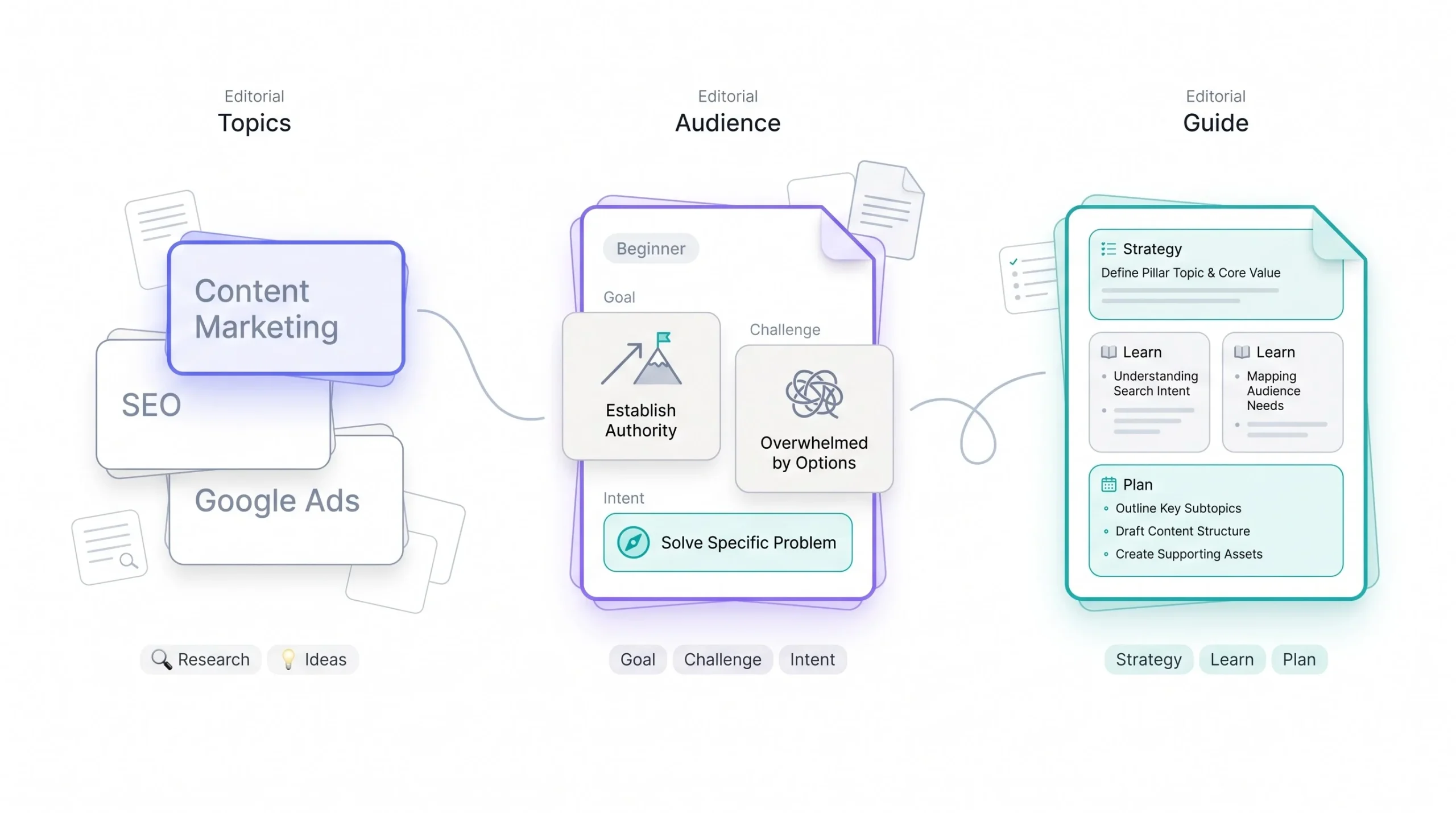
Before anything else, nail down who’s actually searching for this and why. Someone searching “what is content marketing” is different from someone searching “content marketing strategy for B2B SaaS.” Same general topic, very different reader, very different depth of answer expected.
Get specific here, don’t just write “small business owners” in a doc and call it done. Write down the actual scenario. For a “Google Ads for Small Business” pillar, the reader is probably someone who’s never run a paid campaign before, has maybe 500 to 2,000 dollars a month to spend, and is nervous about wasting it. That level of specificity changes how you write every single page in the cluster, because you’re not writing for “marketers” in the abstract, you’re writing for one nervous person with a real budget and a real fear of blowing it.
Step 2 — Map Cluster Subtopics Through Research
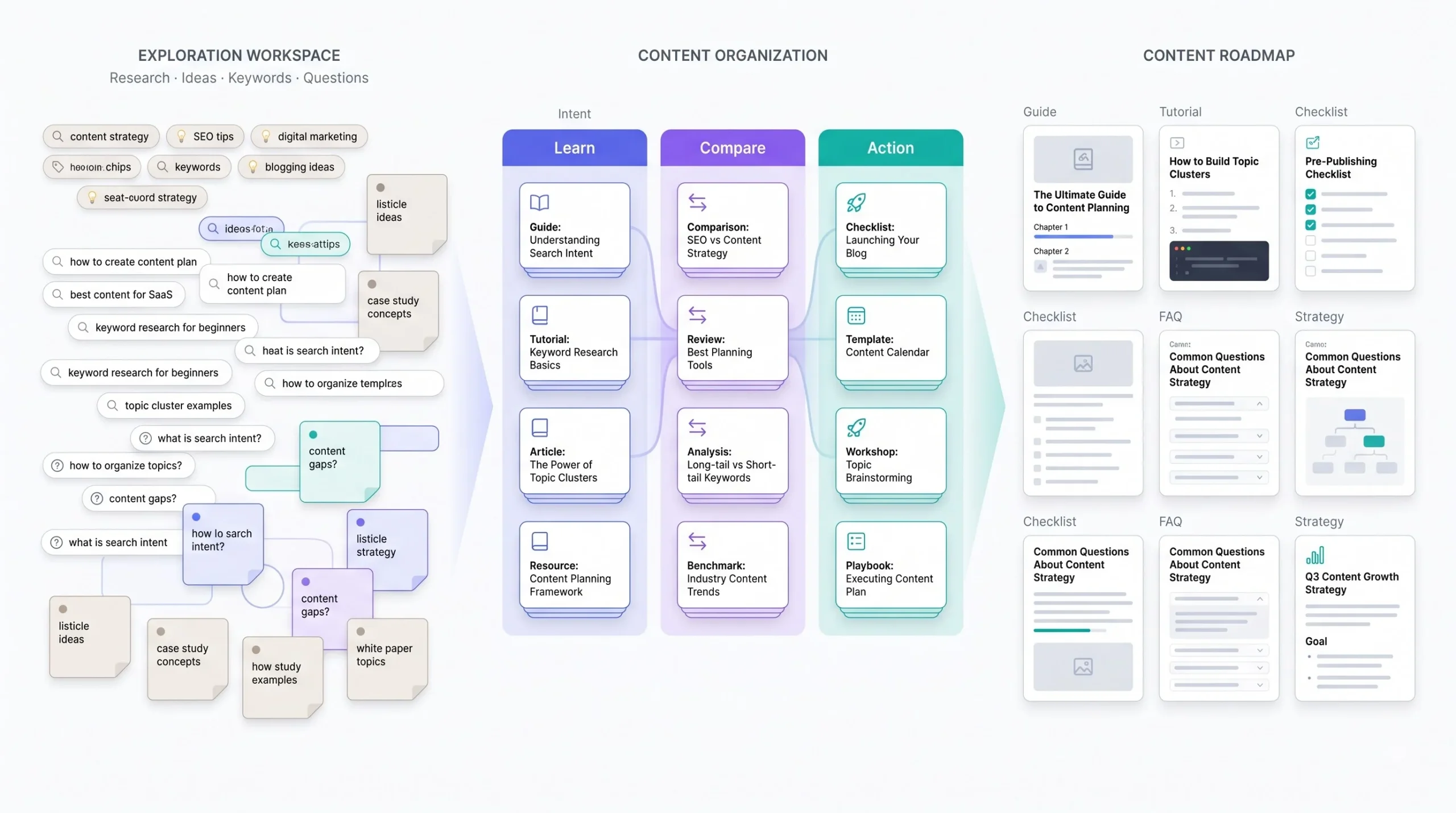
This is where the keyword research and PAA mining actually gets turned into a working list, and it needs to happen in a spreadsheet, not in your head. Three columns minimum: the subtopic, the primary keyword it targets, and the search intent behind it. Once that list is built, sort it by intent and read down each group looking for two pieces that are secretly answering the same question in different words. Catch that now. It’s a five-minute fix in a spreadsheet and a much bigger fix once both pages are live and ranking against each other.
Eight to fifteen subtopics is the range to aim for. If you’re stuck at five and struggling to find a sixth that isn’t a rehash, that’s real information, it’s telling you the topic’s narrower than you thought.
Step 3 — Build the Content Calendar and Priority Order
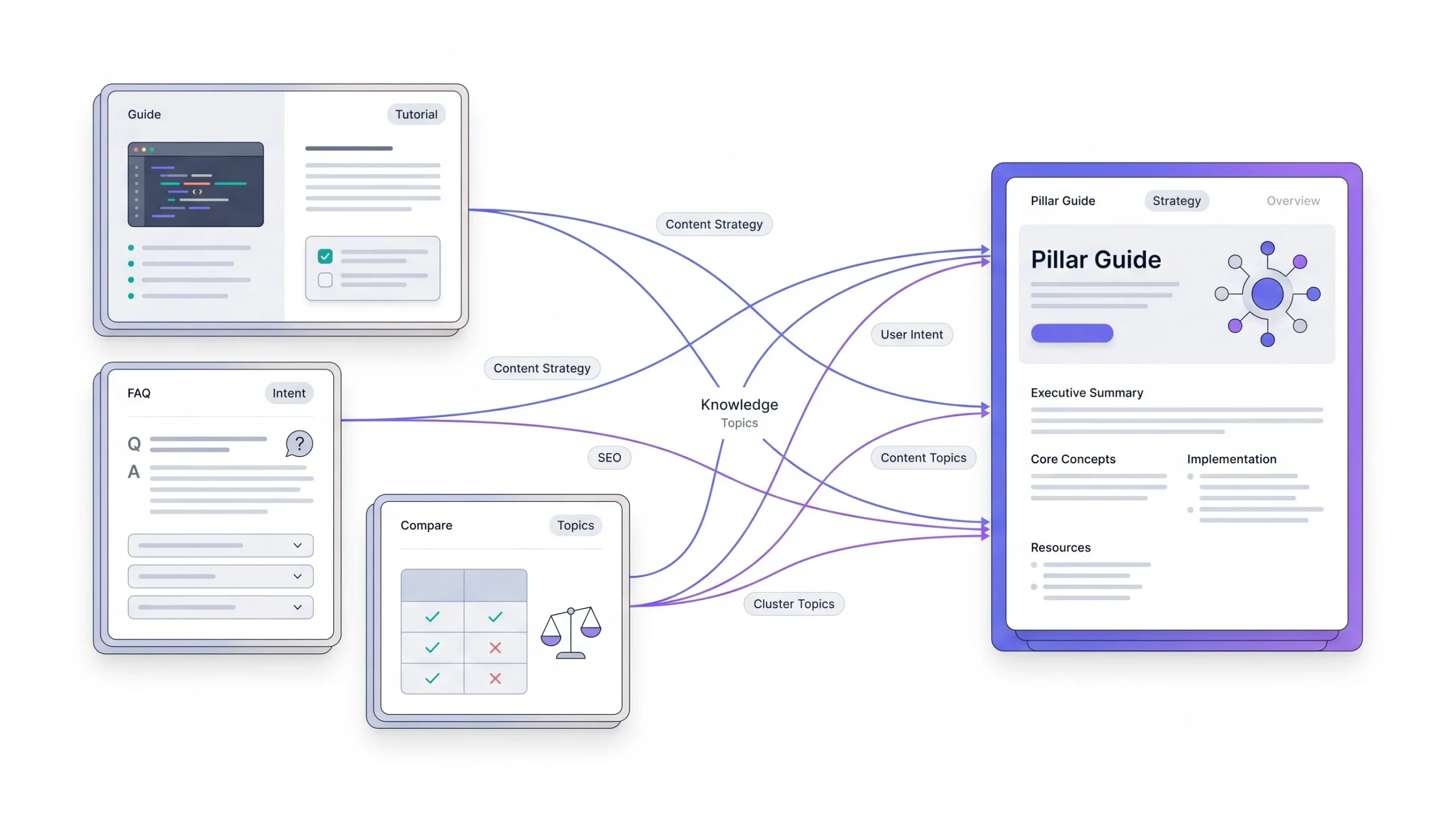
Here’s an argument that’s going to sound backwards to some people: publishing the pillar page first is usually a mistake. It feels intuitive, build the hub, then build the spokes. But a pillar page with zero cluster pages to link to is just a long article sitting there with broken promises, mentioning subtopics it can’t yet point anywhere.
Better approach: publish two or three of the strongest, highest-intent cluster pieces first, the ones most likely to rank fast on their own because the keyword is specific and the competition is lower. Let Google index and start ranking those independently for a few weeks. Then publish the pillar page once there’s enough cluster content to actually link out to, so the structure exists from day one instead of getting bolted on six months later when someone finally remembers to go back and add the links.
Prioritize within the cluster by a mix of search volume and how fast you think each piece can realistically rank. A high-volume but brutally competitive term should sit later in the calendar, after the cluster has some pages already ranking and lending it a bit of contextual weight. A lower-volume but easy-to-rank term is a good early win, because it starts generating traffic and internal link equity while the harder pieces are still being written.
Step 4 — Write and Publish the Pillar Page
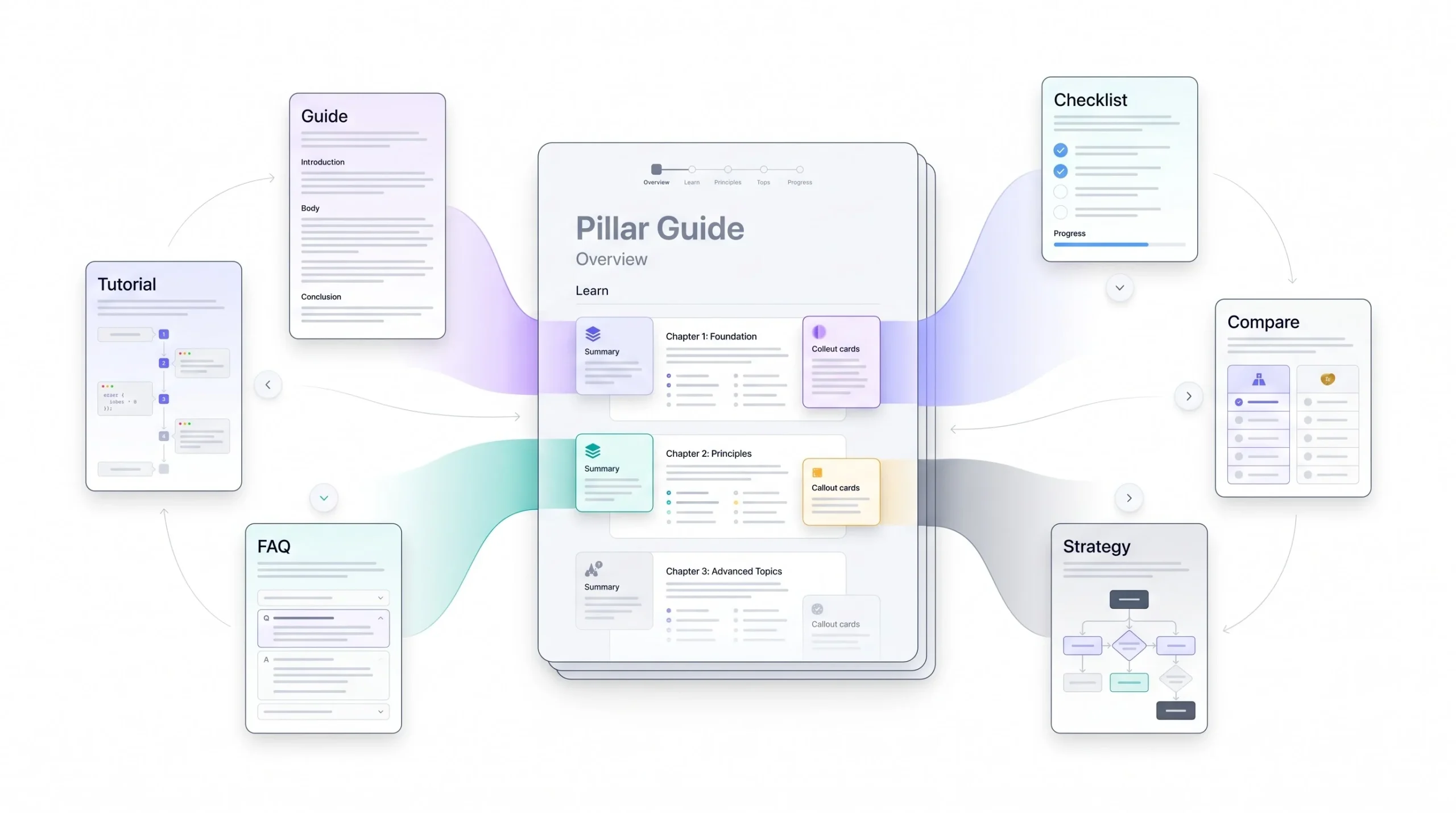
Once the early cluster pieces are live, write the pillar to be genuinely comprehensive but not redundant with what the cluster pages already cover in depth. This is the trap most people fall into here, they end up writing a second full version of the cluster page’s content inside the pillar, which just means you’ve built two competing pages instead of one hub and one spoke.
The fix is to write each pillar section as a real, standalone answer at a summary level, three or four solid paragraphs, enough that someone could stop reading right there and walk away satisfied, and then hand off with a genuine reason to click through, not just “read more here.” Something like “the bidding strategy you pick here affects your budget more than almost anything else, here’s how to actually choose one” does more work than a bare link at the end of a paragraph.
Step 5 — Write and Interlink Cluster Content
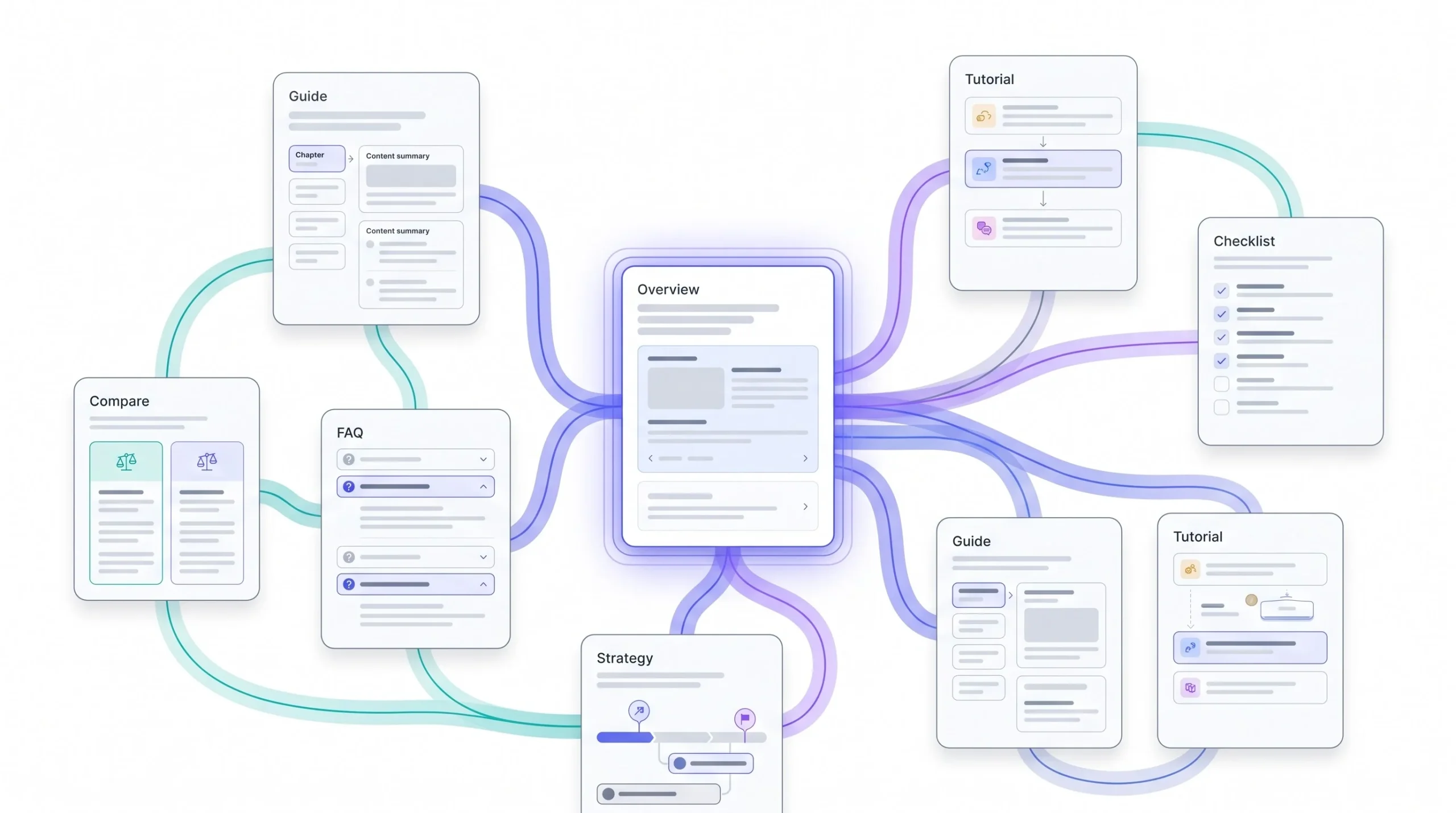
As each remaining cluster page goes live, link it back to the pillar immediately, in the first or second paragraph if it fits naturally, not buried at the bottom as an afterthought. Then go back into the pillar page the same day and add the link down to it. Don’t batch this “for later.” Later never comes, and half-linked clusters, where three or four pages just never got added back into the pillar, are one of the most common reasons this whole strategy underperforms without anyone noticing why.
While you’re writing each cluster piece, keep the full subtopic list open next to you. Every time you mention a concept that has its own dedicated page elsewhere in the cluster, that’s a sideways link opportunity. Don’t force it if it reads awkwardly, but don’t skip it either just because you’re focused on finishing the page you’re on.
Step 6 — Audit and Strengthen Internal Links Across the Cluster
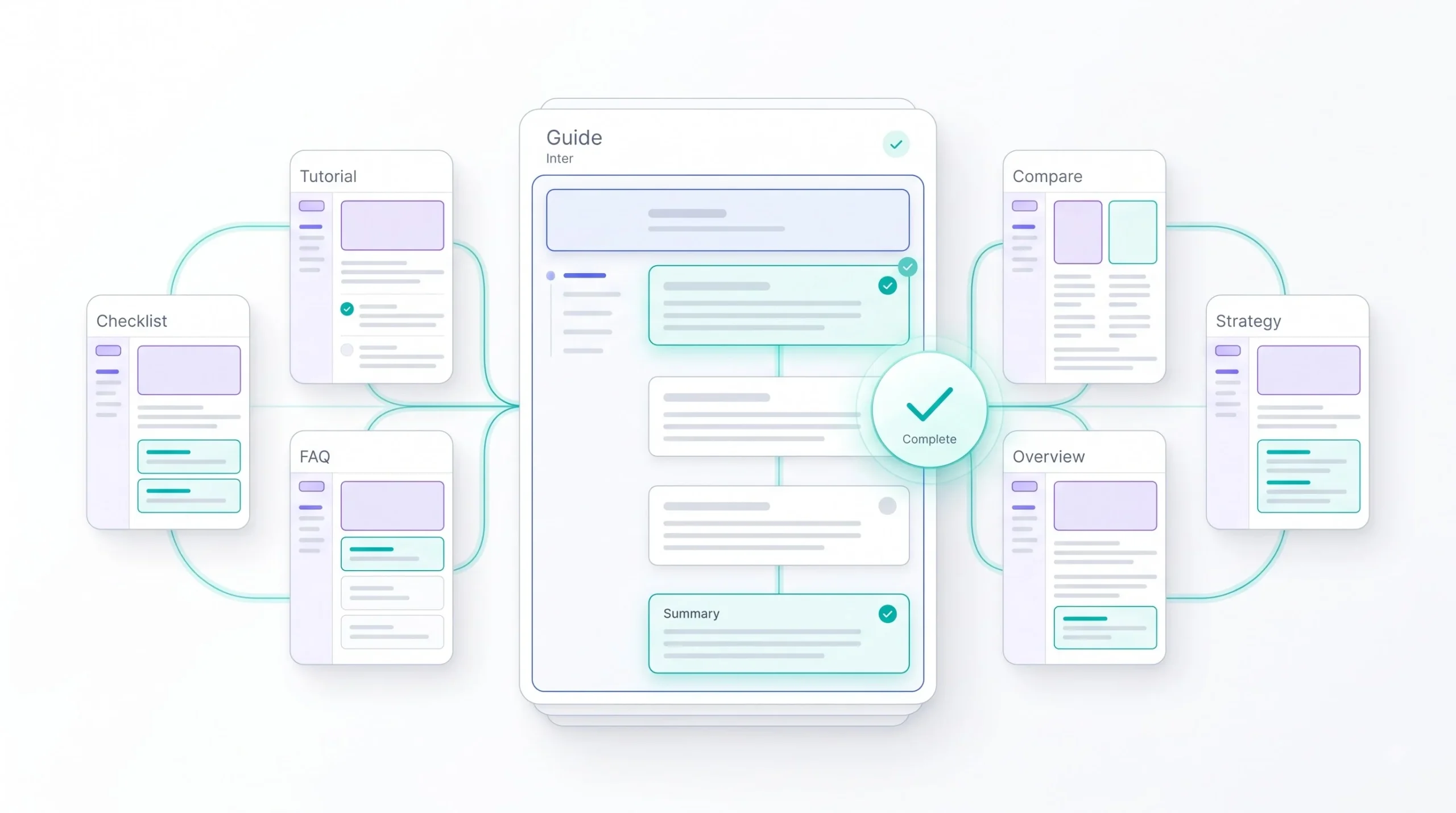
Once the cluster’s fully published, go through every single page with a proper crawl, not just a manual click-through, because manual checking misses things at any real scale. Confirm every cluster page links up to the pillar, the pillar links down to every cluster page, and the sideways links you planned back in step two actually made it into the final drafts.
Check the anchor text while you’re at it. Descriptive and natural, not “click here,” and not the same exact-match phrase repeated on every single link either. This audit step feels like busywork after the “real” writing is done, but a cluster with even two or three missing links is a cluster that’s leaking the exact structural signal the whole strategy depends on.
If you’re publishing the pillar page before you have at least two or three cluster pieces ready to link to, you’re building a hub with no spokes. Flip the order. Build outward, then build the hub.
Common Mistakes That Break Topic Clusters
Let’s go through the ways this actually falls apart, because knowing the mistake isn’t useful without knowing why it hurts.
Building a cluster around a topic too narrow to sustain real breadth is the first one, and it’s sneaky because it doesn’t feel wrong while you’re doing it. You start strong with five or six good pieces, then subtopic seven and eight start feeling forced, thin, repetitive of what you already said in piece three. Readers notice this even if they can’t articulate why. It reads as padding because it is padding.
Weak or missing internal linking is the most common mistake by far, and it’s the one that turns a genuine cluster into what’s effectively just a folder of related posts. If a cluster page doesn’t link to the pillar, and the pillar doesn’t link to it, Google has no structural reason to treat these pages as connected. The content might be great. The structure just isn’t there to back it up.
Keyword cannibalization between cluster pieces happens when two subtopics end up targeting the same search intent without anyone catching it during the mapping stage. This is exactly why step 2 in the build process matters so much. Skip the overlap check and you’ll end up with two pages competing against each other months down the line, and untangling that after the fact is way more work than catching it before you wrote either page.
Treating the pillar page as a “publish it and walk away” asset is a mistake that compounds slowly. As you add more cluster pages over time, the pillar needs to get updated to link to each new addition and reflect any changes in how you’re covering the topic. A pillar page that hasn’t been touched in a year while five new cluster pieces got published around it is a pillar that’s actively falling behind its own cluster.
And publishing cluster content before the pillar exists, without at least planning where the eventual link back will go, means you end up scrambling to retrofit links into old posts later. Not the end of the world, but it’s extra work you could’ve avoided by mapping the whole cluster structure up front, even if you’re sequencing the actual publishing to start with cluster pieces first.
| Mistake | Why It Hurts | Fix |
|---|---|---|
| Topic too narrow for a full cluster | Later pieces become redundant, reads as padding, dilutes the pages that came before it | Fold the topic into a broader pillar instead of forcing a standalone cluster |
| Weak or missing internal links | No structural signal connects the pages, Google reads them as isolated content | Audit every page, ensure two-way linking between pillar and every cluster piece |
| Keyword cannibalization | Two of your own pages compete for the same query, splitting ranking power between them | Map search intent before writing, merge or refocus overlapping pieces |
| Pillar page left static | Falls behind the cluster’s growth, misses linking to newer pieces, reads outdated | Schedule pillar updates every time a new cluster piece is added |
| Cluster content published with no link-back plan | Retrofitting links later is slower and easier to forget entirely | Map the full link structure before publishing, even if sequencing starts with cluster pieces |
Tools for Topic Cluster Research and Mapping
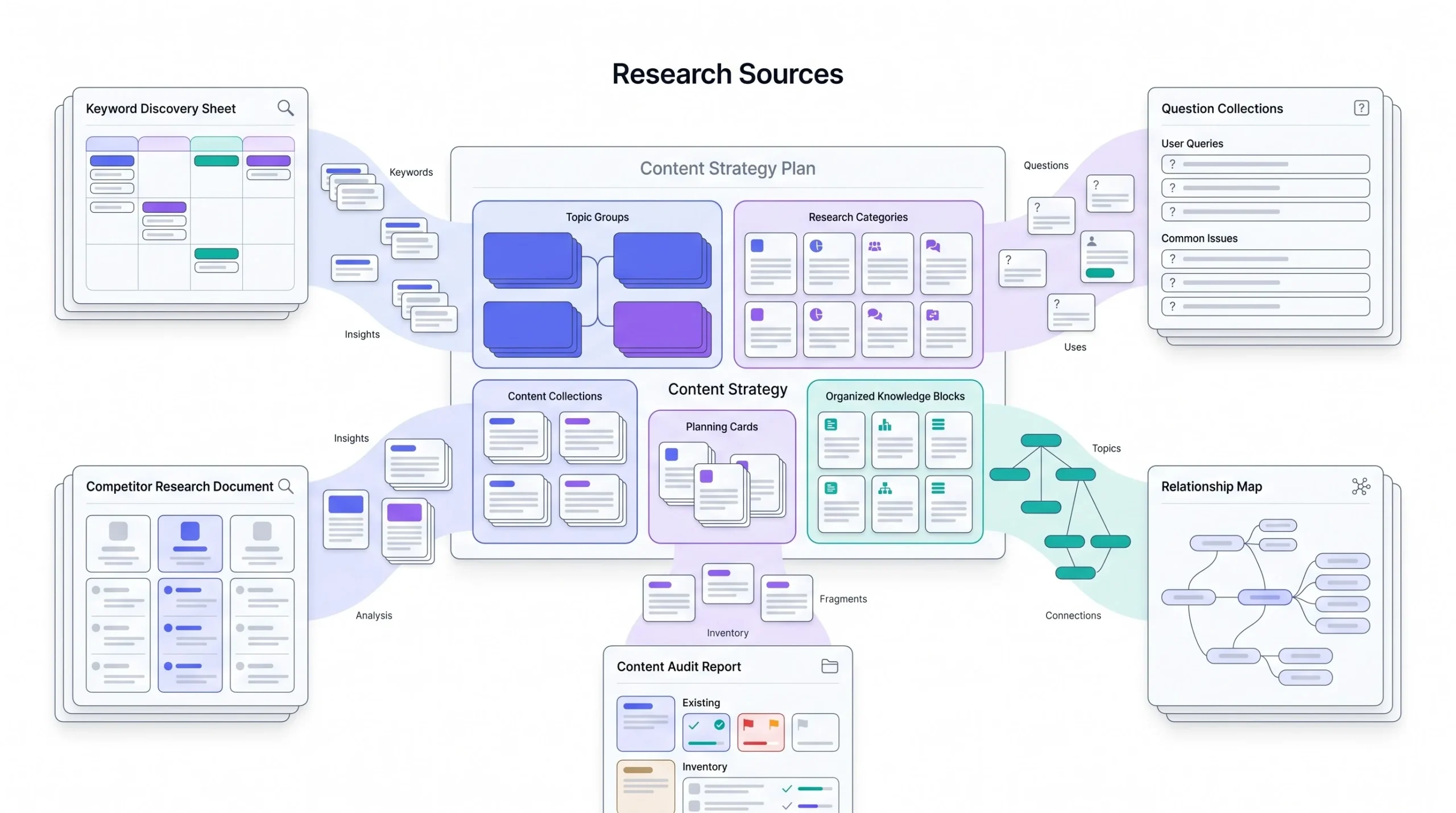
Different jobs need different tools here, and lumping them all together under “SEO tools” is part of why people end up using the wrong one for the wrong task, or worse, paying for three tools that all do the same thing while nothing actually covers the internal linking side.
For keyword research and clustering, this is where you’re mapping seed keywords into related terms and grouping them by intent. Ahrefs and Semrush both have keyword clustering features that group similar terms together automatically, which is a genuine time saver when you’re staring at a list of four hundred keyword variations and trying to figure out which ones are really the same search intent wearing different words. Google’s own Keyword Planner is free and still fine for a rough first pass on volume, it’s just weaker on the clustering and intent side compared to the paid tools. For a smaller site or someone just starting out, honestly, Google Search Console’s own “Queries” report under an existing similar page can surface real phrases people are already searching that you haven’t targeted yet, and it costs nothing.
For People Also Ask and question mining, AlsoAsked is built specifically for this, it maps out the PAA tree several layers deep so you’re not manually clicking through Google’s own search results one box at a time. AnswerThePublic does something similar with a wider net of question phrasing, useful for catching angles that don’t show up in the PAA box at all.
For content gap analysis, Ahrefs’ Content Gap tool and Semrush’s Keyword Gap tool both do the same core job, they take a competitor’s ranking keywords and show you which ones you’re not covering. Worth running this against two or three competitors, not just one, since a single competitor’s gaps might just reflect their own blind spots rather than a genuine hole in the topic.
For internal link auditing, this is the category people skip and it’s the one that actually protects the whole cluster strategy. Screaming Frog crawls your live site and maps out exactly which pages link to which, including orphaned pages with zero internal links pointing at them, which is precisely the failure mode a half-finished cluster falls into. Ahrefs’ Site Audit does something similar built into its broader toolset if you’re already paying for it anyway. For a smaller cluster, under fifteen or so pages, a manual spreadsheet tracking which page links to which is genuinely fine, you don’t need a crawler for that scale, just discipline to keep it updated.
For a small site building one or two clusters, Google Search Console plus a free keyword tool plus a manual linking spreadsheet is a completely legitimate setup, no paid tools required. The paid stack starts earning its cost once there are multiple clusters running at once across a bigger site, where manually tracking link structure in a spreadsheet stops being realistic and starts being a liability.
How to Measure Whether Your Topic Cluster Is Working
Checking rankings for your pillar page alone and calling it a day misses most of the actual signal. Clusters need to be measured as a unit, not page by page.
Track ranking movement across every page in the cluster together, not just the pillar. A healthy cluster often shows the pillar climbing slowly while a few of the sharper, more specific cluster pages actually rank faster and higher, because long-tail terms are easier to win. If only the pillar is moving and every cluster page is flat, something’s off in the linking or the content depth on those subpages.
Organic traffic trends across the full cluster, added together, tell you more than any single page’s traffic graph. A cluster that’s working shows compounding growth over months, not a spike from one viral piece.
Search Console query diversity is a signal people rarely check but it’s genuinely useful. Look at how many distinct queries a single pillar page is ranking for. A page ranking for one exact phrase is a page that matched a keyword. A page ranking for thirty or forty related variations of a topic is a page Google has recognized as topically comprehensive. That shift, from single-query matching to broad query coverage, is one of the clearest signs a cluster strategy is actually paying off.
Backlink patterns are worth watching too. Pillar pages, because they’re comprehensive and genuinely useful as a reference, tend to earn more organic backlinks over time than narrow cluster pieces do. If your pillar’s backlink count is climbing on its own without active outreach, that’s the cluster’s depth doing its job.
How Often to Update and Expand a Topic Cluster
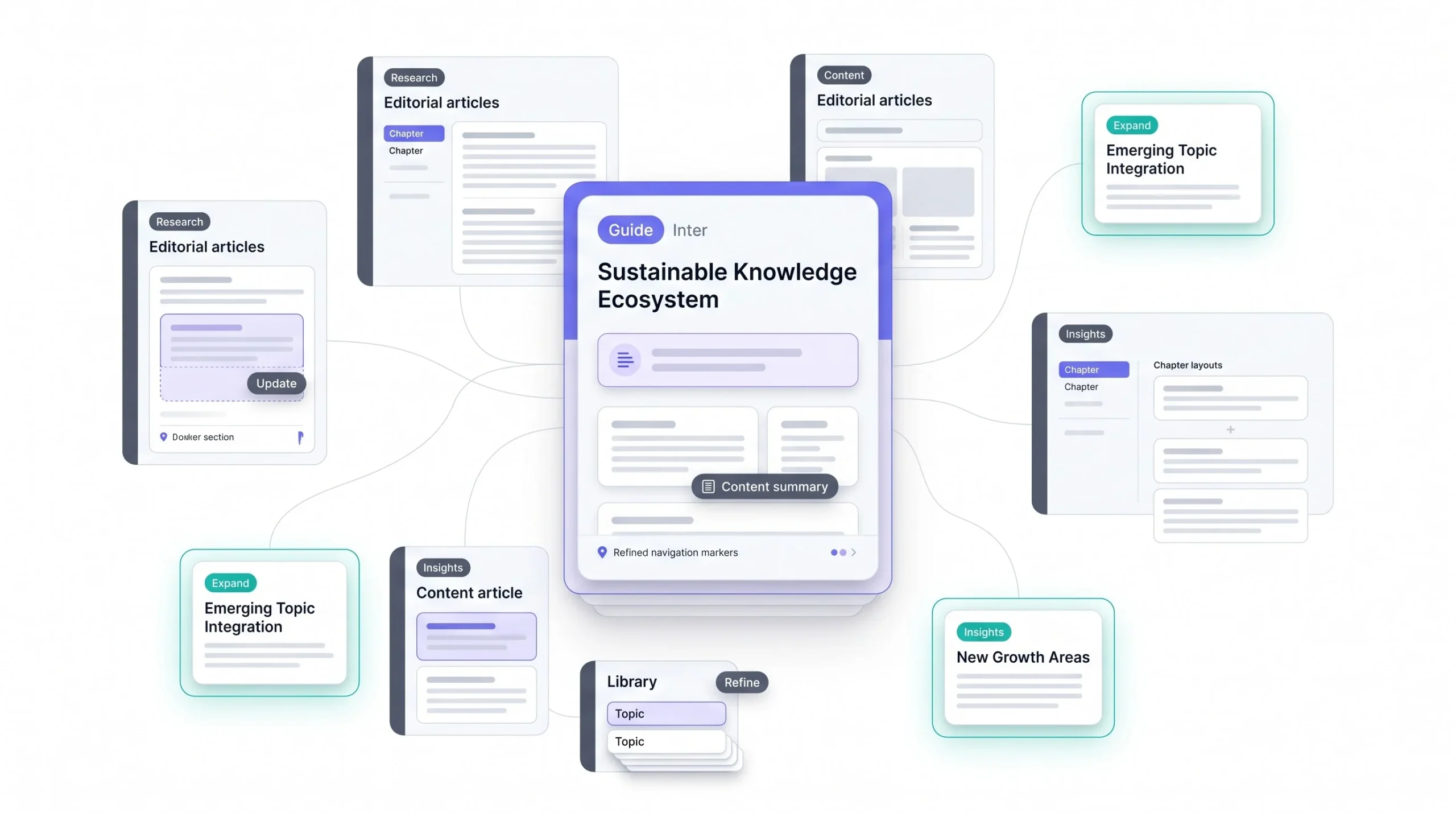
Content decay is real and it hits pillar pages harder than cluster pages, because pillars are broader and touch more fast-moving details. A pillar page mentioning specific tools, pricing, or platform features needs a check every few months at minimum, because that’s the stuff that goes stale fastest.
Cluster pages decay slower if they’re answering a more timeless, specific question, but they’re not immune either. “How to Set a Google Ads Budget” needs a refresh if the platform changes its minimum spend recommendations or bidding options.
Knowing when to expand a cluster versus when it’s complete comes down to one question: has a genuinely new, distinct subtopic emerged that your existing pieces don’t cover? If yes, that’s a real expansion. If you’re just trying to hit a publishing quota and forcing an eleventh angle on a topic that’s already been covered from every real direction, that’s not expansion, that’s just noise added to a structure that was already working fine without it.
Conclusion
None of this is complicated once you see the mechanic underneath it, but it does take more upfront thinking than just opening a doc and writing whatever keyword idea comes to mind next. Topical authority isn’t something you get from publishing a lot. It’s something you get from publishing in a structure that actually connects, page to page, in a way that shows a search engine and a reader both that this site genuinely knows the subject from every angle that matters. That’s the whole difference between a blog that plateaus after year one and a blog that keeps compounding traffic long after the posts themselves stop being new.
FAQs
What is the difference between a topic cluster and a content silo?
A content silo groups content by category with minimal cross-linking outside that category, often used for navigation structure. A topic cluster is specifically built around one pillar page linking to and from every related subpage, designed around search intent and internal linking rather than just categorization.
How many cluster pages should a pillar page have?
Somewhere between eight and fifteen tends to work well. Fewer than that and the topic’s probably too narrow to justify a full cluster. More than that and you’re likely overlapping intents somewhere in the list without realizing it.
Do topic clusters work for small websites?
Yes, arguably even more than for large sites, since smaller sites need every bit of structural signal they can get to compete against bigger domains with more raw content volume.
How long does it take to see SEO results from a topic cluster?
Individual cluster pieces targeting long-tail terms can start showing movement in a couple months. The compounding effect on the pillar page and the cluster as a whole usually takes longer, often six months to a year of consistent publishing and linking.
Should I build the pillar page or cluster content first?
Cluster content first, generally. Publish two or three strong cluster pieces, then build the pillar page once you have enough to actually link out to.
Can a website have multiple topic clusters?
Yes, and most established content sites eventually run several clusters in parallel, each built around a different core topic relevant to their audience.
What’s the ideal word count for a pillar page?
There’s no fixed number, but pillar pages covering a genuinely broad topic tend to land somewhere in the 3,000 to 6,000+ word range, since they need to summarize every subtopic meaningfully without going as deep as the dedicated cluster page for each one.
How do I know if two cluster pages are cannibalizing each other?
Check Search Console for both pages and see if they’re ranking for overlapping queries, especially if one is stealing impressions from the other over time. If both pages are clearly trying to answer the same core question, that’s cannibalization even before you check the data.
Do topic clusters help with AI Overviews and generative search?
Structured, well-linked coverage of a topic tends to read as more comprehensive and trustworthy to systems pulling together generative answers, compared to a single isolated page trying to prove the same depth on its own.
How often should I update a topic cluster?
Pillar pages need more frequent updates, every few months if they reference specifics like tools or pricing. Cluster pages can go longer between updates unless the specific answer they cover has changed.
What’s the difference between a pillar page and a landing page?
A pillar page is built for organic search and internal linking, meant to educate and orient a reader across a broad topic. A landing page is usually built for a specific campaign or conversion goal, often with paid traffic in mind, and doesn’t need the same kind of topical breadth or internal link structure.
Can topic clusters hurt SEO if done wrong?
Yes. A poorly mapped cluster with overlapping intents can cause cannibalization between your own pages. And a cluster with weak internal linking doesn’t get the structural benefit at all, so you end up doing the extra planning work without getting the payoff that makes it worth doing in the first place.