

Most business owners put off building a website for way longer than they should. Not because they do not know it matters. They know. They just assume it means hiring a developer, spending months on it, or learning to code in their spare time between running the actual business. None of that is true anymore, and honestly, it has not been true for years.
Here is the thing nobody tells you upfront: a customer today checks a business online before they ever pick up the phone or walk through the door. They search the name, they look for a website, and if all they find is an Instagram page with three posts from last year, that tells them something. Maybe the business is not serious. Maybe it is not even still open. A Facebook page or a Google Business Profile is fine as a starting point, but it is rented space. The platform controls it, not you. A website is the one place online that is actually yours.
This guide walks through how to build a website for your business from scratch, without touching a single line of code. Not a theoretical overview, but the actual sequence: what to decide before you open a website builder, which platform fits your situation, how to structure pages so visitors do not bounce, what to write, how to get found on Google, and what to check before you hit publish. By the end you will have a working plan you can execute this week, not next quarter.
What You Will Learn in This Guide
- How to figure out what your website actually needs to do before you touch a template
- Which no-code platform fits your type of business, and which ones to skip
- How to buy a domain and hosting without getting oversold
- The exact pages a small business site needs, and which ones are optional
- How to write homepage and service page copy that actually converts visitors
- The SEO basics that get you found on Google, including local SEO
- What to test before launch, and how to get your first real visitors once it is live
Why a Real Website Beats Just Using Social Media or a Marketplace Listing
Look, social media is not going anywhere and you should keep using it. But relying on it as your only online presence is a mistake a lot of small business owners make, and it usually costs them more than they realize. Instagram can suspend an account for no clear reason. A Google Business Profile can get flagged and go dark during a busy season. WhatsApp is great for closing a deal but terrible for someone still deciding whether to trust you in the first place.
A website does not have these problems because you own it outright. Nobody can shadowban your homepage. Nobody changes an algorithm overnight and cuts your reach in half. It sits there, answers questions, takes bookings, and builds trust at two in the morning while you are asleep, which is honestly the whole point of having one.
It also does something social platforms structurally cannot: it shows up in Google search results for the exact things your customers are typing in, like “plumber near me open now” or “digital marketing agency in Bhubaneswar.” That is a channel with almost zero platform risk once it is set up right, and it keeps working months and years after you publish a page.
Part 1: Before You Build Your Website
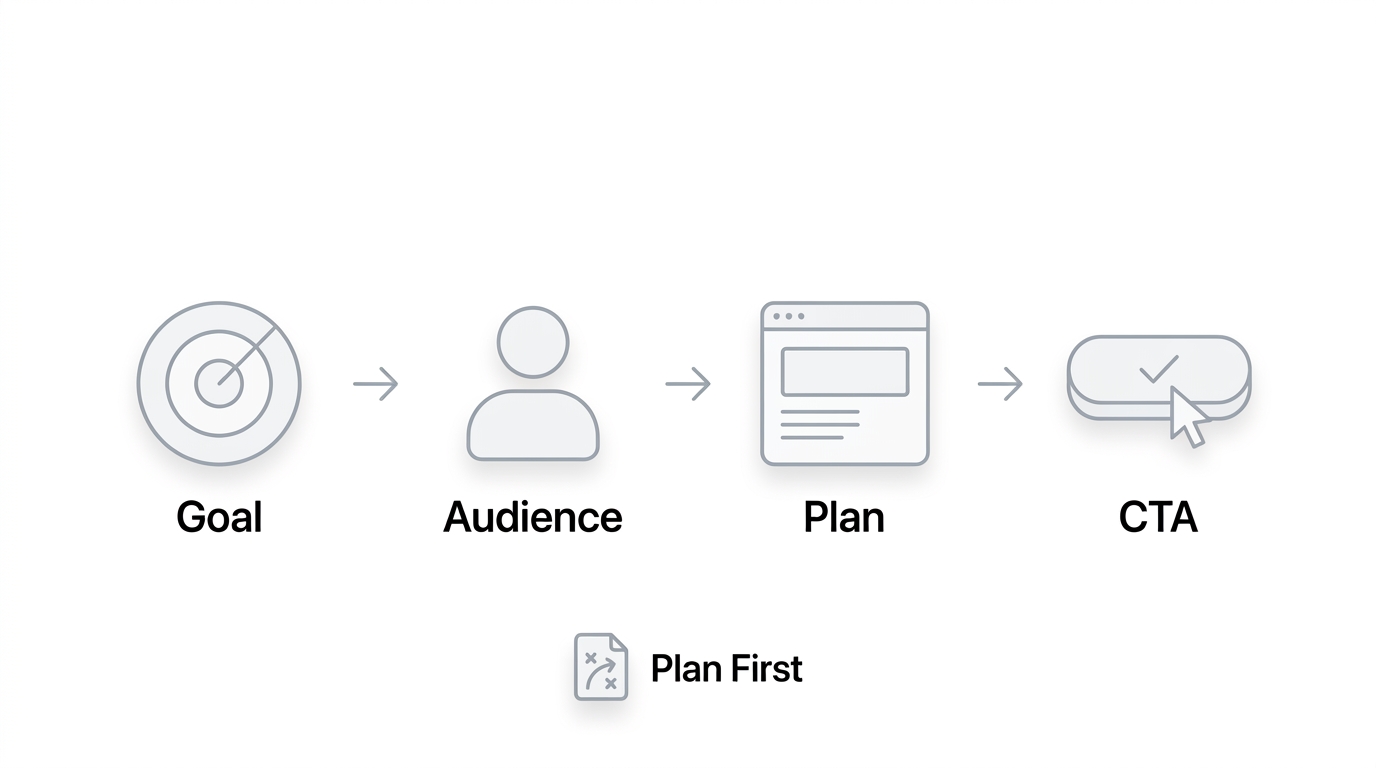
Before opening a website builder, you need to understand why you are building the website and what you want it to achieve. A business website should not simply exist as an online brochure. It should support specific business goals such as generating leads, receiving calls, selling products, booking appointments, building credibility, or attracting organic traffic.
Start by identifying your target audience. Understand who your ideal customers are, what problems they are trying to solve, what information they need before making a purchase, and what might prevent them from contacting you.
You should also define your website’s primary goal. For example, a local service business may want phone calls and quote requests, while an ecommerce business may focus on online purchases.
This stage should also cover competitor research. Look at competing websites to understand their page structure, messaging, offers, calls to action, content, and overall user experience. The goal is not to copy competitors but to identify opportunities to create a more useful and convincing website.
Finally, determine what pages and features your business actually needs. Planning this beforehand prevents you from wasting time and money building unnecessary functionality.
Define What Your Business Website Needs to Achieve
The biggest mistake business owners make is opening a website builder and picking a template before deciding what the site is actually for. That is backwards. Design should follow strategy, not the other way around. A site built without a clear goal ends up looking nice and doing nothing, which is worse than not having one at all because now you have spent money and still get zero leads.
Choose Your Primary Website Goal
Before anything else, pick the one thing your website needs to do first. Yeah, it can do more than one thing eventually, but there has to be a primary job. Common goals include generating leads through a contact form, selling products directly, letting people book appointments, getting the phone to ring, collecting quote requests for custom work, building general brand awareness, giving people information they need, or simply establishing that your business is legitimate and still operating.
A gym wants bookings and trial sign-ups. A law firm wants qualified consultation requests, not just traffic. A boutique wants direct sales. Naming this now shapes every decision after it, from the platform you pick to what goes above the fold on your homepage.
Define Your Target Audience
Think about who is actually going to land on this site. What problem are they trying to solve when they search for a business like yours? What do they need to know before they will trust you with their money? And just as important, what is stopping them right now, price worries, doubts about quality, confusion about how the process works?
A homeowner looking for emergency plumbing wants speed and availability, so the phone number should be huge and impossible to miss. A B2B buyer researching software wants proof and detail, so they will want case studies and pricing clarity before they book a call. Same website goal, completely different content priorities.
Decide What Action You Want Visitors to Take
Every page needs one clear next step. Call now. Request a quote. Book a consultation. Buy now. Send a WhatsApp message. Fill out a contact form. If a visitor finishes reading your homepage and has no idea what to do next, that is a design failure, not a them problem. This decision should get made before a single word of copy gets written.
Choose the Right Type of Business Website
Not every business needs the same kind of site, and treating them the same is where a lot of budgets get wasted. The type of business you run should decide the structure, the features, and honestly the platform you end up choosing.
Service Business Website
This covers agencies, consultants, plumbers, home healthcare providers, and law firms. These sites live or die on trust signals: clear service descriptions, credentials, testimonials, and a frictionless way to get in touch. Nobody is adding a consultation to a cart. They are deciding whether to call.
E-commerce Website
If you are selling physical or digital products, you need a product catalog, a working shopping cart, payment processing, shipping calculations, and order management that does not fall apart the moment you get more than ten orders a day. This is a different technical animal from a service site and it changes which platform makes sense.
Local Business Website
Restaurants, salons, clinics, real estate businesses, and gyms fall here. These sites need to nail local search: a map, hours, location pages if there are multiple branches, and content that mentions the actual neighborhood or city, because that is what local customers are typing into Google.
Portfolio or Personal Brand Website
Photographers, designers, freelancers, and consultants selling themselves rather than a product need a site built around showcasing work. Visual presentation matters more here than almost anywhere else, since the portfolio itself is doing the selling.
Membership or Booking Website
Coaches, course creators, and appointment-based businesses need scheduling systems, sometimes gated content, and payment flows tied to bookings rather than one-time purchases. This is worth flagging early because not every no-code platform handles recurring bookings well out of the box.
Knowing which category you fall into determines the builder you pick, the pages you build, the integrations you need, and roughly what you should budget. Skip this step and you will end up retrofitting features onto a platform that was never built for them.
Part 2: Choose Your No-Code Website Platform
Once you understand your website requirements, the next step is choosing a no-code website platform.
No-code platforms allow business owners to create websites using visual editors, templates, drag-and-drop components, plugins, and pre-built features rather than writing HTML, CSS, or JavaScript manually.
Explain the major types of platforms available and what businesses they are best suited for. For example, WordPress can provide extensive flexibility and customization, while platforms such as Wix, Squarespace, and Shopify can simplify specific types of website creation.
What Is a No-Code Website Builder?
A no-code website builder is a tool that lets you build a fully working website through a visual editor instead of writing HTML, CSS, or JavaScript. You drag elements onto a page, drop in a template, swap out images and text, and the platform handles all the code underneath. It sounds almost too simple, but that simplicity is exactly what makes it usable for a business owner who has never touched a codebase.
Most of these platforms give you a library of pre-built templates organized by industry, so a bakery and a law firm are not starting from the same blank layout. On top of that, you get plugins, apps, and integrations that add functionality like booking calendars, live chat, or email marketing without needing a developer to wire anything together.
The real difference between no-code and traditional development is speed and control. Traditional development gives you total freedom but takes weeks or months and usually costs a lot more. No-code trades a bit of that freedom for a site you can have live in days, sometimes hours, and can keep editing yourself without calling anyone.
Benefits of No-Code Website Development
The setup is genuinely faster, sometimes a working site in an afternoon instead of a multi-week build. Costs start lower since you are not paying developer rates by the hour. Updating content later, swapping a photo, changing a price, adding a new service, takes minutes and does not require touching code. You do not need any programming background to get a professional-looking result, and most platforms give you access to enormous template libraries plus integrations for email, payments, chat, and analytics that used to require custom development work.
Limitations of No-Code Platforms
It would be dishonest to pretend there are no tradeoffs. You are working inside the platform’s restrictions, so extremely custom functionality can be hard or impossible to build. Customization has a ceiling, once you hit it, you either live with it or switch platforms. Heavy reliance on plugins can slow a site down or create conflicts between them. Performance can suffer on cheaper hosting tiers if you are not careful. Moving a site from one platform to another later is rarely simple, and most platforms charge an ongoing subscription rather than a one-time fee, which adds up over years.
Best No-Code Website Builders for Businesses
There is no single best platform. There is a best platform for your specific situation, and picking the wrong one is one of the more expensive mistakes business owners make early on, because switching later means redoing a lot of work.
WordPress
WordPress still powers a huge share of the web, and for good reason. It is flexible almost to a fault, with thousands of themes and plugins covering nearly any feature you could want, strong SEO capability through plugins, and WooCommerce if you want to sell products directly. The tradeoff is that you need your own hosting, and the sheer number of options can overwhelm a first-time user. It is a strong fit for businesses that expect to grow and want room to add features later without hitting a wall.
Wix

Wix is built for people who want to be up and running fast without a learning curve. The drag-and-drop editor is genuinely easy to pick up, templates look polished out of the box, and a lot of features you would otherwise need a plugin for come built in. It is a solid choice for small service businesses and local shops that want something simple and do not need heavy customization down the line.
Squarespace
Squarespace leans hard into design quality. Templates look clean and modern without much effort on your part, which makes it a favorite for portfolio sites, photographers, and service businesses where visual presentation carries a lot of the trust-building work. It is easy to use and comes with solid built-in functionality, though it is less flexible than WordPress for unusual layouts.
Shopify

If selling products online is the whole point of your site, Shopify is purpose-built for that job. Product management is straightforward, payment processing is baked in and reliable, and the app store covers almost anything an online store might need, from upsells to shipping calculators. It is not the right pick for a pure service business with no product catalog, but for e-commerce it is hard to beat.
Duda

For businesses that want more design control than a typical template editor allows, without going all the way into custom code, platforms like Duda sit in between. You get more granular control over layout and interactions, which appeals to agencies and businesses that want a site that does not look like it came from a template. The tradeoff is a steeper learning curve than Wix or Squarespace.
How to Choose the Right Platform
Weigh your decision against a few practical criteria: your budget, the type of website you identified in Part 1, your comfort with technical tools, how important SEO is to your growth plan, whether you are selling products, how much the business is likely to scale, how much customization you actually need, and how much ongoing maintenance you are willing to do yourself.
| Platform | Best For | Ease of Use | Flexibility | E-commerce |
|---|---|---|---|---|
| WordPress | Flexible business sites | Medium | High | Excellent |
| Wix | Beginners | High | Medium | Good |
| Squarespace | Design-focused businesses | High | Medium | Good |
| Shopify | Online stores | High | High | Excellent |
| Duda | Advanced visual design | Medium | High | Good |
Part 3: Get Your Domain and Hosting
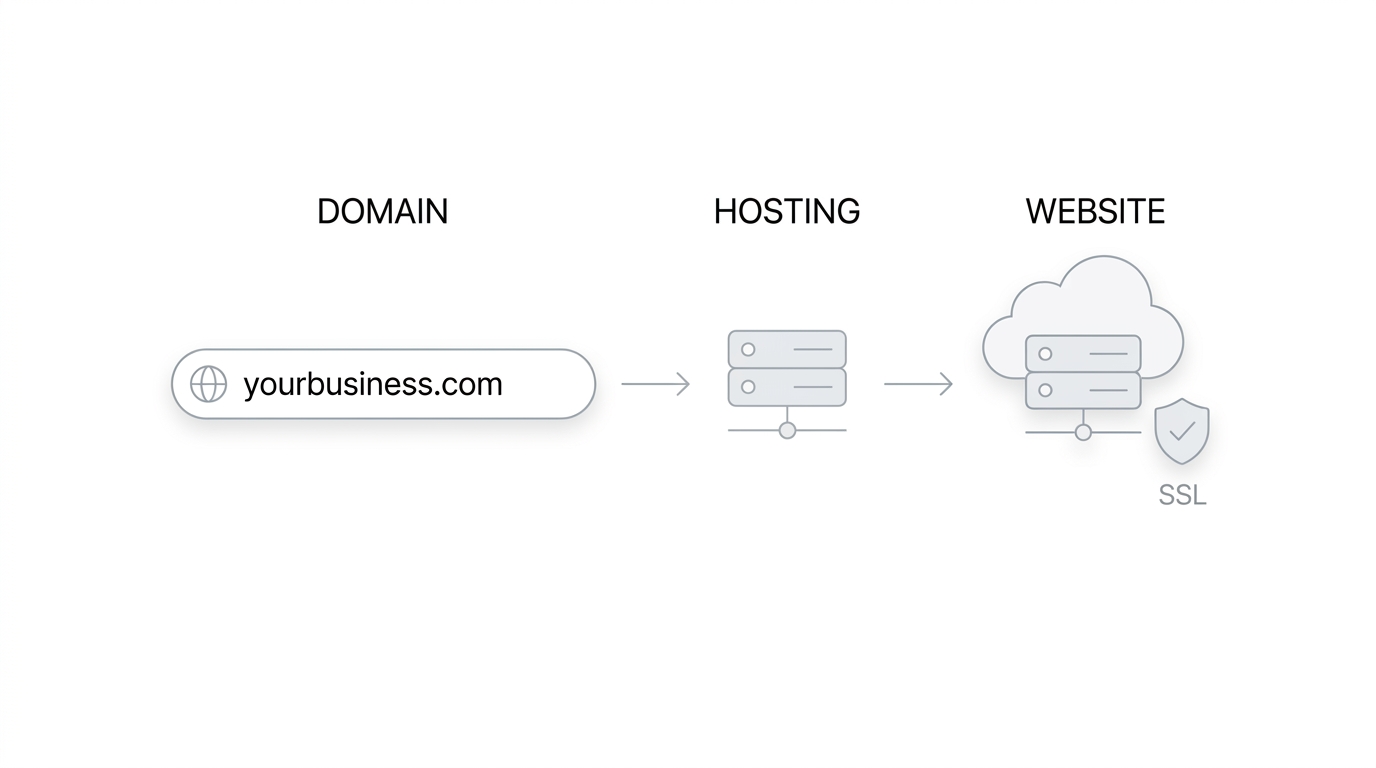
Your domain is your website’s address on the internet, while hosting is the infrastructure that stores your website files and makes them accessible to visitors.
Explain how to choose a professional domain name that is:
- Easy to remember
- Easy to spell
- Relevant to the business
- Short enough to type easily
- Brandable
- Free from unnecessary numbers and hyphens
For most businesses, a .com domain can be a strong choice when available, although country-specific extensions can also make sense for businesses serving a particular market.
Then explain hosting. The hosting plan you need depends on your website’s traffic, platform, performance requirements, storage needs, and expected growth.
Also explain important considerations such as SSL certificates, backups, uptime, security, customer support, storage, bandwidth, and scalability.
This section should make it clear that buying a domain and hosting is not the same thing. The domain identifies your website, while hosting provides the environment where the website lives.
Choose a Domain Name for Your Business
Your domain is the address people type in to find you, like yourbusiness.com, and it is worth getting right before you build anything else because changing it later means losing links, rebuilding SEO, and confusing existing customers.
What Is a Domain Name?
A domain name is the human-readable address that points to your website. Behind the scenes it maps to a server’s IP address, but nobody wants to type a string of numbers, so the domain exists to make that address memorable. You register it through a domain registrar, usually for a yearly fee.
How to Choose a Good Business Domain
Keep it short enough that someone can hear it once and remember it. Make it memorable rather than clever, clever domains are hard to spell over the phone. Use your actual brand name if it is available rather than stuffing in keywords. Skip unnecessary hyphens, they make a domain harder to say out loud and easy to mistype. Avoid spellings that could confuse people, and pick an extension that fits your business and location.
Should You Use .com, .in, .org, or Another Extension?
A .com is still the default expectation for most people, and it is worth trying to secure it first. Country-specific extensions like .in make sense if your business is deliberately local and you want that signaled immediately. Extensions like .org tend to carry a nonprofit connotation, so use them only if that fits your actual business.
Mistakes to Avoid When Choosing a Domain
Do not pick a name that is nearly identical to a competitor’s, it causes confusion and occasionally legal headaches. Do not choose something so long it gets typed wrong constantly. And do not lock yourself into a name tied to one specific product or service if you plan to expand what the business offers later.
Choose Website Hosting
Hosting is the server space where your website’s files actually live. Without it, your domain has nowhere to point and your site simply does not exist online. Most no-code builders like Wix, Squarespace, and Shopify bundle hosting in automatically, but WordPress requires you to buy it separately.
There are a few types worth knowing. Shared hosting is the cheapest option, your site shares server resources with other websites, which is fine for a small business site with moderate traffic. VPS hosting gives you a dedicated slice of a server, better performance, more cost. Cloud hosting scales resources up automatically as traffic grows. Managed WordPress hosting is a specialized option that handles updates, backups, and security specifically for WordPress sites.
What to Look for in a Hosting Provider
Speed matters more than people think, a slow host drags down every page on your site regardless of how good the design is. Uptime should be as close to 100 percent as realistically possible, since downtime means lost customers. SSL should be included, not an upsell. Backups need to run automatically. Security features and responsive customer support matter when something breaks at an inconvenient hour. And check that scalability and CDN compatibility are there so the site can handle traffic spikes without falling over.
Domain vs Hosting: What’s the Difference?
Think of the domain as your business’s street address and hosting as the actual building sitting at that address. The address tells people where to go. The building is where everything actually happens. You need both, and they can be bought from the same company or different ones, it makes no functional difference as long as they are pointed at each other correctly.
Part 4: Plan Your Website Structure
Before designing individual pages, create a logical website structure.
This is where you explain website architecture and navigation. A visitor should be able to understand what your business does and find important information without having to search through multiple confusing menus.
Plan Your Website Pages Before Designing
Jumping straight into design without mapping out pages first is how you end up with a homepage crammed with everything and every other page feeling like an afterthought. Plan the pages, then design them.
Essential Pages Every Business Website Should Have
Homepage. This page needs to explain what you offer, make clear who it is for, establish enough credibility that a stranger trusts you within a few seconds, and point visitors toward the action you want them to take.
About Page. Include your company story, your mission, relevant experience, the people behind the business, and what actually makes you different from the next option a customer is considering.
Services or Products Page. Write clear descriptions of what you offer, spell out the benefits rather than just listing features, include pricing where it makes sense to be transparent, and end with a clear call to action.
Contact Page. This should have a working form, a phone number, an email address, your physical address if relevant, an embedded map, and your business hours listed plainly.
FAQ Page. Answer the questions you get asked on every single sales call, so fewer of those calls need to happen just to get basic information across.
Testimonials or Reviews Page. A dedicated page for social proof gives visitors somewhere to go specifically to check whether other people trust you, which matters more than most business owners assume.
Additional Pages Depending on Business Type
Depending on what you do, you might also need case studies, a portfolio, a dedicated pricing page, a resources section, a blog, individual location pages if you operate in more than one city, a booking page, a careers page if you are hiring, and the standard legal pages: privacy policy and terms and conditions.
Create a Simple Website Sitemap
A sitemap is just a map of how your pages connect to each other, and sketching it out before building saves a huge amount of rework later. Here is a basic example for a service business:
Home
├── About
├── Services
│   ├── Service 1
│   ├── Service 2
│   └── Service 3
├── Case Studies
├── Blog
└── Contact
Getting this right early matters for a few reasons. It creates logical navigation so visitors are not hunting around for basic pages. It shapes your URL structure, which affects SEO more than people expect. It sets up internal linking between related pages so visitors and search engines can both find their way around. And it leaves room to add pages later without the whole structure falling apart.
Part 5: Build the Website Without Coding
Now you can move into the actual website-building process.
Explain how a beginner can use a no-code platform to create a website using templates, sections, blocks, widgets, and visual editors.
Choose a Professional Website Template
Once the platform is picked, resist the urge to just grab whatever template catches your eye first. Look for one that fits your actual industry, is genuinely mobile responsive rather than technically responsive but broken on smaller screens, loads fast, has a clean layout instead of visual clutter, and is customizable enough to actually match your brand instead of looking exactly like every other site using the same template.
Don’t Choose a Template Based Only on Appearance
A template can look gorgeous in the preview and still be a poor fit once you start adding real content. What actually matters more than the visual style is whether the functionality supports what you need, whether the structure makes sense for your pages, whether the user experience guides visitors toward action, whether it performs well on a phone with average signal, and whether it has room built in for conversion elements like forms and CTAs. Pretty and useless is still useless.
10. Customize Your Website Branding
Once the template is chosen, make it look like your business rather than a generic stock layout. This covers your logo, brand colors, fonts, button styles, the photos you use, icons, spacing, and keeping all of it visually consistent from page to page.
Create a Simple Brand Style Guide
Even a one-page style guide saves you from inconsistency later, especially if someone else ever edits the site. Note down your primary color, your secondary color, the font used for headings, the font used for body text, how your buttons should look, and the general style of imagery you use, whether that is bright and casual or more polished and formal. Having this written down keeps every new page on-brand without you having to remember it from scratch each time.
Part 6: Create High-Converting Website Content
A visually attractive website will not generate results if its content fails to communicate value.
This section should explain how to write website copy that answers three basic questions quickly:
What do you offer? Who is it for? Why should someone choose you?
Start with the homepage headline. It should communicate the primary value proposition rather than using vague statements such as “Welcome to Our Website.”
Write Homepage Content That Converts
The homepage carries more weight than any other page on the site, so it is worth breaking it into deliberate sections rather than writing it as one long block of text.
Hero Section. This is the first thing anyone sees, so it needs a clear headline, a supporting line that adds context, a primary call to action, and a relevant image or visual. A weak version says something like “Welcome to Our Company.” A strong version says something like “Get Your AC Fixed Today, Same-Day Service in Bhubaneswar.” One is vague. The other tells a visitor exactly what they get and when.
Problem or Pain Point. Name the actual problem your customer is dealing with before you talk about your solution. People respond to feeling understood before they respond to a sales pitch.
Your Solution. Explain how what you offer solves the problem you just named, directly and without fluff.
Services or Products. A short, scannable summary of what you offer, with links out to the full pages for anyone who wants detail.
Benefits. Not features. Benefits. A feature is “24-hour support.” A benefit is “you are never stuck waiting until Monday when something breaks.”
Social Proof. Reviews, testimonials, logos of clients you have worked with, whatever builds trust fastest for your specific industry.
About or Trust Section. A short version of your story, enough to humanize the business without duplicating the full About page.
FAQ. Two or three of the most common objections, answered directly, right there on the homepage.
Final CTA. Close the page the same way you opened it, with a clear next step and zero ambiguity about what happens when someone clicks.
Write Service and Product Pages
Every service or product page needs to answer a specific set of questions, and skipping any of them leaves a gap a competitor’s page probably fills. What exactly is the service or product? Who is it actually for? What problem does it solve? What benefits does the customer get, not just what does it include? Why should someone choose your business over the next option? How does the process actually work, step by step? How much does it cost, or at least what is the general range? What proof do you have that it works, results, reviews, before and after examples? And finally, what should the visitor do right now after reading all of this?
Answer these in order and the page basically writes itself. Skip a few and visitors are left guessing, which usually means they leave and go check a competitor instead.
Part 7: Design for User Experience
Website design should make it easier for visitors to understand, navigate, and take action.
Make Your Website Easy to Navigate
Navigation is one of those things nobody notices when it is done right and everybody notices when it is done wrong. Keep the menu simple, use clear labels instead of clever ones, add breadcrumbs on deeper pages if the site has a lot of them, include search functionality if the site is content-heavy, keep your calls to action consistent site-wide, and structure pages in a logical hierarchy instead of a flat pile of links.
The 3-Click Myth
There is an old rule floating around that says every page should be reachable within three clicks or visitors will leave. It is not really true. What actually matters is whether the path to get somewhere feels logical, not how many clicks it technically takes. A five-click path that makes obvious sense at every step beats a confusing three-click path where the visitor is not sure which link to pick next.
Make Your Website Mobile-Friendly
More than half of web traffic for most small businesses comes from phones, so a site that only works well on desktop is quietly losing a majority of its potential customers. This is not optional anymore, it is table stakes.
Make sure the layout is genuinely responsive rather than just shrunk down, text stays readable without pinching to zoom, buttons are big enough for a thumb to tap accurately, the mobile menu is easy to open and use, images resize properly instead of overflowing the screen, forms are simple enough to fill out on a small keyboard, phone numbers are clickable so a tap dials directly, and contact buttons like WhatsApp are easy to find. Watch out for horizontal scrolling too, if a visitor has to scroll sideways to read a sentence, something is broken.
Test Your Website on Real Devices
Do not rely only on your browser’s mobile preview mode. Pull the site up on an actual phone, ideally a couple of different models and screen sizes, and click through it the way a real customer would. Preview modes miss things, actual devices catch them.
Improve Website Accessibility
Accessibility is not a niche concern, it affects a meaningful slice of your visitors and improves usability for everyone else too. Add descriptive alt text to images so screen readers can convey what they show. Keep color contrast high enough that text stays readable for people with low vision. Make sure the site can be navigated using a keyboard alone. Use readable typography and sensible font sizes. Label form fields clearly so it is obvious what each field expects. Write descriptive link text instead of vague phrases like “click here.” And add captions to any videos you publish. None of this is complicated to implement, and it makes the whole site better for every visitor, not just the ones who technically need it.
Part 8: Add Essential Business Features
Different businesses need different website functionality.
Explain the essential features a business might need, including:
Add Contact Forms and Lead Capture
A website without an easy way to get in touch is basically a digital brochure, not a business tool. Add contact forms for general inquiries, quote forms for custom work, newsletter forms if you plan to send email updates, booking forms if appointments are part of your business, and lead magnets like a free guide or checklist if you want to capture emails before someone is ready to buy.
Keep Forms Short
Every extra field on a form is a chance for someone to abandon it halfway through. Ask only for what you genuinely need at this stage: name, email, phone number if you plan to call, company name if it is B2B, and a short field describing what they need. Anything beyond that can wait until the actual conversation.
Add Business Contact Options
Different customers prefer different ways to reach out, and offering only one option filters out people who would have converted through another channel. Include click-to-call links, an email address, a WhatsApp button if that is common in your market, a contact form, an embedded Google Map, and links to your active social profiles. More contact options reduce friction because you are meeting people where they already are instead of forcing everyone through the same narrow door.
Add Social Proof to Build Trust
Social proof does more heavy lifting on a small business website than almost any other single element, because a stranger has no reason to trust you yet and proof from other customers closes that gap fast. Use customer reviews, written testimonials, detailed case studies, logos of clients or brands you have worked with, relevant certifications, awards if you have them, hard statistics like number of customers served, and before-and-after examples if your work is visual. The key thing here is authenticity. Fabricated or overly polished testimonials tend to read as fake, and visitors pick up on that faster than business owners expect.
Part 9: SEO for Your Business Website
Once the website is built, you need to make it discoverable through search engines.
Introduce the fundamentals of SEO for business websites, including keyword research, search intent, on-page optimization, technical SEO, internal linking, local SEO, and content creation.
Set Up Basic SEO for Your Business Website Before Launch
SEO is not something to bolt on after launch, it should be baked into the site from the start, because retrofitting it later usually means rewriting pages you already wrote once.
Keyword Research
Figure out what your customers are actually typing into Google. This usually breaks into a few categories: commercial keywords where someone is ready to buy or hire, local keywords tied to a specific city or neighborhood, informational keywords where someone is still researching, and long-tail keywords, longer and more specific phrases that are easier to rank for and often convert better because the intent is clearer.
Optimize Page Titles
Each page needs a unique title tag that includes the relevant keyword and clearly describes what the page is about. A vague title like “Home” tells Google and visitors nothing useful.
Write SEO-Friendly Meta Descriptions
The meta description is the short snippet that shows up under your page title in search results. It should include the target keyword and give someone a real reason to click through instead of the next result down.
Optimize Headings, URLs, and Images
Use one clear H1 per page, structure H2s and H3s logically instead of randomly, keep URLs short and descriptive rather than a string of random characters, and compress and label images with descriptive file names and alt text so search engines understand what they show.
Add Internal Links and Create Useful Content
Link between related pages on your site so visitors and search engines can find their way around naturally. And write content that actually answers questions your customers have, since that is what earns rankings over time, not keyword stuffing.
Local SEO for Local Businesses
If customers find you by location, local SEO deserves real attention, not an afterthought. Set up and fully complete your Google Business Profile, and keep your name, address, and phone number, known as NAP, consistent across every listing online. Create individual location pages if you operate in more than one city. Target local keyword phrases, something like “digital marketing agency in Bhubaneswar” instead of just “digital marketing,” because the local version has clearer intent and less competition. Collect and respond to reviews. Embed a Google Map on your contact page. Add LocalBusiness schema markup so search engines understand your business details directly. And build local citations, listings on relevant local directories that reinforce your NAP consistency across the web.
Add Google Analytics and Search Console
Both of these are free, and both are non-negotiable once your site is live.
Google Analytics
This tracks who is visiting, where they are coming from, how they engage with your pages, and whether they are actually converting into leads or sales. Without it you are running the site blind, guessing at what is working instead of knowing.
Google Search Console
This shows you which search queries actually bring people to your site, how often your pages show up in results, how many of those impressions turn into clicks, whether your pages are properly indexed, how your pages perform in search over time, and flags technical issues before they quietly tank your rankings.
Part 10: Website Speed and Technical Setup
A website can look great but still perform poorly if it loads slowly or has technical problems.
Explain the major factors affecting website performance, including:
Improve Website Loading Speed
Speed affects nearly everything: user experience, how mobile visitors perceive your business, your SEO rankings, and directly your conversion rate. A slow site loses visitors before they even see what you offer.
Practical Ways to Improve Speed
Compress every image before uploading it. Use modern image formats like WebP instead of oversized JPEGs. Cut down on unnecessary plugins, each one adds load time. Minify code resources where your platform allows it. Turn on caching. Use a CDN to serve content faster to visitors farther from your server. Optimize the fonts you load, fewer weights and styles means faster rendering. Remove scripts you are not actually using. And do not cheap out on hosting, since a slow host drags down everything built on top of it regardless of how well optimized the rest of the site is.
Core Web Vitals
Google measures three specific things when judging page experience. LCP, Largest Contentful Paint, measures how fast the main content loads. INP, Interaction to Next Paint, measures how quickly the page responds when someone clicks or taps something. CLS, Cumulative Layout Shift, measures how much elements jump around while the page is loading, which is that annoying moment where you go to tap a button and the page shifts and you tap the wrong thing instead.
Secure Your Business Website
Security is not just an IT department problem, it directly affects customer trust and your Google rankings too. Make sure SSL and HTTPS are active site-wide, use genuinely strong passwords for every admin account, turn on two-factor authentication wherever it is offered, keep your software updated, keep plugins and themes updated on platforms like WordPress, run regular backups, use security plugins or a firewall where it makes sense, and limit user permissions so not everyone with site access has full admin control.
Why Website Security Matters for Small Businesses
Small businesses are frequently targeted precisely because attackers assume the security is weaker than at a larger company, and they are often right. A hacked website can get blacklisted by Google, lose customer trust instantly if data gets exposed, and take real time and money to clean up and restore. A little prevention up front is far cheaper than the cleanup.
Part 11: Legal and Trust Requirements
A professional website needs to establish trust and, depending on the business and location, meet relevant legal requirements.
Explain common pages and elements such as:
Add Essential Legal Pages
Every business website needs a baseline set of legal pages, and skipping them is not just a compliance risk, it is also a trust signal to visitors who notice when they are missing. Include a Privacy Policy explaining how you handle visitor data, Terms and Conditions covering use of your site and services, a Cookie Policy if your site uses tracking cookies, a Refund or Return Policy if you sell products, and a Disclaimer where relevant to your industry. Legal requirements genuinely vary by jurisdiction and business type, so treat this section as a starting point and confirm what actually applies to your specific business and location.
Part 12: Test Your Website Before Launch
Before publishing the website, conduct a complete quality check.
Explain that launching without testing can result in broken links, missing images, incorrect forms, poor mobile layouts, spelling mistakes, and other problems that can damage credibility.
Pre-Launch Website Testing Checklist for Your Business
Do not launch on a Friday afternoon without running through this. Rushing this step is how broken forms and dead links stay live for weeks before anyone notices.
Design. Confirm the logo displays correctly everywhere, colors stay consistent across pages, and typography stays readable at every size.
Content. Proofread for spelling errors, double-check every piece of contact information is correct, and confirm every call to action is clear.
Functionality. Test that forms actually submit and you receive them, buttons work, links go where they are supposed to, phone links dial correctly, and email links open a working compose window.
Mobile. Confirm the responsive design holds up, navigation works cleanly, forms are usable, and images display without breaking layout.
SEO. Check that titles, meta descriptions, and H1s are set on every page, URLs are clean, your sitemap is generated, robots.txt is configured correctly, and indexing settings are not accidentally blocking search engines.
Security. Verify HTTPS is active, backups are configured and actually running, and admin accounts are properly secured.
Part 13: Launch Your Business Website
After testing everything, it is time to make the website publicly accessible.
Explain that launching is more than simply clicking the “Publish” button.
How to Launch Your Website
Once testing is done, the actual launch sequence is straightforward. Connect your domain to your hosting or platform. Configure hosting settings. Finish building out the site if any pages are still incomplete. Add all your content. Test every piece of functionality one more time. Enable SSL if it is not already active. Configure your SEO settings. Connect Google Analytics and Search Console. Submit your sitemap to Google. Verify ownership in Search Console. Test every form again after everything is connected. And then announce the launch, on social media, to your email list, to existing customers, wherever your audience already is.
Part 14: What to Do After Launch
Launching the website is the beginning—not the end—of the process.
Explain what businesses should do during the first few weeks and months after launch.
How to Get Your First Website Visitors
Launching a website is not the same thing as getting traffic to it, and this catches a lot of business owners off guard. A site does not generate visitors on its own just by existing.
Start pulling traffic from Google search and local SEO, your Google Business Profile, social media where your customers already spend time, email marketing if you have a list, your existing customer database, referral traffic from people who already trust you, content marketing through blog posts that answer real questions, paid advertising if the budget allows it, relevant online communities, and partnerships with complementary businesses. Traffic almost always comes from a mix of these channels working together, not from one single source doing all the work.
Create a Content Strategy for Your Business Website
Content is what keeps a website growing after launch instead of sitting static for years. Think in terms of content types and how they connect to each other.
Content Types
Blog posts, how-to guides, case studies, comparison articles, FAQs, industry insights, and product or service guides all serve different stages of a customer’s decision process, from someone just starting to research a topic to someone ready to compare specific options.
Build Topic Clusters Around Your Core Services
Pick a main service and build a cluster of supporting content around it. If your main service is digital marketing, supporting topics could include SEO, local SEO, content marketing, paid ads, technical SEO, and conversion optimization, all linking back to your main service page. This structure signals to Google that you have real depth in the topic, not just a single shallow page.
Track Website Performance for Your Business
Once the site is live and getting traffic, tracking performance tells you what is actually working versus what just feels like it is working.
Watch your traffic metrics: organic traffic, direct traffic, and referral traffic. Watch engagement metrics: engagement rate, how long people stick around, and how many pages they view per visit. Watch conversion metrics, which honestly matter more than raw traffic: leads generated, calls received, form submissions, purchases, and bookings. And watch your SEO metrics: keyword rankings, impressions, click-through rate, and how many pages are actually indexed. Traffic alone does not equal business success. A site pulling in a thousand visitors a month with zero conversions is worse off than one pulling in two hundred visitors that actually turn into paying customers.
Part 15: Cost of Building a Business Website
A major question for business owners is: How much does it cost to build a website?
Instead of presenting one fixed price, explain the different cost components.
How Much Does It Cost to Build a Business Website Without Coding?
Costs break down into a handful of categories worth understanding separately before you commit to a budget.
Domain. Usually a small yearly fee, often under a thousand rupees to around fifteen hundred depending on the extension.
Hosting. Ranges from a modest monthly cost for shared hosting up to significantly more for managed or cloud hosting.
Website Builder. Free tiers exist on most platforms, but a real business site usually needs a paid plan to unlock a custom domain, remove platform branding, and access core features.
Premium Theme or Template. A one-time or recurring cost depending on the platform, buys a more polished, less generic starting design.
Plugins and Apps. Costs stack up here if you add several, booking tools, SEO plugins, chat widgets, each usually has its own price.
Professional Content. Copywriting and photography, if you are not doing it yourself, can be one of the larger line items depending on how much content the site needs.
Professional Design. If you hire someone to customize the design beyond what you can do yourself, this is where a chunk of the budget usually goes.
Maintenance. Ongoing updates, backups, and security monitoring, whether you do it yourself or pay someone, is a recurring cost that does not stop after launch.
Basic starter website. A simple site built mostly by the business owner using a template, minimal customization, low ongoing cost.
Mid-range professional small-business website. Custom branding, professionally written content, a handful of integrations, moderate ongoing investment.
Advanced e-commerce or growth-focused website. Custom design work, multiple integrations, a proper content strategy, and meaningfully higher ongoing spend to support growth.
Prices genuinely vary by platform, provider, region, and the specific features your business needs, so treat these as directional ranges rather than fixed numbers.
Part 16: DIY vs Hiring a Professional
Not every business should build its own website.
Explain when DIY makes sense and when professional help is more appropriate.
Should You Build Your Website Yourself or Hire Someone?
This decision comes down to complexity, budget, and how much time you realistically have.
Build It Yourself If:
The site is fairly simple, your budget is genuinely limited, you are comfortable learning a new tool, the site only needs a handful of pages, and your requirements are basic without heavy custom functionality.
Hire a Professional If:
The website is central to your revenue and cannot afford downtime or amateur mistakes, you need complex integrations, you are running e-commerce at any real scale, you need advanced SEO work, you need custom functionality the templates cannot handle, or you simply do not have the time to learn and manage it yourself.
Hybrid Approach
A lot of businesses land somewhere in the middle, and honestly it is often the smartest option. The business owner handles content, business information, and day-to-day branding decisions, while a professional handles design, technical SEO, development work, performance tuning, and analytics tracking. You get expert help where it matters most while keeping ongoing control over the parts you know best, your own business.
Part 17: Advanced Growth Opportunities
Once the basic website is working properly, businesses can use it as a foundation for broader digital growth.
This section should introduce more advanced strategies such as:
How to Turn Your Website Into a Business Growth Engine
Once the basics are working, there is a lot more a website can do beyond just existing online. Build actual lead generation funnels instead of a single generic contact form. Add email capture points throughout the site, not just on one page. Connect a CRM so leads do not get lost in an inbox. Set up marketing automation so follow-ups happen without manual work. Use remarketing to bring back visitors who did not convert the first time. Focus on conversion optimization, testing and improving what actually turns visitors into customers. Consider a chatbot for instant answers outside business hours. Add appointment booking directly on the site if that fits your business. Build personalized landing pages for different traffic sources. Run A/B tests instead of guessing which version performs better. And set up marketing attribution so you actually know which channel is driving the results you care about.
The 12-Step No-Code Business Website Framework
If everything above feels like a lot to hold in your head at once, here is the whole guide condensed into a sequence you can actually follow:
- Define your website goal
- Identify your audience
- Choose your website type
- Select a no-code platform
- Buy your domain
- Set up hosting
- Plan your sitemap
- Choose a template
- Add content
- Optimize for SEO and mobile
- Test everything
- Launch and continuously improve
Conclusion
Building a website for your business does not require coding skills, and at this point that should be obvious. The technology side is honestly the easy part. What actually separates a website that generates real business from one that just sits there is strategy, content that speaks to the customer instead of the business, a smooth user experience, solid SEO, visible trust signals, and a clear path to conversion on every page.
Start with a simple, solid version rather than waiting for a perfect one that never ships. A live website answering customer questions today beats a flawless one still sitting in draft mode six months from now. Treat it as something that grows alongside the business, not a one-time project you finish and forget. If you have been putting this off, the framework above is the whole plan. Pick your platform this week and get the first version live.
Frequently Asked Questions
Can I build a business website without coding?
Yes. Platforms like WordPress, Wix, Squarespace, and Shopify let you build a fully functional, professional website using visual editors and templates, with no HTML, CSS, or JavaScript knowledge required.
What is the easiest way to create a business website?
For most beginners, a drag-and-drop builder like Wix or Squarespace is the easiest starting point, since both offer polished templates and an intuitive editor that gets a site live within a day or two.
How much does it cost to build a website for a small business?
A basic starter site can cost relatively little if you build it yourself using a template, while a mid-range professional site with custom branding and content runs higher, and e-commerce or advanced sites cost more still depending on features and design work involved.
Do I need a domain name for my business website?
Yes. A domain name is your website’s address on the internet and is essential for branding, credibility, and professional email addresses. Without one, you are stuck using a subdomain tied to whichever builder you use, which looks less professional.
Do I need web hosting?
If you use a platform like Wix, Squarespace, or Shopify, hosting is included automatically. If you build on WordPress, you need to purchase hosting separately from a provider.
Which website builder is best for a small business?
It depends on the business type. WordPress fits businesses that want flexibility and room to grow. Wix and Squarespace fit businesses that want simplicity and speed. Shopify fits businesses focused on e-commerce.
Is WordPress good for business websites?
Yes, WordPress is widely used for business websites because of its flexibility, strong SEO capability, and enormous plugin ecosystem, though it does require separate hosting and has a slightly steeper learning curve than some drag-and-drop builders.
Can I build an e-commerce website without coding?
Yes. Platforms like Shopify and WooCommerce on WordPress let you build a full online store, including product listings, payment processing, and shipping, without writing any code.
How long does it take to build a business website?
A simple site built with a template can go live within a few days. A more complex site with custom branding, extensive content, and multiple integrations typically takes a few weeks depending on how much content needs to be created.
Can I build my website myself?
Yes, for most small businesses with straightforward needs, building it yourself using a no-code platform is entirely realistic. More complex projects involving heavy customization or e-commerce at scale often benefit from professional help.
How many pages should a business website have?
Most small business websites need at minimum a homepage, an about page, a services or products page, a contact page, and an FAQ page. Additional pages depend on the business, things like a blog, case studies, or individual location pages.
How do I get my business website on Google?
Set up Google Search Console and submit your sitemap, make sure your pages are properly indexed, apply basic on-page SEO like optimized titles and meta descriptions, and build out useful content that answers what your customers are actually searching for.
How do I make my business website mobile-friendly?
Choose a responsive template, test the site on actual phones rather than just a browser preview, make sure buttons are easy to tap, keep text readable without zooming, and avoid layouts that cause horizontal scrolling.
How do I make my website generate leads?
Add clear calls to action on every page, keep contact forms short, offer multiple ways to get in touch, include social proof to build trust, and make sure your value proposition is obvious within the first few seconds of landing on the homepage.
Do I need SEO for my business website?
Yes. Without basic SEO, your website is difficult for potential customers to find through search, which means you are relying entirely on people already knowing your business name to find you online.